display DODGE SPRINTER 2008 2.G Repair Manual
[x] Cancel search | Manufacturer: DODGE, Model Year: 2008, Model line: SPRINTER, Model: DODGE SPRINTER 2008 2.GPages: 666, PDF Size: 14.11 MB
Page 267 of 666
265 Controls in detail
Driving systems
3
\1
Press the
%
or
$
button.
The backlighting is set in steps.
\1
Press the
m
button.
The submenus (menu level 2) are
displayed.
Brightness submenuYou can set the monitor’s brightness in
the
Brightness
submenu.
\1
Press the
m
button.
The main menu (menu level 1) is dis-
played (
\2
page 263).
\1
Press the
%
or
$
button until
the
Display
menu is highlighted.
The
Display
menu is selected.
\1
Press the
m
button.
The submenus (menu level 2) are
displayed.
\1
Press the
%
or
$
button until
the
Brightness
submenu is highligh-
ted.
\1
Press the
m
button.
The brightness setting is displayed.
\1
Press the
%
or
$
button.
The brightness is set in steps.
\1
Press the
m
button.
The submenus (menu level 2) are
displayed.
iIf 7 seconds pass without any but-
tons being pressed, the menu will be
exited automatically.
nf_BA.book Page 265 Friday, January 25, 2008 3:53 PM
Page 268 of 666
 is dis-
played (
\")
266 Controls in detailDriving systems
3
Contrast submenuYou can set the monitor’s screen cont-
rast in the
Contrast
submenu.
\1
Press the
m
button.
The main menu (menu level 1) is dis-
played (
\2
page 263).
\1
Press the
%
or
$
button until
the
Display
menu is highlighted.
The
Display
menu is selected.
\1
Press the
m
button.
The submenus (menu level 2) are
displayed.
\1
Press the
%
or
$
button until
the
Contrast
submenu is highligh-
ted.
\1
Press the
m
button.
The screen contrast setting is dis-
played.
\1
Press the
%
or
$
button.
The screen contrast is set in steps.
\1
Press the
m
button.
The submenus (menu level 2) are
displayed.
Color submenuYou can set the monitor’s color in the Color
submenu.
\1
Press the
m
button.
The main menu (menu level 1) is dis-
played (
\2
page 263).
\1
Press the
%
or
$
button until
the
Display
menu is highlighted.
The
Display
menu is selected.
\1
Press the
m
button.
The submenus (menu level 2) are
displayed.
\1
Press the
%
or
$
button until
the
Color
submenu is highlighted.
nf_BA.book Page 266 Friday, January 25, 2008 3:53 PM
Page 269 of 666
267 Controls in detail
Driving systems
3
\1
Press the
m
button.
The color setting is displayed.
\1
Press the
%
or
$
button.
The color is set in steps.
\1
Press the
m
button.
The submenus (menu level 2) are
displayed.
Tint submenu (NTSC color balance)You can set the monitor’s color balance
in accordance with the NTSC standard in
the
TINT
submenu.
\1
Press the
m
button.
The main menu (menu level 1) is dis-
played (
\2
page 263).
\1
Press the
%
or
$
button until
the
Display
menu is highlighted.
The
Display
menu is selected.
\1
Press the
m
button.
The submenus (menu level 2) are
displayed.
\1
Press the
%
or
$
button until
the
Tint
submenu is highlighted.
\1
Press the
m
button.
The color balance setting is display-
ed.
\1
Press the
%
or
$
button.
The color balance is set in steps.
\1
Press the
m
button.
The submenus (menu level 2) are
displayed.
nf_BA.book Page 267 Friday, January 25, 2008 3:53 PM
Page 270 of 666
268 Controls in detailDriving systems
3
Aspect ratio menu You can set the monitor’s display format
in the
Aspect ratio
menu.
\1
Press the
m
button.
The main menu (menu level 1) is dis-
played (
\2
page 263).
\1
Press the
%
or
$
button until
the
Aspect ratio
menu is highligh-
ted.
\1
Press the
m
button.
The submenu (menu level 2) is dis-
played.
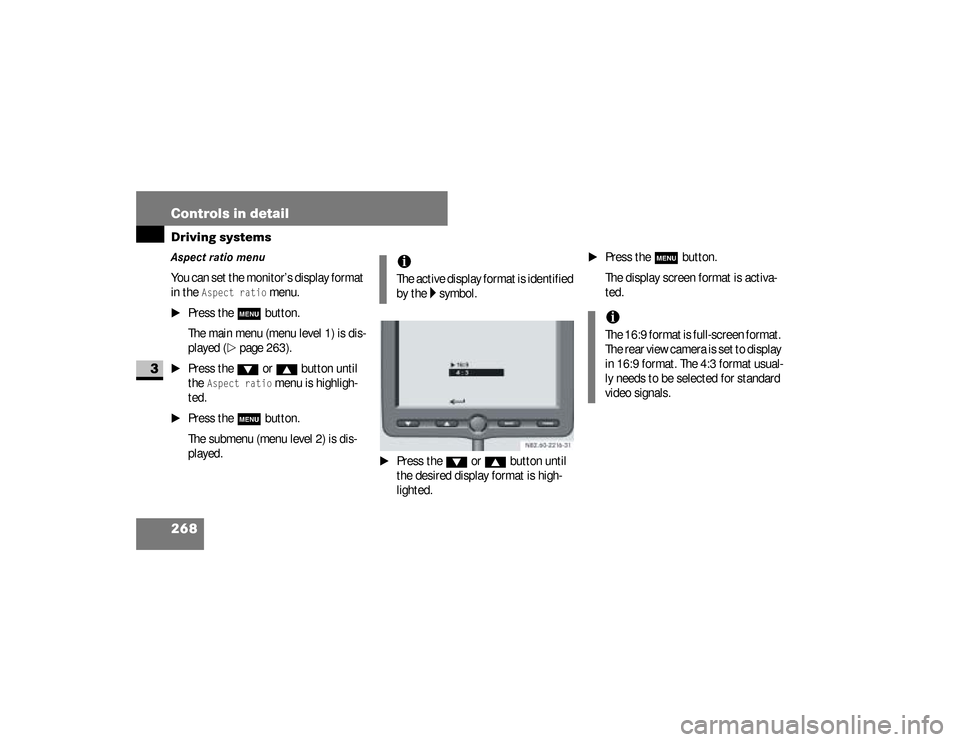
\1
Press the
%
or
$
button until
the desired display format is high-
lighted.
\1
Press the
m
button.
The display screen format is activa-
ted.
iThe active display format is identified
by the
\5 symbol.
iThe 16:9 format is full-screen format.
The rear view camera is set to display
in 16:9 format. The 4:3 format usual-
ly needs to be selected for standard
video signals.
nf_BA.book Page 268 Friday, January 25, 2008 3:53 PM
Page 271 of 666
 is
displayed (
\2
page 263).
\")
269 Controls in detail
Driving systems
3
Norm menu You can set the monitor’s video stan-
dard in the
Norm
menu.
\1
Press the
m
button.
The main menu (menu level 1) is
displayed (
\2
page 263).
\1
Press the
%
or
$
button until
the
Norm
menu is highlighted.
\1
Press the
m
button.
The submenu (menu level 2) is
displayed.
\1
Press the
%
or
$
button until
the desired video standard is
highlighted.
\1
Press the
m
button.
The required video standard is
activated.
iThe active video standard is identi-
fied by the
\5 symbol.
iThe rear view camera’s video signals
conform to the NTSC standard. PAL
should usually be selected for stan-
dard video signals.iIf you select and press the m
button, the monitor will revert
to the main menu (menu level 1)
(
\2
page 263).
nf_BA.book Page 269 Friday, January 25, 2008 3:53 PM
Page 272 of 666
270 Controls in detailDriving systems
3
Menu language menu You can select the language for the mo-
nitor’s menu texts in the
Menu language
menu.
\1
Press the
m
button.
The main menu (menu level 1) is dis-
played (
\2
page 263).
\1
Press the
%
or
$
button until
the
Menu language
menu is highligh-
ted.
\1
Press the
m
button.
The submenu (menu level 2) is
displayed.
i
The active language is identified by
the symbol.
\1
Press the
%
or
$
button until
the desired language is highlighted.
\1
Press the
m
button.
The required language is activated.
i
If you select and press the
m
button, the monitor will revert to
the main menu (menu level 1)
(
\2
page 263).
Default settings menu You can restore the monitor’s factory
settings in the
Default settings
menu.
\1
Press the
m
button.
The main menu (menu level 1) is dis-
played (
\2
page 263).
\1
Press the
%
or
$
button until
the
Default settings
menu is high-
lighted.
\1
Press the
m
button.
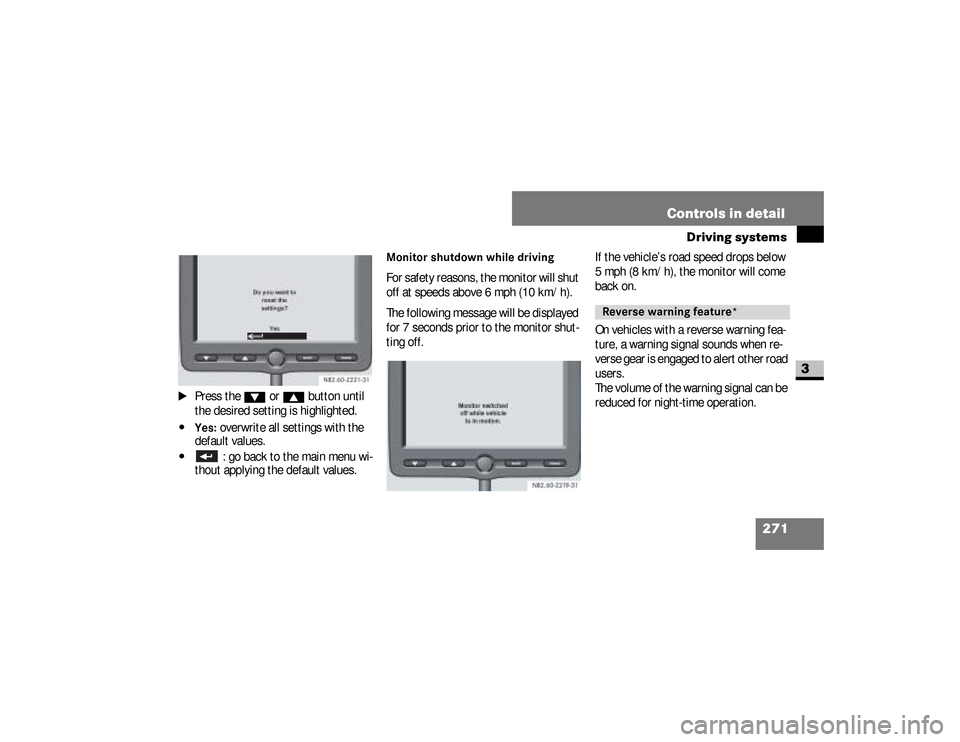
The following message appears on
the monitor.
nf_BA.book Page 270 Friday, January 25, 2008 3:53 PM
Page 273 of 666
271 Controls in detail
Driving systems
3
\1
Press the
%
or
$
button until
the desired setting is highlighted.
\4Yes:
overwrite all settings with the
default values.
\4
: go back to the main menu wi-
thout applying the default values.
Monitor shutdown while driving For safety reasons, the monitor will shut
off at speeds above 6 mph (10 km/h).
The following message will be displayed
for 7 seconds prior to the monitor shut-
ting off.If the vehicle’s road speed drops below
5 mph (8 km/h), the monitor will come
back on.
On vehicles with a reverse warning fea-
ture, a warning signal sounds when re-
verse gear is engaged to alert other road
users.
The volume of the warning signal can be
reduced for night-time operation.
Reverse warning feature*
nf_BA.book Page 271 Friday, January 25, 2008 3:53 PM
Page 325 of 666
323 Operation
Engine compartment
4
Check the engine oil level on a regular ba-
sis, for example weekly or each time you re-
fuel.Checking the engine oil level in the
displayIn vehicles with diesel engines, you can
view the engine oil level in the display.When the oil is being checked, the vehi-
cle must
\4
be standing level
\4
be at normal operating temperature
\4
have been standing with the engine
switched off for at least five minutes
\1
Switch on the ignition (
\2
page 111).
The display is activated.
iIf the oil level exceeds the maximum
level several times during operation,
have the malfunction rectified imme-
diately at an authorized Sprinter
Dealer.
iIf no oil level reading is shown again,
check the engine oil level with the dip-
stick.
Have the engine oil level display
checked at an authorized Sprinter Deal-
er.
!
CAUTION
Have any excess oil drained or si-
phoned off at an authorized Sprinter
Dealer. Otherwise, the engine or cat-
alytic converter could be damaged.
iIf at extremely low temperatures no
engine oil level is displayed after 5
minutes, wait a further 5 minutes be-
fore repeating the engine oil level
check.
nf_BA.book Page 323 Friday, January 25, 2008 3:53 PM
Page 326 of 666
324 OperationEngine compartment
4
Vehicles without steering wheel
buttons
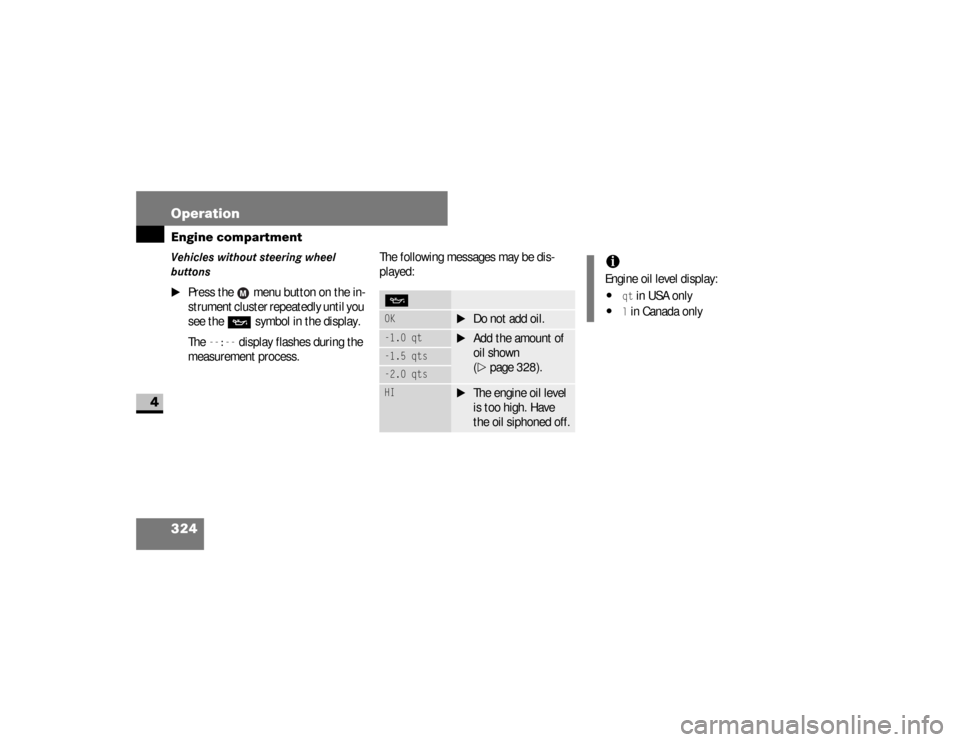
\1
Press the menu button on the in-
strument cluster repeatedly until you
see the
P
symbol in the display.
The
--:--
display flashes during the
measurement process.The following messages may be dis-
played:
POK
\1
Do not add oil.
-1.0 qt
\1
Add the amount of
oil shown
(\2
page 328).
-1.5 qts-2.0 qtsHI
\1
The engine oil level
is too high. Have
the oil siphoned off.
iEngine oil level display:\4
qt in USA only
\4
l in Canada only
nf_BA.book Page 324 Friday, January 25, 2008 3:53 PM
Page 327 of 666
325 Operation
Engine compartment
4
Vehicles with steering wheel buttons*
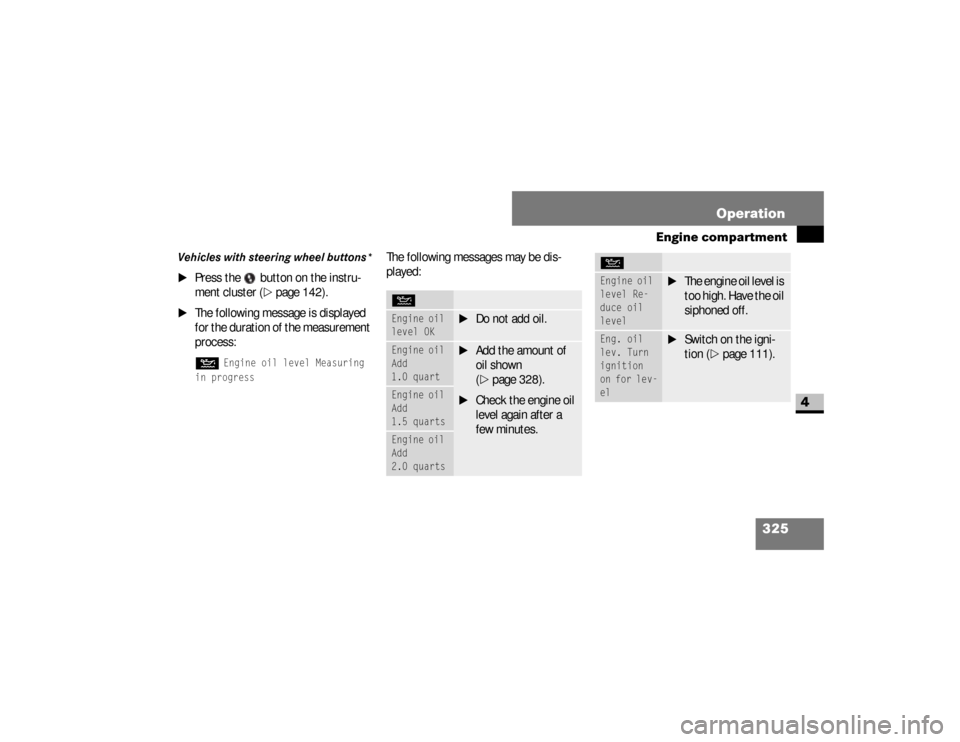
\1
Press the button on the instru-
ment cluster (
\2
page 142).
\1
The following message is displayed
for the duration of the measurement
process:N
Engine oil level Measuring
in progress
The following messages may be dis-
played:NEngine oil
level OK
\1
Do not add oil.
Engine oil
Add
1.0 quart
\1
Add the amount of
oil shown
(\2
page 328).
\1
Check the engine oil
level again after a
few minutes.
Engine oil
Add
1.5 quartsEngine oil
Add
2.0 quarts
Engine oil
level Re-
duce oil
level
\1
The engine oil level is
too high. Have the oil
siphoned off.
Eng. oil
lev. Turn
ignition
on for lev-
el
\1
Switch on the igni-
tion (
\2
page 111).
N
nf_BA.book Page 325 Friday, January 25, 2008 3:53 PM