instrument panel DODGE VIPER 2015 VX / 3.G Owners Manual
[x] Cancel search | Manufacturer: DODGE, Model Year: 2015, Model line: VIPER, Model: DODGE VIPER 2015 VX / 3.GPages: 400, PDF Size: 9.59 MB
Page 204 of 400
feature. Refer to the “Customer Programmable Fea-
tures — Uconnect® System Settings” in this section of
the manual.
To provide you with maximum comfort in the Automatic
mode during cold start-ups, the blower fan will remain
on low until the engine warms up. The blower will
increase in speed and transition into Auto mode.
Recirculation Control
When outside air contains smoke, odors, or high humid-
ity, or if rapid cooling is desired, you may wish to
recirculate interior air by pressing the RECIRCULATION
control button. Recirculation mode should only be used
temporarily. The recirculation LED will illuminate on the
blower control knob when this button is selected. Push
the button a second time to turn off the Recirculation
mode LED and allow outside air into the vehicle.
NOTE:In cold weather, use of Recirculation mode may
lead to excessive window fogging. The Recirculation
mode is not allowed in Defrost mode to improve window
clearing operation. Recirculation will be disabled auto-
matically if these modes are selected.
Summer Operation
The engine cooling system must be protected with a
high-quality antifreeze coolant to provide proper corro-
sion protection and to protect against engine overheating.
OAT coolant (conforming to MS.90032) is recommended.
Refer to “Maintenance Procedures” in “Maintaining Your
Vehicle” for proper coolant selection.
Winter Operation
To ensure the best possible heater and defroster perfor-
mance, make sure the engine cooling system is function-
ing properly and the proper amount, type, and concen-
tration of coolant is used. Refer to “Maintenance
Procedures” in “Maintaining Your Vehicle” for proper
202 UNDERSTANDING YOUR INSTRUMENT PANEL
Page 205 of 400
coolant selection. Use of the air Recirculation mode
during Winter months is not recommended because it
may cause window fogging.
Vacation/Storage
Any time you store your vehicle or keep it out of service
(i.e., vacation) for two weeks or more, run the air
conditioning system at idle for about five minutes in
fresh air with the blower setting in high. This will ensure
adequate system lubrication to minimize the possibility
of compressor damage when the system is started again.
Window Fogging and Frosting
Vehicle windows tend to fog on the inside of the glass in
mild, rainy and/or humid weather. Windows may frost
on the inside of the glass in very cold weather. To clear
the windows, select Defrost or Mix mode and increase
the front blower speed. Do not use the Recirculation
mode without A/C for long periods, as fogging may
occur.
NOTE:Automatic Temperature Controls (ATC) will au-
tomatically adjust the climate control settings to reduce
or eliminate window fogging on the front windshield.
When this occurs, recirculation will be unavailable.
Outside Air Intake
Make sure the air intake, located directly in front of the
windshield, is free of obstructions such as leaves. Leaves
collected in the air intake may reduce airflow, can cause
odor, and if they enter the plenum they could plug the
water drains. In winter months, ensure the air intake is
clear of ice, slush and snow.
4
UNDERSTANDING YOUR INSTRUMENT PANEL 203
Page 206 of 400
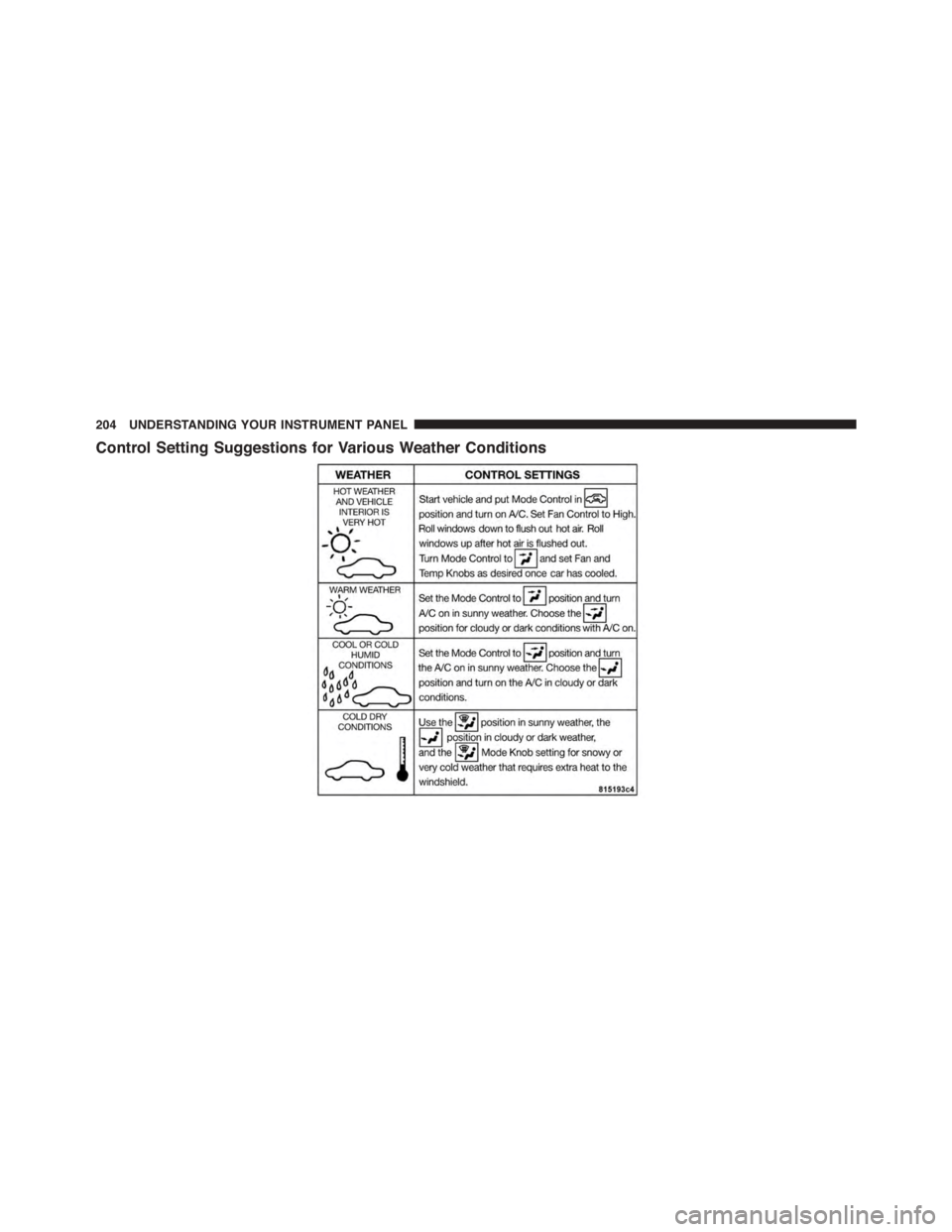
Control Setting Suggestions for Various Weather Conditions
204 UNDERSTANDING YOUR INSTRUMENT PANEL
Page 207 of 400
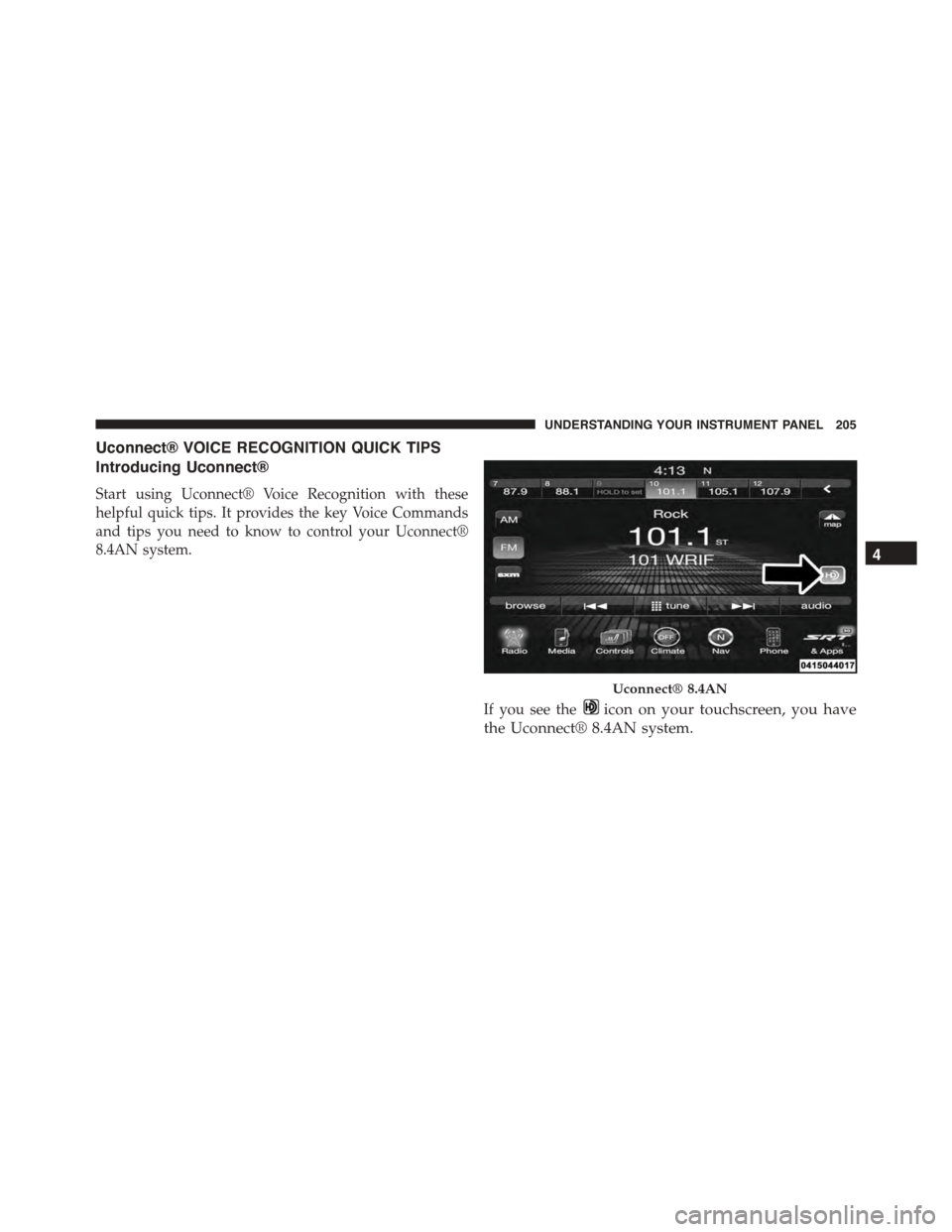
Uconnect® VOICE RECOGNITION QUICK TIPS
Introducing Uconnect®
Start using Uconnect® Voice Recognition with these
helpful quick tips. It provides the key Voice Commands
and tips you need to know to control your Uconnect®
8.4AN system.
If you see theicon on your touchscreen, you have
the Uconnect® 8.4AN system.
Uconnect® 8.4AN
4
UNDERSTANDING YOUR INSTRUMENT PANEL 205
Page 208 of 400
Get Started
1. Visit UconnectPhone.com to check mobile device and
feature compatibility and to find phone pairing in-
structions.
2. Reduce background noise. Wind and passenger con-
versations are examples of noise that may impact
recognition.
3. Speak clearly at a normal pace and volume while
facing straight ahead. The microphone is positioned
on the rearview mirror and aimed at the driver.
4. Each time you give a Voice Command, you must first
push either the VR or Phone button, wait untilafter
the beep, then say your Voice Command.
5. You can interrupt the help message or system prompts
by pushing the VR or Phone button and saying a Voice
Command from current category.
Two buttons are all you need to control your Uconnect®
system with your voice.
Basic Voice Commands
The basic Voice Commands below can be given at any
point while using your Uconnect® system.
Push the VR button. After the beep, say:
•Cancelto stop a current voice session
•Helpto hear a list of suggested Voice Commands
•Repeatto listen to the system prompts again
Notice the visual cues that inform you of your voice
recognition system’s status. Cues appear on the touch-
screen.
206 UNDERSTANDING YOUR INSTRUMENT PANEL
Page 209 of 400
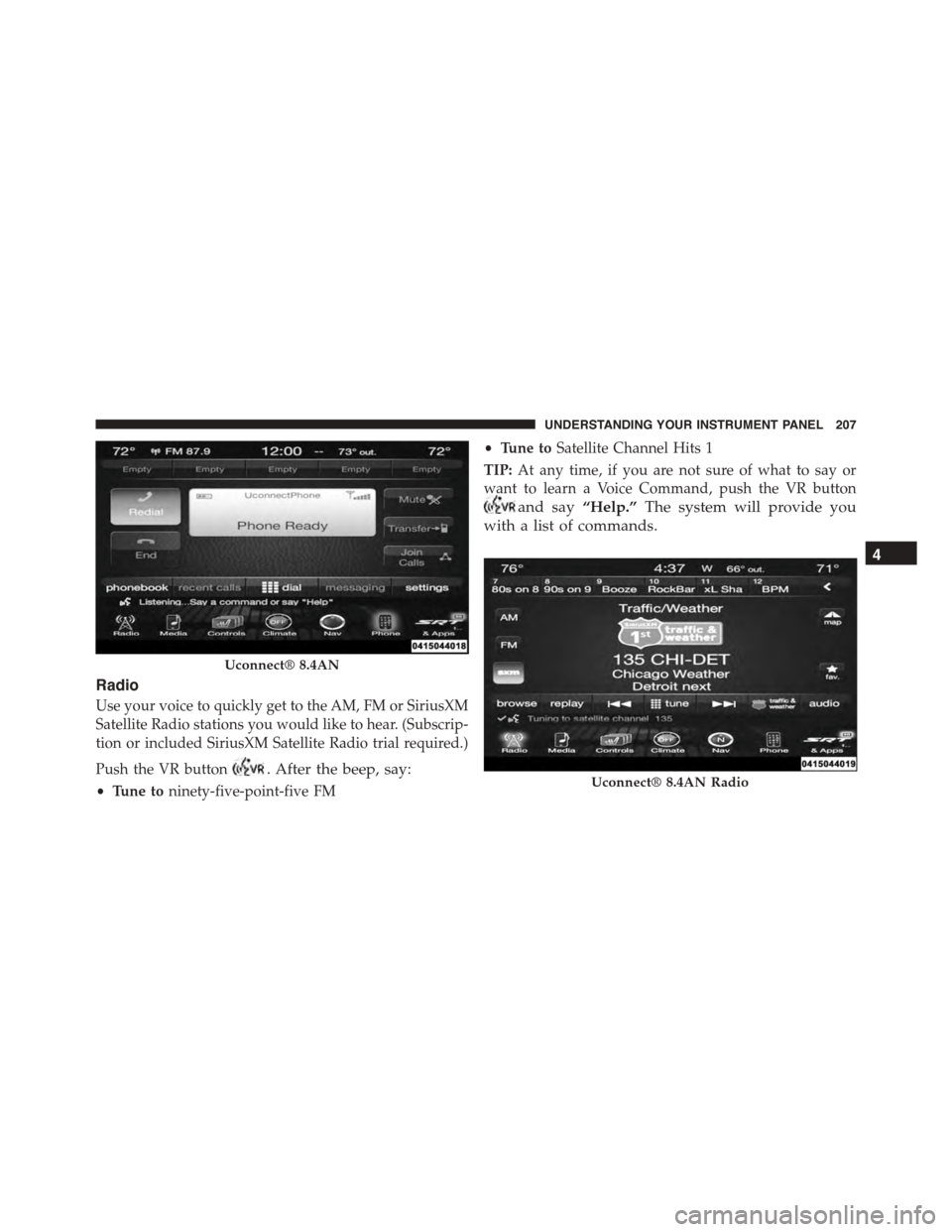
Radio
Use your voice to quickly get to the AM, FM or SiriusXM
Satellite Radio stations you would like to hear. (Subscrip-
tion or included SiriusXM Satellite Radio trial required.)
Push the VR button. After the beep, say:
•Tune toninety-five-point-five FM
•Tune toSatellite Channel Hits 1
TIP:At any time, if you are not sure of what to say or
want to learn a Voice Command, push the VR button
and say“Help.”The system will provide you
with a list of commands.
Uconnect® 8.4AN
Uconnect® 8.4AN Radio
4
UNDERSTANDING YOUR INSTRUMENT PANEL 207
Page 210 of 400
Media
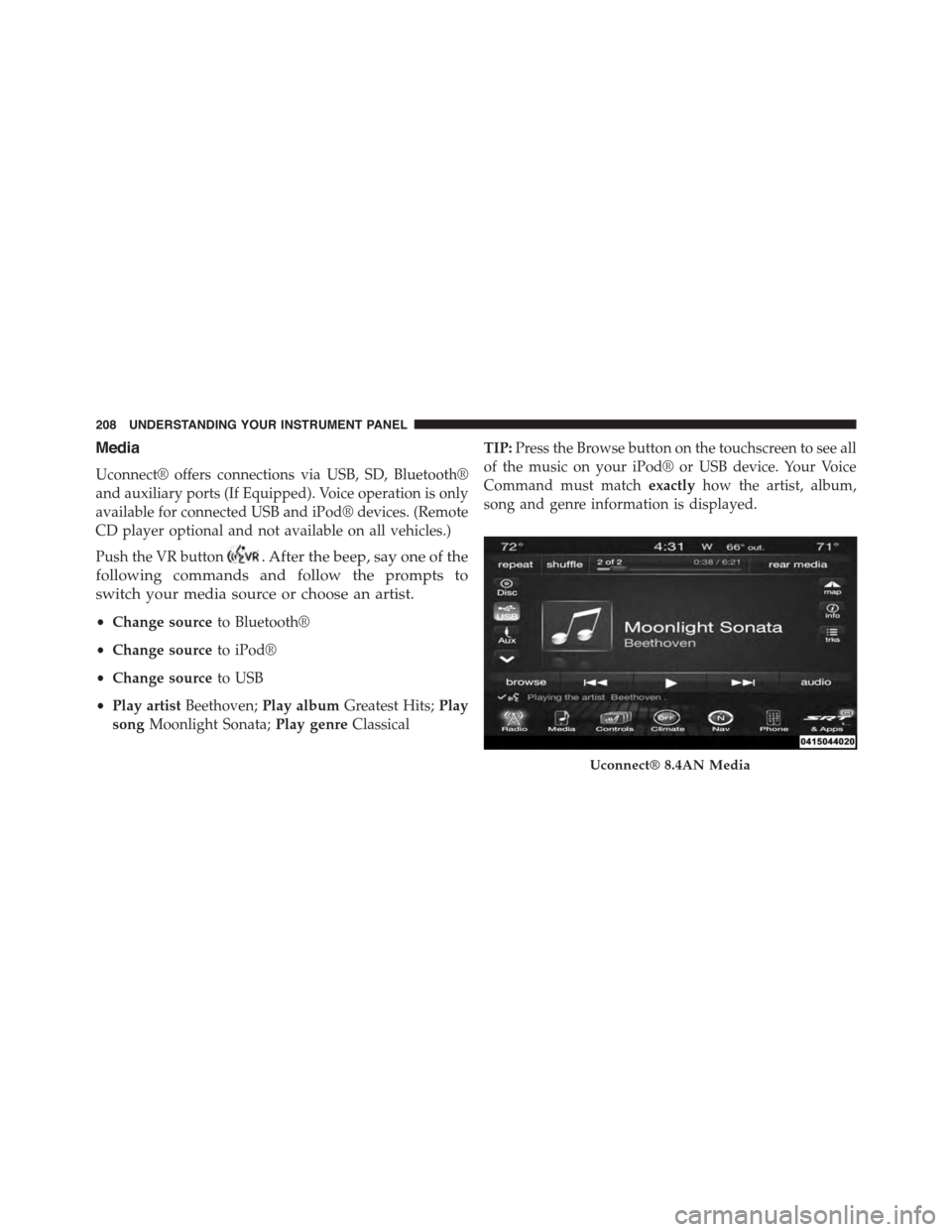
Uconnect® offers connections via USB, SD, Bluetooth®
and auxiliary ports (If Equipped). Voice operation is only
available for connected USB and iPod® devices. (Remote
CD player optional and not available on all vehicles.)
Push the VR button. After the beep, say one of the
following commands and follow the prompts to
switch your media source or choose an artist.
•Change sourceto Bluetooth®
•Change sourceto iPod®
•Change sourceto USB
•Play artistBeethoven;Play albumGreatest Hits;Play
songMoonlight Sonata;Play genreClassical
TIP:Press the Browse button on the touchscreen to see all
of the music on your iPod® or USB device. Your Voice
Command must matchexactlyhow the artist, album,
song and genre information is displayed.
Uconnect® 8.4AN Media
208 UNDERSTANDING YOUR INSTRUMENT PANEL
Page 211 of 400
Phone
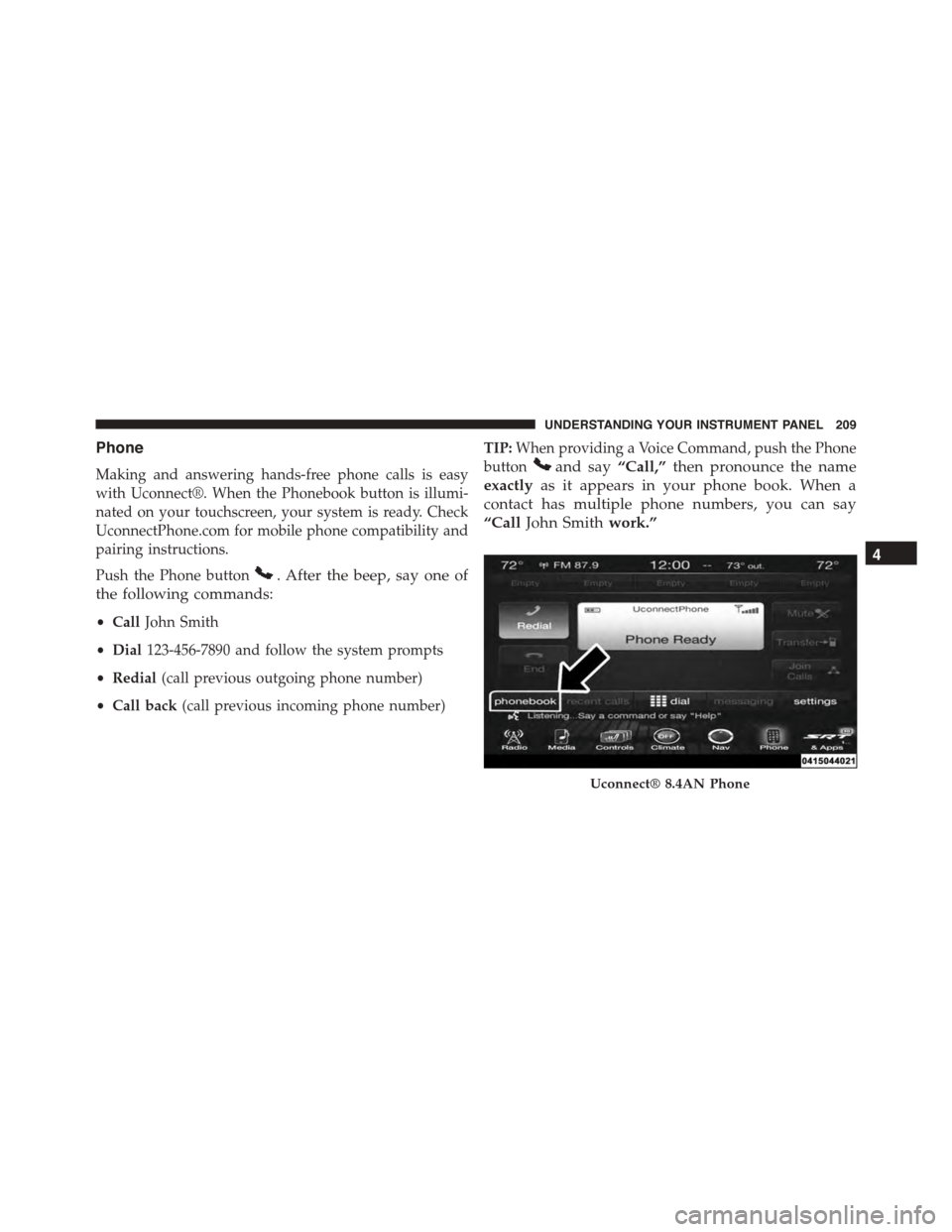
Making and answering hands-free phone calls is easy
with Uconnect®. When the Phonebook button is illumi-
nated on your touchscreen, your system is ready. Check
UconnectPhone.com for mobile phone compatibility and
pairing instructions.
Push the Phone button. After the beep, say one of
the following commands:
•CallJohn Smith
•Dial123-456-7890 and follow the system prompts
•Redial(call previous outgoing phone number)
•Call back(call previous incoming phone number)
TIP:When providing a Voice Command, push the Phone
buttonand say“Call,”then pronounce the name
exactlyas it appears in your phone book. When a
contact has multiple phone numbers, you can say
“CallJohn Smithwork.”
Uconnect® 8.4AN Phone
4
UNDERSTANDING YOUR INSTRUMENT PANEL 209
Page 212 of 400
Voice Text Reply
Uconnect® will announceincomingtext messages. Push
the Phone buttonand sayListen.(Must have com-
patible mobile phone paired to Uconnect® system.)
1. Once an incoming text message is read to you, push
the Phone button. After the beep, say:“Reply.”
2. Listen to the Uconnect® prompts. After the beep,
repeat one of the pre-defined messages and follow the
system prompts.
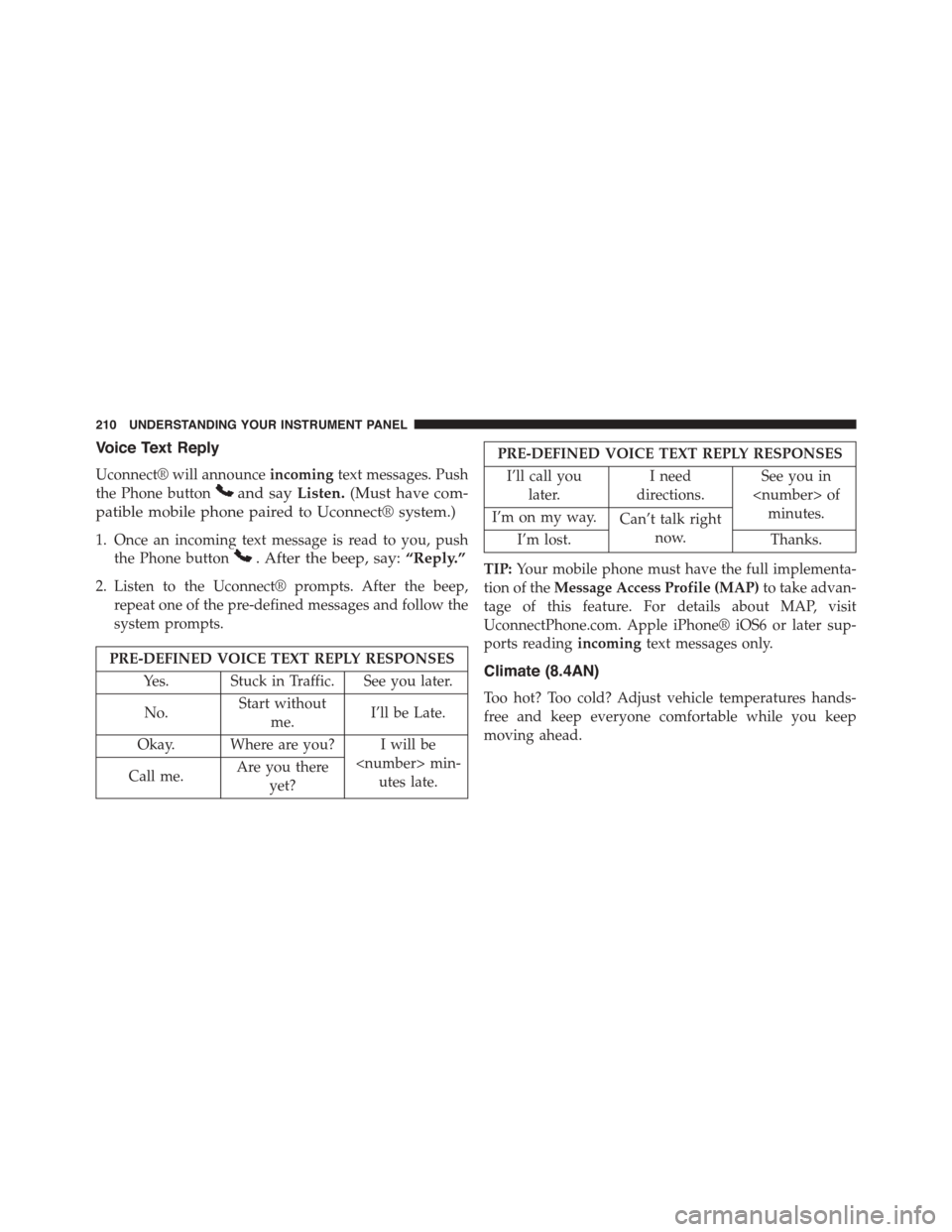
PRE-DEFINED VOICE TEXT REPLY RESPONSES
Yes. Stuck in Traffic. See you later.
No.Start without
me.I’ll be Late.
Okay. Where are you? I will be
utes late.Call me.Are you there
yet?
PRE-DEFINED VOICE TEXT REPLY RESPONSES
I’ll call you
later.
I need
directions.
See you in
minutes.I’m on my way.Can’t talk right
now.I’m lost. Thanks.
TIP:Your mobile phone must have the full implementa-
tion of theMessage Access Profile (MAP)to take advan-
tage of this feature. For details about MAP, visit
UconnectPhone.com. Apple iPhone® iOS6 or later sup-
ports readingincomingtext messages only.
Climate (8.4AN)
Too hot? Too cold? Adjust vehicle temperatures hands-
free and keep everyone comfortable while you keep
moving ahead.
210 UNDERSTANDING YOUR INSTRUMENT PANEL
Page 213 of 400
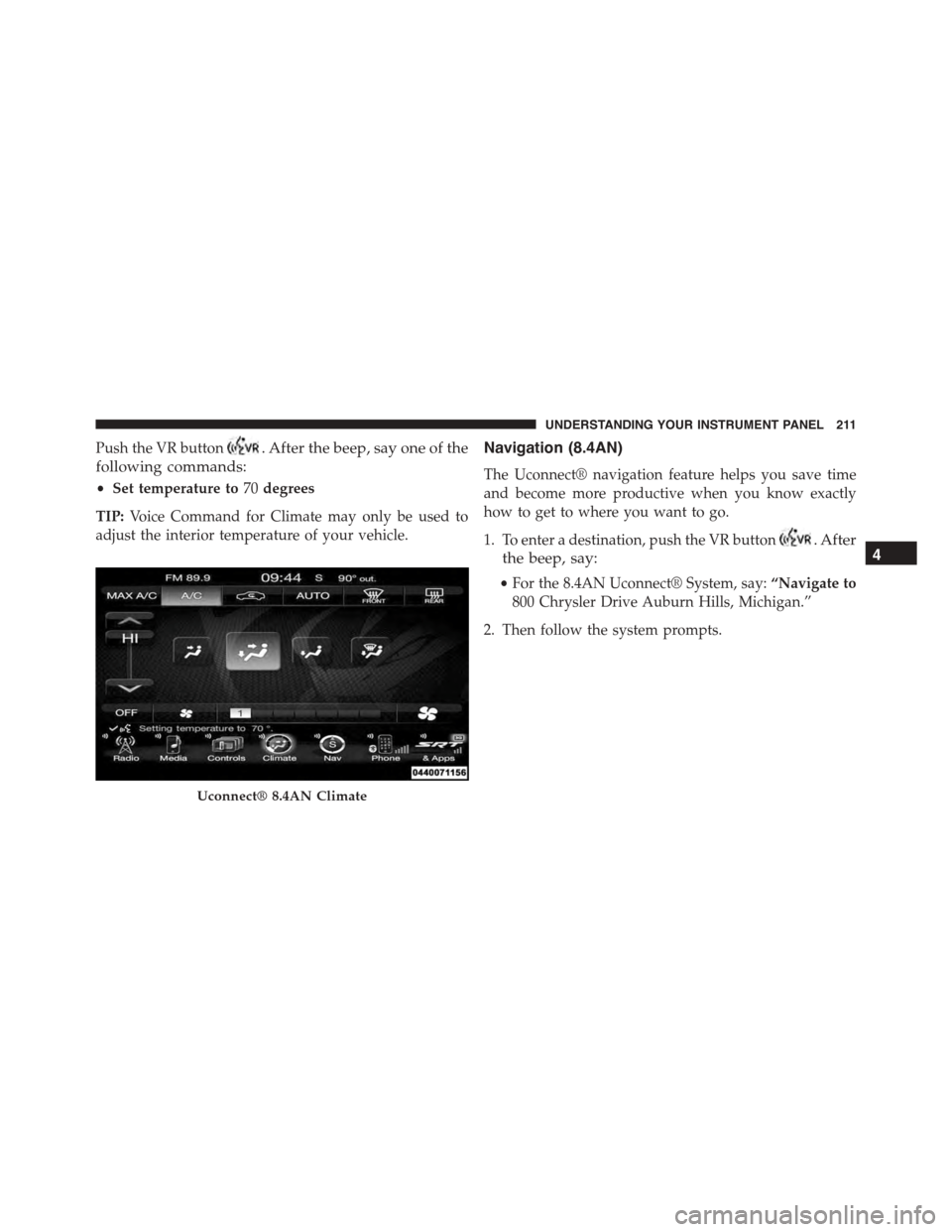
Push the VR button. After the beep, say one of the
following commands:
•Set temperature to70degrees
TIP:Voice Command for Climate may only be used to
adjust the interior temperature of your vehicle.
Navigation (8.4AN)
The Uconnect® navigation feature helps you save time
and become more productive when you know exactly
how to get to where you want to go.
1. To enter a destination, push the VR button. After
the beep, say:
•For the 8.4AN Uconnect® System, say:“Navigate to
800 Chrysler Drive Auburn Hills, Michigan.”
2. Then follow the system prompts.
Uconnect® 8.4AN Climate
4
UNDERSTANDING YOUR INSTRUMENT PANEL 211