instrument panel DODGE VIPER 2015 VX / 3.G Owners Manual
[x] Cancel search | Manufacturer: DODGE, Model Year: 2015, Model line: VIPER, Model: DODGE VIPER 2015 VX / 3.GPages: 400, PDF Size: 9.59 MB
Page 214 of 400
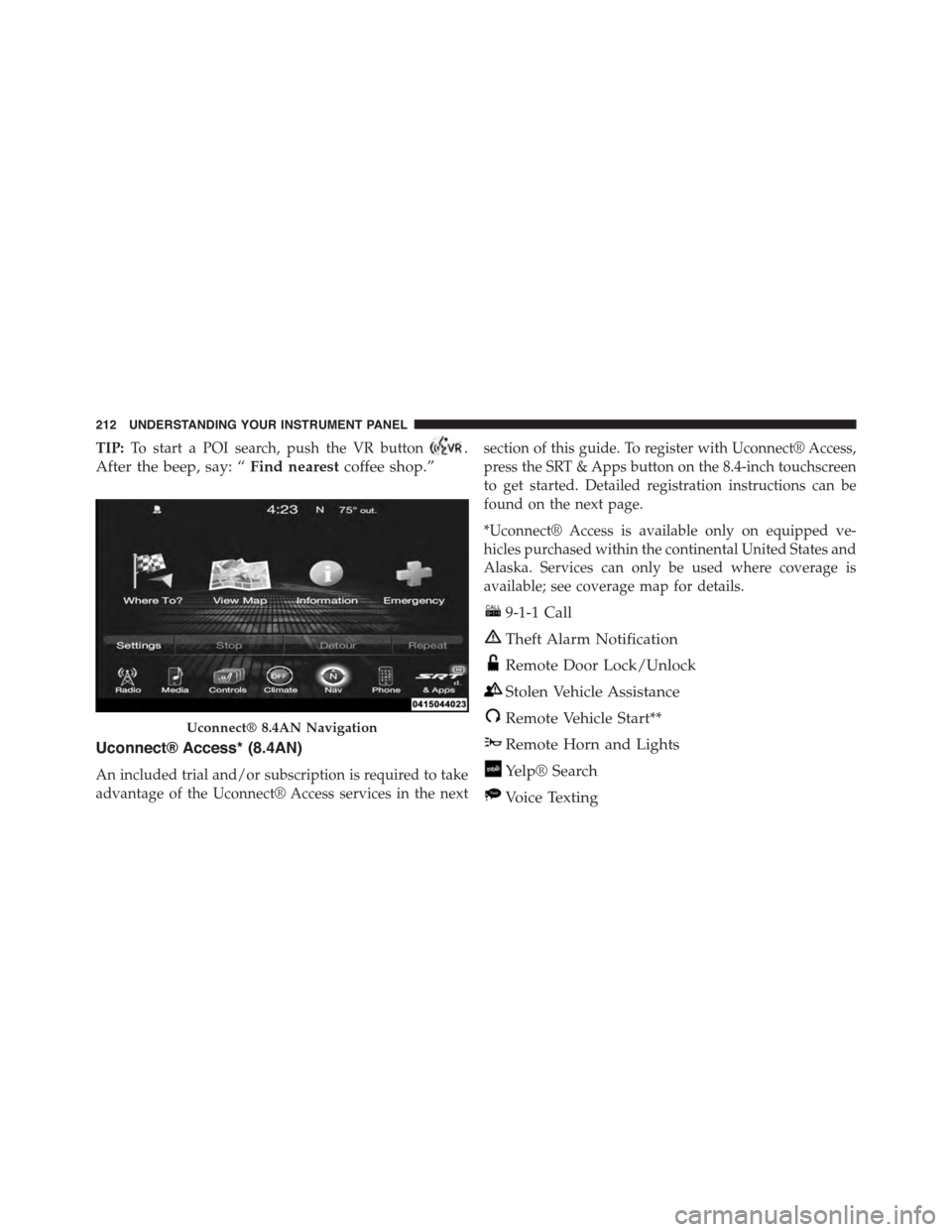
TIP:To start a POI search, push the VR button.
After the beep, say: “Find nearestcoffee shop.”
Uconnect® Access* (8.4AN)
An included trial and/or subscription is required to take
advantage of the Uconnect® Access services in the next
section of this guide. To register with Uconnect® Access,
press the SRT & Apps button on the 8.4-inch touchscreen
to get started. Detailed registration instructions can be
found on the next page.
*Uconnect® Access is available only on equipped ve-
hicles purchased within the continental United States and
Alaska. Services can only be used where coverage is
available; see coverage map for details.
9-1-1 Call
Theft Alarm Notification
Remote Door Lock/Unlock
Stolen Vehicle Assistance
Remote Vehicle Start**
Remote Horn and Lights
Yelp® Search
Voice Texting
Uconnect® 8.4AN Navigation
212 UNDERSTANDING YOUR INSTRUMENT PANEL
Page 215 of 400
Roadside Assistance Call
Wi-Fi Hotspot***
**If vehicle is equipped.
***Extra charges apply.
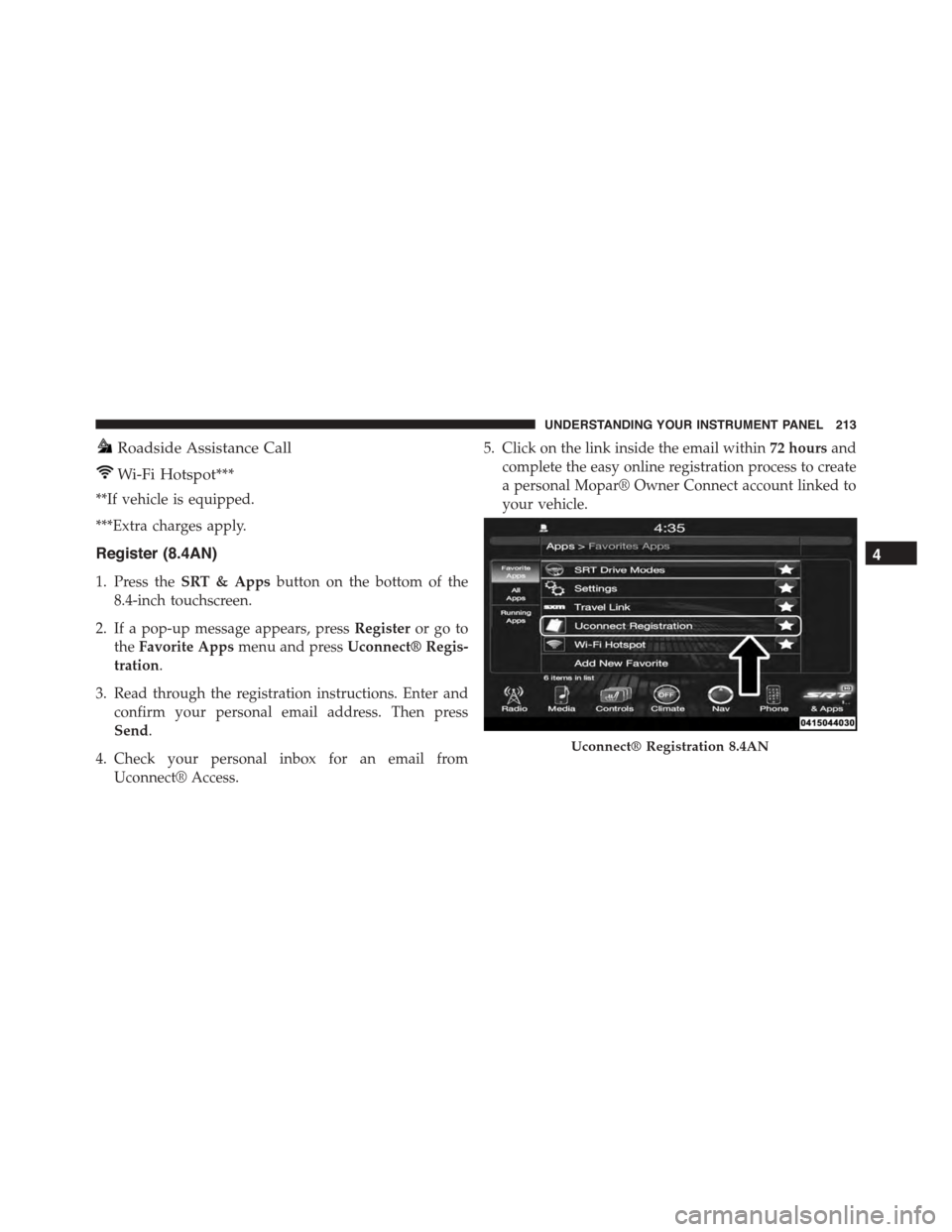
Register (8.4AN)
1. Press theSRT & Appsbutton on the bottom of the
8.4-inch touchscreen.
2. If a pop-up message appears, pressRegisteror go to
theFavorite Appsmenu and pressUconnect® Regis-
tration.
3. Read through the registration instructions. Enter and
confirm your personal email address. Then press
Send.
4. Check your personal inbox for an email from
Uconnect® Access.
5. Click on the link inside the email within72 hoursand
complete the easy online registration process to create
a personal Mopar® Owner Connect account linked to
your vehicle.
Uconnect® Registration 8.4AN
4
UNDERSTANDING YOUR INSTRUMENT PANEL 213
Page 216 of 400
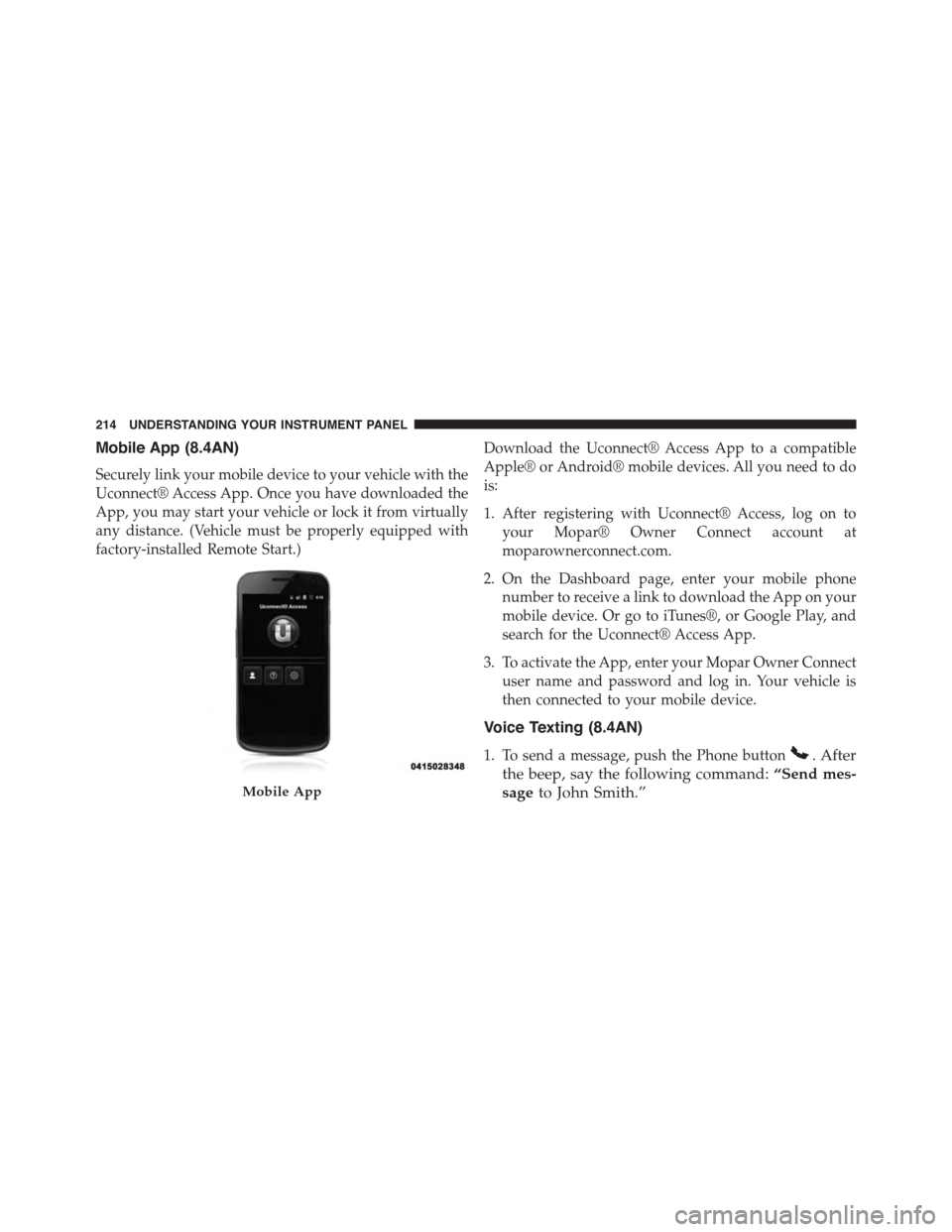
Mobile App (8.4AN)
Securely link your mobile device to your vehicle with the
Uconnect® Access App. Once you have downloaded the
App, you may start your vehicle or lock it from virtually
any distance. (Vehicle must be properly equipped with
factory-installed Remote Start.)
Download the Uconnect® Access App to a compatible
Apple® or Android® mobile devices. All you need to do
is:
1. After registering with Uconnect® Access, log on to
your Mopar® Owner Connect account at
moparownerconnect.com.
2. On the Dashboard page, enter your mobile phone
number to receive a link to download the App on your
mobile device. Or go to iTunes®, or Google Play, and
search for the Uconnect® Access App.
3. To activate the App, enter your Mopar Owner Connect
user name and password and log in. Your vehicle is
then connected to your mobile device.
Voice Texting (8.4AN)
1. To send a message, push the Phone button. After
the beep, say the following command:“Send mes-
sageto John Smith.”Mobile App
214 UNDERSTANDING YOUR INSTRUMENT PANEL
Page 217 of 400
2. Listen to the prompt. After the beep, dictate the
message you would like to send. Wait for Uconnect®
to process your message.
3. The Uconnect® system will repeat your message and
provide a variety of options to add to, delete, send or
hear the message again. After the beep, tell Uconnect®
what you’d like to do. For instance, if you’re happy
with your message, after the beep, say:“Send.”
You must be registered with Uconnect® Access and have
a compatible MAP – enabled smartphone to use your
voice to send a personalized text message.
TIP:
•Not compatible with iPhone®.
•Messages are limited to 140 characters.
•The Messaging button on the touchscreen must be
illuminated to use the feature.
Yelp® (8.4AN)
Once registered with Uconnect® Access, you can use
your voice to search for the most popular places or things
around you.
1. Press the “SRT & Apps” button on the touchscreen.
2. Press the “All Apps” button on the touchscreen.
3. Press the “Yelp” button on the touchscreen.
4. Once the YELP® home screen appears on the touch-
screen, push the VR button, then say:“YELP
search.”
5. Listen to the system prompts and after the beep, tell
Uconnect® the place or business that you’d like
Uconnect® to find.
4
UNDERSTANDING YOUR INSTRUMENT PANEL 215
Page 218 of 400
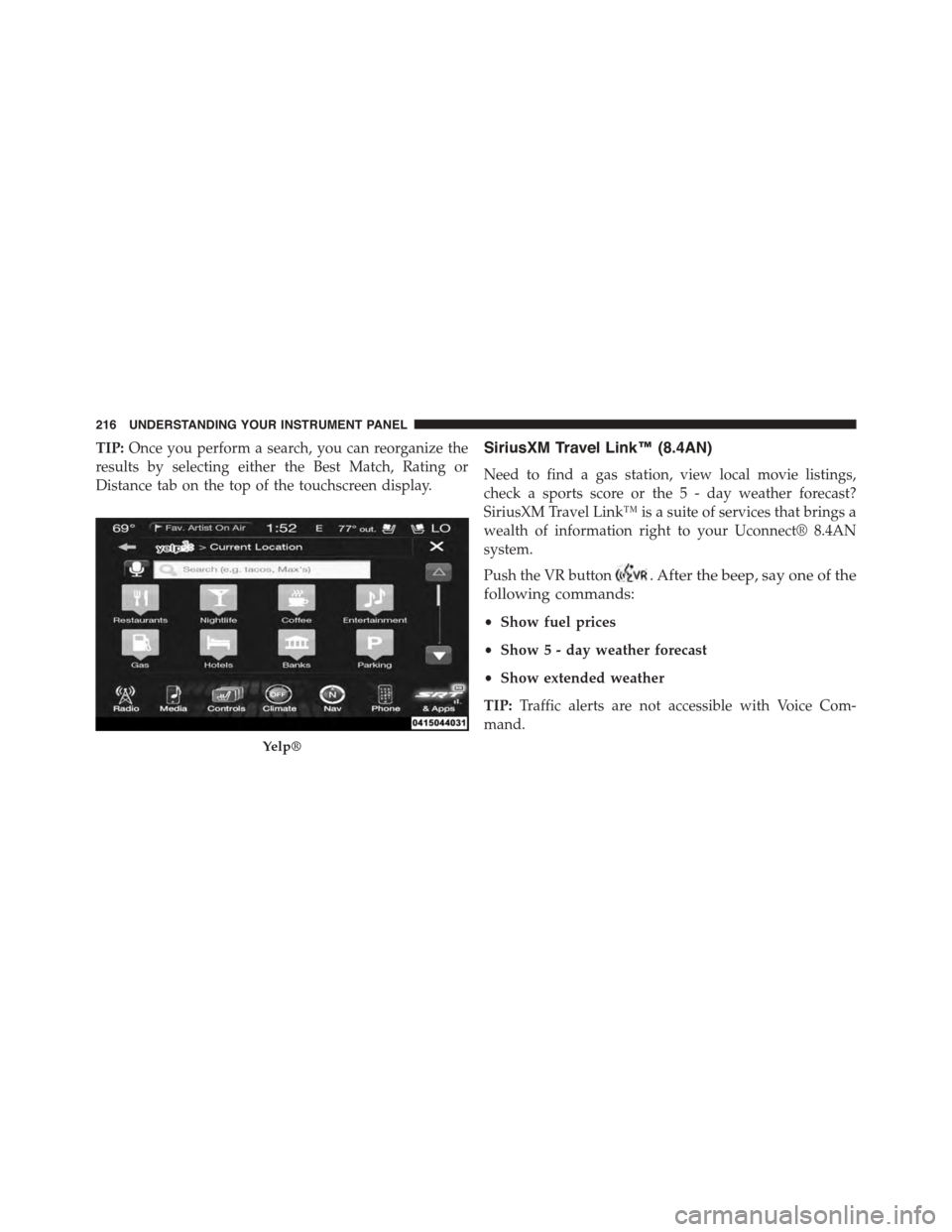
TIP:Once you perform a search, you can reorganize the
results by selecting either the Best Match, Rating or
Distance tab on the top of the touchscreen display.
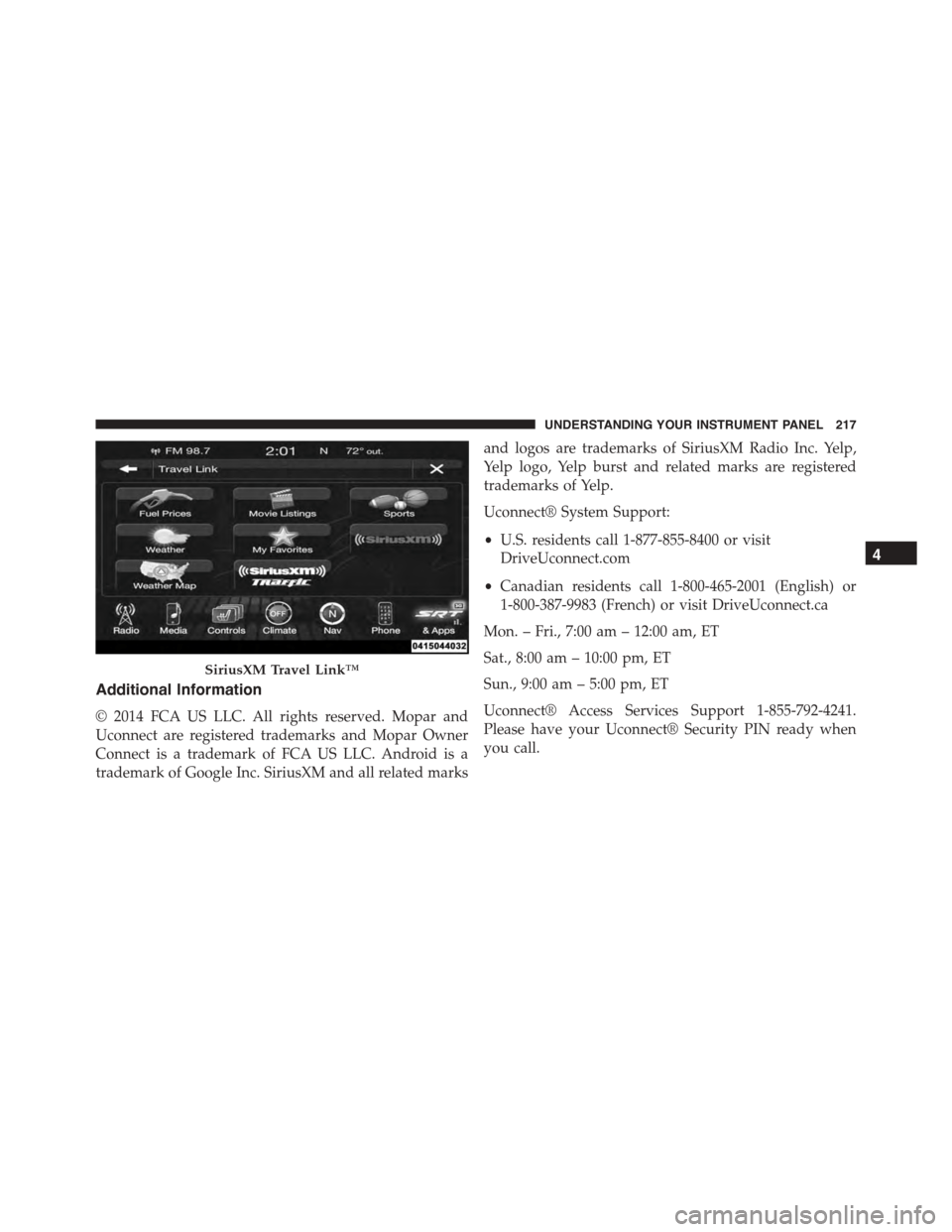
SiriusXM Travel Link™ (8.4AN)
Need to find a gas station, view local movie listings,
check a sports score or the 5 - day weather forecast?
SiriusXM Travel Link™ is a suite of services that brings a
wealth of information right to your Uconnect® 8.4AN
system.
Push the VR button. After the beep, say one of the
following commands:
•Show fuel prices
•Show 5 - day weather forecast
•Show extended weather
TIP:Traffic alerts are not accessible with Voice Com-
mand.
Yelp®
216 UNDERSTANDING YOUR INSTRUMENT PANEL
Page 219 of 400
Additional Information
© 2014 FCA US LLC. All rights reserved. Mopar and
Uconnect are registered trademarks and Mopar Owner
Connect is a trademark of FCA US LLC. Android is a
trademark of Google Inc. SiriusXM and all related marks
and logos are trademarks of SiriusXM Radio Inc. Yelp,
Yelp logo, Yelp burst and related marks are registered
trademarks of Yelp.
Uconnect® System Support:
•U.S. residents call 1-877-855-8400 or visit
DriveUconnect.com
•Canadian residents call 1-800-465-2001 (English) or
1-800-387-9983 (French) or visit DriveUconnect.ca
Mon. – Fri., 7:00 am – 12:00 am, ET
Sat., 8:00 am – 10:00 pm, ET
Sun., 9:00 am – 5:00 pm, ET
Uconnect® Access Services Support 1-855-792-4241.
Please have your Uconnect® Security PIN ready when
you call.
SiriusXM Travel Link™
4
UNDERSTANDING YOUR INSTRUMENT PANEL 217
Page 225 of 400
NOTE:
•You must disarm the security system in order to start
the engine. Refer to “Security Alarm System” in
“Things To Know Before Starting Your Vehicle” for
further information.
•Normal starting of either a cold or a warm engine does
not require pumping or pressing the accelerator pedal.
However, if the engine has not started within three
seconds, slightly press the accelerator pedal while
continuing to crank. If the engine fails to start within
15 seconds, wait five seconds, then repeat the “Normal
Starting” procedure.
To Start The Engine:
1. Fully apply the parking brake.
2. Press the clutch pedal to the floor.
NOTE:The engine will not start unless the clutch pedal
is pressed to the floor.
3. Place the shift lever in NEUTRAL.
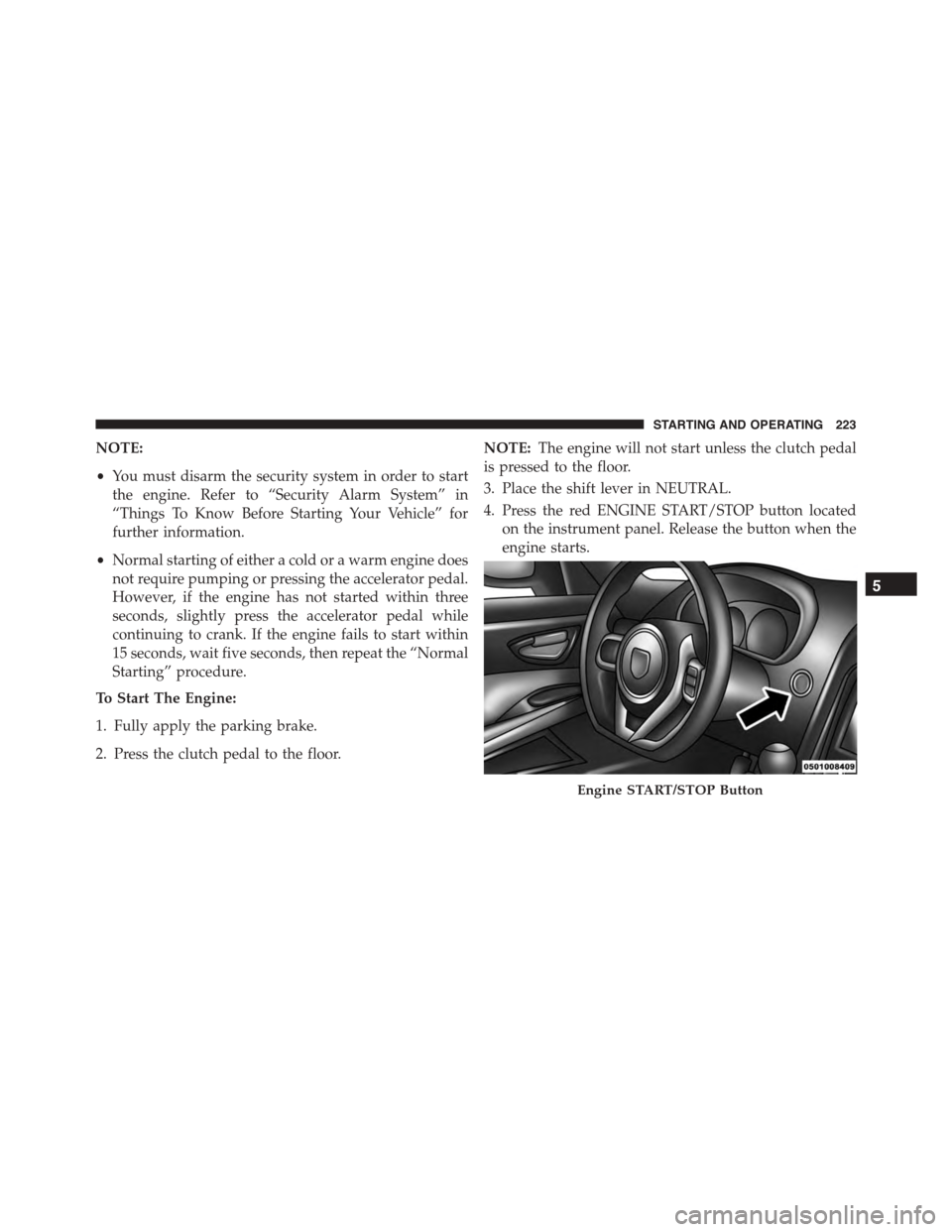
4. Press the red ENGINE START/STOP button located
on the instrument panel. Release the button when the
engine starts.
Engine START/STOP Button
5
STARTING AND OPERATING 223
Page 231 of 400
CAUTION!
If you skip more than one gear while downshifting
or downshift at too high a vehicle speed, you could
damage the engine, transmission, or clutch.
WARNING!
Skipping more than one gear while downshifting,
could cause you to lose control of your vehicle. You
could have a collision.
STREET/RACE MODE — IF EQUIPPED
This vehicle is equipped with a two mode electronic
controlled damping system. This system allows for a
compliant street suspension damping setting or a firmer
race suspension damping setting. When in street mode
the system will automatically shift the suspension damp-
ers to the firmer Race damping setting during some hard
acceleration and braking situations. There are two modes
of operation:
•Street Mode — This mode will give a sporty, but
comfortable ride. This mode is driver selectable when
the vehicle is placed in STREET mode (press the
“STREET” button on the Instrument Panel). This mode
is intended for a smoother ride on the various types of
pavement and road conditions while still providing
damping levels appropriate extreme capabilities.
•Race Mode — This mode is driver selectable when the
vehicle is placed in RACE mode (press the “RACE”
button on the Instrument Panel). This mode is for track
use only and will supply maximum grip to the tires.
5
STARTING AND OPERATING 229
Page 248 of 400
#ESC OFF#message will display in the vehicle cluster (left
of the odometer). The “ESC OFF” message may appear in
the Driver Information Display (DID). Refer to “Driver
Information Display (DID)” in “Understanding Your
Instrument Panel” for further information. To turn ESC
ON again, momentarily press the “ESC Off” switch.
WARNING!
With the ESC switched OFF, the enhanced vehicle
stability offered by ESC is unavailable. In an emer-
gency evasive maneuver, the ESC system will not
engage to assist in maintaining stability. The “Full
Off” ESC mode is intended for off-highway or off-
road only.
Sport Mode — If Equipped
Sport mode has reduced traction control and reduced
stability control. To enter the “Sport Mode” mode, press
the “ESC” switch once (located on the steering wheel).
The “ESC Sport Light” will illuminate, and the#ESC
SPORT#message will display in the vehicle cluster (left of
the odometer). Refer to “Driver Information Display
(DID)” in “Understanding Your Instrument Panel” for
further information.
Track Mode — If Equipped
Track Mode has no traction control and has reduced
stability control. To enter the “Track Mode” mode, press
the “ESC” switch twice. The “ESC Track Light” will
illuminate, and the#ESC TRACK#message will display in
the vehicle cluster (left of the odometer). Refer to “Driver
Information Display (DID)” in “Understanding Your
Instrument Panel” for further information.
Rain Mode
Rain mode offers increased traction control and stability
control for low traction conditions such as wet roads, dry
246 STARTING AND OPERATING
Page 249 of 400
roads during cold temperatures, or when the driver
wants enhanced stability due to lack of familiarity or
experience with the vehicle’s response. To enter the “Rain
Mode” mode, press the “ESC” switch three times. The
“ESC Rain Light” will illuminate, and the#ESC RAIN#
message will display in the vehicle cluster (left of the
odometer). Refer to “Driver Information Display (DID)”
in “Understanding Your Instrument Panel” for further
information.
NOTE:Some models may not offer “Sport” or “Track”
Mode.
TIRE SAFETY INFORMATION
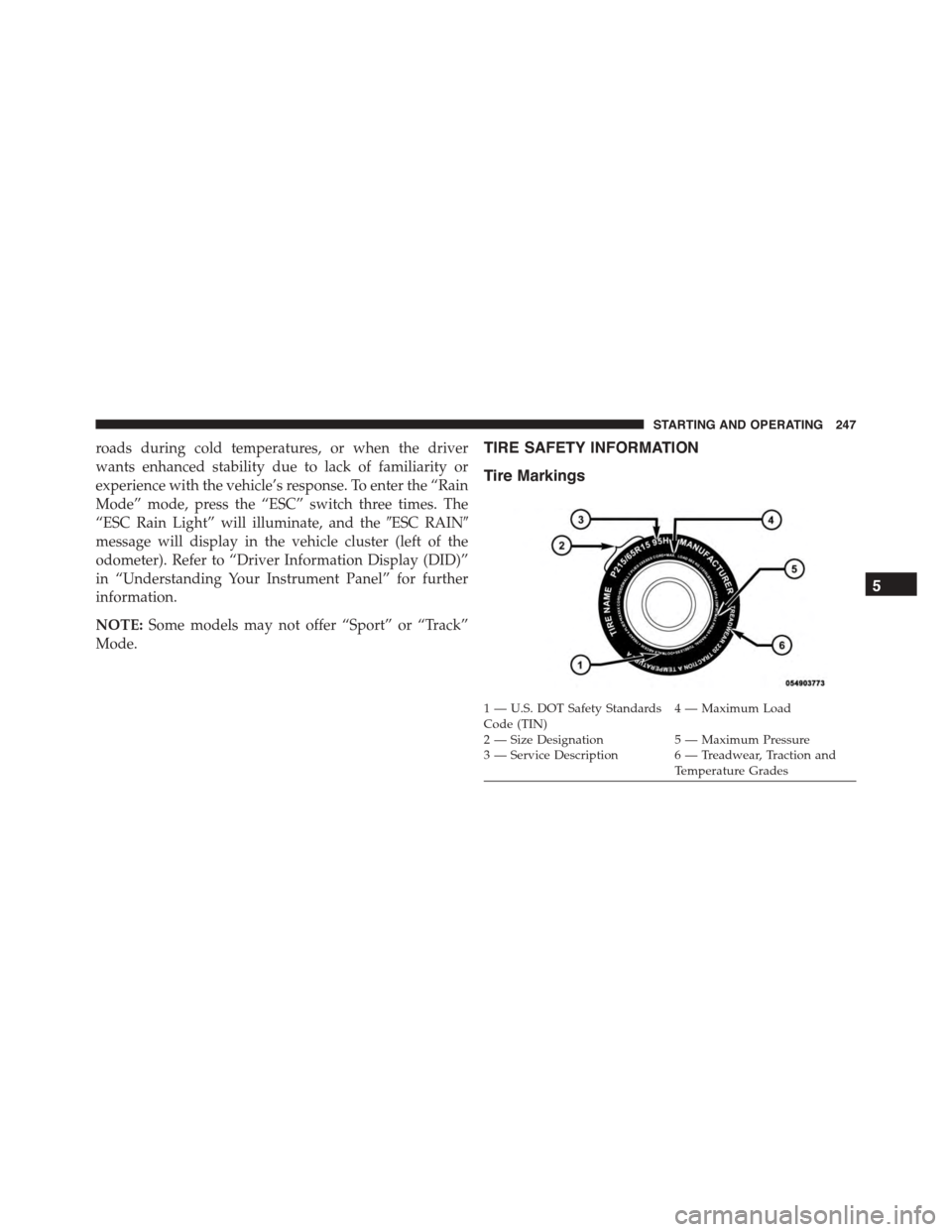
Tire Markings
1—U.S.DOTSafetyStandardsCode (TIN)4—MaximumLoad
2 — Size Designation 5 — Maximum Pressure3 — Service Description 6 — Treadwear, Traction andTemperature Grades
5
STARTING AND OPERATING 247