display FIAT 500L LIVING 2014 2.G Manual Online
[x] Cancel search | Manufacturer: FIAT, Model Year: 2014, Model line: 500L LIVING, Model: FIAT 500L LIVING 2014 2.GPages: 420, PDF Size: 9.77 MB
Page 378 of 420
SETTING A MOBILE PHONE OR A
Bluetooth® AUDIO DEVICE AS FAVOURITE
To set a mobile phone orBluetooth® audio device
as favourite, proceed as follows:
❒press the SETTINGS button (10-fig. 1) on the front
panel;
❒select "Phone / Bluetooth" on the display;
❒select the "Paired Phones" or "Paired Audio" list
using the corresponding button on the display;
❒select the specific device (mobile phone or
Bluetooth® device);
❒press the "Make Favourite" button;
❒the device selected is moved to the top of the list.
DELETION OF PHONE DATA
(PHONEBOOK AND RECENT CALLS)
Select "Phone Data Delete" on the display to delete
the list of recent calls and the phonebook copy.
TRANSMISSION OF PHONE DATA
(PHONEBOOK AND RECENT CALLS)
If your mobile phone has a function for sending the
phonebook viaBluetooth® technology.
During the pairing procedure a screen will appear
with the request "Do you want to download you
phone data and recent calls?".Answer "Yes" to copy the whole phonebook and the
list of recent calls to the system.
Answer "No" to carry out the operation later on.
After the first phone data transmission, the
procedure for transmitting and updating the
phonebook (if supported) starts as soon as a
Bluetooth® connection is established between
mobile phone and system.
Whenever a mobile phone is connected to the
system, a maximum of 1000 contacts can be
downloaded and updated for each phone.
Depending on the amount of items downloaded from
the phonebook, a slight delay can occur before the
last names downloaded can be used. Up to then the
phonebook downloaded previously (if present) will
be available.
Only the phonebook of the mobile phone currently
connected to the system can be accessed.
The phonebook downloaded from the mobile phone
can neither be modified nor be deleted through the
uconnect™ system: changes will be transmitted and
updated in the system when the mobile phone is
next connected.
374
Page 379 of 420
MAKING A PHONE CALL
The operations described below can only be accessed
if supported by the mobile phone in use.
For all functions available, refer to the mobile phone
owner's handbook.
A call can be made by:
❒selecting the
icon (mobile phone phonebook);
❒selecting "Recent Calls";
❒selecting the
icon;
❒Pressing the "Redial" button.
Dialling the phone number using the
"keyboard" icon on the display
Enter the phone number using the graphic keyboard
displayed.
Proceed as follows:
❒press the PHONE button (9-fig. 1) on the front
panel;
❒press the
button on the display and use the
numbered buttons to enter the number;
❒press the "Call" button to make a call.Dialling the phone number using the mobile
phone
It is possible to dial a phone number with the mobile
phone and continue using the system (never allow
yourself to be distracted while driving).
When a phone number is dialled with the keyboard
of the mobile phone, the audio of the call is played
over your car's sound system.
Recent calls
The list of the last calls made for each of the
following call types can be displayed:
❒Calls received;
❒Calls made;
❒Calls without a reply;
❒All calls.
To access these types of calls, press the "Recent
Calls" button on the Phone menu main screen.
375
Page 380 of 420
MANAGING AN INCOMING CALL
Call controls
The buttons on the display allow the following phone
call functions to be managed:
❒Answer;
❒End;
❒Ignore;
❒Put on hold/resume;
❒Deactivate/activate the microphone;
❒Transfer the call;
❒Switch from one call to the other;
❒Conference/merge two active calls.Answering a phone call
When a phone call is received on the mobile phone,
the system deactivates the audio system (if active)
and displays a screen.
Press the "Answer" button or the
button on the
steering wheel controls to answer.
Rejecting a phone call
Press the "Ignore" button or thebutton on the
steering wheel controls to reject.
Answering an incoming call during an active
conversation
To answer an incoming call whilst another phone
conversation is in progress, press the "Answer"
button to put the ongoing call on hold and answer
the new incoming call.
IMPORTANT Not all mobile phones may support the
management of an incoming call when another phone
conversation is active.
376
Page 381 of 420
MAKING A SECOND PHONE CALL
When a phone conversation is active, a second
phone call can be made as follows:
❒select the number/contact of the list of recent
calls;
❒select the contact from the phonebook;
❒press the "Hold" button and dial the number using
the graphic keyboard of the display.
MANAGING TWO PHONE CALLS
If two calls are in progress (one active and one on
hold), it is possible to switch between them pressing
the "Call On Hold" button or to merge the two calls
in a conference pressing the "Merge calls" buttons.
Note
Check whether the telephone in use supports the
management of a second call and the "Conference"
mode.
ENDING A CALL
Press the "End" button or the
button on the
steering wheel controls to end a call in progress.
Only the ongoing call is ended and any call on hold
becomes the new active call.
Depending on the type of mobile phone, if the
ongoing call is ended by the caller, the call on hold
may not be activated automatically.REDIALLING
To call the number/contact of last call made, press
the "Redial" button.
CONTINUING A PHONE CALL
After the engine is switched off, it is still possible to
continue a phone call.
The call continues until it is ended manually or for a
maximum period of about 20 minutes.
When the system is switched off the call is
transferred to the mobile phone.
ACTIVATION/DEACTIVATION OF THE
MICROPHONE
During a call the microphone can be deactivated
pressing the
button on the front panel (or on the
steering wheel controls) or the "Mute" button on the
display.
When the microphone is deactivated it is still
possible to listen to the call in progress.
To reactivate the microphone, press the
corresponding button again.
377
Page 382 of 420
TRANSFERRING A CALL
The ongoing calls can be transferred from the mobile
phone to the system and vice versa without ending
the calls.
To transfer the call, press the "Transfer" button.
SMS MESSAGE READER
The system can read the messages received by the
mobile phone.
To use this function the mobile phone must support
the SMS exchange function viaBluetooth®.
If this function is not supported by the phone, the
corresponding
button is deactivated (greyed out).
When a text message is received, the display will
show a screen where the options "Listen", "Call" or
"Ignore" can be selected.
Press the
button to access the list of SMS
messages received by the mobile phone (the list
displays a maximum of 60 messages received).
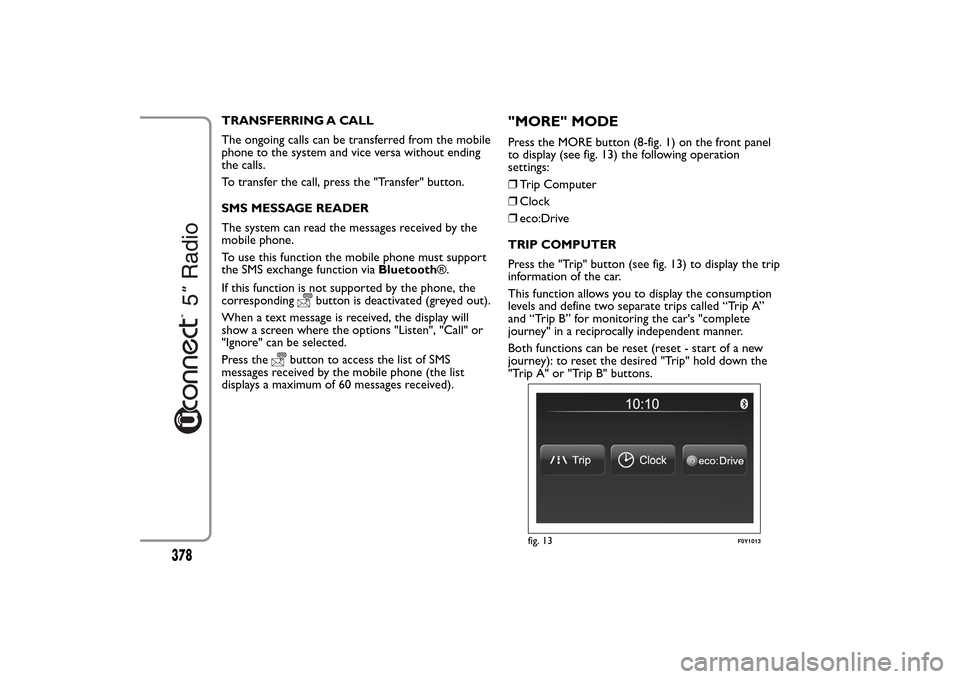
"MORE" MODEPress the MORE button (8-fig. 1) on the front panel
to display (see fig. 13) the following operation
settings:
❒Trip Computer
❒Clock
❒eco:Drive
TRIP COMPUTER
Press the "Trip" button (see fig. 13) to display the trip
information of the car.
This function allows you to display the consumption
levels and define two separate trips called “Trip A”
and “Trip B” for monitoring the car's "complete
journey" in a reciprocally independent manner.
Both functions can be reset (reset - start of a new
journey): to reset the desired "Trip" hold down the
"Trip A" or "Trip B" buttons.
fig. 13
F0Y1013
378
Page 383 of 420
CLOCK
Press the "Clock" button (see fig. 13) to display the
clock.
eco:Drive
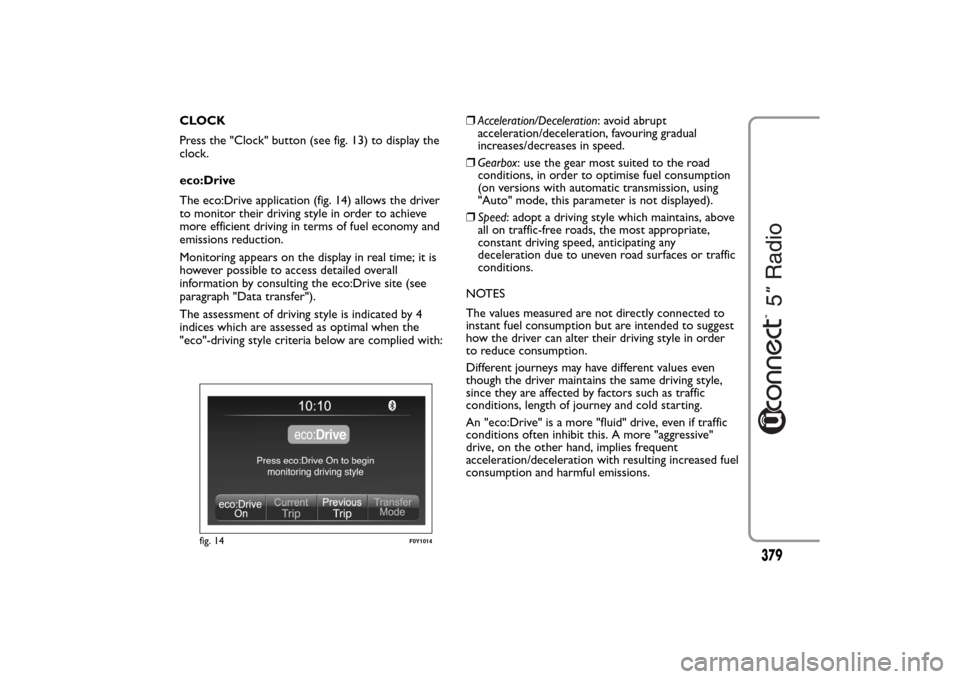
The eco:Drive application (fig. 14) allows the driver
to monitor their driving style in order to achieve
more efficient driving in terms of fuel economy and
emissions reduction.
Monitoring appears on the display in real time; it is
however possible to access detailed overall
information by consulting the eco:Drive site (see
paragraph "Data transfer").
The assessment of driving style is indicated by 4
indices which are assessed as optimal when the
"eco"-driving style criteria below are complied with:❒Acceleration/Deceleration: avoid abrupt
acceleration/deceleration, favouring gradual
increases/decreases in speed.
❒Gearbox: use the gear most suited to the road
conditions, in order to optimise fuel consumption
(on versions with automatic transmission, using
"Auto" mode, this parameter is not displayed).
❒Speed: adopt a driving style which maintains, above
all on traffic-free roads, the most appropriate,
constant driving speed, anticipating any
deceleration due to uneven road surfaces or traffic
conditions.
NOTES
The values measured are not directly connected to
instant fuel consumption but are intended to suggest
how the driver can alter their driving style in order
to reduce consumption.
Different journeys may have different values even
though the driver maintains the same driving style,
since they are affected by factors such as traffic
conditions, length of journey and cold starting.
An "eco:Drive" is a more "fluid" drive, even if traffic
conditions often inhibit this. A more "aggressive"
drive, on the other hand, implies frequent
acceleration/deceleration with resulting increased fuel
consumption and harmful emissions.
fig. 14
F0Y1014
379
Page 384 of 420
Activation
Press the "eco:Drive" button (see fig. 13) to interact
with the function.
To activate the function press the "eco:Drive ON"
button.
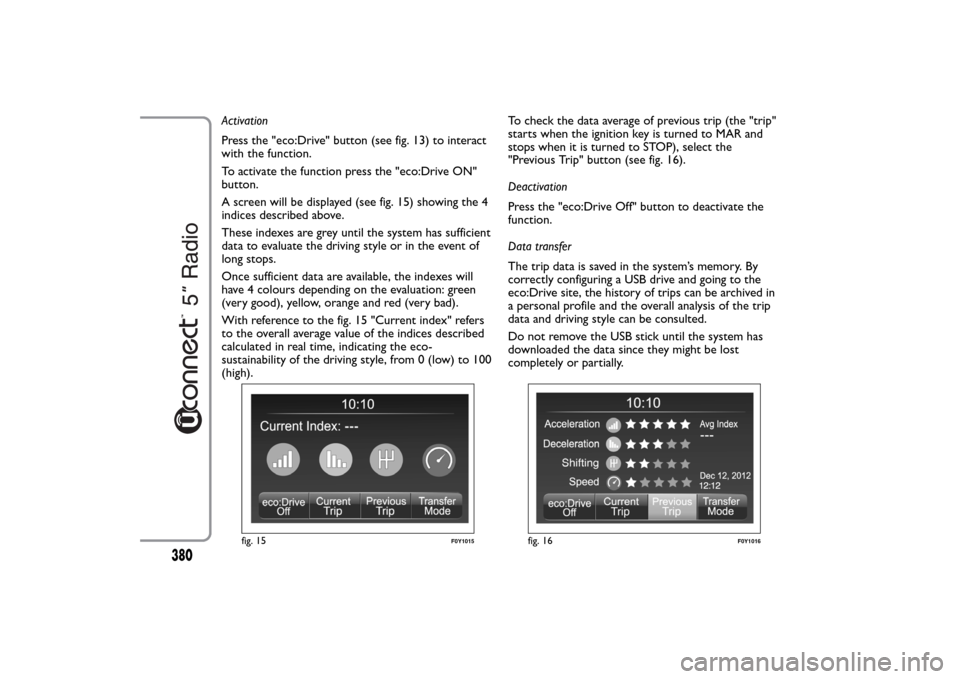
A screen will be displayed (see fig. 15) showing the 4
indices described above.
These indexes are grey until the system has sufficient
data to evaluate the driving style or in the event of
long stops.
Once sufficient data are available, the indexes will
have 4 colours depending on the evaluation: green
(very good), yellow, orange and red (very bad).
With reference to the fig. 15 "Current index" refers
to the overall average value of the indices described
calculated in real time, indicating the eco-
sustainability of the driving style, from 0 (low) to 100
(high).To check the data average of previous trip (the "trip"
starts when the ignition key is turned to MAR and
stops when it is turned to STOP), select the
"Previous Trip" button (see fig. 16).
Deactivation
Press the "eco:Drive Off" button to deactivate the
function.
Data transfer
The trip data is saved in the system’s memory. By
correctly configuring a USB drive and going to the
eco:Drive site, the history of trips can be archived in
a personal profile and the overall analysis of the trip
data and driving style can be consulted.
Do not remove the USB stick until the system has
downloaded the data since they might be lost
completely or partially.
fig. 15
F0Y1015
fig. 16
F0Y1016
380
Page 385 of 420
During the transfer of data to the USB drive,
messages may appear on the display to guide the user
correctly through the operation; follow these
instructions.
These messages are only displayed with ignition key
in STOP position and system off delay longer than 0
minutes.
NOTES
Warning messages will be displayed when the USB
storage device is full.
When the eco:Drive data is not transferred to USB
storage device for a long time, the internal memory
of theuconnect™ system may be exhausted.
Warning messages will also be displayed in these
circumstances: it will be necessary to connect the
USB storage device configured for eco:Drive in order
not to lose the saved data.
SETTINGS
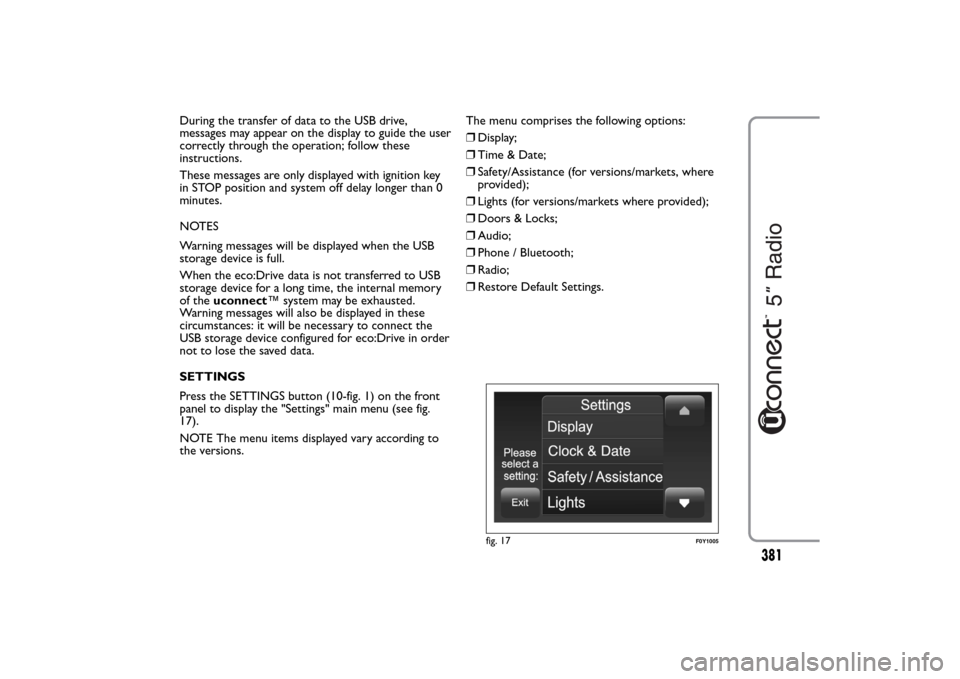
Press the SETTINGS button (10-fig. 1) on the front
panel to display the "Settings" main menu (see fig.
17).
NOTE The menu items displayed vary according to
the versions.The menu comprises the following options:
❒Display;
❒Time & Date;
❒Safety/Assistance (for versions/markets, where
provided);
❒Lights (for versions/markets where provided);
❒Doors & Locks;
❒Audio;
❒Phone / Bluetooth;
❒Radio;
❒Restore Default Settings.
fig. 17
F0Y1005
381
Page 386 of 420
Display
The "Display" menu contains the following options:
❒"Brightness"(this setting is not available when the
display mode is set to "Automatic"): select
"Brightness" and press the "+" or "–" buttons to
adjust the display brightness with the headlights on
or off (the setting not corresponding to the active
headlight condition is greyed out).
❒"Display Mode": press the "Display Mode" button to
set the display brightness according to "Day",
"Night" or "Auto" condition. In "Auto" mode the
display brightness is aligned to that of the
instrument panel.
❒"Language": press the "Language" button to select
one of the languages available.
❒"Units": press the "Units" button to select the
correct unit for "Temperature" ("°C" or "°F"),
"Distance" ("km" or "mi") and "Fuel Consumption".
If the distance is in "km", "km/l" or "l/100km" can
be selected. If the distance is in "mi" (miles), "miles
per gallon" ("mpg") are set automatically.❒"Voice Resp. Length": press the relevant button to
set the detail level of the voice messages supplied
by the system and the suggestions displayed.
❒"Touchscreen Beep": press the relevant button to
activate/deactivate the acoustic signal when the
buttons on the displayed are pressed.
❒"Display Trip B": press the relevant button to
activate/deactivate the displaying of the Trip B on
the instrument panel display.
382
Page 387 of 420
Clock & Date
Use this function to set the clock.
Time setting
Press the SETTINGS button (10-fig. 1) on the front
panel then select "Clock & date" (see fig. 17).
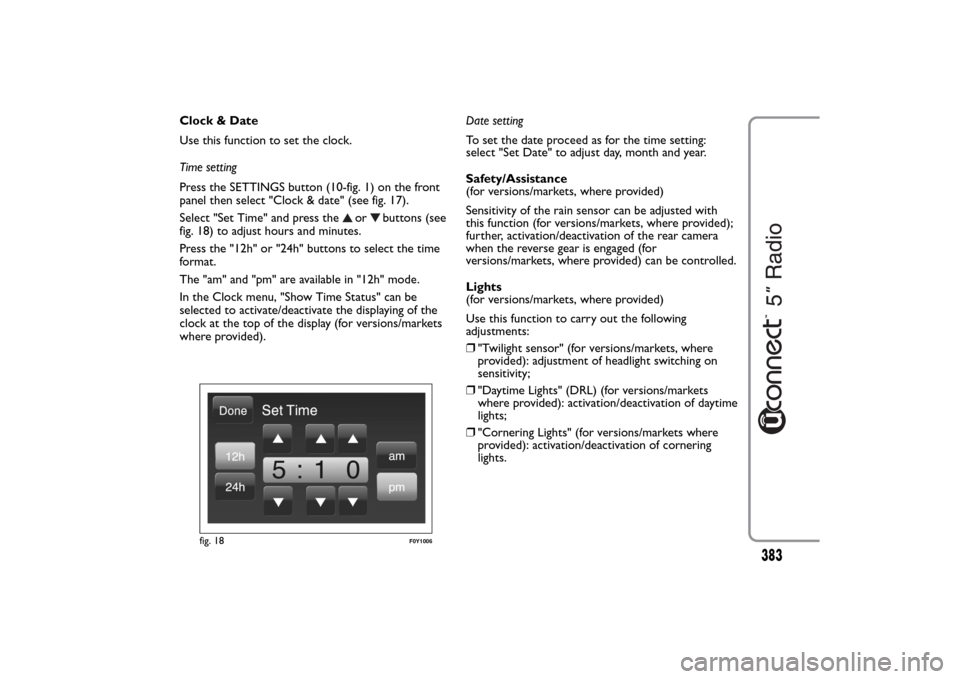
Select "Set Time" and press the
or
buttons (see
fig. 18) to adjust hours and minutes.
Press the "12h" or "24h" buttons to select the time
format.
The "am" and "pm" are available in "12h" mode.
In the Clock menu, "Show Time Status" can be
selected to activate/deactivate the displaying of the
clock at the top of the display (for versions/markets
where provided).Date setting
To set the date proceed as for the time setting:
select "Set Date" to adjust day, month and year.
Safety/Assistance
(for versions/markets, where provided)
Sensitivity of the rain sensor can be adjusted with
this function (for versions/markets, where provided);
further, activation/deactivation of the rear camera
when the reverse gear is engaged (for
versions/markets, where provided) can be controlled.
Lights
(for versions/markets, where provided)
Use this function to carry out the following
adjustments:
❒"Twilight sensor" (for versions/markets, where
provided): adjustment of headlight switching on
sensitivity;
❒"Daytime Lights" (DRL) (for versions/markets
where provided): activation/deactivation of daytime
lights;
❒"Cornering Lights" (for versions/markets where
provided): activation/deactivation of cornering
lights.
fig. 18
F0Y1006
383