lock FIAT DOBLO PANORAMA 2015 2.G Owner's Manual
[x] Cancel search | Manufacturer: FIAT, Model Year: 2015, Model line: DOBLO PANORAMA, Model: FIAT DOBLO PANORAMA 2015 2.GPages: 323, PDF Size: 47.13 MB
Page 71 of 323
CIGAR LIGHTER
(for versions/markets, where
provided)
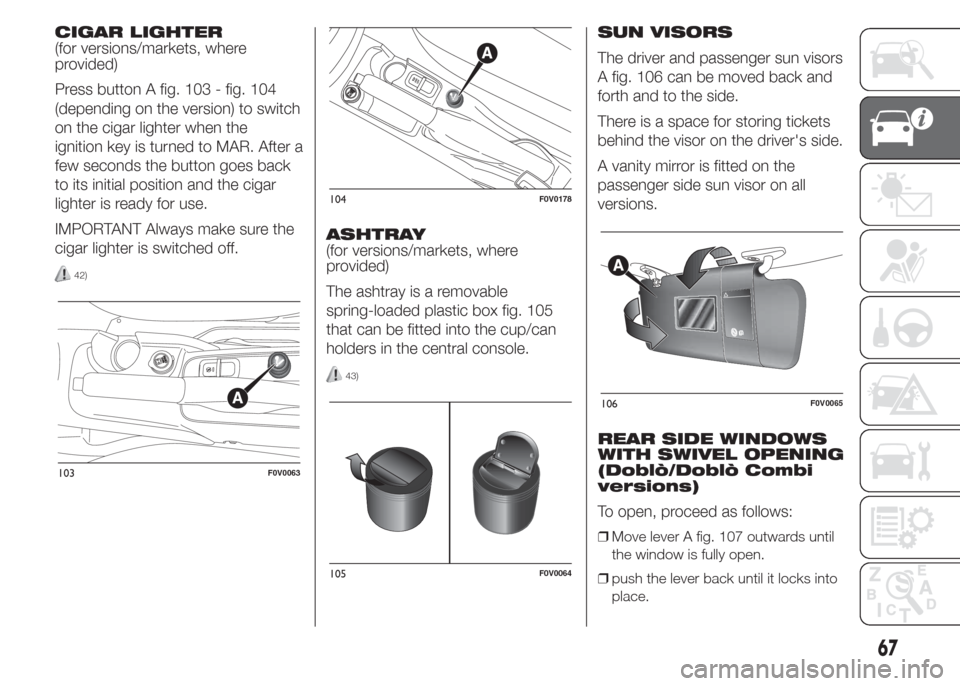
Press button A fig. 103 - fig. 104
(depending on the version) to switch
on the cigar lighter when the
ignition key is turned to MAR. After a
few seconds the button goes back
to its initial position and the cigar
lighter is ready for use.
IMPORTANT Always make sure the
cigar lighter is switched off.
42)
ASHTRAY
(for versions/markets, where
provided)
The ashtray is a removable
spring-loaded plastic box fig. 105
that can be fitted into the cup/can
holders in the central console.
43)
SUN VISORS
The driver and passenger sun visors
A fig. 106 can be moved back and
forth and to the side.
There is a space for storing tickets
behind the visor on the driver's side.
A vanity mirror is fitted on the
passenger side sun visor on all
versions.
REAR SIDE WINDOWS
WITH SWIVEL OPENING
(Doblò/Doblò Combi
versions)
To open, proceed as follows:
❒Move lever A fig. 107 outwards until
the window is fully open.
❒push the lever back until it locks into
place.
103F0V0063
104F0V0178
105F0V0064
106F0V0065
67
Page 77 of 323
KNOWING THE INSTRUMENT PANEL
This section of the booklet gives you
all the information you need to
understand, interpret and use the
instrument panel correctly.CONTROL PANEL AND
ON-BOARD INSTRUMENTS ........... 74
DIGITAL DISPLAY............................ 77
MULTIFUNCTION DISPLAY ............. 81
TRIP COMPUTER ........................... 89
EOBD SYSTEM............................... 91
WARNING LIGHTS AND
MESSAGES .................................... 92
- LOW BRAKE FLUID/HANDBRAKE
ENGAGED .......................................... 92
- EBD FAILURE .................................. 93
- AIRBAG FAILURE ............................. 93
- SEAT BELTS NOT FASTENED .......... 94
- ENGINE COOLANT TEMPERATURE
TOO HIGH .......................................... 95
- LOW BATTERY CHARGE ................. 95
- LOW ENGINE OIL PRESSURE ......... 96
-ENGINE OIL DETERIORATED ........... 96
-LOW ENGINE OIL LEVEL .................. 97
-INCOMPLETE DOOR LOCKING ........ 97
- INJECTION/EOBD SYSTEM
FAILURE ............................................. 98
- ABS FAILURE ................................... 99
-FUEL RESERVE ................................ 99
- GLOW PLUG PREHEATING/GLOW
PLUG PREHEATING FAILURE ............ 100
- WATER IN DIESEL FILTER ................ 100
-VEHICLE PROTECTION SYSTEM
FAILURE - FIAT CODE ........................ 101
- REAR FOG LIGHTS .......................... 101
-GENERIC FAILURE INDICATION ....... 101
-DPF (PARTICULATE FILTER)
CLEANING UNDERWAY ..................... 102
-WORN BRAKE PADS ........................ 103
-ASR SYSTEM DEACTIVATED ............ 103
- TRACTION PLUS SYSTEM
ACTIVATION ....................................... 104- TPMS ............................................... 104
-PARKING SENSOR FAILURE ............ 105
-START&STOP SYSTEM FAILURE ...... 105
- DIPPED BEAM HEADLIGHTS .......... 106
- FOLLOW ME HOME ........................ 106
- LEFT-HAND DIRECTION INDICATOR
............................................................ 107
- RIGHT-HAND DIRECTION
INDICATOR ........................................ 107
-FOG LIGHTS ..................................... 107
- CRUISE CONTROL .......................... 107
- MAIN BEAM HEADLIGHTS .............. 108
73
Page 82 of 323
❒SPEED
❒HOUR
❒UNIT
❒BUZZ
❒BAG P
❒DRL
Selecting a menu option
– briefly press theMENU
button to select the menu
option to set;
– press buttons
and(with
single presses) to select the new
setting;
– press briefly theMENU
button to store the new setting
and go back to the previous menu
option.
Selecting “Set Clock”
– briefly press buttonMENU
to
select the first value to change
(hours);
– press buttons
and(with
single presses) to select the new
setting;– briefly press theMENU
button to store the new setting
and go to the next setup menu
option (minutes);
– after setting the values with the
same procedure, go back to the
previous menu item.
Hold down theMENU
button
– to quit the setup menu if you are in
the menu;
– to quit to the menu if you are
setting an option;
– to save only the settings already
stored (and confirmed by pressing
theMENU
button).
The environment of the Set Up
menu is timed; when the menu is
exited due to expiry of the time
allowed, only the changes already
stored by the user (confirmed
beforehand by a brief press of the
MENU
button) will be saved.Adjusting the vehicle
interior lighting (ILLU)
This function is available, with the
dipped headlamps on and at night,
to adjust the brightness of the
instrument panel, buttons, sound
system display and automatic
climate control display.
During the daytime, and with the
dipped headlamps on, the
instrument panel, buttons and
sound system and automatic
climate control displays are set to
maximum brightness.
❒press theMENUbutton briefly:
the display will show the wording
ILLU;
❒press button
andto set the
required brightness level;
❒press theMENU
button briefly
to return to the menu screen or hold
the button down to return to the
standard screen without storing.
78
KNOWING THE INSTRUMENT PANEL
Page 83 of 323
Setting a speed limit
(SPEEd)
This function is used to set a speed
limit (km/h or mph); the driver is
alerted when this limit is exceeded
(see “Warning lights and
messages”).
To set the desired speed limit,
proceed as follows:
- press theMENU
button
briefly: the display will show the
wording (SPEED) and the unit (km/h)
or (mph) previously set;
- press
orto select speed limit
activation (On) or deactivation (Off);
- if the function is on, press
or
to select the required speed limit
and then pressMENU
to
confirm;NOTE The speed may be set in the
range from 30 to 200 km/h, or
from 20 to 125 mph according to
the previously chosen unit (see
“Setting the distance unit”)
described below. The setting will
increase/decrease by five units each
time the
/button is pressed.
Hold down the
/button to
automatically increase/decrease the
setting rapidly. Complete the
adjustment with single presses of
the button when you approach the
desired value.
- press theMENU
button briefly
to return to the menu screen or
hold the button down to return to
the standard screen without storing.
To cancel the setting, proceed as
follows:
- briefly the pressMENU
button; (On) will flash on the
display;
- press the
button; (Off) will flash
on the display;
- press theMENU
button briefly
to return to the menu screen or
hold the button down to return to
the standard screen without storing.Setting the clock
(Hour)
With this function, it is possible to
set the time.
To adjust, proceed as follows:
- briefly press theMENU
button; the “hours” will flash on
the display;
- press the
orbutton to adjust;
- briefly press theMENU ESC
button; the “minutes” will flash
on the display;
- press the
orbutton to adjust;
- press theMENU
button
briefly to return to the menu screen
or hold the button down to return
to the standard screen without
storing.
Setting the distance
unit (Unit)
With this function it is possible to set
the unit.
To adjust, proceed as follows:
- press theMENU
button
briefly: the display will show the
wording (Unit) and the previously set
unit (km) or (mi);
79
Page 86 of 323
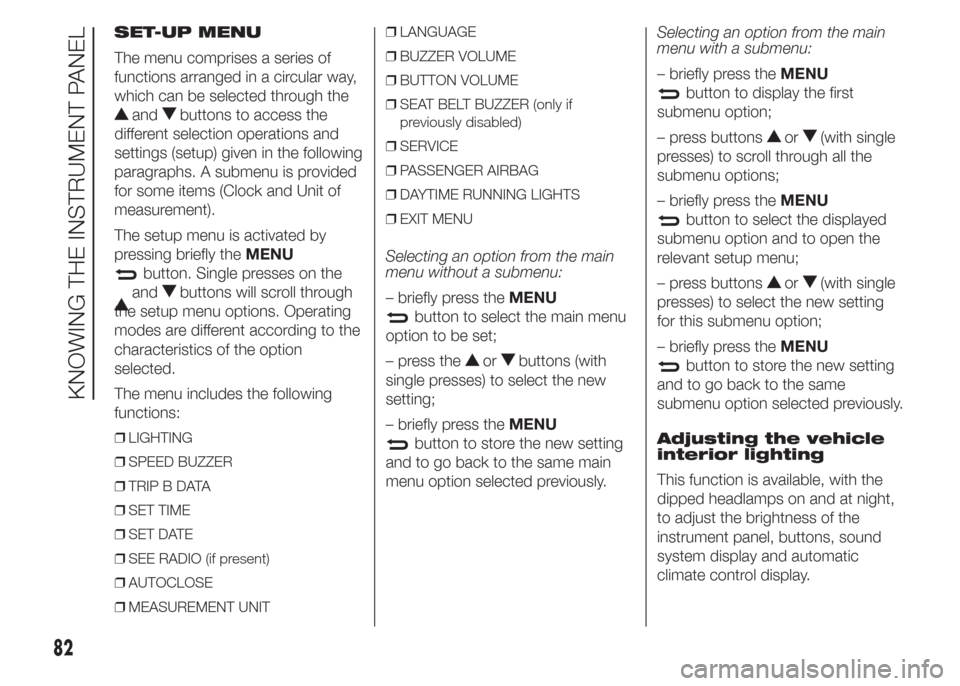
SET-UP MENU
The menu comprises a series of
functions arranged in a circular way,
which can be selected through the
andbuttons to access the
different selection operations and
settings (setup) given in the following
paragraphs. A submenu is provided
for some items (Clock and Unit of
measurement).
The setup menu is activated by
pressing briefly theMENU
button. Single presses on the
andbuttons will scroll through
the setup menu options. Operating
modes are different according to the
characteristics of the option
selected.
The menu includes the following
functions:
❒LIGHTING
❒SPEED BUZZER
❒TRIP B DATA
❒SET TIME
❒SET DATE
❒SEE RADIO (if present)
❒AUTOCLOSE
❒MEASUREMENT UNIT❒LANGUAGE
❒BUZZER VOLUME
❒BUTTON VOLUME
❒SEAT BELT BUZZER (only if
previously disabled)
❒SERVICE
❒PASSENGER AIRBAG
❒DAYTIME RUNNING LIGHTS
❒EXIT MENU
Selecting an option from the main
menu without a submenu:
– briefly press theMENU
button to select the main menu
option to be set;
– press the
orbuttons (with
single presses) to select the new
setting;
– briefly press theMENU
button to store the new setting
and to go back to the same main
menu option selected previously.Selecting an option from the main
menu with a submenu:
– briefly press theMENU
button to display the first
submenu option;
– press buttons
or(with single
presses) to scroll through all the
submenu options;
– briefly press theMENU
button to select the displayed
submenu option and to open the
relevant setup menu;
– press buttons
or(with single
presses) to select the new setting
for this submenu option;
– briefly press theMENU
button to store the new setting
and to go back to the same
submenu option selected previously.
Adjusting the vehicle
interior lighting
This function is available, with the
dipped headlamps on and at night,
to adjust the brightness of the
instrument panel, buttons, sound
system display and automatic
climate control display.
82
KNOWING THE INSTRUMENT PANEL
Page 88 of 323
– press theMENUbutton
briefly to return to the menu screen
or hold the button down to return
to the standard screen without
storing.
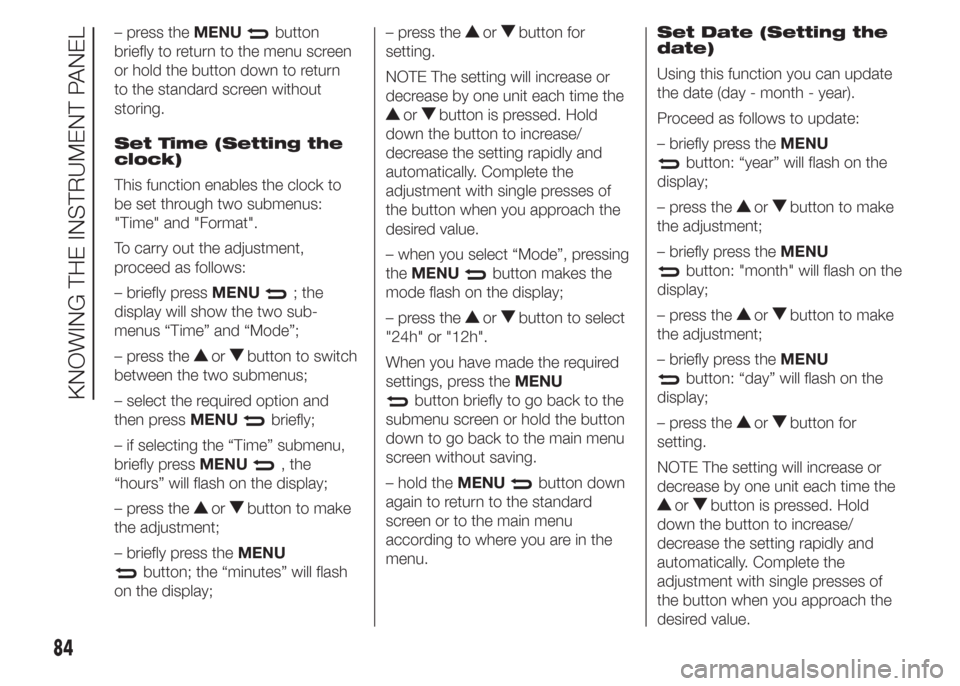
Set Time (Setting the
clock)
This function enables the clock to
be set through two submenus:
"Time" and "Format".
To carry out the adjustment,
proceed as follows:
– briefly pressMENU
; the
display will show the two sub-
menus “Time” and “Mode”;
– press the
orbutton to switch
between the two submenus;
– select the required option and
then pressMENU
briefly;
– if selecting the “Time” submenu,
briefly pressMENU
, the
“hours” will flash on the display;
– press the
orbutton to make
the adjustment;
– briefly press theMENU
button; the “minutes” will flash
on the display;– press the
orbutton for
setting.
NOTE The setting will increase or
decrease by one unit each time the
orbutton is pressed. Hold
down the button to increase/
decrease the setting rapidly and
automatically. Complete the
adjustment with single presses of
the button when you approach the
desired value.
– when you select “Mode”, pressing
theMENU
button makes the
mode flash on the display;
– press the
orbutton to select
"24h" or "12h".
When you have made the required
settings, press theMENU
button briefly to go back to the
submenu screen or hold the button
down to go back to the main menu
screen without saving.
– hold theMENU
button down
again to return to the standard
screen or to the main menu
according to where you are in the
menu.Set Date (Setting the
date)
Using this function you can update
the date (day - month - year).
Proceed as follows to update:
– briefly press theMENU
button: “year” will flash on the
display;
– press the
orbutton to make
the adjustment;
– briefly press theMENU
button: "month" will flash on the
display;
– press the
orbutton to make
the adjustment;
– briefly press theMENU
button: “day” will flash on the
display;
– press the
orbutton for
setting.
NOTE The setting will increase or
decrease by one unit each time the
orbutton is pressed. Hold
down the button to increase/
decrease the setting rapidly and
automatically. Complete the
adjustment with single presses of
the button when you approach the
desired value.
84
KNOWING THE INSTRUMENT PANEL
Page 89 of 323
– press theMENUbutton
briefly to return to the menu screen
or hold the button down to return
to the standard screen without
storing.
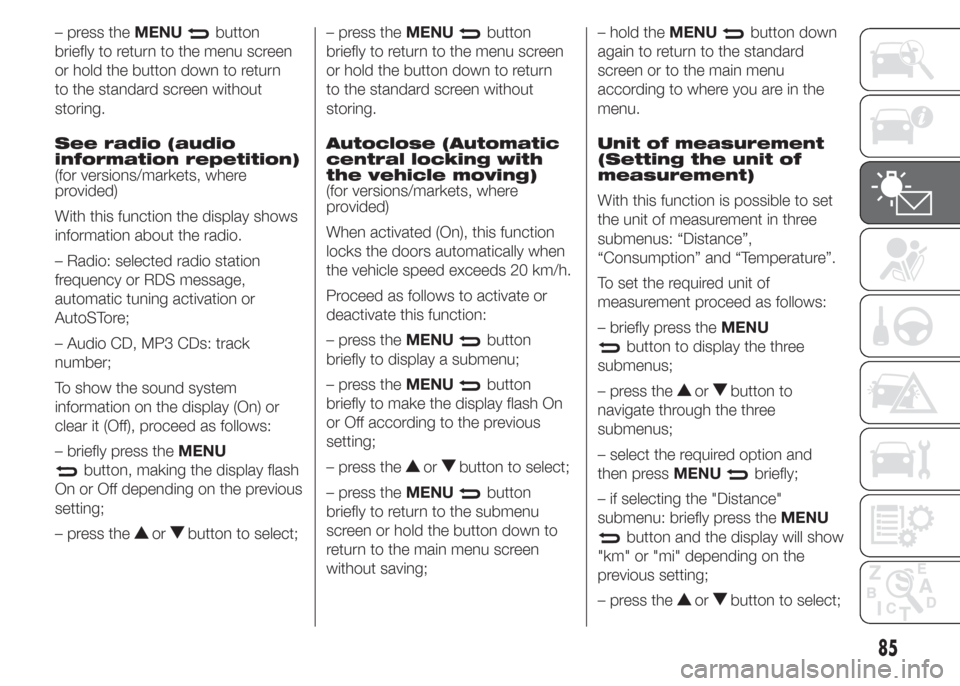
See radio (audio
information repetition)
(for versions/markets, where
provided)
With this function the display shows
information about the radio.
– Radio: selected radio station
frequency or RDS message,
automatic tuning activation or
AutoSTore;
– Audio CD, MP3 CDs: track
number;
To show the sound system
information on the display (On) or
clear it (Off), proceed as follows:
– briefly press theMENU
button, making the display flash
On or Off depending on the previous
setting;
– press the
orbutton to select;– press theMENU
button
briefly to return to the menu screen
or hold the button down to return
to the standard screen without
storing.
Autoclose (Automatic
central locking with
the vehicle moving)
(for versions/markets, where
provided)
When activated (On), this function
locks the doors automatically when
the vehicle speed exceeds 20 km/h.
Proceed as follows to activate or
deactivate this function:
– press theMENU
button
briefly to display a submenu;
– press theMENU
button
briefly to make the display flash On
or Off according to the previous
setting;
– press the
orbutton to select;
– press theMENU
button
briefly to return to the submenu
screen or hold the button down to
return to the main menu screen
without saving;– hold theMENU
button down
again to return to the standard
screen or to the main menu
according to where you are in the
menu.
Unit of measurement
(Setting the unit of
measurement)
With this function is possible to set
the unit of measurement in three
submenus: “Distance”,
“Consumption” and “Temperature”.
To set the required unit of
measurement proceed as follows:
– briefly press theMENU
button to display the three
submenus;
– press the
orbutton to
navigate through the three
submenus;
– select the required option and
then pressMENU
briefly;
– if selecting the "Distance"
submenu: briefly press theMENU
button and the display will show
"km" or "mi" depending on the
previous setting;
– press the
orbutton to select;
85
Page 97 of 323
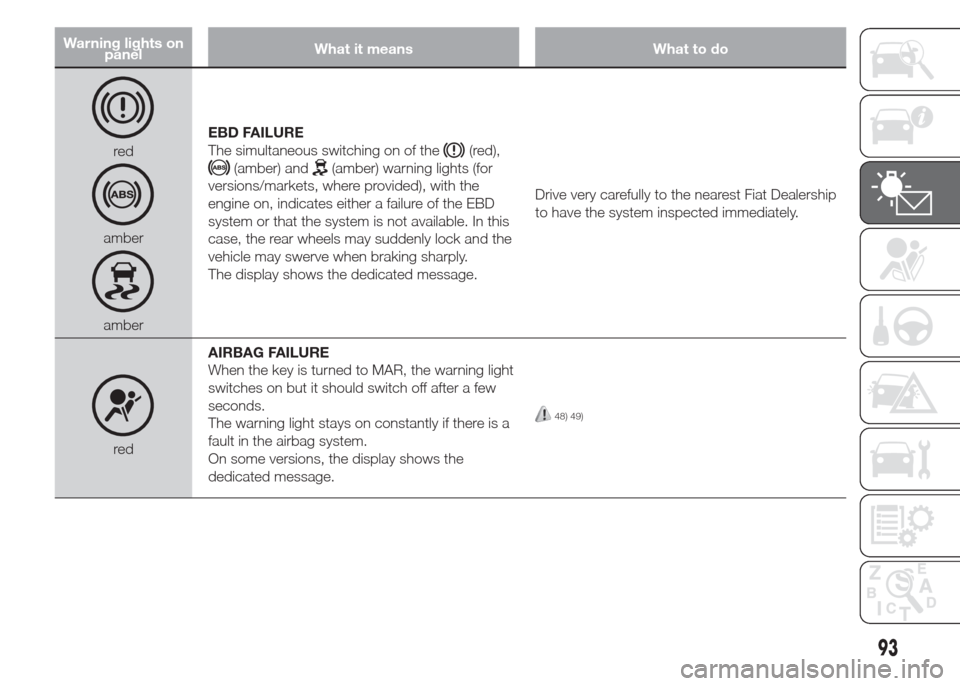
Warning lights on
panelWhat it means What to do
red
amber
amberEBD FAILURE
The simultaneous switching on of the
(red),
(amber) and(amber) warning lights (for
versions/markets, where provided), with the
engine on, indicates either a failure of the EBD
system or that the system is not available. In this
case, the rear wheels may suddenly lock and the
vehicle may swerve when braking sharply.
The display shows the dedicated message.Drive very carefully to the nearest Fiat Dealership
to have the system inspected immediately.
redAIRBAG FAILURE
When the key is turned to MAR, the warning light
switches on but it should switch off after a few
seconds.
The warning light stays on constantly if there is a
fault in the airbag system.
On some versions, the display shows the
dedicated message.
48) 49)
93
Page 101 of 323
Warning lights on
panelWhat it means What to do
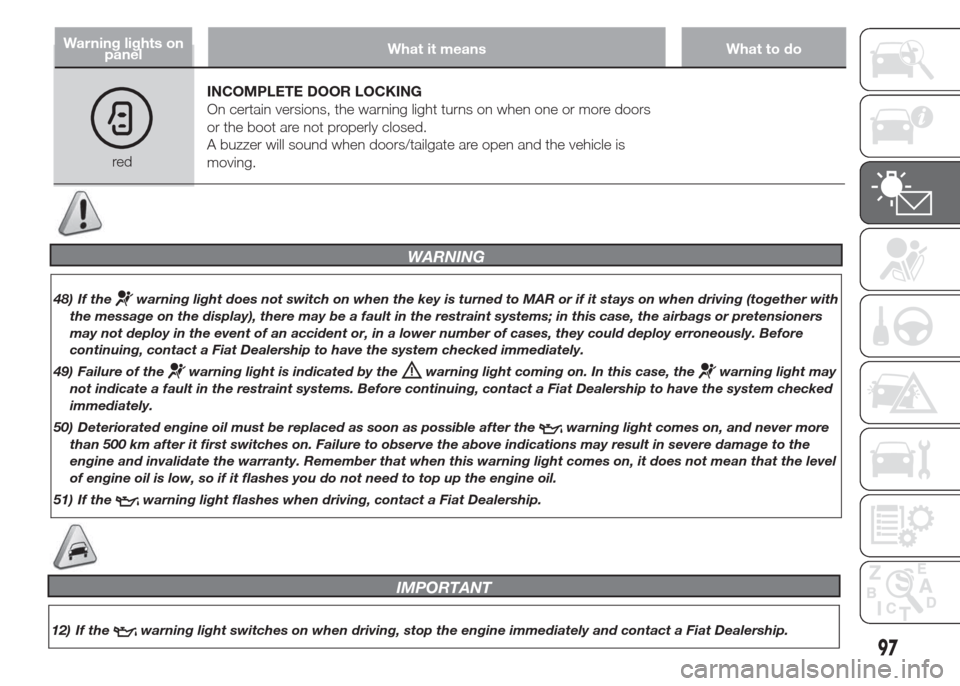
redINCOMPLETE DOOR LOCKING
On certain versions, the warning light turns on when one or more doors
or the boot are not properly closed.
A buzzer will sound when doors/tailgate are open and the vehicle is
moving.
WARNING
48) If thewarning light does not switch on when the key is turned to MAR or if it stays on when driving (together with
the message on the display), there may be a fault in the restraint systems; in this case, the airbags or pretensioners
may not deploy in the event of an accident or, in a lower number of cases, they could deploy erroneously. Before
continuing, contact a Fiat Dealership to have the system checked immediately.
49) Failure of the
warning light is indicated by thewarning light coming on. In this case, thewarning light may
not indicate a fault in the restraint systems. Before continuing, contact a Fiat Dealership to have the system checked
immediately.
50) Deteriorated engine oil must be replaced as soon as possible after the
warning light comes on, and never more
than 500 km after it first switches on. Failure to observe the above indications may result in severe damage to the
engine and invalidate the warranty. Remember that when this warning light comes on, it does not mean that the level
of engine oil is low, so if it flashes you do not need to top up the engine oil.
51) If the
warning light flashes when driving, contact a Fiat Dealership.
97
IMPORTANT
12) If thewarning light switches on when driving, stop the engine immediately and contact a Fiat Dealership.
Page 114 of 323
ACTIVE SAFETY
SYSTEMS
The vehicle has the following active
safety systems:
❒ABS;
❒EBD system;
❒Brake Assist system;
❒ESP system;
❒ASR system;
❒Hill Holder system;
❒MSR system;
For the operation of the systems,
see the following pages.
ABS
This is an integral part of the braking
system, which prevents one or
more wheels from locking or slipping
regardless of the road surface
conditions and braking intensity,
ensuring control of the vehicle even
during emergency braking.
The EBD system (Electronic Braking
Force Distribution) completes the
system allowing the brake force to
be distributed between the front and
rear wheels.
IMPORTANT To get the maximum
efficiency of the braking system,
a bedding-in period of about 500
km is needed: during this period it is
better to avoid sharp, repeated
and prolonged braking.
SYSTEM
INTERVENTION
The driver can feel that the ABS has
come into action because the brake
pedal pulsates slightly and the
system gets noisier: it means that
the vehicle speed should be altered
to suit the type of road surface.
53) 54) 55)
FAULT INDICATIONS
ABS failure
This is indicated by the
warning
light in the instrument panel coming
on (together with the appropriate
message on the multifunction
display on some versions) (see the
“Warning lights and messages”
chapter).
In this case, the braking system will
still be effective, although without
the extra capacity offered by the
ABS.
Drive carefully to the nearest Fiat
Dealership to have the system
checked.
EBD failure
This is indicated by the
and
warning lights in the instrument
panel coming on (together with
the appropriate message on the
multifunction display on some
versions) (see the “Warning lights
and messages” chapter).
110
SAFETY