display FORD EXPEDITION 2015 3.G User Guide
[x] Cancel search | Manufacturer: FORD, Model Year: 2015, Model line: EXPEDITION, Model: FORD EXPEDITION 2015 3.GPages: 564, PDF Size: 6.71 MB
Page 80 of 564
SECURILOCK® PASSIVE ANTI-THEFT SYSTEM
Note:The system is not compatible with non-Ford aftermarket remote
start systems. Use of these systems may result in vehicle starting
problems and a loss of security protection.
Note:Metallic objects, electronic devices or a second coded key on the
same key chain may cause vehicle starting issues if they are too close to
the key when starting your vehicle. Prevent these objects from touching
the coded key while starting the engine. Switch the ignition off, move all
objects on the key chain away from the coded key and restart your
vehicle if a problem occurs.
Note:Do not leave a duplicate coded key in your vehicle. Always take
your keys and lock all doors when leaving your vehicle.
The system helps prevent the engine from starting unless you use a coded
key programmed to your vehicle. Using the wrong key may prevent your
vehicle from starting. A message may appear in the information display.
If you are unable to start your vehicle with a correctly coded key, a
malfunction has occurred. A message may appear in the information display.
Automatic Arming
Your vehicle arms immediately after you switch the ignition off.
Anti-Theft Indicator
The anti-theft indicator is located in the instrument cluster.
•When the ignition is off, the indicator will flash once every
two seconds to indicate the SecuriLock system is functioning
as a theft deterrent.
•When the ignition is on, the indicator will glow for three seconds, then
turn off to indicate normal system functionality.
If a problem occurs with the SecuriLock system, the indicator will flash
rapidly or glow steadily when the ignition is on. If this occurs, switch the
ignition off then back on to make sure there was no electronic
interference with the programmed key. If your vehicle does not start, try
to start it with the second programmed key and if successful contact
your authorized dealership for key replacement. If the indicator still
flashes rapidly or glows steadily, your vehicle will not start. Contact your
authorized dealer as soon as possible for service.
Automatic Disarming
Your vehicle disarms when you switch the ignition on with a coded key.
Security79
2015 Expedition(exd)
Owners Guide gf, 1st Printing, July 2014
USA(fus)
Page 85 of 564
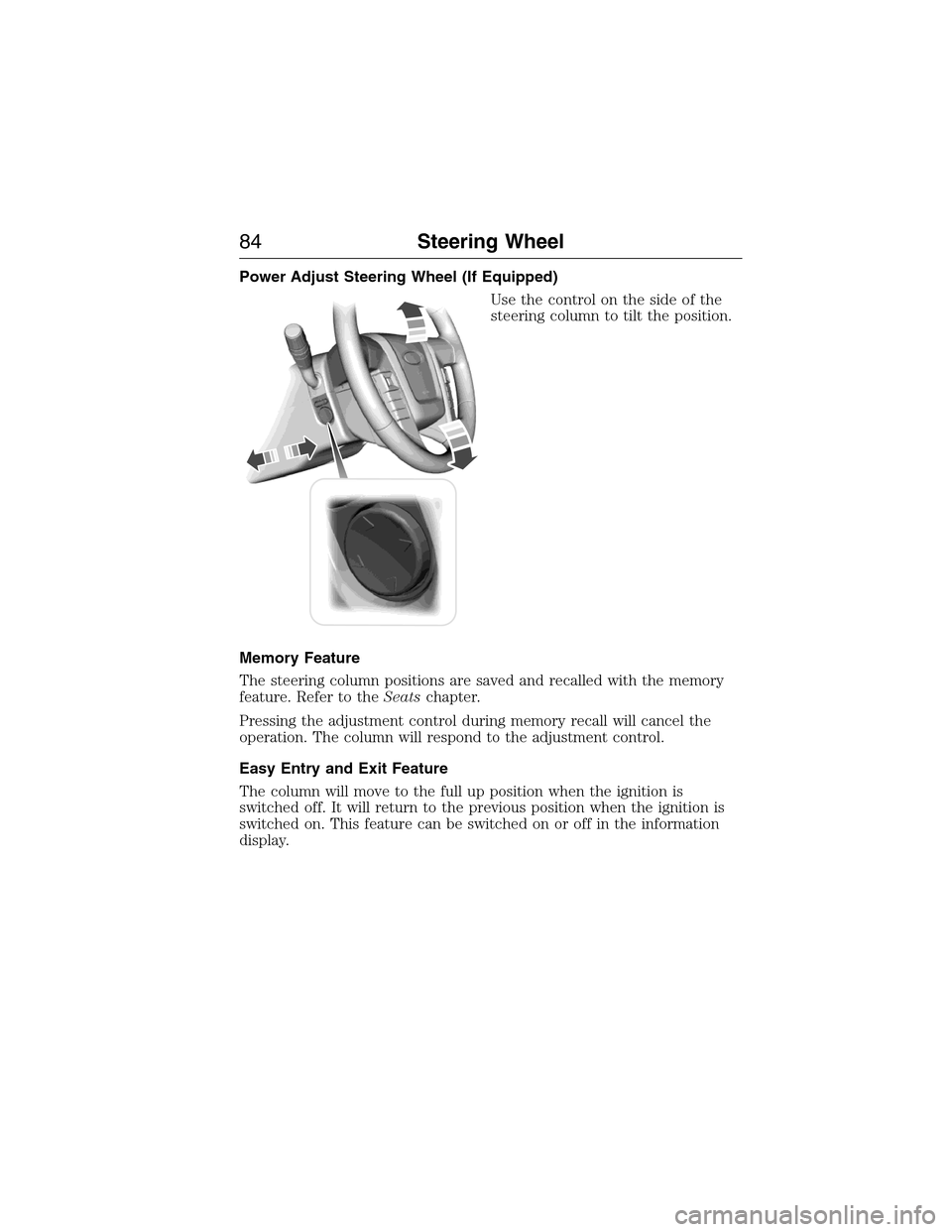
Power Adjust Steering Wheel (If Equipped)
Use the control on the side of the
steering column to tilt the position.
Memory Feature
The steering column positions are saved and recalled with the memory
feature. Refer to theSeatschapter.
Pressing the adjustment control during memory recall will cancel the
operation. The column will respond to the adjustment control.
Easy Entry and Exit Feature
The column will move to the full up position when the ignition is
switched off. It will return to the previous position when the ignition is
switched on. This feature can be switched on or off in the information
display.
84Steering Wheel
2015 Expedition(exd)
Owners Guide gf, 1st Printing, July 2014
USA(fus)
Page 94 of 564
AUTOLAMPS
WARNING:The daytime running lamps system does not activate
the rear lamps and may not provide adequate lighting during low
visibility driving conditions. Also, the autolamps switch position may not
activate the headlamps in all low visibility conditions, such as daytime
fog. Always ensure that your headlamps are switched to auto or on, as
appropriate, during all low visibility conditions. Failure to do so may
result in a collision.
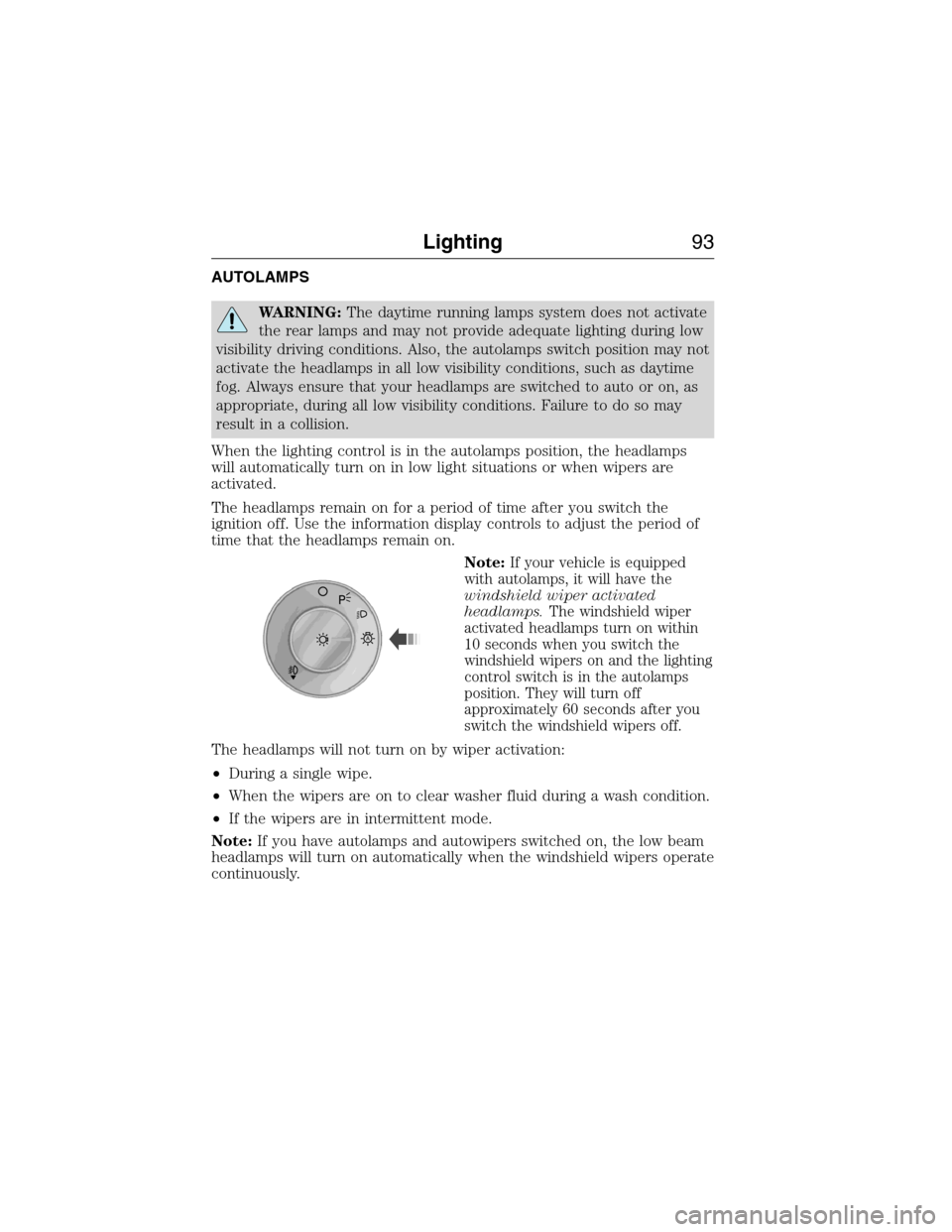
When the lighting control is in the autolamps position, the headlamps
will automatically turn on in low light situations or when wipers are
activated.
The headlamps remain on for a period of time after you switch the
ignition off. Use the information display controls to adjust the period of
time that the headlamps remain on.
Note:
If your vehicle is equipped
with autolamps, it will have the
windshield wiper activated
headlamps.The windshield wiper
activated headlamps turn on within
10 seconds when you switch the
windshield wipers on and the lighting
control switch is in the autolamps
position. They will turn off
approximately 60 seconds after you
switch the windshield wipers off.
The headlamps will not turn on by wiper activation:
•During a single wipe.
•When the wipers are on to clear washer fluid during a wash condition.
•If the wipers are in intermittent mode.
Note:If you have autolamps and autowipers switched on, the low beam
headlamps will turn on automatically when the windshield wipers operate
continuously.
A
Lighting93
2015 Expedition(exd)
Owners Guide gf, 1st Printing, July 2014
USA(fus)
Page 105 of 564
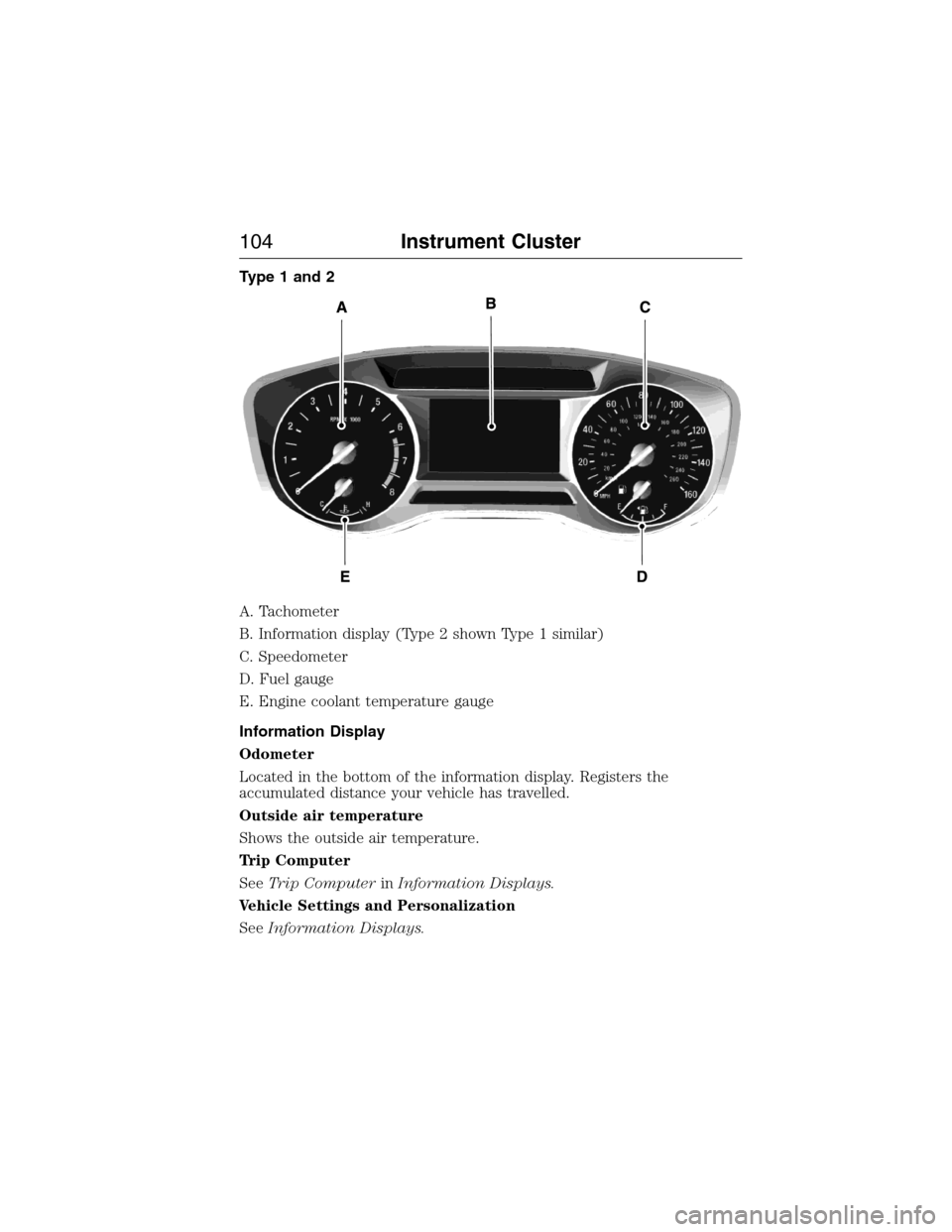
Type 1 and 2
A. Tachometer
B. Information display (Type 2 shown Type 1 similar)
C. Speedometer
D. Fuel gauge
E. Engine coolant temperature gauge
Information Display
Odometer
Located in the bottom of the information display. Registers the
accumulated distance your vehicle has travelled.
Outside air temperature
Shows the outside air temperature.
Trip Computer
SeeTrip ComputerinInformation Displays.
Vehicle Settings and Personalization
SeeInformation Displays.
104Instrument Cluster
2015 Expedition(exd)
Owners Guide gf, 1st Printing, July 2014
USA(fus)
Page 107 of 564
WARNING:Never remove the coolant reservoir cap while the
engine is running or hot. The hot coolant is under pressure and
may cause serious burns.
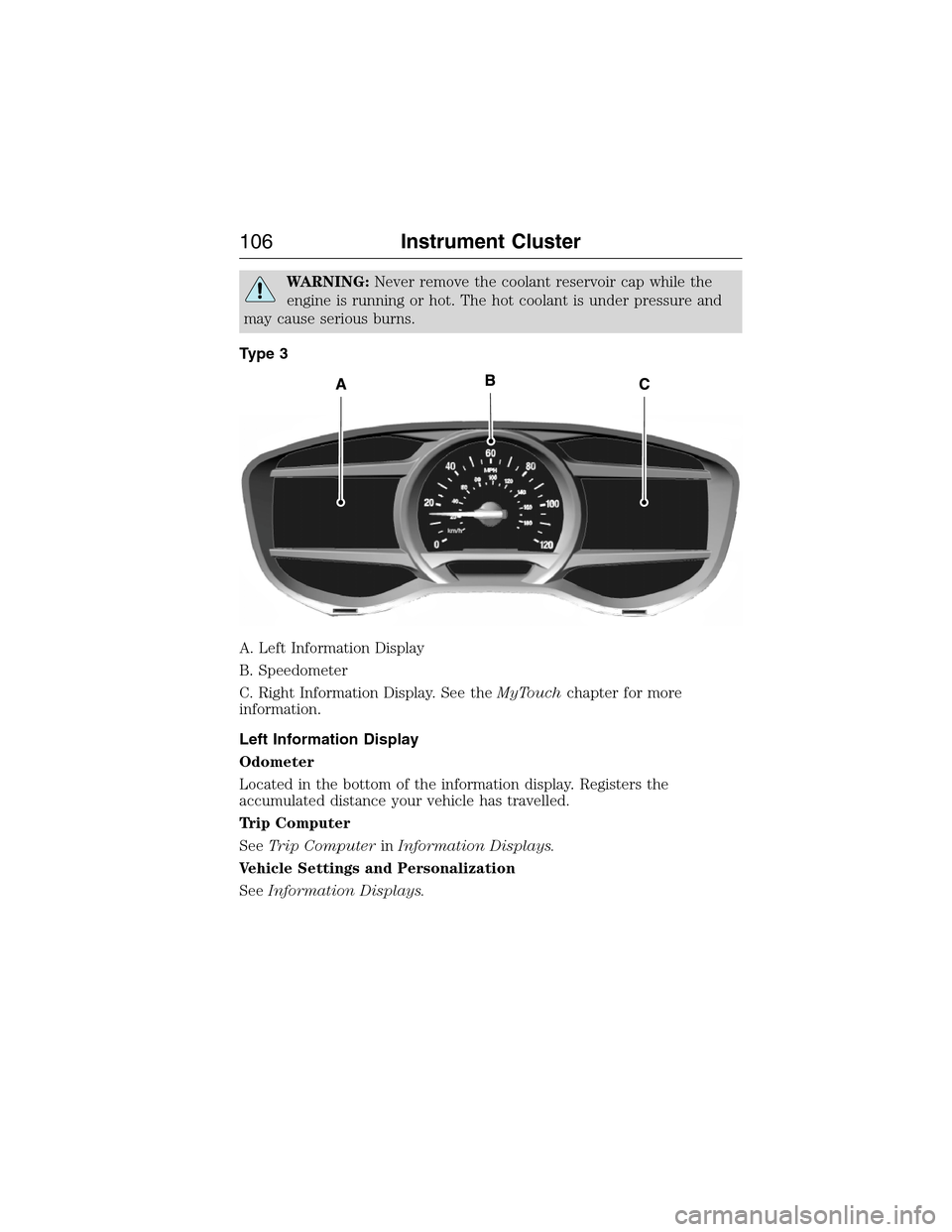
Type 3
A. Left Information Display
B. Speedometer
C. Right Information Display. See theMyTouchchapter for more
information.
Left Information Display
Odometer
Located in the bottom of the information display. Registers the
accumulated distance your vehicle has travelled.
Trip Computer
SeeTrip ComputerinInformation Displays.
Vehicle Settings and Personalization
SeeInformation Displays.
106Instrument Cluster
2015 Expedition(exd)
Owners Guide gf, 1st Printing, July 2014
USA(fus)
Page 108 of 564
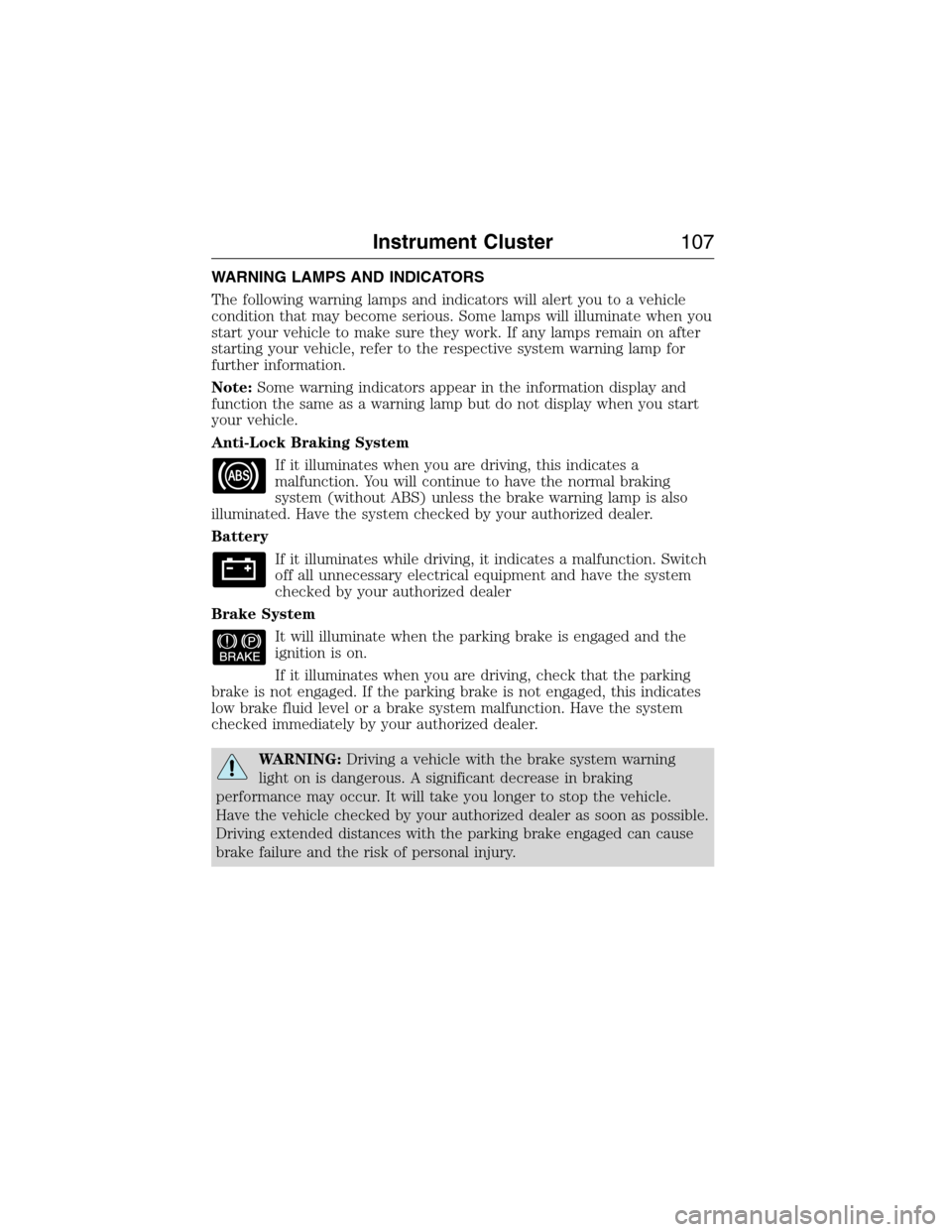
WARNING LAMPS AND INDICATORS
The following warning lamps and indicators will alert you to a vehicle
condition that may become serious. Some lamps will illuminate when you
start your vehicle to make sure they work. If any lamps remain on after
starting your vehicle, refer to the respective system warning lamp for
further information.
Note:Some warning indicators appear in the information display and
function the same as a warning lamp but do not display when you start
your vehicle.
Anti-Lock Braking System
If it illuminates when you are driving, this indicates a
malfunction. You will continue to have the normal braking
system (without ABS) unless the brake warning lamp is also
illuminated. Have the system checked by your authorized dealer.
Battery
If it illuminates while driving, it indicates a malfunction. Switch
off all unnecessary electrical equipment and have the system
checked by your authorized dealer
Brake System
It will illuminate when the parking brake is engaged and the
ignition is on.
If it illuminates when you are driving, check that the parking
brake is not engaged. If the parking brake is not engaged, this indicates
low brake fluid level or a brake system malfunction. Have the system
checked immediately by your authorized dealer.
WARNING:Driving a vehicle with the brake system warning
light on is dangerous. A significant decrease in braking
performance may occur. It will take you longer to stop the vehicle.
Have the vehicle checked by your authorized dealer as soon as possible.
Driving extended distances with the parking brake engaged can cause
brake failure and the risk of personal injury.
Instrument Cluster107
2015 Expedition(exd)
Owners Guide gf, 1st Printing, July 2014
USA(fus)
Page 109 of 564
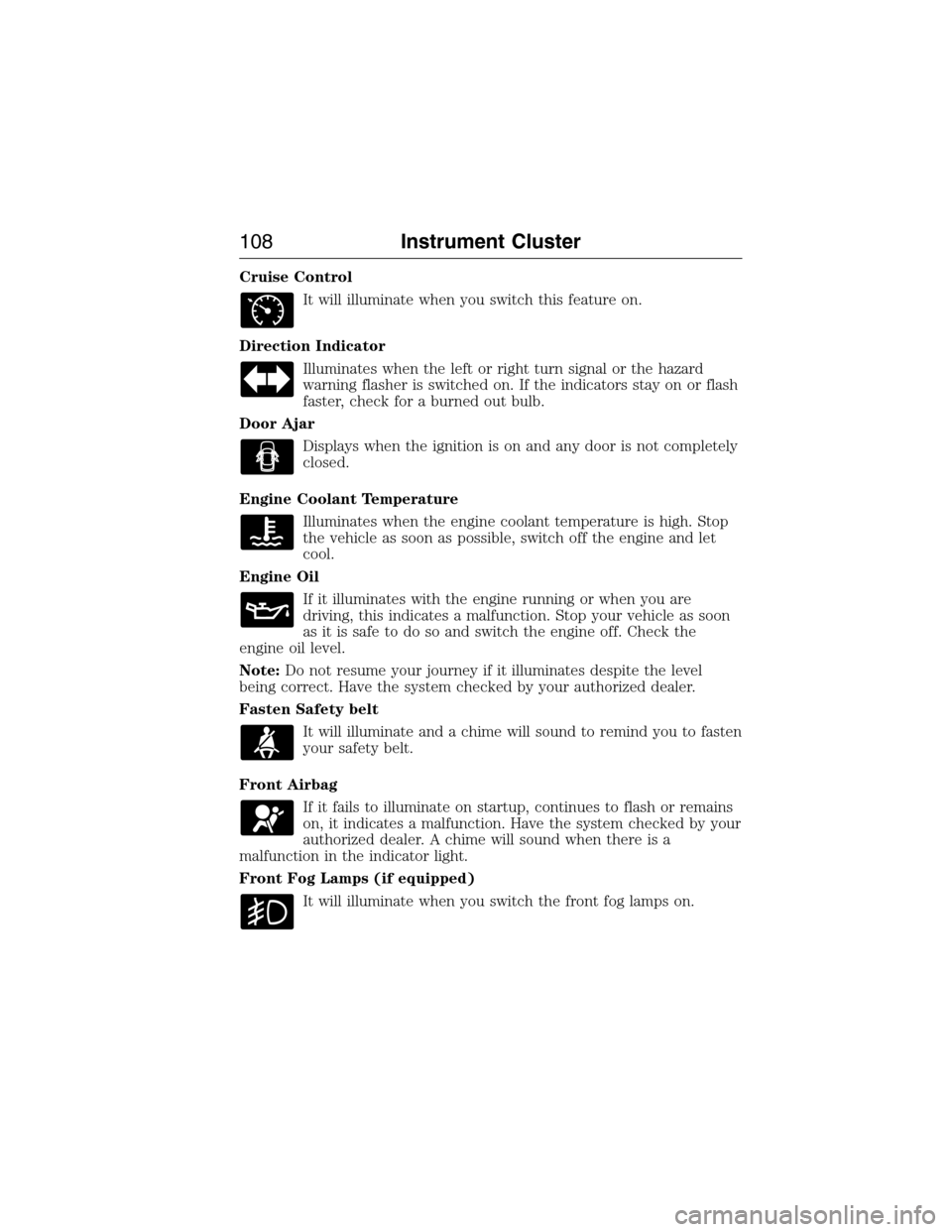
Cruise Control
It will illuminate when you switch this feature on.
Direction Indicator
Illuminates when the left or right turn signal or the hazard
warning flasher is switched on. If the indicators stay on or flash
faster, check for a burned out bulb.
Door Ajar
Displays when the ignition is on and any door is not completely
closed.
Engine Coolant Temperature
Illuminates when the engine coolant temperature is high. Stop
the vehicle as soon as possible, switch off the engine and let
cool.
Engine Oil
If it illuminates with the engine running or when you are
driving, this indicates a malfunction. Stop your vehicle as soon
as it is safe to do so and switch the engine off. Check the
engine oil level.
Note:Do not resume your journey if it illuminates despite the level
being correct. Have the system checked by your authorized dealer.
Fasten Safety belt
It will illuminate and a chime will sound to remind you to fasten
your safety belt.
Front Airbag
If it fails to illuminate on startup, continues to flash or remains
on, it indicates a malfunction. Have the system checked by your
authorized dealer. A chime will sound when there is a
malfunction in the indicator light.
Front Fog Lamps (if equipped)
It will illuminate when you switch the front fog lamps on.
108Instrument Cluster
2015 Expedition(exd)
Owners Guide gf, 1st Printing, July 2014
USA(fus)
Page 111 of 564
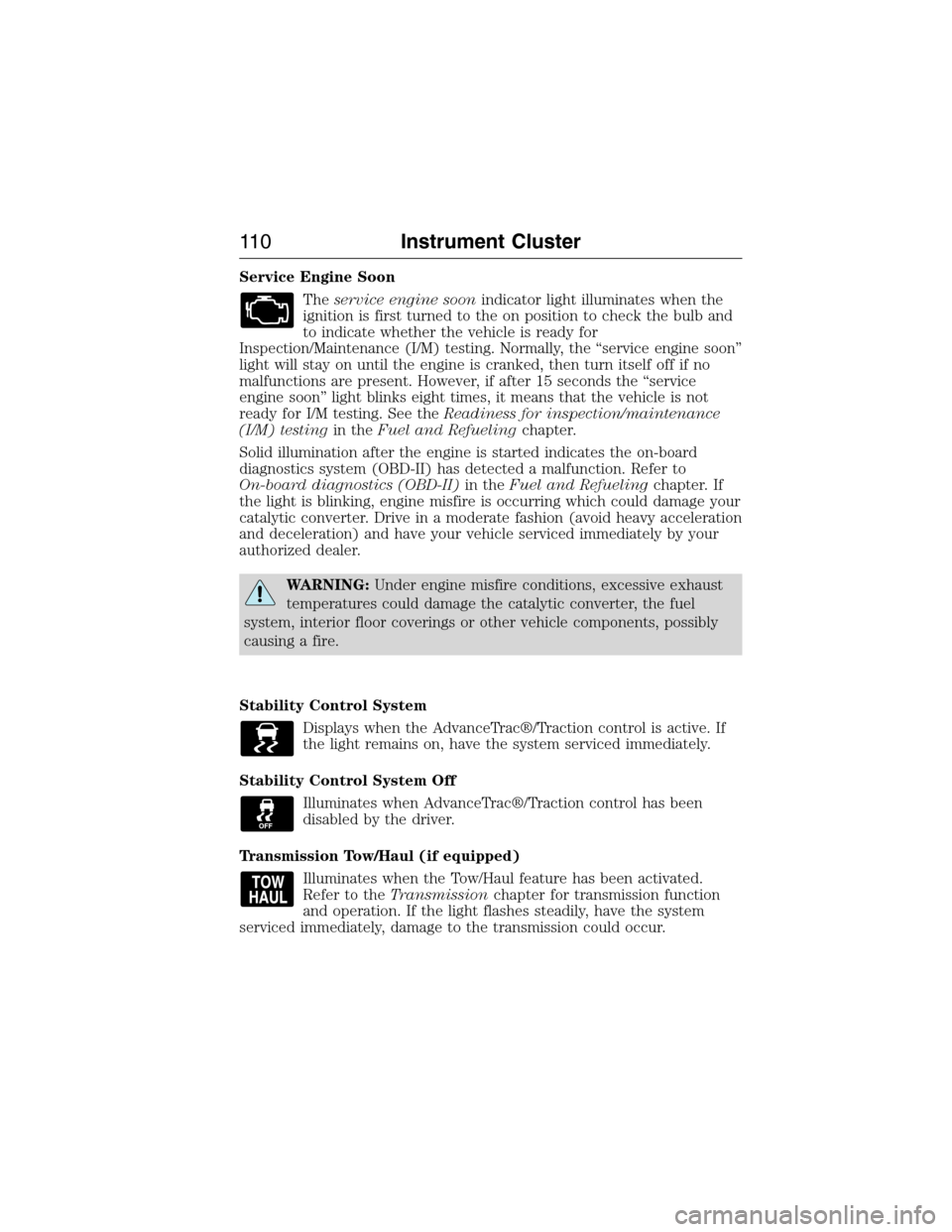
Service Engine Soon
Theservice engine soonindicator light illuminates when the
ignition is first turned to the on position to check the bulb and
to indicate whether the vehicle is ready for
Inspection/Maintenance (I/M) testing. Normally, the “service engine soon”
light will stay on until the engine is cranked, then turn itself off if no
malfunctions are present. However, if after 15 seconds the “service
engine soon” light blinks eight times, it means that the vehicle is not
ready for I/M testing. See theReadiness for inspection/maintenance
(I/M) testingin theFuel and Refuelingchapter.
Solid illumination after the engine is started indicates the on-board
diagnostics system (OBD-II) has detected a malfunction. Refer to
On-board diagnostics (OBD-II)in theFuel and Refuelingchapter. If
the light is blinking, engine misfire is occurring which could damage your
catalytic converter. Drive in a moderate fashion (avoid heavy acceleration
and deceleration) and have your vehicle serviced immediately by your
authorized dealer.
WARNING:Under engine misfire conditions, excessive exhaust
temperatures could damage the catalytic converter, the fuel
system, interior floor coverings or other vehicle components, possibly
causing a fire.
Stability Control System
Displays when the AdvanceTrac®/Traction control is active. If
the light remains on, have the system serviced immediately.
Stability Control System Off
Illuminates when AdvanceTrac®/Traction control has been
disabled by the driver.
Transmission Tow/Haul (if equipped)
Illuminates when the Tow/Haul feature has been activated.
Refer to theTransmissionchapter for transmission function
and operation. If the light flashes steadily, have the system
serviced immediately, damage to the transmission could occur.
11 0Instrument Cluster
2015 Expedition(exd)
Owners Guide gf, 1st Printing, July 2014
USA(fus)
Page 112 of 564
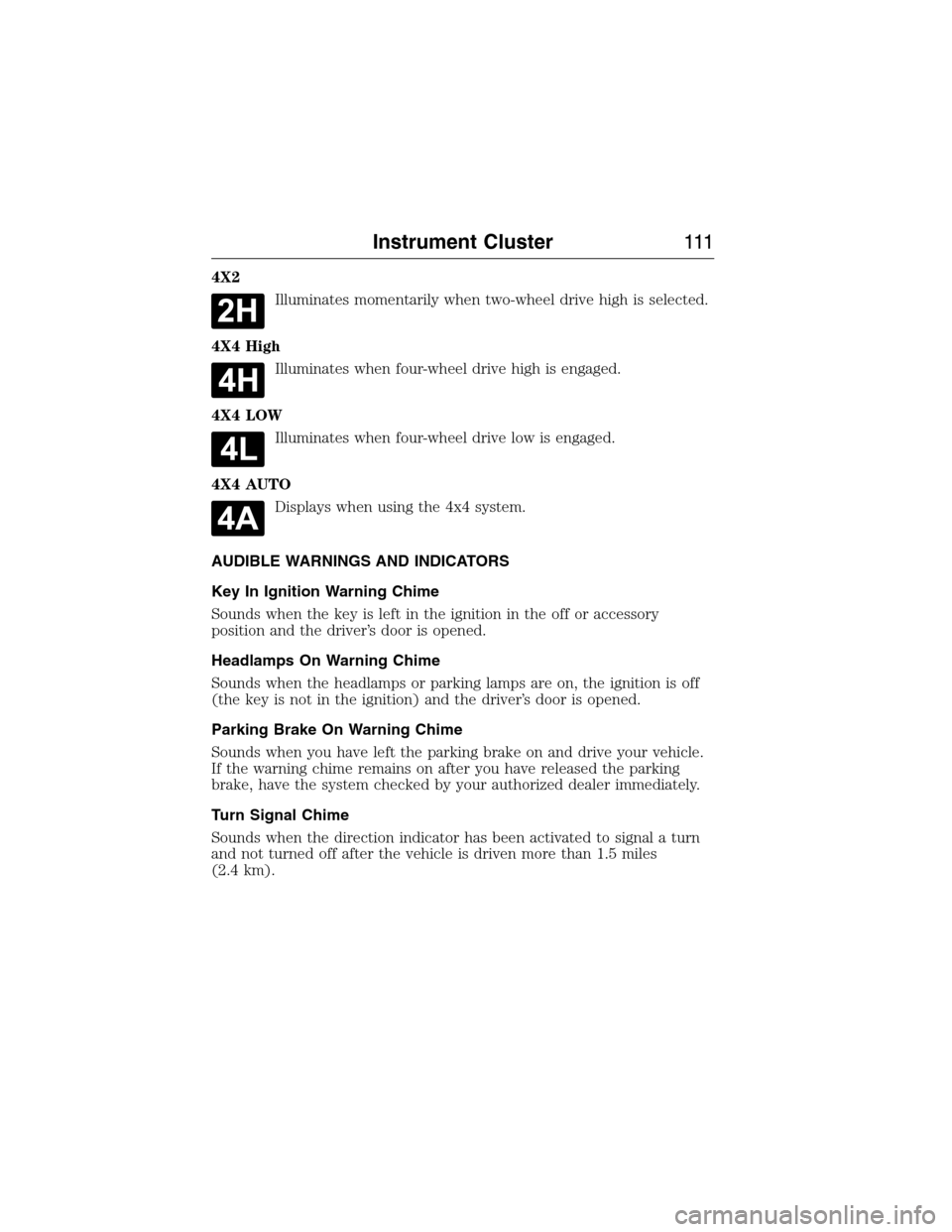
4X2
Illuminates momentarily when two-wheel drive high is selected.
4X4 High
Illuminates when four-wheel drive high is engaged.
4X4 LOW
Illuminates when four-wheel drive low is engaged.
4X4 AUTO
Displays when using the 4x4 system.
AUDIBLE WARNINGS AND INDICATORS
Key In Ignition Warning Chime
Sounds when the key is left in the ignition in the off or accessory
position and the driver’s door is opened.
Headlamps On Warning Chime
Sounds when the headlamps or parking lamps are on, the ignition is off
(the key is not in the ignition) and the driver’s door is opened.
Parking Brake On Warning Chime
Sounds when you have left the parking brake on and drive your vehicle.
If the warning chime remains on after you have released the parking
brake, have the system checked by your authorized dealer immediately.
Turn Signal Chime
Sounds when the direction indicator has been activated to signal a turn
and not turned off after the vehicle is driven more than 1.5 miles
(2.4 km).
Instrument Cluster111
2015 Expedition(exd)
Owners Guide gf, 1st Printing, July 2014
USA(fus)
Page 113 of 564
GENERAL INFORMATION
WARNING:Driving while distracted can result in loss of vehicle
control, crash and injury. We strongly recommend that you use
extreme caution when using any device that may take your focus off
the road. Your primary responsibility is the safe operation of your
vehicle. We recommend against the use of any handheld device while
driving and encourage the use of voice-operated systems when possible.
Make sure you are aware of all applicable local laws that may affect the
use of electronic devices while driving.
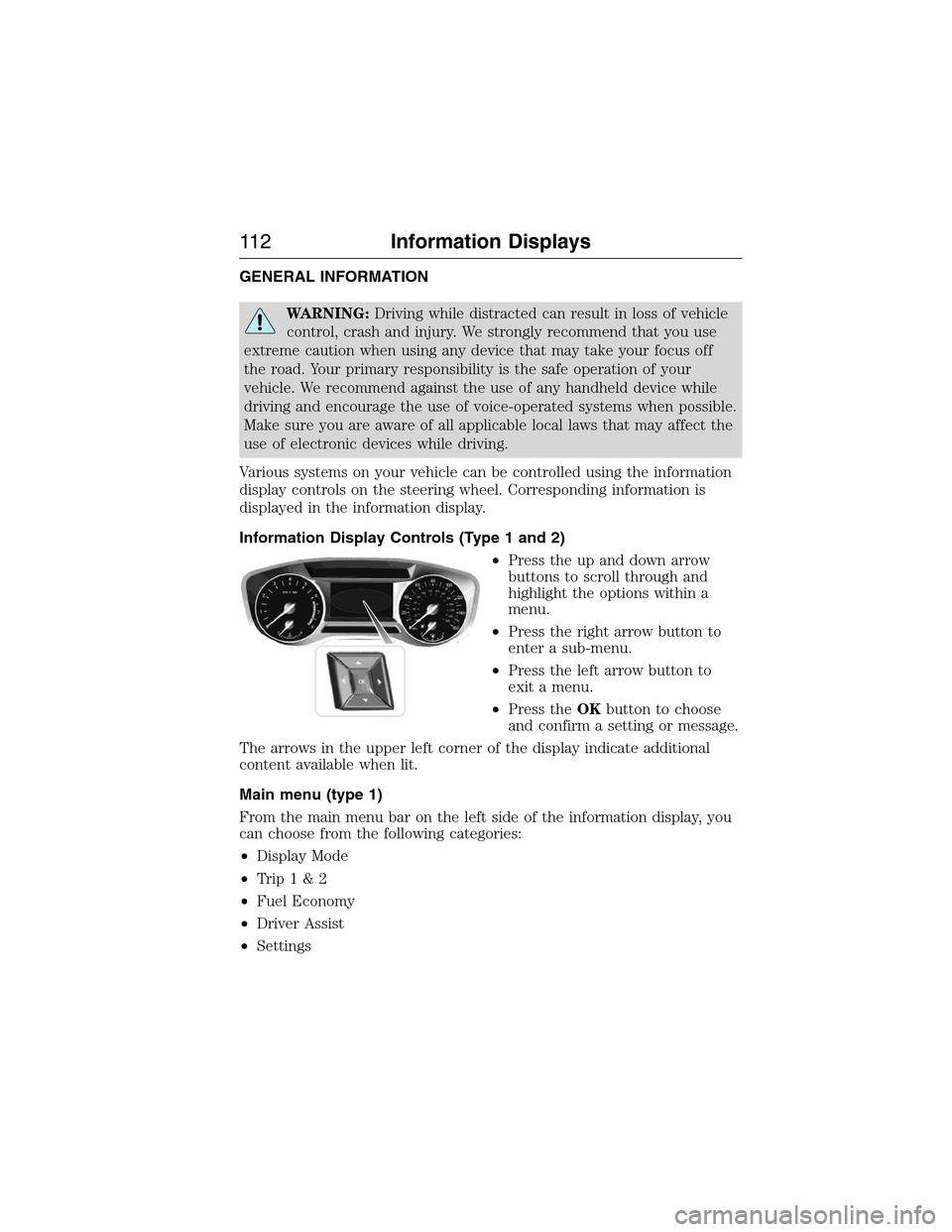
Various systems on your vehicle can be controlled using the information
display controls on the steering wheel. Corresponding information is
displayed in the information display.
Information Display Controls (Type 1 and 2)
•Press the up and down arrow
buttons to scroll through and
highlight the options within a
menu.
•Press the right arrow button to
enter a sub-menu.
•Press the left arrow button to
exit a menu.
•Press theOKbutton to choose
and confirm a setting or message.
The arrows in the upper left corner of the display indicate additional
content available when lit.
Main menu (type 1)
From the main menu bar on the left side of the information display, you
can choose from the following categories:
•Display Mode
•Trip1&2
•Fuel Economy
•Driver Assist
•Settings
11 2Information Displays
2015 Expedition(exd)
Owners Guide gf, 1st Printing, July 2014
USA(fus)