instrument panel FORD EXPEDITION 2023 User Guide
[x] Cancel search | Manufacturer: FORD, Model Year: 2023, Model line: EXPEDITION, Model: FORD EXPEDITION 2023Pages: 658, PDF Size: 16.16 MB
Page 154 of 658
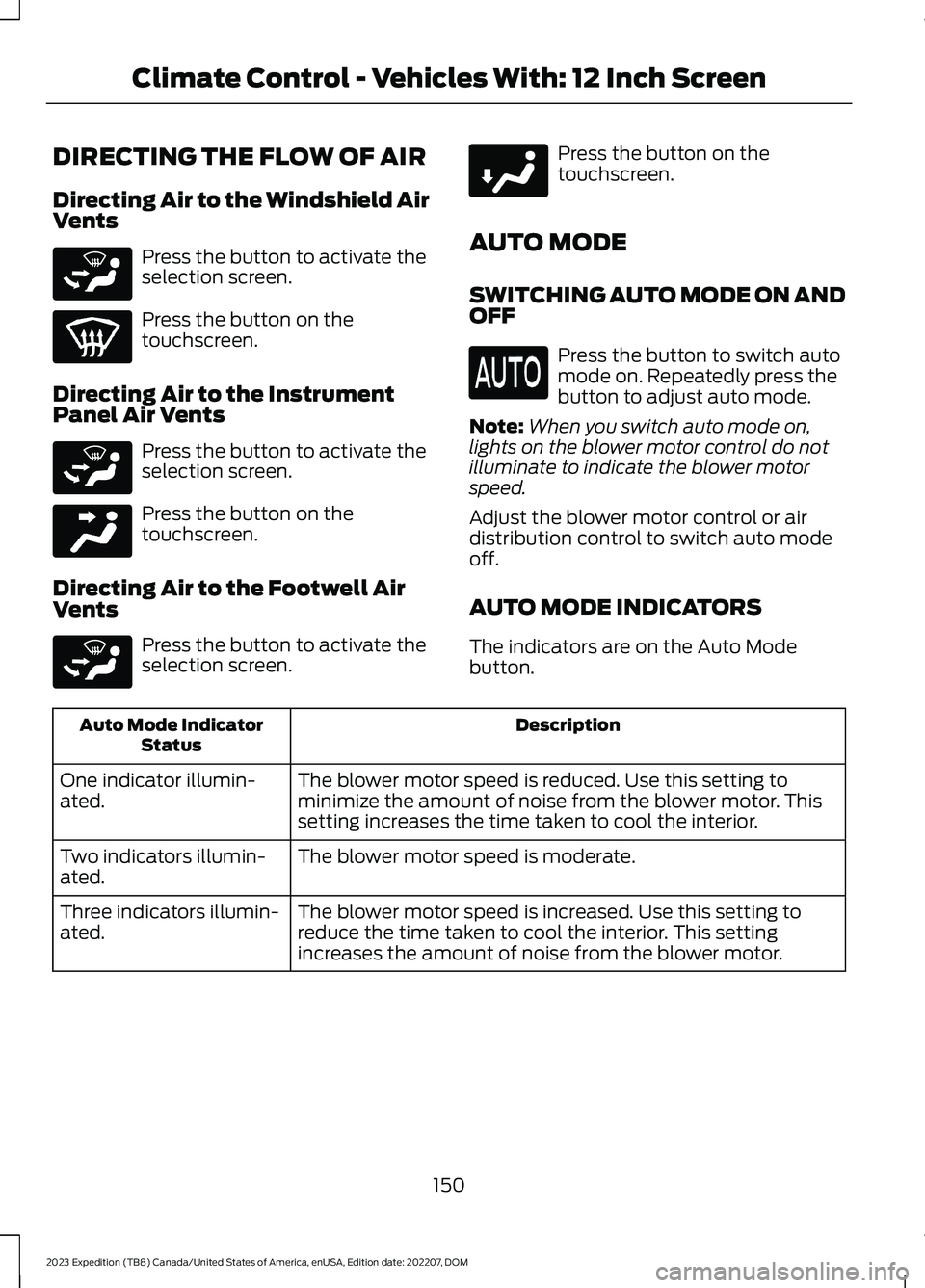
DIRECTING THE FLOW OF AIR
Directing Air to the Windshield AirVents
Press the button to activate theselection screen.
Press the button on thetouchscreen.
Directing Air to the InstrumentPanel Air Vents
Press the button to activate theselection screen.
Press the button on thetouchscreen.
Directing Air to the Footwell AirVents
Press the button to activate theselection screen.
Press the button on thetouchscreen.
AUTO MODE
SWITCHING AUTO MODE ON ANDOFF
Press the button to switch automode on. Repeatedly press thebutton to adjust auto mode.
Note:When you switch auto mode on,lights on the blower motor control do notilluminate to indicate the blower motorspeed.
Adjust the blower motor control or airdistribution control to switch auto modeoff.
AUTO MODE INDICATORS
The indicators are on the Auto Modebutton.
DescriptionAuto Mode IndicatorStatus
The blower motor speed is reduced. Use this setting tominimize the amount of noise from the blower motor. Thissetting increases the time taken to cool the interior.
One indicator illumin-ated.
The blower motor speed is moderate.Two indicators illumin-ated.
The blower motor speed is increased. Use this setting toreduce the time taken to cool the interior. This settingincreases the amount of noise from the blower motor.
Three indicators illumin-ated.
150
2023 Expedition (TB8) Canada/United States of America, enUSA, Edition date: 202207, DOMClimate Control - Vehicles With: 12 Inch ScreenE265283 E265283 E244097 E265283 E244098
Page 155 of 658

SWITCHING DUAL MODE ON ANDOFF
Press the button.
CLIMATE CONTROL HINTS
General Hints
•Prolonged use of recirculated air maycause the windows to fog up.
•You may feel a small amount of airfrom the footwell air vents regardlessof the air distribution setting.
•To reduce humidity build-up inside yourvehicle, do not drive with the systemswitched off or with recirculated airalways switched on.
•Do not place objects under the frontseats as this may interfere with theairflow to the rear seats.
•Remove any snow, ice or leaves fromthe air intake area at the base of thewindshield.
•To improve the time to reach acomfortable temperature in hotweather, drive with the windows openuntil you feel cold air through the airvents.
Automatic Climate Control
•Adjusting the settings when yourvehicle interior is extremely hot or coldis not necessary. Automatic mode isbest recommended to maintain settemperature.
•The system adjusts to heat or cool theinterior to the temperature you selectas quickly as possible.
•For the system to function efficiently,the instrument panel and side air ventsshould be fully open.
•If you press AUTO during cold outsidetemperatures, the system directs airflow to the windshield and side windowair vents.In addition, the blower motormay run at a slower speed until theengine warms up.
•If you press AUTO during hottemperatures and the inside of thevehicle is hot, the system usesrecirculated air to maximize interiorcooling. Blower motor speed may alsoreduce until the air cools.
Quickly Heating the Interior
1.Press AUTO.
2.Adjust the temperature function to thesetting you prefer.
Recommended Settings forHeating
1.Press AUTO.
2.Adjust the temperature function to thesetting you prefer. Use 72°F (22°C) asa starting point, then adjust the settingas necessary.
Quickly Cooling the Interior
1.Press MAX A/C.
2.Drive with the windows open for a shortperiod of time.
Recommended Settings forCooling
1.Press AUTO.
2.Adjust the temperature function to thesetting you prefer. Use 72°F (22°C) asa starting point, then adjust the settingas necessary.
Defogging the Side Windows inCold Weather
1.Press and release defrost or maximumdefrost.
151
2023 Expedition (TB8) Canada/United States of America, enUSA, Edition date: 202207, DOMClimate Control - Vehicles With: 12 Inch ScreenE265280
Page 159 of 658
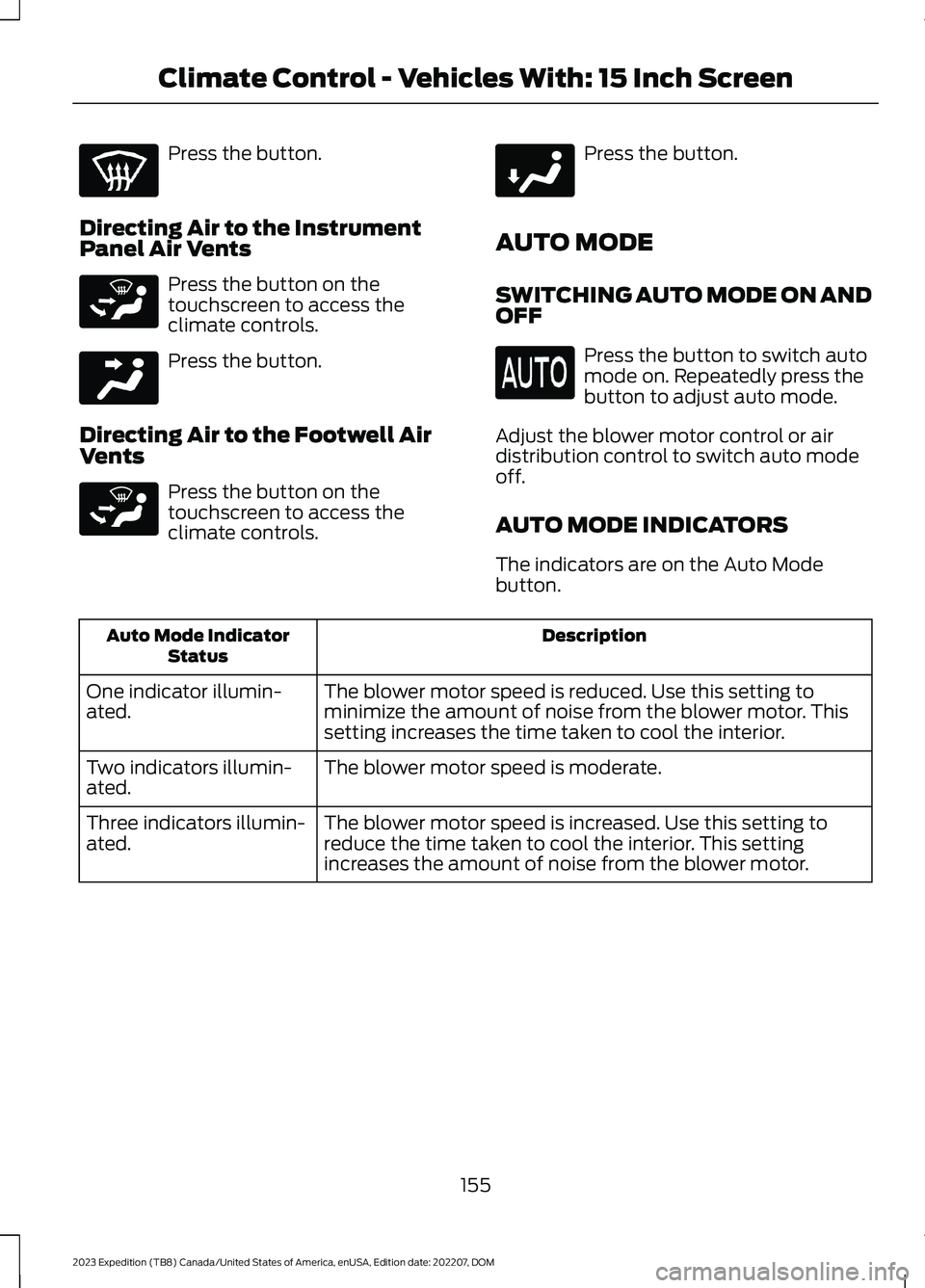
Press the button.
Directing Air to the InstrumentPanel Air Vents
Press the button on thetouchscreen to access theclimate controls.
Press the button.
Directing Air to the Footwell AirVents
Press the button on thetouchscreen to access theclimate controls.
Press the button.
AUTO MODE
SWITCHING AUTO MODE ON ANDOFF
Press the button to switch automode on. Repeatedly press thebutton to adjust auto mode.
Adjust the blower motor control or airdistribution control to switch auto modeoff.
AUTO MODE INDICATORS
The indicators are on the Auto Modebutton.
DescriptionAuto Mode IndicatorStatus
The blower motor speed is reduced. Use this setting tominimize the amount of noise from the blower motor. Thissetting increases the time taken to cool the interior.
One indicator illumin-ated.
The blower motor speed is moderate.Two indicators illumin-ated.
The blower motor speed is increased. Use this setting toreduce the time taken to cool the interior. This settingincreases the amount of noise from the blower motor.
Three indicators illumin-ated.
155
2023 Expedition (TB8) Canada/United States of America, enUSA, Edition date: 202207, DOMClimate Control - Vehicles With: 15 Inch Screen E265283 E244097 E265283 E244098
Page 160 of 658
SWITCHING DUAL MODE ON ANDOFF
Press the button to access theclimate controls.
Press the button.
Note:When dual mode is off, setting thetemperature using the driver side controls,sets the temperature for both sides.
Note:Setting the temperature using thepassenger side controls, sets the passengertemperature and switches dual mode on.
CLIMATE CONTROL HINTS
General Hints
•Use of the climate system will reduceyour vehicles driving range. Conservebattery charge by using climate controlfeatures when necessary.
•Prolonged use of recirculated air maycause the windows to fog up.
•You may feel a small amount of airfrom the footwell air vents regardlessof the air distribution setting.
•To reduce humidity build-up inside yourvehicle, do not drive with the systemswitched off or with recirculated airalways switched on.
•Remove any snow, ice or leaves fromthe air intake area at the base of thewindshield.
•To improve the time to reach acomfortable temperature in hotweather, drive with the windows openuntil you feel cold air through the airvents.
Automatic Climate Control
•Adjusting the settings when yourvehicle interior is extremely hot or coldis not necessary. Automatic mode isbest recommended to maintain settemperature.
•The system adjusts to heat or cool theinterior to the temperature you selectas quickly as possible.
•For the system to function efficiently,the instrument panel and side air ventsshould be fully open.
•If you press AUTO during cold outsidetemperatures, the system directs airflow to the windshield and side windowair vents. The blower motor speed mayreduce until the air warms.
•If you press AUTO during hottemperatures and the inside of thevehicle is hot, the system usesrecirculated air to maximize interiorcooling. Blower motor speed may alsoreduce until the air cools.
Quickly Heating the Interior
1.Press AUTO.
2.Adjust the temperature function to thesetting you prefer.
Recommended Settings forHeating
1.Press AUTO.
2.Adjust the temperature function to thesetting you prefer. Use 72°F (22°C) asa starting point, then adjust the settingas necessary.
Quickly Cooling the Interior
Press MAX A/C.
Recommended Settings forCooling
1.Press AUTO.
156
2023 Expedition (TB8) Canada/United States of America, enUSA, Edition date: 202207, DOMClimate Control - Vehicles With: 15 Inch ScreenE265283 E265280
Page 177 of 658
To return the seat to the seating position,slide the seat rearward while pulling downon the seat backrest until the latch fullyengages.
To move the seat further back, pull thelever under the front of the seat and slideit backward.
Note: You must move the seat to the fullforward position before you move itrearward. Otherwise, the seat may not slideproperly rearward.
Note:You can slide the outermost seatsforward when using a child restraint.
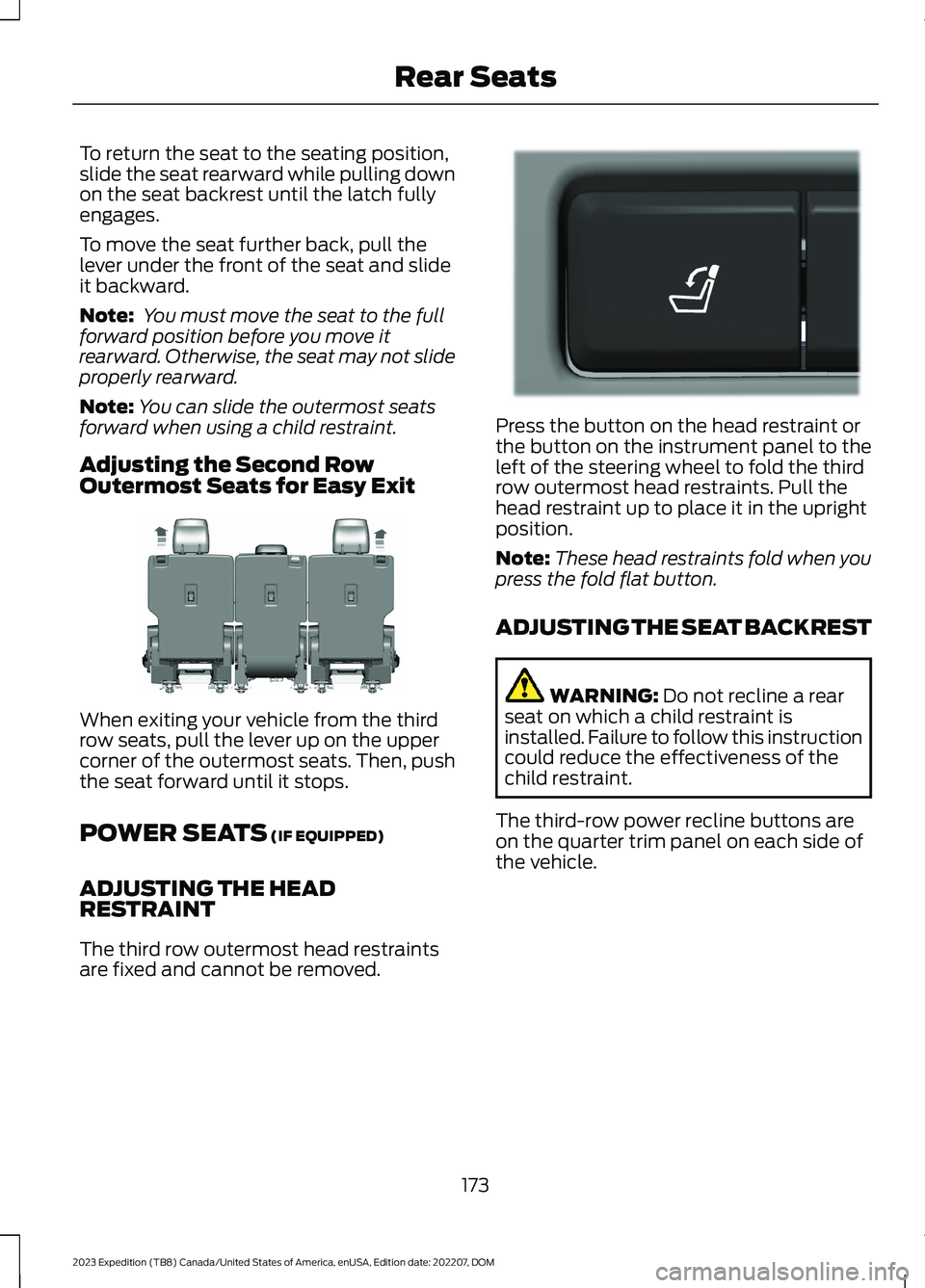
Adjusting the Second RowOutermost Seats for Easy Exit
When exiting your vehicle from the thirdrow seats, pull the lever up on the uppercorner of the outermost seats. Then, pushthe seat forward until it stops.
POWER SEATS (IF EQUIPPED)
ADJUSTING THE HEADRESTRAINT
The third row outermost head restraintsare fixed and cannot be removed.
Press the button on the head restraint orthe button on the instrument panel to theleft of the steering wheel to fold the thirdrow outermost head restraints. Pull thehead restraint up to place it in the uprightposition.
Note:These head restraints fold when youpress the fold flat button.
ADJUSTING THE SEAT BACKREST
WARNING: Do not recline a rearseat on which a child restraint isinstalled. Failure to follow this instructioncould reduce the effectiveness of thechild restraint.
The third-row power recline buttons areon the quarter trim panel on each side ofthe vehicle.
173
2023 Expedition (TB8) Canada/United States of America, enUSA, Edition date: 202207, DOMRear SeatsE246708 E272543
Page 189 of 658
LOCATING THE USB PORTS
Data Transfer USB Ports
The USB ports could be in the followinglocations:
•On the lower instrument panel.
•Inside the center console.
Note: These USB ports can also chargedevices.
Note: Not all USB ports in your vehicle havedata transfer capabilities.
Note: We recommend using only USB-IFcertified cables and adapters. Non-certifiedcables and adapters may not work.
Charge Only USB Ports
The USB ports could be in the followinglocations:
•On the lower instrument panel.
•On the upper instrument panel.
•Inside the media bin.
•Inside the center console.
•On the rear of the center console.
•In the cargo area.
•In the frunk.
PLAYING MEDIA USING THE
USB PORT
WARNING: Driving while distractedcan result in loss of vehicle control, crashand injury. We strongly recommend thatyou use extreme caution when using anydevice that may take your focus off theroad. Your primary responsibility is thesafe operation of your vehicle. Werecommend against the use of anyhand-held device while driving andencourage the use of voice-operatedsystems when possible. Make sure youare aware of all applicable local lawsthat may affect the use of electronicdevices while driving.
Connect your device to a data transfer USBport.
Press the audio button on thefeature bar.
Select Sources.
Select the USB option.
Press to play a track. Press againto pause the track.
Press to skip to the next track.
Press and hold to fast forwardthrough the track.
Press once to return to thebeginning of a track. Repeatedlypress to return to previoustracks.
Press and hold to fast rewind.
CHARGING A DEVICE
Connect your device to the USB port.
185
2023 Expedition (TB8) Canada/United States of America, enUSA, Edition date: 202207, DOMUSB PortsE250655 E263583 E100027
Page 191 of 658
WHAT IS THE POWER OUTLET
The power outlet is a socket that connectsan electrical device to your vehicle's powersupply.
POWER OUTLET
PRECAUTIONS
WARNING: Do not keep electricaldevices plugged into the power outletwhenever the device is not in use. Theoutlet provides power when the vehicleis on. Failure to follow this instructioncould result in personal injury.
WARNING: Do not use anextension cord or connect multipledevices to the power outlet. Doing socould result in overloading the poweroutlet. Failure to follow this instructioncould result in fire, personal injury orproperty damage.
POWER OUTLET LIMITATIONS
You should not use the power outlet forthese types of electric devices:
•Cathode ray tube type televisions.
•Motor loads, such as vacuum cleaners,electric saws or other electric powertools and compressor-drivenrefrigerators.
•Measuring devices which processprecise data, such as medicalequipment or measuring equipment.
•Other appliances requiring anextremely stable power supply, suchas microcomputer-controlled electricblankets or touch sensor lamps.
Note:Some devices may exceed the powerrating on the device label when they areinitially plugged-in and may require you topress the device power button more thanone time in order to allow a soft start. Aftermultiple attempts, if the device remains off,please consider that your device may requiremore than the available power.
Note:The power outlet provides fullavailable power when the vehicle is in park(P). Power availability may be reducedwhen the vehicle is in drive (D). If more thanone outlet is available in the vehicle, poweris divided between the outlets that are inuse at the same time.
LOCATING THE POWER
OUTLETS
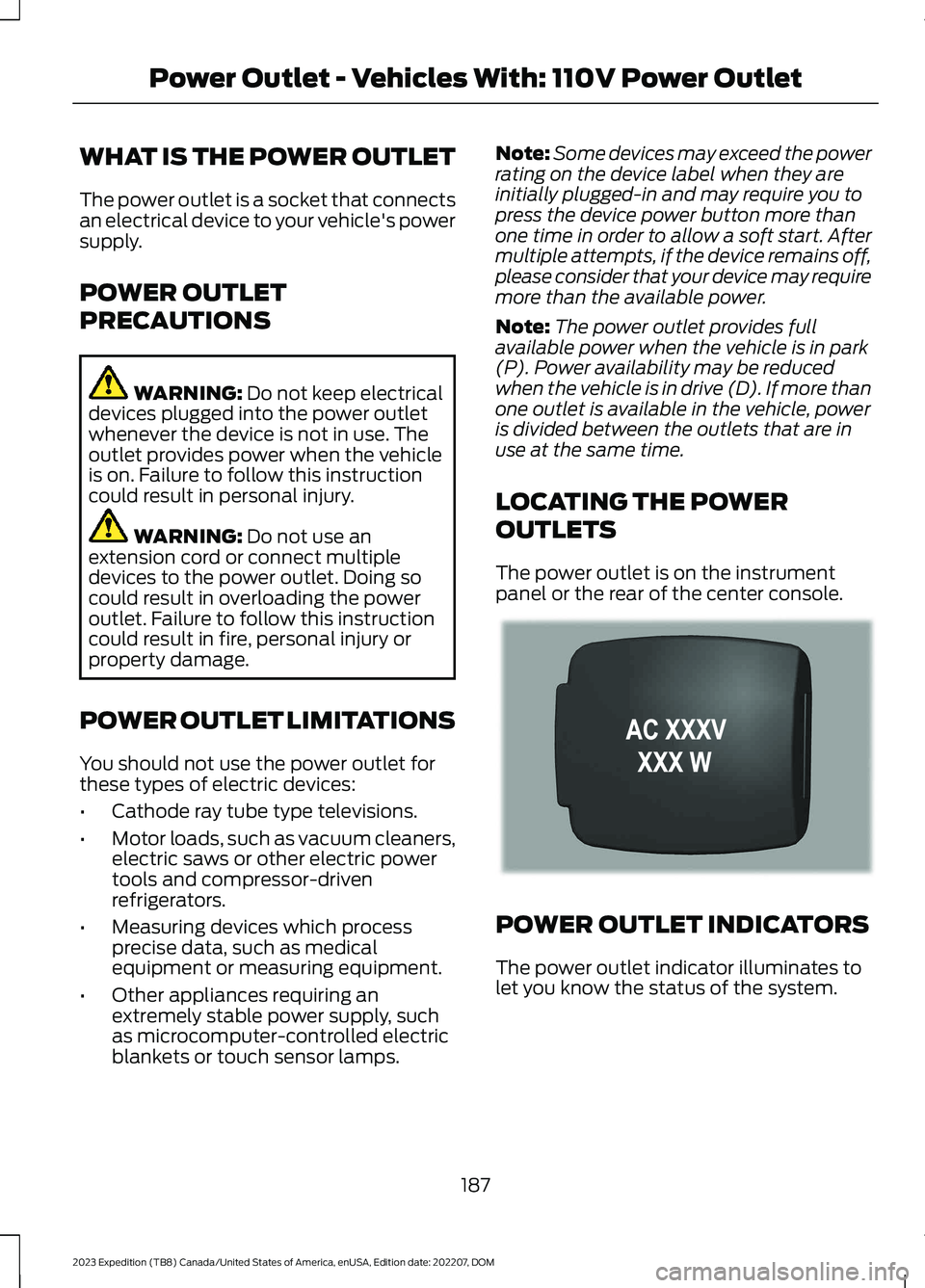
The power outlet is on the instrumentpanel or the rear of the center console.
POWER OUTLET INDICATORS
The power outlet indicator illuminates tolet you know the status of the system.
187
2023 Expedition (TB8) Canada/United States of America, enUSA, Edition date: 202207, DOMPower Outlet - Vehicles With: 110V Power OutletE372643
Page 193 of 658
WHAT IS THE POWER OUTLET
The power outlet can power devices usinga 12 V outlet adapter.
POWER OUTLET
PRECAUTIONS
WARNING: Do not plug optionalelectrical accessories into the cigarlighter socket. Incorrect use of the cigarlighter can cause damage not coveredby the vehicle warranty, and can resultin fire or serious injury.
When you switch the vehicle on, you canuse the socket to power 12 V applianceswith a maximum current rating of 20 A. Donot use the power point over the vehiclecapacity of 12 V DC 240 W or a fuse couldblow. Do not plug in any device thatsupplies power to the vehicle through thepower points. This could result in damageto vehicle systems. Do not hang anyaccessory from the accessory plug. Alwayskeep the power point caps closed whennot in use. Do not insert objects other thanan accessory plug into the power point.
To prevent the battery from running out ofcharge:
•Do not use the power point longer thannecessary when the vehicle is off.
•Do not leave devices plugged inovernight or when you park your vehiclefor extended periods.
LOCATING THE POWER
OUTLETS
Power outlets are in the followinglocations:
•On the instrument panel.
•Inside the center console.
•On the rear of the center console.
189
2023 Expedition (TB8) Canada/United States of America, enUSA, Edition date: 202207, DOMPower Outlet - Vehicles With: 12V Power Outlet
Page 194 of 658
WHAT IS THE WIRELESS
ACCESSORY CHARGER
The wireless accessory charger allows youto charge one compatible Qi wirelesscharging device on the charging area.
WIRELESS ACCESSORY
CHARGER PRECAUTIONS
WARNING: Wireless chargingdevices can affect the operation ofimplanted medical devices, includingcardiac pacemakers. If you have anyimplanted medical devices, werecommend that you consult with yourphysician.
Keep the charging area clean and removeforeign objects prior to charging a device.
Do not place items with a magnetic stripor radio-frequency identification chip, forexample passports, parking tickets,transportation passes or credit cards, nearthe charging area when charging a device.Damage could occur to the magnetic stripor radio-frequency identification chip.
Do not place metal objects, for exampleremote controls, coins and candywrappers, on or near the charging areawhen charging a device. Metal objects mayheat up and degrade the chargingperformance, in addition to causinginterruptions in charging.
Charging could be interrupted, degraded,or could stop if any of the following occur:
•The system detects a foreign object.
•The device is misaligned on thecharging area.
•The device moves on the activecharging area when the vehicle is inmotion.
•The vehicle ambient temperature is toohigh.
•You attempt to charge a non-Qicompatible device on the wirelesscharger.
Note:During charging, the device and thecharger could heat up, this is normal. If thebattery gets hotter than usual, the devicemay stop charging.
LOCATING THE WIRELESS
ACCESSORY CHARGER
The charging area is on thecenter console or in the mediabin below the instrument panel.
CHARGING A WIRELESS
DEVICE
Place the device on the center of thecharging surface with the charging sidedown. The charging stops after your devicereaches a full charge.
You can use the charger when the vehicleis in accessory mode, when the vehicle isrunning, or when SYNC is on.
Displays on the status bar whenwireless charging is in progress.
Displays on the status bar whenwireless charging has beeninterrupted.
Note:The charging performance may beaffected if your device is in a case. It may benecessary to remove the case to wirelesslycharge your device.
Note:Software and firmware updates mayaffect device compatibility, including theuse of unofficial software or firmware. Youshould verify charging functionality with yourspecific devices in-vehicle.
190
2023 Expedition (TB8) Canada/United States of America, enUSA, Edition date: 202207, DOMWireless Accessory Charger (If Equipped)E297549 E263583 E372644
Page 225 of 658
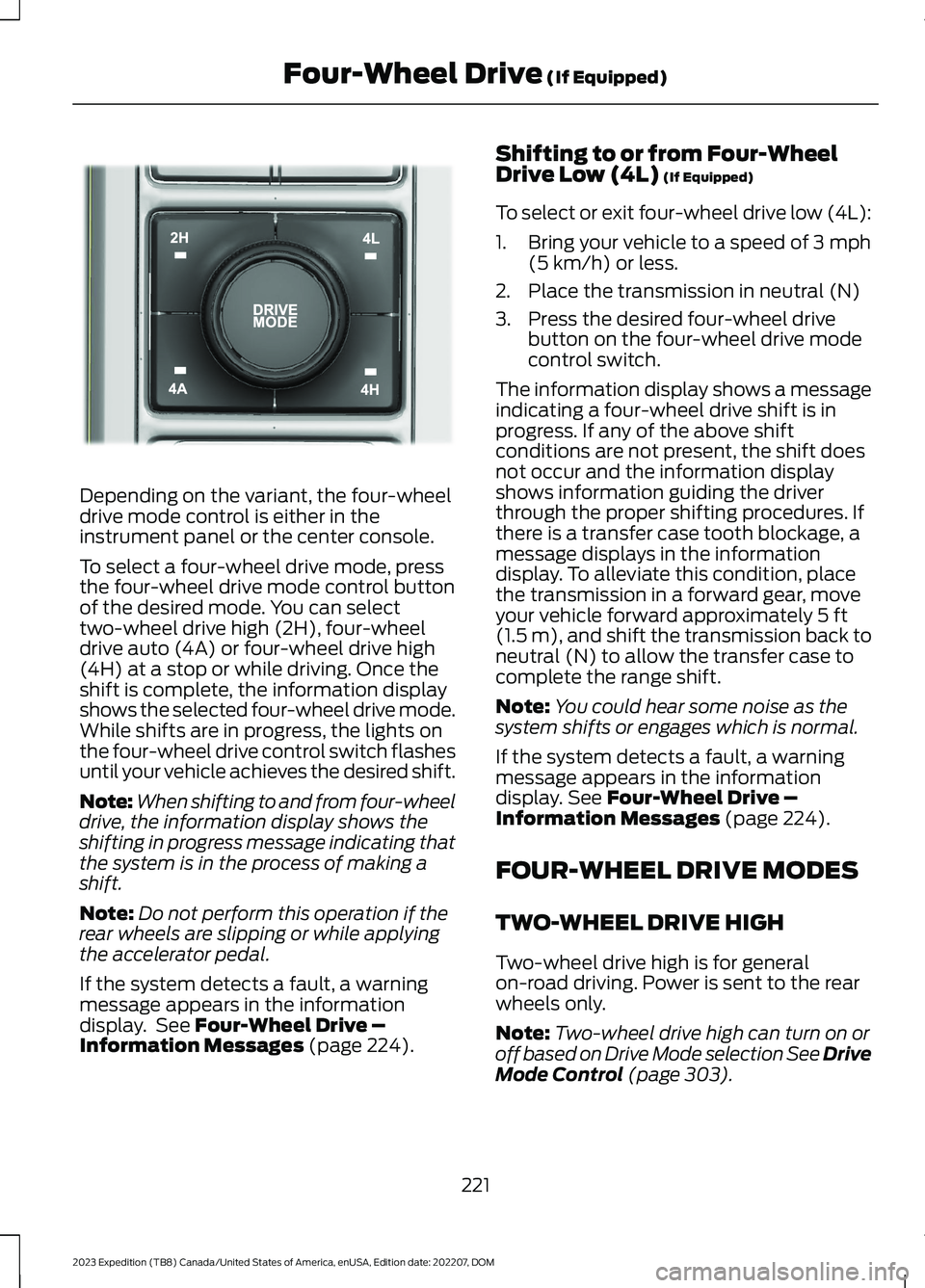
Depending on the variant, the four-wheeldrive mode control is either in theinstrument panel or the center console.
To select a four-wheel drive mode, pressthe four-wheel drive mode control buttonof the desired mode. You can selecttwo-wheel drive high (2H), four-wheeldrive auto (4A) or four-wheel drive high(4H) at a stop or while driving. Once theshift is complete, the information displayshows the selected four-wheel drive mode.While shifts are in progress, the lights onthe four-wheel drive control switch flashesuntil your vehicle achieves the desired shift.
Note:When shifting to and from four-wheeldrive, the information display shows theshifting in progress message indicating thatthe system is in the process of making ashift.
Note:Do not perform this operation if therear wheels are slipping or while applyingthe accelerator pedal.
If the system detects a fault, a warningmessage appears in the informationdisplay. See Four-Wheel Drive –Information Messages (page 224).
Shifting to or from Four-WheelDrive Low (4L) (If Equipped)
To select or exit four-wheel drive low (4L):
1.Bring your vehicle to a speed of 3 mph(5 km/h) or less.
2.Place the transmission in neutral (N)
3.Press the desired four-wheel drivebutton on the four-wheel drive modecontrol switch.
The information display shows a messageindicating a four-wheel drive shift is inprogress. If any of the above shiftconditions are not present, the shift doesnot occur and the information displayshows information guiding the driverthrough the proper shifting procedures. Ifthere is a transfer case tooth blockage, amessage displays in the informationdisplay. To alleviate this condition, placethe transmission in a forward gear, moveyour vehicle forward approximately 5 ft(1.5 m), and shift the transmission back toneutral (N) to allow the transfer case tocomplete the range shift.
Note:You could hear some noise as thesystem shifts or engages which is normal.
If the system detects a fault, a warningmessage appears in the informationdisplay. See Four-Wheel Drive –Information Messages (page 224).
FOUR-WHEEL DRIVE MODES
TWO-WHEEL DRIVE HIGH
Two-wheel drive high is for generalon-road driving. Power is sent to the rearwheels only.
Note:Two-wheel drive high can turn on oroff based on Drive Mode selection See DriveMode Control (page 303).
221
2023 Expedition (TB8) Canada/United States of America, enUSA, Edition date: 202207, DOMFour-Wheel Drive (If Equipped)E357408