climate control FORD EXPLORER 2011 5.G User Guide
[x] Cancel search | Manufacturer: FORD, Model Year: 2011, Model line: EXPLORER, Model: FORD EXPLORER 2011 5.GPages: 449, PDF Size: 4.03 MB
Page 70 of 449
3.MAX A/C:Distributes recirculated air through the instrument panel
vents to cool the vehicle. This re-cooling of the interior air is more
economical and efficient. Recirculated air may also help reduce
undesirable odors from entering the vehicle. Touch MAX A/C again for
normal A/C operation.
4.A/C control:Touch to activate/deactivate air conditioning. Use with
recirculated air to improve cooling performance and efficiency. Engages
automatically in MAX A/C,
(defrost) and(floor/defrost).
5.
/(Power/Fan control):Touch to activate/deactivate the
climate control system. When the system is off, outside air is prevented
from entering the vehicle through the vents. Turn to increase or
decrease fan speed.
6.AUTO:Touch to engage full automatic operation. Select the desired
temperature using the temperature control. The system will
automatically determine fan speed, airflow distribution, A/C on or off,
and outside or recirculated air, to heat or cool the vehicle in order to
reach the desired temperature.
7.
R(Rear defroster):Touch to activate/deactivate the rear defroster.
This button will also activate/deactivate the heated mirrors (if equipped).
Refer toRear window defrosterlater in this chapter for more
information.
8.
(Defrost):Distributes outside air through the windshield
defroster vents and demister vents. Can be used to clear the windshield
of fog and thin ice. The system will automatically provide outside air to
reduce window fogging. Touch this button again to return to the previous
air flow selection. To return to full automatic control, touch AUTO.
9.Driver temperature control:Touch to increase (+) or decrease (-)
the temperature on the driver side of the vehicle. If the passenger
temperature controls are not activated (dual zone), the driver’s settings
will determine the temperature setting for the entire vehicle cabin.
MyTemp:Touch and hold to save the desired temperature for MyTemp.
To access this setting again, simply touch the indicator.
The MyTemp feature can be used to store and recall a preset driver’s
temperature. This feature is provided so this temperature can be quickly
adjusted to a frequently used setting with a single button touch.
To save a new preset temperature for the active user, manually adjust
the driver’s temperature to the desired value then touch and hold the
MyTemp button for at least two seconds. Any subsequent touch of the
MyTemp button will automatically change to this set temperature for this
user.
Climate Controls
69
2011 Explorer(exp)
Owners Guide, 1st Printing
USA(fus)
Page 71 of 449
Operating tips
•To reduce fog build-up on the windshield during humid weather,
select
(defrost) or(floor/defrost).
•To reduce humidity build-up inside the vehicle, do not drive with the
system off or with
(recirculated air) engaged and A/C off.
•Do not put objects under the front seats that will interfere with the
airflow to the back seats.
•Remove any snow, ice or leaves from the air intake area at the base of
the windshield.
•To improve the A/C cool down, drive with the windows slightly open
for 2-3 minutes after start-up or until the vehicle has been “aired out.”
•A small amount of air may be felt from the floor vent regardless of the
air distribution setting that is selected.
For maximum cooling performance:
•Automatic operation:
1. Press AUTO for full automatic operation.
2. Do not override A/C or
(recirculated air).
3. Set the temperature to 60°F (16°C).
•Manual operation:
1. Select MAX A/C.
2. Select
(panel) or(panel/floor).
3. Select
(recirculated air) to provide colder airflow.
4. Set the temperature to 60°F (16°C).
5. Set highest fan setting initially, then adjust to maintain comfort.
To aid in side window defogging/demisting in cold weather:
1. Select
(panel/floor).
2. Select A/C.
3. Adjust the temperature control to maintain comfort.
4. Set the fan speed to the highest setting.
5. Direct the outer instrument panel vents towards the side windows.
To increase airflow to the outer instrument panel vents, close the vents
located in the middle of the instrument panel.
Climate Controls
70
2011 Explorer(exp)
Owners Guide, 1st Printing
USA(fus)
Page 72 of 449
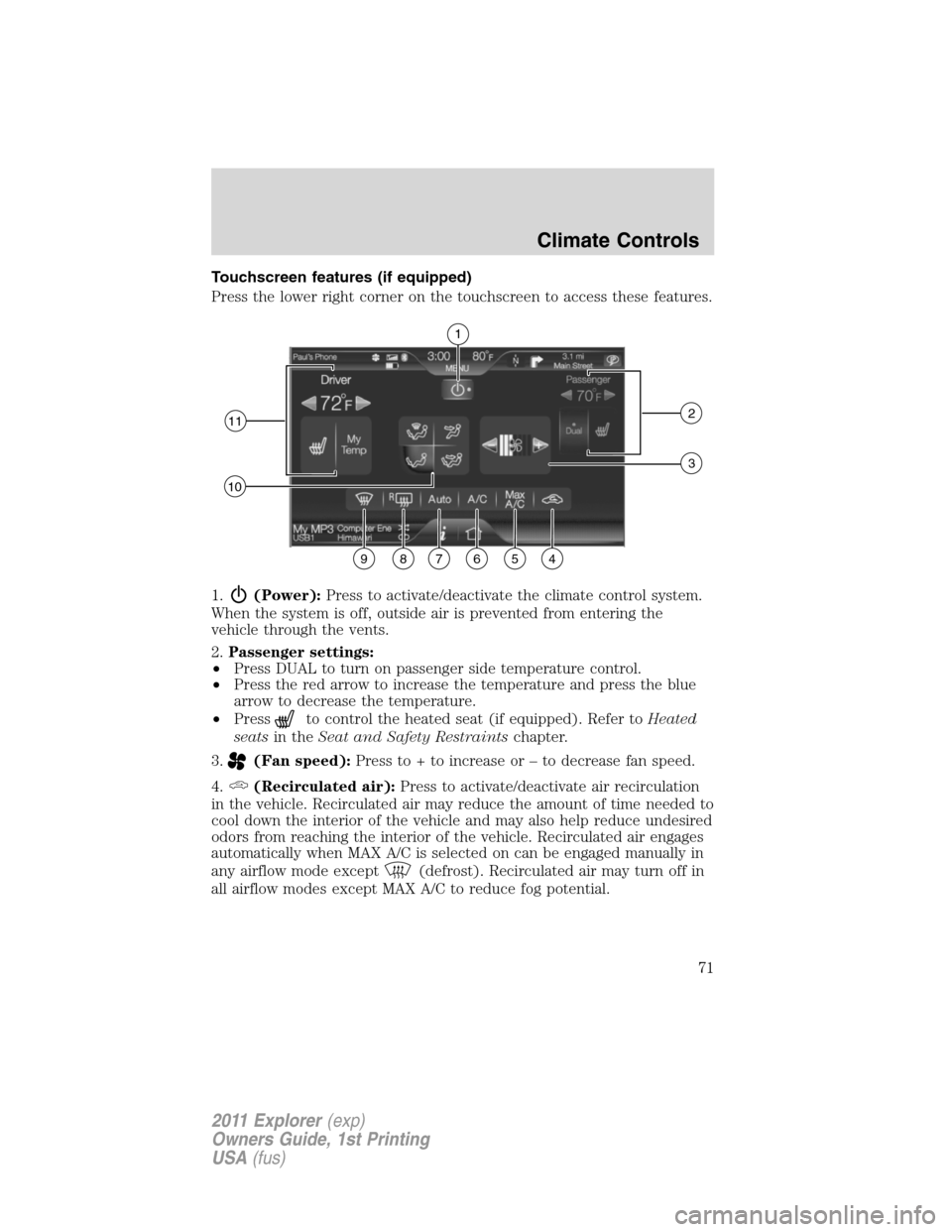
Touchscreen features (if equipped)
Press the lower right corner on the touchscreen to access these features.
1.
(Power):Press to activate/deactivate the climate control system.
When the system is off, outside air is prevented from entering the
vehicle through the vents.
2.Passenger settings:
•Press DUAL to turn on passenger side temperature control.
•Press the red arrow to increase the temperature and press the blue
arrow to decrease the temperature.
•Press
to control the heated seat (if equipped). Refer toHeated
seatsin theSeat and Safety Restraintschapter.
3.
(Fan speed):Press to + to increase or – to decrease fan speed.
4.
(Recirculated air):Press to activate/deactivate air recirculation
in the vehicle. Recirculated air may reduce the amount of time needed to
cool down the interior of the vehicle and may also help reduce undesired
odors from reaching the interior of the vehicle. Recirculated air engages
automatically when MAX A/C is selected on can be engaged manually in
any airflow mode except
(defrost). Recirculated air may turn off in
all airflow modes except MAX A/C to reduce fog potential.
1
112
10
3
987654
Climate Controls
71
2011 Explorer(exp)
Owners Guide, 1st Printing
USA(fus)
Page 73 of 449
5.MAX A/C:Press to distribute recirculated air through the instrument
panel vents to cool the vehicle. This is more economical and efficient
than normal A/C mode. Recirculated air may also help reduce
undesirable odors from entering the vehicle. Press again for normal A/C
operation.
6.A/C:Press to activate/deactivate air conditioning. Use with
recirculated air to improve cooling performance and efficiency. Engages
automatically in MAX A/C,
(defrost) and(floor/defrost).
7.AUTO:Press to engage full automatic operation. Select the desired
temperature using the temperature control. The system will
automatically determine fan speed, airflow distribution, A/C on or off,
and outside or recirculated air, to heat or cool the vehicle in order to
reach the desired temperature.
8.
R(Rear defroster):Press to activate/deactivate the rear window
defroster. This button will also activate/deactivate the heated mirror (if
equipped). Refer toRear window defrosterlater in this chapter for
more information.
9.
(Defrost):Press to distribute outside air through the windshield
defroster vents and demister vents. Can be used to clear the windshield
of fog and thin ice. The system will automatically provide outside air to
reduce window fogging. Press this button again to return to the previous
air flow selection. To return to full automatic control, press AUTO.
10.Manual controls:Select any of the following to determine where
airflow is directed:
•
:Distributes air through the windshield defroster vents, demister
vents, floor vents and rear seat floor vents. The system will
automatically provide outside air to reduce window fogging. To return
to full automatic control, press AUTO.
•
:Distributes air through the instrument panel vents. To return to
full automatic control, press AUTO.
•
:Distributes air through the instrument panel vents, demister
vents, floor vents, rear seat floor vents. To return to full automatic
control, press AUTO.
•
:Distributes air through the demister vents, floor vents and rear
seat floor vents. To return to full automatic control, press AUTO.
Climate Controls
72
2011 Explorer(exp)
Owners Guide, 1st Printing
USA(fus)
Page 74 of 449
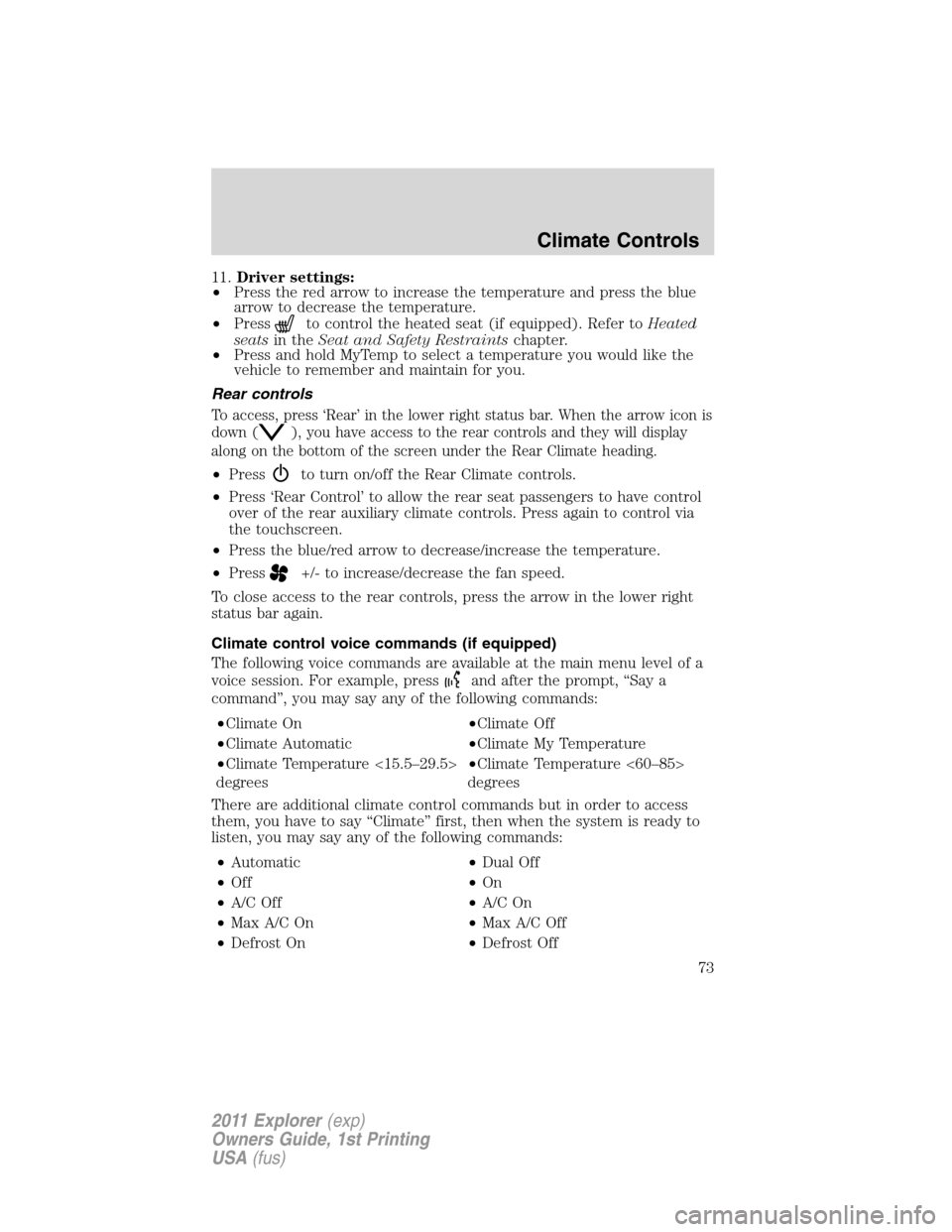
11.Driver settings:
•Press the red arrow to increase the temperature and press the blue
arrow to decrease the temperature.
•Press
to control the heated seat (if equipped). Refer toHeated
seatsin theSeat and Safety Restraintschapter.
•Press and hold MyTemp to select a temperature you would like the
vehicle to remember and maintain for you.
Rear controls
To access, press ‘Rear’ in the lower right status bar. When the arrow icon is
down (
), you have access to the rear controls and they will display
along on the bottom of the screen under the Rear Climate heading.
•Pressto turn on/off the Rear Climate controls.
•Press ‘Rear Control’ to allow the rear seat passengers to have control
over of the rear auxiliary climate controls. Press again to control via
the touchscreen.
•Press the blue/red arrow to decrease/increase the temperature.
•Press
+/- to increase/decrease the fan speed.
To close access to the rear controls, press the arrow in the lower right
status bar again.
Climate control voice commands (if equipped)
The following voice commands are available at the main menu level of a
voice session. For example, press
and after the prompt, “Say a
command”, you may say any of the following commands:
•Climate On•Climate Off
•Climate Automatic•Climate My Temperature
•Climate Temperature <15.5–29.5>
degrees•Climate Temperature <60–85>
degrees
There are additional climate control commands but in order to access
them, you have to say “Climate” first, then when the system is ready to
listen, you may say any of the following commands:
•Automatic•Dual Off
•Off•On
•A/C Off•A/C On
•Max A/C On•Max A/C Off
•Defrost On•Defrost Off
Climate Controls
73
2011 Explorer(exp)
Owners Guide, 1st Printing
USA(fus)
Page 75 of 449
•Rear Defrost On•Rear Defrost Off
•Recirc On•Recirc Off
•Panel On•Panel Floor On
•Floor On•Windshield Floor On
•Temperature High•Temperature Low
•Fan Increase•Fan Decrease
•Temperature•Temperature Increase
•Temperature Decrease•Temperature <15.5–29.5>
degrees
•Temperature <60–85> degrees•My Temp
•Help
*Note:If you have said “Temperature”, you can then say any of the
following commands:
•High•Low
•<15.5–29.5> degrees•<60–85> degrees
For more information on your touchscreen system, refer to theMyFord
Touch™ / MyLincoln Touch™ supplement.
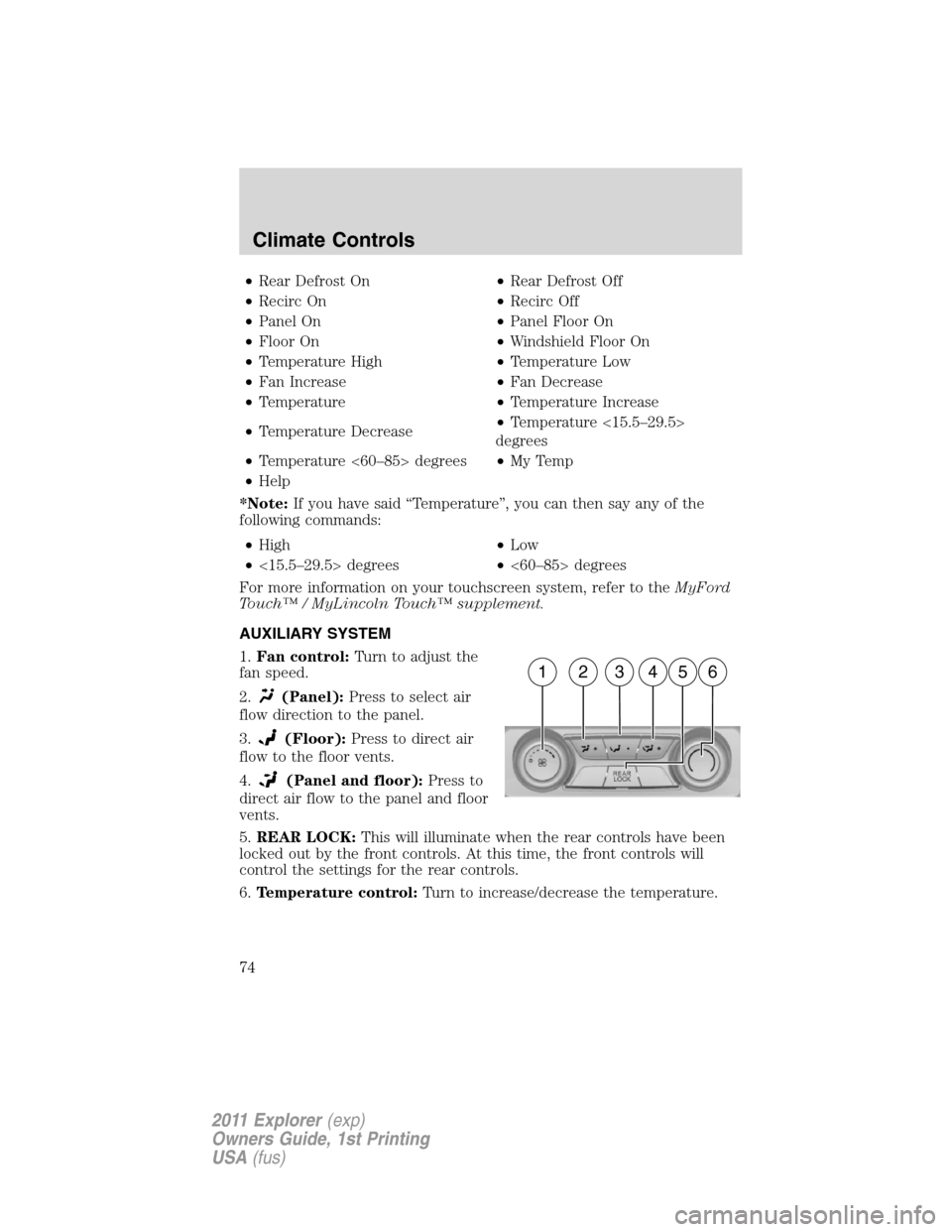
AUXILIARY SYSTEM
1.Fan control:Turn to adjust the
fan speed.
2.
(Panel):Press to select air
flow direction to the panel.
3.
(Floor):Press to direct air
flow to the floor vents.
4.
(Panel and floor):Press to
direct air flow to the panel and floor
vents.
5.REAR LOCK:This will illuminate when the rear controls have been
locked out by the front controls. At this time, the front controls will
control the settings for the rear controls.
6.Temperature control:Turn to increase/decrease the temperature.
162345
Climate Controls
74
2011 Explorer(exp)
Owners Guide, 1st Printing
USA(fus)
Page 76 of 449
REAR WINDOW DEFROSTER
The rear defroster control is located on the instrument panel or in the
touchscreen display (if equipped).
Press the rear defroster control
Rto clear the rear window of thin ice
and fog.
The ignition must be in the on position to operate the rear window defroster.
The defroster turns off automatically after 10 minutes or when the
ignition is turned to off or the accessory position. To manually turn off
the defroster before 10 minutes have passed, push the control again.
REMOTE START CLIMATE OPERATION (IF EQUIPPED)
The climate control system will condition the cabin temperature during
remote start. Engine idle may increase to help with adjusting the cabin
temperature.
Note:No climate control adjustments will be recognized during remote
start operation. Once the ignition is cycled to the on position, the climate
control system will return to the previous settings (last ignition-on cycle)
and adjustments can be made normally. If the previous setting was off,
the climate control system will turn off.
Automatic climate control
For hot weather conditions:
•The interior cabin will be cooled to 72°F (22°C).
•The cooled seats (if equipped) will be set to high.
For cold weather conditions:
•The interior cabin will be heated to 72°F (22°C).
•The heated seats (if equipped) will be set to high.
•Rear defrost/heated mirrors (if equipped) will be activated.
For moderate weather conditions:
•The interior cabin will be heated, cooled, or off, based upon the
previous operating state (last ignition-on cycle).
•Heated/cooled seats (if equipped) will be deactivated.
•Rear defrost/heated mirrors (if equipped) will be deactivated.
Climate Controls
75
2011 Explorer(exp)
Owners Guide, 1st Printing
USA(fus)
Page 77 of 449
CABIN AIR FILTER
The cabin air filter element is designed to reduce the concentration of
airborne particles such as dust, spores and pollen in the air being
supplied to the interior of the vehicle. The presence of a particulate filter
element provides the following benefits:
•Improves your driving comfort by reducing particle concentration.
•Improves the interior compartment cleanliness.
•Protects the climate control components from particle deposits.
Note:A cabin air filter must be installed at all times to prevent foreign
objects from entering the system. Running the system without a filter in
place could result in degradation or damage to the system.
For replacement intervals regarding the cabin air filter, see the
scheduled maintenance information. For more information regarding
your filter, see your authorized dealer.
Climate Controls
76
2011 Explorer(exp)
Owners Guide, 1st Printing
USA(fus)
Page 115 of 449
•Navigation (if equipped)
•Redundant center stack display
•Routed map
•Phone
•Redundant center stack display
•Favorite contacts
•Climate
•On
•Fan speed
•Temperature
DUAL PANEL MOON ROOF AND POWER SUNSCREEN
(IF EQUIPPED)
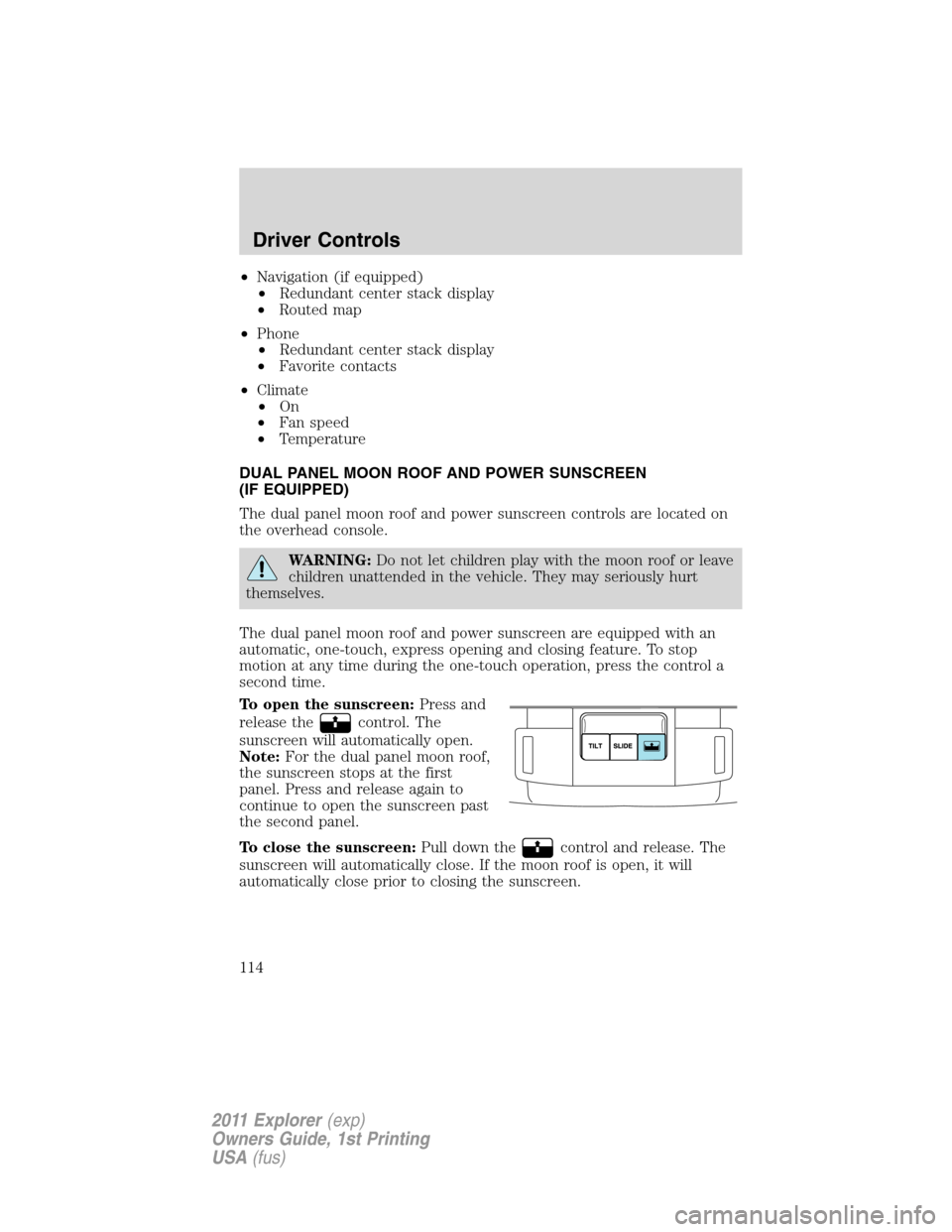
The dual panel moon roof and power sunscreen controls are located on
the overhead console.
WARNING:Do not let children play with the moon roof or leave
children unattended in the vehicle. They may seriously hurt
themselves.
The dual panel moon roof and power sunscreen are equipped with an
automatic, one-touch, express opening and closing feature. To stop
motion at any time during the one-touch operation, press the control a
second time.
To open the sunscreen:Press and
release the
control. The
sunscreen will automatically open.
Note:For the dual panel moon roof,
the sunscreen stops at the first
panel. Press and release again to
continue to open the sunscreen past
the second panel.
To close the sunscreen:Pull down the
control and release. The
sunscreen will automatically close. If the moon roof is open, it will
automatically close prior to closing the sunscreen.
Driver Controls
114
2011 Explorer(exp)
Owners Guide, 1st Printing
USA(fus)
Page 150 of 449
Illuminated exit
When all vehicle doors are closed, the ignition is turned off and the key
is removed from the ignition (IKT only), the interior dome lamps,
parking lamps and the puddle lamps (if equipped) will illuminate.
The lamps will turn off if all the doors remain closed and
•25 seconds elapse, or
•the key is inserted in the ignition (IKT only) or (if equipped with
intelligent access with push button start feature) the start button is
pressed.
Battery saver
The battery saver will shut off the lamps 10 minutes after the ignition
has been turned off.
•If the dome lamps were turned on using the panel dimmer control, the
battery saver will shut them off 10 minutes after the ignition has been
turned off.
•If the courtesy lamps were turned on because one of the vehicle doors
or the trunk was opened, the battery saver will shut them off
10 minutes after the ignition has been turned off.
•The battery saver will shut off the headlamps 10 minutes after the
ignition has been turned off.
Accessory mode battery saver for intelligent access keys with
push button start (if equipped)
If you shut off the engine and leave the ignition in the on or accessory
mode, the ignition will shut off after 30 minutes.
Remote start (if equipped)
The remote start feature allows you to start the engine from outside the
vehicle. If your transmitter has a
icon, you have remote start. The
remote start feature has an extended operating range which allows you
to remote start your vehicle from a farther distance from your vehicle.
All the buttons have this increased range performance capability when
equipped with remote start.
Vehicles with automatic climate control can be configured to operate
when the vehicle is started. Refer toRemote start climate optionsin
theClimate Controlschapter for more information and also refer to
Message centerin theInstrument Clusterchapter to learn how to
enable different climate options. A manual climate control system will
run at the setting it was set to when the vehicle was last turned off.
Locks and Security
149
2011 Explorer(exp)
Owners Guide, 1st Printing
USA(fus)