instrument panel FORD EXPLORER 2023 Owners Manual
[x] Cancel search | Manufacturer: FORD, Model Year: 2023, Model line: EXPLORER, Model: FORD EXPLORER 2023Pages: 573, PDF Size: 16.1 MB
Page 5 of 573
Introduction
About This Manual..........................................9
Symbols Glossary............................................9
Perchlorate........................................................12
Ford Credit........................................................12
Replacement Parts Recommendation............................................................................12
Special Notices...............................................13
Mobile Communications Equipment...........................................................................14
Export Unique Options................................14
Data Privacy
Data Privacy.....................................................15
Service Data.....................................................16
Event Data........................................................16
Settings Data...................................................17
Connected Vehicle Data..............................17
Mobile Device Data.......................................18
Emergency Call System Data....................18
Environment
Protecting the Environment.......................19
At a Glance
At a Glance - ST............................................20
Instrument Panel............................................21
Child Safety
General Information.....................................23
Installing Child Restraints..........................25
Booster Seats.................................................33
Child Restraint Positioning........................35
Child Safety Locks........................................36
Seatbelts
Principle of Operation.................................38
Fastening the Seatbelts.............................39
Seatbelt Height Adjustment......................41
Seatbelt Warning Lamp and IndicatorChime.............................................................41
Seatbelt Reminder........................................42
Child Restraint and SeatbeltMaintenance...............................................43
Seatbelt Extensions.....................................44
Personal Safety System™
Personal Safety System™.........................45
Supplementary RestraintsSystem
Principle of Operation.................................46
Driver and Passenger Airbags...................47
Front Passenger Sensing System...........48
Side Airbags....................................................50
Driver and Passenger Knee Airbags........51
Safety Canopy™.............................................51
Crash Sensors and Airbag Indicator.......52
Airbag Disposal..............................................53
Pedestrian Protection - HybridElectric Vehicle (HEV)
Pedestrian Alert System............................54
911 Assist
What Is 911 Assist..........................................55
How Does 911 Assist Work.........................55
Emergency Call Requirements................55
Emergency Call Limitations......................56
Keys and Remote Controls
General Information on RadioFrequencies.................................................57
Remote Control..............................................57
Replacing a Lost Key or Remote Control..........................................................................63
MyKey™
Principle of Operation.................................64
1
2023 Explorer (CTW) Canada/United States of America, enUSA, Edition date: 202209, First-PrintingTable of Contents
Page 11 of 573
Power Steering Fluid Check....................329
Changing the 12V Battery - Excluding:Hybrid Electric Vehicle (HEV)............329
Changing the 12V Battery - HybridElectric Vehicle (HEV)..........................332
Adjusting the Headlamps........................335
Washer Fluid Check...................................336
Fuel Filter.......................................................336
Checking the Wiper Blades....................336
Changing the Front Wiper Blades........336
Changing the Rear Wiper Blades..........337
Changing a Bulb..........................................337
Vehicle Care
General Information..................................339
Cleaning Products......................................339
Cleaning the Exterior................................340
Waxing.............................................................341
Cleaning the Engine....................................341
Cleaning the Windows and Wiper Blades........................................................................342
Cleaning the Interior..................................342
Cleaning the Instrument Panel andInstrument Cluster Lens......................343
Cleaning Leather Seats............................343
Repairing Minor Paint Damage.............344
Cleaning the Wheels.................................344
Vehicle Storage...........................................344
Body Styling Kits........................................346
Wheels and Tires
General Information..................................347
Tire Care.........................................................349
Using Summer Tires..................................362
Using Winter Tires......................................362
Using Snow Chains....................................363
Tire Pressure Monitoring System.........364
Changing a Road Wheel..........................370
Technical Specifications..........................376
Capacities and Specifications
Engine Specifications - 2.3L EcoBoost™........................................................................378
Engine Specifications - 3.0L, ST...........378
Engine Specifications - 3.0L..................380
Engine Specifications - 3.3L, Gasoline.......................................................................380
Engine Specifications - 3.3L, HybridElectric Vehicle (HEV)...........................381
Motorcraft Parts - 2.3L EcoBoost™.....382
Motorcraft Parts - 3.0L.............................382
Motorcraft Parts - 3.3L.............................383
Vehicle Identification Number...............383
Capacities and Specifications - 2.3LEcoBoost™..............................................384
Capacities and Specifications - 3.0L.........................................................................391
Capacities and Specifications - 3.3L,Gasoline.....................................................398
Capacities and Specifications - 3.3L,Hybrid Electric Vehicle (HEV)...........405
Bulb Specification Chart...........................412
Connected Vehicle
What Is a Connected Vehicle..................414
Connected Vehicle Requirements........414
Connected Vehicle Limitations..............414
Connecting the Vehicle to a MobileNetwork......................................................414
Connecting the Vehicle to a Wi-FiNetwork - Vehicles With: SYNC 3......414
Connected Vehicle – Troubleshooting -Vehicles With: Modem..........................415
Connected Vehicle – Troubleshooting -Vehicles With: SYNC 3..........................416
Vehicle Wi-Fi Hotspot
Creating a Vehicle Wi-Fi Hotspot..........418
Changing the Vehicle Wi-Fi HotspotName or Password.................................418
7
2023 Explorer (CTW) Canada/United States of America, enUSA, Edition date: 202209, First-PrintingTable of Contents
Page 25 of 573

INSTRUMENT PANEL
Air vents.A
Direction indicator. See Direction Indicators (page 89).B
Cruise control. See Cruise Control (page 81). Audio control. See AudioControl (page 81).C
Information display. See General Information (page 115).D
Information display control. See Information Display Control (page 82).E
Wiper lever. See Windshield Wipers (page 83).F
Ignition switch. See Keyless Starting (page 169).G
Information and Entertainment display.H
Hazard flasher switch. See Hazard Flashers (page 292).I
Climate control. See Automatic Climate Control (page 137).J
Horn.K
21
2023 Explorer (CTW) Canada/United States of America, enUSA, Edition date: 202209, First-PrintingAt a GlanceE282065A
Page 55 of 573
The system consists of the following:
•A label or embossed side panelindicating that your vehicle has sideairbags.
•Side airbags inside the driver and frontpassenger seat backrests.
Crash sensors and monitoringsystem with readiness indicator.See Crash Sensors and AirbagIndicator (page 52).
The design and development of the sideairbag system included recommendedtesting procedures that were developedby a group of automotive safety expertsknown as the Side Airbag TechnicalWorking Group. These recommendedtesting procedures help reduce the risk ofinjuries related to the deployment of sideairbags.
DRIVER AND PASSENGER
KNEE AIRBAGS
Driver and passenger knee airbags arelocated under or within the instrumentpanel. During a crash, the restraints controlmodule may activate the driver andpassenger knee airbags (individually orboth) based on crash severity andrespective occupant conditions. Undercertain crash and occupant conditions, thedriver and passenger knee airbags maydeploy (individually or both) but thecorresponding front airbag may notactivate. As with front and side airbags, itis important to be properly seated andrestrained to reduce the risk of death orserious injury.
Make sure the knee airbags areoperating properly. See CrashSensors and Airbag Indicator(page 52).
SAFETY CANOPY™
WARNING: Do not place objectsor mount equipment on or near theheadliner at the siderail that may comeinto contact with a deploying curtainairbag. Failure to follow theseinstructions may increase the risk ofpersonal injury in the event of a crash.
WARNING: Do not lean your headon the door. The curtain airbag couldinjure you as it deploys from theheadliner.
WARNING: Do not attempt toservice, repair, or modify thesupplementary restraint system orassociated components. Failure tofollow this instruction could result inpersonal injury or death.
WARNING: All occupants of yourvehicle, including the driver, shouldalways properly wear their seatbelts,even when an airbag supplementalrestraint system is provided. Failure toproperly wear your seatbelt couldseriously increase the risk of injury ordeath.
WARNING: To reduce risk of injury,do not obstruct or place objects in thedeployment path of the airbag.
WARNING: If a supplementaryrestraint system component hasdeployed, it will not function again. Havethe system and associated componentsinspected as soon as possible. Failure tofollow this instruction could result inpersonal injury or death.
51
2023 Explorer (CTW) Canada/United States of America, enUSA, Edition date: 202209, First-PrintingSupplementary Restraints SystemE67017 E67017
Page 78 of 573

Opening from the Instrument Panel
With the transmission in park(P), press the button on theinstrument panel.
Opening with the Remote Control
Press the button twice withinthree seconds.
Opening with the Outside ControlButton
1.Unlock the liftgate with the remotecontrol or power door unlock control.If a passive key is within 3 ft (1 m) ofthe liftgate, the liftgate unlocks whenyou press the liftgate release button.
2.Press the control button to the right ofthe rear view camera.
Note:Allow the power system to open theliftgate. Manually pushing or pulling theliftgate may activate the system’s obstacledetection feature and stop the poweroperation or reverse its direction, replicatea strut failure, or damage mechanicalcomponents.
Closing the Liftgate
WARNING: Keep clear of theliftgate when using the rear switch.
Press and release the liftgate button.
Stopping the Liftgate Movement
Note: Do not apply sudden excessive forceto the liftgate while it is in motion. Thiscould damage the power liftgate and itscomponents.
You can stop the liftgate movement bydoing any of the following:
•Pressing the liftgate control button.
•Pressing the liftgate button on theremote control twice.
•Pressing the liftgate button on theinstrument panel.
•Moving your foot under and away fromthe center rear bumper in a single-kickmotion.*
74
2023 Explorer (CTW) Canada/United States of America, enUSA, Edition date: 202209, First-PrintingLiftgateE138633 E267940 E291352 E291351
Page 90 of 573
GENERAL INFORMATION
Condensation in the Exterior FrontLamps and Rear Lamps
Exterior front lamps and rear lamps havevents to accommodate normal changesin air pressure.
Condensation can be a natural by-productof this design. When moist air enters thelamp assembly through the vents, there isa possibility that condensation can occurwhen the temperature is cold. Whennormal condensation occurs, a fine mistcan form on the interior of the lens. Thefine mist eventually clears and exitsthrough the vents during normal operation.
Clearing time may take as long as 48 hoursunder dry weather conditions.
Examples of acceptable condensation are:
•The presence of a fine mist (no streaks,drip marks or large droplets).
•A fine mist covers less than 50% of thelens.
Examples of unacceptable condensationare:
•A water puddle inside the lamp.
•Streaks, drip marks or large dropletspresent on the interior of the lens.
If you see any unacceptable condensation,have your vehicle checked by an authorizeddealer.
LIGHTING CONTROL
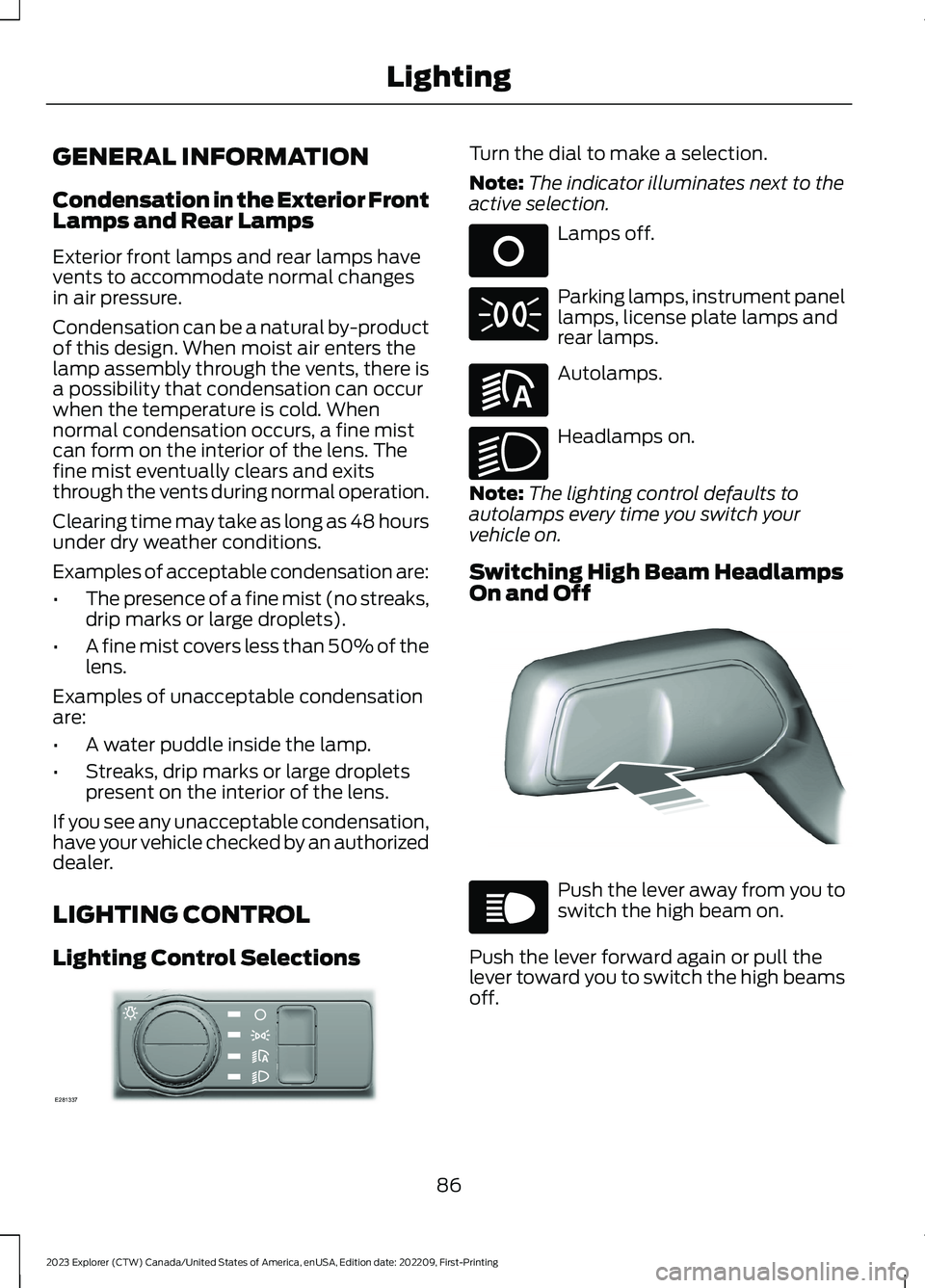
Lighting Control Selections
Turn the dial to make a selection.
Note:The indicator illuminates next to theactive selection.
Lamps off.
Parking lamps, instrument panellamps, license plate lamps andrear lamps.
Autolamps.
Headlamps on.
Note:The lighting control defaults toautolamps every time you switch yourvehicle on.
Switching High Beam HeadlampsOn and Off
Push the lever away from you toswitch the high beam on.
Push the lever forward again or pull thelever toward you to switch the high beamsoff.
86
2023 Explorer (CTW) Canada/United States of America, enUSA, Edition date: 202209, First-PrintingLightingE281337 E265031 E71341 E281240 E270968 E248603 E67019
Page 141 of 573
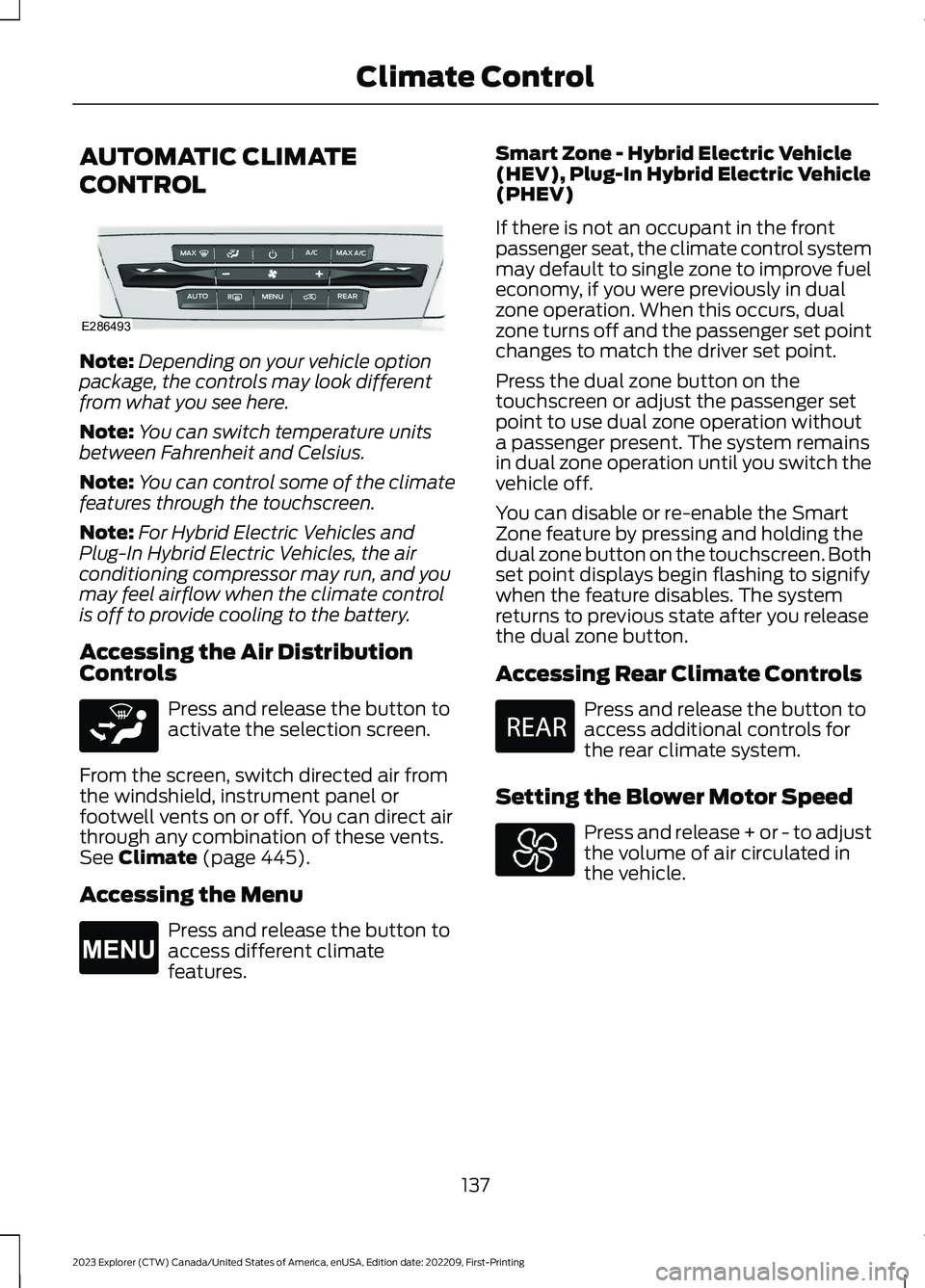
AUTOMATIC CLIMATE
CONTROL
Note:Depending on your vehicle optionpackage, the controls may look differentfrom what you see here.
Note:You can switch temperature unitsbetween Fahrenheit and Celsius.
Note:You can control some of the climatefeatures through the touchscreen.
Note:For Hybrid Electric Vehicles andPlug-In Hybrid Electric Vehicles, the airconditioning compressor may run, and youmay feel airflow when the climate controlis off to provide cooling to the battery.
Accessing the Air DistributionControls
Press and release the button toactivate the selection screen.
From the screen, switch directed air fromthe windshield, instrument panel orfootwell vents on or off. You can direct airthrough any combination of these vents.See Climate (page 445).
Accessing the Menu
Press and release the button toaccess different climatefeatures.
Smart Zone - Hybrid Electric Vehicle(HEV), Plug-In Hybrid Electric Vehicle(PHEV)
If there is not an occupant in the frontpassenger seat, the climate control systemmay default to single zone to improve fueleconomy, if you were previously in dualzone operation. When this occurs, dualzone turns off and the passenger set pointchanges to match the driver set point.
Press the dual zone button on thetouchscreen or adjust the passenger setpoint to use dual zone operation withouta passenger present. The system remainsin dual zone operation until you switch thevehicle off.
You can disable or re-enable the SmartZone feature by pressing and holding thedual zone button on the touchscreen. Bothset point displays begin flashing to signifywhen the feature disables. The systemreturns to previous state after you releasethe dual zone button.
Accessing Rear Climate Controls
Press and release the button toaccess additional controls forthe rear climate system.
Setting the Blower Motor Speed
Press and release + or - to adjustthe volume of air circulated inthe vehicle.
137
2023 Explorer (CTW) Canada/United States of America, enUSA, Edition date: 202209, First-PrintingClimate ControlE286493 E265283 E265038 E270447
Page 143 of 573
Switching the Air Conditioning Onand Off
Press and release the button.
Use air conditioning with recirculated airto improve cooling performance andefficiency.
Note:In certain conditions, for example,maximum defrost, the air conditioningcompressor may continue to operate eventhough you switch off the air conditioning.
Note:The A/C LED light may turn on andoff based on the temperature setting or thecurrent conditions.
Switching the Climate Control Onand Off
Press and release the button.
Switching Maximum AirConditioning On and Off
Press and release the button formaximum cooling.
The driver and passenger temperaturesare set to LO, recirculated air flows throughthe instrument panel air vents, airconditioning turns on and the blower motoradjusts to the highest speed.
Switching Maximum Defrost Onand Off
Press and release the button formaximum defrosting.
The driver and passenger temperaturesare set to HI, air flows through thewindshield air vents, and the blower motoradjusts to the highest speed.
Note:Depending on your region, airconditioning turns on.
You can also use this setting to defog andclear the windshield of a thin covering ofice.
Note:To prevent window fogging, youcannot select recirculated air whenmaximum defrost is on.
Note:The heated rear window also turnson when you select maximum defrost.
Switching Recirculated Air On andOff
Press and release the button toswitch between outside air andrecirculated air.
The air currently in the passengercompartment recirculates. This mayreduce the time needed to cool the interior,when used with A/C, and reduce unwantedodors from entering your vehicle.
Note:Recirculated air may turn offautomatically, or prevent you from switchingon in all air flow modes except MAX A/C toreduce the risk of fogging. Recirculation mayalso turn on and off automatically in variousair distribution control combinations toimprove heating or cooling efficiency.
HINTS ON CONTROLLING THE
INTERIOR CLIMATE
General Hints
Note:Prolonged use of recirculated air maycause the windows to fog up.
Note:You may feel a small amount of airfrom the footwell air vents regardless of theair distribution setting.
Note:To reduce humidity build-up insideyour vehicle, do not drive with the systemswitched off or with recirculated air alwaysswitched on.
139
2023 Explorer (CTW) Canada/United States of America, enUSA, Edition date: 202209, First-PrintingClimate Control
Page 144 of 573
Note:Do not place objects under the frontseats as this may interfere with the airflowto the rear seats.
Note:Remove any snow, ice or leaves fromthe air intake area at the base of thewindshield.
Note:To improve the time to reach acomfortable temperature in hot weather,drive with the windows open until you feelcold air through the air vents.
Automatic Climate Control
Note:Adjusting the settings when yourvehicle interior is extremely hot or cold isnot necessary. Automatic mode is bestrecommended to maintain set temperature.
Note:The system adjusts to heat or coolthe interior to the temperature you selectas quickly as possible.
Note:For the system to function efficiently,the instrument panel and side air ventsshould be fully open.
Note:If you select AUTO during coldoutside temperatures, the system directsair flow to the windshield and side windowair vents. In addition, the blower motor mayrun at a slower speed until the engine warmsup.
Note:If you select AUTO during hottemperatures and the inside of the vehicleis hot, the system uses recirculated air tomaximize interior cooling. Blower motorspeed may also reduce until the air cools.
Quickly Heating the Interior
1.Press and release AUTO.
2.Adjust the temperature function to thesetting you prefer.
Recommended Settings forHeating
1.Press and release AUTO.
2.Adjust the temperature function to thesetting you prefer. Use 72°F (22°C) asa starting point, then adjust the settingas necessary.
Quickly Cooling the Interior
1.Press and release MAX A/C.
Recommended Settings forCooling
1.Press and release AUTO.
2.Adjust the temperature function to thesetting you prefer. Use 72°F (22°C) asa starting point, then adjust the settingas necessary.
Defogging the Side Windows inCold Weather
1.Press and release defrost or maximumdefrost.
2.Adjust the temperature control to thesetting you prefer. Use 72°F (22°C) asa starting point, then adjust the settingas necessary.
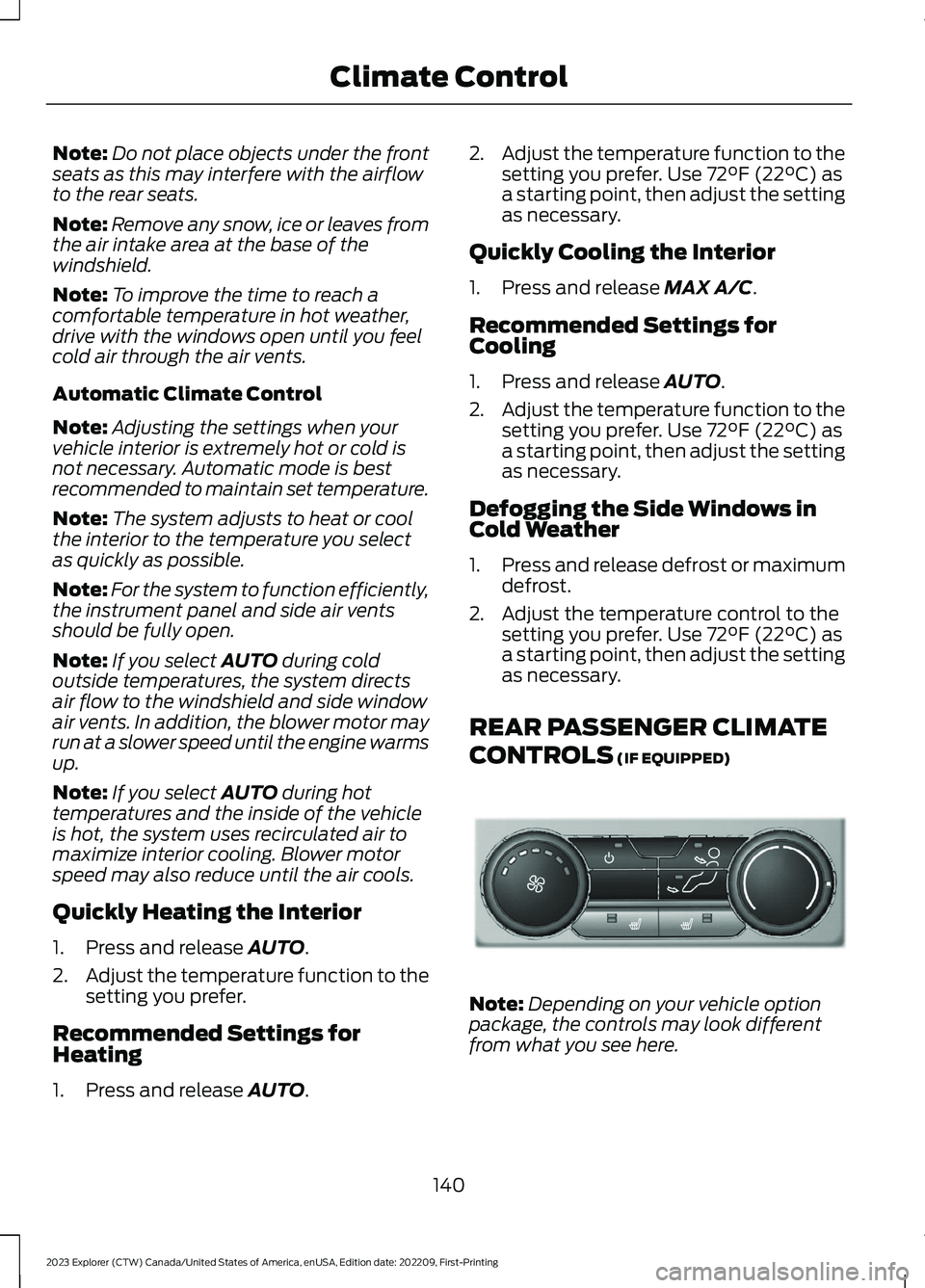
REAR PASSENGER CLIMATE
CONTROLS (IF EQUIPPED)
Note:Depending on your vehicle optionpackage, the controls may look differentfrom what you see here.
140
2023 Explorer (CTW) Canada/United States of America, enUSA, Edition date: 202209, First-PrintingClimate ControlE289989
Page 168 of 573
12 Volt DC Power Point
WARNING: Do not plug optionalelectrical accessories into the cigarlighter socket. Incorrect use of the cigarlighter can cause damage not coveredby the vehicle warranty, and can resultin fire or serious injury.
Note:When you switch the ignition on, youcan use the socket to power 12 voltappliances with a maximum current ratingof 15 amps.
Note:If the power supply does not workafter you switch the ignition off, switch theignition on.
Note:Do not hang any accessory from theaccessory plug.
Note:Do not use the power point over thevehicle capacity of 12 volt DC 180 watts ora fuse may blow.
Note:Always keep the power point capsclosed when not in use.
Do not insert objects other than anaccessory plug into the power point. Thisdamages the power point and may blowthe fuse.
Run the vehicle for full capacity use of thepower point.
To prevent the battery from running out ofcharge:
•Do not use the power point longer thannecessary when the vehicle is notrunning.
•Do not leave devices plugged inovernight or when you park your vehiclefor extended periods.
USB Port and Power PointLocations
USB Ports and Power Points may be in thefollowing locations:
•On the lower instrument panel.
•Inside the center console.
•On the front of the center console.
•On the rear of the center console.
•In the cargo area.
•On the passenger side floor panel.
•3rd row on the quarter trim panels.
Note:Some of the USB ports may not havedata transfer capabilities.
Note:Incorrect use of the USB ports cancause damage not covered by the vehiclewarranty.
110 Volt AC Power Point
WARNING: Do not keep electricaldevices plugged into the power outletwhenever the device is not in use. Theoutlet provides power when the vehicleis on. Failure to follow this instructioncould result in personal injury.
WARNING: Do not use anextension cord or connect multipledevices to the power outlet. Doing socould result in overloading the poweroutlet. Failure to follow this instructioncould result in fire, personal injury orproperty damage.
Note:The power point turns off when youswitch off the ignition, when the vehicle isnot in accessory mode or when the batteryvoltage drops below 11 volts.
You can use the power point for electricdevices that require up to 150 watts. It ison the rear of the center console.
164
2023 Explorer (CTW) Canada/United States of America, enUSA, Edition date: 202209, First-PrintingAuxiliary Power Points