ECO mode FORD F-150 2022 Owner's Manual
[x] Cancel search | Manufacturer: FORD, Model Year: 2022, Model line: F-150, Model: FORD F-150 2022Pages: 750, PDF Size: 12.96 MB
Page 216 of 750
Grounding Types
Grounding Type
Vehicle Type
Neutral floating: The neutral of the invertergenerator is isolated from system ground.
Gas
Neutral bonded: The neutral of the invertergenerator is bonded to system ground.
Connecting loads that also have neutral bonded to ground will cause the ground fault detection to trip.
HEV
Note: If additional grounding measures are
required, consult with a qualified electrician.
POWER OUTLET
PRECAUTIONS - VEHICLES
WITH: 2.4KW/7.2KW WARNING: Do not start the engine
in a closed garage or in other enclosed
areas. Exhaust fumes are toxic. Always
open the garage door before you start
the engine. Failure to follow this
instruction could result in personal injury
or death. WARNING: Exhaust leaks may
result in entry of harmful and potentially
lethal fumes into the passenger
compartment. If you smell exhaust
fumes inside your vehicle, have your
vehicle inspected immediately. Do not
drive if you smell exhaust fumes. WARNING:
Do not connect any
vehicle power outlets to any premises,
including buildings or recreational
vehicles. This can create a backfeed to
utility lines. Failure to follow this
instruction could result in damage to the
vehicle, fire, electrical shock or death. WARNING:
The vehicle's engine
runs while the generator is switched on.
Running engines emit carbon monoxide.
Only use the generator when the vehicle
is outdoors. Failure to follow this
instruction could result in personal injury
or death.
Note: The gasoline engine may start and
stop to provide power when the outlet is
switched on.
Note: We recommend using UL approved
devices for use with the power outlet.
Note: Unplug electrical devices from the
power outlet when they are not switched
on.
Note: The climate control system may turn
on and power may be limited during extreme
hot or cold temperatures to optimize the
performance of the system.
Note: When the outlet is switched on and
the vehicle is in Park (P) the engine turns
off 30 minutes after the low fuel warning is
displayed. After the vehicle is turned off,
generator mode only operates while driving
or until the vehicle is refueled.
212
2022 F-150 (TFD) Canada/United States of America, enUSA, Edition date: 202109, First-Printing Power Outlet - Vehicles With: Pickup Bed Power Generator
Outlet
Page 230 of 750
WHAT IS THE WIRELESS
ACCESSORY CHARGER
The wireless accessory charger allows you
to charge one compatible Qi wireless
charging device on the charging area.
WIRELESS ACCESSORY
CHARGER PRECAUTIONS
WARNING: Wireless charging
devices can affect the operation of
implanted medical devices, including
cardiac pacemakers. If you have any
implanted medical devices, we
recommend that you consult with your
physician.
Keep the charging area clean and remove
foreign objects prior to charging a device.
Do not place items with a magnetic strip
or radio-frequency identification chip, for
example passports, parking tickets,
transportation passes or credit cards, near
the charging area when charging a device.
Damage could occur to the magnetic strip
or radio-frequency identification chip.
Do not place metal objects, for example
remote controls, coins and candy
wrappers, on or near the charging area
when charging a device. Metal objects may
heat up and degrade the charging
performance, in addition to causing
interruptions in charging.
Charging could be interrupted, degraded,
or could stop if any of the following occur:
• The system detects a foreign object.
• The device is misaligned on the
charging area.
• The device moves on the active
charging area when the vehicle is in
motion. •
The vehicle ambient temperature is too
high.
• You attempt to charge a non-Qi
compatible device on the wireless
charger.
Note: During charging, the device and the
charger could heat up, this is normal. If the
battery gets hotter than usual, the device
may stop charging.
LOCATING THE WIRELESS
ACCESSORY CHARGER The charging area is on the
center console or in the media
bin below the instrument panel.
CHARGING A WIRELESS
DEVICE
Place the device on the center of the
charging surface with the charging side
down. The charging stops after your device
reaches a full charge.
You can use the charger when the vehicle
is in accessory mode, when the vehicle is
running, or when SYNC is on. Displays on the status bar when
wireless charging is in progress.
Note: The charging performance may be
affected if your device is in a case. It may be
necessary to remove the case to wirelessly
charge your device.
Note: Software and firmware updates may
affect device compatibility, including the
use of unofficial software or firmware. You
should verify charging functionality with your
specific devices in-vehicle.
226
2022 F-150 (TFD) Canada/United States of America, enUSA, Edition date: 202109, First-Printing Wireless Accessory Charger
(If Equipped)E297549
Page 235 of 750
STARTING AND STOPPING
THE ENGINE – PRECAUTIONS
WARNING: Extended idling at high
engine speeds can produce very high
temperatures in the engine and exhaust
system, creating the risk of fire or other
damage. WARNING:
Do not park, idle or
drive your vehicle on dry grass or other
dry ground cover. The emission system
heats up the engine compartment and
exhaust system, creating the risk of fire. WARNING: Do not start the engine
in a closed garage or in other enclosed
areas. Exhaust fumes are toxic. Always
open the garage door before you start
the engine. Failure to follow this
instruction could result in personal injury
or death. WARNING:
Do not use starting
fluid, for example ether, in the air intake
system. Such fluid could cause
immediate explosive damage to the
engine and possible personal injury. WARNING:
Exhaust leaks may
result in entry of harmful and potentially
lethal fumes into the passenger
compartment. If you smell exhaust
fumes inside your vehicle, have your
vehicle inspected immediately. Do not
drive if you smell exhaust fumes.
The powertrain control system meets all
Canadian interference-causing equipment
standard requirements regulating the
impulse electrical field or radio noise. If you stop your vehicle and leave the
engine idling for long periods, we
recommend that you do one of the
following:
•
Open the windows at least
1 in
(2.5 cm).
• Set your climate control to outside air.
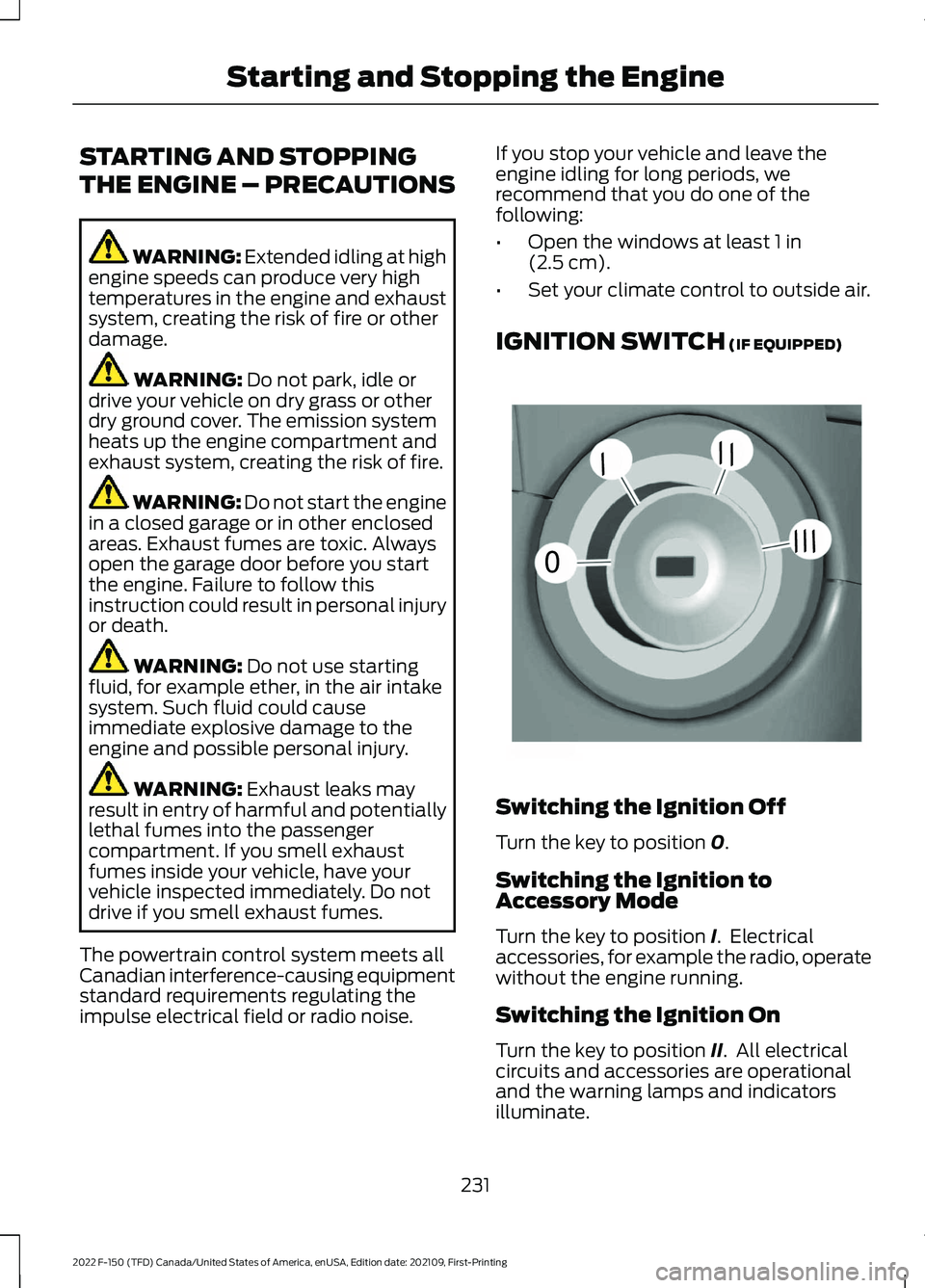
IGNITION SWITCH
(IF EQUIPPED) Switching the Ignition Off
Turn the key to position
0.
Switching the Ignition to
Accessory Mode
Turn the key to position
I. Electrical
accessories, for example the radio, operate
without the engine running.
Switching the Ignition On
Turn the key to position
II. All electrical
circuits and accessories are operational
and the warning lamps and indicators
illuminate.
231
2022 F-150 (TFD) Canada/United States of America, enUSA, Edition date: 202109, First-Printing Starting and Stopping the Engine0
///
///E252522
Page 236 of 750
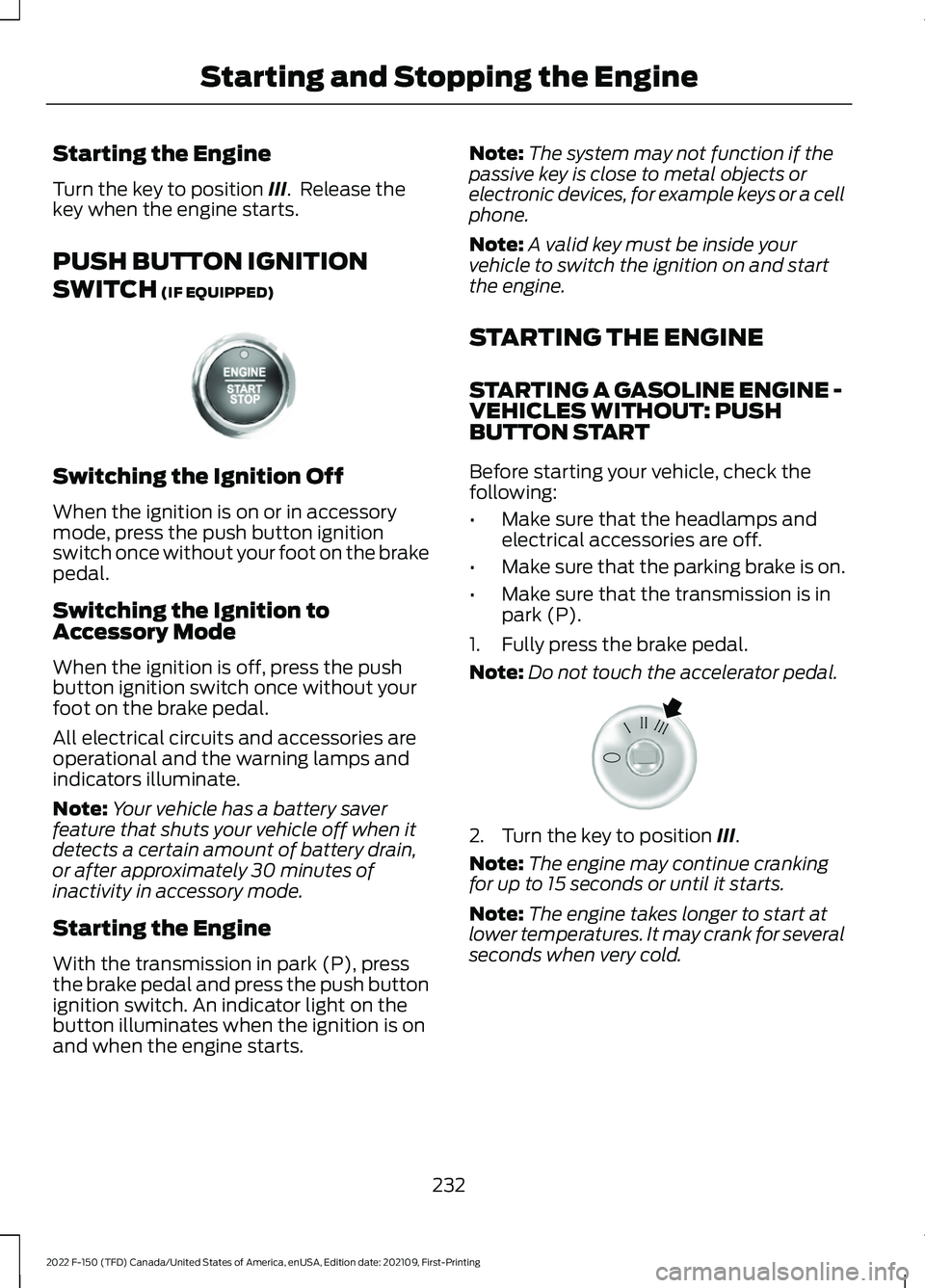
Starting the Engine
Turn the key to position III. Release the
key when the engine starts.
PUSH BUTTON IGNITION
SWITCH
(IF EQUIPPED) Switching the Ignition Off
When the ignition is on or in accessory
mode, press the push button ignition
switch once without your foot on the brake
pedal.
Switching the Ignition to
Accessory Mode
When the ignition is off, press the push
button ignition switch once without your
foot on the brake pedal.
All electrical circuits and accessories are
operational and the warning lamps and
indicators illuminate.
Note:
Your vehicle has a battery saver
feature that shuts your vehicle off when it
detects a certain amount of battery drain,
or after approximately 30 minutes of
inactivity in accessory mode.
Starting the Engine
With the transmission in park (P), press
the brake pedal and press the push button
ignition switch. An indicator light on the
button illuminates when the ignition is on
and when the engine starts. Note:
The system may not function if the
passive key is close to metal objects or
electronic devices, for example keys or a cell
phone.
Note: A valid key must be inside your
vehicle to switch the ignition on and start
the engine.
STARTING THE ENGINE
STARTING A GASOLINE ENGINE -
VEHICLES WITHOUT: PUSH
BUTTON START
Before starting your vehicle, check the
following:
• Make sure that the headlamps and
electrical accessories are off.
• Make sure that the parking brake is on.
• Make sure that the transmission is in
park (P).
1. Fully press the brake pedal.
Note: Do not touch the accelerator pedal. 2. Turn the key to position
III.
Note: The engine may continue cranking
for up to 15 seconds or until it starts.
Note: The engine takes longer to start at
lower temperatures. It may crank for several
seconds when very cold.
232
2022 F-150 (TFD) Canada/United States of America, enUSA, Edition date: 202109, First-Printing Starting and Stopping the EngineE321258 E322354
Page 266 of 750
Note:
The position illuminates on the
transmission selector.
3. Press the manual (M) button when your vehicle is in drive (D) to enter or
exit a mode.
SHIFTING YOUR VEHICLE INTO
GEAR - POLICE RESPONDER
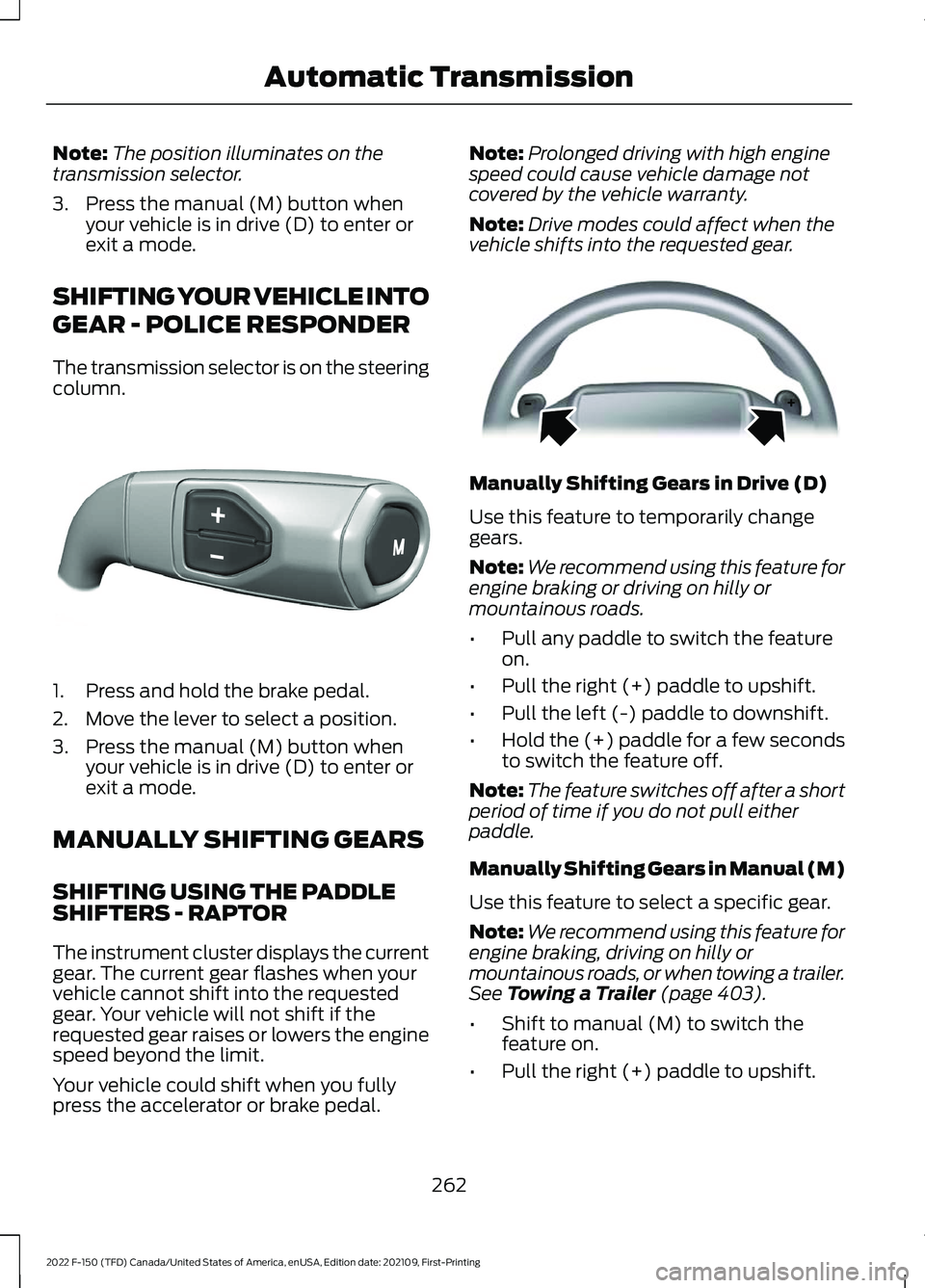
The transmission selector is on the steering
column. 1. Press and hold the brake pedal.
2. Move the lever to select a position.
3. Press the manual (M) button when
your vehicle is in drive (D) to enter or
exit a mode.
MANUALLY SHIFTING GEARS
SHIFTING USING THE PADDLE
SHIFTERS - RAPTOR
The instrument cluster displays the current
gear. The current gear flashes when your
vehicle cannot shift into the requested
gear. Your vehicle will not shift if the
requested gear raises or lowers the engine
speed beyond the limit.
Your vehicle could shift when you fully
press the accelerator or brake pedal. Note:
Prolonged driving with high engine
speed could cause vehicle damage not
covered by the vehicle warranty.
Note: Drive modes could affect when the
vehicle shifts into the requested gear. Manually Shifting Gears in Drive (D)
Use this feature to temporarily change
gears.
Note:
We recommend using this feature for
engine braking or driving on hilly or
mountainous roads.
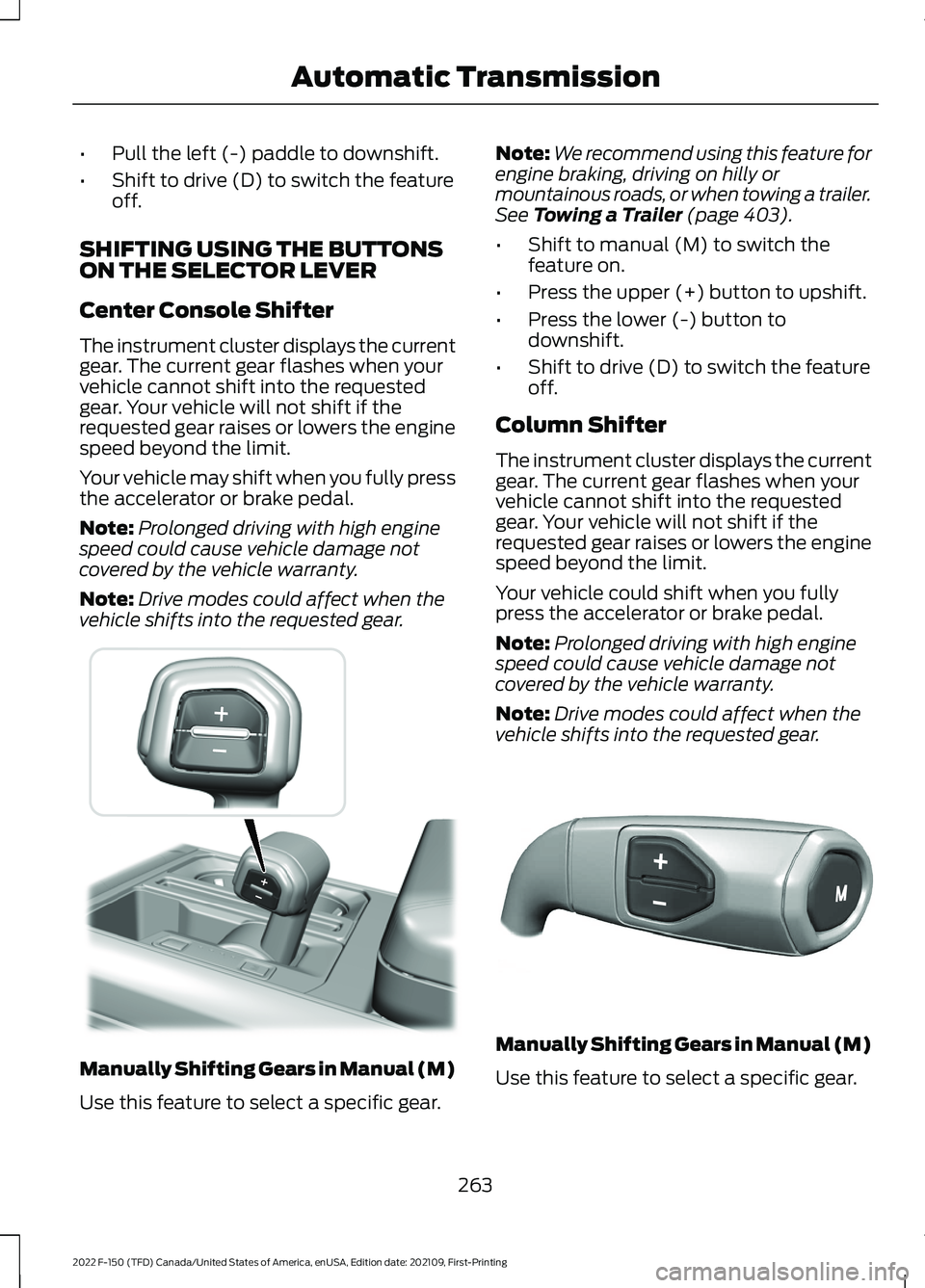
• Pull any paddle to switch the feature
on.
• Pull the right (+) paddle to upshift.
• Pull the left (-) paddle to downshift.
• Hold the (+) paddle for a few seconds
to switch the feature off.
Note: The feature switches off after a short
period of time if you do not pull either
paddle.
Manually Shifting Gears in Manual (M)
Use this feature to select a specific gear.
Note: We recommend using this feature for
engine braking, driving on hilly or
mountainous roads, or when towing a trailer.
See Towing a Trailer (page 403).
• Shift to manual (M) to switch the
feature on.
• Pull the right (+) paddle to upshift.
262
2022 F-150 (TFD) Canada/United States of America, enUSA, Edition date: 202109, First-Printing Automatic TransmissionE327267 E144821
Page 267 of 750
•
Pull the left (-) paddle to downshift.
• Shift to drive (D) to switch the feature
off.
SHIFTING USING THE BUTTONS
ON THE SELECTOR LEVER
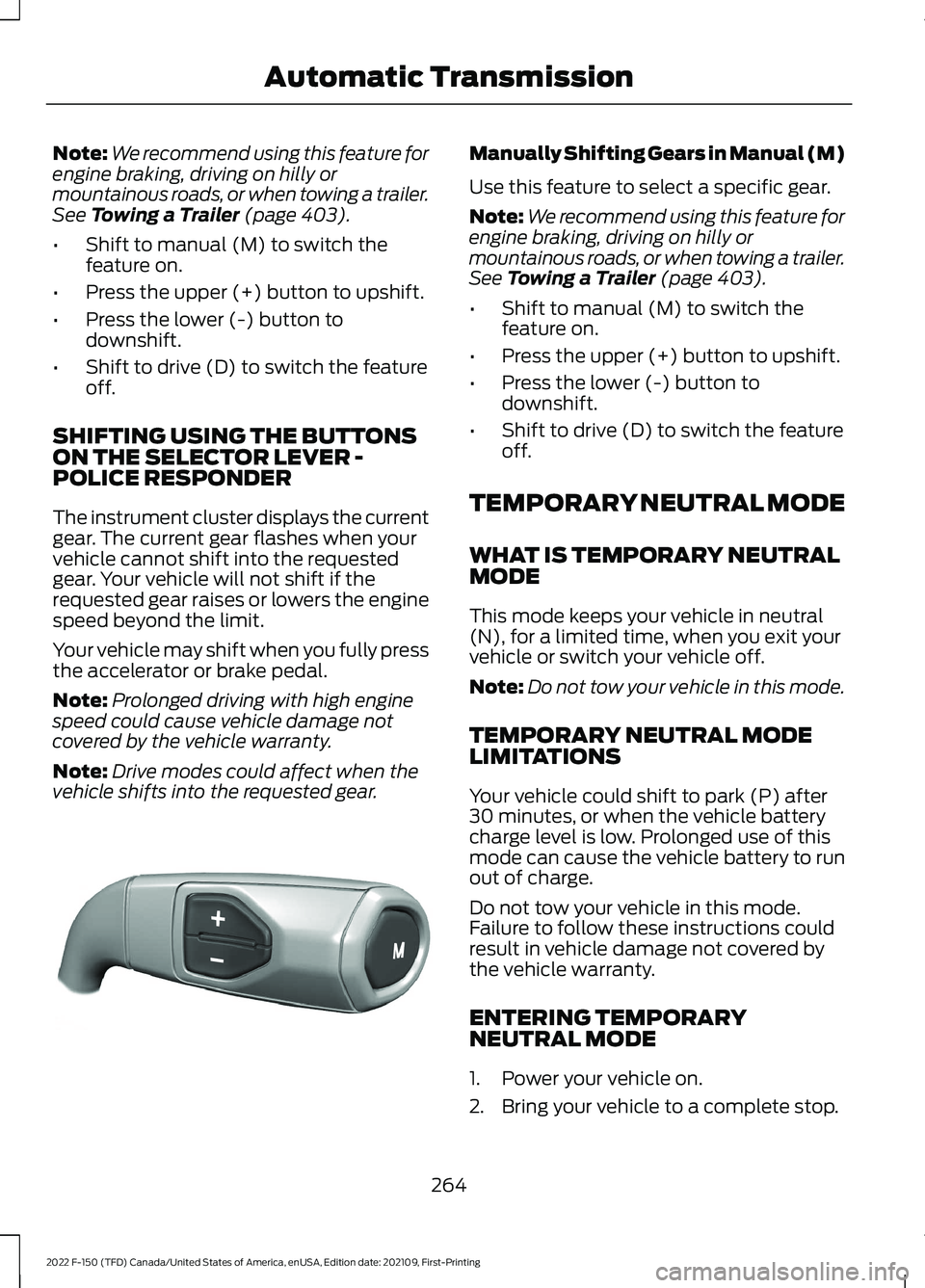
Center Console Shifter
The instrument cluster displays the current
gear. The current gear flashes when your
vehicle cannot shift into the requested
gear. Your vehicle will not shift if the
requested gear raises or lowers the engine
speed beyond the limit.
Your vehicle may shift when you fully press
the accelerator or brake pedal.
Note: Prolonged driving with high engine
speed could cause vehicle damage not
covered by the vehicle warranty.
Note: Drive modes could affect when the
vehicle shifts into the requested gear. Manually Shifting Gears in Manual (M)
Use this feature to select a specific gear. Note:
We recommend using this feature for
engine braking, driving on hilly or
mountainous roads, or when towing a trailer.
See Towing a Trailer (page 403).
• Shift to manual (M) to switch the
feature on.
• Press the upper (+) button to upshift.
• Press the lower (-) button to
downshift.
• Shift to drive (D) to switch the feature
off.
Column Shifter
The instrument cluster displays the current
gear. The current gear flashes when your
vehicle cannot shift into the requested
gear. Your vehicle will not shift if the
requested gear raises or lowers the engine
speed beyond the limit.
Your vehicle could shift when you fully
press the accelerator or brake pedal.
Note: Prolonged driving with high engine
speed could cause vehicle damage not
covered by the vehicle warranty.
Note: Drive modes could affect when the
vehicle shifts into the requested gear. Manually Shifting Gears in Manual (M)
Use this feature to select a specific gear.
263
2022 F-150 (TFD) Canada/United States of America, enUSA, Edition date: 202109, First-Printing Automatic Transmission E311242 E327267
Page 268 of 750
Note:
We recommend using this feature for
engine braking, driving on hilly or
mountainous roads, or when towing a trailer.
See Towing a Trailer (page 403).
• Shift to manual (M) to switch the
feature on.
• Press the upper (+) button to upshift.
• Press the lower (-) button to
downshift.
• Shift to drive (D) to switch the feature
off.
SHIFTING USING THE BUTTONS
ON THE SELECTOR LEVER -
POLICE RESPONDER
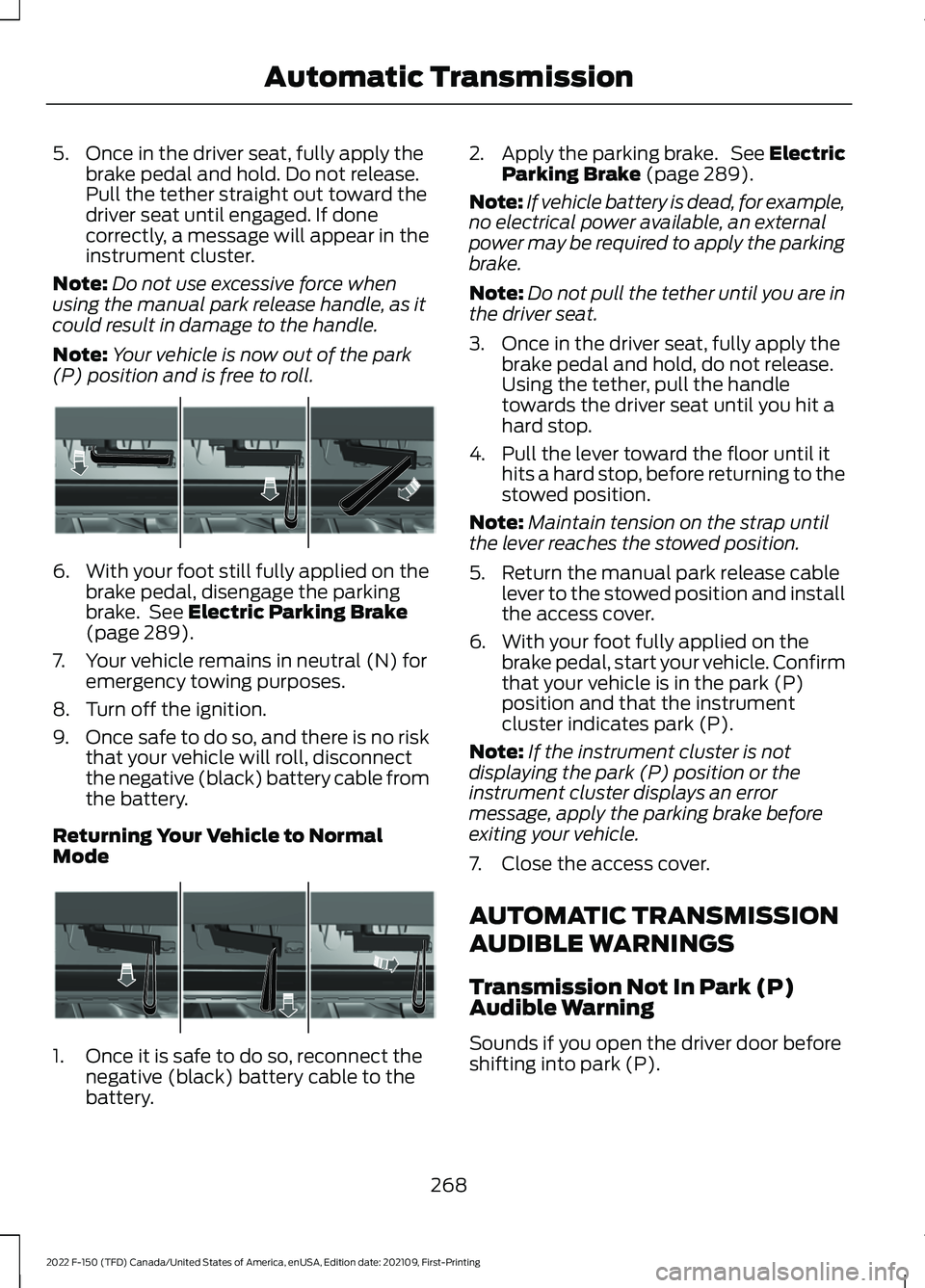
The instrument cluster displays the current
gear. The current gear flashes when your
vehicle cannot shift into the requested
gear. Your vehicle will not shift if the
requested gear raises or lowers the engine
speed beyond the limit.
Your vehicle may shift when you fully press
the accelerator or brake pedal.
Note: Prolonged driving with high engine
speed could cause vehicle damage not
covered by the vehicle warranty.
Note: Drive modes could affect when the
vehicle shifts into the requested gear. Manually Shifting Gears in Manual (M)
Use this feature to select a specific gear.
Note:
We recommend using this feature for
engine braking, driving on hilly or
mountainous roads, or when towing a trailer.
See
Towing a Trailer (page 403).
• Shift to manual (M) to switch the
feature on.
• Press the upper (+) button to upshift.
• Press the lower (-) button to
downshift.
• Shift to drive (D) to switch the feature
off.
TEMPORARY NEUTRAL MODE
WHAT IS TEMPORARY NEUTRAL
MODE
This mode keeps your vehicle in neutral
(N), for a limited time, when you exit your
vehicle or switch your vehicle off.
Note: Do not tow your vehicle in this mode.
TEMPORARY NEUTRAL MODE
LIMITATIONS
Your vehicle could shift to park (P) after
30 minutes, or when the vehicle battery
charge level is low. Prolonged use of this
mode can cause the vehicle battery to run
out of charge.
Do not tow your vehicle in this mode.
Failure to follow these instructions could
result in vehicle damage not covered by
the vehicle warranty.
ENTERING TEMPORARY
NEUTRAL MODE
1. Power your vehicle on.
2. Bring your vehicle to a complete stop.
264
2022 F-150 (TFD) Canada/United States of America, enUSA, Edition date: 202109, First-Printing Automatic TransmissionE327267
Page 272 of 750
5. Once in the driver seat, fully apply the
brake pedal and hold. Do not release.
Pull the tether straight out toward the
driver seat until engaged. If done
correctly, a message will appear in the
instrument cluster.
Note: Do not use excessive force when
using the manual park release handle, as it
could result in damage to the handle.
Note: Your vehicle is now out of the park
(P) position and is free to roll. 6.
With your foot still fully applied on the
brake pedal, disengage the parking
brake. See Electric Parking Brake
(page 289).
7. Your vehicle remains in neutral (N) for emergency towing purposes.
8. Turn off the ignition.
9. Once safe to do so, and there is no risk
that your vehicle will roll, disconnect
the negative (black) battery cable from
the battery.
Returning Your Vehicle to Normal
Mode 1. Once it is safe to do so, reconnect the
negative (black) battery cable to the
battery. 2.
Apply the parking brake. See Electric
Parking Brake
(page 289).
Note: If vehicle battery is dead, for example,
no electrical power available, an external
power may be required to apply the parking
brake.
Note: Do not pull the tether until you are in
the driver seat.
3. Once in the driver seat, fully apply the brake pedal and hold, do not release.
Using the tether, pull the handle
towards the driver seat until you hit a
hard stop.
4. Pull the lever toward the floor until it hits a hard stop, before returning to the
stowed position.
Note: Maintain tension on the strap until
the lever reaches the stowed position.
5. Return the manual park release cable lever to the stowed position and install
the access cover.
6. With your foot fully applied on the brake pedal, start your vehicle. Confirm
that your vehicle is in the park (P)
position and that the instrument
cluster indicates park (P).
Note: If the instrument cluster is not
displaying the park (P) position or the
instrument cluster displays an error
message, apply the parking brake before
exiting your vehicle.
7. Close the access cover.
AUTOMATIC TRANSMISSION
AUDIBLE WARNINGS
Transmission Not In Park (P)
Audible Warning
Sounds if you open the driver door before
shifting into park (P).
268
2022 F-150 (TFD) Canada/United States of America, enUSA, Edition date: 202109, First-Printing Automatic TransmissionE315156 E315157
Page 274 of 750
conditions like deep sand, steep slopes, or
pulling heavy objects. Additionally, the
system is capable of recreational flat
towing by putting the transfer case into
neutral (N). See Recreationally Towing
Your Vehicle (page 469).
There is further information on driving in
unique driving conditions.
See Off-Road
Driving (page 449).
FOUR-WHEEL DRIVE
PRECAUTIONS WARNING:
Vehicles with a higher
center of gravity (utility and four-wheel
drive vehicles) handle differently than
vehicles with a lower center of gravity
(passenger cars). Avoid sharp turns,
excessive speed and abrupt steering in
these vehicles. Failure to drive cautiously
increases the risk of losing control of your
vehicle, vehicle rollover, personal injury
and death. WARNING:
Do not become
overconfident in the ability of four-wheel
drive vehicles. Although a four-wheel
drive vehicle may accelerate better than
a two-wheel drive vehicle in low traction
situations, it won't stop any faster than
two-wheel drive vehicles. Always drive
at a safe speed.
Truck and utility vehicles can differ from
some other vehicles. Your vehicle could be
higher to allow it to travel over rough
terrain without getting stuck or damaging
underbody components. The differences
that make your vehicle so versatile also
make it handle differently than an ordinary
passenger car. Always maintain steering
wheel control, especially in rough terrain.
Since sudden changes in terrain can result
in abrupt steering wheel motion, make sure
you grip the steering wheel from the outside. Do not grip the spokes. Drive
cautiously to avoid vehicle damage from
concealed objects such as rocks and
stumps. Drive slower in strong crosswinds
which can affect the normal steering
characteristics of your vehicle. Be
extremely careful when driving on
pavement made slippery by loose sand,
water, gravel, snow or ice.
Note:
Do not use four-wheel drive high or
four-wheel drive low mode on dry, hard
surfaced roads. Doing so can produce
excessive noise, increase tire wear and can
damage drive components.
FOUR-WHEEL DRIVE
LIMITATIONS
Operating Four-Wheel Drive with
a Spare or Mismatched Tires
(If
Equipped)
On four-wheel drive vehicles, the size of
the spare tire can affect the four-wheel
drive system. If there is a significant
difference between the size of the spare
tire and the remaining tires, you could have
limited four-wheel drive functionality.
When driving with the full-size dissimilar
spare wheel and tire assembly, we
recommend that you do not:
• Exceed
50 mph (80 km/h) with a
four-wheel drive mode turned on.
• Turn on a four-wheel drive mode
unless the vehicle is stationary.
• Use a four-wheel drive mode on dry
pavement.
Driving with the full-size dissimilar spare
wheel and tire assembly can limit
four-wheel drive functionality, especially
when driving in a mechanically locked
four-wheel drive mode. You can experience
the following:
270
2022 F-150 (TFD) Canada/United States of America, enUSA, Edition date: 202109, First-Printing Four-Wheel Drive
(If Equipped)
Page 284 of 750
the accelerator pedal and turn the steering
wheel in the opposite direction when
rolling. We recommend engaging and
disengaging the electronic locking
differential at a stop when you mount a
spare on the rear axle.
SWITCHING THE ELECTRONIC
LOCKING DIFFERENTIAL ON
AND OFF - 4X4
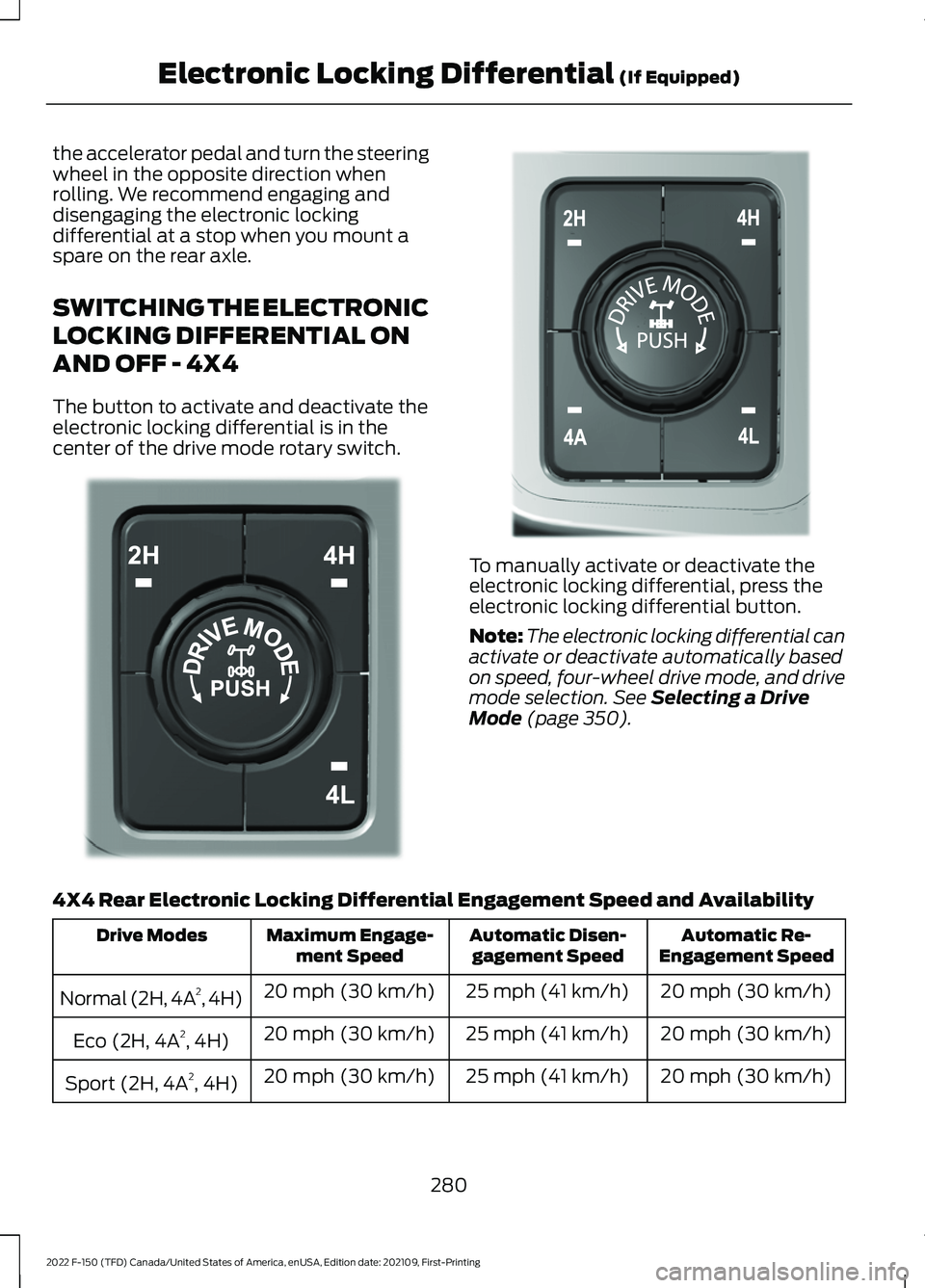
The button to activate and deactivate the
electronic locking differential is in the
center of the drive mode rotary switch.
To manually activate or deactivate the
electronic locking differential, press the
electronic locking differential button.
Note:
The electronic locking differential can
activate or deactivate automatically based
on speed, four-wheel drive mode, and drive
mode selection. See Selecting a Drive
Mode (page 350).
4X4 Rear Electronic Locking Differential Engagement Speed and Availability Automatic Re-
Engagement Speed
Automatic Disen-
gagement Speed
Maximum Engage-
ment Speed
Drive Modes
20 mph (30 km/h)
25 mph (41 km/h)
20 mph (30 km/h)
Normal (2H, 4A 2
, 4H)
20 mph (30 km/h)
25 mph (41 km/h)
20 mph (30 km/h)
Eco (2H, 4A 2
, 4H)
20 mph (30 km/h)
25 mph (41 km/h)
20 mph (30 km/h)
Sport (2H, 4A 2
, 4H)
280
2022 F-150 (TFD) Canada/United States of America, enUSA, Edition date: 202109, First-Printing Electronic Locking Differential
(If Equipped)E323655 E308146