display FORD MAVERICK 2023 Repair Manual
[x] Cancel search | Manufacturer: FORD, Model Year: 2023, Model line: MAVERICK, Model: FORD MAVERICK 2023Pages: 556, PDF Size: 14.79 MB
Page 233 of 556
ActionMessage
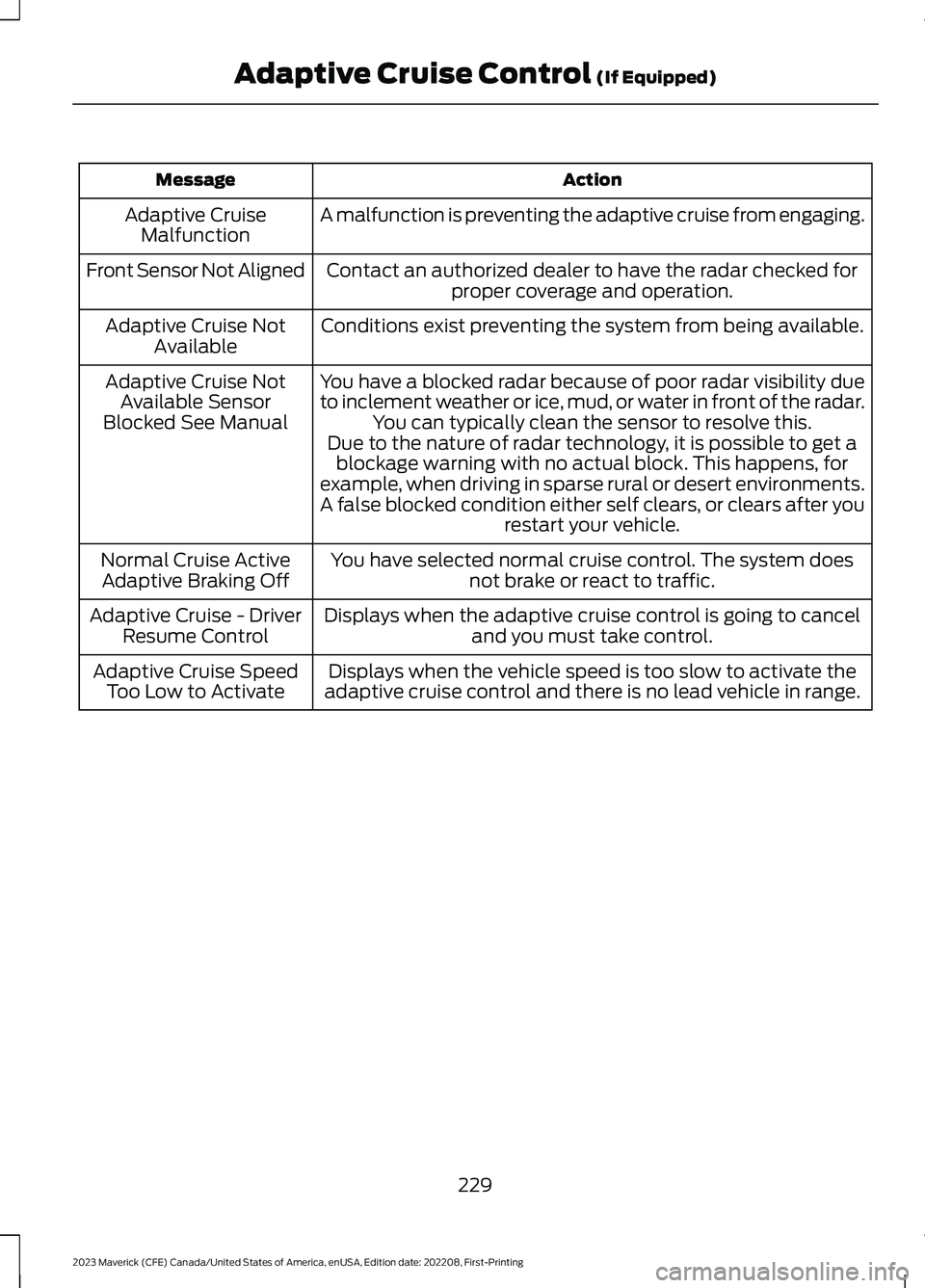
A malfunction is preventing the adaptive cruise from engaging.Adaptive CruiseMalfunction
Front Sensor Not AlignedContact an authorized dealer to have the radar checked forproper coverage and operation.
Conditions exist preventing the system from being available.Adaptive Cruise NotAvailable
You have a blocked radar because of poor radar visibility dueto inclement weather or ice, mud, or water in front of the radar.You can typically clean the sensor to resolve this.
Adaptive Cruise NotAvailable SensorBlocked See ManualDue to the nature of radar technology, it is possible to get ablockage warning with no actual block. This happens, forexample, when driving in sparse rural or desert environments.A false blocked condition either self clears, or clears after yourestart your vehicle.
You have selected normal cruise control. The system doesnot brake or react to traffic.Normal Cruise ActiveAdaptive Braking Off
Displays when the adaptive cruise control is going to canceland you must take control.Adaptive Cruise - DriverResume Control
Displays when the vehicle speed is too slow to activate theadaptive cruise control and there is no lead vehicle in range.Adaptive Cruise SpeedToo Low to Activate
229
2023 Maverick (CFE) Canada/United States of America, enUSA, Edition date: 202208, First-PrintingAdaptive Cruise Control (If Equipped)
Page 234 of 556
WHAT IS DRIVE MODE
CONTROL
Your vehicle has various drive modes thatyou can select for different drivingconditions. Depending on the drive modethat you select, the system adjusts variousvehicle settings.
HOW DOES DRIVE MODE
CONTROL WORK
Selectable drive modes change variouselectronic and mechanical settings withinyour vehicle to tailor its performance anddriving characteristics to on-road oroff-road driving conditions. Steering feeland effort, traction control, stabilitycontrol, chassis control, powertrainresponse, transmission shift points andfour-wheel driveline settings alter to apre-determined setting depending uponthe drive mode that you select.
Note:Your vehicle has diagnostic checksthat continuously monitor all systems forproper operation. If a drive mode isunavailable due to a system fault, yourvehicle defaults to normal mode.
SELECTING A DRIVE MODE
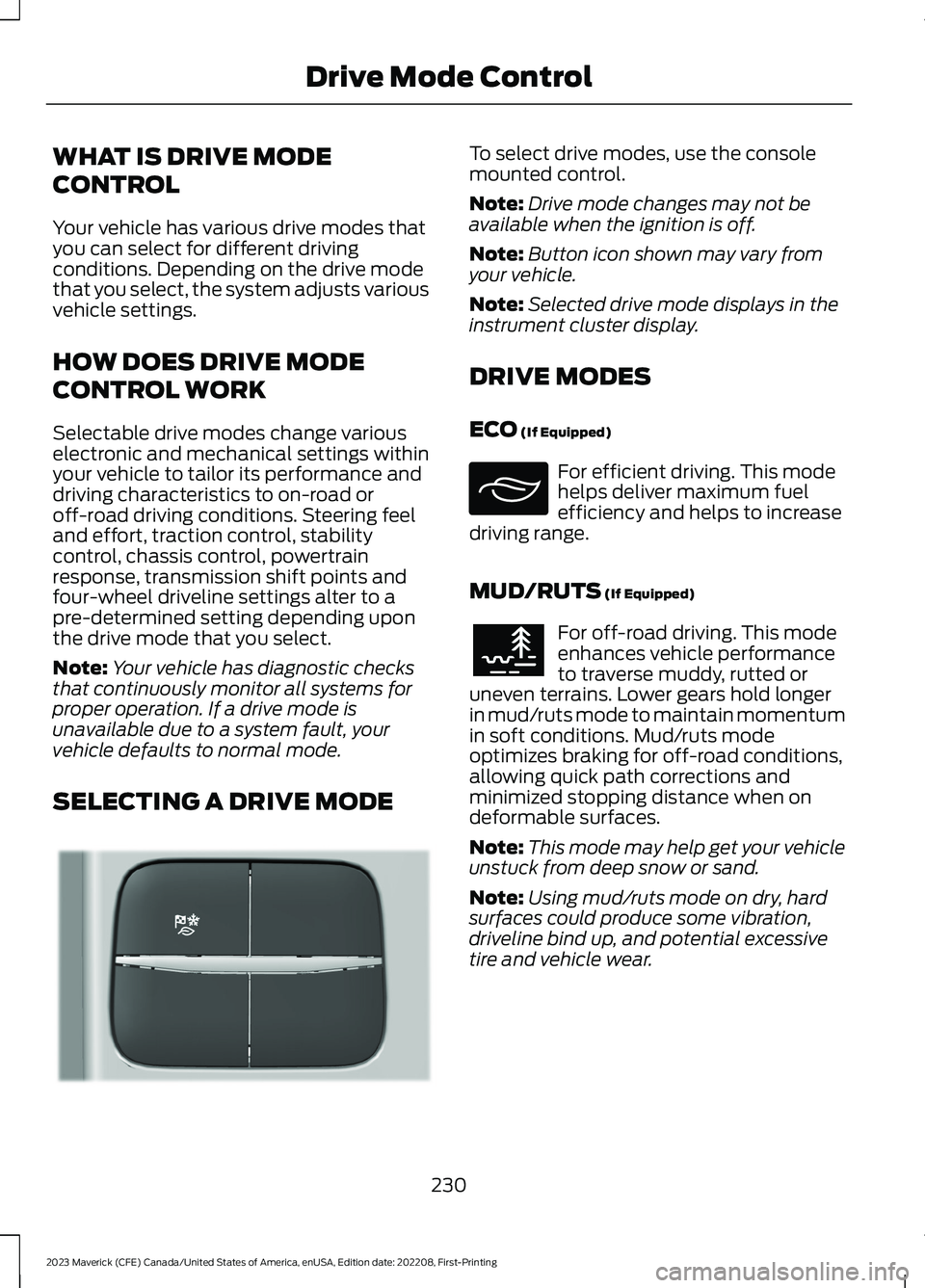
To select drive modes, use the consolemounted control.
Note:Drive mode changes may not beavailable when the ignition is off.
Note:Button icon shown may vary fromyour vehicle.
Note:Selected drive mode displays in theinstrument cluster display.
DRIVE MODES
ECO (If Equipped)
For efficient driving. This modehelps deliver maximum fuelefficiency and helps to increasedriving range.
MUD/RUTS (If Equipped)
For off-road driving. This modeenhances vehicle performanceto traverse muddy, rutted oruneven terrains. Lower gears hold longerin mud/ruts mode to maintain momentumin soft conditions. Mud/ruts modeoptimizes braking for off-road conditions,allowing quick path corrections andminimized stopping distance when ondeformable surfaces.
Note:This mode may help get your vehicleunstuck from deep snow or sand.
Note:Using mud/ruts mode on dry, hardsurfaces could produce some vibration,driveline bind up, and potential excessivetire and vehicle wear.
230
2023 Maverick (CFE) Canada/United States of America, enUSA, Edition date: 202208, First-PrintingDrive Mode ControlE355263 E295413 E296606
Page 236 of 556
DRIVE MODE CONTROL – INFORMATION MESSAGES
ActionMessage
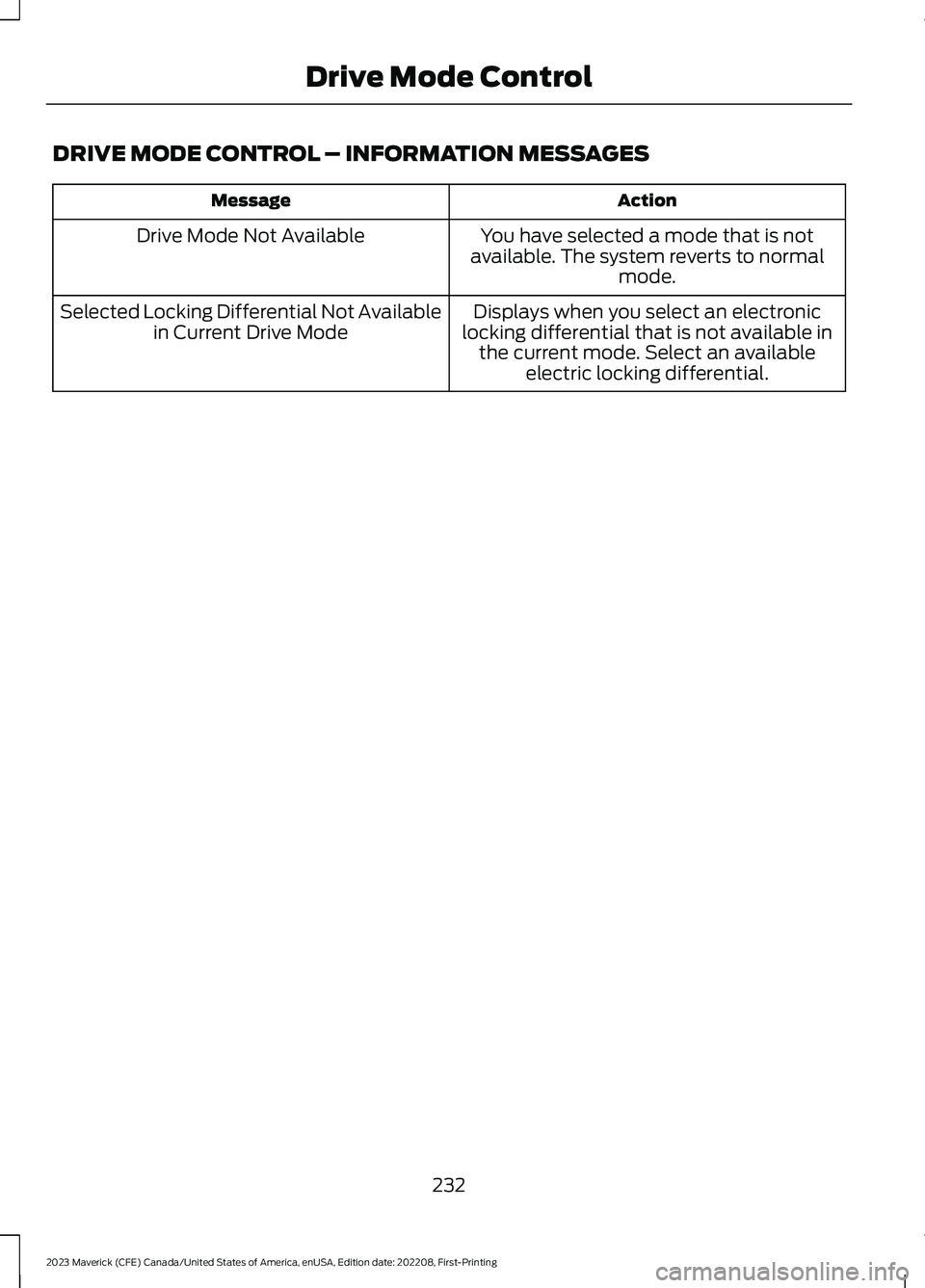
You have selected a mode that is notavailable. The system reverts to normalmode.
Drive Mode Not Available
Displays when you select an electroniclocking differential that is not available inthe current mode. Select an availableelectric locking differential.
Selected Locking Differential Not Availablein Current Drive Mode
232
2023 Maverick (CFE) Canada/United States of America, enUSA, Edition date: 202208, First-PrintingDrive Mode Control
Page 239 of 556
•You apply direct steering, acceleratefast or brake hard.
•The vehicle speed is less than 40 mph(64 km/h).
•The anti-lock brake, stability control ortraction control system activates.
•The lane is too narrow.
•Something is obscuring the camera orit is unable to detect the lane markingsdue to environment, traffic or vehicleconditions.
The lane keeping system may not correctlane positioning in any of the followingconditions:
•High winds.
•Uneven road surfaces.
•Heavy or uneven loads.
•Incorrect tire pressure.
SWITCHING THE LANE
KEEPING SYSTEM ON AND
OFF
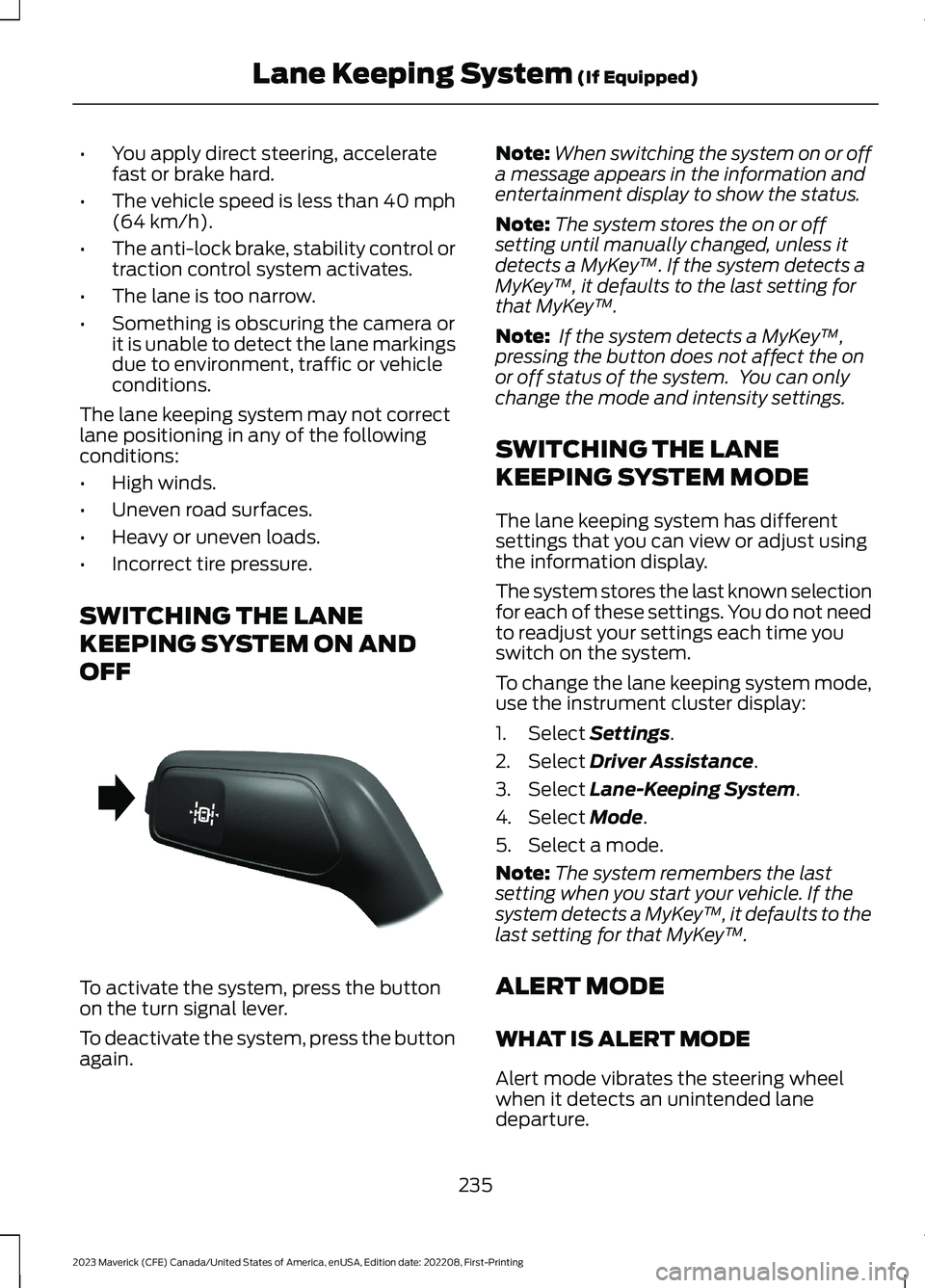
To activate the system, press the buttonon the turn signal lever.
To deactivate the system, press the buttonagain.
Note:When switching the system on or offa message appears in the information andentertainment display to show the status.
Note:The system stores the on or offsetting until manually changed, unless itdetects a MyKey™. If the system detects aMyKey™, it defaults to the last setting forthat MyKey™.
Note: If the system detects a MyKey™,pressing the button does not affect the onor off status of the system. You can onlychange the mode and intensity settings.
SWITCHING THE LANE
KEEPING SYSTEM MODE
The lane keeping system has differentsettings that you can view or adjust usingthe information display.
The system stores the last known selectionfor each of these settings. You do not needto readjust your settings each time youswitch on the system.
To change the lane keeping system mode,use the instrument cluster display:
1.Select Settings.
2.Select Driver Assistance.
3.Select Lane-Keeping System.
4.Select Mode.
5.Select a mode.
Note:The system remembers the lastsetting when you start your vehicle. If thesystem detects a MyKey™, it defaults to thelast setting for that MyKey™.
ALERT MODE
WHAT IS ALERT MODE
Alert mode vibrates the steering wheelwhen it detects an unintended lanedeparture.
235
2023 Maverick (CFE) Canada/United States of America, enUSA, Edition date: 202208, First-PrintingLane Keeping System (If Equipped)E288067
Page 240 of 556
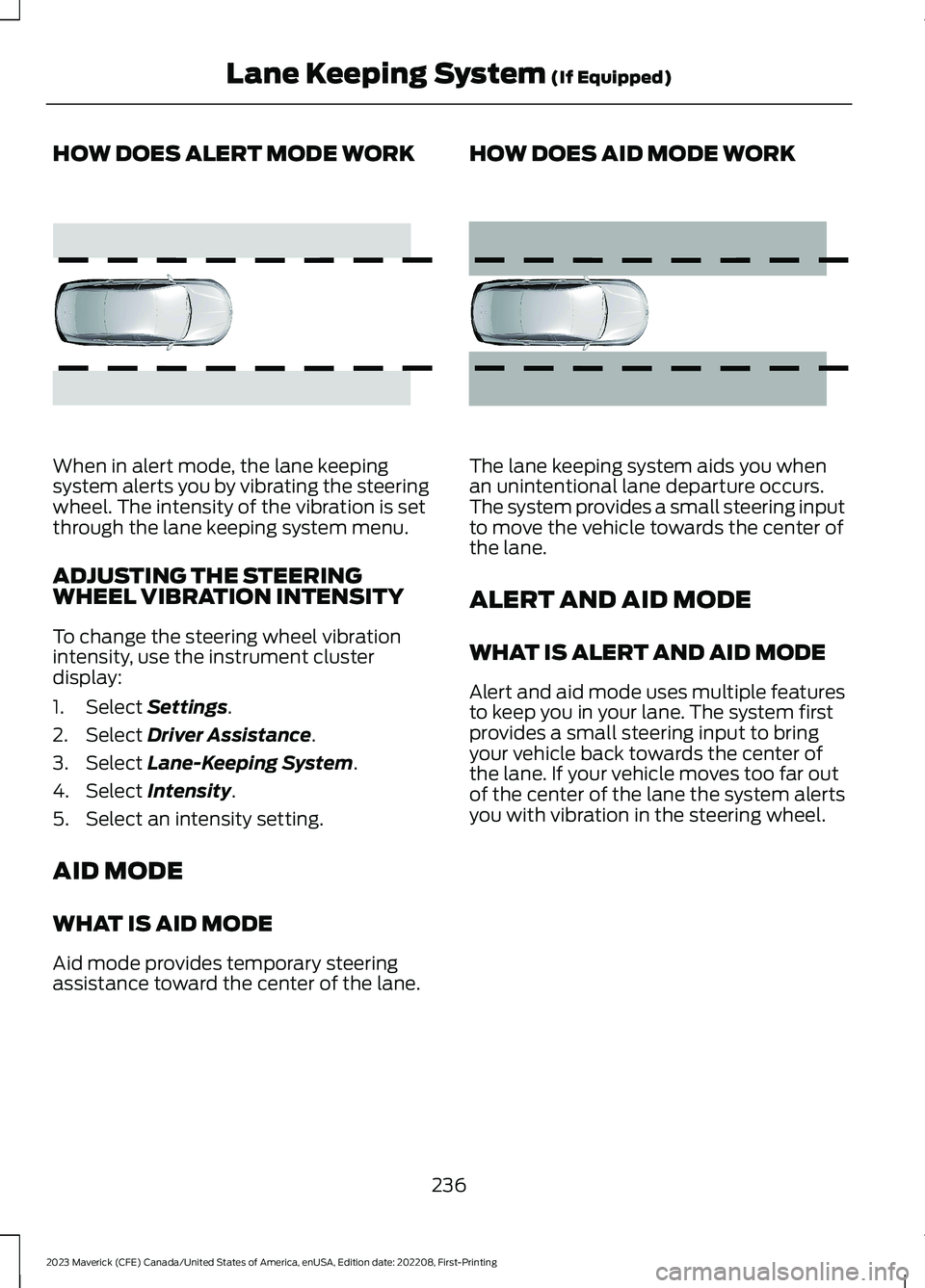
HOW DOES ALERT MODE WORK
When in alert mode, the lane keepingsystem alerts you by vibrating the steeringwheel. The intensity of the vibration is setthrough the lane keeping system menu.
ADJUSTING THE STEERINGWHEEL VIBRATION INTENSITY
To change the steering wheel vibrationintensity, use the instrument clusterdisplay:
1.Select Settings.
2.Select Driver Assistance.
3.Select Lane-Keeping System.
4.Select Intensity.
5.Select an intensity setting.
AID MODE
WHAT IS AID MODE
Aid mode provides temporary steeringassistance toward the center of the lane.
HOW DOES AID MODE WORK
The lane keeping system aids you whenan unintentional lane departure occurs.The system provides a small steering inputto move the vehicle towards the center ofthe lane.
ALERT AND AID MODE
WHAT IS ALERT AND AID MODE
Alert and aid mode uses multiple featuresto keep you in your lane. The system firstprovides a small steering input to bringyour vehicle back towards the center ofthe lane. If your vehicle moves too far outof the center of the lane the system alertsyou with vibration in the steering wheel.
236
2023 Maverick (CFE) Canada/United States of America, enUSA, Edition date: 202208, First-PrintingLane Keeping System (If Equipped)E165515 E165516
Page 241 of 556
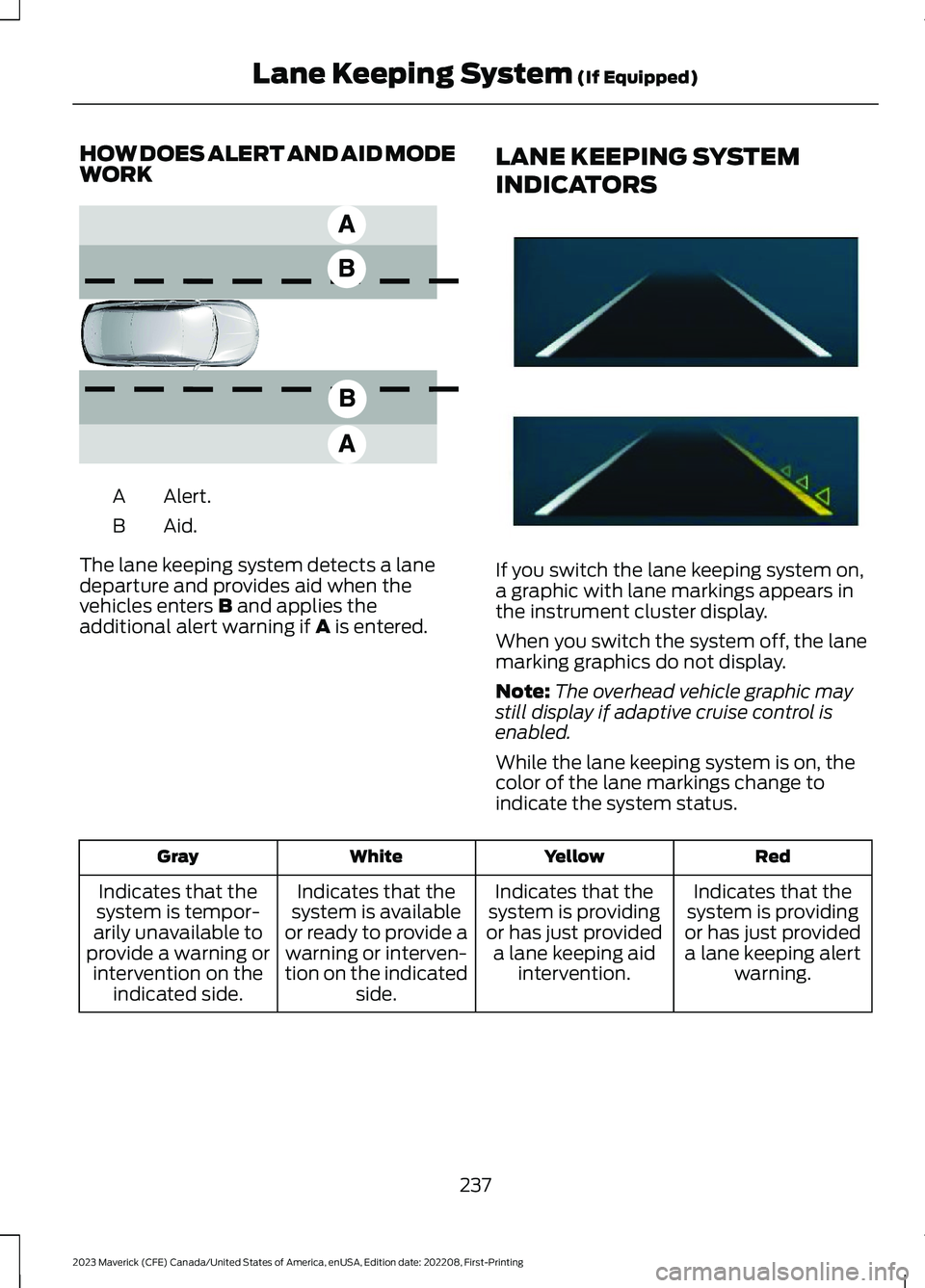
HOW DOES ALERT AND AID MODEWORK
Alert.A
Aid.B
The lane keeping system detects a lanedeparture and provides aid when thevehicles enters B and applies theadditional alert warning if A is entered.
LANE KEEPING SYSTEM
INDICATORS
If you switch the lane keeping system on,a graphic with lane markings appears inthe instrument cluster display.
When you switch the system off, the lanemarking graphics do not display.
Note:The overhead vehicle graphic maystill display if adaptive cruise control isenabled.
While the lane keeping system is on, thecolor of the lane markings change toindicate the system status.
RedYellowWhiteGray
Indicates that thesystem is providingor has just provideda lane keeping alertwarning.
Indicates that thesystem is providingor has just provideda lane keeping aidintervention.
Indicates that thesystem is availableor ready to provide awarning or interven-tion on the indicatedside.
Indicates that thesystem is tempor-arily unavailable toprovide a warning orintervention on theindicated side.
237
2023 Maverick (CFE) Canada/United States of America, enUSA, Edition date: 202208, First-PrintingLane Keeping System (If Equipped)E165517 E294544
Page 246 of 556
SWITCHING BLIND SPOT
INFORMATION SYSTEM ON
AND OFF
To switch blind spot information systemon or off, use the instrument clusterdisplay:
1.Select Settings.
2.Select Driver Assistance.
3.Switch Blind Spot on or off.
When you switch blind spot informationsystem off, a warning lamp illuminates anda message displays. When you switch thesystem on or off, the alert indicators flashtwice.
Note:The system remembers the lastsetting when you start your vehicle.
To permanently switch the system off,contact an authorized dealer.
LOCATING THE BLIND SPOT
INFORMATION SYSTEM
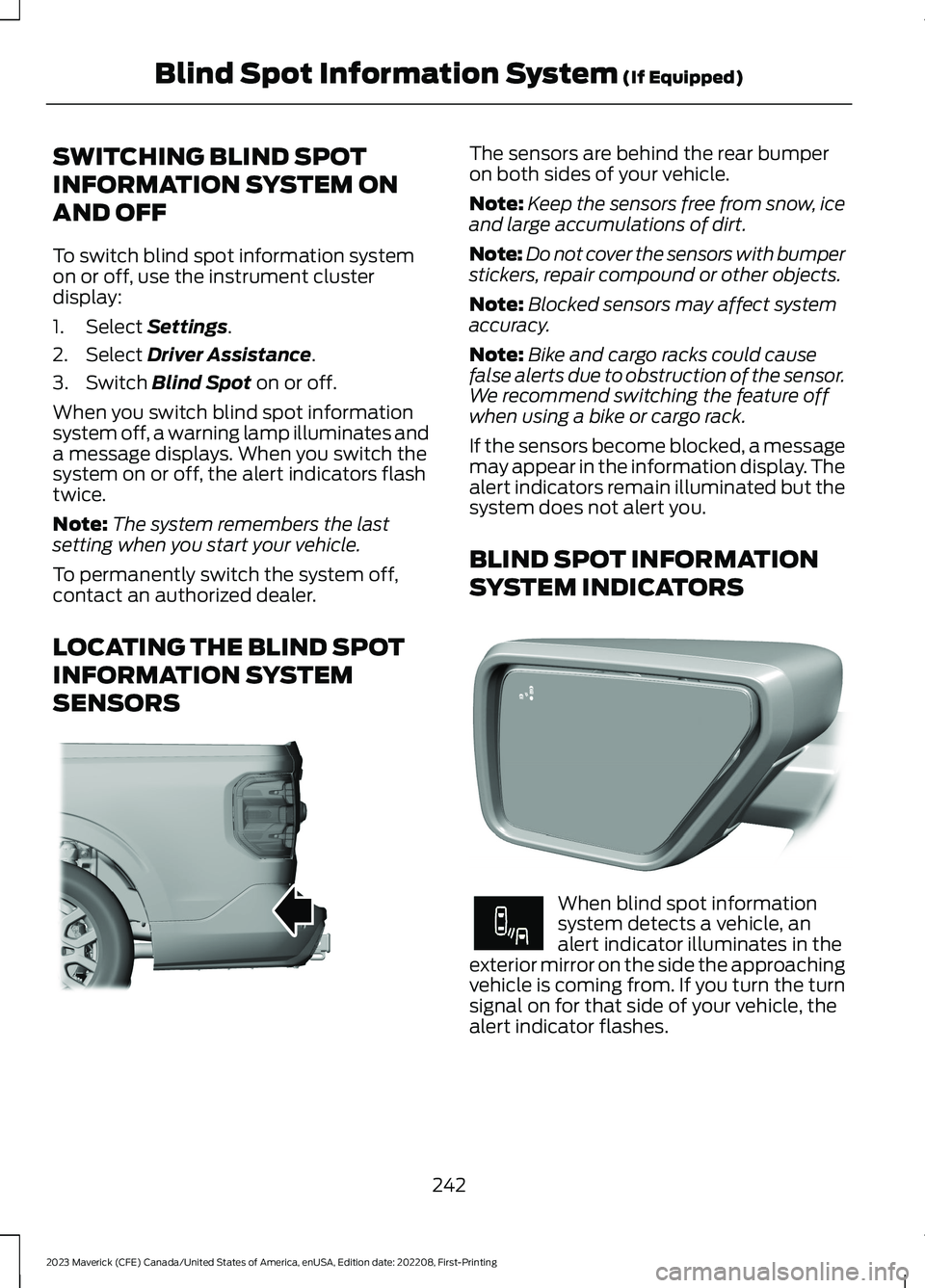
SENSORS
The sensors are behind the rear bumperon both sides of your vehicle.
Note:Keep the sensors free from snow, iceand large accumulations of dirt.
Note:Do not cover the sensors with bumperstickers, repair compound or other objects.
Note:Blocked sensors may affect systemaccuracy.
Note:Bike and cargo racks could causefalse alerts due to obstruction of the sensor.We recommend switching the feature offwhen using a bike or cargo rack.
If the sensors become blocked, a messagemay appear in the information display. Thealert indicators remain illuminated but thesystem does not alert you.
BLIND SPOT INFORMATION
SYSTEM INDICATORS
When blind spot informationsystem detects a vehicle, analert indicator illuminates in theexterior mirror on the side the approachingvehicle is coming from. If you turn the turnsignal on for that side of your vehicle, thealert indicator flashes.
242
2023 Maverick (CFE) Canada/United States of America, enUSA, Edition date: 202208, First-PrintingBlind Spot Information System (If Equipped)E354512 E309137 E249861E249861
Page 247 of 556
BLIND SPOT INFORMATION SYSTEM – TROUBLESHOOTING
BLIND SPOT INFORMATION SYSTEM – INFORMATION MESSAGES
ActionMessage
A fault with the system has occurred. Haveyour vehicle checked as soon as possible.Blind Spot System Fault
Something is blocking the sensors. Cleanthe sensors.Blind Spot Not Available Sensor BlockedSee Manual
The system automatically turns off anddisplays this message when you connect atrailer to the vehicle that does not have atrailer blind spot system or when you switchthe trailer blind spot system off through thetouchscreen.
Blind Spot Alert Deactivated TrailerAttached
Note:When connecting a trailer, the systemmay detect the trailer and turn the systemOFF. If the system does not turn OFFautomatically, switch the blind spotinformation system OFF manually. Ifequipped with blind spot with trailer tow,you will be prompted to set up a trailer thatallows the feature to function with thattrailer.
243
2023 Maverick (CFE) Canada/United States of America, enUSA, Edition date: 202208, First-PrintingBlind Spot Information System (If Equipped)
Page 248 of 556
WHAT IS CROSS TRAFFIC
ALERT
The system alerts you of vehiclesapproaching from the sides behind yourvehicle when you shift into reverse (R).
HOW DOES CROSS TRAFFIC
ALERT WORK
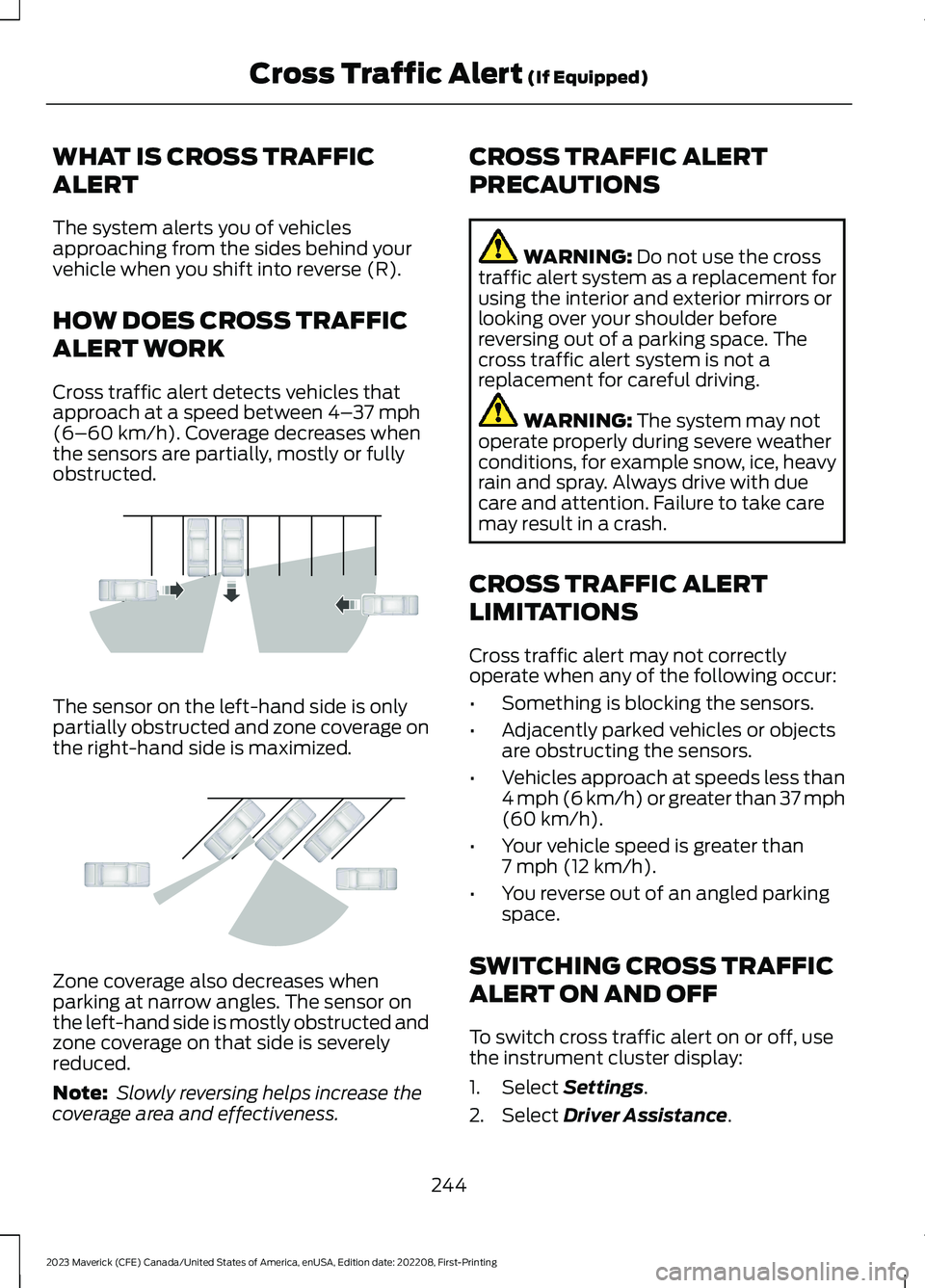
Cross traffic alert detects vehicles thatapproach at a speed between 4–37 mph(6–60 km/h). Coverage decreases whenthe sensors are partially, mostly or fullyobstructed.
The sensor on the left-hand side is onlypartially obstructed and zone coverage onthe right-hand side is maximized.
Zone coverage also decreases whenparking at narrow angles. The sensor onthe left-hand side is mostly obstructed andzone coverage on that side is severelyreduced.
Note: Slowly reversing helps increase thecoverage area and effectiveness.
CROSS TRAFFIC ALERT
PRECAUTIONS
WARNING: Do not use the crosstraffic alert system as a replacement forusing the interior and exterior mirrors orlooking over your shoulder beforereversing out of a parking space. Thecross traffic alert system is not areplacement for careful driving.
WARNING: The system may notoperate properly during severe weatherconditions, for example snow, ice, heavyrain and spray. Always drive with duecare and attention. Failure to take caremay result in a crash.
CROSS TRAFFIC ALERT
LIMITATIONS
Cross traffic alert may not correctlyoperate when any of the following occur:
•Something is blocking the sensors.
•Adjacently parked vehicles or objectsare obstructing the sensors.
•Vehicles approach at speeds less than4 mph (6 km/h) or greater than 37 mph(60 km/h).
•Your vehicle speed is greater than7 mph (12 km/h).
•You reverse out of an angled parkingspace.
SWITCHING CROSS TRAFFIC
ALERT ON AND OFF
To switch cross traffic alert on or off, usethe instrument cluster display:
1.Select Settings.
2.Select Driver Assistance.
244
2023 Maverick (CFE) Canada/United States of America, enUSA, Edition date: 202208, First-PrintingCross Traffic Alert (If Equipped)E142440 E142441
Page 249 of 556
3.Switch Cross Traffic Alert on or off.
Note:The system switches on every timeyou switch the ignition on. To permanentlyswitch the system off, contact an authorizeddealer.
LOCATING THE CROSS
TRAFFIC ALERT SENSORS
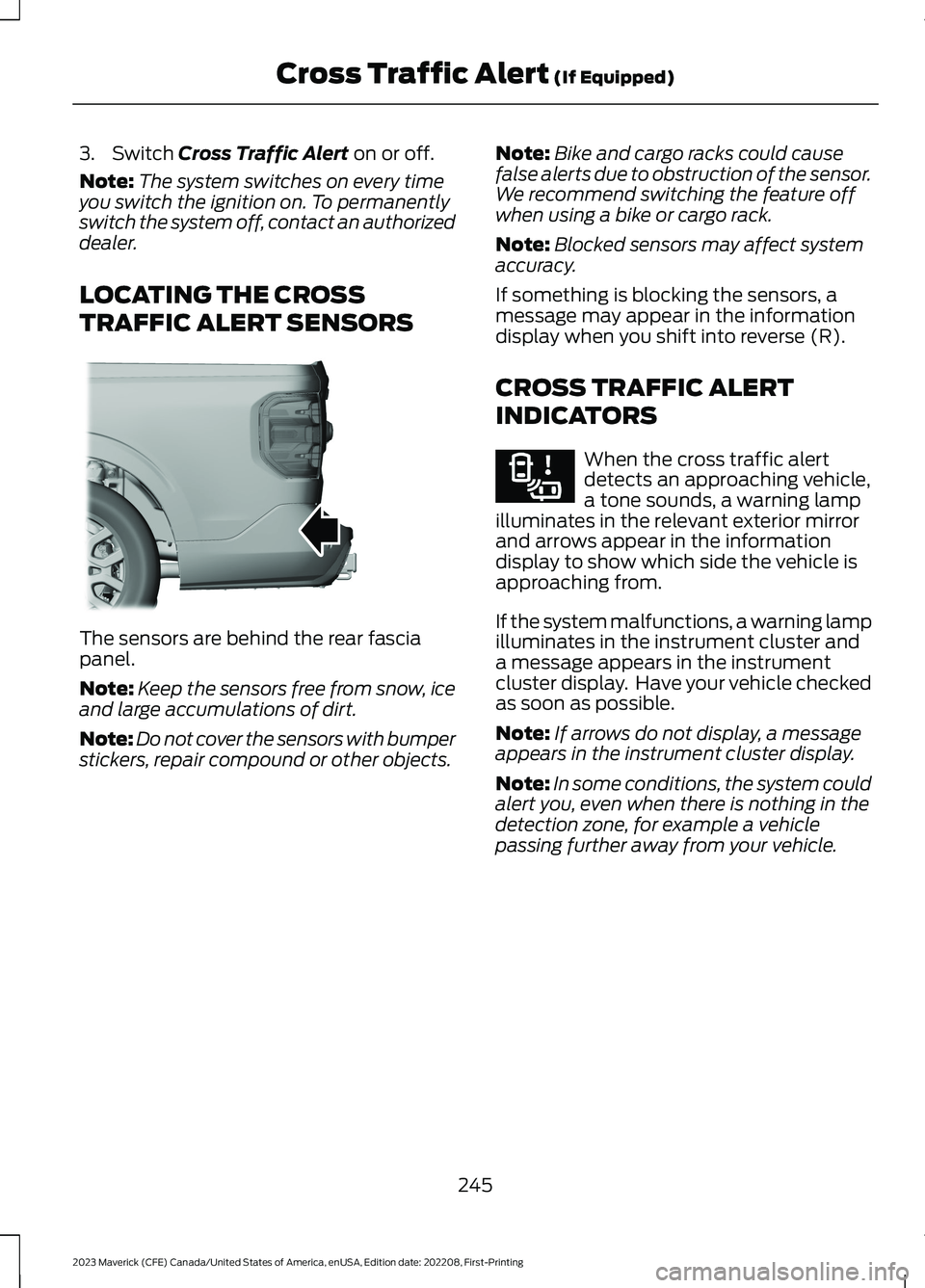
The sensors are behind the rear fasciapanel.
Note:Keep the sensors free from snow, iceand large accumulations of dirt.
Note:Do not cover the sensors with bumperstickers, repair compound or other objects.
Note:Bike and cargo racks could causefalse alerts due to obstruction of the sensor.We recommend switching the feature offwhen using a bike or cargo rack.
Note:Blocked sensors may affect systemaccuracy.
If something is blocking the sensors, amessage may appear in the informationdisplay when you shift into reverse (R).
CROSS TRAFFIC ALERT
INDICATORS
When the cross traffic alertdetects an approaching vehicle,a tone sounds, a warning lampilluminates in the relevant exterior mirrorand arrows appear in the informationdisplay to show which side the vehicle isapproaching from.
If the system malfunctions, a warning lampilluminates in the instrument cluster anda message appears in the instrumentcluster display. Have your vehicle checkedas soon as possible.
Note:If arrows do not display, a messageappears in the instrument cluster display.
Note:In some conditions, the system couldalert you, even when there is nothing in thedetection zone, for example a vehiclepassing further away from your vehicle.
245
2023 Maverick (CFE) Canada/United States of America, enUSA, Edition date: 202208, First-PrintingCross Traffic Alert (If Equipped)E354512 E268294