navigation FORD MUSTANG 2014 5.G Repair Manual
[x] Cancel search | Manufacturer: FORD, Model Year: 2014, Model line: MUSTANG, Model: FORD MUSTANG 2014 5.GPages: 461, PDF Size: 5.47 MB
Page 427 of 461
*To delete all stored Address Book and Previous Destination entries at
once:
1. Press theMENUhard button.
2. Select theSystem Settingstab.
3. Press theVi e wbutton forDelete Stored Items.
4. SelectAddress BookorPrevious Destinations.
Edit Route
Cancel RouteTouch this button to cancel the current route.
DetourTouch this button to avoid an area on the
current route.
View RouteTouch this button to view the entire current
route. You can select from the following
options:
•View Destinationdisplays a close-up view
of the destination and surrounding area.
•View Next Waypointdisplays a close-up
view of next waypoint and surrounding area.
•View Turn Listdisplays the turn list for the
current destination. You can also select a road
on the turn list to avoid, if you choose.
Edit Route
PreferencesOnce you select a route as the fastest or
shortest route, you can also select from to:
•Avoid Freeways
•Avoid Tollroads
•Avoid Ferries
•Avoid Time Restrictions
•Avoid HOV Lanes
Edit Traffic
PreferencesTouch this button to edit traffic preferences.
*
Edit
Destination/WaypointsTouch this button to edit the destination or
waypoints of a defined route.
Edit Turn ListTouch this button to delete or avoid a road in
the current turn list.
*This feature requires activation of SIRIUS® Travel Link™, which is only
available in the United States.
426Navigation System (If Equipped)
2014 05+ Mustang(197)
Owners Guide gf, 1st Printing, November 2012
USA(fus)
Page 428 of 461
Programming a Destination Using Voice Commands
Press the voice button on the steering wheel.
If you want to: Say:
Enter an address. “Destination street address”
Enter an intersection. “Destination intersection”
Find a point of interest
(POI) by its category.“Destination nearest
“Destination nearest POI”
Find a point of interest
(POI) by its name.“Destination POI”
Go to a previous
destination.“Destination previous destination”
Go to your home
location.“Destination home”
Use a nametag from
your address book.“Destination
Get help. “Help”
Note:If you set the system language to French or Spanish, you need to
spell out the city and street names. When in Spelling Mode, you may
speak letters or say, “Line #”. The system works even if you have made a
spelling error.
Route Selection Screen
After you program a destination using the Quick or Standard method, a
route selection screen appears. The screen displays three route choices
for you: Fastest, Shortest and Unrestricted.
The navigation system considersAvoid Areasselections when
calculating the Fastest and Shortest route choices. Check the Avoid
Areas selections by pressing theNAVhard button, thenAvoid Areas.
•Fastestconsiders the fastest moving roads possible.
•Shortestconsiders minimum distance as its priority.
•Unrestricteddoes not consider any items to avoid, if any are set
through theRoute Prefsscreen.
Note:If you turn off all the items to avoid in theRoute Prefsscreen
and theAvoid Areasscreen is empty, or you turn the selections off, you
do not have the choice of an unrestricted route.
Navigation System (If Equipped)427
2014 05+ Mustang(197)
Owners Guide gf, 1st Printing, November 2012
USA(fus)
Page 429 of 461
Route Selection Screen Icons
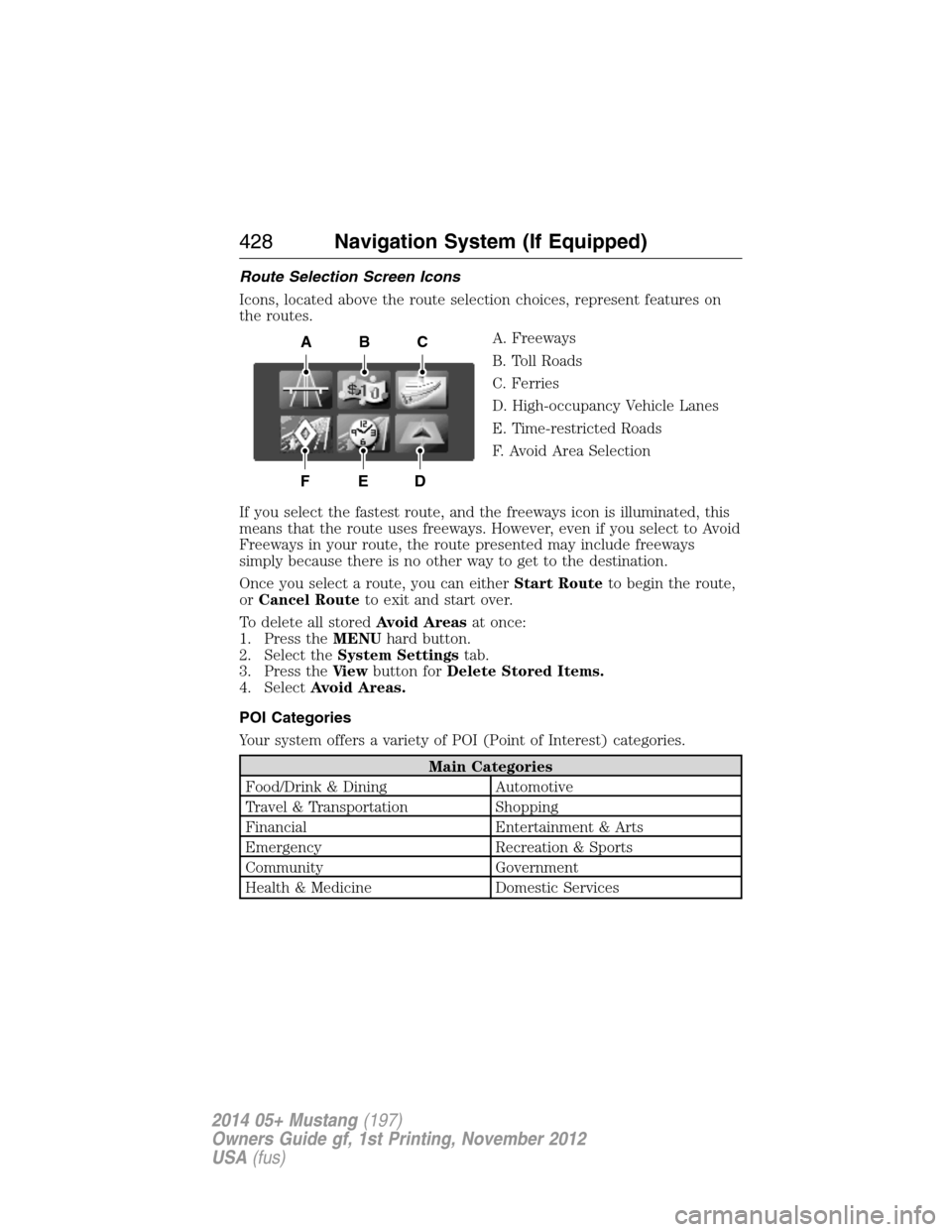
Icons, located above the route selection choices, represent features on
the routes.
A. Freeways
B. Toll Roads
C. Ferries
D. High-occupancy Vehicle Lanes
E. Time-restricted Roads
F. Avoid Area Selection
If you select the fastest route, and the freeways icon is illuminated, this
means that the route uses freeways. However, even if you select to Avoid
Freeways in your route, the route presented may include freeways
simply because there is no other way to get to the destination.
Once you select a route, you can eitherStart Routeto begin the route,
orCancel Routeto exit and start over.
To delete all storedAvoid Areasat once:
1. Press theMENUhard button.
2. Select theSystem Settingstab.
3. Press theVi e wbutton forDelete Stored Items.
4. SelectAvoid Areas.
POI Categories
Your system offers a variety of POI (Point of Interest) categories.
Main Categories
Food/Drink & Dining Automotive
Travel & Transportation Shopping
Financial Entertainment & Arts
Emergency Recreation & Sports
Community Government
Health & Medicine Domestic Services
ABC
DEF
428Navigation System (If Equipped)
2014 05+ Mustang(197)
Owners Guide gf, 1st Printing, November 2012
USA(fus)
Page 430 of 461
Within these main categories, there are subcategories, which contain
more listings:
Subcategories
Restaurant
Auto Dealership
Parking
Public Transit
Home & Garden
Education
Personal Care Services
Setting Your Navigation Preferences
Select settings for the system to take into account when planning your
route. Press theNAVhard button.
Map Preferences
Map Content Street Namedisplays current street name
during route guidance.
Time to Destdisplays the distance to your
destination and the estimated time of arrival.
Speed Limitdisplays the speed limit of
major roads during route guidance.
Breadcrumbsdisplays your vehicle’s
previously traveled route with white dots.
The dots display for about the last 140 miles
(225 km) driven.
Point of Interest (POI) Iconsdisplays
point of interest icons on the map.
Map View Full Mapdisplays the map in full screen with
turn icons in the upper right corner.
Arrow/Mapdivides the screen in two.
The map is on the left and upcoming turn
information on the right.
Turn List/Mapdivides the screen in two.
The map is on the left and turn list on the
right.
Navigation System (If Equipped)429
2014 05+ Mustang(197)
Owners Guide gf, 1st Printing, November 2012
USA(fus)
Page 431 of 461
Map Preferences
Bird’s Eye View ONprovides an elevated map perspective.
OFFturns the feature off.
Adjust Angleoffers six different map angles.
Turn List Format Top-to-Bottomstarts the turn instructions
from the top.
Bottom-to-Topstarts the turn instructions
from the bottom.
Route Preferences
Shortest DistanceHave the system display the shortest route
first.
Fastest TimeHave the system display the fastest route
first.
Avoid FreewaysHave the system avoid freeways when
calculating a route.
Avoid TollroadsHave the system avoid tollroads when
calculating a route.
Avoid FerriesHave the system avoid ferries when
calculating a route.
Avoid HOV LanesHave the system avoid high-occupancy lanes
when calculating a route. Also known as
carpool lanes or diamond lanes, these are
reserved for carpools, vanpools or buses.
Avoid Time
Restricted RoadsHave the system avoid time-restricted roads
when calculating a route. These roads may
have turn, lane or entrance restrictions based
on local traffic conditions or seasonal
restrictions.
430Navigation System (If Equipped)
2014 05+ Mustang(197)
Owners Guide gf, 1st Printing, November 2012
USA(fus)
Page 432 of 461
Traffic Preferences*
Traffic Icons to
overlay on MapTouch this button to display a list of map
icons that you can turn off and on. The list of
icons includes:
•Weather related incidents
•Road work
•Incident
•Accident
•Closed road
Traffic Flow OverlayTouch this button to have the map show
traffic flow coloring on major roads. Roads
display in green (all clear), yellow (reduced
speed) and red (stopped).
Traffic Alert
NotificationTouch this button to have the system traffic
incidents notifications along your programmed
route.
If you selectYes,a traffic incident pop-up
asks you to consider or ignore the traffic
incident. If you selectYe sagain, this makes
the system recalculate a new route for you.
If you selectIgnore,this closes the pop-up
window..
*This feature requires activation of SIRIUS® Travel Link™, which is only
available in the United States.
Navigation Preferences
Guidance Prompts Voiceguides you with tones and voice
prompts only.
Tone onlyguides you with tones only.
OFFturns off any voice or tone prompts.
Auto-Fill
State/ProvinceWhen this feature is on, the system
automatically fills in the state or province
information based on your vehicle’s GPS
location. If you live in a border area, you may
not want this feature on.
Navigation System (If Equipped)431
2014 05+ Mustang(197)
Owners Guide gf, 1st Printing, November 2012
USA(fus)
Page 433 of 461
Navigation Preferences
Avg. Speed:
ResidentialWhen this feature is on, the system displays
the average speed on a residential road,
initially set to 25 mph (40 km/h). You can
change the setting for your driving
preferences. This setting helps estimate your
arrival time at a destination based on your
driving preferences.
Avg. Speed: Main
RoadsWhen this feature is on, the system displays
the average speed on a main road, initially set
to 45 mph (72 km/h). You can change the
setting for specific roads and for your driving
preferences. This setting helps estimate your
arrival time at a destination based on your
driving preferences.
Avg. Speed: FreewaysWhen this feature is on, the system displays
the average speed on a freeway, initially set to
65 mph (105 km/h). You can change the
setting for specific roads and for your driving
preferences. This setting helps estimate your
arrival time at a destination based on your
driving preferences.
Parking POI
NotificationWhen this feature is on, the system displays
available parking accommodations around a
destination that is part of your route.
Low Fuel POI
NotificationWhen this feature is on, the system displays
gas station icons when the fuel level is low.
Fuel Price DisplayWhen this feature is on, the system displays
fuel prices at local stations. You can choose to
display prices forUnleadedorDiesel.
*
432Navigation System (If Equipped)
2014 05+ Mustang(197)
Owners Guide gf, 1st Printing, November 2012
USA(fus)
Page 434 of 461
Navigation Preferences
Calibrate Positionallows you to adjust the direction of
your vehicle by pressing the arrow buttons on
the screen.
Distanceallows you to recalibrate the
distance to the destination while your vehicle
is moving.
Restore Default
SettingsTouch theResetbutton to return the settings
to factory defaults.
*This feature requires activation of SIRIUS® Travel Link™, which is only
available in the United States.
Avoid Areas
AddAdd items and areas that you want the
system to avoid when creating a route for
you. The system does its best to avoid these.
*
*
There may be some situations where it is impossible to avoid the
selection(s) completely. For example, if a destination or waypoint is
located in the area that is set to avoid, the system cannot avoid it.
Map Mode
Press theMAPhard button to view map mode. When in map mode, an
icon appears on the upper left side of the screen; this is a toggle button
to change the view of the map display.
Roads on the map display in a variety of colors. Building footprints
display areas of major buildings in the 20 largest cities in the U.S. These
areas may be displayed depending on their size and the map zoom level.
Heading Upalways shows the direction of forward travel to be
upward on the screen. This view is available for map scales up to
2.5 miles (4 kilometers). The system remembers this setting for
larger map scales, but shows the map in North Up only. If the scale
returns below this level, the system restores Heading Up.
Heading Up Bird’s Eye Viewprovides an elevated perspective of
the map. You can adjust the viewing angle through the map
preferences.
Navigation System (If Equipped)433
2014 05+ Mustang(197)
Owners Guide gf, 1st Printing, November 2012
USA(fus)
Page 435 of 461
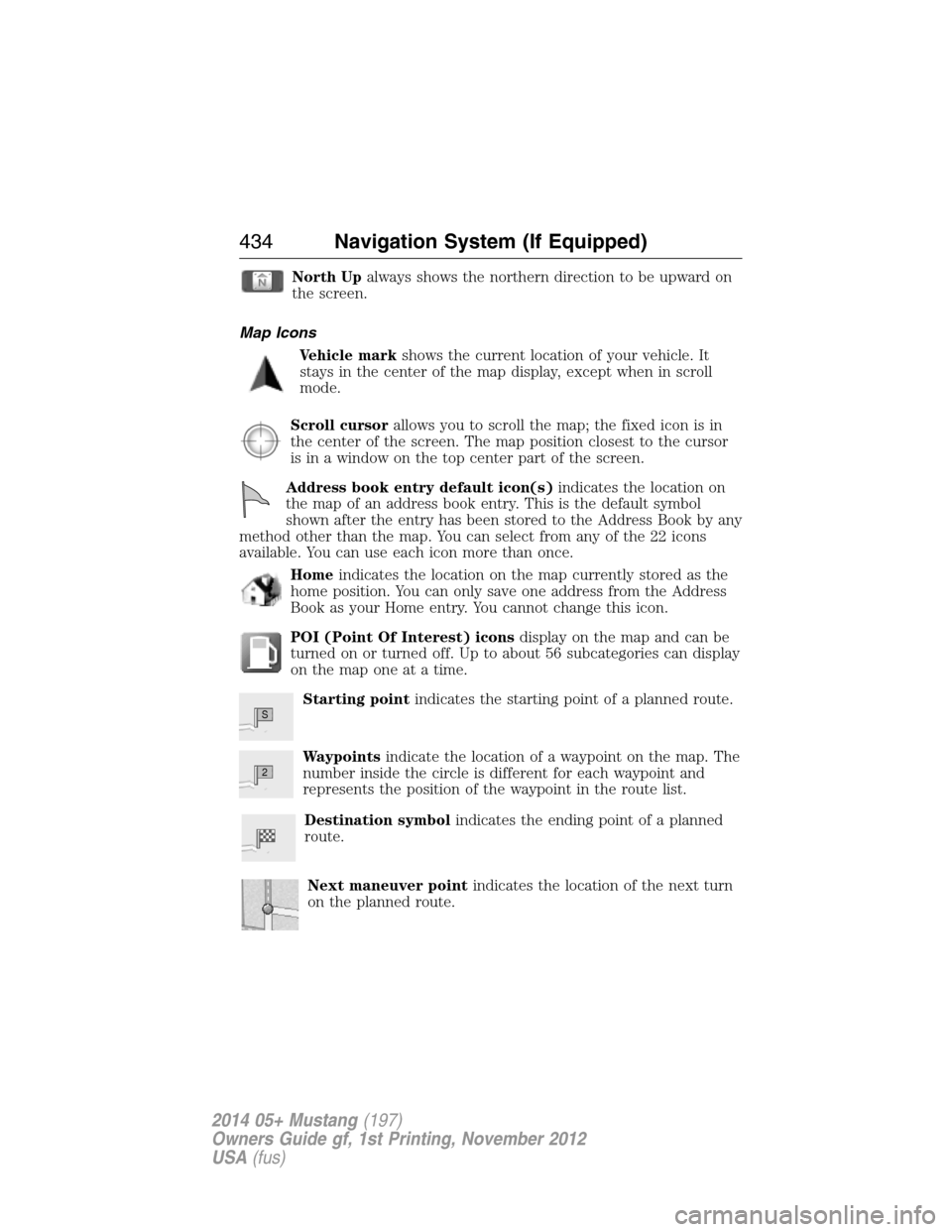
North Upalways shows the northern direction to be upward on
the screen.
Map Icons
Vehicle markshows the current location of your vehicle. It
stays in the center of the map display, except when in scroll
mode.
Scroll cursorallows you to scroll the map; the fixed icon is in
the center of the screen. The map position closest to the cursor
is in a window on the top center part of the screen.
Address book entry default icon(s)indicates the location on
the map of an address book entry. This is the default symbol
shown after the entry has been stored to the Address Book by any
method other than the map. You can select from any of the 22 icons
available. You can use each icon more than once.
Homeindicates the location on the map currently stored as the
home position. You can only save one address from the Address
Book as your Home entry. You cannot change this icon.
POI (Point Of Interest) iconsdisplay on the map and can be
turned on or turned off. Up to about 56 subcategories can display
on the map one at a time.
Starting pointindicates the starting point of a planned route.
Waypointsindicate the location of a waypoint on the map. The
number inside the circle is different for each waypoint and
represents the position of the waypoint in the route list.
Destination symbolindicates the ending point of a planned
route.
Next maneuver pointindicates the location of the next turn
on the planned route.
S
2
434Navigation System (If Equipped)
2014 05+ Mustang(197)
Owners Guide gf, 1st Printing, November 2012
USA(fus)
Page 436 of 461
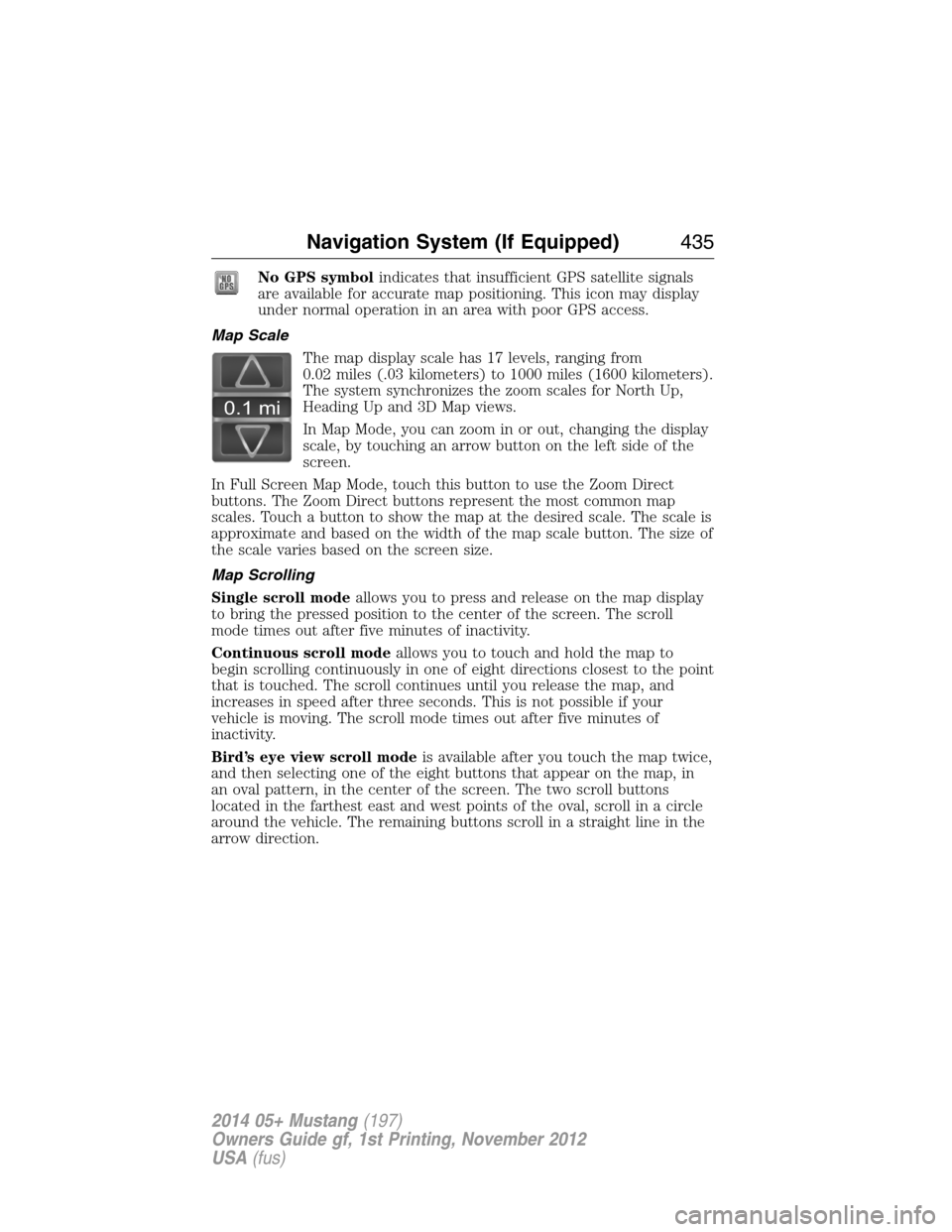
No GPS symbolindicates that insufficient GPS satellite signals
are available for accurate map positioning. This icon may display
under normal operation in an area with poor GPS access.
Map Scale
The map display scale has 17 levels, ranging from
0.02 miles (.03 kilometers) to 1000 miles (1600 kilometers).
The system synchronizes the zoom scales for North Up,
Heading Up and 3D Map views.
In Map Mode, you can zoom in or out, changing the display
scale, by touching an arrow button on the left side of the
screen.
In Full Screen Map Mode, touch this button to use the Zoom Direct
buttons. The Zoom Direct buttons represent the most common map
scales. Touch a button to show the map at the desired scale. The scale is
approximate and based on the width of the map scale button. The size of
the scale varies based on the screen size.
Map Scrolling
Single scroll modeallows you to press and release on the map display
to bring the pressed position to the center of the screen. The scroll
mode times out after five minutes of inactivity.
Continuous scroll modeallows you to touch and hold the map to
begin scrolling continuously in one of eight directions closest to the point
that is touched. The scroll continues until you release the map, and
increases in speed after three seconds. This is not possible if your
vehicle is moving. The scroll mode times out after five minutes of
inactivity.
Bird’s eye view scroll modeis available after you touch the map twice,
and then selecting one of the eight buttons that appear on the map, in
an oval pattern, in the center of the screen. The two scroll buttons
located in the farthest east and west points of the oval, scroll in a circle
around the vehicle. The remaining buttons scroll in a straight line in the
arrow direction.
0.1 mi
Navigation System (If Equipped)435
2014 05+ Mustang(197)
Owners Guide gf, 1st Printing, November 2012
USA(fus)