fuel FORD MUSTANG 2015 6.G User Guide
[x] Cancel search | Manufacturer: FORD, Model Year: 2015, Model line: MUSTANG, Model: FORD MUSTANG 2015 6.GPages: 441, PDF Size: 6.98 MB
Page 81 of 441
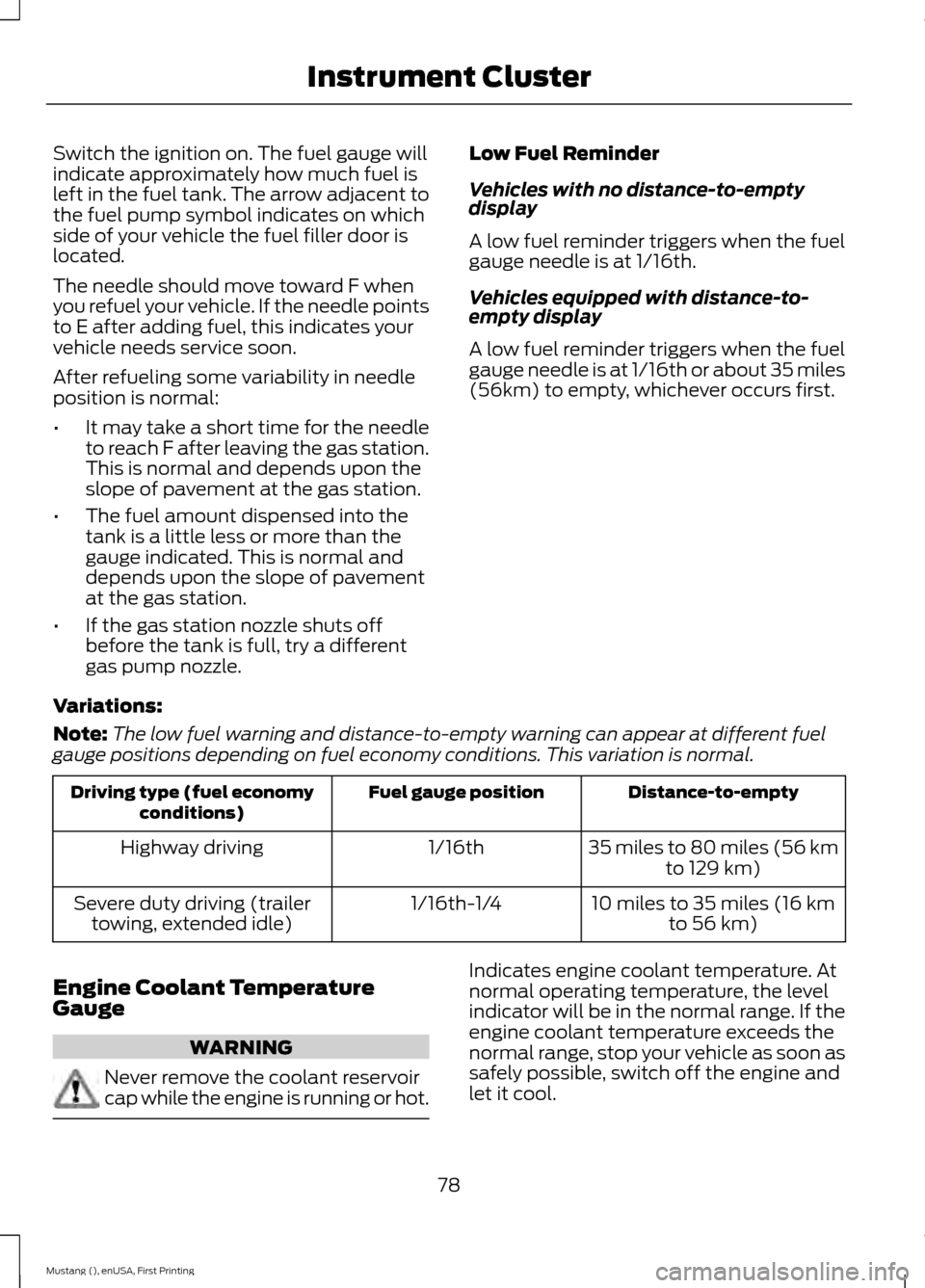
Switch the ignition on. The fuel gauge will
indicate approximately how much fuel is
left in the fuel tank. The arrow adjacent to
the fuel pump symbol indicates on which
side of your vehicle the fuel filler door is
located.
The needle should move toward F when
you refuel your vehicle. If the needle points
to E after adding fuel, this indicates your
vehicle needs service soon.
After refueling some variability in needle
position is normal:
•
It may take a short time for the needle
to reach F after leaving the gas station.
This is normal and depends upon the
slope of pavement at the gas station.
• The fuel amount dispensed into the
tank is a little less or more than the
gauge indicated. This is normal and
depends upon the slope of pavement
at the gas station.
• If the gas station nozzle shuts off
before the tank is full, try a different
gas pump nozzle. Low Fuel Reminder
Vehicles with no distance-to-empty
display
A low fuel reminder triggers when the fuel
gauge needle is at 1/16th.
Vehicles equipped with distance-to-
empty display
A low fuel reminder triggers when the fuel
gauge needle is at 1/16th or about 35 miles
(56km) to empty, whichever occurs first.
Variations:
Note: The low fuel warning and distance-to-empty warning can appear at different fuel
gauge positions depending on fuel economy conditions. This variation is normal. Distance-to-empty
Fuel gauge position
Driving type (fuel economy
conditions)
35 miles to 80 miles (56 kmto 129 km)
1/16th
Highway driving
10 miles to 35 miles (16 kmto 56 km)
1/16th-1/4
Severe duty driving (trailer
towing, extended idle)
Engine Coolant Temperature
Gauge WARNING
Never remove the coolant reservoir
cap while the engine is running or hot. Indicates engine coolant temperature. At
normal operating temperature, the level
indicator will be in the normal range. If the
engine coolant temperature exceeds the
normal range, stop your vehicle as soon as
safely possible, switch off the engine and
let it cool.
78
Mustang (), enUSA, First Printing Instrument Cluster
Page 83 of 441
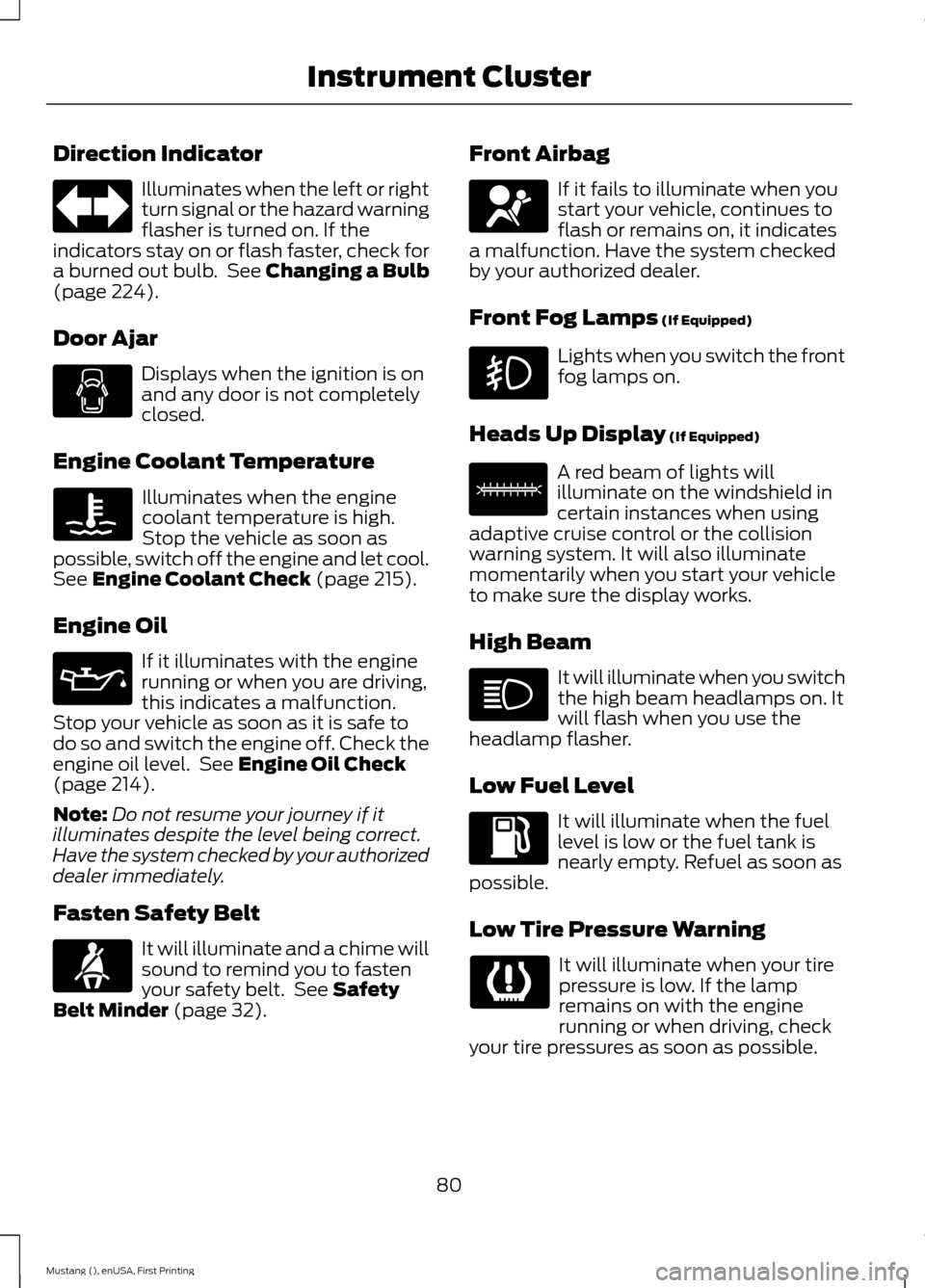
Direction Indicator
Illuminates when the left or right
turn signal or the hazard warning
flasher is turned on. If the
indicators stay on or flash faster, check for
a burned out bulb. See Changing a Bulb
(page 224).
Door Ajar Displays when the ignition is on
and any door is not completely
closed.
Engine Coolant Temperature Illuminates when the engine
coolant temperature is high.
Stop the vehicle as soon as
possible, switch off the engine and let cool.
See
Engine Coolant Check (page 215).
Engine Oil If it illuminates with the engine
running or when you are driving,
this indicates a malfunction.
Stop your vehicle as soon as it is safe to
do so and switch the engine off. Check the
engine oil level. See
Engine Oil Check
(page 214).
Note: Do not resume your journey if it
illuminates despite the level being correct.
Have the system checked by your authorized
dealer immediately.
Fasten Safety Belt It will illuminate and a chime will
sound to remind you to fasten
your safety belt. See
Safety
Belt Minder (page 32). Front Airbag If it fails to illuminate when you
start your vehicle, continues to
flash or remains on, it indicates
a malfunction. Have the system checked
by your authorized dealer.
Front Fog Lamps
(If Equipped) Lights when you switch the front
fog lamps on.
Heads Up Display
(If Equipped) A red beam of lights will
illuminate on the windshield in
certain instances when using
adaptive cruise control or the collision
warning system. It will also illuminate
momentarily when you start your vehicle
to make sure the display works.
High Beam It will illuminate when you switch
the high beam headlamps on. It
will flash when you use the
headlamp flasher.
Low Fuel Level It will illuminate when the fuel
level is low or the fuel tank is
nearly empty. Refuel as soon as
possible.
Low Tire Pressure Warning It will illuminate when your tire
pressure is low. If the lamp
remains on with the engine
running or when driving, check
your tire pressures as soon as possible.
80
Mustang (), enUSA, First Printing Instrument Cluster E156133
Page 84 of 441
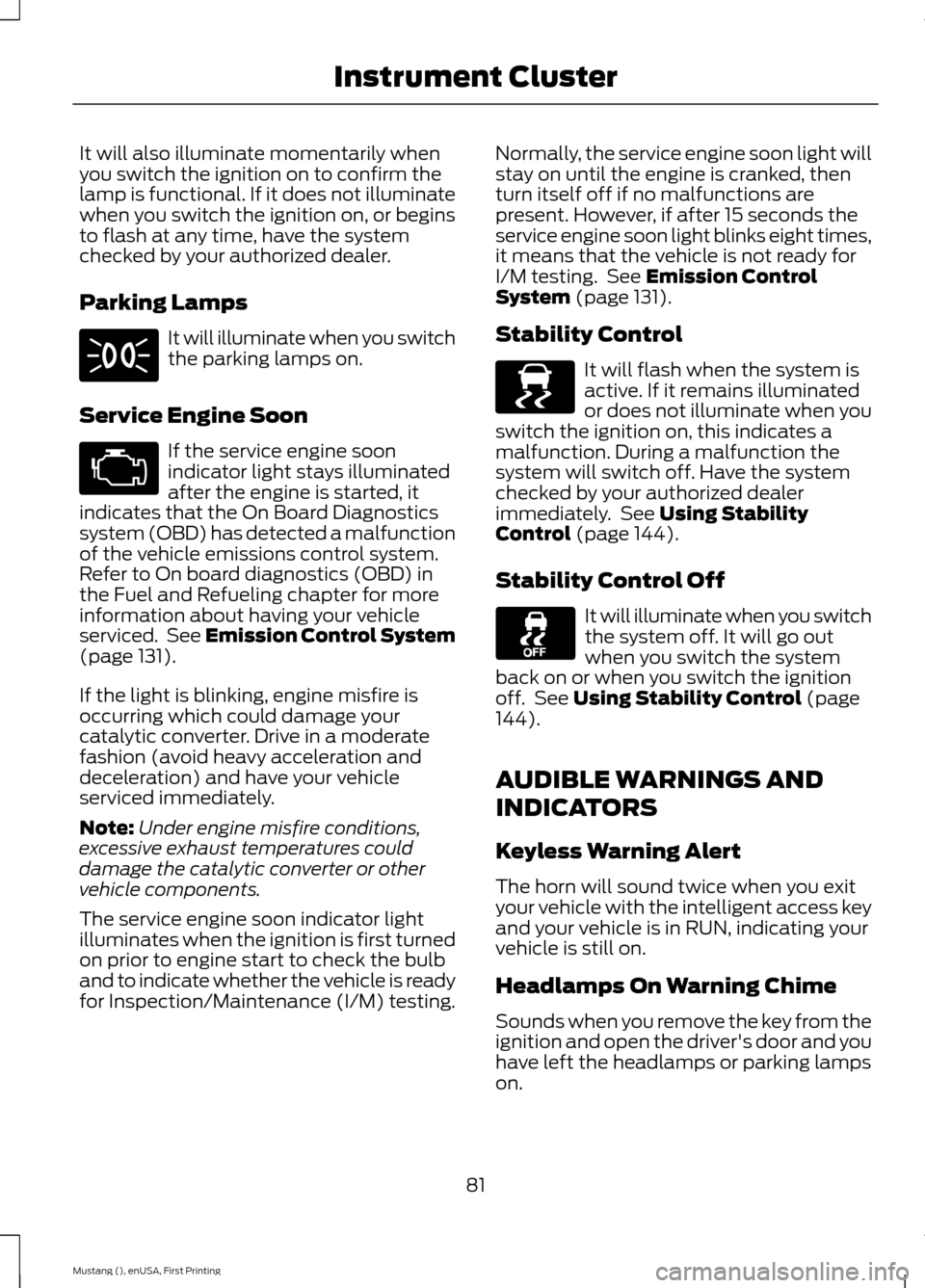
It will also illuminate momentarily when
you switch the ignition on to confirm the
lamp is functional. If it does not illuminate
when you switch the ignition on, or begins
to flash at any time, have the system
checked by your authorized dealer.
Parking Lamps
It will illuminate when you switch
the parking lamps on.
Service Engine Soon If the service engine soon
indicator light stays illuminated
after the engine is started, it
indicates that the On Board Diagnostics
system (OBD) has detected a malfunction
of the vehicle emissions control system.
Refer to On board diagnostics (OBD) in
the Fuel and Refueling chapter for more
information about having your vehicle
serviced. See Emission Control System
(page 131).
If the light is blinking, engine misfire is
occurring which could damage your
catalytic converter. Drive in a moderate
fashion (avoid heavy acceleration and
deceleration) and have your vehicle
serviced immediately.
Note: Under engine misfire conditions,
excessive exhaust temperatures could
damage the catalytic converter or other
vehicle components.
The service engine soon indicator light
illuminates when the ignition is first turned
on prior to engine start to check the bulb
and to indicate whether the vehicle is ready
for Inspection/Maintenance (I/M) testing. Normally, the service engine soon light will
stay on until the engine is cranked, then
turn itself off if no malfunctions are
present. However, if after 15 seconds the
service engine soon light blinks eight times,
it means that the vehicle is not ready for
I/M testing. See
Emission Control
System (page 131).
Stability Control It will flash when the system is
active. If it remains illuminated
or does not illuminate when you
switch the ignition on, this indicates a
malfunction. During a malfunction the
system will switch off. Have the system
checked by your authorized dealer
immediately. See
Using Stability
Control (page 144).
Stability Control Off It will illuminate when you switch
the system off. It will go out
when you switch the system
back on or when you switch the ignition
off. See
Using Stability Control (page
144).
AUDIBLE WARNINGS AND
INDICATORS
Keyless Warning Alert
The horn will sound twice when you exit
your vehicle with the intelligent access key
and your vehicle is in RUN, indicating your
vehicle is still on.
Headlamps On Warning Chime
Sounds when you remove the key from the
ignition and open the driver's door and you
have left the headlamps or parking lamps
on.
81
Mustang (), enUSA, First Printing Instrument Cluster E138639
Page 86 of 441
GENERAL INFORMATION
WARNING
Driving while distracted can result in
loss of vehicle control, crash and
injury. We strongly recommend that
you use extreme caution when using any
device that may take your focus off the
road. Your primary responsibility is the safe
operation of your vehicle. We recommend
against the use of any handheld device
while driving and encourage the use of
voice-operated systems when possible.
Make sure you are aware of all applicable
local laws that may affect the use of
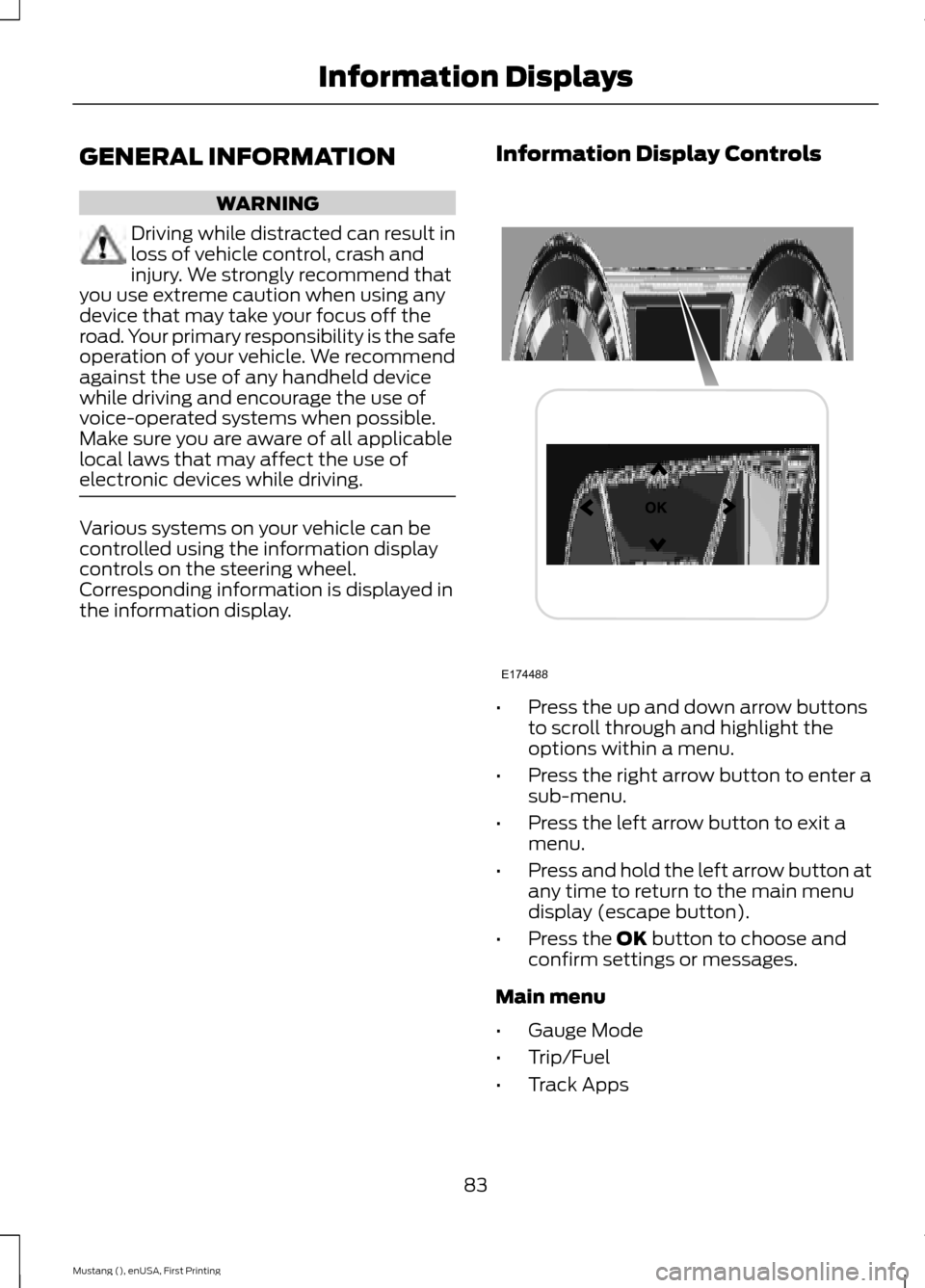
electronic devices while driving. Various systems on your vehicle can be
controlled using the information display
controls on the steering wheel.
Corresponding information is displayed in
the information display.
Information Display Controls •
Press the up and down arrow buttons
to scroll through and highlight the
options within a menu.
• Press the right arrow button to enter a
sub-menu.
• Press the left arrow button to exit a
menu.
• Press and hold the left arrow button at
any time to return to the main menu
display (escape button).
• Press the OK button to choose and
confirm settings or messages.
Main menu
• Gauge Mode
• Trip/Fuel
• Track Apps
83
Mustang (), enUSA, First Printing Information DisplaysE174488
Page 87 of 441
•
Driver Assist
• Settings
Note: Some options may appear slightly
different or not at all if the items are
optional. Gauge Mode
Use the arrow buttons to choose between
the following gauge options.Gauge Mode
Distance to Empty - XXX miles
Tire Pressure – Tire Pressure on Demand Screen Virtual gauge shown
Air/Fuel Ratio
Gauge Detail
Boost/Vac
Cyl Head
Inlet Air
Oil PressureVirtual gauge shown
Oil Temp
Trans Temp
Voltage
Note: In order to provide real-time values,
some gauges may display more value
fluctuation than other gauges during normal
operation.
Some gauges shown in standard measure.
Metric similar.
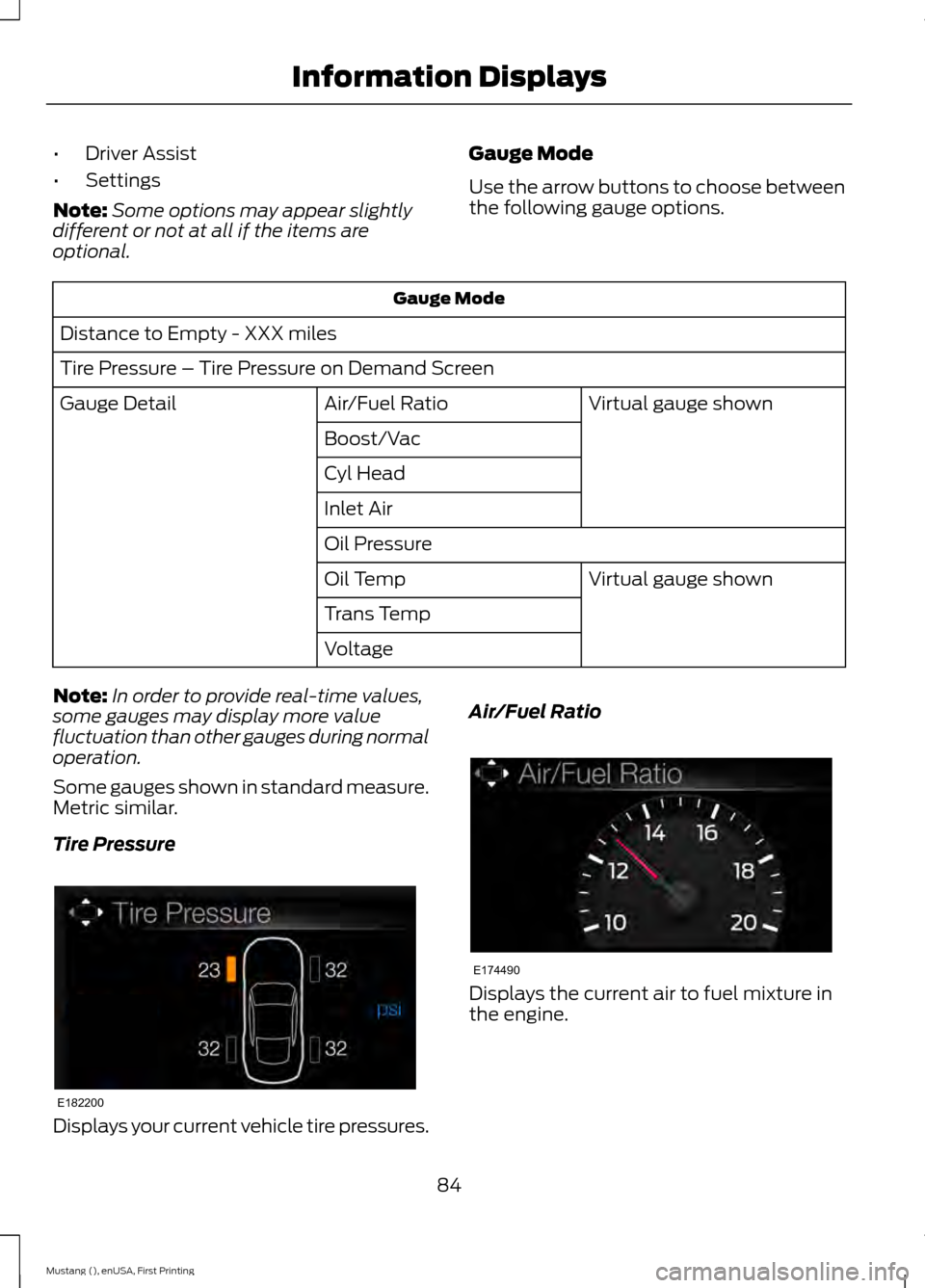
Tire Pressure Displays your current vehicle tire pressures. Air/Fuel Ratio
Displays the current air to fuel mixture in
the engine.
84
Mustang (), enUSA, First Printing Information DisplaysE182200 E174490
Page 89 of 441
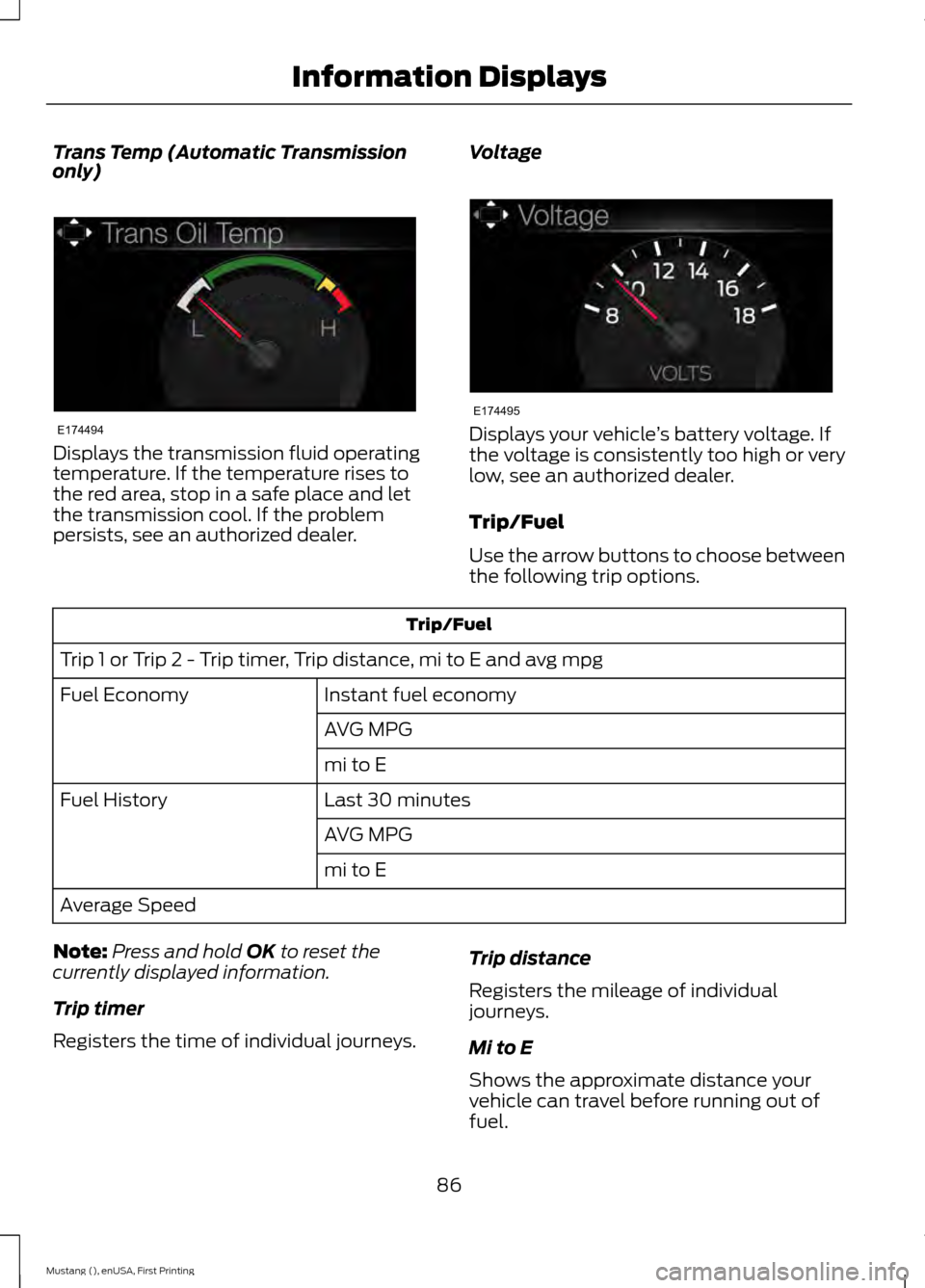
Trans Temp (Automatic Transmission
only)
Displays the transmission fluid operating
temperature. If the temperature rises to
the red area, stop in a safe place and let
the transmission cool. If the problem
persists, see an authorized dealer.
Voltage Displays your vehicle
’s battery voltage. If
the voltage is consistently too high or very
low, see an authorized dealer.
Trip/Fuel
Use the arrow buttons to choose between
the following trip options. Trip/Fuel
Trip 1 or Trip 2 - Trip timer, Trip distance, mi to E and avg mpg Instant fuel economy
Fuel Economy
AVG MPG
mi to E
Last 30 minutes
Fuel History
AVG MPG
mi to E
Average Speed
Note: Press and hold OK to reset the
currently displayed information.
Trip timer
Registers the time of individual journeys. Trip distance
Registers the mileage of individual
journeys.
Mi to E
Shows the approximate distance your
vehicle can travel before running out of
fuel.
86
Mustang (), enUSA, First Printing Information DisplaysE174494 E174495
Page 90 of 441
Avg mpg
Shows the average fuel usage based on
time.
Instant fuel economy
Shows your instantaneous fuel usage.
Fuel history
Shows fuel usage as a bar graph based on
time. The graph is updated each minute
with the fuel economy that you achieved
during 30 minutes of driving.
Track Apps
WARNING
Track Apps is for track use only.
Remember that even advanced
technology cannot defy the laws of
physics. It is always possible to lose control
of a vehicle due to inappropriate driver
input for the conditions. Aggressive driving
on any road condition can cause you to
lose control of your vehicle increasing the
risk of personal injury or property damage. Note:
Track Apps are for track use only.
They are not to be used under any other
driving conditions.
Note: Viewed or cleared results cannot be
used unless your vehicle is at a complete
stop. The right arrow on the display menu
will be inactive. If your vehicle does not
reach 100 mph (160 km/h) during the track
run, your display may not display your 1/4
mile results.
Note: The system will disable the collision
warning system while using track apps or
when you switch off advancetrac. Track Apps
Virtual gauge shown
Accelerometer
Automatic Start or
Countdown Start
0-30 MPH (50 km/h)
Acceleration Timer
0-60 MPH (100 km/h)
0-100 MPH (200 km/h)
0-1/8 Mile (200m)
0-1/4 Mile (400m)
60-0 MPH (100km/h)
Brake Performance
100-0 MPH (200km/h)
Launch Control - check enabled or uncheck disabled
Launch Control
RPM set value
RPM
Line Lock
87
Mustang (), enUSA, First Printing Information Displays
Page 98 of 441
Fuel
Action
Message
An early reminder of a low fuel condition.
Fuel Level Low
The fuel fill inlet may not be properly closed.
Check Fuel Fill Inlet
Hill Start Assist Action
Message
Hill start assist is not available. Contact an authorized dealer.See Hill Start Assist (page 141).
Hill Start Assist Not
Available
Keys and Intelligent Access Action
Message
A reminder to press the brake while starting the vehicle.
Press Brake to START
The system does not detect a key in your vehicle. See KeylessStarting
(page 121).
No Key Detected
You pressed the start/stop button to switch off the engine
and your vehicle does not detect your intelligent access key inside your vehicle.
Restart Now or Key is
Needed
Your vehicle is in the accessory ignition state.
Accessory Power Active
There is a problem with your vehicle ’s starting system. See
an authorized dealer for service.
Starting System Fault
You have successfully programmed an intelligent access keyto the system.
Key Program Successful
You have failed to program an intelligent access key to thesystem.
Key Program Failure
You have programmed the maximum number of keys to the system.
Max Number of Keys
Learned
95
Mustang (), enUSA, First Printing Information Displays
Page 110 of 441
Note:
Do not clean the housing or glass of
any mirror with harsh abrasives, fuel or other
petroleum-based cleaning products.
The heated mirrors remove ice, mist and
fog when you switch on the heated rear
window.
CABIN AIR FILTER
Your vehicle is equipped with a cabin air
filter. It is located behind the glove box.
The particulate filtration system reduces
the concentration of airborne particles
such as dust, spores and pollen in the air
supplied to the interior of your vehicle.
Note: Make sure you have a cabin air filter
installed at all times. This prevents foreign
objects from entering the system. Running
the system without a filter in place could
result in degradation or damage to the
system.
The particulate filtration system gives you
and your passengers the following
benefits:
• It improves your driving comfort by
reducing particle concentration.
• It improves the interior compartment
cleanliness.
• It protects the climate control
components from particle deposits.
Replace the filter at regular intervals. See
Scheduled Maintenance (page 414).
For additional cabin air filter information,
or to replace the filter, see an authorized
dealer.
REMOTE START
(If Equipped)
The remote start feature allows you to
pre-condition the interior of your vehicle.
The climate control system works to
achieve comfort according to your previous
settings. Note:
You cannot adjust the system during
remote start operation.
Turn the ignition on to return the system
to its previous settings. You can now make
adjustments normally, but you need to turn
certain vehicle-dependent features back
on, such as:
• Heated seats.
• Cooled seats.
• Heated steering wheel.
• Heated mirrors.
• Heated rear window.
You can adjust the default remote start
settings using the information display
controls. See
Information Displays
(page 83).
Automatic Settings
In hot weather, the system is set to 72°F
(22°C). The cooled seats are set to high
(if available, and selected to AUTO in the
information display).
In moderate weather, the system either
heats or cools (based on previous
settings). The rear defroster, heated
mirrors and heated seats do not
automatically turn on.
In cold weather, the system is set to 72°F
(22°C). The heated seats are set to high
(if available, and selected to AUTO in the
information display). The rear defroster
and heated mirrors automatically turn on.
107
Mustang (), enUSA, First Printing Climate Control
Page 126 of 441
3. With the key in this position, press the
brake pedal (automatic transmission)
or clutch pedal (manual transmission),
then the START button to switch the
ignition on and start your vehicle.
Fast Restart
The fast restart feature allows you to
restart the engine within 20 seconds of
switching it off, even if a valid key is not
present.
Within 20 seconds of switching the engine
off, press the brake pedal (automatic
transmission) or clutch pedal (manual
transmission) and press the button. After
20 seconds have expired, you can no
longer restart the engine without the key
present inside your vehicle.
Once the engine has started, it remains
running until you press the button, even if
the system does not detect a valid key. If
you open and close a door while the engine
is running, the system searches for a valid
key. You cannot restart the engine if the
system does not detect a valid key within
20 seconds.
Failure to Start
If you cannot start the engine after three
attempts, wait 10 seconds and follow this
procedure:
1. If your vehicle is equipped with an automatic transmission, fully press the
brake pedal. If your vehicle is equipped
with a manual transmission, fully press
the clutch pedal and apply the
handbrake.
2. Move the transmission selector lever to park (P) (automatic transmission)
or neutral (manual transmission).
3. Fully press the accelerator pedal and hold it there.
4. Start the engine. Automatic Engine Shutdown
Your vehicle is equipped with a feature that
automatically shuts down the engine if it
has been idling for an extended period. The
ignition also turns off in order to save
battery power. Before the engine shuts
down, a message appears in the
information display showing a timer
counting down from 30 seconds. If you do
not intervene within 30 seconds, the engine
shuts down. Another message appears in
the information display to inform you that
the engine has shut down in order to save
fuel. Start your vehicle as you normally do.
Automatic Engine Shutdown Override
Note:
You cannot permanently switch off
the automatic engine shutdown feature.
When you switch it off temporarily, it turns
on at the next ignition cycle.
You can stop the engine shutdown, or reset
the timer, at any point before the
30-second countdown has expired by
doing any of the following:
• You can reset the timer by interacting
with your vehicle (such as pressing the
brake pedal or accelerator pedal).
• You can temporarily switch off the
shutdown feature any time the ignition
is on (for the current ignition cycle
only). Use the information display to
do so. See Information Displays
(page 83).
• During the countdown before engine
shutdown, you are prompted to press
OK or RESET (depending on your type
of information display) to temporarily
switch the feature off (for the current
ignition cycle only).
Stopping the Engine When Your
Vehicle is Stationary
1. Move the transmission selector lever to park (P) (automatic transmission)
or neutral (manual transmission).
123
Mustang (), enUSA, First Printing Starting and Stopping the Engine