tow FORD MUSTANG 2015 6.G User Guide
[x] Cancel search | Manufacturer: FORD, Model Year: 2015, Model line: MUSTANG, Model: FORD MUSTANG 2015 6.GPages: 441, PDF Size: 6.98 MB
Page 69 of 441
WINDSHIELD WIPERS
Note:
Fully defrost the windshield before
switching on the windshield wipers.
Note: Make sure you switch off the
windshield wipers before entering a car
wash.
Note: Clean the windshield and wiper
blades if they begin to leave streaks or
smears. If that does not resolve the issue,
install new wiper blades.
Note: Do not operate the wipers on a dry
windshield. This may scratch the glass,
damage the wiper blades or cause the wiper
motor to burn out. Always use the
windshield washers before wiping a dry
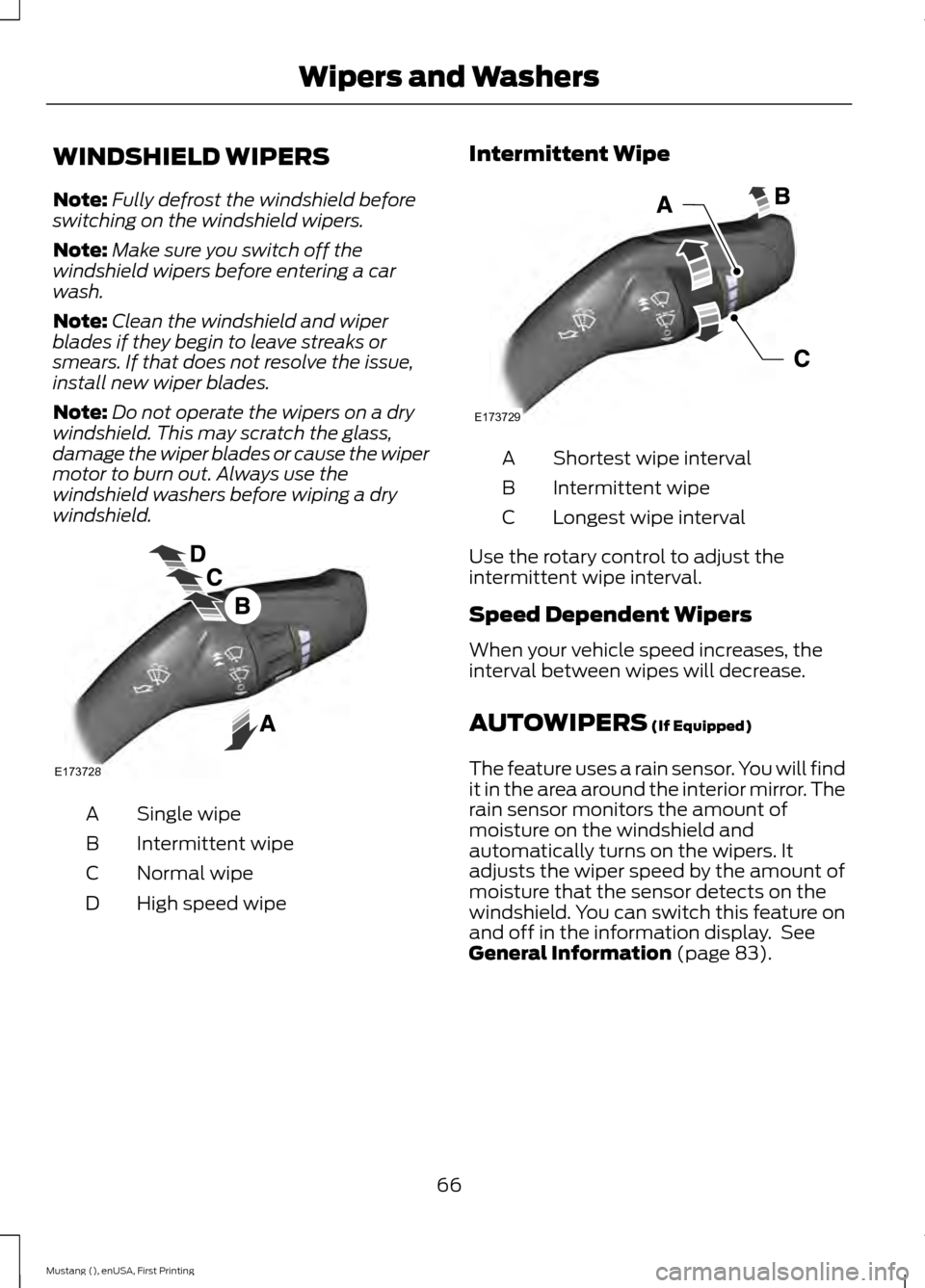
windshield. Single wipe
A
Intermittent wipe
B
Normal wipe
C
High speed wipe
D Intermittent Wipe Shortest wipe interval
A
Intermittent wipe
B
Longest wipe interval
C
Use the rotary control to adjust the
intermittent wipe interval.
Speed Dependent Wipers
When your vehicle speed increases, the
interval between wipes will decrease.
AUTOWIPERS (If Equipped)
The feature uses a rain sensor. You will find
it in the area around the interior mirror. The
rain sensor monitors the amount of
moisture on the windshield and
automatically turns on the wipers. It
adjusts the wiper speed by the amount of
moisture that the sensor detects on the
windshield. You can switch this feature on
and off in the information display. See
General Information
(page 83).
66
Mustang (), enUSA, First Printing Wipers and WashersE173728 E173729
Page 70 of 441
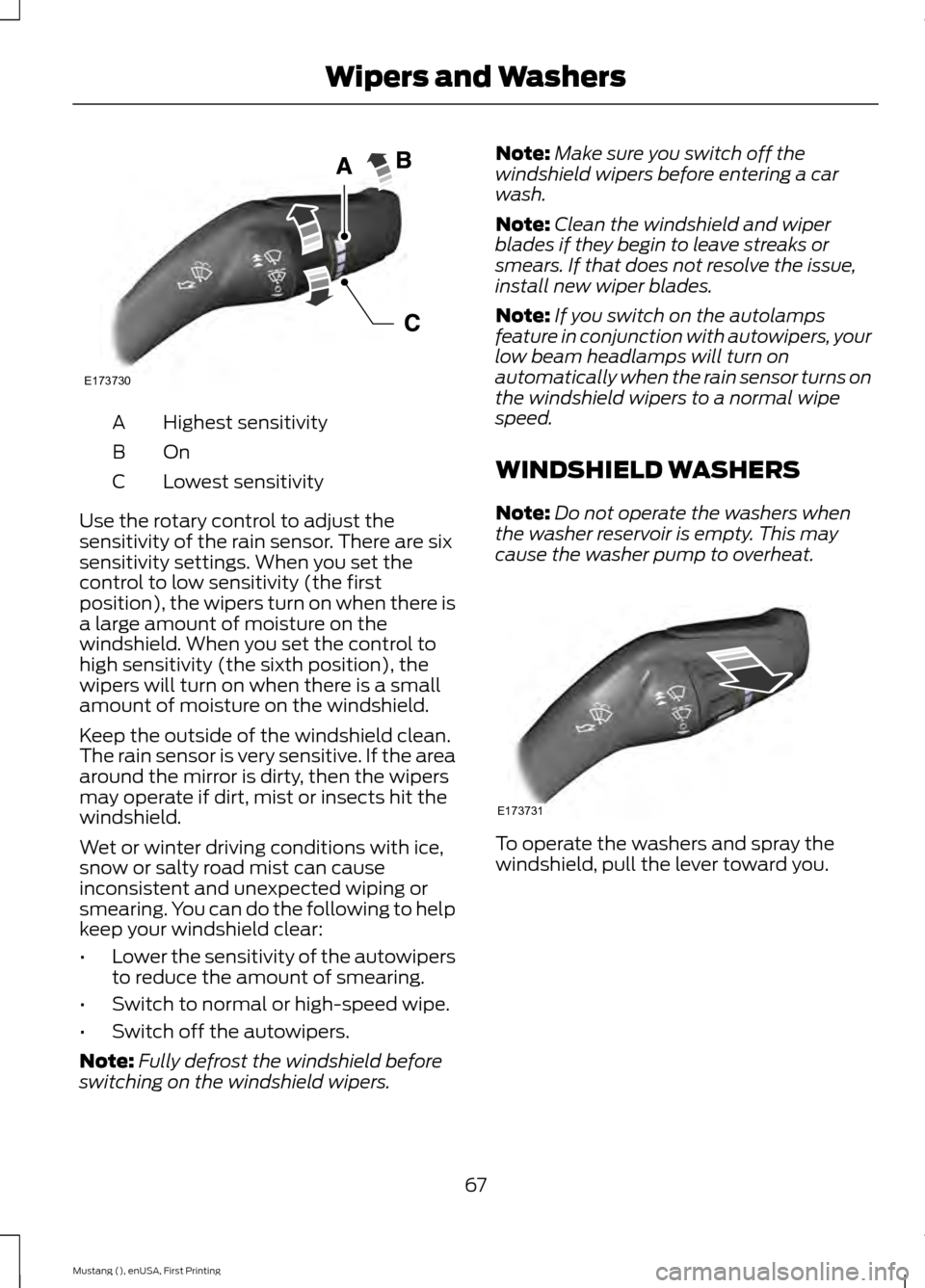
Highest sensitivity
A
OnB
Lowest sensitivity
C
Use the rotary control to adjust the
sensitivity of the rain sensor. There are six
sensitivity settings. When you set the
control to low sensitivity (the first
position), the wipers turn on when there is
a large amount of moisture on the
windshield. When you set the control to
high sensitivity (the sixth position), the
wipers will turn on when there is a small
amount of moisture on the windshield.
Keep the outside of the windshield clean.
The rain sensor is very sensitive. If the area
around the mirror is dirty, then the wipers
may operate if dirt, mist or insects hit the
windshield.
Wet or winter driving conditions with ice,
snow or salty road mist can cause
inconsistent and unexpected wiping or
smearing. You can do the following to help
keep your windshield clear:
• Lower the sensitivity of the autowipers
to reduce the amount of smearing.
• Switch to normal or high-speed wipe.
• Switch off the autowipers.
Note: Fully defrost the windshield before
switching on the windshield wipers. Note:
Make sure you switch off the
windshield wipers before entering a car
wash.
Note: Clean the windshield and wiper
blades if they begin to leave streaks or
smears. If that does not resolve the issue,
install new wiper blades.
Note: If you switch on the autolamps
feature in conjunction with autowipers, your
low beam headlamps will turn on
automatically when the rain sensor turns on
the windshield wipers to a normal wipe
speed.
WINDSHIELD WASHERS
Note: Do not operate the washers when
the washer reservoir is empty. This may
cause the washer pump to overheat. To operate the washers and spray the
windshield, pull the lever toward you.
67
Mustang (), enUSA, First Printing Wipers and WashersE173730 E173731
Page 71 of 441
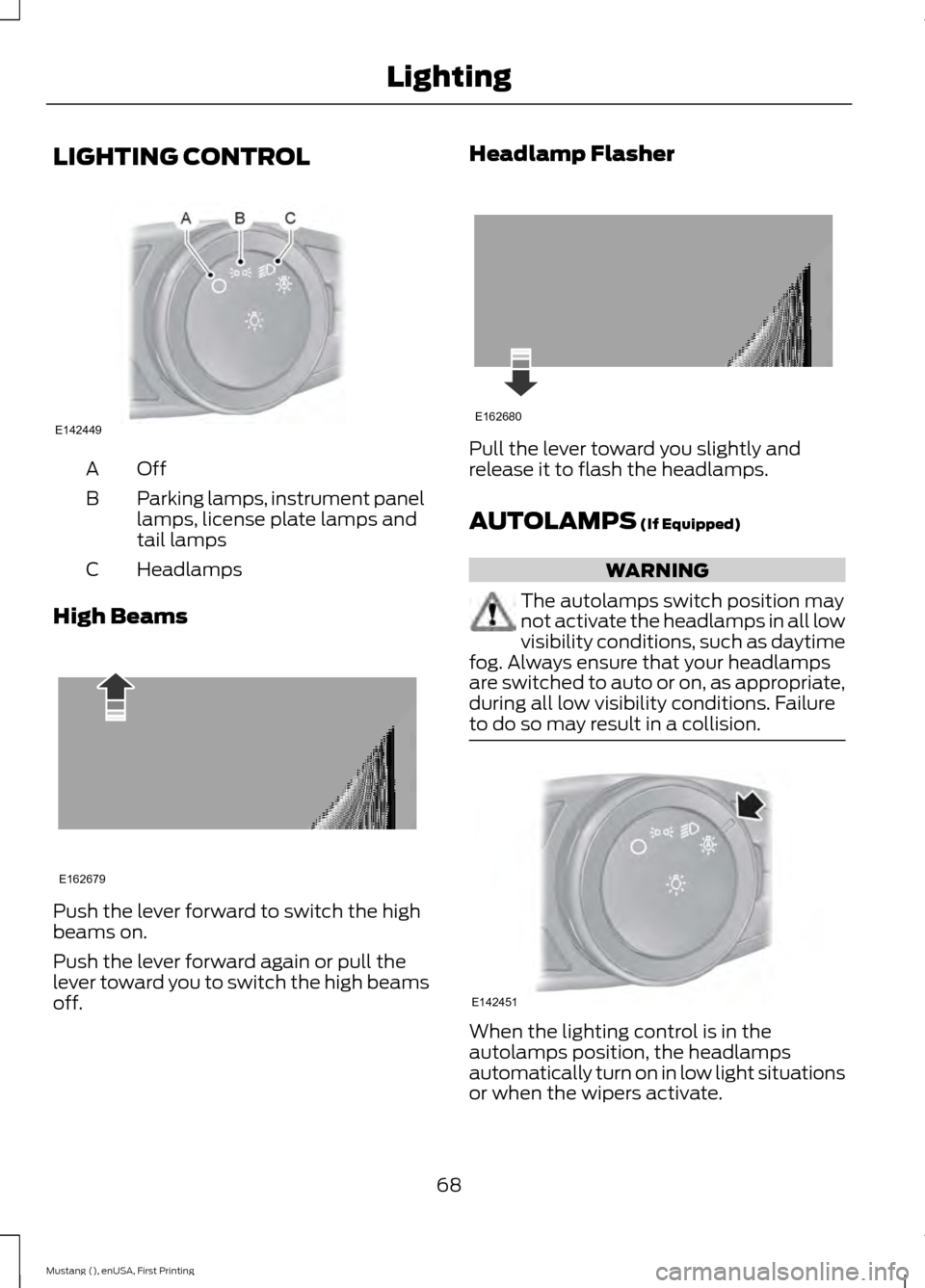
LIGHTING CONTROL
OffA
Parking lamps, instrument panel
lamps, license plate lamps and
tail lamps
B
Headlamps
C
High Beams Push the lever forward to switch the high
beams on.
Push the lever forward again or pull the
lever toward you to switch the high beams
off. Headlamp Flasher
Pull the lever toward you slightly and
release it to flash the headlamps.
AUTOLAMPS (If Equipped)
WARNING
The autolamps switch position may
not activate the headlamps in all low
visibility conditions, such as daytime
fog. Always ensure that your headlamps
are switched to auto or on, as appropriate,
during all low visibility conditions. Failure
to do so may result in a collision. When the lighting control is in the
autolamps position, the headlamps
automatically turn on in low light situations
or when the wipers activate.
68
Mustang (), enUSA, First Printing LightingE142449 E162679 E162680 E142451
Page 72 of 441
If equipped, the following also activate
when the lighting control is in the
autolamps position and you switch them
on in the information display:
•
Configurable daytime running lamps.
• Automatic high beam control.
• Adaptive headlamp control.
The headlamps remain on for a period of
time after you switch the ignition off. Use
the information display controls to adjust
the period of time that the headlamps
remain on. See Information Displays
(page 83).
Note: With the headlamps in the
autolamps position, you cannot switch the
high beam headlamps on until the
autolamps system turns the low beam
headlamps on.
Windshield Wiper Activated
Headlamps
The windshield wiper activated headlamps
turn on within 10 seconds when you switch
the windshield wipers on and the lighting
control is in the autolamps position. They
turn off approximately 60 seconds after
you switch the windshield wipers off.
The headlamps will not turn on by wiper
activation:
• During a mist wipe.
• When the wipers are on to clear washer
fluid during a wash condition.
• If the wipers are in intermittent mode.
Note: If you switch autolamps and
autowipers on, the headlamps will
automatically turn on when the windshield
wipers continuously operate. INSTRUMENT LIGHTING
DIMMER
Note:
If you disconnect the battery or it
becomes discharged, the illuminated
components will switch to the maximum
setting.
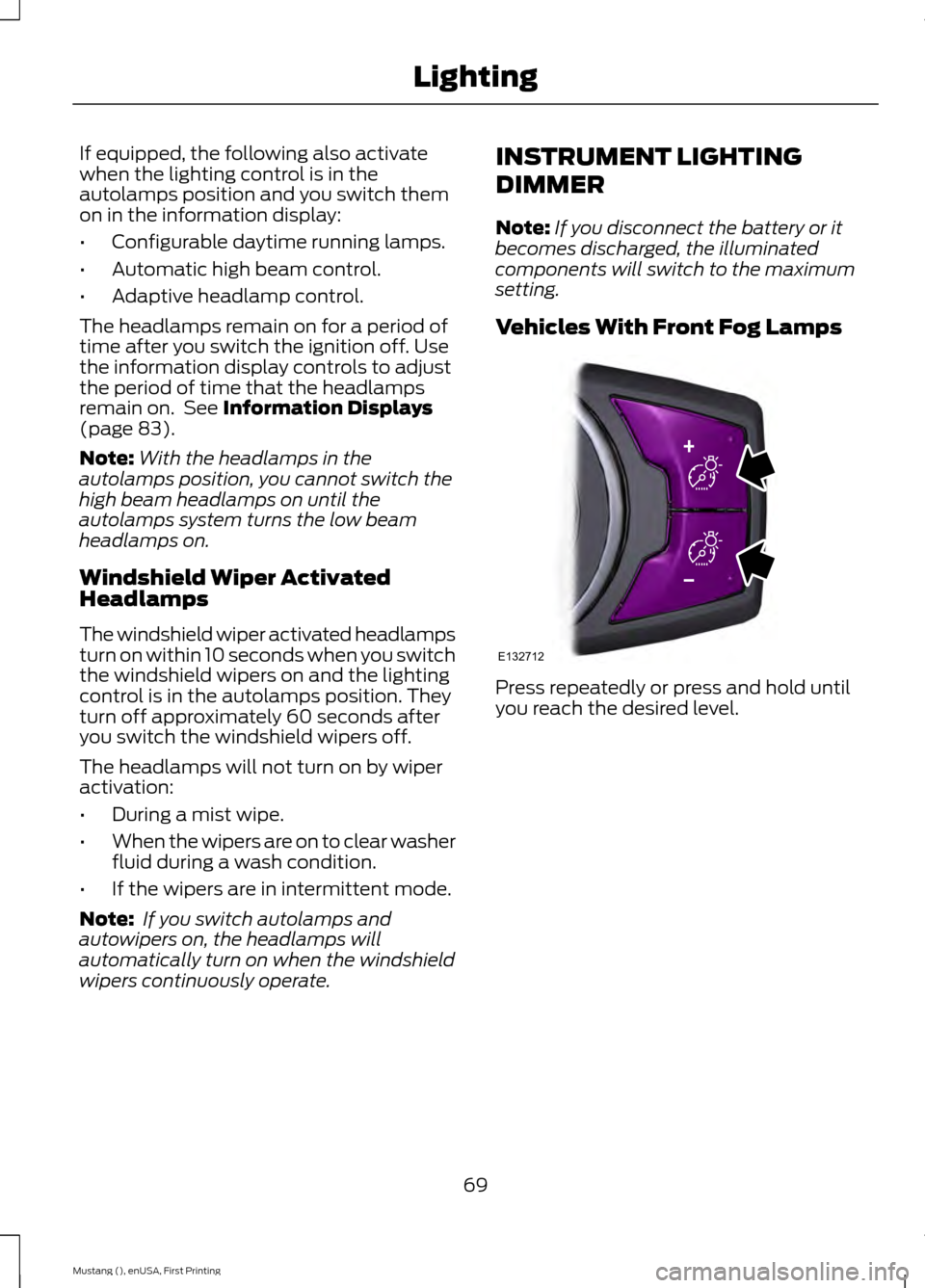
Vehicles With Front Fog Lamps Press repeatedly or press and hold until
you reach the desired level.
69
Mustang (), enUSA, First Printing LightingE132712
Page 73 of 441
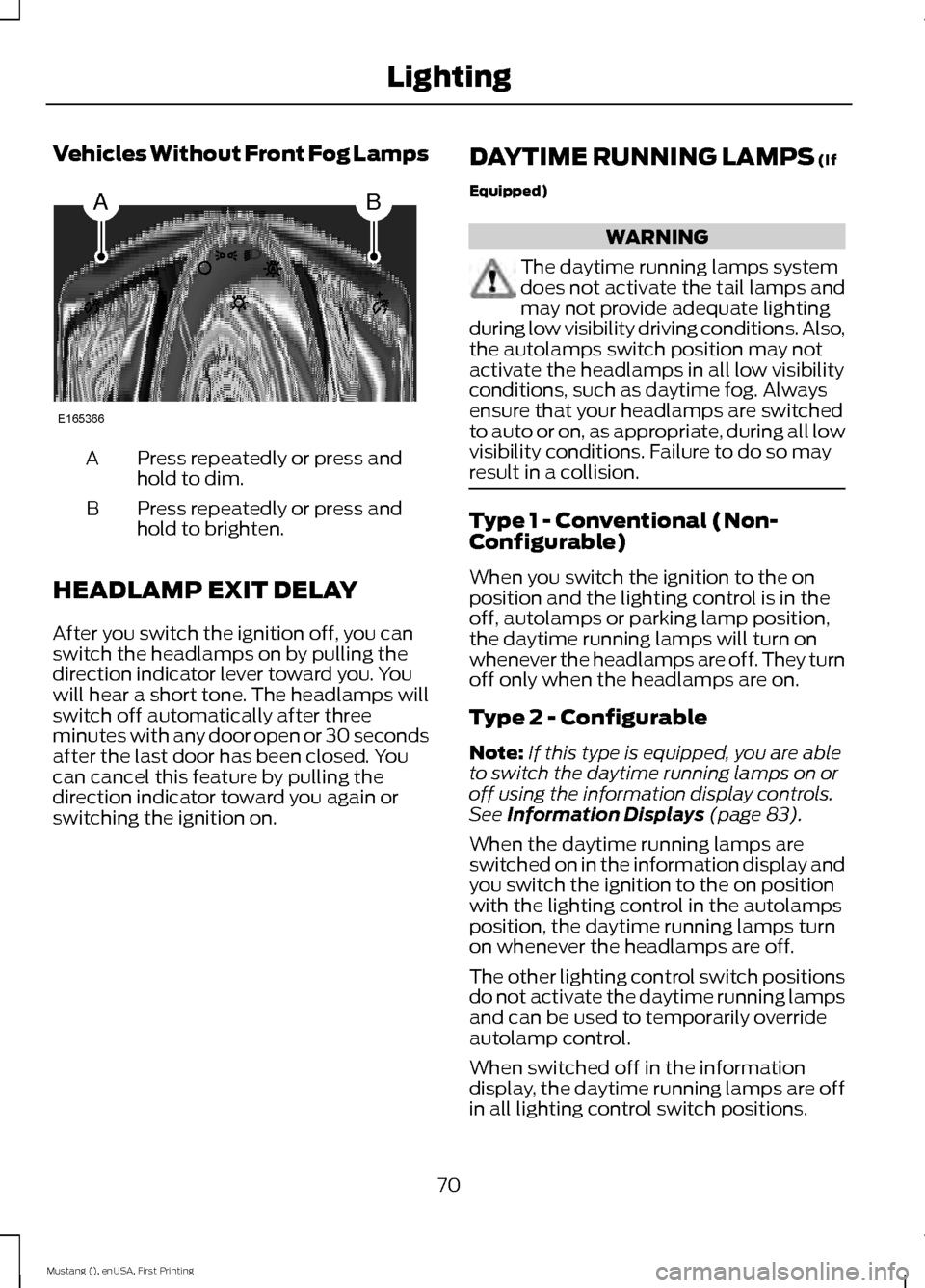
Vehicles Without Front Fog Lamps
Press repeatedly or press and
hold to dim.
A
Press repeatedly or press and
hold to brighten.
B
HEADLAMP EXIT DELAY
After you switch the ignition off, you can
switch the headlamps on by pulling the
direction indicator lever toward you. You
will hear a short tone. The headlamps will
switch off automatically after three
minutes with any door open or 30 seconds
after the last door has been closed. You
can cancel this feature by pulling the
direction indicator toward you again or
switching the ignition on. DAYTIME RUNNING LAMPS (If
Equipped) WARNING
The daytime running lamps system
does not activate the tail lamps and
may not provide adequate lighting
during low visibility driving conditions. Also,
the autolamps switch position may not
activate the headlamps in all low visibility
conditions, such as daytime fog. Always
ensure that your headlamps are switched
to auto or on, as appropriate, during all low
visibility conditions. Failure to do so may
result in a collision. Type 1 - Conventional (Non-
Configurable)
When you switch the ignition to the on
position and the lighting control is in the
off, autolamps or parking lamp position,
the daytime running lamps will turn on
whenever the headlamps are off. They turn
off only when the headlamps are on.
Type 2 - Configurable
Note:
If this type is equipped, you are able
to switch the daytime running lamps on or
off using the information display controls.
See
Information Displays (page 83).
When the daytime running lamps are
switched on in the information display and
you switch the ignition to the on position
with the lighting control in the autolamps
position, the daytime running lamps turn
on whenever the headlamps are off.
The other lighting control switch positions
do not activate the daytime running lamps
and can be used to temporarily override
autolamp control.
When switched off in the information
display, the daytime running lamps are off
in all lighting control switch positions.
70
Mustang (), enUSA, First Printing LightingAB
E165366
Page 77 of 441
Opening the Windows
You can open the windows for a short time
after you unlock your vehicle with the
remote control. After you unlock your
vehicle, press and hold the remote control
unlock button to open the windows.
Release the button once movement starts.
Press the lock or unlock button to stop
movement.
EXTERIOR MIRRORS
Power Exterior Mirrors
WARNING
Do not adjust the mirrors when your
vehicle is moving.
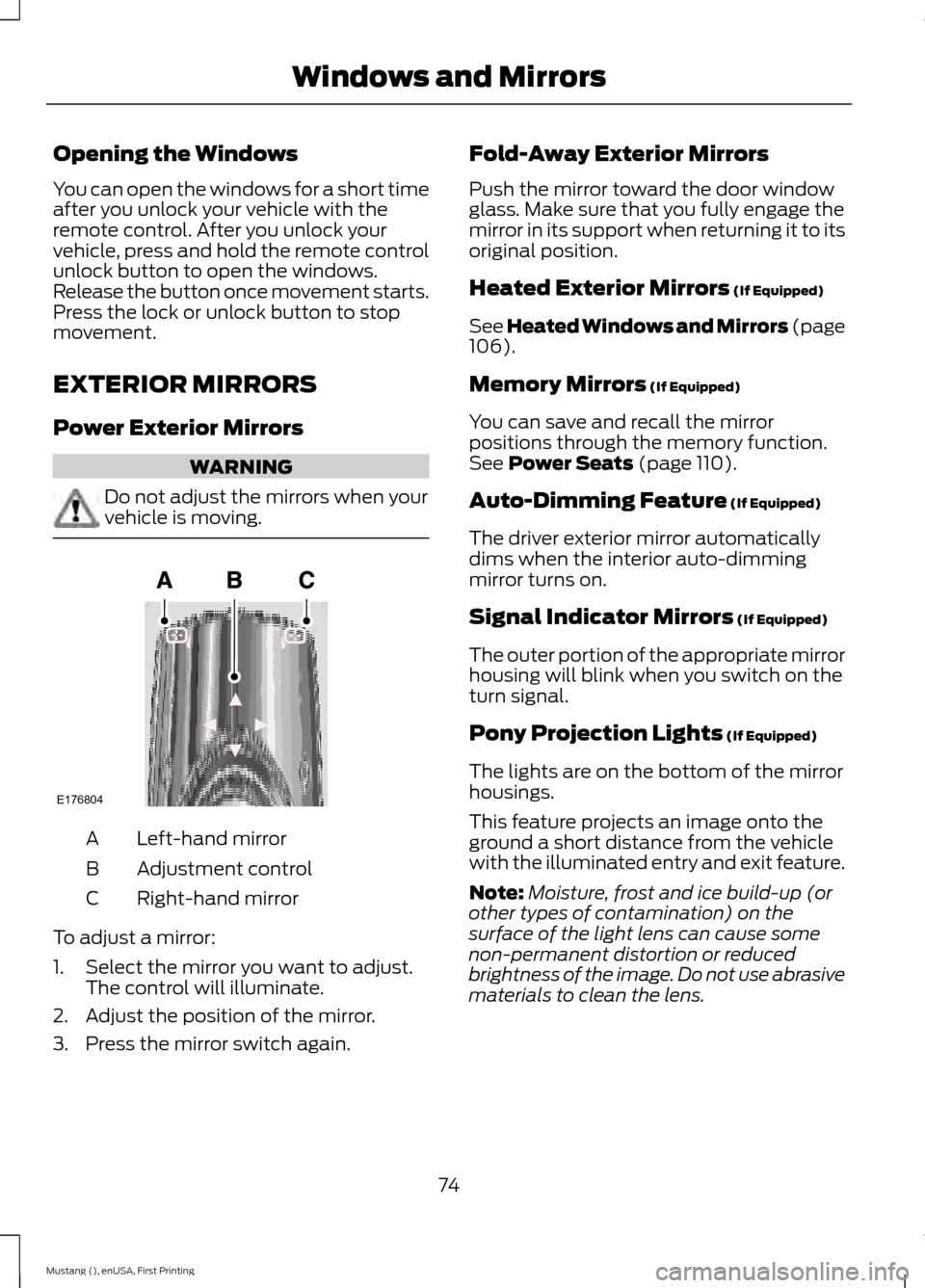
Left-hand mirror
A
Adjustment control
B
Right-hand mirror
C
To adjust a mirror:
1. Select the mirror you want to adjust. The control will illuminate.
2. Adjust the position of the mirror.
3. Press the mirror switch again. Fold-Away Exterior Mirrors
Push the mirror toward the door window
glass. Make sure that you fully engage the
mirror in its support when returning it to its
original position.
Heated Exterior Mirrors (If Equipped)
See Heated Windows and Mirrors (page
106
).
Memory Mirrors
(If Equipped)
You can save and recall the mirror
positions through the memory function.
See
Power Seats (page 110).
Auto-Dimming Feature
(If Equipped)
The driver exterior mirror automatically
dims when the interior auto-dimming
mirror turns on.
Signal Indicator Mirrors
(If Equipped)
The outer portion of the appropriate mirror
housing will blink when you switch on the
turn signal.
Pony Projection Lights
(If Equipped)
The lights are on the bottom of the mirror
housings.
This feature projects an image onto the
ground a short distance from the vehicle
with the illuminated entry and exit feature.
Note: Moisture, frost and ice build-up (or
other types of contamination) on the
surface of the light lens can cause some
non-permanent distortion or reduced
brightness of the image. Do not use abrasive
materials to clean the lens.
74
Mustang (), enUSA, First Printing Windows and MirrorsE176804
Page 79 of 441
To reduce glare, the mirror dims
automatically when it detects bright lights
from behind your vehicle. It automatically
returns to normal reflection when you
select reverse (R) gear to make sure you
have a clear view when backing up.
SUN VISORS
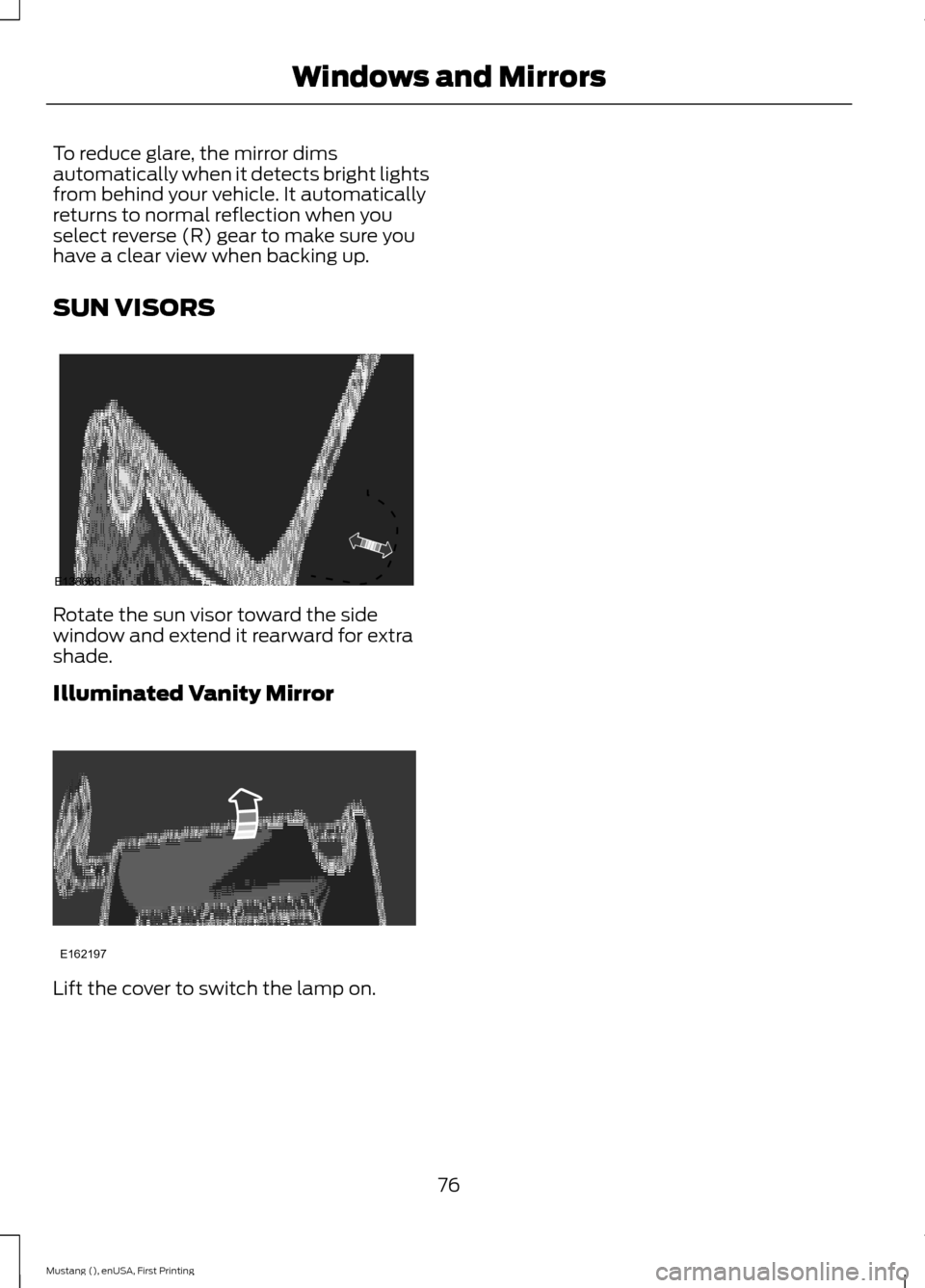
Rotate the sun visor toward the side
window and extend it rearward for extra
shade.
Illuminated Vanity Mirror
Lift the cover to switch the lamp on.
76
Mustang (), enUSA, First Printing Windows and MirrorsE138666 E162197
Page 81 of 441
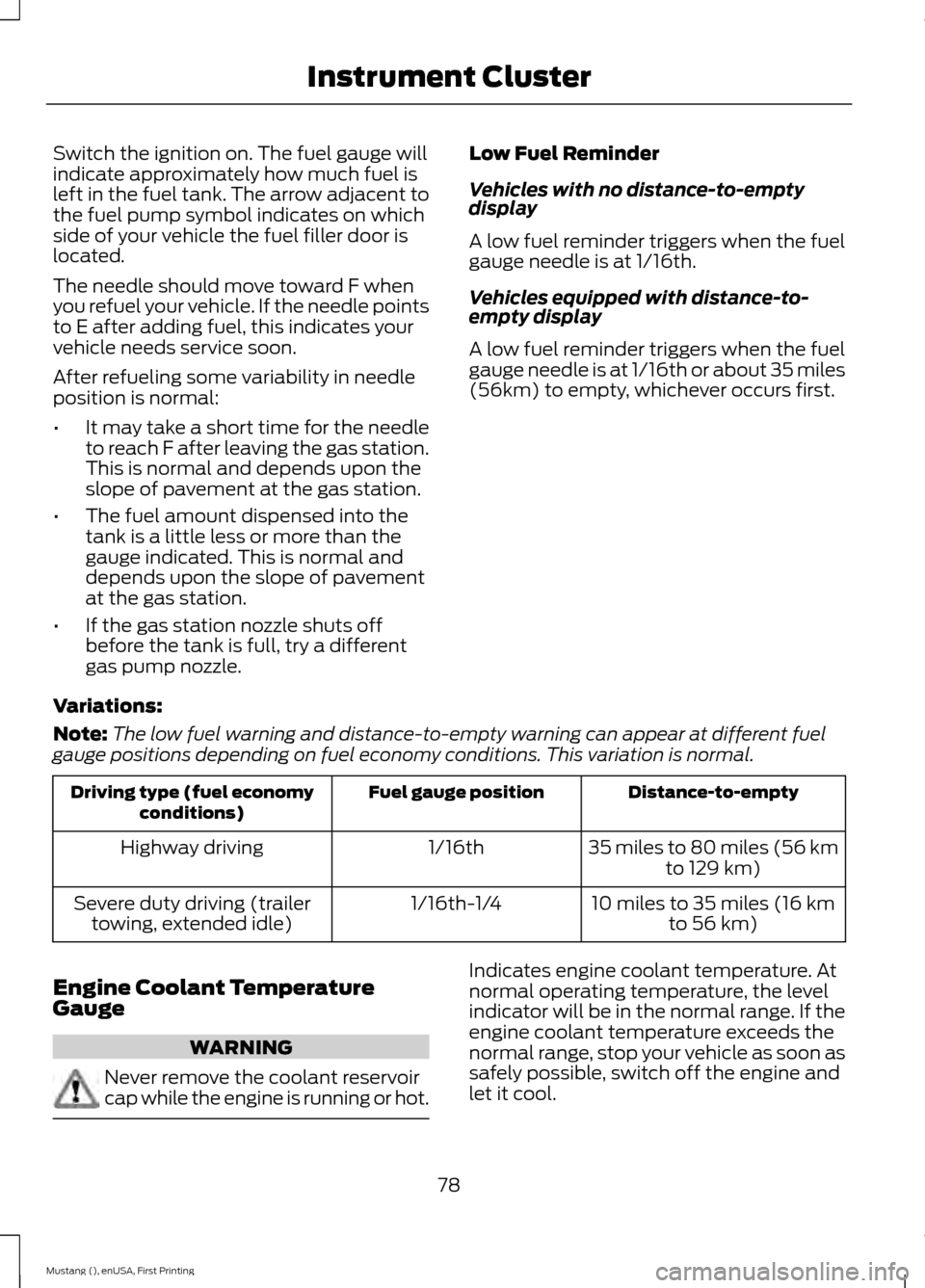
Switch the ignition on. The fuel gauge will
indicate approximately how much fuel is
left in the fuel tank. The arrow adjacent to
the fuel pump symbol indicates on which
side of your vehicle the fuel filler door is
located.
The needle should move toward F when
you refuel your vehicle. If the needle points
to E after adding fuel, this indicates your
vehicle needs service soon.
After refueling some variability in needle
position is normal:
•
It may take a short time for the needle
to reach F after leaving the gas station.
This is normal and depends upon the
slope of pavement at the gas station.
• The fuel amount dispensed into the
tank is a little less or more than the
gauge indicated. This is normal and
depends upon the slope of pavement
at the gas station.
• If the gas station nozzle shuts off
before the tank is full, try a different
gas pump nozzle. Low Fuel Reminder
Vehicles with no distance-to-empty
display
A low fuel reminder triggers when the fuel
gauge needle is at 1/16th.
Vehicles equipped with distance-to-
empty display
A low fuel reminder triggers when the fuel
gauge needle is at 1/16th or about 35 miles
(56km) to empty, whichever occurs first.
Variations:
Note: The low fuel warning and distance-to-empty warning can appear at different fuel
gauge positions depending on fuel economy conditions. This variation is normal. Distance-to-empty
Fuel gauge position
Driving type (fuel economy
conditions)
35 miles to 80 miles (56 kmto 129 km)
1/16th
Highway driving
10 miles to 35 miles (16 kmto 56 km)
1/16th-1/4
Severe duty driving (trailer
towing, extended idle)
Engine Coolant Temperature
Gauge WARNING
Never remove the coolant reservoir
cap while the engine is running or hot. Indicates engine coolant temperature. At
normal operating temperature, the level
indicator will be in the normal range. If the
engine coolant temperature exceeds the
normal range, stop your vehicle as soon as
safely possible, switch off the engine and
let it cool.
78
Mustang (), enUSA, First Printing Instrument Cluster
Page 91 of 441
Track Apps
Acceleration Timer
VIEW/CLEAR Results
Brake Perform
Brake Perform
Clear Saved Data
Clear All Time Best
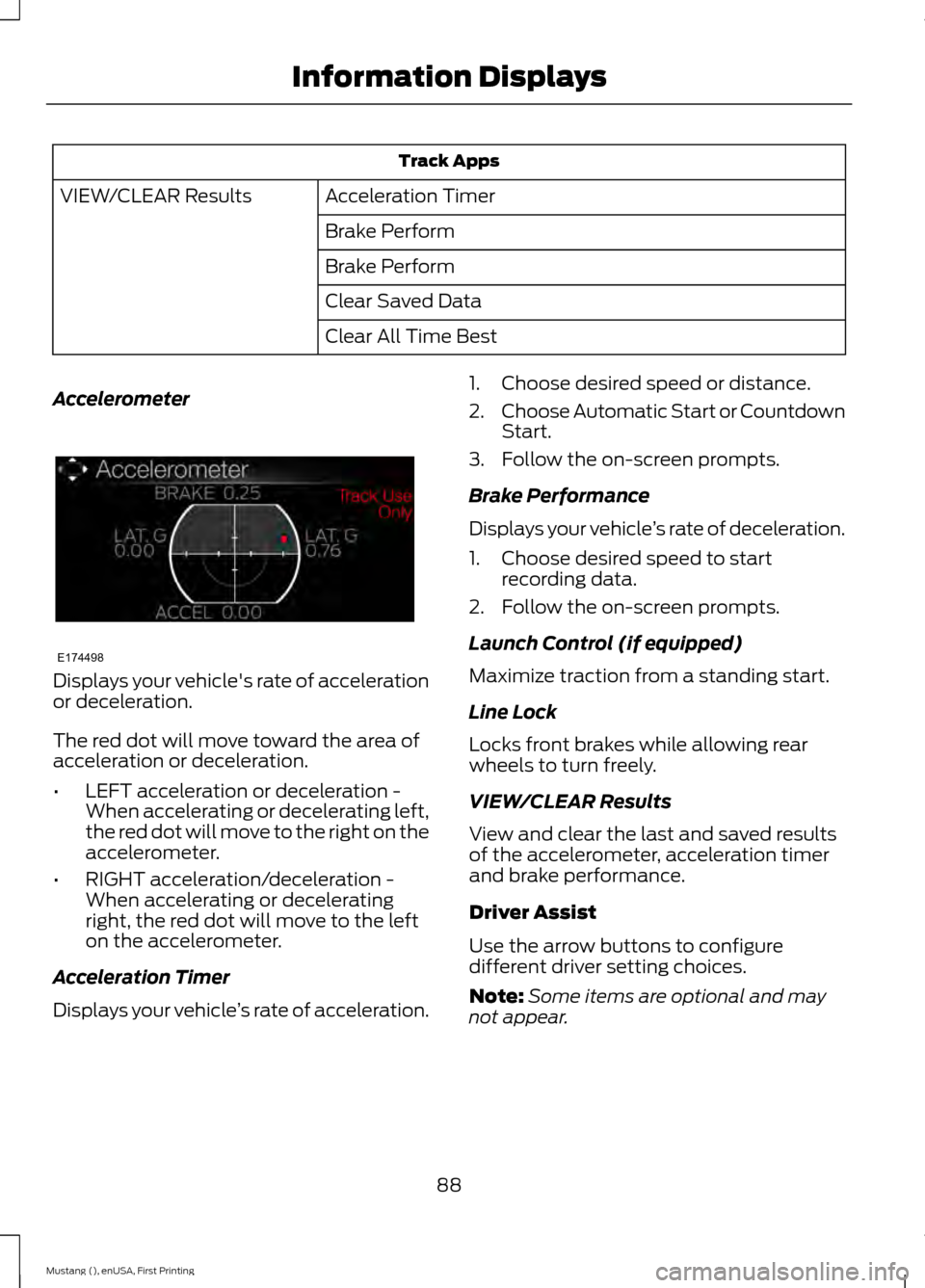
Accelerometer Displays your vehicle's rate of acceleration
or deceleration.
The red dot will move toward the area of
acceleration or deceleration.
•
LEFT acceleration or deceleration -
When accelerating or decelerating left,
the red dot will move to the right on the
accelerometer.
• RIGHT acceleration/deceleration -
When accelerating or decelerating
right, the red dot will move to the left
on the accelerometer.
Acceleration Timer
Displays your vehicle ’s rate of acceleration. 1. Choose desired speed or distance.
2.
Choose Automatic Start or Countdown
Start.
3. Follow the on-screen prompts.
Brake Performance
Displays your vehicle ’s rate of deceleration.
1. Choose desired speed to start recording data.
2. Follow the on-screen prompts.
Launch Control (if equipped)
Maximize traction from a standing start.
Line Lock
Locks front brakes while allowing rear
wheels to turn freely.
VIEW/CLEAR Results
View and clear the last and saved results
of the accelerometer, acceleration timer
and brake performance.
Driver Assist
Use the arrow buttons to configure
different driver setting choices.
Note: Some items are optional and may
not appear.
88
Mustang (), enUSA, First Printing Information DisplaysE174498
Page 113 of 441
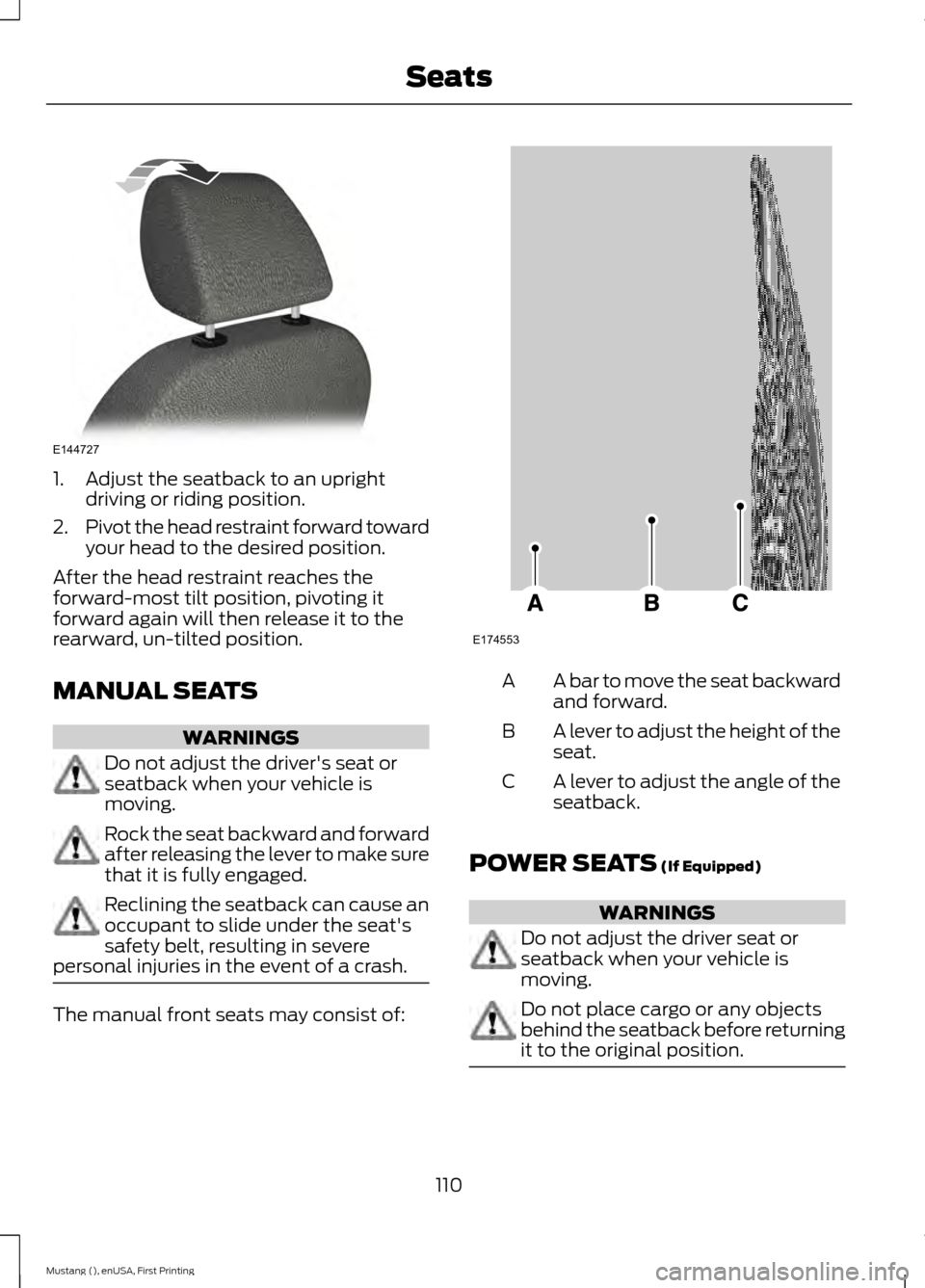
1. Adjust the seatback to an upright
driving or riding position.
2. Pivot the head restraint forward toward
your head to the desired position.
After the head restraint reaches the
forward-most tilt position, pivoting it
forward again will then release it to the
rearward, un-tilted position.
MANUAL SEATS WARNINGS
Do not adjust the driver's seat or
seatback when your vehicle is
moving.
Rock the seat backward and forward
after releasing the lever to make sure
that it is fully engaged.
Reclining the seatback can cause an
occupant to slide under the seat's
safety belt, resulting in severe
personal injuries in the event of a crash. The manual front seats may consist of: A bar to move the seat backward
and forward.
A
A lever to adjust the height of the
seat.
B
A lever to adjust the angle of the
seatback.
C
POWER SEATS (If Equipped) WARNINGS
Do not adjust the driver seat or
seatback when your vehicle is
moving.
Do not place cargo or any objects
behind the seatback before returning
it to the original position.
110
Mustang (), enUSA, First Printing SeatsE144727 E174553