key FORD MUSTANG 2015 6.G Owner's Guide
[x] Cancel search | Manufacturer: FORD, Model Year: 2015, Model line: MUSTANG, Model: FORD MUSTANG 2015 6.GPages: 441, PDF Size: 6.98 MB
Page 125 of 441
STEERING WHEEL LOCK (If
Equipped)
The steering wheel locks automatically
when you leave your vehicle and take the
intelligent access key with you. The
steering wheel unlocks automatically when
you enter your vehicle with the intelligent
access key.
Note: You may need to turn the steering
wheel left or right if the wheel does not
unlock completely. This may happen in
certain situations, such as parking your
vehicle on a steep grade.
STARTING A GASOLINE
ENGINE
When you start the engine, the idle speed
increases, this helps to warm up the
engine. If the engine idle speed does not
slow down automatically, have your
vehicle checked by an authorized dealer.
Note: You can crank the engine for a total
of 60 seconds (without the engine starting)
before the starting system temporarily
disables. The 60 seconds does not have to
be all at once. For example, if you crank the
engine three times for 20 seconds each
time, without the engine starting, you
reached the 60-second time limit. A
message appears in the information display
alerting you that you exceeded the cranking
time. You cannot attempt to start the engine
for at least 15 minutes. After 15 minutes, you
are limited to a 15-second engine cranking
time. You need to wait 60 minutes before
you can crank the engine for 60 seconds
again. Before starting the engine, check the
following:
•
Make sure all occupants have fastened
their safety belts.
• Make sure the headlamps and
electrical accessories are off.
• Make sure the parking brake is on.
• Move the transmission selector lever
to park (P) (automatic transmission)
or neutral (manual transmission)
Note: Do not touch the accelerator pedal.
Note: You must have your intelligent access
key in the vehicle in order to shift the
transmission out of position
P.
1. Fully press the brake pedal.
2. Press the button.
The system does not function if:
• The key frequencies are jammed.
• The key battery has no charge.
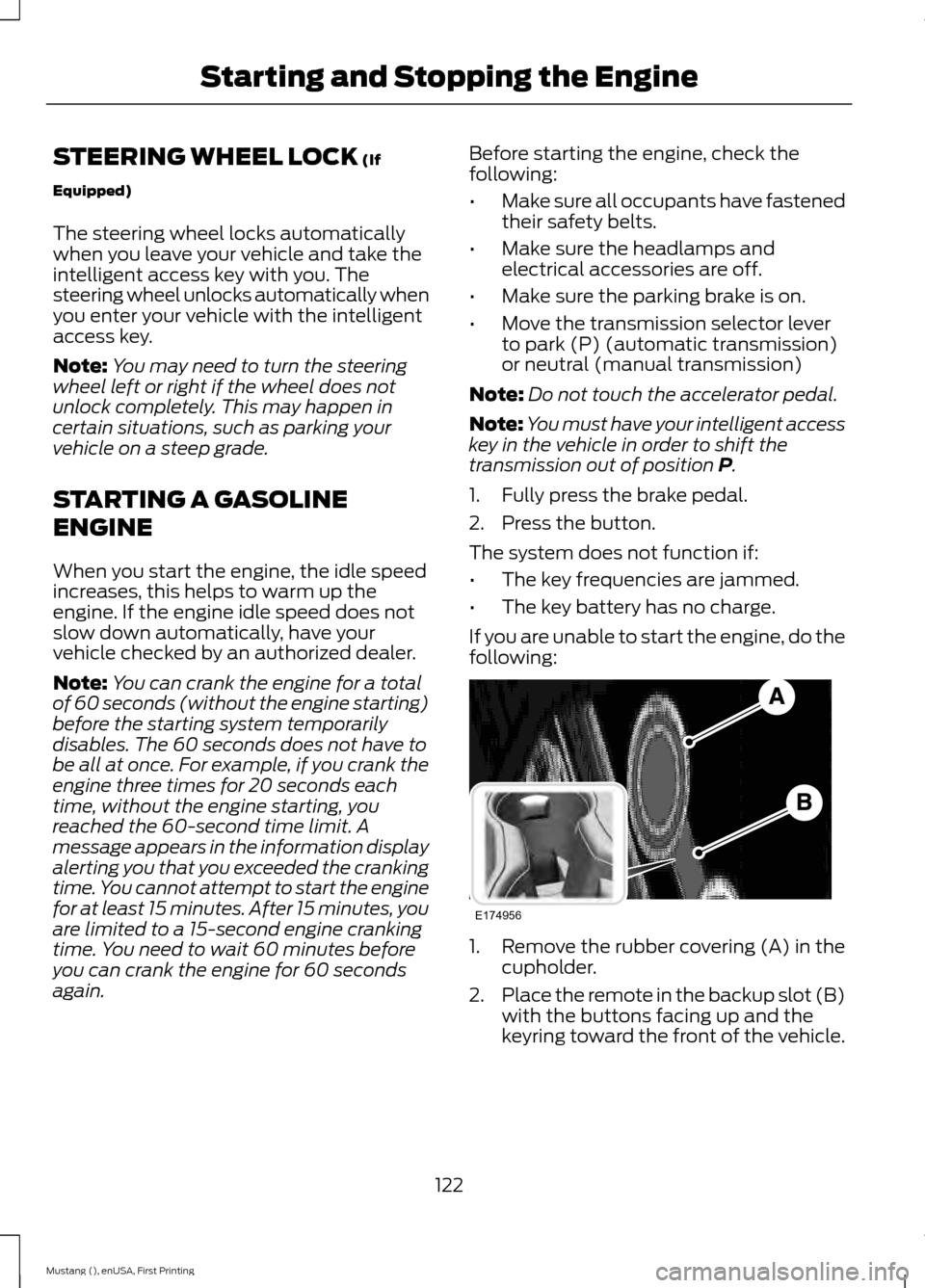
If you are unable to start the engine, do the
following: 1. Remove the rubber covering (A) in the
cupholder.
2. Place the remote in the backup slot (B)
with the buttons facing up and the
keyring toward the front of the vehicle.
122
Mustang (), enUSA, First Printing Starting and Stopping the EngineE174956
Page 126 of 441
3. With the key in this position, press the
brake pedal (automatic transmission)
or clutch pedal (manual transmission),
then the START button to switch the
ignition on and start your vehicle.
Fast Restart
The fast restart feature allows you to
restart the engine within 20 seconds of
switching it off, even if a valid key is not
present.
Within 20 seconds of switching the engine
off, press the brake pedal (automatic
transmission) or clutch pedal (manual
transmission) and press the button. After
20 seconds have expired, you can no
longer restart the engine without the key
present inside your vehicle.
Once the engine has started, it remains
running until you press the button, even if
the system does not detect a valid key. If
you open and close a door while the engine
is running, the system searches for a valid
key. You cannot restart the engine if the
system does not detect a valid key within
20 seconds.
Failure to Start
If you cannot start the engine after three
attempts, wait 10 seconds and follow this
procedure:
1. If your vehicle is equipped with an automatic transmission, fully press the
brake pedal. If your vehicle is equipped
with a manual transmission, fully press
the clutch pedal and apply the
handbrake.
2. Move the transmission selector lever to park (P) (automatic transmission)
or neutral (manual transmission).
3. Fully press the accelerator pedal and hold it there.
4. Start the engine. Automatic Engine Shutdown
Your vehicle is equipped with a feature that
automatically shuts down the engine if it
has been idling for an extended period. The
ignition also turns off in order to save
battery power. Before the engine shuts
down, a message appears in the
information display showing a timer
counting down from 30 seconds. If you do
not intervene within 30 seconds, the engine
shuts down. Another message appears in
the information display to inform you that
the engine has shut down in order to save
fuel. Start your vehicle as you normally do.
Automatic Engine Shutdown Override
Note:
You cannot permanently switch off
the automatic engine shutdown feature.
When you switch it off temporarily, it turns
on at the next ignition cycle.
You can stop the engine shutdown, or reset
the timer, at any point before the
30-second countdown has expired by
doing any of the following:
• You can reset the timer by interacting
with your vehicle (such as pressing the
brake pedal or accelerator pedal).
• You can temporarily switch off the
shutdown feature any time the ignition
is on (for the current ignition cycle
only). Use the information display to
do so. See Information Displays
(page 83).
• During the countdown before engine
shutdown, you are prompted to press
OK or RESET (depending on your type
of information display) to temporarily
switch the feature off (for the current
ignition cycle only).
Stopping the Engine When Your
Vehicle is Stationary
1. Move the transmission selector lever to park (P) (automatic transmission)
or neutral (manual transmission).
123
Mustang (), enUSA, First Printing Starting and Stopping the Engine
Page 136 of 441
Your vehicle may not pass the I/M test if
the service engine soon indicator is on or
not working properly (bulb is burned out),
or if the OBD-II system has determined
that some of the emission control systems
have not been properly checked. In this
case, your vehicle is not ready for I/M
testing.
If the vehicle
’s engine or transmission has
just been serviced, or the battery has
recently run down or been replaced, the
OBD-II system may indicate that the
vehicle is not ready for I/M testing. To
determine if the vehicle is ready for I/M
testing, turn the ignition key to the on
position for 15 seconds without cranking
the engine. If the service engine soon
indicator blinks eight times, it means that
the vehicle is not ready for I/M testing; if
the service engine soon indicator stays on
solid, it means that the vehicle is ready for
I/M testing.
The OBD-II system monitors the emission
control system during normal driving. A
complete check may take several days. If
the vehicle is not ready for I/M testing, you
may need to perform the following driving
cycle consisting of mixed city and highway
driving:
Drive on an expressway or highway for a
steady 15 minutes, followed by 20 minutes
of stop-and-go driving with at least four
30-second idle periods.
Allow the vehicle to sit for at least eight
hours without starting the engine. Then,
start the engine and complete the above
driving cycle. The engine must warm up to
its normal operating temperature. Once
started, do not turn off the engine until the
above driving cycle is complete. If the
vehicle is still not ready for I/M testing, you
will have to repeat the above driving cycle.
133
Mustang (), enUSA, First Printing Fuel and Refueling
Page 139 of 441
AUTOMATIC TRANSMISSION
(If Equipped)
WARNINGS
Always set the parking brake fully
and make sure the gearshift is
latched in park (P). Turn the ignition
to the off position and remove the key
whenever you leave your vehicle. Do not apply the brake pedal and
accelerator pedal simultaneously.
Applying both pedals simultaneously
for more than three seconds will limit
engine rpm, which may result in difficulty
maintaining speed in traffic and could lead
to serious injury. Understanding the Positions of
Your Automatic Transmission
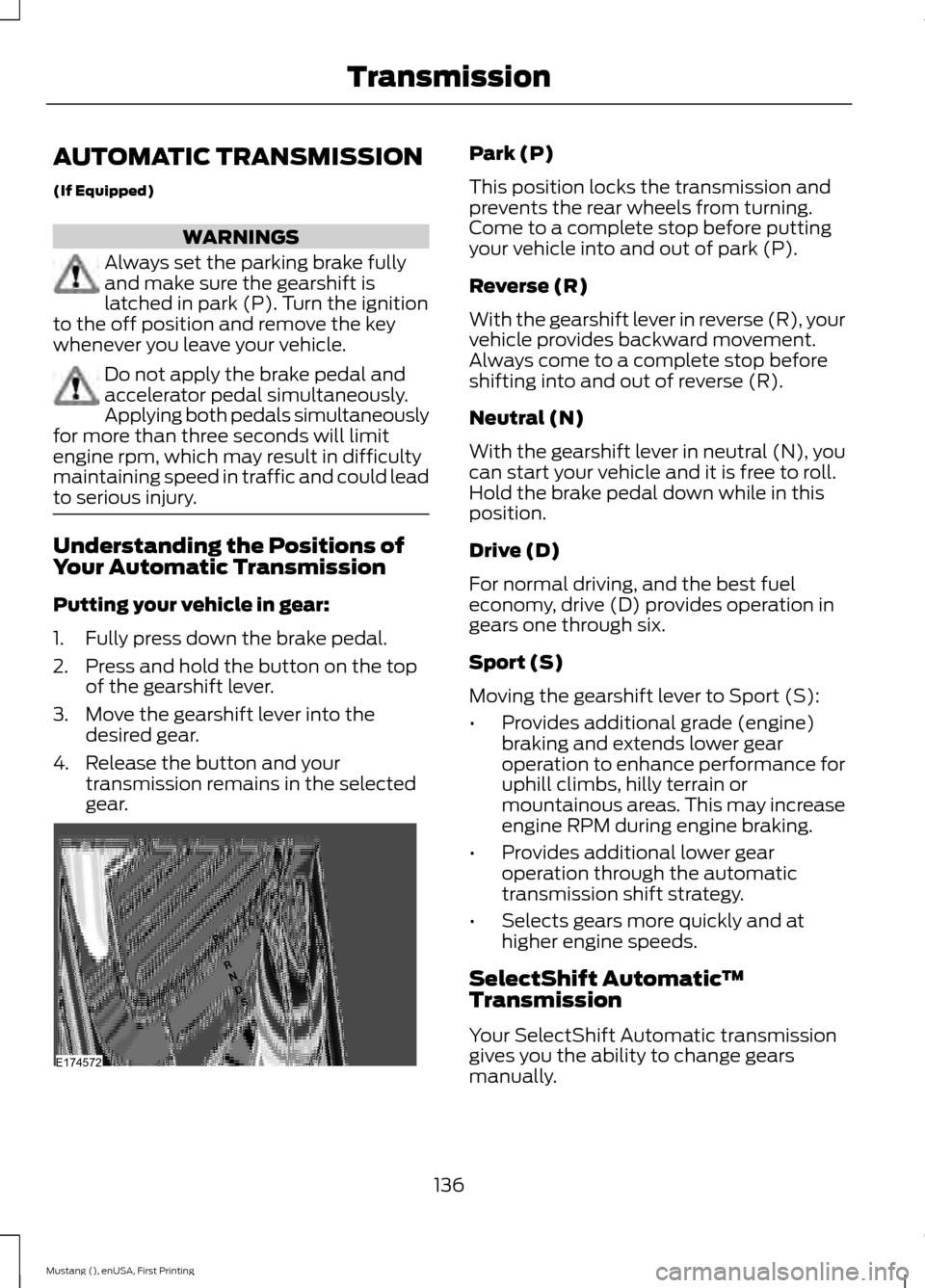
Putting your vehicle in gear:
1. Fully press down the brake pedal.
2. Press and hold the button on the top
of the gearshift lever.
3. Move the gearshift lever into the desired gear.
4. Release the button and your transmission remains in the selected
gear. Park (P)
This position locks the transmission and
prevents the rear wheels from turning.
Come to a complete stop before putting
your vehicle into and out of park (P).
Reverse (R)
With the gearshift lever in reverse (R), your
vehicle provides backward movement.
Always come to a complete stop before
shifting into and out of reverse (R).
Neutral (N)
With the gearshift lever in neutral (N), you
can start your vehicle and it is free to roll.
Hold the brake pedal down while in this
position.
Drive (D)
For normal driving, and the best fuel
economy, drive (D) provides operation in
gears one through six.
Sport (S)
Moving the gearshift lever to Sport (S):
•
Provides additional grade (engine)
braking and extends lower gear
operation to enhance performance for
uphill climbs, hilly terrain or
mountainous areas. This may increase
engine RPM during engine braking.
• Provides additional lower gear
operation through the automatic
transmission shift strategy.
• Selects gears more quickly and at
higher engine speeds.
SelectShift Automatic ™
Transmission
Your SelectShift Automatic transmission
gives you the ability to change gears
manually.
136
Mustang (), enUSA, First Printing TransmissionE174572
Page 150 of 441
PARKING AID (If Equipped)
WARNINGS
To help avoid personal injury, please
read and understand the limitations
of the system as contained in this
section. Sensing is only an aid for some
(generally large and fixed) objects when
moving on a flat surface at parking speeds.
Certain objects with surfaces that absorb
ultrasonic waves, traffic control systems,
fluorescent lamps, inclement weather, air
brakes, and external motors and fans may
also affect the function of the sensing
system; this may include reduced
performance or a false activation. To help avoid personal injury, always
use caution when in reverse (R) and
when using the sensing system.
This system is not designed to
prevent contact with small or moving
objects. The system is designed to
provide a warning to assist the driver in
detecting large stationary objects to avoid
damaging the vehicle. The system may not
detect smaller objects, particularly those
close to the ground. Certain add-on devices such as large
trailer hitches, bike or surfboard racks
and any device that may block the
normal detection zone of the system, may
create false beeps. Note:
Keep the sensors, located on the
bumper or fascia, free from snow, ice and
large accumulations of dirt. If the sensors
are covered, the system ’s accuracy can be
affected. Do not clean the sensors with
sharp objects.
Note: If your vehicle sustains damage to
the bumper or fascia, leaving it misaligned
or bent, the sensing zone may be altered
causing inaccurate measurement of
obstacles or false alarms. Note:
If your vehicle is equipped with
MyKey, it is possible to prevent turning the
sensing system off. See
Principle of
Operation (page 50).
The sensing system warns the driver of
obstacles within a certain range of the
bumper area. The system turns on
automatically whenever the ignition is
switched on.
When receiving a detection warning, the
radio volume is reduced to a
predetermined level. After the warning
goes away, the radio volume returns to the
previous level.
Rear Sensing System
The rear sensors are only active when the
transmission is in reverse (R). As your
vehicle moves closer to the obstacle, the
rate of the audible warning increases.
When the obstacle is fewer than
12 in
(30 cm) away, the warning sounds
continuously. If a stationary or receding
object is detected farther than
12 in
(30 cm) from the side of your vehicle, the
tone sounds for only three seconds. Once
the system detects an object approaching,
the warning sounds again.
147
Mustang (), enUSA, First Printing Parking Aids
Page 161 of 441
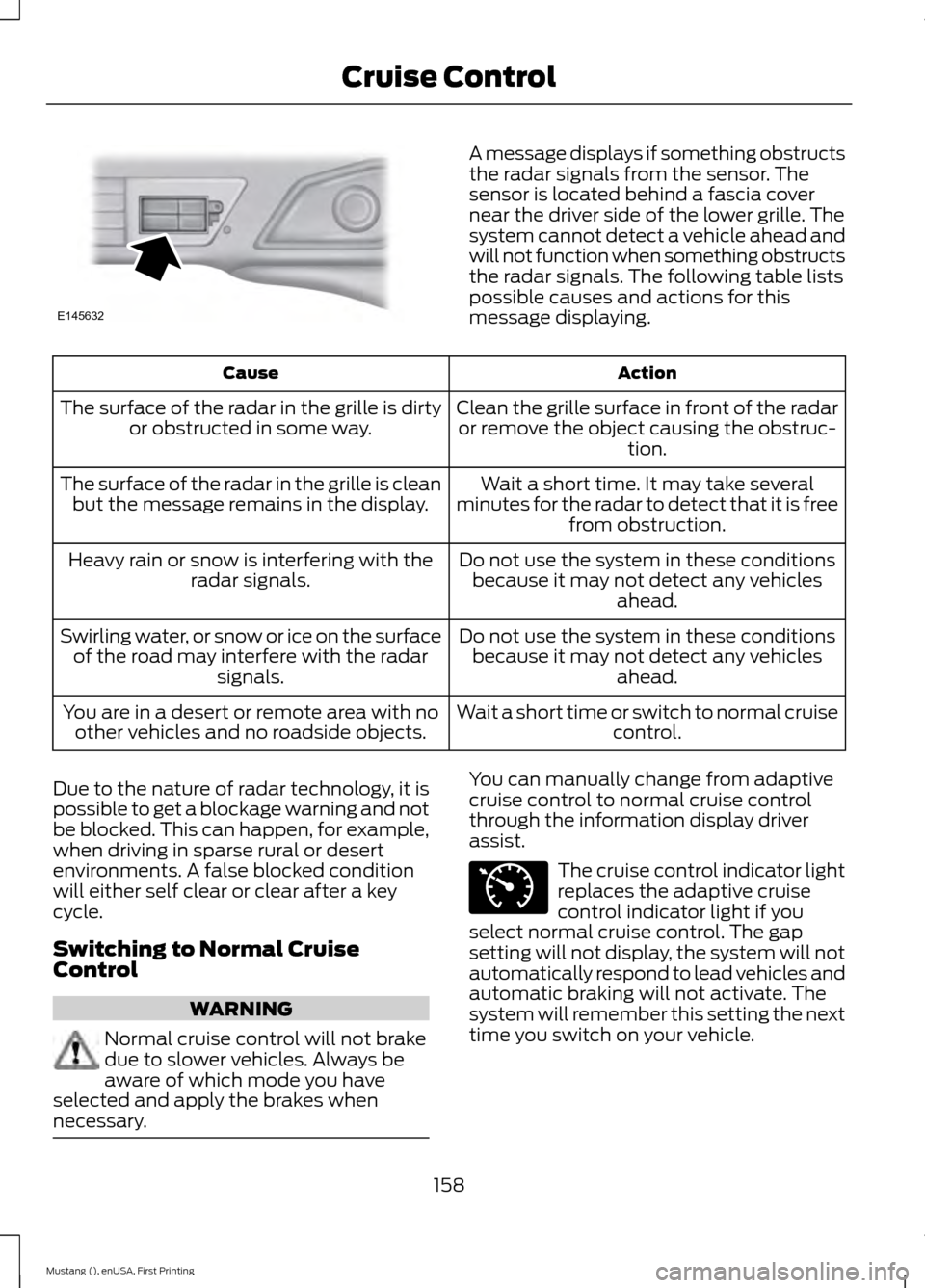
A message displays if something obstructs
the radar signals from the sensor. The
sensor is located behind a fascia cover
near the driver side of the lower grille. The
system cannot detect a vehicle ahead and
will not function when something obstructs
the radar signals. The following table lists
possible causes and actions for this
message displaying.
Action
Cause
Clean the grille surface in front of the radaror remove the object causing the obstruc- tion.
The surface of the radar in the grille is dirty
or obstructed in some way.
Wait a short time. It may take several
minutes for the radar to detect that it is free from obstruction.
The surface of the radar in the grille is clean
but the message remains in the display.
Do not use the system in these conditionsbecause it may not detect any vehicles ahead.
Heavy rain or snow is interfering with the
radar signals.
Do not use the system in these conditionsbecause it may not detect any vehicles ahead.
Swirling water, or snow or ice on the surface
of the road may interfere with the radar signals.
Wait a short time or switch to normal cruisecontrol.
You are in a desert or remote area with no
other vehicles and no roadside objects.
Due to the nature of radar technology, it is
possible to get a blockage warning and not
be blocked. This can happen, for example,
when driving in sparse rural or desert
environments. A false blocked condition
will either self clear or clear after a key
cycle.
Switching to Normal Cruise
Control WARNING
Normal cruise control will not brake
due to slower vehicles. Always be
aware of which mode you have
selected and apply the brakes when
necessary. You can manually change from adaptive
cruise control to normal cruise control
through the information display driver
assist.
The cruise control indicator light
replaces the adaptive cruise
control indicator light if you
select normal cruise control. The gap
setting will not display, the system will not
automatically respond to lead vehicles and
automatic braking will not activate. The
system will remember this setting the next
time you switch on your vehicle.
158
Mustang (), enUSA, First Printing Cruise ControlE145632 E71340
Page 164 of 441
Zone coverage also decreases when
parking at shallow angles. Here, the left
sensor is mostly obstructed; zone coverage
on that side is severely limited.
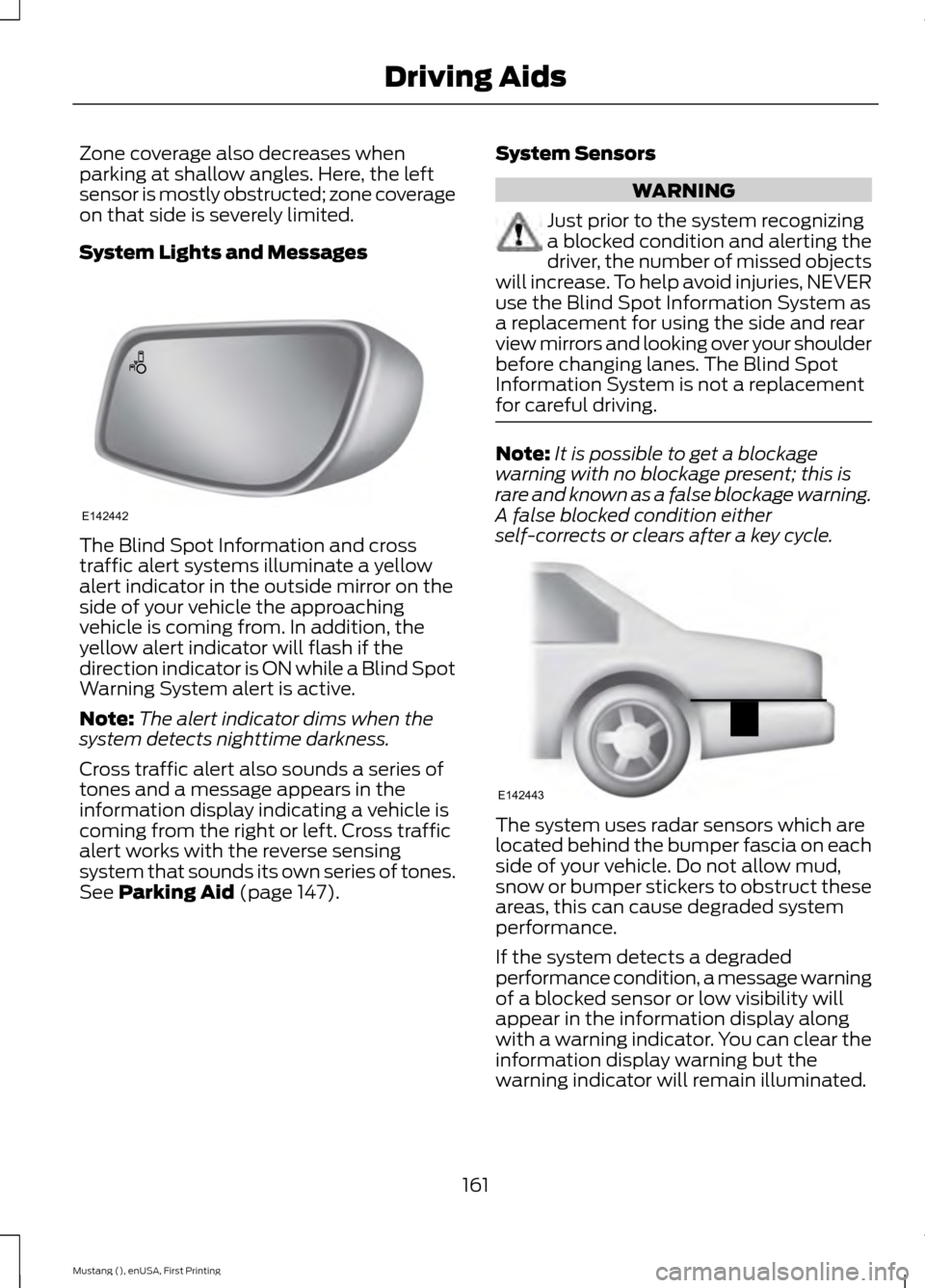
System Lights and Messages
The Blind Spot Information and cross
traffic alert systems illuminate a yellow
alert indicator in the outside mirror on the
side of your vehicle the approaching
vehicle is coming from. In addition, the
yellow alert indicator will flash if the
direction indicator is ON while a Blind Spot
Warning System alert is active.
Note:
The alert indicator dims when the
system detects nighttime darkness.
Cross traffic alert also sounds a series of
tones and a message appears in the
information display indicating a vehicle is
coming from the right or left. Cross traffic
alert works with the reverse sensing
system that sounds its own series of tones.
See Parking Aid (page 147). System Sensors WARNING
Just prior to the system recognizing
a blocked condition and alerting the
driver, the number of missed objects
will increase. To help avoid injuries, NEVER
use the Blind Spot Information System as
a replacement for using the side and rear
view mirrors and looking over your shoulder
before changing lanes. The Blind Spot
Information System is not a replacement
for careful driving. Note:
It is possible to get a blockage
warning with no blockage present; this is
rare and known as a false blockage warning.
A false blocked condition either
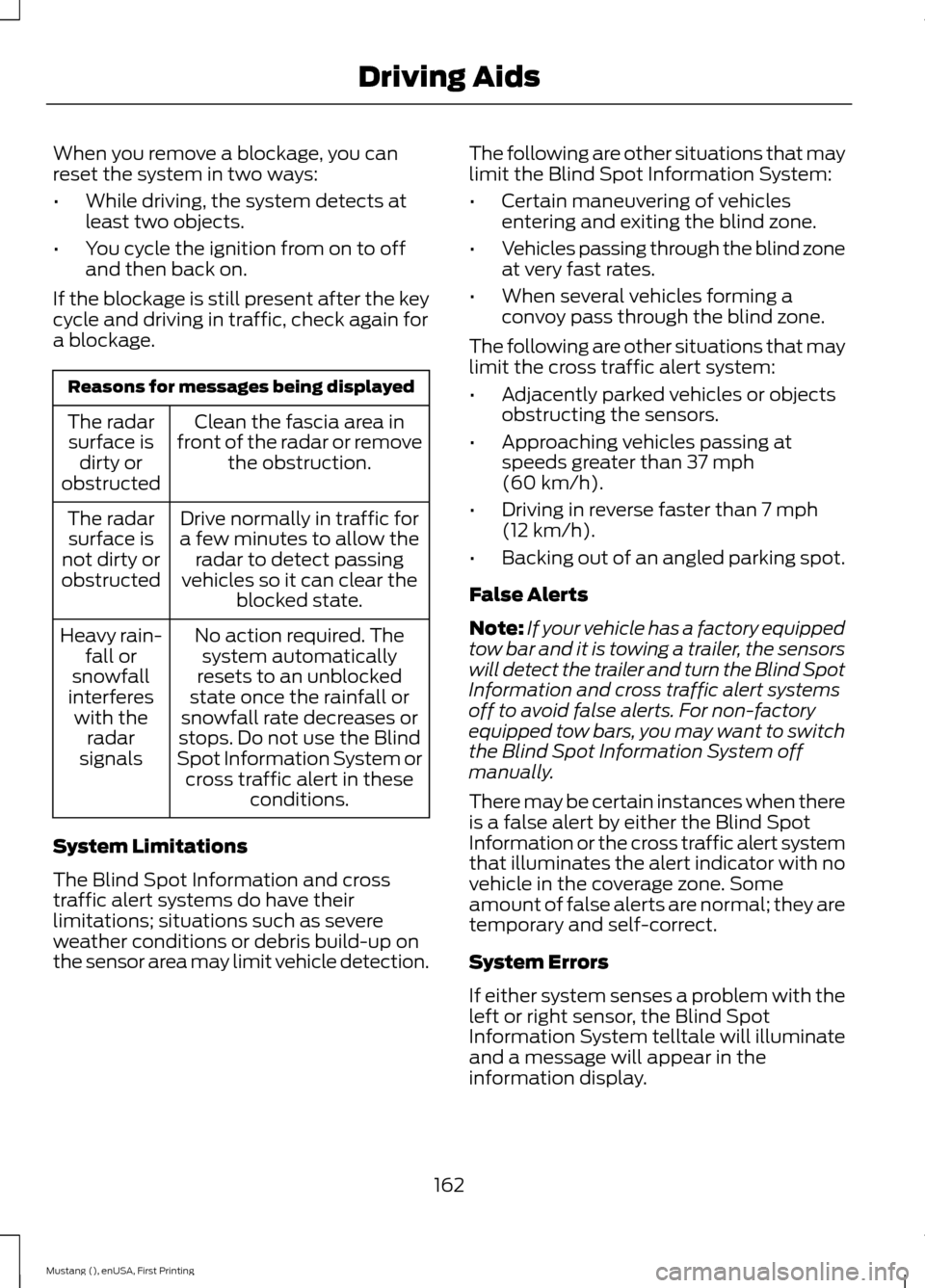
self-corrects or clears after a key cycle. The system uses radar sensors which are
located behind the bumper fascia on each
side of your vehicle. Do not allow mud,
snow or bumper stickers to obstruct these
areas, this can cause degraded system
performance.
If the system detects a degraded
performance condition, a message warning
of a blocked sensor or low visibility will
appear in the information display along
with a warning indicator. You can clear the
information display warning but the
warning indicator will remain illuminated.
161
Mustang (), enUSA, First Printing Driving AidsE142442 E142443
Page 165 of 441
When you remove a blockage, you can
reset the system in two ways:
•
While driving, the system detects at
least two objects.
• You cycle the ignition from on to off
and then back on.
If the blockage is still present after the key
cycle and driving in traffic, check again for
a blockage. Reasons for messages being displayed
Clean the fascia area in
front of the radar or remove the obstruction.
The radar
surface is dirty or
obstructed
Drive normally in traffic for
a few minutes to allow the radar to detect passing
vehicles so it can clear the blocked state.
The radar
surface is
not dirty or
obstructed
No action required. Thesystem automatically
resets to an unblocked
state once the rainfall or
snowfall rate decreases or
stops. Do not use the Blind
Spot Information System or cross traffic alert in these conditions.
Heavy rain-
fall or
snowfall
interferes with the radar
signals
System Limitations
The Blind Spot Information and cross
traffic alert systems do have their
limitations; situations such as severe
weather conditions or debris build-up on
the sensor area may limit vehicle detection. The following are other situations that may
limit the Blind Spot Information System:
•
Certain maneuvering of vehicles
entering and exiting the blind zone.
• Vehicles passing through the blind zone
at very fast rates.
• When several vehicles forming a
convoy pass through the blind zone.
The following are other situations that may
limit the cross traffic alert system:
• Adjacently parked vehicles or objects
obstructing the sensors.
• Approaching vehicles passing at
speeds greater than 37 mph
(60 km/h).
• Driving in reverse faster than
7 mph
(12 km/h).
• Backing out of an angled parking spot.
False Alerts
Note: If your vehicle has a factory equipped
tow bar and it is towing a trailer, the sensors
will detect the trailer and turn the Blind Spot
Information and cross traffic alert systems
off to avoid false alerts. For non-factory
equipped tow bars, you may want to switch
the Blind Spot Information System off
manually.
There may be certain instances when there
is a false alert by either the Blind Spot
Information or the cross traffic alert system
that illuminates the alert indicator with no
vehicle in the coverage zone. Some
amount of false alerts are normal; they are
temporary and self-correct.
System Errors
If either system senses a problem with the
left or right sensor, the Blind Spot
Information System telltale will illuminate
and a message will appear in the
information display.
162
Mustang (), enUSA, First Printing Driving Aids
Page 166 of 441
All other system faults will display only
with a message in the information display.
See Information Messages (page 91).
Switching the Systems Off and On
You can temporarily switch off one or both
systems in the information display. See
General Information
(page 83). When
you switch off the Blind Spot Information
System, you will not receive alerts and the
information display will display a system
off message.
Note: The cross traffic alert system always
turns on whenever the ignition is switched
on. However, the Blind Spot Information
System will remember the last selected on
or off setting.
You cannot switch one or both systems
off when MyKey is used.
See Principle of
Operation (page 50).
You can also have one or both systems
switched off permanently at an authorized
dealer. Once switched off, only an
authorized dealer can switch the system
back on.
STEERING
Electric Power Steering WARNINGS
The electric power steering system
has diagnostic checks that
continuously monitor the system to
ensure proper operation. When a system
error is detected a steering message will
appear in the information display. The electric power steering system
has diagnostic checks that
continuously monitor the system to
ensure proper operation of the electronic
system. When an electronic error is
detected, a message will be displayed in
the information display. If this happens,
stop the vehicle in a safe place, and turn WARNINGS
off the engine. After at least 10 seconds,
reset the system by restarting the engine,
and watch the information display for a
steering message. If a steering message
returns, or returns while driving, take the
vehicle to your dealer to have it checked. Obtain immediate service if a system
error is detected. You may not notice
any difference in the feel of your
steering, but a serious condition may exist.
Failure to do so may result in loss of
steering control. Your vehicle has an electric power steering
system. There is no fluid reservoir to check
or fill.
If your vehicle loses electrical power while
you are driving (or if you switch the ignition
off), you can steer your vehicle manually,
but it takes more effort. Extreme
continuous steering may increase the effort
it takes for you to steer. This occurs to
prevent internal overheating and
permanent damage to your steering
system. If this should occur, you will neither
lose the ability to steer your vehicle
manually nor will it cause permanent
damage. Typical steering and driving
maneuvers allows the system to cool and
steering assist to return to normal.
Steering Tips
If the steering wanders or pulls, check for:
•
An improperly inflated tire.
• Uneven tire wear.
• Loose or worn suspension
components.
• Loose or worn steering components.
• Improper vehicle alignment.
A high crown in the road or high crosswinds
may also make the steering seem to
wander or pull.
163
Mustang (), enUSA, First Printing Driving Aids
Page 194 of 441
ROADSIDE ASSISTANCE
Vehicles Sold in the United States:
Getting Roadside Assistance
To fully assist you should you have a
vehicle concern, Ford Motor Company
offers a complimentary roadside
assistance program. This program is
separate from the New Vehicle Limited
Warranty. The service is available:
•
24 hours a day, seven days a week.
• For the coverage period listed on the
Roadside Assistance Card included in
your Owner's Manual portfolio.
Roadside Assistance covers:
• A flat tire change with a good spare, if
provided with the vehicle (except
vehicles supplied with a tire inflation
kit).
• Battery jump start.
• Lock-out assistance (key replacement
cost is the customer's responsibility).
• Fuel delivery — independent service
contractors, if not prohibited by state,
local or municipal law, shall deliver up
to 2 gal (7.6 L) of gasoline or 5 gal
(18.9 L) of diesel fuel to a disabled
vehicle. Roadside Assistance limits fuel
delivery service to two no-charge
occurrences within a 12-month period.
• Winch out — available within
100 ft
(30.5 m) of a paved or county
maintained road, no recoveries.
• Towing — independent service
contractors, if not prohibited by state,
local or municipal law, shall tow Ford
eligible vehicles to an authorized dealer
within
35 mi (56 km) of the
disablement location or to the nearest authorized dealer. If a member
requests a tow to an authorized dealer
that is more than
35 mi (56 km) from
the disablement location, the member
shall be responsible for any mileage
costs in excess of
35 mi (56 km).
Roadside Assistance includes up to $200
for a towed trailer if the disabled eligible
vehicle requires service at the nearest
authorized dealer. If the towing vehicle is
operational but the trailer is not, then the
trailer does not qualify for any roadside
services.
Vehicles Sold in the United States:
Using Roadside Assistance
Complete the roadside assistance
identification card and place it in your
wallet for quick reference. This card is in
the owner's information portfolio in the
glove compartment.
United States Ford vehicle customers who
require Roadside Assistance, call
1-800-241-3673.
If you need to arrange roadside assistance
for yourself, Ford Motor Company
reimburses a reasonable amount for
towing to the nearest dealership within
35 mi (56 km)
. To obtain reimbursement
information, United States Ford vehicle
customers call 1-800-241-3673.
Customers need to submit their original
receipts.
Vehicles Sold in Canada: Getting
Roadside Assistance
Canadian customers who require roadside
assistance, call 1-800-665-2006.
Vehicles Sold in Canada: Using
Roadside Assistance
For your convenience, you may complete
the roadside assistance identification card
found in the centerfold of your warranty
guide and retain for future reference.
191
Mustang (), enUSA, First Printing Roadside Emergencies