fuel FORD MUSTANG 2015 6.G Repair Manual
[x] Cancel search | Manufacturer: FORD, Model Year: 2015, Model line: MUSTANG, Model: FORD MUSTANG 2015 6.GPages: 441, PDF Size: 6.98 MB
Page 381 of 441
Note:
A paid subscription is required to
access and use these features. Go to
www.siriusxm.com/travellink for more
information.
Note: Visit www.siriusxm.com/traffic and
click on Coverage map and details for a
complete listing of all traffic areas covered
by Sirius Travel Link.
Note: Neither Sirius nor Ford is responsible
for any errors or inaccuracies in the Sirius
Travel Link services or its use in vehicles.
When you subscribe to Sirius Travel Link,
it can help you locate the best gas prices,
find movie listings, get current traffic alerts,
view the current weather map, get
accurate ski conditions and see scores to
current sports games. If your vehicle is equipped with
Navigation, touch the I
(Information) button to access
these features. If your vehicle is not
equipped with Navigation, touch the corner
of the touchscreen with the green tab.
Traffic On Route and Traffic Nearby
Touch these buttons to identify traffic
incidents on your route, nearby your
vehicle ’s current location or near any of
your favorite places, if programmed.
Fuel Prices
Touch this button to view fuel prices at
stations close to your vehicle ’s location or
on an active navigation route.
Movie Listings
Touch this button to view nearby movie
theaters and their show times, if available. Weather
Touch this button to view the nearby
weather, current weather, or the five day
forecast for the chosen area. Select Map
to see the weather map, which can show
storms, radar information, charts and
winds. Select Area to select from a listing
of weather locations.
Sports Info
Touch this button to view scores and
schedules from a variety of sports. You can
also save up to 10 favorite teams for easier
access. The score automatically refreshes
when a game is in progress.
Ski Conditions
Touch this button to view ski conditions
for a specific area.
Sirius Travel Link Voice Commands Press the voice button on the
steering wheel controls. When
prompted, say any of the
following commands: "SIRIUS TRAVEL LINK"
"5-day weather forecast" "Fuel prices"
"Movie listings"
"Sports headlines" *
"Sports schedules" *
"Sports scores" *
"Traffic"
"Weather"
378
Mustang (), enUSA, First Printing MyFord Touch
™
(If Equipped)E142608 E142599
Page 384 of 441
If a crash deploys an airbag, excluding knee
airbags and rear inflatable safety belts
where fitted or activates the fuel pump
shut-off, your SYNC-equipped vehicle may
be able to contact emergency services by
dialing 911 through a paired and connected
Bluetooth-enabled phone. You can learn
more about the 911 Assist feature, visit
www.SYNCMyRide.com,
www.SYNCMyRide.ca or
www.syncmaroute.ca.
See Supplementary Restraints System
(page 36). Important information
regarding airbag deployment is in this
chapter.
See
Roadside Emergencies (page 191).
Important information regarding the fuel
pump shut-off is in this chapter.
Setting 911 Assist On If your vehicle is equipped with
Navigation, touch the i
(Information) button to access
these features. If your vehicle is not
equipped with Navigation, touch the corner
of the touchscreen with the green tab.
Touch
Apps > 911 Assist, then select On. You can also access 911 Assist
by:
• Pressing the Settings icon >
Settings
> Phone > 911 Assist, or
• Pressing the Settings icon > Help > 911
Assist
.
To make sure that 911 Assist works
properly:
• SYNC must be powered and working
properly at the time of the incident and
throughout feature activation and use.
• The 911 Assist feature must be set on
prior to the incident. •
You must pair and connect a
Bluetooth-enabled and compatible
phone to SYNC.
• A connected Bluetooth-enabled phone
must have the ability to make and
maintain an outgoing call at the time
of the incident.
• A connected Bluetooth-enabled phone
must have adequate network coverage,
battery power and signal strength.
• The vehicle must have battery power
and be located in the United States,
Canada or in a territory in which 911 is
the emergency number.
In the Event of a Crash
Not all crashes deploy an airbag or activate
the fuel pump shut-off (which would
trigger 911 Assist); however, SYNC tries to
contact emergency services if 911 Assist
triggers. If a connected phone sustains
damage or loses connection to SYNC,
SYNC searches for, and tries to connect
to, any available previously paired phone
and tries to make the call to 911.
Before making the call:
• SYNC provides a short window of time
(approximately 10 seconds) to cancel
the call. If you fail to cancel the call,
SYNC attempts to dial 911.
• SYNC says the following, or a similar
message: "SYNC will attempt to call
911, to cancel the call, press Cancel on
your screen or press and hold the
phone button on your steering wheel."
If you do not cancel the call, and SYNC
makes a successful call, a pre-recorded
message plays for the 911 operator, and
then the occupant(s) in your vehicle is able
to talk with the operator. Be prepared to
provide your name, phone number and
location immediately, because not all 911
systems are capable of receiving this
information electronically.
381
Mustang (), enUSA, First Printing MyFord Touch
™
(If Equipped)E142608 E142607
Page 385 of 441
911 Assist May Not Work If:
•
Your cellular phone or 911 Assist
hardware sustains damage in a crash.
• The vehicle's battery or the SYNC
system has no power.
• The phones(s) previously paired or
connected to the system are thrown
from the vehicle.
911 Assist Privacy Notice
When you turn on 911 Assist, it may
disclose to emergency services that your
vehicle has been in a crash involving the
deployment of an airbag or activation of
the fuel pump shut-off. Certain versions or
updates to 911 Assist may also be capable
of electronically or verbally disclosing to
911 operators your vehicle location or other
details about your vehicle or crash to assist
911 operators to provide the most
appropriate emergency services. If you do
not want to disclose this information, do
not turn the feature on.
Vehicle Health Report (If
Equipped, United States Only) WARNING
Always follow scheduled
maintenance instructions, regularly
inspect your vehicle, and seek repair
for any damage or problem you suspect.
Vehicle Health Report supplements, but
cannot replace, normal maintenance and
vehicle inspection. Vehicle Health Report
only monitors certain systems
electronically monitored by your vehicle
and will not monitor or report the status
of any other system, (such as brake lining
wear). Failure to perform scheduled
maintenance and regularly inspect your
vehicle may result in vehicle damage and
serious injury. Note:
Your Vehicle Health Report feature
requires activation prior to use. Visit
www.SYNCMyRide.com to register. There
is no fee or subscription associated with
Vehicle Health Report, but you must register
to use this feature.
Note: This feature may not function
properly if you have enabled caller ID
blocking on your cellular phone. Before
running a report, review the Vehicle Health
Report Privacy Notice.
Note: In order to allow a break-in period for
your vehicle, you may not be able to create
a Vehicle Health Report until your vehicle
odometer has reached 200 miles.
Note: Cellular phone and SMS charges may
apply when making a report.
Register for Vehicle Health Report and set
your report preferences at
www.SYNCMyRide.com. After registering,
you can request a Vehicle Health Report
(inside your vehicle). Return to your
account at www.SYNCMyRide.com to view
your report. You can also choose for SYNC
to remind you automatically to run reports
at specific mileage intervals. Cellular phone
airtime usage may apply when reporting.
The system allows you to check your
vehicle ’s overall health in the form of a
diagnostic report card. The Vehicle Health
Report contains valuable information, for
example:
• Vehicle diagnostic information.
• Scheduled maintenance.
• Open recalls and Field Service Actions.
• Items noted during vehicle inspections
by your authorized dealer that still need
servicing.
Making a Report If you want to run a report by
using the touchscreen, touch
Apps > Vehicle Health Report.
382
Mustang (), enUSA, First Printing MyFord Touch
™ (If Equipped)E142608
Page 390 of 441
1. Enter the necessary information into
the highlighted text fields (in any
order). For address destination entry,
the Go! button appears once you enter
all the necessary information. Pressing
the Go! button makes the address
location appear on the map. If you
choose Previous Destination, the last
20 destinations you have selected
appear.
2. Select
Set as Dest to make this your
destination. You can also choose to set
this as a waypoint (have the system
route to this point on the way to your
current destination) or save it as a
favorite. The system considers any
Avoid Areas
selections in its route
calculation.
3. Choose from up to three different types
of routes, and then select Start Route.
• Fastest: Uses the fastest moving roads
possible.
• Shortest: Uses the shortest distance
possible.
• Eco Route: Uses the most fuel-efficient
route.
You can cancel the route or have the
system demo the route for you. Select
Route Prefs
to set route preferences like
avoiding freeways, tollroads, ferries and
car trains as well as to use or not use
high-occupancy vehicle lanes.
(High-occupancy vehicle lanes are also
known as carpool or diamond lanes.
People who ride in buses, vanpools or
carpools use these lanes.)
Note: If your vehicle is on a recognized road
and you do not press the
Start Route
button, the system defaults to the Fastest
Route option and begins guidance. During route guidance, you can press the
talking bubble icon that appears in the
upper right navigation corner (green bar)
if you want the system to repeat route
guidance information. When the system
repeats the last guidance instruction, it
updates the distance to the next guidance
instruction, since it detects when the
vehicle is moving.
Point of Interest (POI) Categories
Main categories
Food/Drink & Dining
Travel & Transportation Financial
Emergency
Community
Health & Medicine AutomotiveShopping
Entertainment & Arts Recreation & Sports Government
Domestic Services Subcategories
Restaurant Golf
Parking
Home & Garden
Personal Care Services Auto Dealership
387
Mustang (), enUSA, First Printing MyFord Touch
™
(If Equipped)
Page 415 of 441
PROTECT YOURSELF FROM THE RISING
COST OF VEHICLE REPAIRS WITH A FORD
EXTENDED SERVICE PLAN.
SERVICE PLANS (U.S. Only)
More than 32 million Ford owners have
discovered the powerful protection of Ford
Extended Service Plan. It is the only
extended service plan backed by Ford
Motor Company, and provides peace of
mind protection beyond the New Vehicle
Limited Warranty coverage.
Ford ESP Can Quickly Pay for Itself
One service bill – the cost of parts and
labor – can easily exceed the price of your
Ford Extended Service Plan. With Ford ESP
you minimize your risk for unexpected
repair bills and rising repair costs.
Up to 1,000+ Covered Vehicle
Components
There are four Extended Service Plans with
different levels of coverage. Ask your
authorized dealer for details.
1. PremiumCARE - Our most
comprehensive coverage. With over
1,000 covered components, this plan
is so complete that we generally only
discuss what’ s not covered.
2. ExtraCARE - Covers 113 components, and includes many high-tech items.
3. BaseCARE - Covers 84 components.
4. PowertrainCARE - Covers 29 critical components.
Ford Extended Service Plan is honored by
all authorized Ford dealers in the U.S. and
Canada. It is the only extended service plan
authorized and backed by Ford Motor
Company. That means you get:
•
Reliable, quality service at any Ford or
Lincoln dealership
• Repairs performed by factory trained
technicians, using genuine parts
Rental Car Reimbursement
1st day Rental Benefit
You take advantage of replacement
transportation if your vehicle is at your
authorized dealer for same day covered
repairs.
Extended Rental Benefits
If your vehicle is kept overnight for covered
repairs, you are eligible for rental car
coverage, including bumper to bumper
warranty repairs, and Field Service Actions.
Roadside Assistance
Exclusive 24/7 roadside assistance,
including:
• Towing, flat-tire change and battery
jump starts
• Out of fuel and lock-out assistance.
• Travel expense reimbursement for
lodging, meals and rental car.
• Destination assistance for taxi, shuttle,
rental car coverage and emergency
transportation.
Transferable Coverage
If you sell your vehicle before your Ford
Extended Service Plan coverage expires,
you can transfer any remaining coverage
to the new owner. Whenever you sell your
vehicle, prospective buyers may have a
higher degree of confidence that vehicle
was properly maintained with Ford ESP,
thereby improving resale value.
412
Mustang (), enUSA, First Printing Extended Service Plan (ESP)
Page 424 of 441
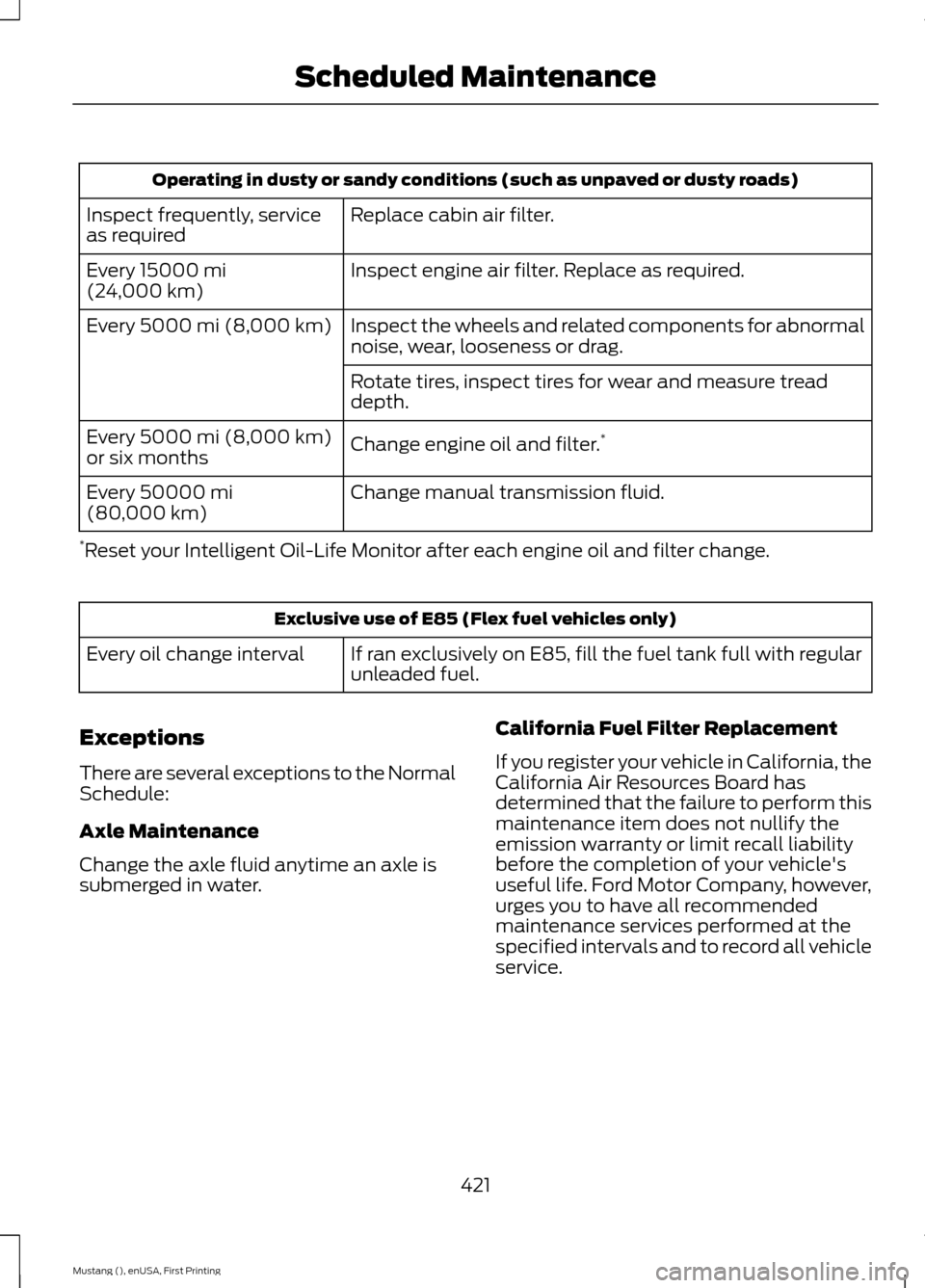
Operating in dusty or sandy conditions (such as unpaved or dusty roads)
Replace cabin air filter.
Inspect frequently, service
as required
Inspect engine air filter. Replace as required.
Every 15000 mi
(24,000 km)
Inspect the wheels and related components for abnormal
noise, wear, looseness or drag.
Every
5000 mi (8,000 km)
Rotate tires, inspect tires for wear and measure tread
depth.
Change engine oil and filter. *
Every
5000 mi (8,000 km)
or six months
Change manual transmission fluid.
Every
50000 mi
(80,000 km)
* Reset your Intelligent Oil-Life Monitor after each engine oil and filter change. Exclusive use of E85 (Flex fuel vehicles only)
If ran exclusively on E85, fill the fuel tank full with regular
unleaded fuel.
Every oil change interval
Exceptions
There are several exceptions to the Normal
Schedule:
Axle Maintenance
Change the axle fluid anytime an axle is
submerged in water. California Fuel Filter Replacement
If you register your vehicle in California, the
California Air Resources Board has
determined that the failure to perform this
maintenance item does not nullify the
emission warranty or limit recall liability
before the completion of your vehicle's
useful life. Ford Motor Company, however,
urges you to have all recommended
maintenance services performed at the
specified intervals and to record all vehicle
service.
421
Mustang (), enUSA, First Printing Scheduled Maintenance
Page 435 of 441
Ford Credit..........................................................11
(U.S. Only)................................................................. 11
Front Fog Lamps
..............................................71
Front Passenger Sensing System............38
Fuel and Refueling.......................................126
Fuel Consumption.......................................130
Calculating Fuel Economy.............................. 130
Filling the Tank.................................................... 130
Fuel Filter
........................................................220
Fuel Quality.....................................................127 Choosing the Right Fuel................................... 127
Octane Recommendations............................. 127
Fuel Shutoff
....................................................192
Fuses................................................................202
Fuse Specification Chart
..........................202
Passenger Compartment Fuse
Panel................................................................. 206
Power Distribution Box.................................... 202
G
Garage Door Opener See: Universal Garage Door Opener.............114
Gauges................................................................77 Engine Coolant Temperature Gauge............78
Fuel Gauge............................................................... 77
Information Display.............................................. 77
General Information on Radio Frequencies...................................................45
Intelligent Access................................................. 45
General Maintenance Information........414 Multi-Point Inspection...................................... 416
Owner Checks and Services........................... 415
Protecting Your Investment............................ 414
Why Maintain Your Vehicle?.......................... 414
Why Maintain Your Vehicle at Your Dealership?...................................................... 414
Getting Assistance Outside the U.S. and Canada..........................................................199
Getting the Services You Need...............196 Away From Home.............................................. 196
Glasses Holder
..............................................120
Global Opening...............................................73
Opening the Windows........................................ 74H
Handbrake
See: Parking Brake............................................. 140
Hazard Warning Flashers...........................192
Headlamp Exit Delay....................................70
Head Restraints............................................108 Adjusting the Head Restraint........................ 109
Front Seat Non-Adjustable Head Restraints ........................................................................\
...... 109
Tilting Head Restraints ................................... 109
Heated Windows and Mirrors
..................106
Heated Exterior Mirror...................................... 106
Heated Rear Window....................................... 106
Heating See: Climate Control.......................................... 101
Hill Start Assist...............................................141 Using Hill Start Assist......................................... 141
Hints on Controlling the Interior Climate..........................................................104
Cooling the Interior Quickly............................ 105
General Hints....................................................... 104
Heating the Interior Quickly............................ 105
Recommended Settings for Cooling .........106
Recommended Settings for Heating..........105
Side Window Defogging in Cold Weather............................................................ 106
Hints on Driving With Anti-Lock Brakes............................................................140
Hood Lock See: Opening and Closing the Hood...........210
I
In California (U.S. Only)
..............................197
Information Display Control.......................65
Information Displays.....................................83 General Information............................................ 83
Information.....................................................374 911 Assist.............................................................. 380
Alerts...................................................................... 380
Calendar............................................................... 380
Sirius Travel Link................................................. 377
SYNC Services (If Equipped, United States Only).................................................................. 375
Vehicle Health Report (If Equipped, United States Only).................................................... 382
432
Mustang (), enUSA, First Printing Index
Page 436 of 441
Information Messages..................................91
Adaptive Cruise Control...................................... 91
AdvanceTrac ™...................................................... 92
Airbag........................................................................\
92
Alarm........................................................................\
93
Battery and Charging System......................... 93
Blind Spot Information and Cross Traffic Alert System..................................................... 94
Collision Warning System................................. 94
Doors and Locks................................................... 94
Fuel........................................................................\
.... 95
Hill Start Assist..................................................... 95
Keys and Intelligent Access.............................. 95
Maintenance.......................................................... 96
MyKey....................................................................... 96
Park Aid.................................................................... 97
Park Brake............................................................... 97
Remote Start.......................................................... 97
Seats........................................................................\
. 98
Starting System ................................................... 98
Steering System................................................... 98
Tire Pressure Monitoring System................... 99
Traction Control................................................... 99
Transmission......................................................... 99
Installing Child Seats
.....................................19
Child Seats............................................................... 19
Using Lap and Shoulder Belts......................... 20
Using Lower Anchors and Tethers for CHildren (LATCH)............................................ 22
Using Tether Straps............................................. 23
Instrument Cluster
.........................................77
Instrument Lighting Dimmer.....................69
Vehicles With Front Fog Lamps..................... 69
Vehicles Without Front Fog Lamps...............70
Interior Lamps...................................................71 Map Lamps.............................................................. 71
Interior Luggage Compartment Release...........................................................60
Interior Mirror
....................................................75
Auto-Dimming Mirror.......................................... 75
Introduction.........................................................7 J
Jump Starting the Vehicle.........................193
Connecting the Jumper Cables..................... 193
Jump Starting...................................................... 194
Preparing Your Vehicle...................................... 193
Removing the Jumper Cables........................ 194
K
Keyless Starting..............................................121 Ignition Modes....................................................... 121
Keys and Remote Controls.........................45
L
Lighting Control..............................................68 Headlamp Flasher............................................... 68
High Beams............................................................ 68
Lighting..............................................................68
Limited Slip Differential
.............................139
Traction-Lok ™ and TORSEN™ Axles (if
equipped)......................................................... 139
Load Carrying.................................................168
Load Limit.......................................................168 Special Loading Instructions for Owners of
Pick-up Trucks and Utility-type
Vehicles.............................................................. 172
Vehicle Loading - with and without a Trailer................................................................. 168
Locking and Unlocking
.................................56
Activating Intelligent Access ........................... 57
Autolock Feature.................................................. 58
Auto Relock............................................................ 58
Battery Saver......................................................... 59
Illuminated Entry.................................................. 59
Illuminated Exit..................................................... 59
Key Blade................................................................ 58
Luggage Compartment..................................... 60
Power Door Locks................................................ 56
Remote Control.................................................... 56
Smart Unlocks ...................................................... 57
Locks
...................................................................56
Lug Nuts See: Changing a Road Wheel....................... 260
433
Mustang (), enUSA, First Printing Index
Page 438 of 441
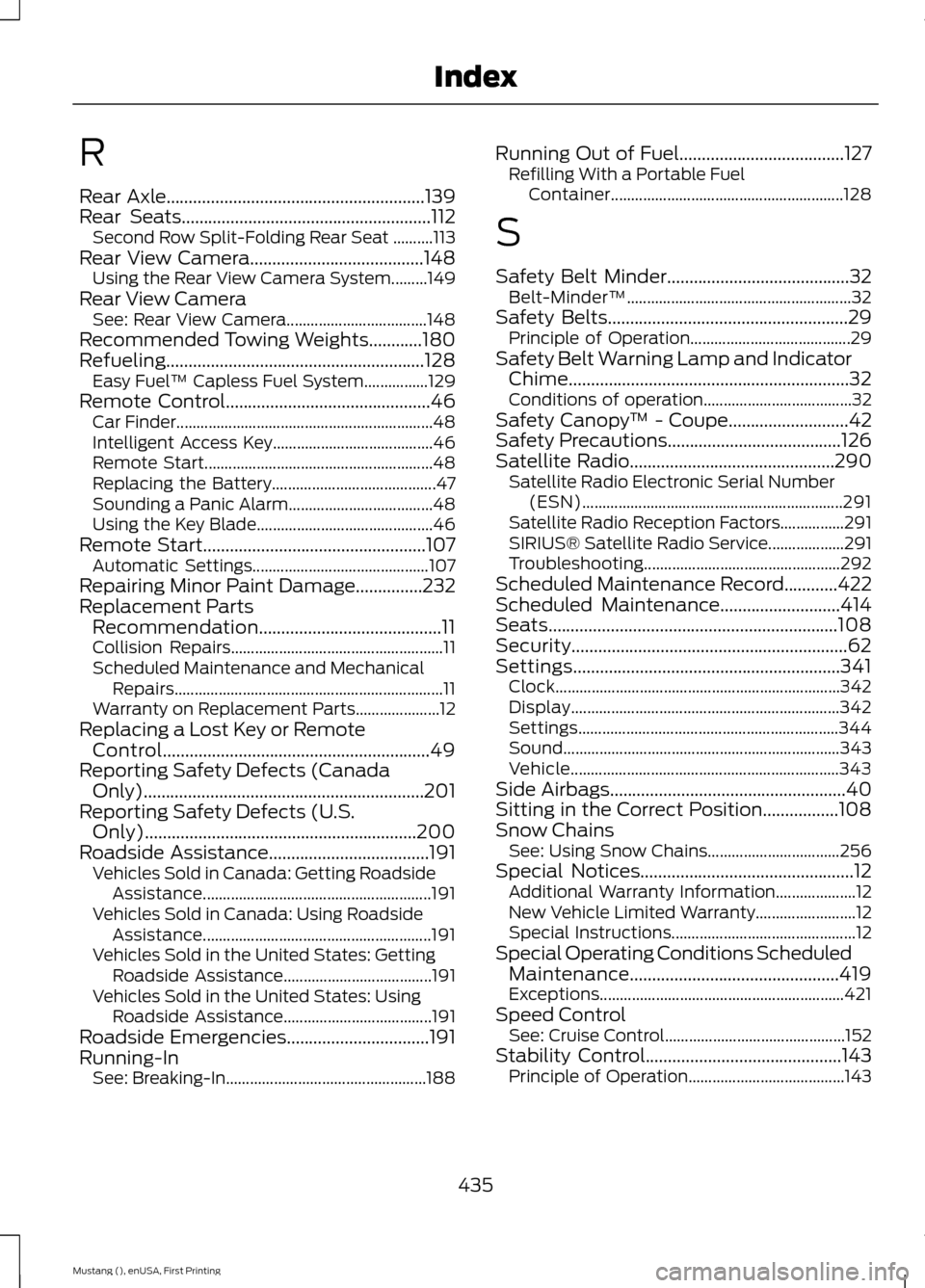
R
Rear Axle..........................................................139
Rear Seats........................................................112
Second Row Split-Folding Rear Seat ..........113
Rear View Camera
.......................................148
Using the Rear View Camera System.........149
Rear View Camera See: Rear View Camera................................... 148
Recommended Towing Weights............180
Refueling..........................................................128 Easy Fuel ™ Capless Fuel System................129
Remote Control
..............................................46
Car Finder................................................................ 48
Intelligent Access Key........................................ 46
Remote Start......................................................... 48
Replacing the Battery......................................... 47
Sounding a Panic Alarm.................................... 48
Using the Key Blade............................................ 46
Remote Start..................................................107 Automatic Settings............................................ 107
Repairing Minor Paint Damage
...............232
Replacement Parts Recommendation.........................................11
Collision Repairs..................................................... 11
Scheduled Maintenance and Mechanical Repairs................................................................... 11
Warranty on Replacement Parts..................... 12
Replacing a Lost Key or Remote Control............................................................49
Reporting Safety Defects (Canada Only)...............................................................201
Reporting Safety Defects (U.S. Only).............................................................200
Roadside Assistance....................................191 Vehicles Sold in Canada: Getting Roadside
Assistance......................................................... 191
Vehicles Sold in Canada: Using Roadside Assistance......................................................... 191
Vehicles Sold in the United States: Getting Roadside Assistance..................................... 191
Vehicles Sold in the United States: Using Roadside Assistance..................................... 191
Roadside Emergencies
................................191
Running-In See: Breaking-In.................................................. 188Running Out of Fuel.....................................127
Refilling With a Portable Fuel
Container.......................................................... 128
S
Safety Belt Minder.........................................32 Belt-Minder™........................................................ 32
Safety Belts
......................................................29
Principle of Operation........................................ 29
Safety Belt Warning Lamp and Indicator Chime...............................................................32
Conditions of operation..................................... 32
Safety Canopy ™ - Coupe
...........................42
Safety Precautions.......................................126
Satellite Radio..............................................290
Satellite Radio Electronic Serial Number
(ESN)................................................................. 291
Satellite Radio Reception Factors................291
SIRIUS® Satellite Radio Service................... 291
Troubleshooting................................................. 292
Scheduled Maintenance Record
............422
Scheduled Maintenance...........................414
Seats.................................................................108
Security..............................................................62
Settings............................................................341 Clock....................................................................... 342
Display................................................................... 342
Settings................................................................. 344
Sound..................................................................... 343
Vehicle................................................................... 343
Side Airbags
.....................................................40
Sitting in the Correct Position.................108
Snow Chains See: Using Snow Chains................................. 256
Special Notices................................................12 Additional Warranty Information.................... 12
New Vehicle Limited Warranty......................... 12
Special Instructions.............................................. 12
Special Operating Conditions Scheduled Maintenance...............................................419
Exceptions............................................................. 421
Speed Control See: Cruise Control............................................. 152
Stability Control
............................................143
Principle of Operation....................................... 143
435
Mustang (), enUSA, First Printing Index
Page 440 of 441
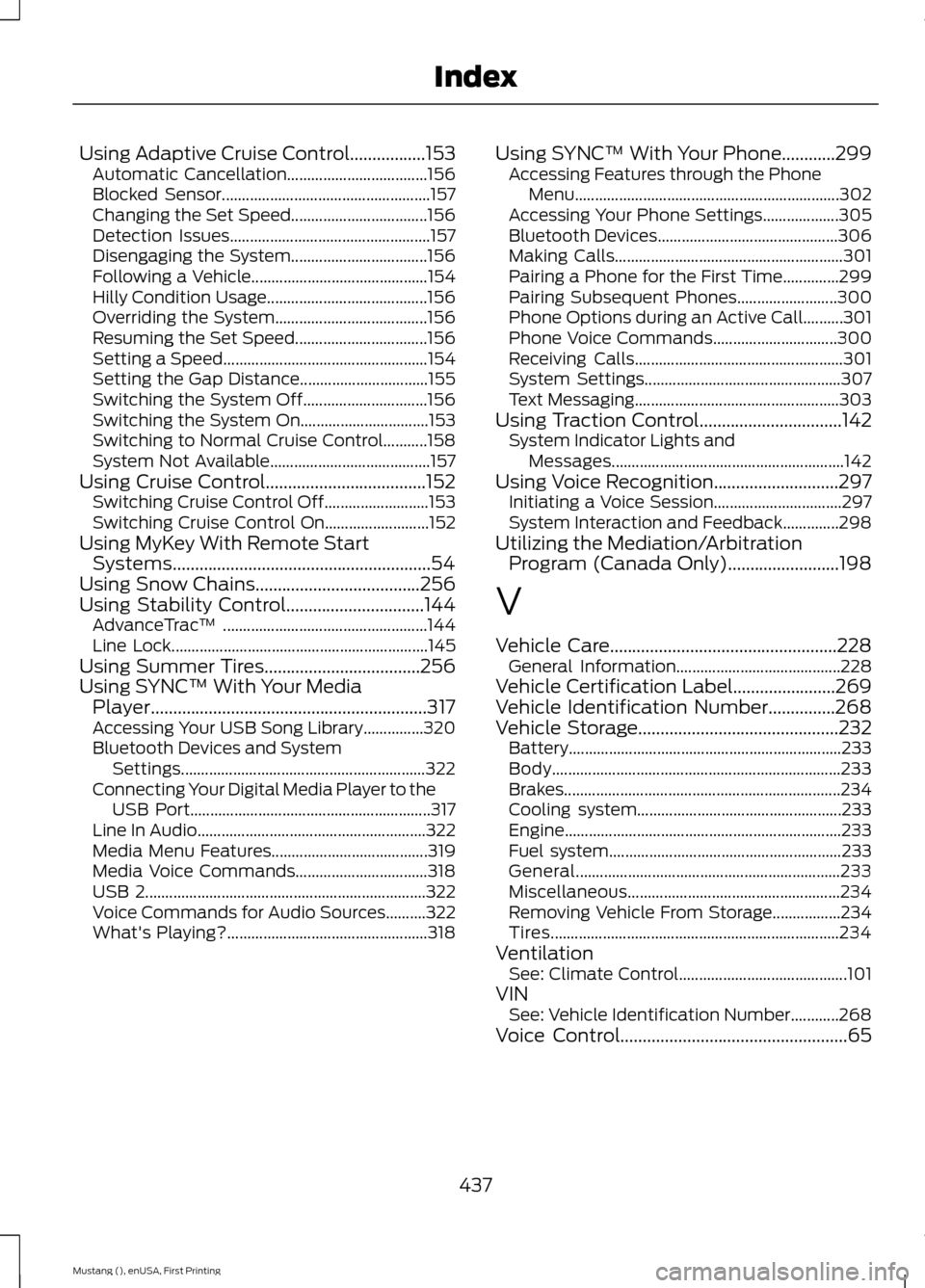
Using Adaptive Cruise Control.................153
Automatic Cancellation................................... 156
Blocked Sensor.................................................... 157
Changing the Set Speed.................................. 156
Detection Issues.................................................. 157
Disengaging the System.................................. 156
Following a Vehicle............................................ 154
Hilly Condition Usage........................................ 156
Overriding the System...................................... 156
Resuming the Set Speed................................. 156
Setting a Speed................................................... 154
Setting the Gap Distance................................ 155
Switching the System Off............................... 156
Switching the System On................................ 153
Switching to Normal Cruise Control...........158
System Not Available........................................ 157
Using Cruise Control....................................152 Switching Cruise Control Off.......................... 153
Switching Cruise Control On.......................... 152
Using MyKey With Remote Start Systems..........................................................54
Using Snow Chains.....................................256
Using Stability Control
...............................144
AdvanceTrac ™ ................................................... 144
Line Lock................................................................ 145
Using Summer Tires
...................................256
Using SYNC™ With Your Media Player..............................................................317
Accessing Your USB Song Library...............320
Bluetooth Devices and System Settings............................................................. 322
Connecting Your Digital Media Player to the USB Port............................................................ 317
Line In Audio......................................................... 322
Media Menu Features....................................... 319
Media Voice Commands................................. 318
USB 2...................................................................... 322
Voice Commands for Audio Sources..........322
What's Playing?.................................................. 318Using SYNC™ With Your Phone............299
Accessing Features through the Phone
Menu.................................................................. 302
Accessing Your Phone Settings................... 305
Bluetooth Devices............................................. 306
Making Calls......................................................... 301
Pairing a Phone for the First Time..............299
Pairing Subsequent Phones......................... 300
Phone Options during an Active Call..........301
Phone Voice Commands............................... 300
Receiving Calls.................................................... 301
System Settings................................................. 307
Text Messaging................................................... 303
Using Traction Control
................................142
System Indicator Lights and
Messages.......................................................... 142
Using Voice Recognition............................297 Initiating a Voice Session................................ 297
System Interaction and Feedback..............298
Utilizing the Mediation/Arbitration Program (Canada Only).........................198
V
Vehicle Care...................................................228 General Information......................................... 228
Vehicle Certification Label.......................269
Vehicle Identification Number
...............268
Vehicle Storage.............................................232
Battery.................................................................... 233
Body........................................................................\
233
Brakes..................................................................... 234
Cooling system................................................... 233
Engine..................................................................... 233
Fuel system.......................................................... 233
General.................................................................. 233
Miscellaneous..................................................... 234
Removing Vehicle From Storage.................234
Tires........................................................................\
234
Ventilation See: Climate Control.......................................... 101
VIN See: Vehicle Identification Number............268
Voice Control
...................................................65
437
Mustang (), enUSA, First Printing Index