alarm FORD MUSTANG 2015 6.G Owners Manual
[x] Cancel search | Manufacturer: FORD, Model Year: 2015, Model line: MUSTANG, Model: FORD MUSTANG 2015 6.GPages: 441, PDF Size: 6.98 MB
Page 4 of 441
Introduction
About This Manual...........................................7
Symbols Glossary
.............................................7
Data Recording
..................................................9
California Proposition 65..............................11
Perchlorate.........................................................11
Ford Credit
..........................................................11
Replacement Parts Recommendation
........................................11
Special Notices................................................12
Mobile Communications Equipment.....................................................13
Export Unique Options..................................13
At a Glance
At a Glance........................................................14
Child Safety
General Information
.......................................18
Installing Child Seats.....................................19
Booster Seats..................................................25
Child Seat Positioning...................................27
Safety Belts
Principle of Operation..................................29
Fastening the Safety Belts
.........................30
Safety Belt Warning Lamp and Indicator Chime
..............................................................32
Safety Belt Minder.........................................32
Child Restraint and Safety Belt Maintenance................................................34
Personal Safety System ™
Personal Safety System ™
..........................35
Supplementary Restraints System
Principle of Operation..................................36
Driver and Passenger Airbags....................37
Front Passenger Sensing System
............38 Side Airbags
.....................................................40
Driver and Passenger Knee Airbags........42
Safety Canopy ™ -
Coupe...........................42
Crash Sensors and Airbag Indicator........43
Airbag Disposal...............................................44
Keys and Remote Controls
General Information on Radio Frequencies..................................................45
Remote Control
..............................................46
Replacing a Lost Key or Remote Control...........................................................49
MyKey ™
Principle of Operation..................................50
Creating a MyKey.............................................51
Clearing All MyKeys
........................................51
Checking MyKey System Status...............53
Using MyKey With Remote Start Systems.........................................................54
MyKey Troubleshooting
...............................54
Locks
Locking and Unlocking
.................................56
Interior Luggage Compartment Release..........................................................60
Security
Passive Anti-Theft System.........................62
Anti-Theft Alarm
............................................63
Steering Wheel
Adjusting the Steering Wheel...................64
Audio Control..................................................64
Voice Control
...................................................65
Cruise Control..................................................65
Information Display Control.......................65
Wipers and Washers
Windshield Wipers
........................................66
1
Mustang (), enUSA, First Printing Table of Contents
Page 12 of 441
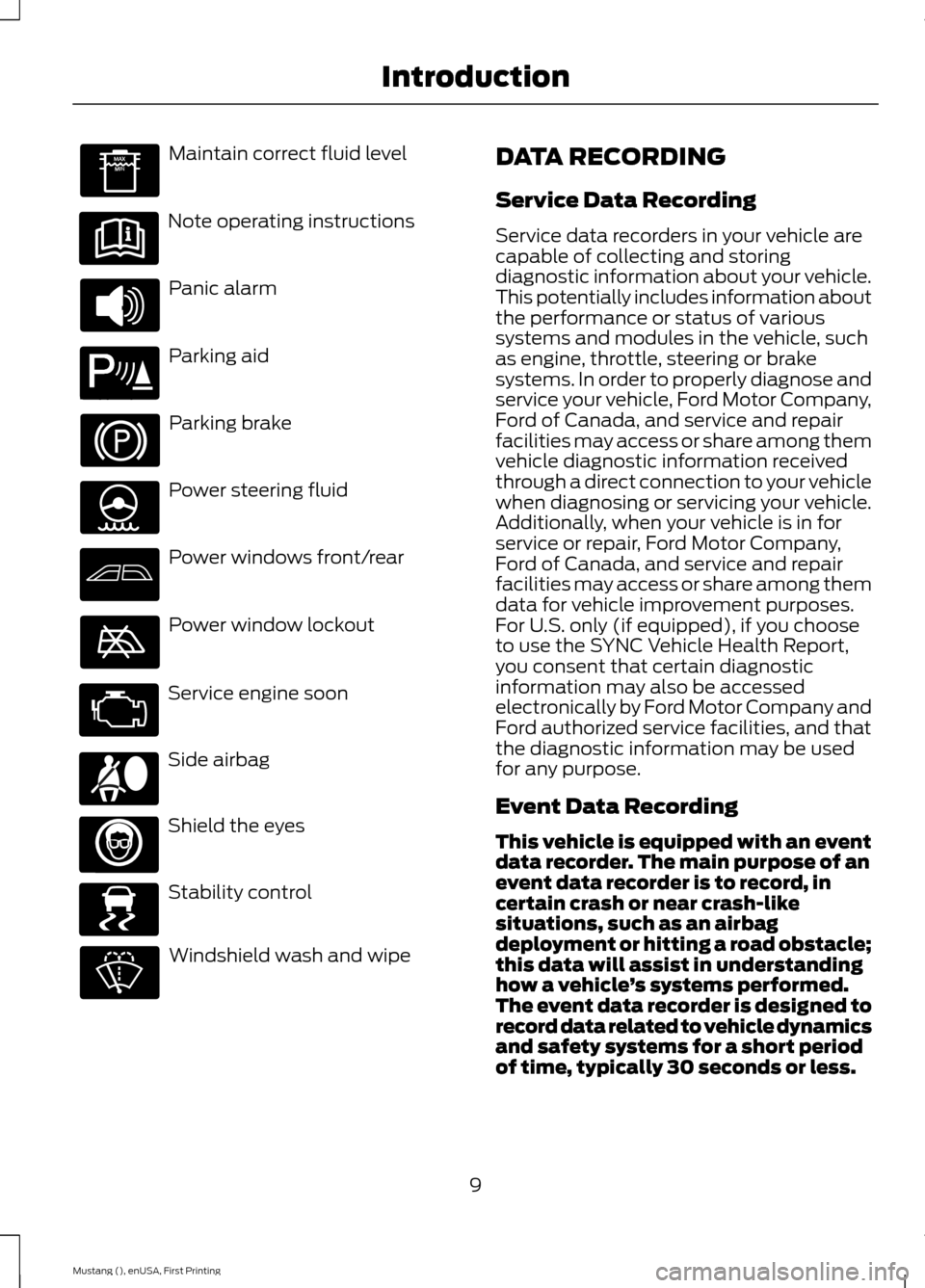
Maintain correct fluid level
Note operating instructions
Panic alarm
Parking aid
Parking brake
Power steering fluid
Power windows front/rear
Power window lockout
Service engine soon
Side airbag
Shield the eyes
Stability control
Windshield wash and wipe DATA RECORDING
Service Data Recording
Service data recorders in your vehicle are
capable of collecting and storing
diagnostic information about your vehicle.
This potentially includes information about
the performance or status of various
systems and modules in the vehicle, such
as engine, throttle, steering or brake
systems. In order to properly diagnose and
service your vehicle, Ford Motor Company,
Ford of Canada, and service and repair
facilities may access or share among them
vehicle diagnostic information received
through a direct connection to your vehicle
when diagnosing or servicing your vehicle.
Additionally, when your vehicle is in for
service or repair, Ford Motor Company,
Ford of Canada, and service and repair
facilities may access or share among them
data for vehicle improvement purposes.
For U.S. only (if equipped), if you choose
to use the SYNC Vehicle Health Report,
you consent that certain diagnostic
information may also be accessed
electronically by Ford Motor Company and
Ford authorized service facilities, and that
the diagnostic information may be used
for any purpose.
Event Data Recording
This vehicle is equipped with an event
data recorder. The main purpose of an
event data recorder is to record, in
certain crash or near crash-like
situations, such as an airbag
deployment or hitting a road obstacle;
this data will assist in understanding
how a vehicle
’s systems performed.
The event data recorder is designed to
record data related to vehicle dynamics
and safety systems for a short period
of time, typically 30 seconds or less.
9
Mustang (), enUSA, First Printing Introduction E139213 E167012 E138639
Page 48 of 441
GENERAL INFORMATION ON
RADIO FREQUENCIES
This device complies with Part 15 of the
FCC Rules and with Industry Canada
license-exempt RSS standard(s).
Operation is subject to the following two
conditions: (1) This device may not cause
harmful interference, and (2) This device
must accept any interference received,
including interference that may cause
undesired operation.
Note:
Changes or modifications not
expressively approved by the party
responsible for compliance could void the
user's authority to operate the equipment.
The term IC before the radio certification
number only signifies that Industry Canada
technical specifications were met.
The typical operating range for your
transmitter is approximately 33 feet (10
meters). Vehicles with the remote start
feature will have a greater range. One of
the following could cause a decrease in
operating range:
• weather conditions
• nearby radio towers
• structures around the vehicle
• other vehicles parked next to your
vehicle
Other short-distance radio transmitters,
such as amateur radios, medical
equipment, wireless headphones, remote
controls and alarm systems may operate
on the same frequency as your remote
control. If other transmitters are operating
on those frequencies, you may not be able
to use your remote control. Using your
remote control near some types of
electronic equipment, such as USB devices, computers or cell phones can interfere with
remote operation. Operating your remote
control near metal or metallic-finished
purses, bags or clothing can interfere with
remote operation. You can lock and unlock
the doors with the key.
Note:
Make sure to lock your vehicle before
leaving it unattended.
Note: If you are in range, the remote control
will operate if you press any button
unintentionally.
Intelligent Access
The system uses a radio frequency signal
to communicate with your vehicle and
authorize your vehicle to unlock when one
of the following conditions are met:
• You touch the inside of the front
exterior door handle.
• You press the luggage compartment
button.
• You press a button on the transmitter.
If excessive radio frequency interference
is present in the area or if the transmitter
battery is low, you may need to
mechanically unlock your door. You can
use the mechanical key blade in your
intelligent access key to open the driver
door in this situation. See
Remote
Control (page 46).
45
Mustang (), enUSA, First Printing Keys and Remote Controls
Page 51 of 441
5. Reinstall the housing and cover.
Car Finder
Press the button twice within
three seconds. The horn will
sound and the turn signals will
flash. We recommend you use this method
to locate your vehicle, rather than using
the panic alarm.
Sounding a Panic Alarm
Note: The panic alarm will only operate
when the ignition is off. Press the button to activate the
alarm. Press the button again or
switch the ignition on to
deactivate.
Remote Start WARNING
To avoid exhaust fumes, do not use
remote start if your vehicle is parked
indoors or areas that are not well
ventilated. Note:
Do not use remote start if your vehicle
is low on fuel. The remote start button is on the
transmitter.
This feature allows you to start your
vehicle from outside the vehicle. The
transmitter has an extended operating
range.
Vehicles with automatic climate control
can be configured to operate when the
vehicle is remote started. See Climate
Control (page 101). A manual climate
control system will run at the setting it was
set to when you switched the vehicle off. Many states and provinces have
restrictions for the use of remote start.
Check your local and state or provincial
laws for specific requirements regarding
remote start systems.
The remote start system will not work if:
•
the ignition is on
• the alarm system is triggered
• you disable the feature
• the hood is open
• the transmission is not in
P
• the vehicle battery voltage is too low
• the service engine soon light is on.
Remote Control Feedback
An LED on the remote control provides
status feedback of remote start or stop
commands. Status
LED
Remote start orextension
successful
Solid green
Remote stop
successful; engine off
Solid red
Remote start orstop failed
Blinking red
Waiting for statusupdate
Blinking green
Remote Starting the Vehicle
Note: You must press each button within
three seconds of each other. Your vehicle
will not remote start if you do not follow this
sequence.
48
Mustang (), enUSA, First Printing Keys and Remote ControlsE138623 E138624 E138625
Page 60 of 441
Mislock
If any door or the luggage compartment is
open, or if the hood is open on vehicles
with an anti-theft alarm or remote start,
the horn sounds twice and the directional
indicators do not flash. You can enable or
disable this feature in the information
display. See General Information (page
83).
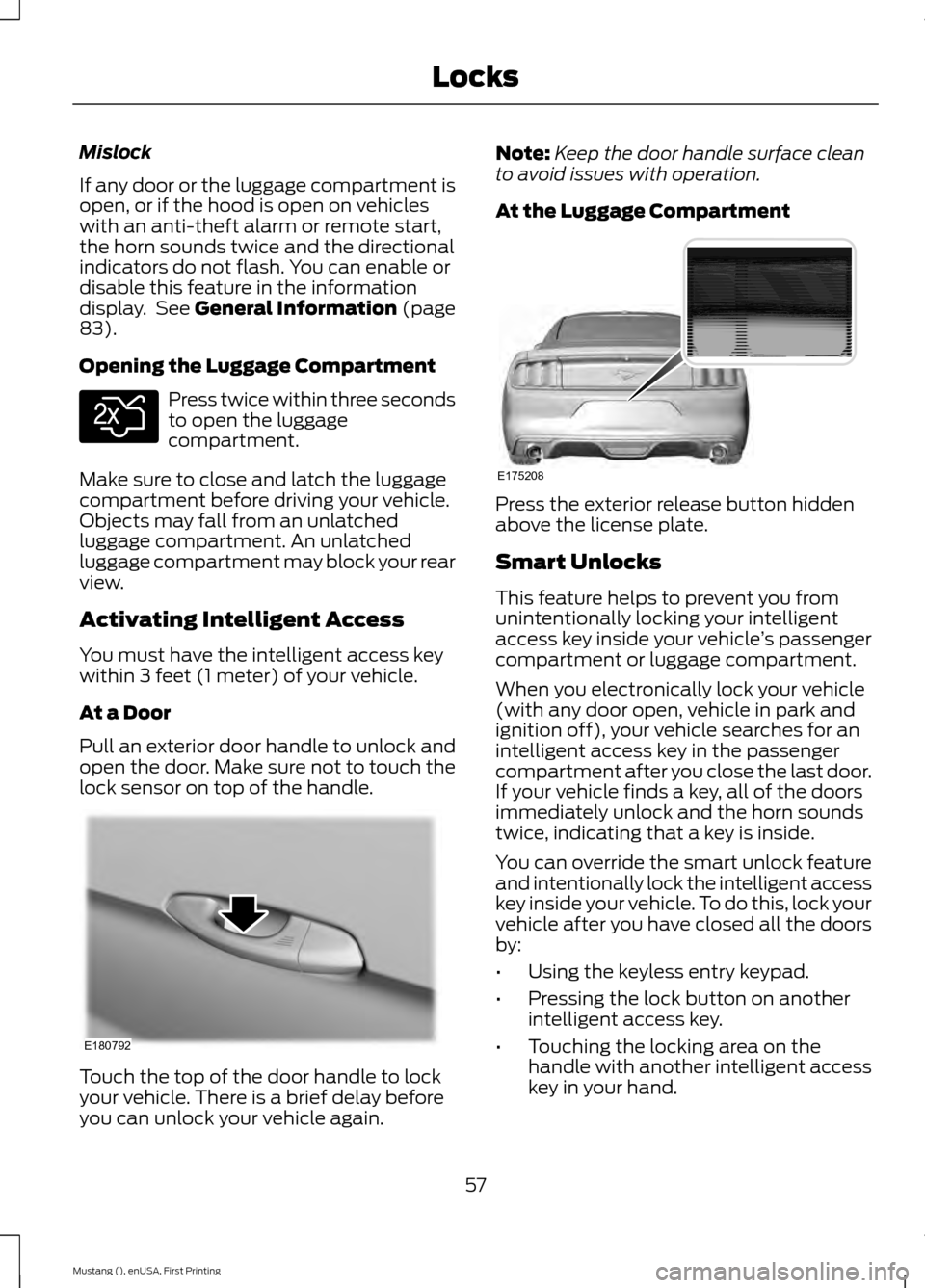
Opening the Luggage Compartment Press twice within three seconds
to open the luggage
compartment.
Make sure to close and latch the luggage
compartment before driving your vehicle.
Objects may fall from an unlatched
luggage compartment. An unlatched
luggage compartment may block your rear
view.
Activating Intelligent Access
You must have the intelligent access key
within 3 feet (1 meter) of your vehicle.
At a Door
Pull an exterior door handle to unlock and
open the door. Make sure not to touch the
lock sensor on top of the handle. Touch the top of the door handle to lock
your vehicle. There is a brief delay before
you can unlock your vehicle again. Note:
Keep the door handle surface clean
to avoid issues with operation.
At the Luggage Compartment Press the exterior release button hidden
above the license plate.
Smart Unlocks
This feature helps to prevent you from
unintentionally locking your intelligent
access key inside your vehicle
’s passenger
compartment or luggage compartment.
When you electronically lock your vehicle
(with any door open, vehicle in park and
ignition off), your vehicle searches for an
intelligent access key in the passenger
compartment after you close the last door.
If your vehicle finds a key, all of the doors
immediately unlock and the horn sounds
twice, indicating that a key is inside.
You can override the smart unlock feature
and intentionally lock the intelligent access
key inside your vehicle. To do this, lock your
vehicle after you have closed all the doors
by:
• Using the keyless entry keypad.
• Pressing the lock button on another
intelligent access key.
• Touching the locking area on the
handle with another intelligent access
key in your hand.
57
Mustang (), enUSA, First Printing LocksE138630 E180792 E175208
Page 61 of 441
When you open one of the front doors and
lock your vehicle using the power door lock
control, all doors lock then unlock if:
•
The ignition is on.
• The ignition is off and your vehicle is
not in P.
Auto Relock
If you press the unlock button on the
remote control and do not open a door
within 45 seconds, your vehicle locks and
arms your alarm. You can enable or disable
this feature in the information display. See
General Information
(page 83).
Autolock Feature
The autolock feature locks all the doors
when:
• All doors are closed.
• The ignition is on.
• You shift into any gear putting your
vehicle in motion.
• And your vehicle attains a speed
greater than
12.4 mph (20 km/h).
The autolock feature repeats when:
• You open, and then close, any door
while the ignition is on and your vehicle
speed is
9.3 mph (15 km/h).
• And your vehicle then attains a speed
greater than
12.4 mph (20 km/h). Autounlock Feature
The autounlock feature unlocks all the
doors when:
•
The ignition is on, all the doors are
closed, and your vehicle has been in
motion at a speed greater than
12.4 mph (20 km/h)
.
• The vehicle comes to a stop and you
switch the ignition off or to accessory.
• And you open the driver door within 10
minutes of switching the ignition off or
to accessory.
Note: The doors do not autounlock if you
electronically lock your vehicle after you
switch the ignition off and before you open
the driver door.
Enabling or Disabling
Note: You can enable or disable the
autolock and autounlock features
independently of each other.
You can enable or disable these features
in the information display, or an authorized
dealer can do it for you. See Information
Messages
(page 91).
Key Blade
Turn the top of the key toward the front of
your vehicle once to lock all doors.
Turn the top of the key toward the rear of
your vehicle once to unlock the driver door
only.
See Remote Control (page 46).
Locking the Doors Individually
If the power locks do not operate because
of a discharged battery, lock the doors
individually using the mechanical key blade
in the position shown.
58
Mustang (), enUSA, First Printing Locks
Page 66 of 441
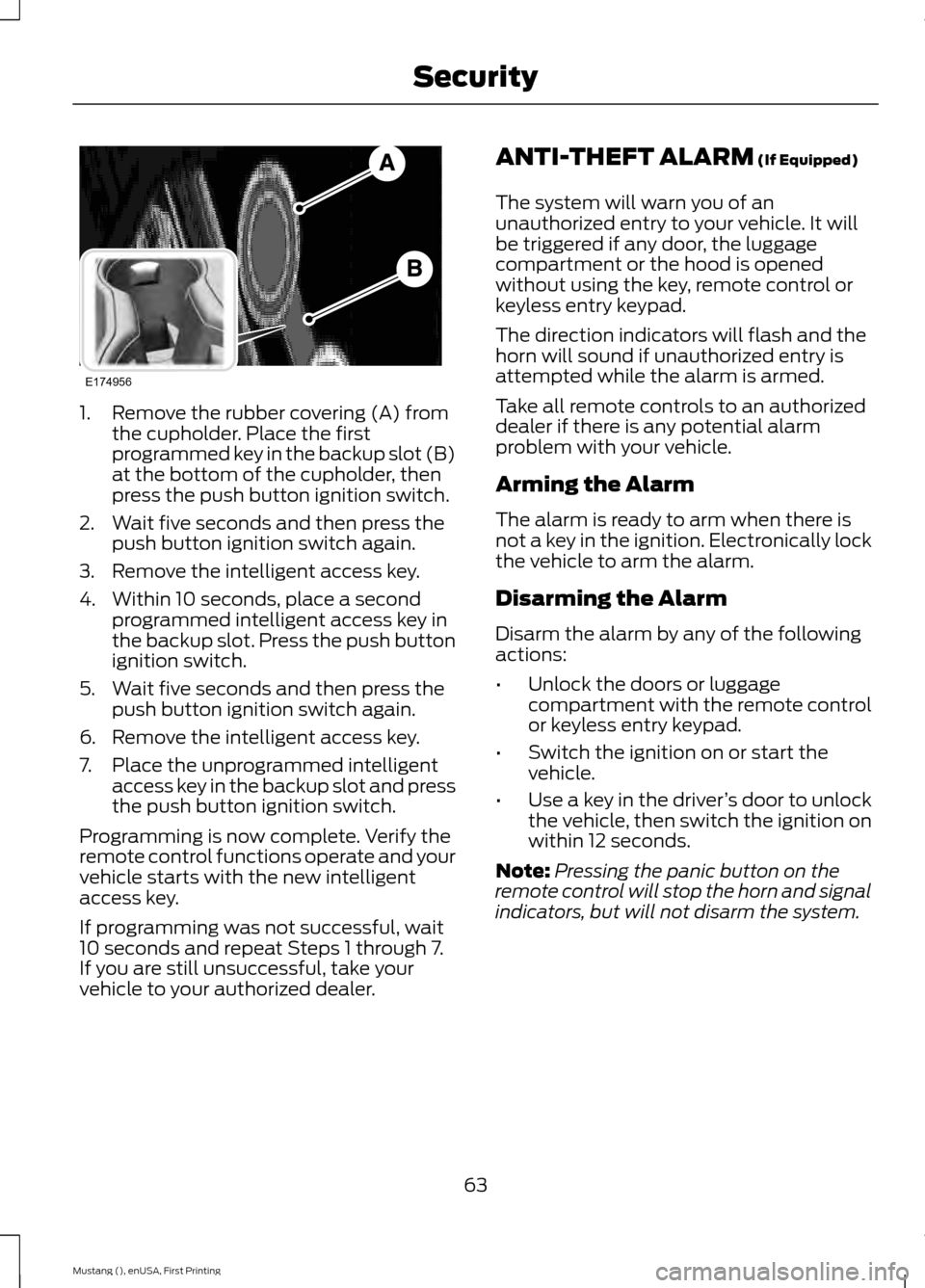
1. Remove the rubber covering (A) from
the cupholder. Place the first
programmed key in the backup slot (B)
at the bottom of the cupholder, then
press the push button ignition switch.
2. Wait five seconds and then press the push button ignition switch again.
3. Remove the intelligent access key.
4. Within 10 seconds, place a second programmed intelligent access key in
the backup slot. Press the push button
ignition switch.
5. Wait five seconds and then press the push button ignition switch again.
6. Remove the intelligent access key.
7. Place the unprogrammed intelligent access key in the backup slot and press
the push button ignition switch.
Programming is now complete. Verify the
remote control functions operate and your
vehicle starts with the new intelligent
access key.
If programming was not successful, wait
10 seconds and repeat Steps 1 through 7.
If you are still unsuccessful, take your
vehicle to your authorized dealer. ANTI-THEFT ALARM (If Equipped)
The system will warn you of an
unauthorized entry to your vehicle. It will
be triggered if any door, the luggage
compartment or the hood is opened
without using the key, remote control or
keyless entry keypad.
The direction indicators will flash and the
horn will sound if unauthorized entry is
attempted while the alarm is armed.
Take all remote controls to an authorized
dealer if there is any potential alarm
problem with your vehicle.
Arming the Alarm
The alarm is ready to arm when there is
not a key in the ignition. Electronically lock
the vehicle to arm the alarm.
Disarming the Alarm
Disarm the alarm by any of the following
actions:
• Unlock the doors or luggage
compartment with the remote control
or keyless entry keypad.
• Switch the ignition on or start the
vehicle.
• Use a key in the driver ’s door to unlock
the vehicle, then switch the ignition on
within 12 seconds.
Note: Pressing the panic button on the
remote control will stop the horn and signal
indicators, but will not disarm the system.
63
Mustang (), enUSA, First Printing SecurityE174956
Page 96 of 441
Alarm
Action
Message
Alarm triggered due to unauthorized entry. See Anti-Theft
Alarm (page 63).
Vehicle Alarm to Stop
Alarm, Start Vehicle
All perimeter sensors are active. See Anti-Theft Alarm (page 63
).
Alarm All Sensors Peri-
meter Sensing
Battery and Charging System Action
Message
The charging system needs servicing. If the warning stays on
or continues to come on, contact an authorized dealer as soon as possible.
Check Charging System
The charging system needs servicing. If the warning stays on
or continues to come on, contact an authorized dealer as soon as possible.
Charging System Service
Soon
The charging system needs servicing. Contact an authorized dealer as soon as possible.
Charging System Service
Now
The battery management system determines that the batteryis at a low state of charge. Turn your ignition off as soon as
possible to protect the battery. This message clears once you restart your vehicle and the battery state of charge has recovered.
Battery State of Charge
Low
The battery management system detects an extended low-voltage condition. Your vehicle disables various features to
help preserve the battery. Turn off as many of the electrical loads as soon as possible to improve system voltage. If the
system voltage has recovered, the disabled features operate again as normal.
Low Battery Features
Temporarily Turned Off
The battery management system determines that the batteryis at a low state of charge. Turn your ignition off as soon as
possible to protect the battery. This message clears once you restart your vehicle and the battery state of charge has
recovered. Turning off unnecessary electrical loads allow faster battery state-of-charge recovery.
Turn Power Off to Save
Battery
93
Mustang (), enUSA, First Printing Information Displays
Page 150 of 441
PARKING AID (If Equipped)
WARNINGS
To help avoid personal injury, please
read and understand the limitations
of the system as contained in this
section. Sensing is only an aid for some
(generally large and fixed) objects when
moving on a flat surface at parking speeds.
Certain objects with surfaces that absorb
ultrasonic waves, traffic control systems,
fluorescent lamps, inclement weather, air
brakes, and external motors and fans may
also affect the function of the sensing
system; this may include reduced
performance or a false activation. To help avoid personal injury, always
use caution when in reverse (R) and
when using the sensing system.
This system is not designed to
prevent contact with small or moving
objects. The system is designed to
provide a warning to assist the driver in
detecting large stationary objects to avoid
damaging the vehicle. The system may not
detect smaller objects, particularly those
close to the ground. Certain add-on devices such as large
trailer hitches, bike or surfboard racks
and any device that may block the
normal detection zone of the system, may
create false beeps. Note:
Keep the sensors, located on the
bumper or fascia, free from snow, ice and
large accumulations of dirt. If the sensors
are covered, the system ’s accuracy can be
affected. Do not clean the sensors with
sharp objects.
Note: If your vehicle sustains damage to
the bumper or fascia, leaving it misaligned
or bent, the sensing zone may be altered
causing inaccurate measurement of
obstacles or false alarms. Note:
If your vehicle is equipped with
MyKey, it is possible to prevent turning the
sensing system off. See
Principle of
Operation (page 50).
The sensing system warns the driver of
obstacles within a certain range of the
bumper area. The system turns on
automatically whenever the ignition is
switched on.
When receiving a detection warning, the
radio volume is reduced to a
predetermined level. After the warning
goes away, the radio volume returns to the
previous level.
Rear Sensing System
The rear sensors are only active when the
transmission is in reverse (R). As your
vehicle moves closer to the obstacle, the
rate of the audible warning increases.
When the obstacle is fewer than
12 in
(30 cm) away, the warning sounds
continuously. If a stationary or receding
object is detected farther than
12 in
(30 cm) from the side of your vehicle, the
tone sounds for only three seconds. Once
the system detects an object approaching,
the warning sounds again.
147
Mustang (), enUSA, First Printing Parking Aids
Page 159 of 441
Disengaging the System
Press the brake pedal, press CNCL, or
press the clutch pedal (if equipped). The
last set speed displays in grey but will not
erase.
Overriding the System WARNING
Whenever the driver is overriding the
system by pressing the accelerator
pedal, the system will not
automatically apply the brakes to maintain
separation from any vehicle ahead. You can override the set speed and gap
distance by pressing the accelerator pedal.
When you override the system,
the green indicator light
illuminates and the lead vehicle
graphic does not show in the
information display.
The system will resume operation when
you release the accelerator pedal. The
vehicle speed will decrease to the set
speed, or a lower speed if following a
slower vehicle.
Changing the Set Speed
• Accelerate or brake to the desired
speed, then press and release
SET+.
• Press and hold SET+ or SET- until the
desired set speed shows on the
information display. The vehicle speed
will gradually change to the selected
speed.
• Press and release
SET+ or SET-. The
set speed will change in approximately
1 mph (2 km/h) increments.
The system may apply the brakes to slow
the vehicle to the new set speed. The set
speed will display continuously in the
information display while the system is
active. Resuming the Set Speed
Note:
Only use resume if you are aware of
the set speed and intend to return to it.
Press and release
RES. The vehicle will
return to the previously set speed. The set
speed will display continuously in the
information display while the system is
active.
Automatic Cancellation
The system is not functional at vehicle
speeds below 12 mph (20 km/h). An
audible alarm will sound and the
automatic braking releases if the vehicle
drops below this speed. The system will
cancel at low speeds if you switch off
electronic stability control.
Hilly Condition Usage
Note: An audible alarm will sound and the
system will shut down if it is applying brakes
for an extended period of time. This allows
the brakes to cool down. The system will
function normally again when the brakes
have cooled down.
You should select a lower gear position
when the system is active in situations
such as prolonged downhill driving on
steep grades, for example in mountainous
areas. The system needs additional engine
braking in these situations to reduce the
load on the vehicle ’s regular brake system
to prevent them from overheating.
Switching the System Off
Note: The set speed memory erases when
you switch off the system.
Press and release
OFF or turn off the
ignition.
156
Mustang (), enUSA, First Printing Cruise ControlE144529