remote start FORD MUSTANG 2023 Owners Manual
[x] Cancel search | Manufacturer: FORD, Model Year: 2023, Model line: MUSTANG, Model: FORD MUSTANG 2023Pages: 535, PDF Size: 15.46 MB
Page 5 of 535
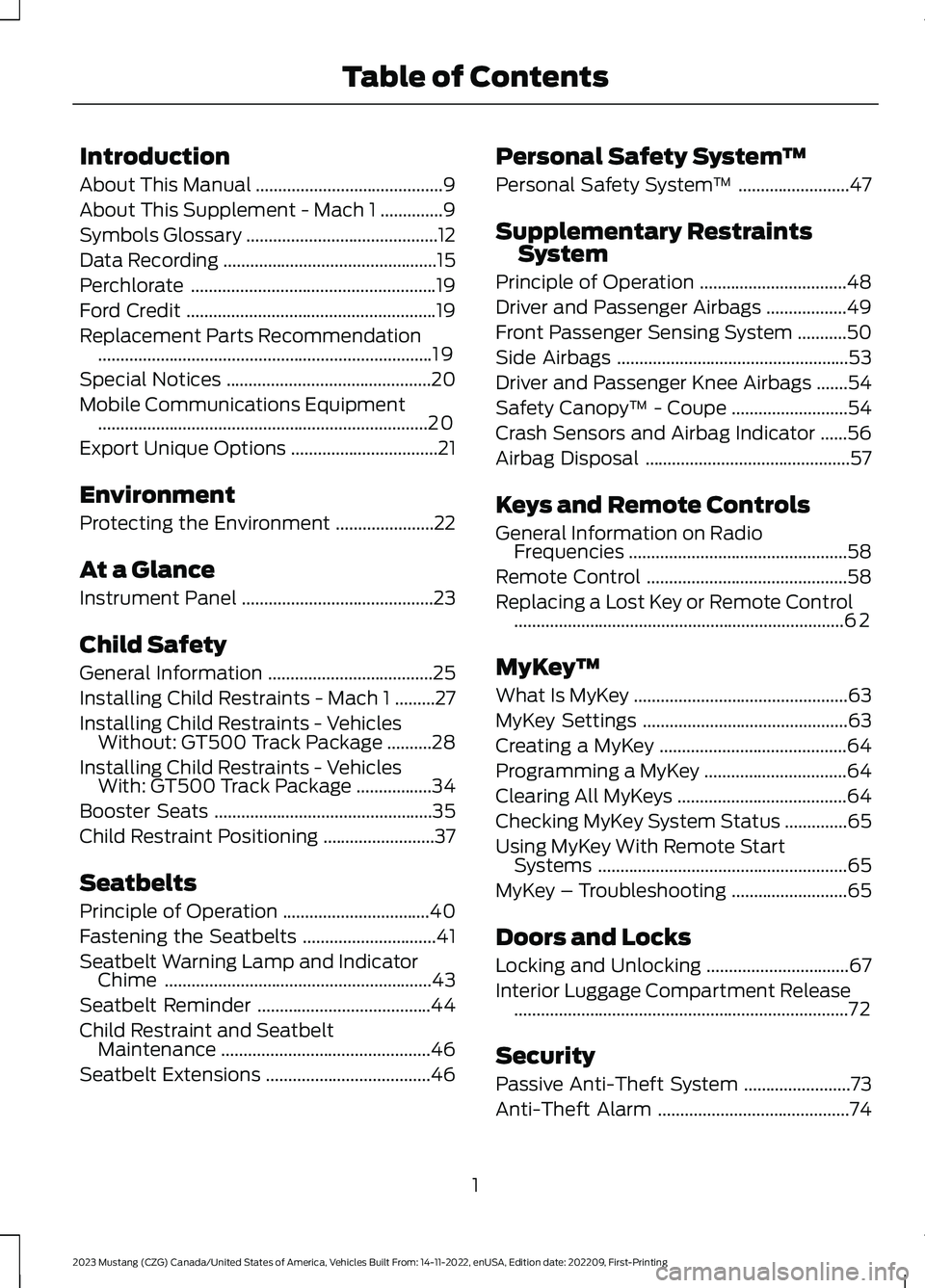
Introduction
About This Manual..........................................9
About This Supplement - Mach 1..............9
Symbols Glossary...........................................12
Data Recording................................................15
Perchlorate.......................................................19
Ford Credit........................................................19
Replacement Parts Recommendation...........................................................................19
Special Notices..............................................20
Mobile Communications Equipment..........................................................................20
Export Unique Options.................................21
Environment
Protecting the Environment......................22
At a Glance
Instrument Panel...........................................23
Child Safety
General Information.....................................25
Installing Child Restraints - Mach 1.........27
Installing Child Restraints - VehiclesWithout: GT500 Track Package..........28
Installing Child Restraints - VehiclesWith: GT500 Track Package.................34
Booster Seats.................................................35
Child Restraint Positioning.........................37
Seatbelts
Principle of Operation.................................40
Fastening the Seatbelts..............................41
Seatbelt Warning Lamp and IndicatorChime............................................................43
Seatbelt Reminder.......................................44
Child Restraint and SeatbeltMaintenance...............................................46
Seatbelt Extensions.....................................46
Personal Safety System™
Personal Safety System™.........................47
Supplementary RestraintsSystem
Principle of Operation.................................48
Driver and Passenger Airbags..................49
Front Passenger Sensing System...........50
Side Airbags....................................................53
Driver and Passenger Knee Airbags.......54
Safety Canopy™ - Coupe..........................54
Crash Sensors and Airbag Indicator......56
Airbag Disposal..............................................57
Keys and Remote Controls
General Information on RadioFrequencies.................................................58
Remote Control.............................................58
Replacing a Lost Key or Remote Control..........................................................................62
MyKey™
What Is MyKey................................................63
MyKey Settings..............................................63
Creating a MyKey..........................................64
Programming a MyKey................................64
Clearing All MyKeys......................................64
Checking MyKey System Status..............65
Using MyKey With Remote StartSystems........................................................65
MyKey – Troubleshooting..........................65
Doors and Locks
Locking and Unlocking................................67
Interior Luggage Compartment Release...........................................................................72
Security
Passive Anti-Theft System........................73
Anti-Theft Alarm...........................................74
1
2023 Mustang (CZG) Canada/United States of America, Vehicles Built From: 14-11-2022, enUSA, Edition date: 202209, First-PrintingTable of Contents
Page 6 of 535
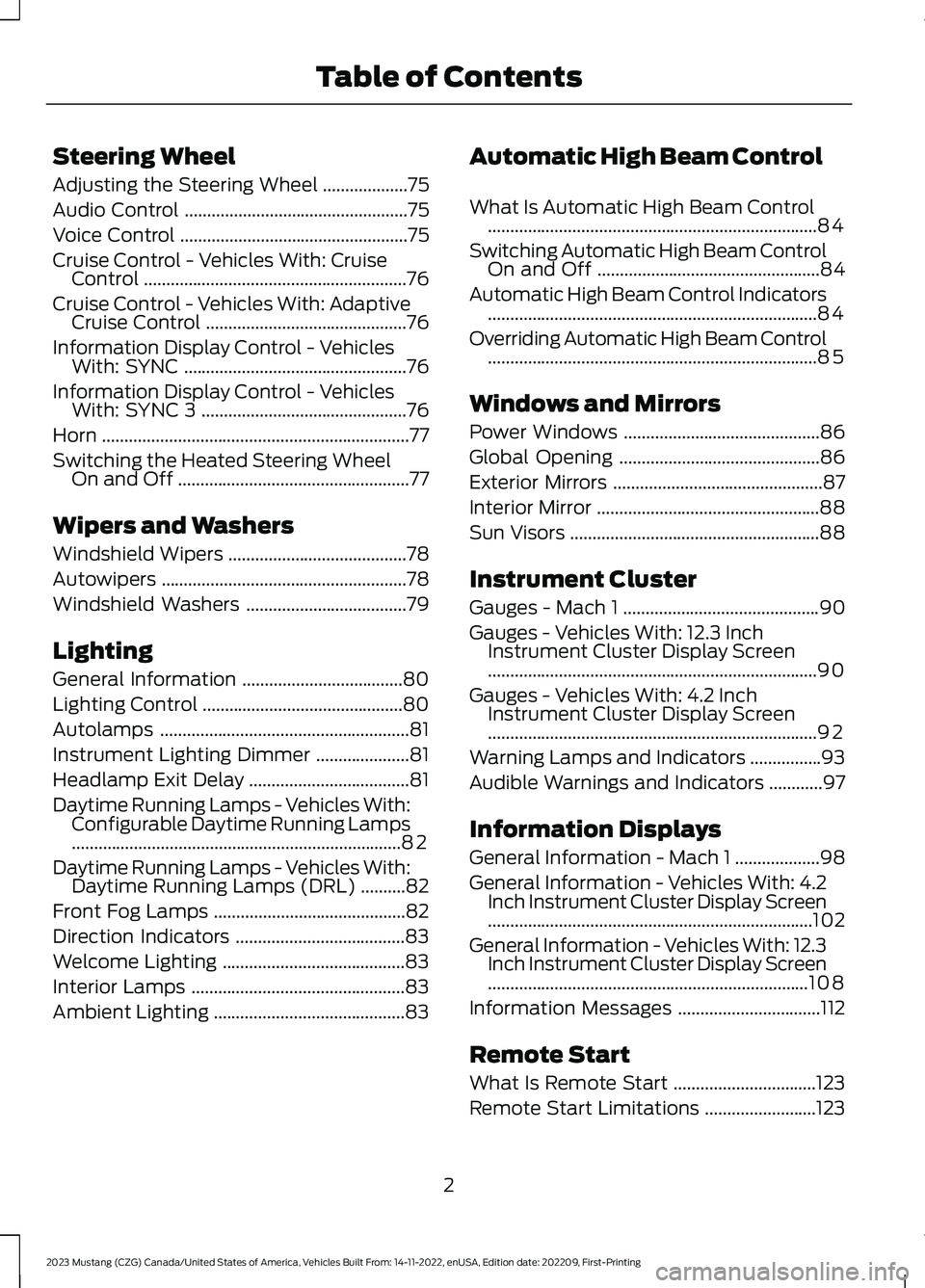
Steering Wheel
Adjusting the Steering Wheel...................75
Audio Control..................................................75
Voice Control...................................................75
Cruise Control - Vehicles With: CruiseControl...........................................................76
Cruise Control - Vehicles With: AdaptiveCruise Control.............................................76
Information Display Control - VehiclesWith: SYNC..................................................76
Information Display Control - VehiclesWith: SYNC 3..............................................76
Horn.....................................................................77
Switching the Heated Steering WheelOn and Off....................................................77
Wipers and Washers
Windshield Wipers........................................78
Autowipers.......................................................78
Windshield Washers....................................79
Lighting
General Information....................................80
Lighting Control.............................................80
Autolamps........................................................81
Instrument Lighting Dimmer.....................81
Headlamp Exit Delay....................................81
Daytime Running Lamps - Vehicles With:Configurable Daytime Running Lamps..........................................................................82
Daytime Running Lamps - Vehicles With:Daytime Running Lamps (DRL)..........82
Front Fog Lamps...........................................82
Direction Indicators......................................83
Welcome Lighting.........................................83
Interior Lamps................................................83
Ambient Lighting...........................................83
Automatic High Beam Control
What Is Automatic High Beam Control..........................................................................84
Switching Automatic High Beam ControlOn and Off..................................................84
Automatic High Beam Control Indicators..........................................................................84
Overriding Automatic High Beam Control..........................................................................85
Windows and Mirrors
Power Windows............................................86
Global Opening.............................................86
Exterior Mirrors...............................................87
Interior Mirror..................................................88
Sun Visors........................................................88
Instrument Cluster
Gauges - Mach 1............................................90
Gauges - Vehicles With: 12.3 InchInstrument Cluster Display Screen..........................................................................90
Gauges - Vehicles With: 4.2 InchInstrument Cluster Display Screen..........................................................................92
Warning Lamps and Indicators................93
Audible Warnings and Indicators............97
Information Displays
General Information - Mach 1...................98
General Information - Vehicles With: 4.2Inch Instrument Cluster Display Screen.........................................................................102
General Information - Vehicles With: 12.3Inch Instrument Cluster Display Screen........................................................................108
Information Messages................................112
Remote Start
What Is Remote Start................................123
Remote Start Limitations.........................123
2
2023 Mustang (CZG) Canada/United States of America, Vehicles Built From: 14-11-2022, enUSA, Edition date: 202209, First-PrintingTable of Contents
Page 7 of 535
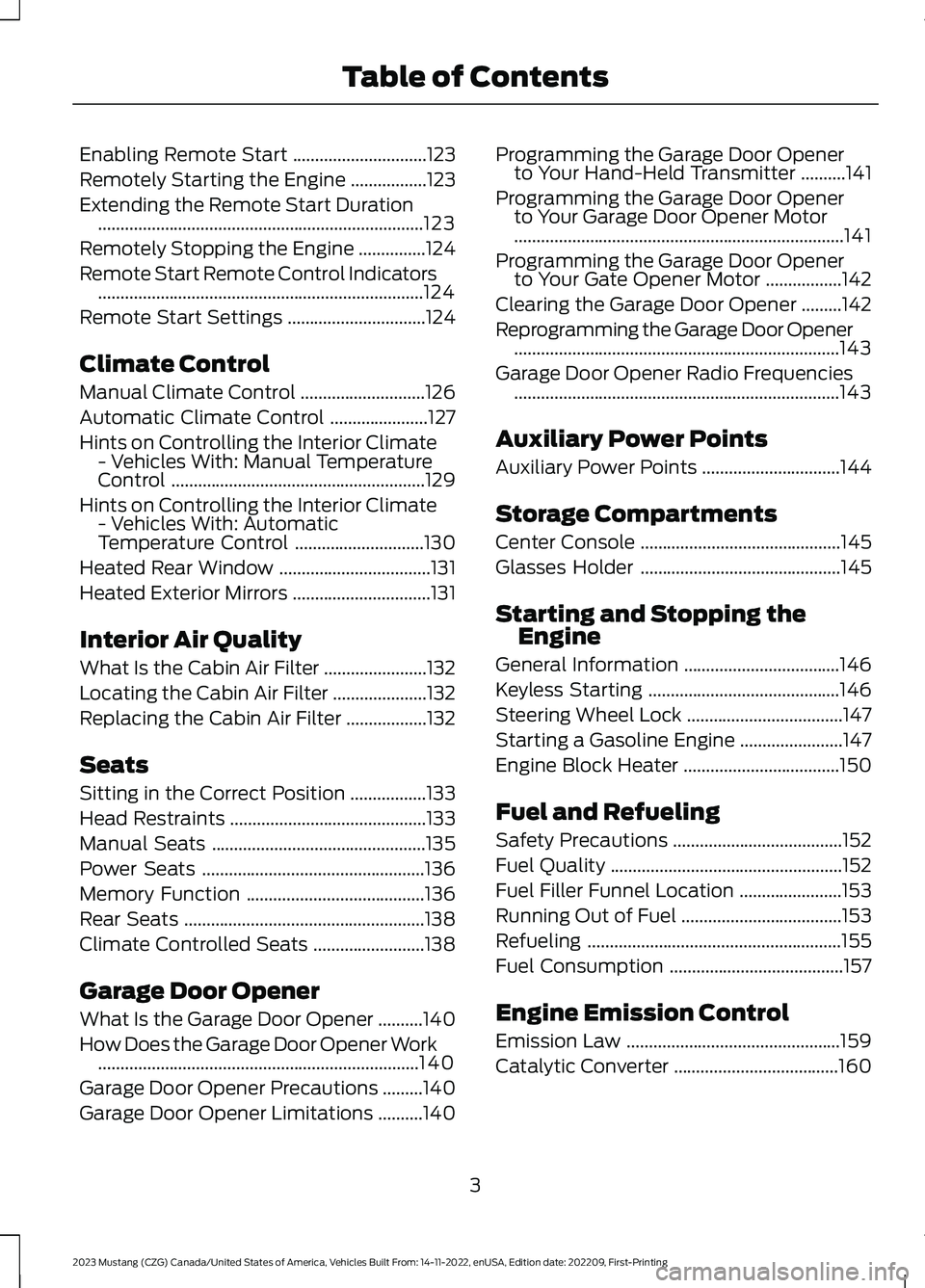
Enabling Remote Start..............................123
Remotely Starting the Engine.................123
Extending the Remote Start Duration.........................................................................123
Remotely Stopping the Engine...............124
Remote Start Remote Control Indicators.........................................................................124
Remote Start Settings...............................124
Climate Control
Manual Climate Control............................126
Automatic Climate Control......................127
Hints on Controlling the Interior Climate- Vehicles With: Manual TemperatureControl.........................................................129
Hints on Controlling the Interior Climate- Vehicles With: AutomaticTemperature Control.............................130
Heated Rear Window..................................131
Heated Exterior Mirrors...............................131
Interior Air Quality
What Is the Cabin Air Filter.......................132
Locating the Cabin Air Filter.....................132
Replacing the Cabin Air Filter..................132
Seats
Sitting in the Correct Position.................133
Head Restraints............................................133
Manual Seats................................................135
Power Seats..................................................136
Memory Function........................................136
Rear Seats......................................................138
Climate Controlled Seats.........................138
Garage Door Opener
What Is the Garage Door Opener..........140
How Does the Garage Door Opener Work........................................................................140
Garage Door Opener Precautions.........140
Garage Door Opener Limitations..........140
Programming the Garage Door Openerto Your Hand-Held Transmitter..........141
Programming the Garage Door Openerto Your Garage Door Opener Motor..........................................................................141
Programming the Garage Door Openerto Your Gate Opener Motor.................142
Clearing the Garage Door Opener.........142
Reprogramming the Garage Door Opener.........................................................................143
Garage Door Opener Radio Frequencies.........................................................................143
Auxiliary Power Points
Auxiliary Power Points...............................144
Storage Compartments
Center Console.............................................145
Glasses Holder.............................................145
Starting and Stopping theEngine
General Information...................................146
Keyless Starting...........................................146
Steering Wheel Lock...................................147
Starting a Gasoline Engine.......................147
Engine Block Heater...................................150
Fuel and Refueling
Safety Precautions......................................152
Fuel Quality....................................................152
Fuel Filler Funnel Location.......................153
Running Out of Fuel....................................153
Refueling.........................................................155
Fuel Consumption.......................................157
Engine Emission Control
Emission Law................................................159
Catalytic Converter.....................................160
3
2023 Mustang (CZG) Canada/United States of America, Vehicles Built From: 14-11-2022, enUSA, Edition date: 202209, First-PrintingTable of Contents
Page 62 of 535
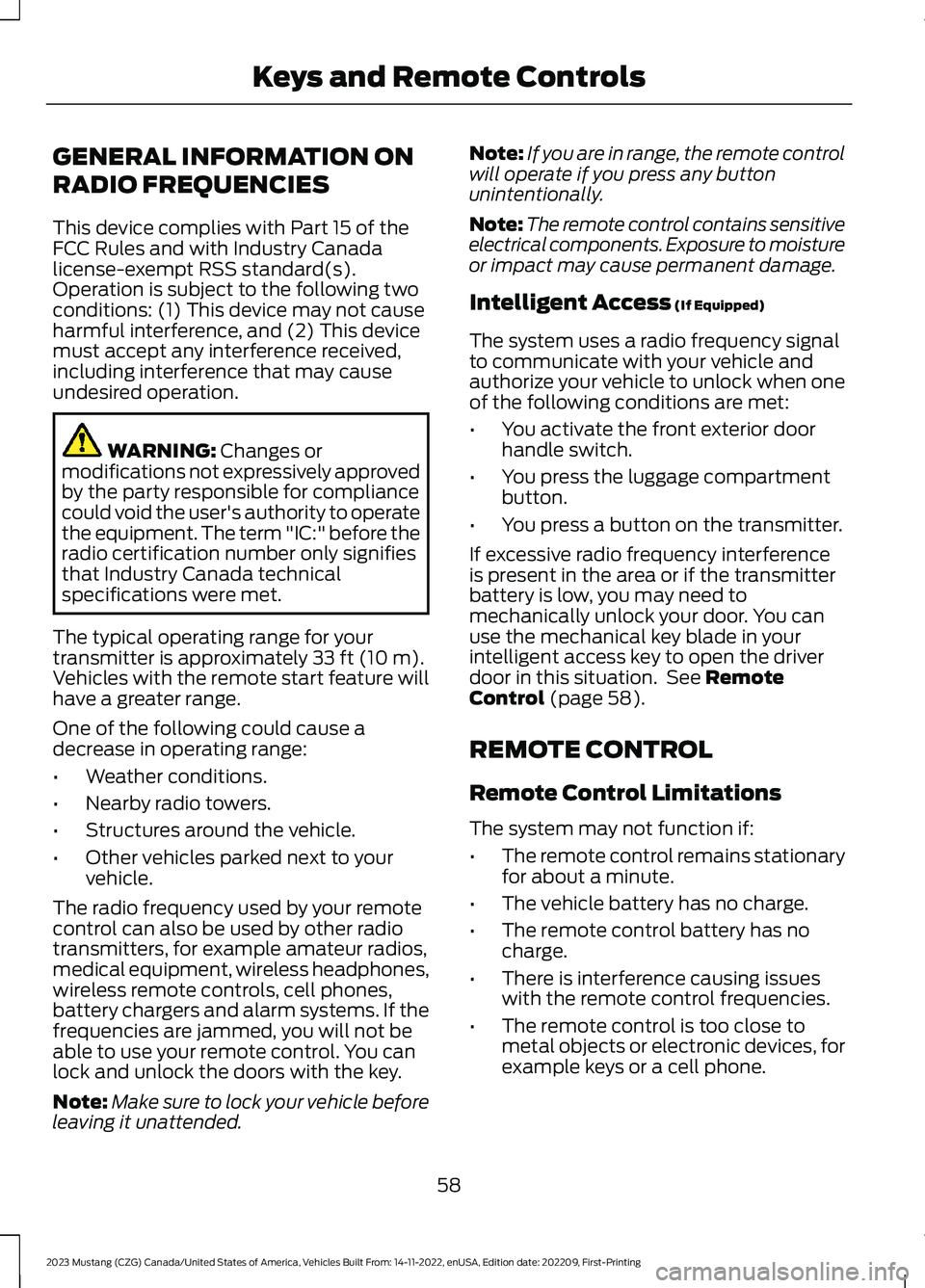
GENERAL INFORMATION ON
RADIO FREQUENCIES
This device complies with Part 15 of theFCC Rules and with Industry Canadalicense-exempt RSS standard(s).Operation is subject to the following twoconditions: (1) This device may not causeharmful interference, and (2) This devicemust accept any interference received,including interference that may causeundesired operation.
WARNING: Changes ormodifications not expressively approvedby the party responsible for compliancecould void the user's authority to operatethe equipment. The term "IC:" before theradio certification number only signifiesthat Industry Canada technicalspecifications were met.
The typical operating range for yourtransmitter is approximately 33 ft (10 m).Vehicles with the remote start feature willhave a greater range.
One of the following could cause adecrease in operating range:
•Weather conditions.
•Nearby radio towers.
•Structures around the vehicle.
•Other vehicles parked next to yourvehicle.
The radio frequency used by your remotecontrol can also be used by other radiotransmitters, for example amateur radios,medical equipment, wireless headphones,wireless remote controls, cell phones,battery chargers and alarm systems. If thefrequencies are jammed, you will not beable to use your remote control. You canlock and unlock the doors with the key.
Note:Make sure to lock your vehicle beforeleaving it unattended.
Note:If you are in range, the remote controlwill operate if you press any buttonunintentionally.
Note:The remote control contains sensitiveelectrical components. Exposure to moistureor impact may cause permanent damage.
Intelligent Access (If Equipped)
The system uses a radio frequency signalto communicate with your vehicle andauthorize your vehicle to unlock when oneof the following conditions are met:
•You activate the front exterior doorhandle switch.
•You press the luggage compartmentbutton.
•You press a button on the transmitter.
If excessive radio frequency interferenceis present in the area or if the transmitterbattery is low, you may need tomechanically unlock your door. You canuse the mechanical key blade in yourintelligent access key to open the driverdoor in this situation. See RemoteControl (page 58).
REMOTE CONTROL
Remote Control Limitations
The system may not function if:
•The remote control remains stationaryfor about a minute.
•The vehicle battery has no charge.
•The remote control battery has nocharge.
•There is interference causing issueswith the remote control frequencies.
•The remote control is too close tometal objects or electronic devices, forexample keys or a cell phone.
58
2023 Mustang (CZG) Canada/United States of America, Vehicles Built From: 14-11-2022, enUSA, Edition date: 202209, First-PrintingKeys and Remote Controls
Page 63 of 535
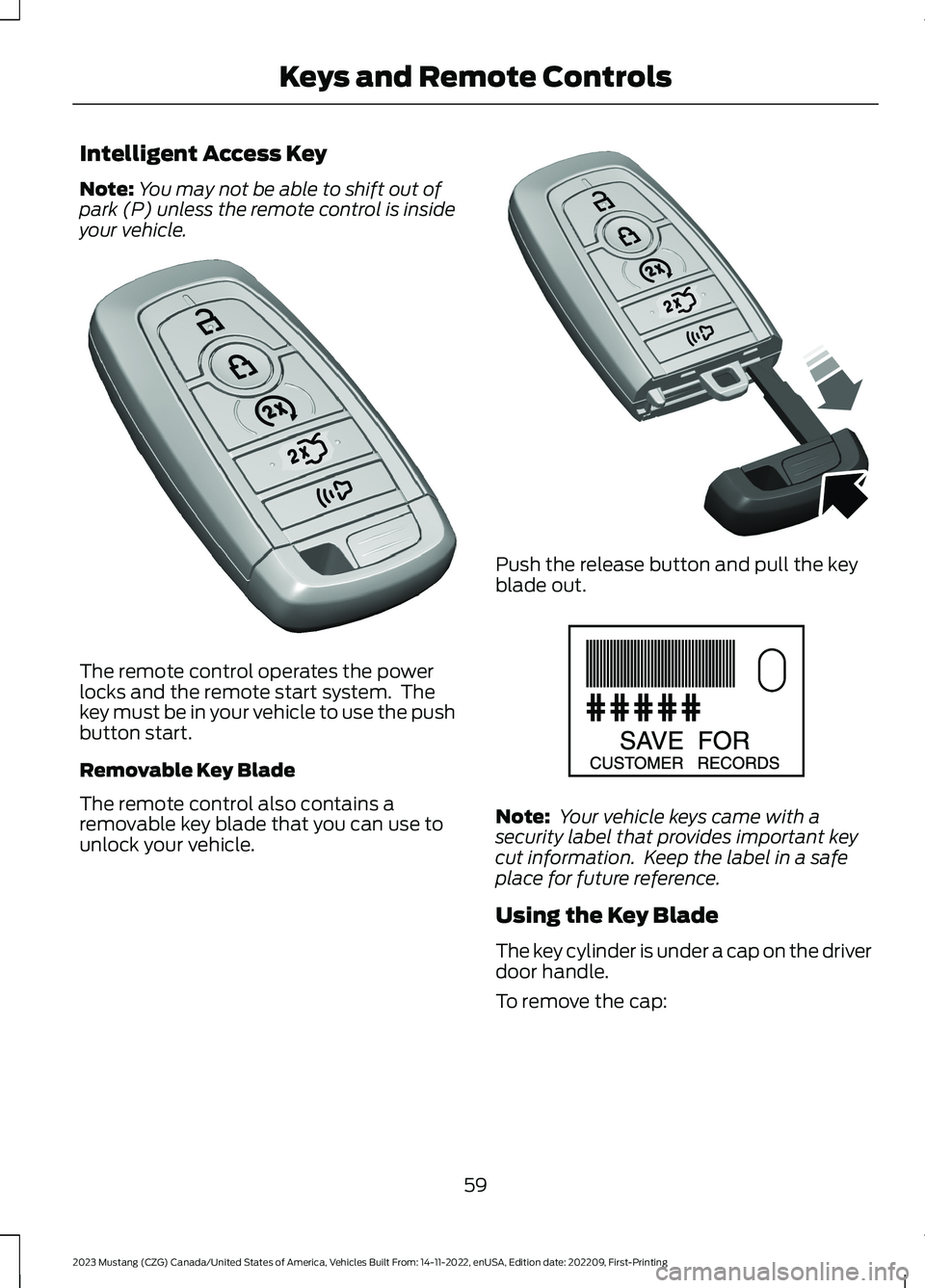
Intelligent Access Key
Note:You may not be able to shift out ofpark (P) unless the remote control is insideyour vehicle.
The remote control operates the powerlocks and the remote start system. Thekey must be in your vehicle to use the pushbutton start.
Removable Key Blade
The remote control also contains aremovable key blade that you can use tounlock your vehicle.
Push the release button and pull the keyblade out.
Note: Your vehicle keys came with asecurity label that provides important keycut information. Keep the label in a safeplace for future reference.
Using the Key Blade
The key cylinder is under a cap on the driverdoor handle.
To remove the cap:
59
2023 Mustang (CZG) Canada/United States of America, Vehicles Built From: 14-11-2022, enUSA, Edition date: 202209, First-PrintingKeys and Remote ControlsE307003 E307694 E151795
Page 69 of 535
CHECKING MYKEY SYSTEM
STATUS
You can find information about thedistance traveled using a MyKey, and thenumber of admin keys and MyKeys createdfor your vehicle.
1.Switch the ignition on.
2.Press Settings on the touchscreen.
3.Press Vehicle Settings.
4.Press MyKey.
5.Press MyKey Information.
6.Switch the ignition off.
USING MYKEY WITH REMOTE
START SYSTEMS
MyKey is not compatible with unapproved,aftermarket remote start systems. If youchoose to install a remote start system,see an authorized dealer for an approvedremote start system.
MYKEY – TROUBLESHOOTING
MYKEY – INFORMATION MESSAGES - VEHICLES WITH: PUSH BUTTONSTART
DescriptionMessage
Displays when trying to create a MyKey and there is no adminkey in the backup position. See Creating a MyKey (page64).
Place Key in BackupLocation
Displays when trying to create a MyKey with a key alreadydesignated as a MyKey.Key is Already a MyKey
Displays to confirm that you have a restricted key after youswitch the ignition off.This Key restricted atNext Key Cycle. LabelKey as MyKey
65
2023 Mustang (CZG) Canada/United States of America, Vehicles Built From: 14-11-2022, enUSA, Edition date: 202209, First-PrintingMyKey™
Page 71 of 535
LOCKING AND UNLOCKING
You can use the power door lock controlor the remote control to lock and unlockyour vehicle.
Note:Do not use the door latch assemblyto attach any accessory, such as handles orsteps, as this can cause damage to yourvehicle.
Power Door Locks
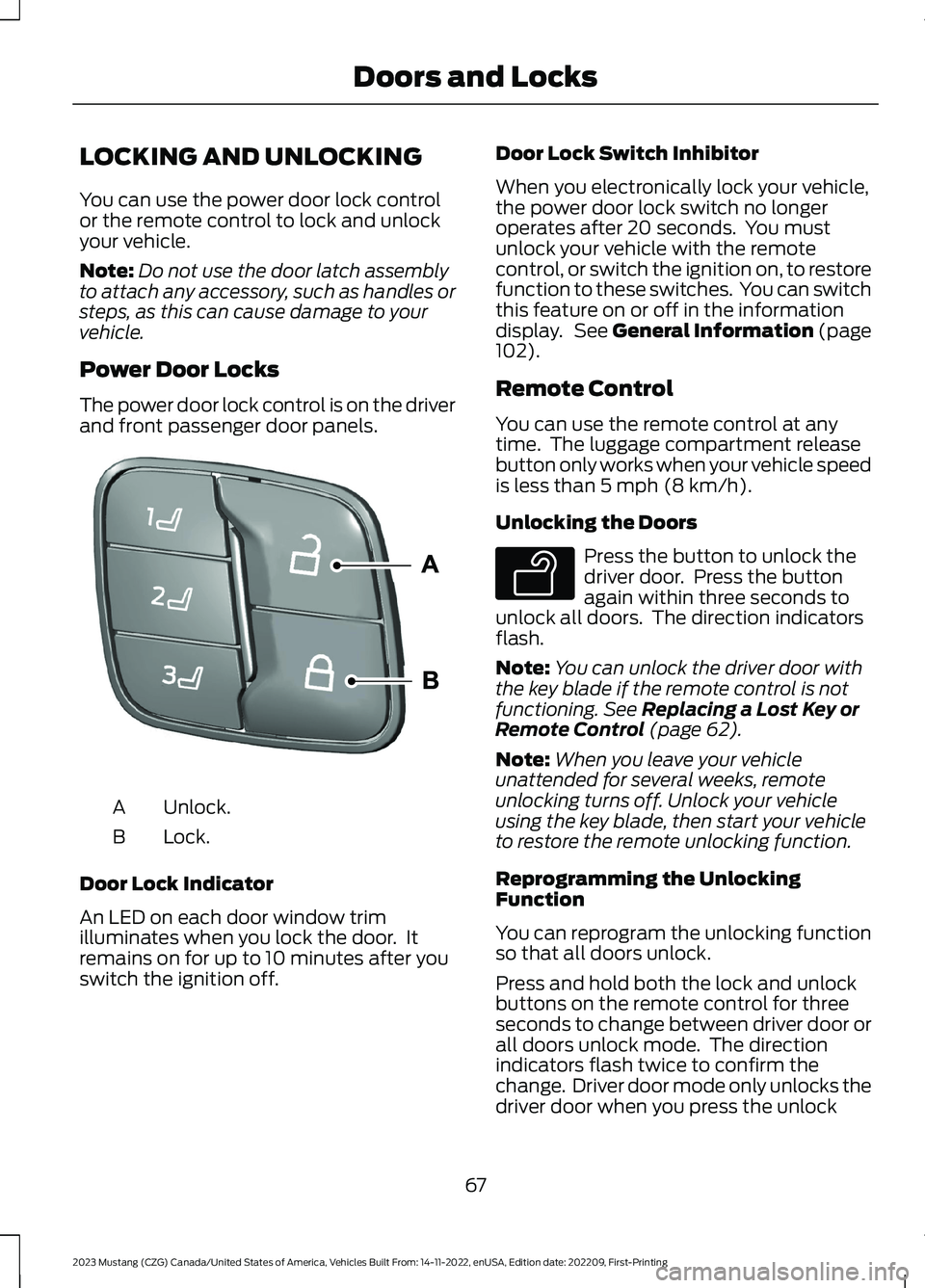
The power door lock control is on the driverand front passenger door panels.
Unlock.A
Lock.B
Door Lock Indicator
An LED on each door window trimilluminates when you lock the door. Itremains on for up to 10 minutes after youswitch the ignition off.
Door Lock Switch Inhibitor
When you electronically lock your vehicle,the power door lock switch no longeroperates after 20 seconds. You mustunlock your vehicle with the remotecontrol, or switch the ignition on, to restorefunction to these switches. You can switchthis feature on or off in the informationdisplay. See General Information (page102).
Remote Control
You can use the remote control at anytime. The luggage compartment releasebutton only works when your vehicle speedis less than 5 mph (8 km/h).
Unlocking the Doors
Press the button to unlock thedriver door. Press the buttonagain within three seconds tounlock all doors. The direction indicatorsflash.
Note:You can unlock the driver door withthe key blade if the remote control is notfunctioning. See Replacing a Lost Key orRemote Control (page 62).
Note:When you leave your vehicleunattended for several weeks, remoteunlocking turns off. Unlock your vehicleusing the key blade, then start your vehicleto restore the remote unlocking function.
Reprogramming the UnlockingFunction
You can reprogram the unlocking functionso that all doors unlock.
Press and hold both the lock and unlockbuttons on the remote control for threeseconds to change between driver door orall doors unlock mode. The directionindicators flash twice to confirm thechange. Driver door mode only unlocks thedriver door when you press the unlock
67
2023 Mustang (CZG) Canada/United States of America, Vehicles Built From: 14-11-2022, enUSA, Edition date: 202209, First-PrintingDoors and LocksE332156 E138629
Page 72 of 535

button once. All door mode unlocks alldoors when you press the unlock buttononce. The unlocking mode applies to theremote control and intelligent access. Youcan also change between the unlockingmodes using the information display. SeeGeneral Information (page 102).
Locking the Doors
Press the button to lock alldoors. The direction indicatorsflash. Press the button againwithin three seconds to confirm that allthe doors are closed. The doors lock again,the horn sounds and the directionindicators flash if all the doors and theluggage compartment are closed.
Mislock
If any door or the luggage compartment isopen, or if the hood is open on vehicleswith an anti-theft alarm or remote start,the horn will sound twice and the directionindicators do not flash. You can switchthis feature on or off in the informationdisplay. See General Information (page102).
Opening the Luggage Compartment
Press twice within three secondsto open the luggagecompartment.
Make sure to close and latch the luggagecompartment before driving your vehicle.Objects may fall from an unlatchedluggage compartment. An unlatchedluggage compartment may block your rearview.
Activating Intelligent Access
General Information
You can unlock and lock the vehiclewithout taking the keys out of your pocketor purse when your intelligent access keyis within 3 ft (1 m) of your vehicle.Intelligent access uses a sensor on theback of the door handle for unlocking anda separate sensor on the face of each doorhandle for locking.
The system does not function if:
•Your vehicle battery has no charge.
•The key battery has no charge.
•The key frequencies are jammed.
Note:The system may not function if thekey is close to metal objects or electronicdevices, for example keys or a cell phone.
Note:If the system does not function, usethe key blade to lock and unlock yourvehicle. See Remote Control (page 58).
Unlocking Using Intelligent Access
With your intelligent access key within 3 ft(1 m) of your vehicle, touch the unlocksensor on the back of the door handle fora brief period and then pull on the doorhandle to unlock, being careful to nottouch the lock sensor at the same time orpulling the door handle too quickly. Theintelligent access system requires a briefdelay to authenticate your intelligentaccess key fob.
68
2023 Mustang (CZG) Canada/United States of America, Vehicles Built From: 14-11-2022, enUSA, Edition date: 202209, First-PrintingDoors and LocksE138623 E138630 E248553
Page 76 of 535
Illuminated Exit
The interior lamps and select exteriorlamps illuminate when all doors are closedand you switch the ignition off.
The lamps turn off if all the doors remainclosed and:
•After 25 seconds elapse.
•You press the START/STOP button.
Battery Saver
If you leave on the courtesy lamps, domelamps or headlamps, the battery saverturns them off 10 minutes after you switchoff the ignition.
Accessory Mode Battery Saver forIntelligent Access Keys
If you leave your vehicle in the run ignitionstate, it turns off once it detects a certainamount of battery drain or after 45minutes.
INTERIOR LUGGAGE
COMPARTMENT RELEASE
WARNING: Keep vehicle doors andluggage compartment locked and keepkeys and remote transmitters out of achild’s reach. Unsupervised childrencould lock themselves in the trunk andrisk injury. Children should be taught notto play in vehicles.
WARNING: Do not leave childrenor animals unattended in the vehicle. Onhot days, the temperature in the trunk orvehicle interior can rise very quickly.Exposure of people or animals to thesehigh temperatures for even a short timecan cause death or serious heat-relatedinjuries, including brain damage. Smallchildren are particularly at risk.
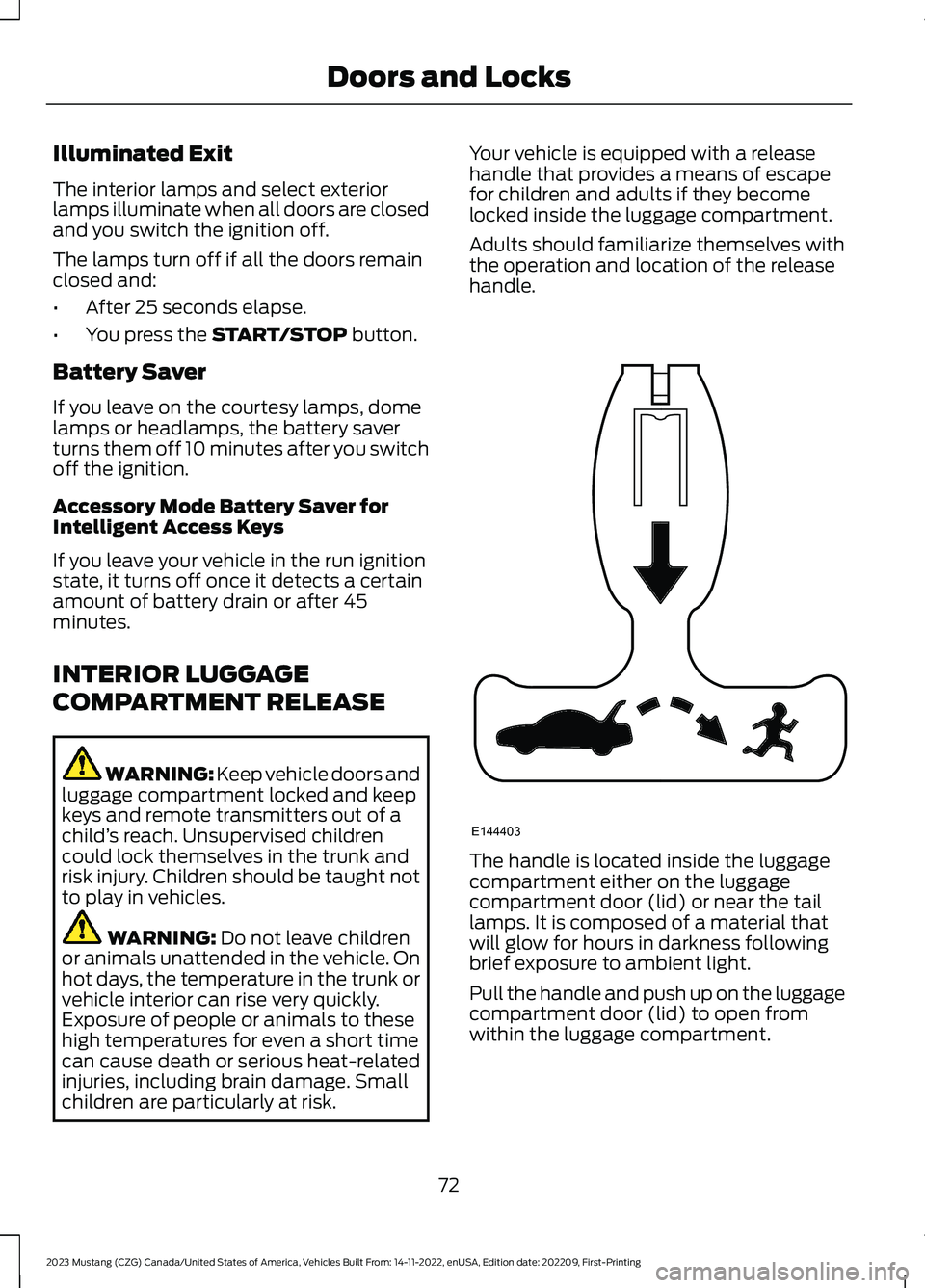
Your vehicle is equipped with a releasehandle that provides a means of escapefor children and adults if they becomelocked inside the luggage compartment.
Adults should familiarize themselves withthe operation and location of the releasehandle.
The handle is located inside the luggagecompartment either on the luggagecompartment door (lid) or near the taillamps. It is composed of a material thatwill glow for hours in darkness followingbrief exposure to ambient light.
Pull the handle and push up on the luggagecompartment door (lid) to open fromwithin the luggage compartment.
72
2023 Mustang (CZG) Canada/United States of America, Vehicles Built From: 14-11-2022, enUSA, Edition date: 202209, First-PrintingDoors and LocksE144403
Page 77 of 535
PASSIVE ANTI-THEFT
SYSTEM
Note:The system is not compatible withnon-Ford aftermarket remote start systems.Use of these systems may result in vehiclestarting problems and a loss of securityprotection.
Note:Metallic objects, electronic devicesor a second coded key on the same keychain may cause vehicle starting problemsif they are too close to the key when startingyour vehicle. Prevent these objects fromtouching the coded key while starting yourvehicle. Switch the ignition off, move allobjects on the key chain away from thecoded key and restart your vehicle if aproblem occurs.
Note:Do not leave a duplicate coded keyin your vehicle. Always take your keys andlock all doors when leaving your vehicle.
SecuriLock
The system helps prevent your vehiclefrom starting unless you use a coded keyprogrammed to your vehicle. Using thewrong key may prevent your vehicle fromstarting. A message may appear in theinformation display.
If you are unable to start your vehicle witha correctly coded key, it is not operatingproperly. A message may appear in theinformation display.
Automatic Arming
Your vehicle arms immediately afterswitching the ignition off.
Automatic Disarming
Switching the ignition on with a coded keydisarms your vehicle.
Replacement Keys
Note:Your vehicle comes equipped withtwo intelligent access keys.
The intelligent access key functions as aprogrammed key that operates the driverdoor lock and activates the intelligentaccess with push button start system, aswell as a remote control.
If your programmed transmitters are lostor stolen and you do not have an extracoded key, you need to have your vehicletowed to an authorized dealer. You needto erase the key codes from your vehicleand program new coded keys.
Store an extra programmed key away fromyour vehicle in a safe place to help preventany inconveniences. See your authorizeddealer to purchase additional spare orreplacement keys.
Programming a Spare IntelligentAccess Key
Note:You can program a maximum of fourintelligent access keys to your vehicle.
You must have two previouslyprogrammed intelligent access keys insideyour vehicle and the new unprogrammedintelligent access keys readily accessible.See an authorized dealer to have the sparekey programmed if two previouslyprogrammed keys are not available.
Make sure that your vehicle is off beforebeginning this procedure. Make sure thatyou close all the doors before beginningand that they remain closed throughoutthe procedure. Perform all steps within 30seconds of starting the sequence. Stopand wait for at least one minute beforestarting again if you perform any steps outof sequence.
Read and understand the entire procedurebefore you begin.
73
2023 Mustang (CZG) Canada/United States of America, Vehicles Built From: 14-11-2022, enUSA, Edition date: 202209, First-PrintingSecurity