change wheel FORD RANGER 2023 User Guide
[x] Cancel search | Manufacturer: FORD, Model Year: 2023, Model line: RANGER, Model: FORD RANGER 2023Pages: 470, PDF Size: 13.06 MB
Page 188 of 470
WHAT IS TRAIL CONTROL
WARNING: The system does notcontrol speed in low traction conditionsor extremely steep slopes. The systemis designed to be an aid and does notrelieve you of your responsibility to drivewith due care and attention. Failure tofollow this instruction could result inpersonal injury.
WARNING: The system does notreplace the parking brake. When youleave your vehicle, always apply theparking brake and shift the transmissioninto park (P) for automatic transmissionor first gear for manual transmission.
Trail control lets you focus on steeringduring low-speed and off-road use bycontrolling your vehicle's acceleration andbraking.
You can use trail control under thefollowing speeds:
•20 mph (31 km/h) in two-wheel orfour-wheel drive high range.
•10 mph (15 km/h) in four-wheel drivelow range.
•5 mph (8 km/h) in reverse (R).
You may hear a noise from the anti-lockbrake system pump motor when you usethe system. This is normal.
SWITCHING TRAIL CONTROL
ON AND OFF
Press the button.
The system switches off if you press thebutton again or exceed 42 mph (68 km/h).
SETTING THE TRAIL CONTROL
SPEED
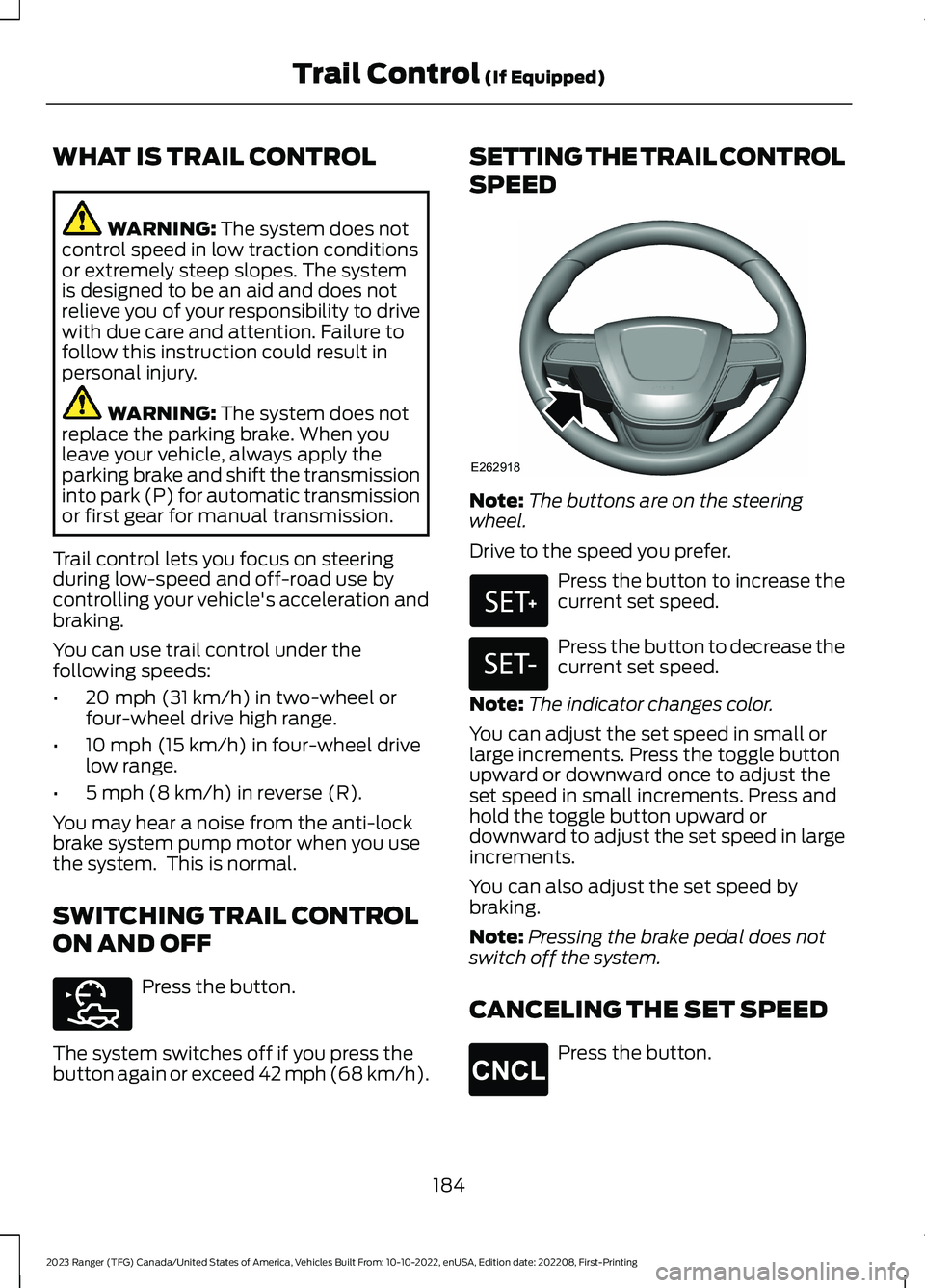
Note:The buttons are on the steeringwheel.
Drive to the speed you prefer.
Press the button to increase thecurrent set speed.
Press the button to decrease thecurrent set speed.
Note:The indicator changes color.
You can adjust the set speed in small orlarge increments. Press the toggle buttonupward or downward once to adjust theset speed in small increments. Press andhold the toggle button upward ordownward to adjust the set speed in largeincrements.
You can also adjust the set speed bybraking.
Note:Pressing the brake pedal does notswitch off the system.
CANCELING THE SET SPEED
Press the button.
184
2023 Ranger (TFG) Canada/United States of America, Vehicles Built From: 10-10-2022, enUSA, Edition date: 202208, First-PrintingTrail Control (If Equipped)E272858 E262918 E327441 E246885 E265298
Page 194 of 470
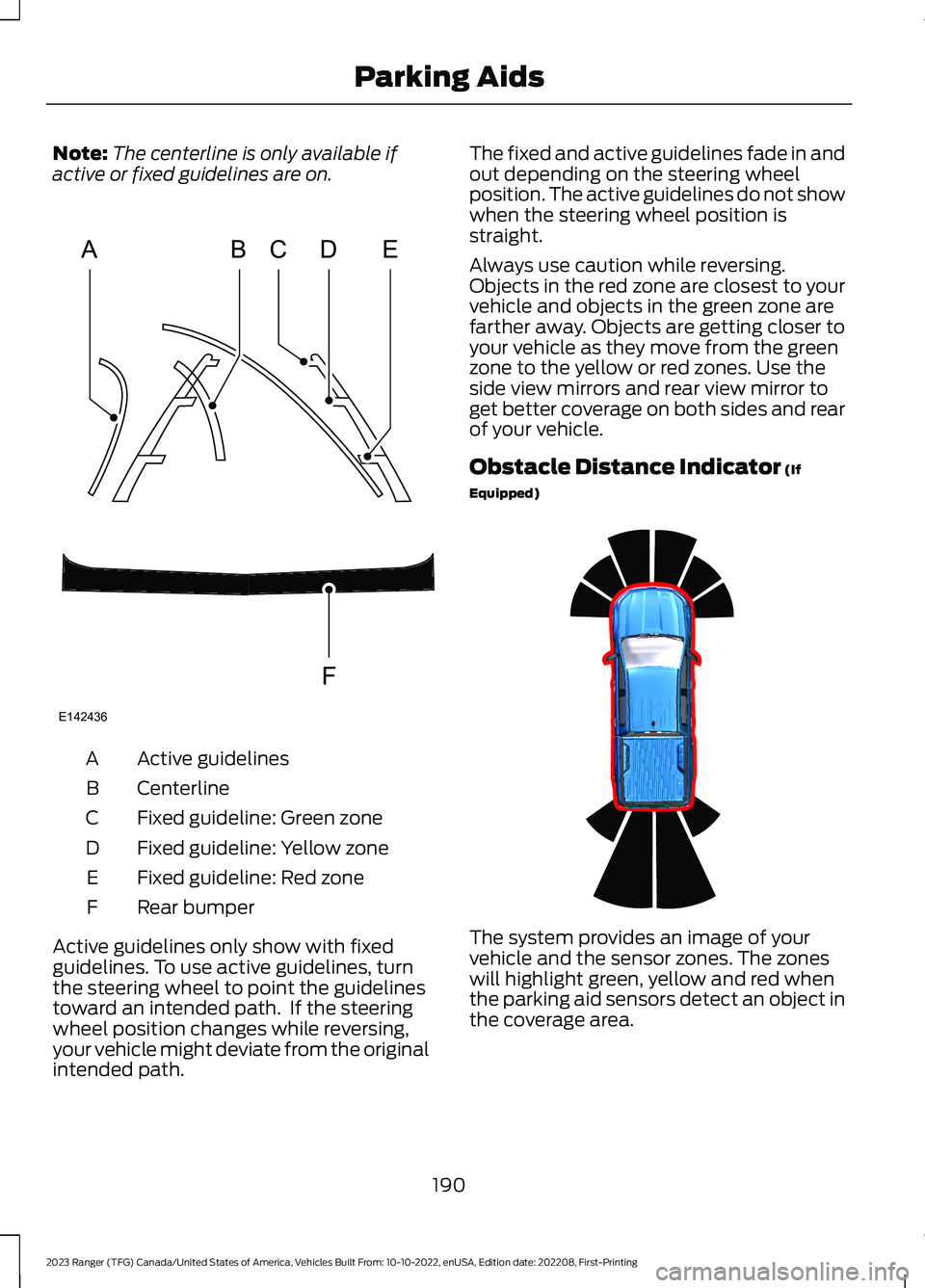
Note:The centerline is only available ifactive or fixed guidelines are on.
Active guidelinesA
CenterlineB
Fixed guideline: Green zoneC
Fixed guideline: Yellow zoneD
Fixed guideline: Red zoneE
Rear bumperF
Active guidelines only show with fixedguidelines. To use active guidelines, turnthe steering wheel to point the guidelinestoward an intended path. If the steeringwheel position changes while reversing,your vehicle might deviate from the originalintended path.
The fixed and active guidelines fade in andout depending on the steering wheelposition. The active guidelines do not showwhen the steering wheel position isstraight.
Always use caution while reversing.Objects in the red zone are closest to yourvehicle and objects in the green zone arefarther away. Objects are getting closer toyour vehicle as they move from the greenzone to the yellow or red zones. Use theside view mirrors and rear view mirror toget better coverage on both sides and rearof your vehicle.
Obstacle Distance Indicator (If
Equipped)
The system provides an image of yourvehicle and the sensor zones. The zoneswill highlight green, yellow and red whenthe parking aid sensors detect an object inthe coverage area.
190
2023 Ranger (TFG) Canada/United States of America, Vehicles Built From: 10-10-2022, enUSA, Edition date: 202208, First-PrintingParking AidsABCDFEE142436 E317379
Page 196 of 470
PRINCIPLE OF OPERATION
Cruise control lets you maintain a setspeed without keeping your foot on theaccelerator pedal. You can use cruisecontrol when your vehicle speed is greaterthan 20 mph (30 km/h).
USING CRUISE CONTROL (IF
EQUIPPED)
WARNING: Do not use cruisecontrol on winding roads, in heavy trafficor when the road surface is slippery. Thiscould result in loss of vehicle control,serious injury or death.
WARNING: When you are goingdownhill, your vehicle speed couldincrease above the set speed. Thesystem does not apply the brakes.
Note:The system cancels if your vehiclespeed drops below 10 mph (16 km/h) underthe set speed when driving uphill.
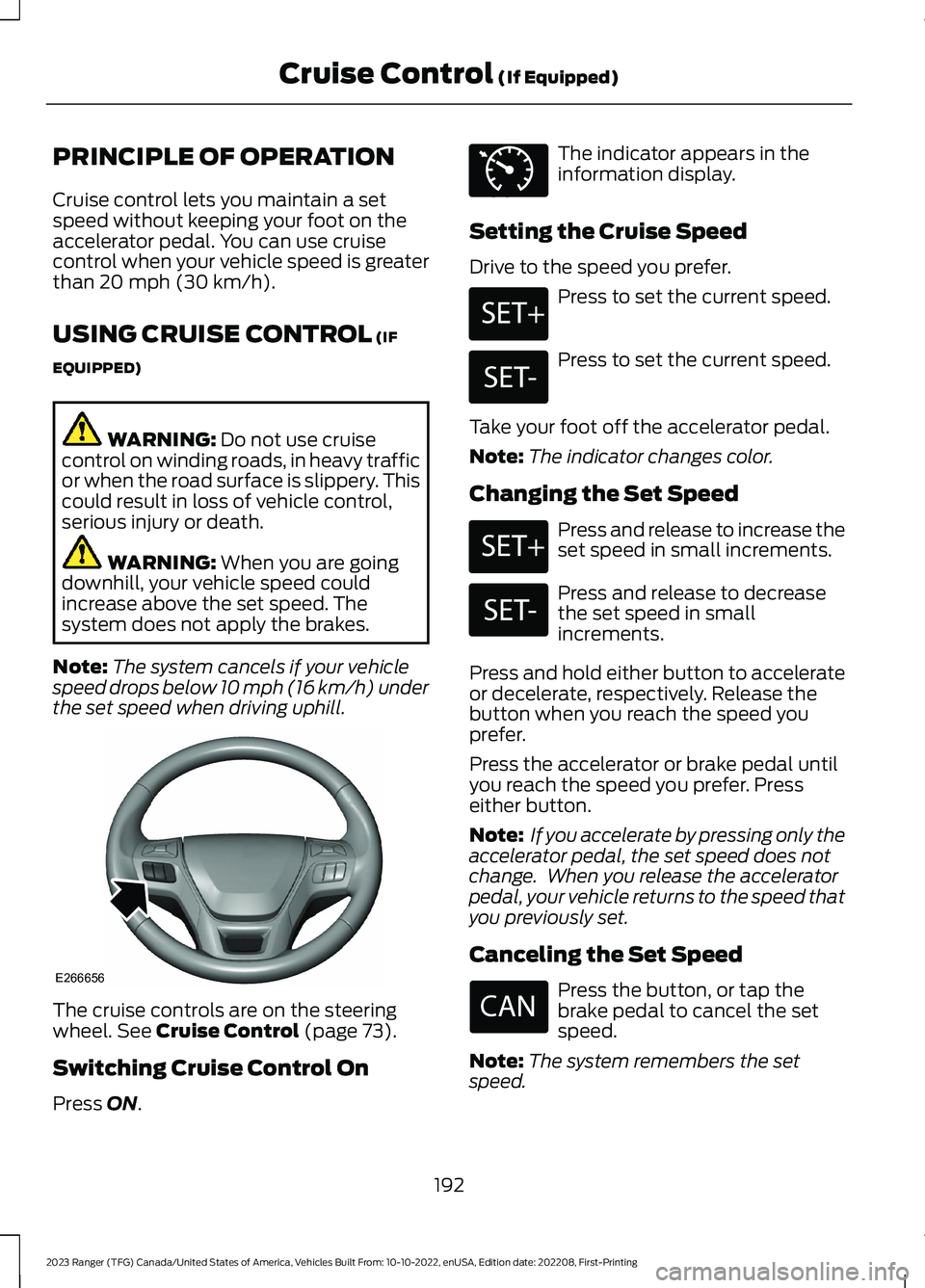
The cruise controls are on the steeringwheel. See Cruise Control (page 73).
Switching Cruise Control On
Press ON.
The indicator appears in theinformation display.
Setting the Cruise Speed
Drive to the speed you prefer.
Press to set the current speed.
Press to set the current speed.
Take your foot off the accelerator pedal.
Note:The indicator changes color.
Changing the Set Speed
Press and release to increase theset speed in small increments.
Press and release to decreasethe set speed in smallincrements.
Press and hold either button to accelerateor decelerate, respectively. Release thebutton when you reach the speed youprefer.
Press the accelerator or brake pedal untilyou reach the speed you prefer. Presseither button.
Note: If you accelerate by pressing only theaccelerator pedal, the set speed does notchange. When you release the acceleratorpedal, your vehicle returns to the speed thatyou previously set.
Canceling the Set Speed
Press the button, or tap thebrake pedal to cancel the setspeed.
Note:The system remembers the setspeed.
192
2023 Ranger (TFG) Canada/United States of America, Vehicles Built From: 10-10-2022, enUSA, Edition date: 202208, First-PrintingCruise Control (If Equipped)E266656 E71340 E246884 E246885 E246884 E246885
Page 198 of 470
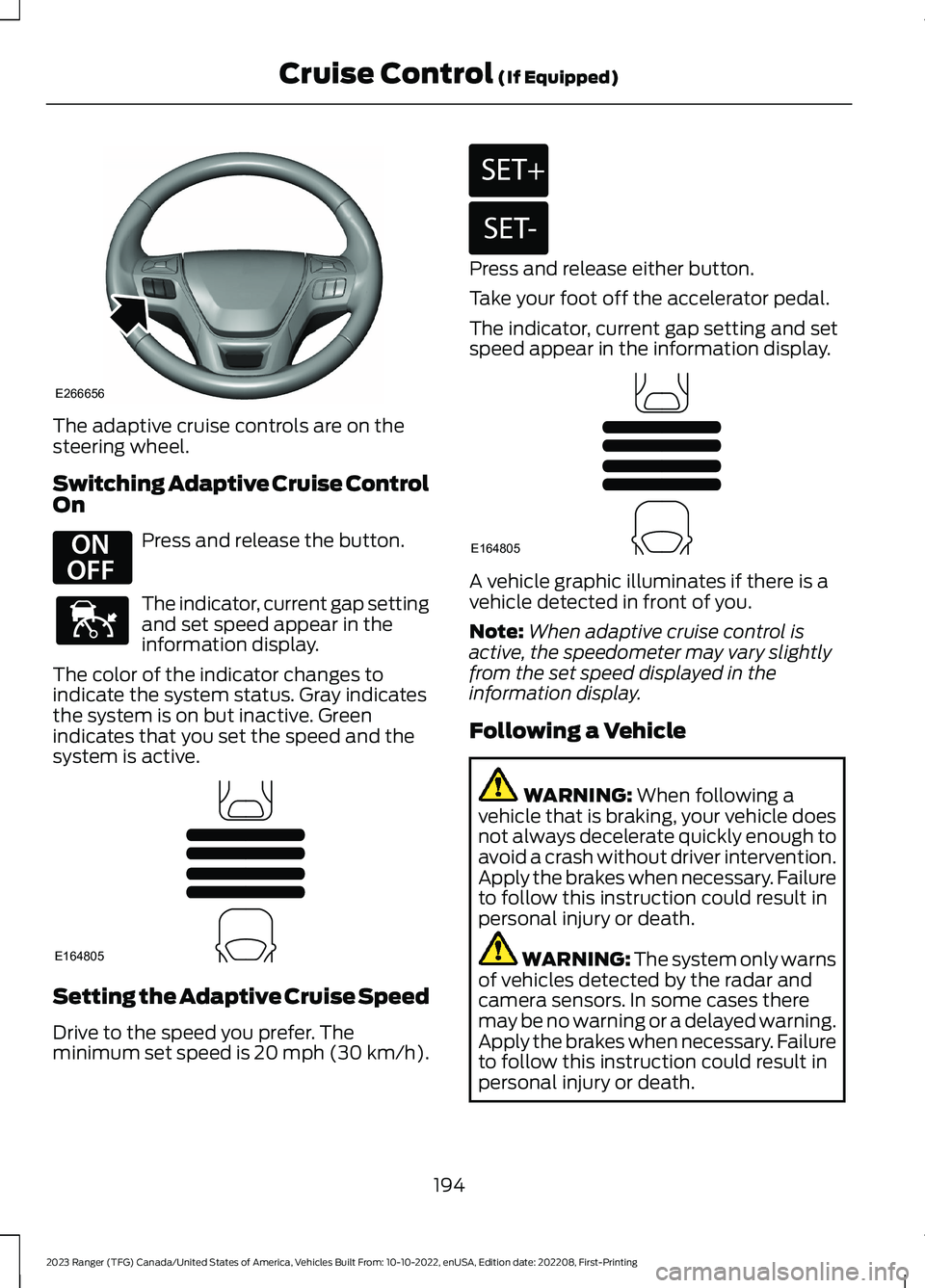
The adaptive cruise controls are on thesteering wheel.
Switching Adaptive Cruise ControlOn
Press and release the button.
The indicator, current gap settingand set speed appear in theinformation display.
The color of the indicator changes toindicate the system status. Gray indicatesthe system is on but inactive. Greenindicates that you set the speed and thesystem is active.
Setting the Adaptive Cruise Speed
Drive to the speed you prefer. Theminimum set speed is 20 mph (30 km/h).
Press and release either button.
Take your foot off the accelerator pedal.
The indicator, current gap setting and setspeed appear in the information display.
A vehicle graphic illuminates if there is avehicle detected in front of you.
Note:When adaptive cruise control isactive, the speedometer may vary slightlyfrom the set speed displayed in theinformation display.
Following a Vehicle
WARNING: When following avehicle that is braking, your vehicle doesnot always decelerate quickly enough toavoid a crash without driver intervention.Apply the brakes when necessary. Failureto follow this instruction could result inpersonal injury or death.
WARNING: The system only warnsof vehicles detected by the radar andcamera sensors. In some cases theremay be no warning or a delayed warning.Apply the brakes when necessary. Failureto follow this instruction could result inpersonal injury or death.
194
2023 Ranger (TFG) Canada/United States of America, Vehicles Built From: 10-10-2022, enUSA, Edition date: 202208, First-PrintingCruise Control (If Equipped)E266656 E294678 E144529 E164805 E246884 E246885 E164805
Page 205 of 470
System Warnings
Note:The system does not issue warningsbelow approximately 40 mph (64 km/h).
The warning system has two stages. First,the system issues a temporary warningthat you need to take a rest. This messageonly appears for a short time. If the systemdetects further reduction in drivingalertness, it may issue another warningthat remains in the information display fora longer time. You can press OK on thesteering wheel control to clear the warning.
System Display
When active, the system runsautomatically in the background and onlyissues a warning if required. You can viewthe status at any time using theinformation display. See GeneralInformation (page 96).
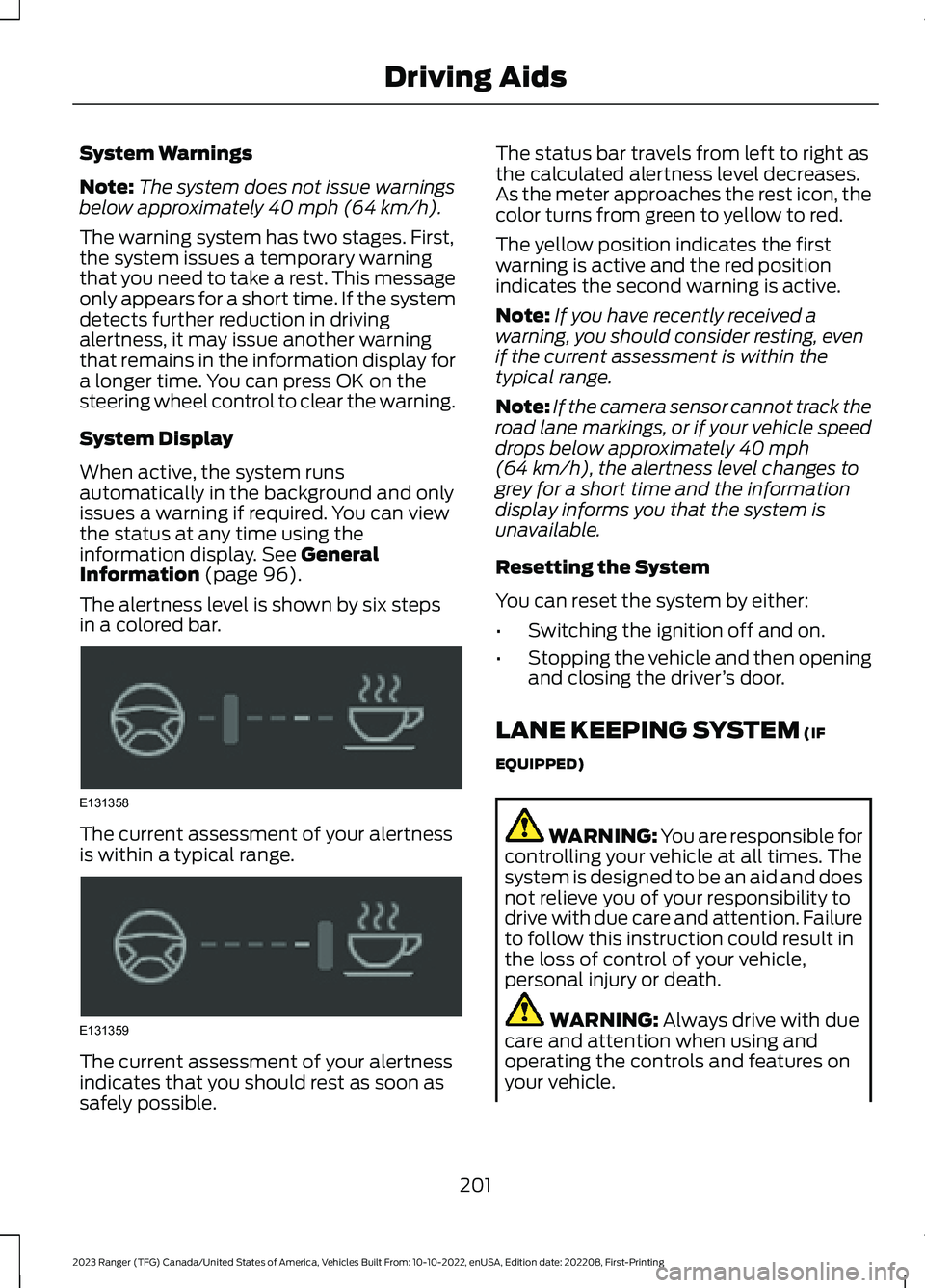
The alertness level is shown by six stepsin a colored bar.
The current assessment of your alertnessis within a typical range.
The current assessment of your alertnessindicates that you should rest as soon assafely possible.
The status bar travels from left to right asthe calculated alertness level decreases.As the meter approaches the rest icon, thecolor turns from green to yellow to red.
The yellow position indicates the firstwarning is active and the red positionindicates the second warning is active.
Note:If you have recently received awarning, you should consider resting, evenif the current assessment is within thetypical range.
Note:If the camera sensor cannot track theroad lane markings, or if your vehicle speeddrops below approximately 40 mph(64 km/h), the alertness level changes togrey for a short time and the informationdisplay informs you that the system isunavailable.
Resetting the System
You can reset the system by either:
•Switching the ignition off and on.
•Stopping the vehicle and then openingand closing the driver’s door.
LANE KEEPING SYSTEM (IF
EQUIPPED)
WARNING: You are responsible forcontrolling your vehicle at all times. Thesystem is designed to be an aid and doesnot relieve you of your responsibility todrive with due care and attention. Failureto follow this instruction could result inthe loss of control of your vehicle,personal injury or death.
WARNING: Always drive with duecare and attention when using andoperating the controls and features onyour vehicle.
201
2023 Ranger (TFG) Canada/United States of America, Vehicles Built From: 10-10-2022, enUSA, Edition date: 202208, First-PrintingDriving AidsE131358 E131359
Page 206 of 470
WARNING: In cold and severeweather conditions the system may notfunction. Rain, snow and spray can alllimit sensor performance.
WARNING: The system will notoperate if the sensor cannot track theroad lane markings.
WARNING: The sensor mayincorrectly track lane markings as otherstructures or objects. This can result ina false or missed warning.
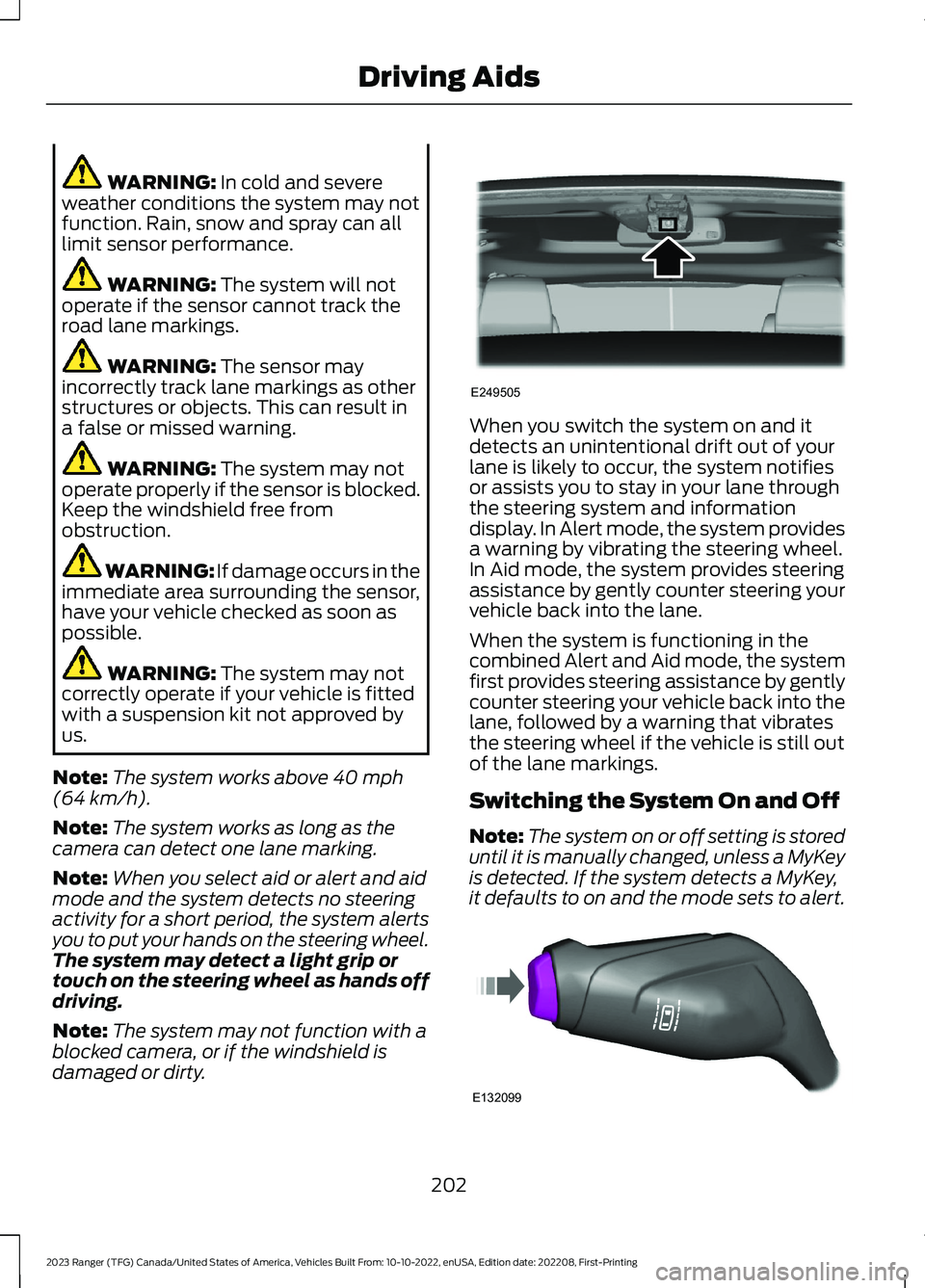
WARNING: The system may notoperate properly if the sensor is blocked.Keep the windshield free fromobstruction.
WARNING: If damage occurs in theimmediate area surrounding the sensor,have your vehicle checked as soon aspossible.
WARNING: The system may notcorrectly operate if your vehicle is fittedwith a suspension kit not approved byus.
Note:The system works above 40 mph(64 km/h).
Note:The system works as long as thecamera can detect one lane marking.
Note:When you select aid or alert and aidmode and the system detects no steeringactivity for a short period, the system alertsyou to put your hands on the steering wheel.The system may detect a light grip ortouch on the steering wheel as hands offdriving.
Note:The system may not function with ablocked camera, or if the windshield isdamaged or dirty.
When you switch the system on and itdetects an unintentional drift out of yourlane is likely to occur, the system notifiesor assists you to stay in your lane throughthe steering system and informationdisplay. In Alert mode, the system providesa warning by vibrating the steering wheel.In Aid mode, the system provides steeringassistance by gently counter steering yourvehicle back into the lane.
When the system is functioning in thecombined Alert and Aid mode, the systemfirst provides steering assistance by gentlycounter steering your vehicle back into thelane, followed by a warning that vibratesthe steering wheel if the vehicle is still outof the lane markings.
Switching the System On and Off
Note:The system on or off setting is storeduntil it is manually changed, unless a MyKeyis detected. If the system detects a MyKey,it defaults to on and the mode sets to alert.
202
2023 Ranger (TFG) Canada/United States of America, Vehicles Built From: 10-10-2022, enUSA, Edition date: 202208, First-PrintingDriving AidsE249505 E132099
Page 232 of 470
•Check your hitch, electrical connectionsand trailer wheel lug nuts thoroughlyafter you have traveled 50 mi (80 km).
•When stopped in congested or heavytraffic during hot weather, place thetransmission in park (P) to aid engineand transmission cooling and to helpA/C performance.
•Turn off the speed control with heavyloads or in hilly terrain. The speedcontrol may turn off automaticallywhen you are towing on long, steepgrades.
•Shift to a lower gear when driving downa long or steep hill. Do not apply thebrakes continuously, as they mayoverheat and become less effective.
•If your transmission is equipped with aGrade Assist or Tow/Haul feature, usethis feature when towing. This providesengine braking and helps eliminateexcessive transmission shifting foroptimum fuel economy andtransmission cooling.
•If your vehicle is equipped withAdvanceTrac with RSC, this systemmay turn on during typical corneringmaneuvers with a heavily loaded trailer.This is normal. Turning the corner at aslower speed while towing may reducethis tendency.
•If you are towing a trailer frequently inhot weather, hilly conditions, at thegross combined weight rating, or anycombination of these factors, considerrefilling your rear axle with syntheticgear lubricant if the axle is not alreadyfilled with it. See Capacities andSpecifications (page 325).
•Allow more distance for stopping witha trailer attached. Anticipate stops andbrake gradually.
•Avoid parking on a grade. However, ifyou must park on a grade:
1.Turn the steering wheel to point yourvehicle tires away from traffic flow.
2.Set your vehicle parking brake.
3.Place the automatic transmission inpark (P).
4.Place wheel chocks in front and backof the trailer wheels. Chocks are notincluded with your vehicle.
Your vehicle may be equipped with atemporary or conventional spare tire. Atemporary spare tire is different in diameteror width, tread-type, or is from a differentmanufacturer than the road tires on yourvehicle. Consult information on the tirelabel or Safety Compliance label forlimitations when using.
Launching or Retrieving a Boat orPersonal Watercraft (PWC)
Note:Disconnect the wiring to the trailerbefore backing the trailer into the water.
Note:Reconnect the wiring to the trailerafter removing the trailer from the water.
When backing down a ramp during boatlaunching or retrieval:
•Do not allow the static water level torise above the bottom edge of the rearbumper.
•Do not allow waves to break higherthan 6 in (15 cm) above the bottomedge of the rear bumper.
Exceeding these limits may allow water toenter vehicle components:
•Causing internal damage to thecomponents.
•Affecting driveability, emissions, andreliability.
Replace the rear axle lubricant anytimethe rear axle has been submerged in water.Water may have contaminated the rearaxle lubricant, which is not normallychecked or changed unless a leak issuspected or other axle repair is required.
228
2023 Ranger (TFG) Canada/United States of America, Vehicles Built From: 10-10-2022, enUSA, Edition date: 202208, First-PrintingTowing
Page 235 of 470
BREAKING-IN
You need to break in new tires forapproximately 300 mi (480 km). Duringthis time, your vehicle may exhibit someunusual driving characteristics.
Avoid driving too fast during the first1,000 mi (1,600 km). Vary your speedfrequently and change up through thegears early. Do not labor the engine.
Do not tow during the first 1,000 mi(1,600 km).
ECONOMICAL DRIVING
Your fuel economy is affected by severalthings, such as how you drive, theconditions you drive under, and how youmaintain your vehicle.
You may improve your fuel economy bykeeping these things in mind:
•Accelerate and slow down in a smooth,moderate fashion.
•Drive at steady speeds withoutstopping.
•Anticipate stops; slowing down mayeliminate the need to stop.
•Combine errands and minimizestop-and-go driving.
•Close the windows for high-speeddriving.
•Drive at reasonable speeds (travelingat 55 mph [88 km/h] uses 15% lessfuel than traveling at 65 mph [105km/h]).
•Keep the tires properly inflated and useonly the recommended size.
•Use the recommended engine oil.
•Perform all regularly scheduledmaintenance.
Avoid these actions; they reduce your fueleconomy:
•Sudden accelerations or hardaccelerations.
•Revving the engine before turning it off.
•Idle for periods longer than one minute.
•Warm up your vehicle on coldmornings.
•Use the air conditioner or frontdefroster.
•Use the speed control in hilly terrain.
•Rest your foot on the brake pedal whiledriving.
•Drive a heavily loaded vehicle or tow atrailer.
•Carry unnecessary weight(approximately 1 mpg [0.4 km/L] islost for every 400 lb [180 kilogram] ofweight carried).
•Driving with the wheels out ofalignment.
Conditions
•Heavily loading a vehicle or towing atrailer may reduce fuel economy at anyspeed.
•Adding certain accessories to yourvehicle (for example bug deflectors,rollbars, light bars, running boards, skiracks or luggage racks) may reducefuel economy.
•To maximize the fuel economy, drivewith the tonneau cover installed (ifequipped).
•Using fuel blended with alcohol maylower fuel economy.
•Fuel economy may decrease with lowertemperatures during the first 5–10 mi(12–16 km) of driving.
•Driving on flat terrain offers improvedfuel economy as compared to drivingon hilly terrain.
231
2023 Ranger (TFG) Canada/United States of America, Vehicles Built From: 10-10-2022, enUSA, Edition date: 202208, First-PrintingDriving Hints
Page 236 of 470
•Transmissions give their best fueleconomy when operated in the topcruise gear and with steady pressureon the gas pedal.
•Four-wheel-drive operation (ifequipped) is less fuel efficient thantwo-wheel-drive operation.
COLD WEATHER
PRECAUTIONS
The functional operation of somecomponents and systems can be affectedat temperatures below approximately-13°F (-25°C).
OFF-ROAD DRIVING
Before going off-roading, consult with yourlocal governmental agencies to determinedesignated off-road trails and recreationareas. Also, be sure to understand anyoff-road vehicle registration requirementsfor the area in which you plan on driving.
Before taking your vehicle off-roading, abasic vehicle inspection should be done tomake sure that the vehicle is in top workingcondition.
Basic Off-road Driving Techniques
•Grip the steering wheel with thumbson the outside of the rim. This reducesthe risk of injury due to abrupt steeringwheel motions that occur whennegotiating rough terrain. Do not gripthe steering wheel with thumbs insidethe rim.
•Look ahead on your route notingupcoming obstacles, surface textureor color changes or any other factorswhich may indicate a change inavailable traction, and adjust thevehicle speed and route accordingly.
•Always keep available groundclearance in mind and pick a route thatminimizes the risk of catching theunderside of the vehicle on an obstacle.
•When negotiating low speed obstacles,applying light brake pressure inconjunction with the throttle helpsprevent the vehicle from jerking andallows you to negotiate the obstaclein a more controlled manner. Using 4Lalso helps with this.
Crossing Obstacles
•Review the path ahead beforeattempting to cross any obstacle. It isbest if the obstacle is reviewed fromoutside the vehicle so that there is agood understanding of terrain conditionboth in front of and behind theobstacle.
•If a large obstacle such as a rockcannot be avoided, choose a path thatplaces the rock directly under the tirerather than the undercarriage of thevehicle. This helps prevent damage toyour vehicle.
Hill Climbing
WARNING: Extreme care shouldbe used when steering the vehicle inreverse down a slope so as not to causethe vehicle to swerve out of control.
232
2023 Ranger (TFG) Canada/United States of America, Vehicles Built From: 10-10-2022, enUSA, Edition date: 202208, First-PrintingDriving Hints
Page 272 of 470
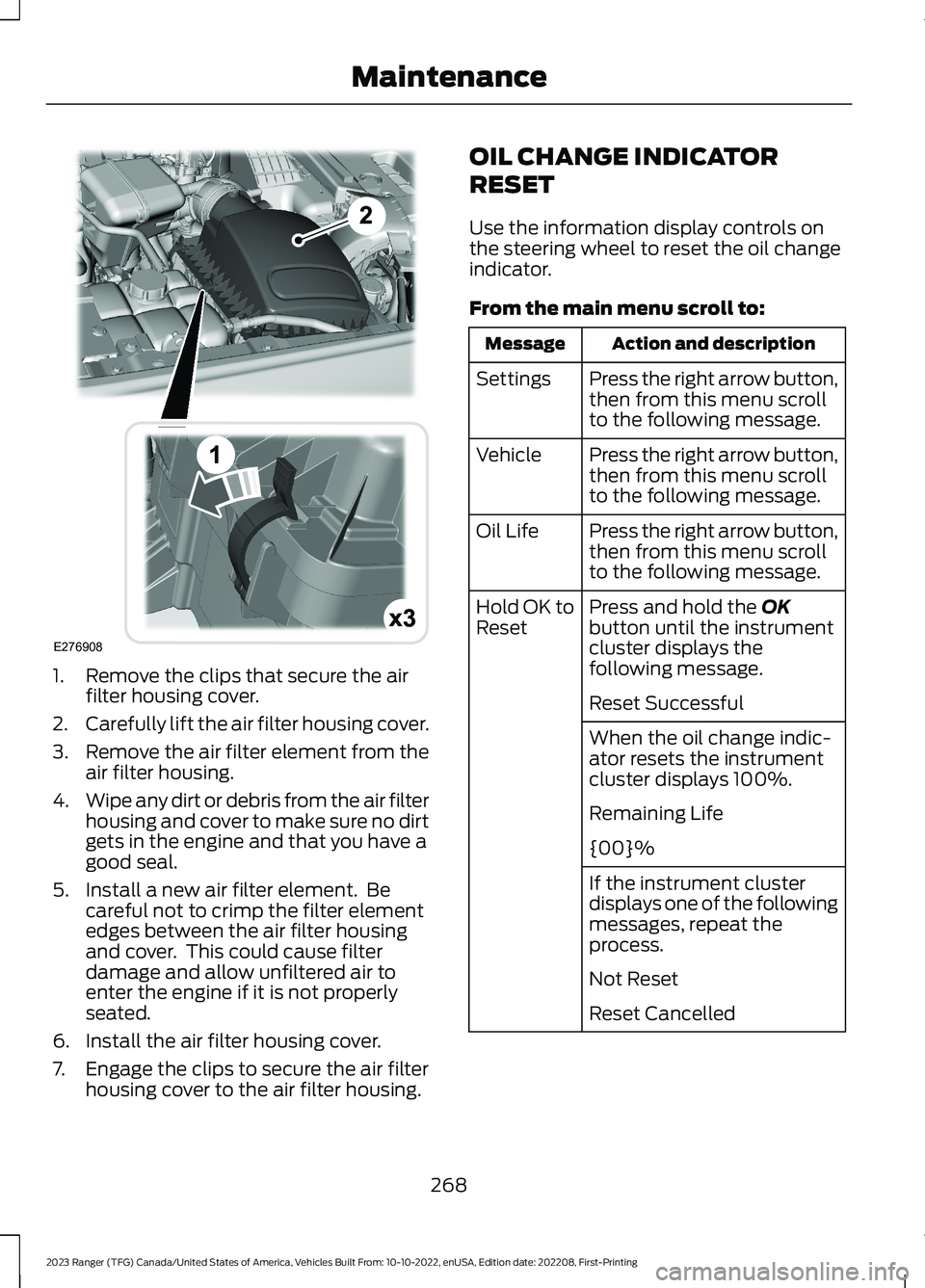
1.Remove the clips that secure the airfilter housing cover.
2.Carefully lift the air filter housing cover.
3.Remove the air filter element from theair filter housing.
4.Wipe any dirt or debris from the air filterhousing and cover to make sure no dirtgets in the engine and that you have agood seal.
5.Install a new air filter element. Becareful not to crimp the filter elementedges between the air filter housingand cover. This could cause filterdamage and allow unfiltered air toenter the engine if it is not properlyseated.
6.Install the air filter housing cover.
7.Engage the clips to secure the air filterhousing cover to the air filter housing.
OIL CHANGE INDICATOR
RESET
Use the information display controls onthe steering wheel to reset the oil changeindicator.
From the main menu scroll to:
Action and descriptionMessage
Press the right arrow button,then from this menu scrollto the following message.
Settings
Press the right arrow button,then from this menu scrollto the following message.
Vehicle
Press the right arrow button,then from this menu scrollto the following message.
Oil Life
Press and hold the OKbutton until the instrumentcluster displays thefollowing message.
Hold OK toReset
Reset Successful
When the oil change indic-ator resets the instrumentcluster displays 100%.
Remaining Life
{00}%
If the instrument clusterdisplays one of the followingmessages, repeat theprocess.
Not Reset
Reset Cancelled
268
2023 Ranger (TFG) Canada/United States of America, Vehicles Built From: 10-10-2022, enUSA, Edition date: 202208, First-PrintingMaintenanceE276908