wheel FORD SUPER DUTY 2013 3.G Owner's Manual
[x] Cancel search | Manufacturer: FORD, Model Year: 2013, Model line: SUPER DUTY, Model: FORD SUPER DUTY 2013 3.GPages: 563, PDF Size: 7.27 MB
Page 198 of 563
AUTOMATIC TRANSMISSION OPERATION
Understanding the Shift Positions of the 5–Speed Automatic
Transmission (If Equipped)
WARNING:Do not use the tow/haul feature when driving in icy
or slippery conditions as the increased engine braking can cause
the rear wheels to slide and the vehicle to swing around with the
possible loss of vehicle control.
WARNING:Always set the parking brake fully and make sure
the gearshift is latched in P (Park). Turn the ignition to the off
position and remove the key whenever you leave your vehicle.
P (Park)
This position locks the transmission and prevents the rear wheels from
turning.
To put your vehicle in gear:
•Start the engine
•Press the brake pedal
•Move the gearshift lever into the desired gear
To put your vehicle in P (Park):
•Come to a complete stop
•Move the gearshift lever and securely latch it in P (Park)
R (Reverse)
With the gearshift lever in R (Reverse), the vehicle will move backward.
Always come to a complete stop before shifting into and out of R (Reverse).
N (Neutral)
With the gearshift lever in N (Neutral), the vehicle can be started and is
free to roll. Hold the brake pedal down while in this position.
D (Overdrive) with Tow/Haul Off
D (Overdrive) with tow/haul off is the normal driving position for the
best fuel economy. The overdrive function allows automatic upshifts and
downshifts through gears one through five.
Transmission197
2013 F-250/350/450/550(f23)
Owners Guide gf, 1st Printing
USA(fus)
Page 200 of 563
1 (First)
•Provides maximum engine braking.
•Allows upshifts by moving gearshift lever.
•The transmission will not downshift into 1 (First) at high speeds; it
will downshift to a lower gear and then shift into 1 (First) when the
vehicle reaches slower speeds.
Forced downshifts
•Allowed in D (Overdrive) or D (Drive).
•Press the accelerator to the floor.
•Allows transmission to select an appropriate gear.
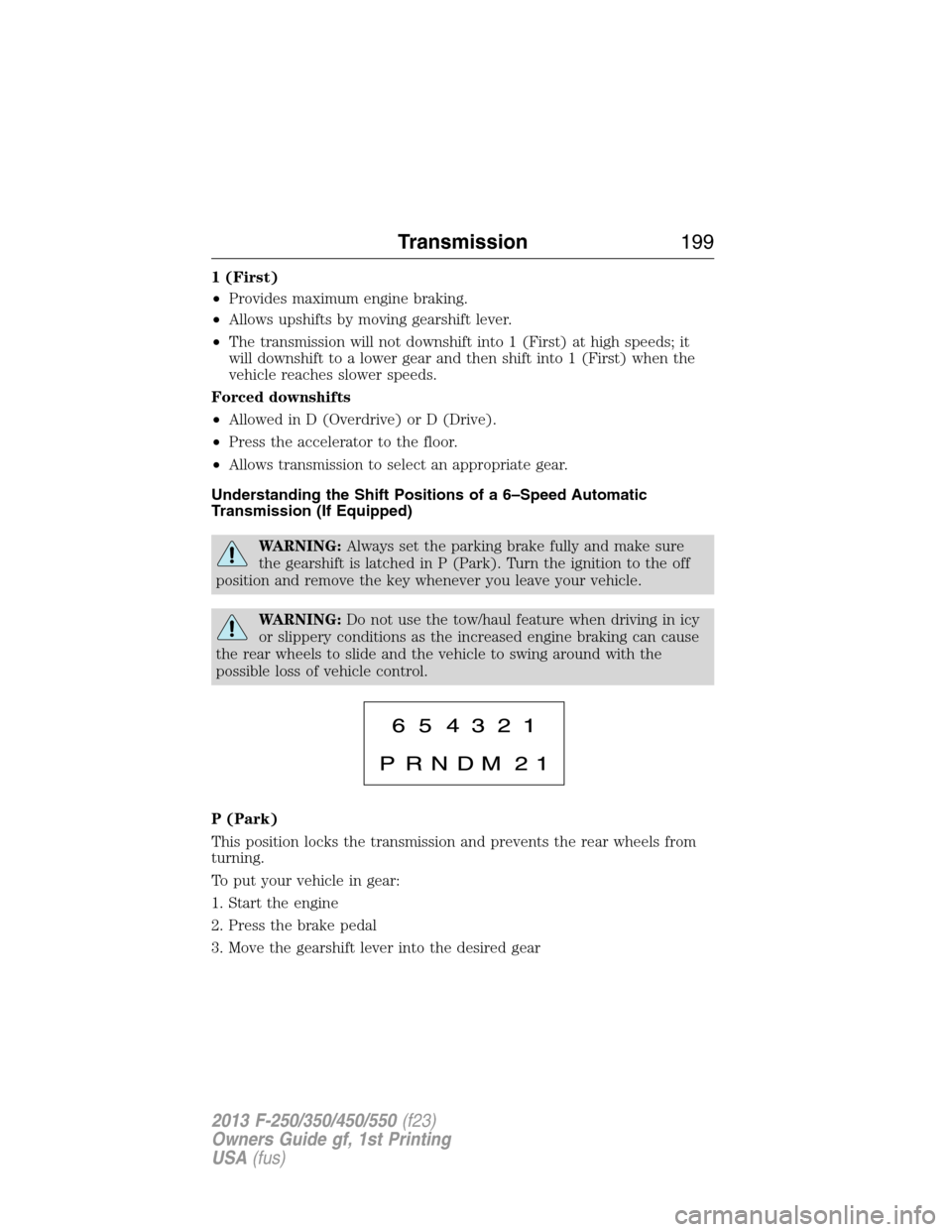
Understanding the Shift Positions of a 6–Speed Automatic
Transmission (If Equipped)
WARNING:Always set the parking brake fully and make sure
the gearshift is latched in P (Park). Turn the ignition to the off
position and remove the key whenever you leave your vehicle.
WARNING:Do not use the tow/haul feature when driving in icy
or slippery conditions as the increased engine braking can cause
the rear wheels to slide and the vehicle to swing around with the
possible loss of vehicle control.
P (Park)
This position locks the transmission and prevents the rear wheels from
turning.
To put your vehicle in gear:
1. Start the engine
2. Press the brake pedal
3. Move the gearshift lever into the desired gear
Transmission199
2013 F-250/350/450/550(f23)
Owners Guide gf, 1st Printing
USA(fus)
Page 205 of 563
Brake-shift interlock
WARNING:Do not drive your vehicle until you verify that the
brake lamps are working.
WARNING:When doing this procedure, you will be taking the
vehicle out of park which means the vehicle can roll freely. To
avoid unwanted vehicle movement, always fully set the parking brake
prior to doing this procedure. Use wheel chocks if appropriate.
WARNING:If the parking brake is fully released, but the brake
warning lamp remains illuminated, the brakes may not be
working properly. See your authorized dealer as soon as possible.
This vehicle is equipped with a brake-shift interlock feature that prevents
the gearshift lever from being moved from P (Park) when the ignition is
in the 3 (on) position and the brake pedal is not pressed.
If you cannot move the gearshift lever out of P (Park) with ignition in
the on position and the brake pedal pressed, it is possible that a fuse has
blown or the vehicle’s brake lamps are not operating properly. Refer to
theFuseschapter.
If the fuse is not blown and the brake lamps are working properly, the
following procedure will allow you to move the gearshift lever from P
(Park):
1. Apply the parking brake. Turn the ignition key to 1 (off), then remove
the key.
2. Move the steering column to the full down and full rearward position
(toward the driver’s seat).
3. Remove the gearshift lever boot.
4. Place fingers into hole where the gearshift lever boot was removed
from and pull top half of shroud up and forward to separate it from the
lower half of the shroud. There is a hinge at the forward edge of the top
shroud. Roll the top half of the shroud upward on the hinge point to
clear the hazard flasher button, then pull straight rearward toward the
driver’s seat to remove.
5. Remove the top half of the shroud.
204Transmission
2013 F-250/350/450/550(f23)
Owners Guide gf, 1st Printing
USA(fus)
Page 208 of 563
USING FOUR-WHEEL DRIVE (4WD) (IF EQUIPPED )
WARNING:For important information regarding safe operation
of this type of vehicle, seeGeneral Informationin theWheels
and Tireschapter.
Note:Do not use 4X4 mode on dry, hard surfaced roads. Doing so will
produce excessive noise, increase tire wear and may damage drive
components. 4X4 mode is only intended for consistently slippery or loose
surfaces.
Note:If 4X4 low is selected while the vehicle is moving above 3 mph
(5 km/h), the 4WD system will not perform a shift. This is normal and
should be no reason for concern. Refer toShifting to/from 4L (4X4
Low)for proper operation.
Manual Shift On Stop (MSOS) 4WD system (if equipped)
Note:Some vehicles may be equipped with wheel ornaments that cover
the 4x4 manual hub lock. These ornaments must be removed to access
the manual hub locks.
Note:The vehicle should not be driven in 4X4 High or 4X4 Low modes
with the hub locks set to FREE as this condition may damage driveline
system components.
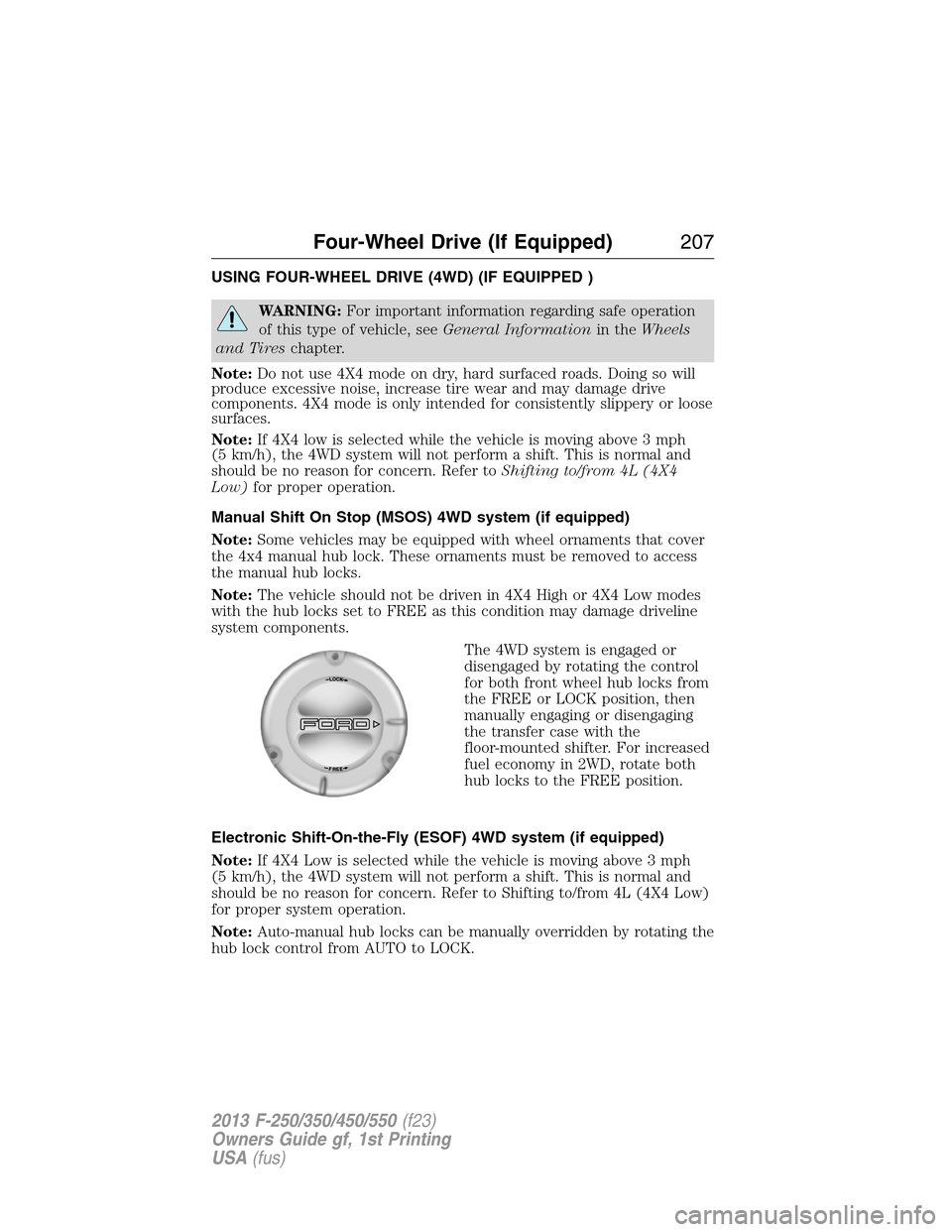
The 4WD system is engaged or
disengaged by rotating the control
for both front wheel hub locks from
the FREE or LOCK position, then
manually engaging or disengaging
the transfer case with the
floor-mounted shifter. For increased
fuel economy in 2WD, rotate both
hub locks to the FREE position.
Electronic Shift-On-the-Fly (ESOF) 4WD system (if equipped)
Note:If 4X4 Low is selected while the vehicle is moving above 3 mph
(5 km/h), the 4WD system will not perform a shift. This is normal and
should be no reason for concern. Refer to Shifting to/from 4L (4X4 Low)
for proper system operation.
Note:Auto-manual hub locks can be manually overridden by rotating the
hub lock control from AUTO to LOCK.
Four-Wheel Drive (If Equipped)207
2013 F-250/350/450/550(f23)
Owners Guide gf, 1st Printing
USA(fus)
Page 209 of 563
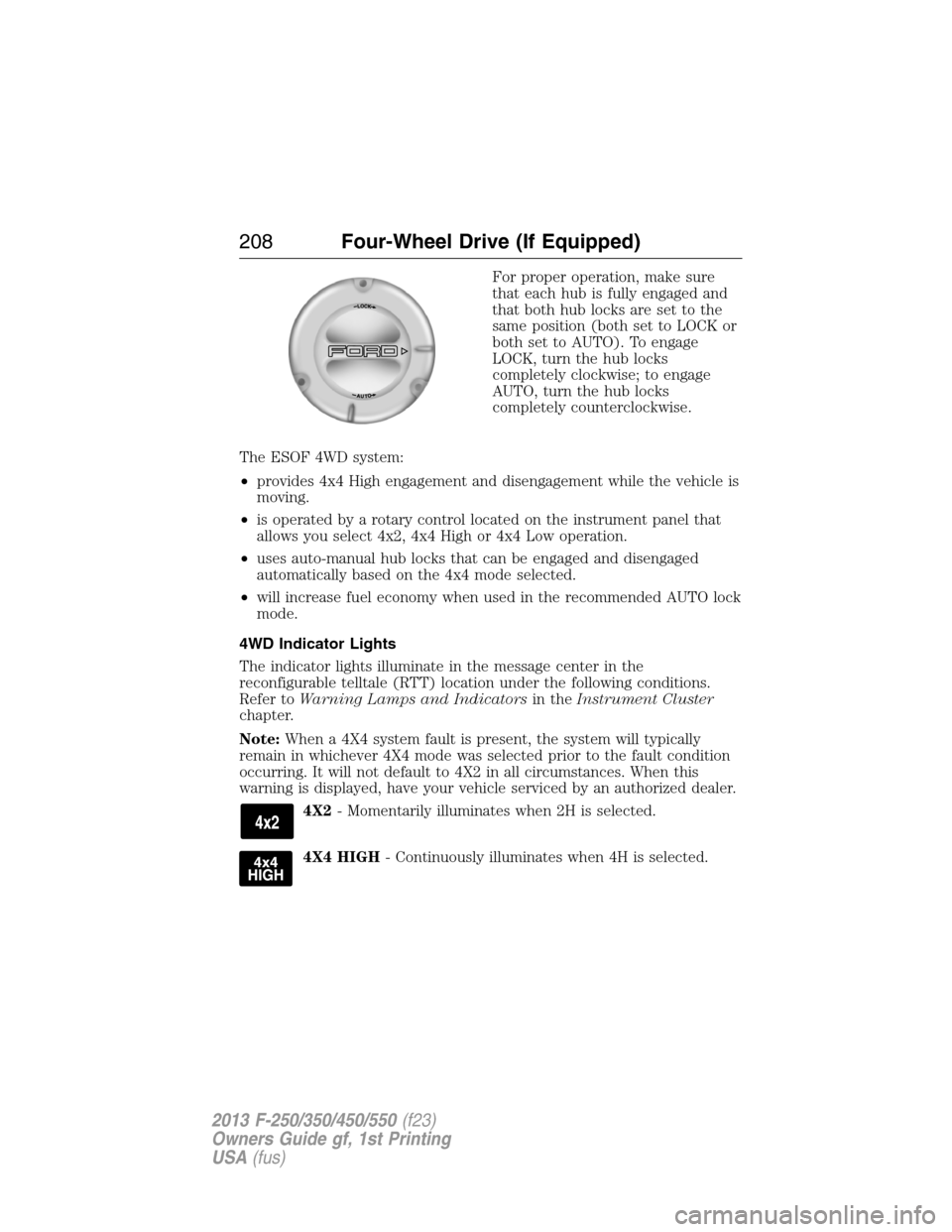
For proper operation, make sure
that each hub is fully engaged and
that both hub locks are set to the
same position (both set to LOCK or
both set to AUTO). To engage
LOCK, turn the hub locks
completely clockwise; to engage
AUTO, turn the hub locks
completely counterclockwise.
The ESOF 4WD system:
•provides 4x4 High engagement and disengagement while the vehicle is
moving.
•is operated by a rotary control located on the instrument panel that
allows you select 4x2, 4x4 High or 4x4 Low operation.
•uses auto-manual hub locks that can be engaged and disengaged
automatically based on the 4x4 mode selected.
•will increase fuel economy when used in the recommended AUTO lock
mode.
4WD Indicator Lights
The indicator lights illuminate in the message center in the
reconfigurable telltale (RTT) location under the following conditions.
Refer toWarning Lamps and Indicatorsin theInstrument Cluster
chapter.
Note:When a 4X4 system fault is present, the system will typically
remain in whichever 4X4 mode was selected prior to the fault condition
occurring. It will not default to 4X2 in all circumstances. When this
warning is displayed, have your vehicle serviced by an authorized dealer.
4X2- Momentarily illuminates when 2H is selected.
4X4 HIGH- Continuously illuminates when 4H is selected.
208Four-Wheel Drive (If Equipped)
2013 F-250/350/450/550(f23)
Owners Guide gf, 1st Printing
USA(fus)
Page 210 of 563
4X4 LOW- Continuously illuminates when 4L is selected.
CHECK 4X4- Displays when a 4X4 fault is present.
Using a Manual Shift On Stop (MSOS) 4wd system (if equipped)
Note:High shift efforts may be encountered when attempting to shift
into and out of 4x4 modes. It is recommended to allow the vehicle to roll
at a speed below 3 mph (5 km/h) when shifting between modes.
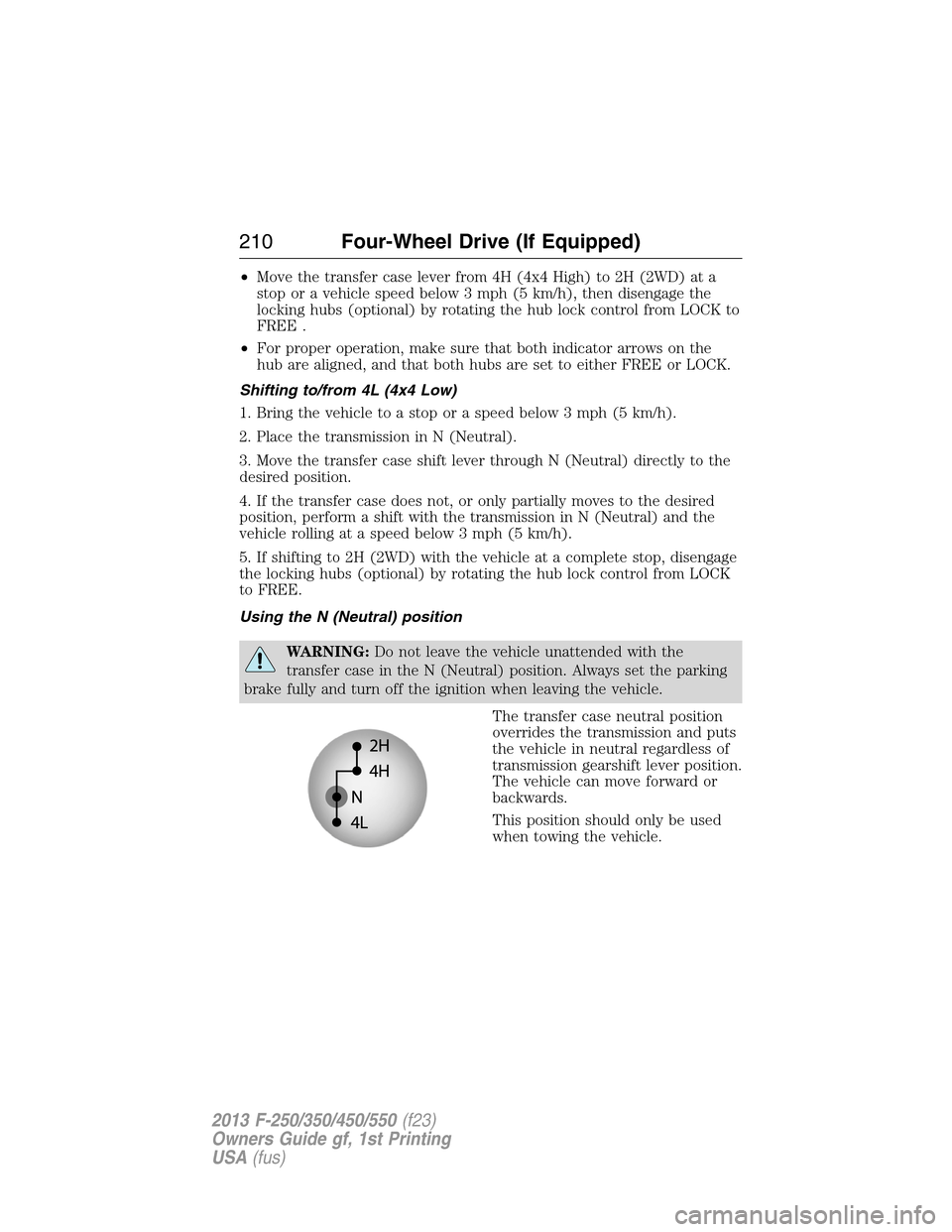
•2H (2WD):For general on-road
driving. Sends power to the rear
wheels only and should be used
for street and highway driving.
Provides optimal smoothness and
fuel economy at high speeds.
•4H (4x4 High):Used for extra
traction such as in snow or icy
roads or in off road situations.
This mode is not intended for
use on dry pavement.
•N (Neutral):Only used when towing the vehicle. No power to front
or rear wheels.
•4L (4x4 Low):Uses extra gearing to provide maximum power to all
four wheels at reduced speeds. Intended only for off road applications
such as deep sand, steep grades or pulling heavy objects.
Shifting between system modes
Note:Do not perform these operations if the rear wheels are slipping.
Note:Some noise may be heard as the 4x4 system shifts or engages.
This is normal. In order to reduce engagement noise, it is recommended
that all shifts be performed at speeds below 3 mph (5 km/h).
Note:The vehicle should not be driven in 4X4 High with the hub locks
disengaged as this condition may damage driveline system components.
•Engage the locking hubs by rotating the hub lock control from FREE
to LOCK, then move the transfer case lever from 2H (2WD) to 4H
(4x4 High) at a stop or a vehicle speed below 3 mph (5 km/h).
Four-Wheel Drive (If Equipped)209
2013 F-250/350/450/550(f23)
Owners Guide gf, 1st Printing
USA(fus)
Page 211 of 563
•Move the transfer case lever from 4H (4x4 High) to 2H (2WD) at a
stop or a vehicle speed below 3 mph (5 km/h), then disengage the
locking hubs (optional) by rotating the hub lock control from LOCK to
FREE .
•For proper operation, make sure that both indicator arrows on the
hub are aligned, and that both hubs are set to either FREE or LOCK.
Shifting to/from 4L (4x4 Low)
1. Bring the vehicle to a stop or a speed below 3 mph (5 km/h).
2. Place the transmission in N (Neutral).
3. Move the transfer case shift lever through N (Neutral) directly to the
desired position.
4. If the transfer case does not, or only partially moves to the desired
position, perform a shift with the transmission in N (Neutral) and the
vehicle rolling at a speed below 3 mph (5 km/h).
5. If shifting to 2H (2WD) with the vehicle at a complete stop, disengage
the locking hubs (optional) by rotating the hub lock control from LOCK
to FREE.
Using the N (Neutral) position
WARNING:Do not leave the vehicle unattended with the
transfer case in the N (Neutral) position. Always set the parking
brake fully and turn off the ignition when leaving the vehicle.
The transfer case neutral position
overrides the transmission and puts
the vehicle in neutral regardless of
transmission gearshift lever position.
The vehicle can move forward or
backwards.
This position should only be used
when towing the vehicle.
210Four-Wheel Drive (If Equipped)
2013 F-250/350/450/550(f23)
Owners Guide gf, 1st Printing
USA(fus)
Page 212 of 563
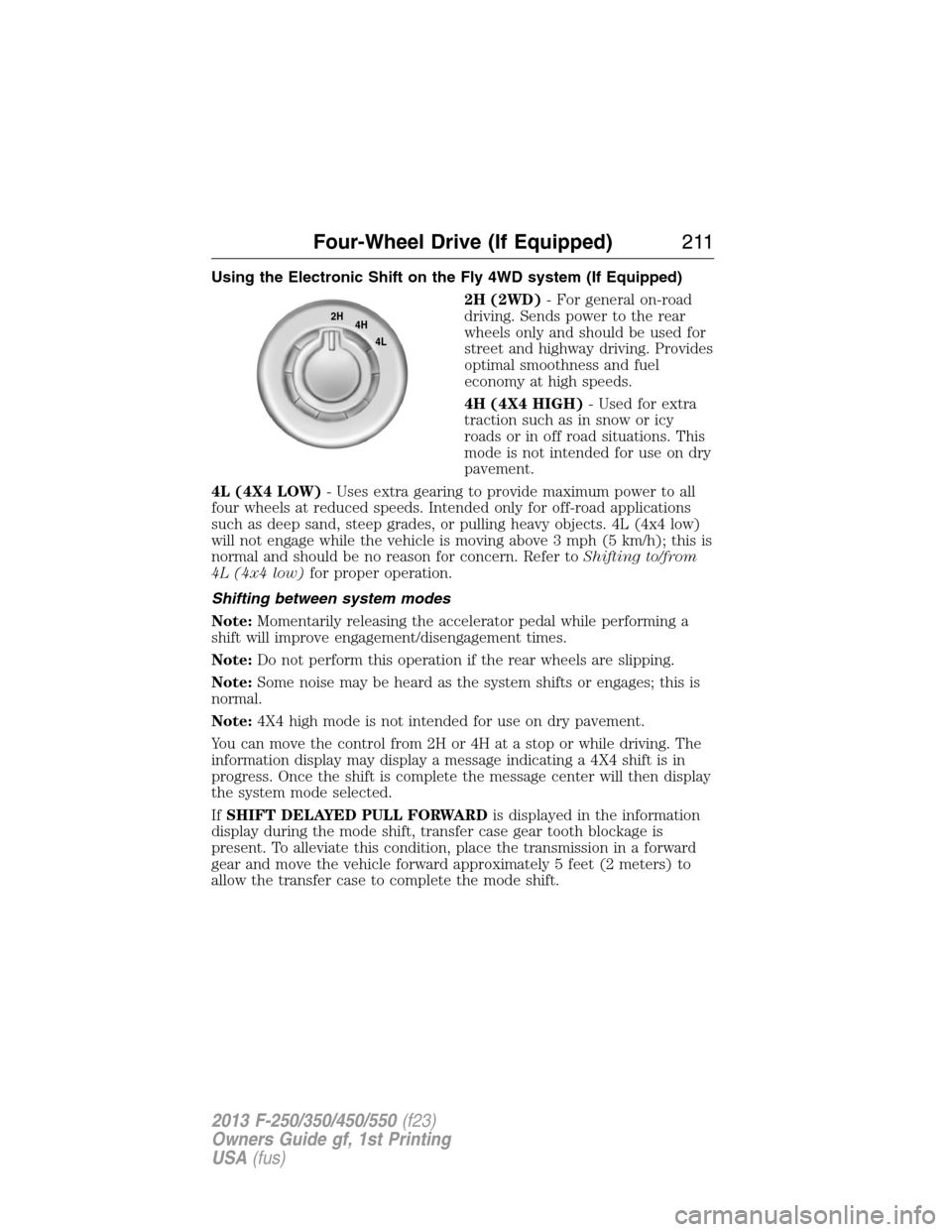
Using the Electronic Shift on the Fly 4WD system (If Equipped)
2H (2WD)- For general on-road
driving. Sends power to the rear
wheels only and should be used for
street and highway driving. Provides
optimal smoothness and fuel
economy at high speeds.
4H (4X4 HIGH)- Used for extra
traction such as in snow or icy
roads or in off road situations. This
mode is not intended for use on dry
pavement.
4L (4X4 LOW)- Uses extra gearing to provide maximum power to all
four wheels at reduced speeds. Intended only for off-road applications
such as deep sand, steep grades, or pulling heavy objects. 4L (4x4 low)
will not engage while the vehicle is moving above 3 mph (5 km/h); this is
normal and should be no reason for concern. Refer toShifting to/from
4L (4x4 low)for proper operation.
Shifting between system modes
Note:Momentarily releasing the accelerator pedal while performing a
shift will improve engagement/disengagement times.
Note:Do not perform this operation if the rear wheels are slipping.
Note:Some noise may be heard as the system shifts or engages; this is
normal.
Note:4X4 high mode is not intended for use on dry pavement.
You can move the control from 2H or 4H at a stop or while driving. The
information display may display a message indicating a 4X4 shift is in
progress. Once the shift is complete the message center will then display
the system mode selected.
IfSHIFT DELAYED PULL FORWARDis displayed in the information
display during the mode shift, transfer case gear tooth blockage is
present. To alleviate this condition, place the transmission in a forward
gear and move the vehicle forward approximately 5 feet (2 meters) to
allow the transfer case to complete the mode shift.
2H
4H
4L
Four-Wheel Drive (If Equipped)211
2013 F-250/350/450/550(f23)
Owners Guide gf, 1st Printing
USA(fus)
Page 213 of 563
Shifting to/from 4L (4X4 low)
Note:Some noise may be heard as the system shifts or engages; this is
normal.
Note:4x4 low mode is not intended for use on dry pavement.
1. Bring the vehicle to a speed of 3 mph (5 km/h) or less.
2. Place the transmission in N (Neutral).
3. Move the 4WD control to the desired position.
The information display will display a message indicating a 4X4 shift is in
progress. The information display will then display the system mode
selected. If any of the above shift conditions are not met, the shift will
not occur and the information display will display information guiding the
driver through the proper shifting procedures.
IfSHIFT DELAYED PULL FORWARDis displayed in the information
display, transfer case gear tooth blockage is present. To alleviate this
condition, place the transmission in a forward gear, move the vehicle
forward approximately 5 feet (1.5 m), and shift the transmission back to
neutral to allow the transfer case to complete the range shift.
Electronic Locking Differential (ELD) (If Equipped)
Note:The ELD is designed for off-road use only and is not intended for
use on dry pavement. Using the ELD on dry pavement will result in
increased tire wear, noise and vibration.
The electronic locking differential (ELD) is a device housed in the rear
axle which allows both rear wheels to turn at the same speed. It provides
added traction on slippery and/or off road surfaces, particularly when
one wheel is on a poor traction surface. The ELD may be locked or
unlocked by the vehicle operator and can be engaged or disengaged on
the fly. When the axle is unlocked it will function like a standard rear
axle. When the axle is locked it will not allow the rear wheels to rotate
at different speeds when turning.
The ELD is affected by the following conditions:
•
On 2WD vehicles and 4WD vehicles in 2H (4X2) or 4H (4X4 High), the
ELD will not engage if the vehicle speed is above 20 mph (32 km/h).
•On 2WD vehicles and 4WD vehicles in 2H (4X2) or 4H (4X4 High), the
ELD will automatically disengage at speeds above 25 mph (40 km/h) and
will automatically reengage at speeds below 20 mph (32 km/h).
•On 4WD vehicles in 4L (4X4 Low), the ELD can be engaged at any
speed and will not automatically disengage.
212Four-Wheel Drive (If Equipped)
2013 F-250/350/450/550(f23)
Owners Guide gf, 1st Printing
USA(fus)
Page 214 of 563
Activating the Electronic Locking Differential (ELD)
Note:The ELD may have difficulty disengaging either by operator
command or automatically if the driveline is under torque. If driving
conditions allow, releasing the accelerator pedal or turning the steering
wheel in the opposite direction may assist in disengagement.
Note:The ELD is designed for off-road use only and is not intended for
use on dry pavement.
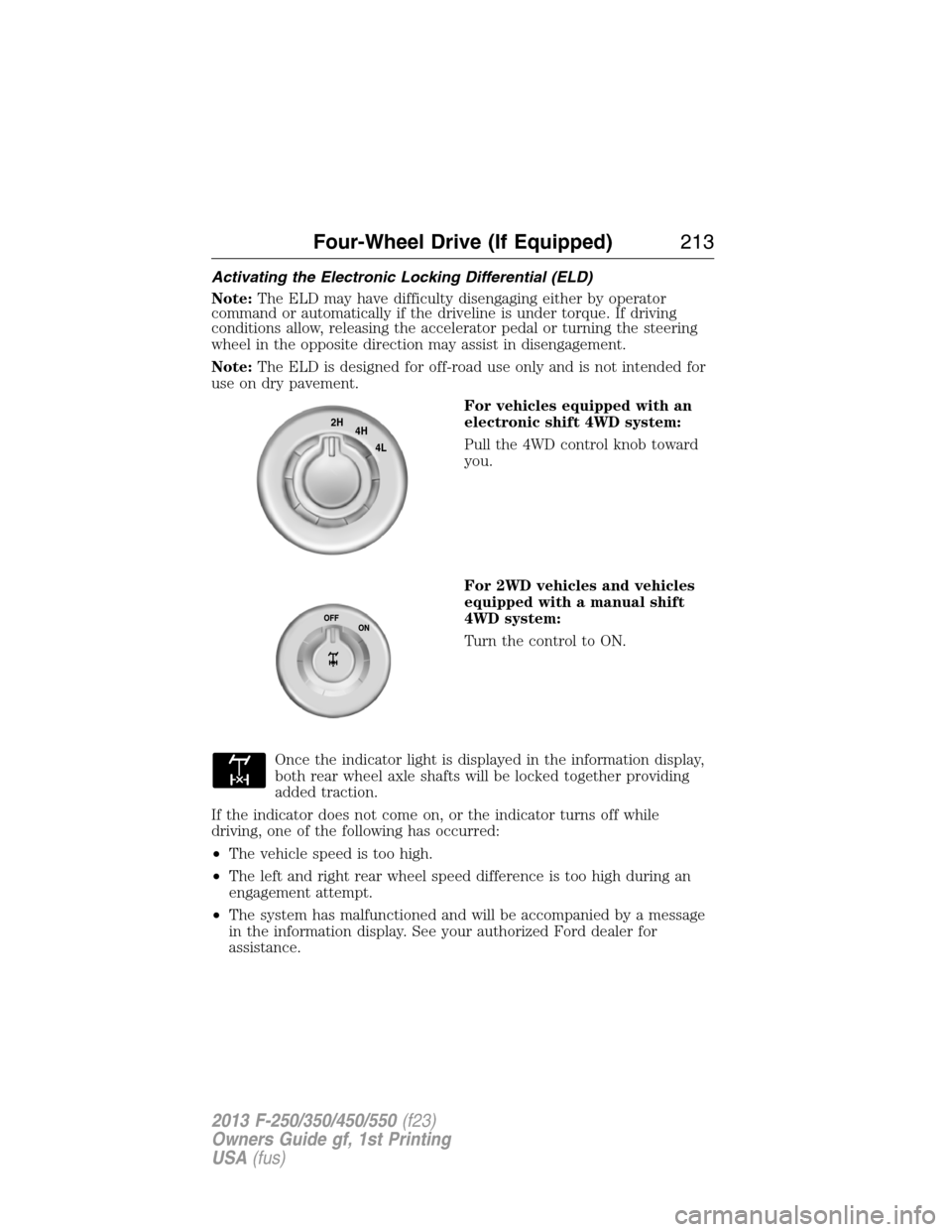
For vehicles equipped with an
electronic shift 4WD system:
Pull the 4WD control knob toward
you.
For 2WD vehicles and vehicles
equipped with a manual shift
4WD system:
Turn the control to ON.
Once the indicator light is displayed in the information display,
both rear wheel axle shafts will be locked together providing
added traction.
If the indicator does not come on, or the indicator turns off while
driving, one of the following has occurred:
•The vehicle speed is too high.
•The left and right rear wheel speed difference is too high during an
engagement attempt.
•The system has malfunctioned and will be accompanied by a message
in the information display. See your authorized Ford dealer for
assistance.
2H
4H
4L
Four-Wheel Drive (If Equipped)213
2013 F-250/350/450/550(f23)
Owners Guide gf, 1st Printing
USA(fus)