brake GENESIS G80 2021 User Guide
[x] Cancel search | Manufacturer: GENESIS, Model Year: 2021, Model line: G80, Model: GENESIS G80 2021Pages: 604, PDF Size: 11.47 MB
Page 113 of 604

Instrument Cluster
4-12
Dual-diagonal braking system
Your vehicle is equipped with dual-
diagonal braking system. This means you
still have braking on two wheels even if
one of the dual systems should fail.
With only one of the dual systems
working, more than normal pedal travel
and greater pedal pressure is required to
stop the vehicle.
Also, the vehicle will not stop in as short
a distance with only a portion of the
brake system working.
If the brakes fail while you are driving,
shift to a lower gear for additional engine
braking and stop the vehicle as soon as it
is safe to do so.
WARNING
Parking Brake & Brake Fluid warning
light
Driving the vehicle with a warning light
ON is dangerous. If the Parking Brake
& Brake Fluid warning light illuminates
with the parking brake released, it
indicates that the brake fluid level is
low.
If this occurs, Have the vehicle
inspected by an authorized retailer of
Genesis Branded products.
Anti-lock Brake System (ABS)
warning light
This warning light illuminates:
• When you set the Engine Start/Stop
button to the ON position.
-The ABS warning light illuminates
for about 3 seconds and then goes
off.
• Whenever there is a malfunction with
the ABS.
Note that the hydraulic braking
system will still be operational even if
there is a malfunction with the ABS.
If this occurs, have the vehicle
inspected by an authorized retailer of
Genesis Branded products.
Electronic Brake Force
Distribution (EBD) system
warning light
When the ABS warning and Parking Brake warning lights are on
simultaneously, it may indicate a
problem with the Electronic Brake Force
Distribution system.
If this occurs, have the vehicle inspected
by an authorized retailer of Genesis
Branded products.
Page 114 of 604
04
4-13
WARNING
Electronic Brake Force Distribution
(EBD) system warning light
When both ABS and Parking Brake &
Brake Fluid warning lights are on, the
brake system will not work normally
and you may experience an unexpected
and dangerous situation during sudden
braking.
If this occurs, avoid high speed driving
and abrupt braking.
Have the vehicle inspected by an
authorized retailer of Genesis Branded
products as soon as possible.
NOTICE
Electronic Brake Force Distribution
(EBD) system warning light
When the ABS warning light is on
or both ABS and Parking Brake &
Brake Fluid warning lights are on, the
speedometer, odometer, or tripmeter
may not work. Also, the EPS warning
light may illuminate and the steering
effort may increase or decrease.
If this occurs, have the vehicle
inspected by an authorized retailer of
Genesis Branded products as soon as
possible.
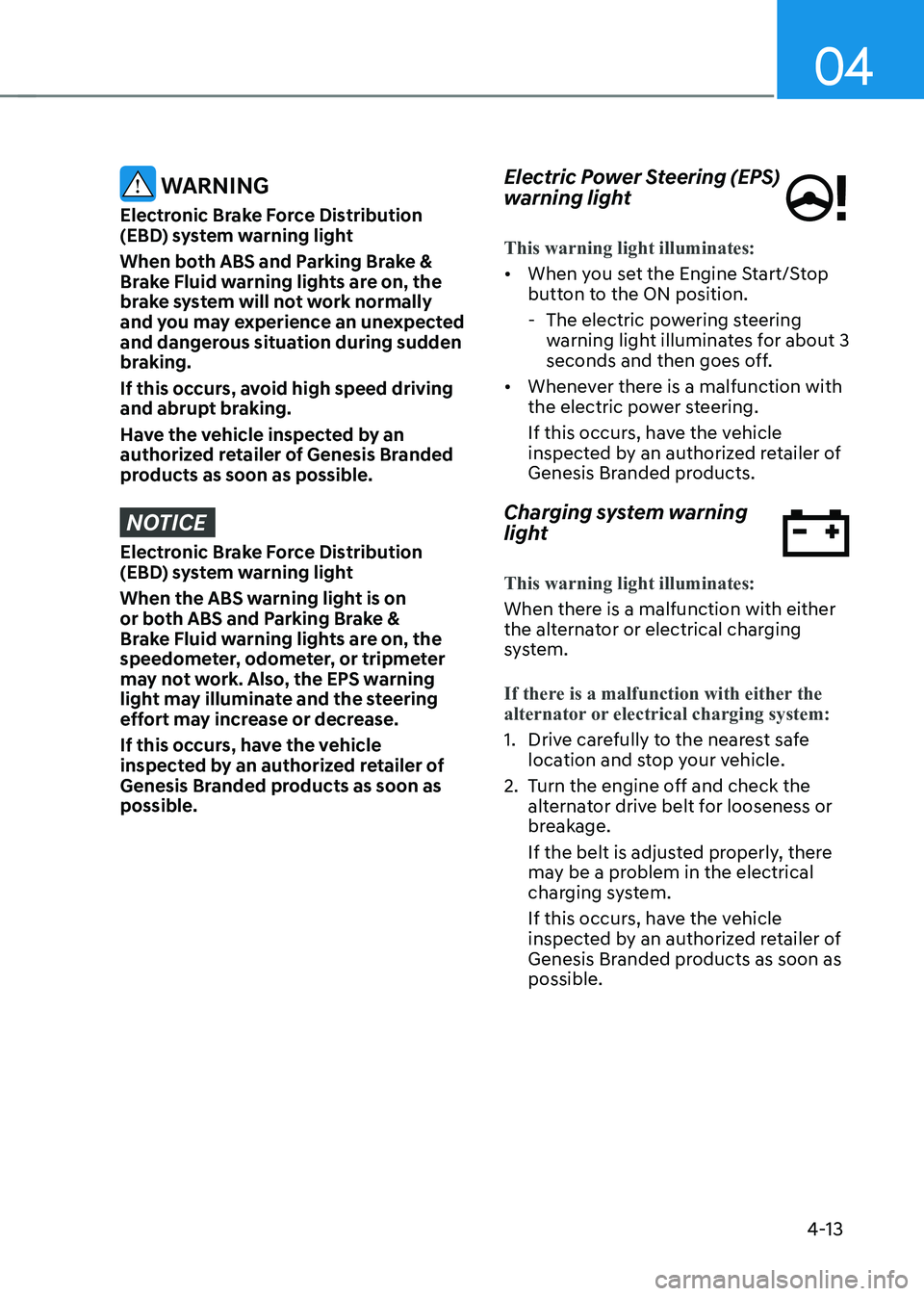
Electric Power Steering (EPS)
warning light
This warning light illuminates:
• When you set the Engine Start/Stop
button to the ON position.
-The electric powering steering
warning light illuminates for about 3
seconds and then goes off.
• Whenever there is a malfunction with
the electric power steering.
If this occurs, have the vehicle
inspected by an authorized retailer of
Genesis Branded products.
Charging system warning
light
This warning light illuminates:
When there is a malfunction with either
the alternator or electrical charging
system.
If there is a malfunction with either the
alternator or electrical charging system:
1. Drive carefully to the nearest safe
location and stop your vehicle.
2. Turn the engine off and check the
alternator drive belt for looseness or
breakage.
If the belt is adjusted properly, there
may be a problem in the electrical
charging system.
If this occurs, have the vehicle
inspected by an authorized retailer of
Genesis Branded products as soon as
possible.
Page 117 of 604
Instrument Cluster
4-16
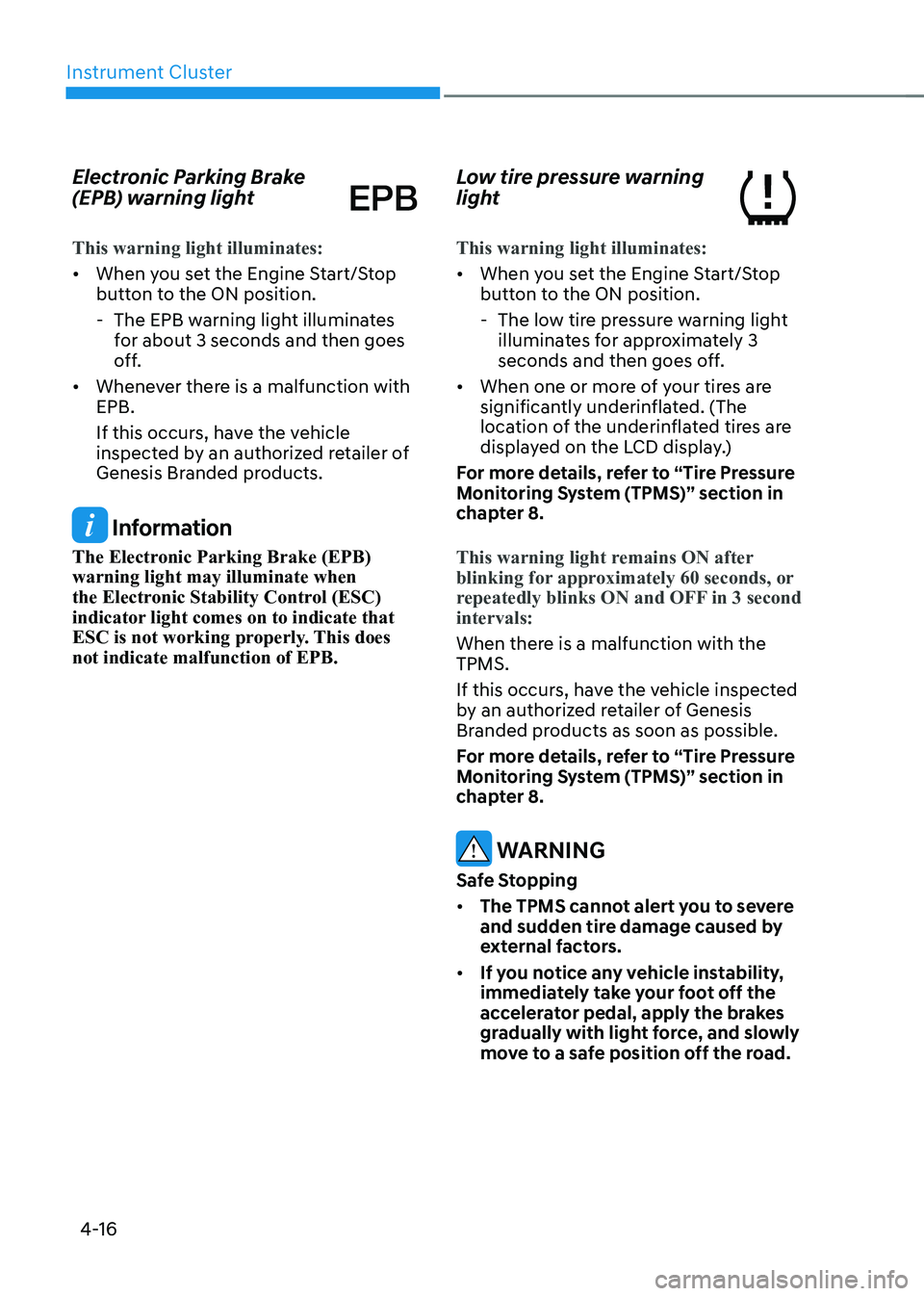
Electronic Parking Brake
(EPB) warning light
This warning light illuminates:
• When you set the Engine Start/Stop
button to the ON position.
-The EPB warning light illuminates
for about 3 seconds and then goes
off.
• Whenever there is a malfunction with
EPB.
If this occurs, have the vehicle
inspected by an authorized retailer of
Genesis Branded products.
Information
The Electronic Parking Brake (EPB)
warning light may illuminate when
the Electronic Stability Control (ESC)
indicator light comes on to indicate that
ESC is not working properly. This does
not indicate malfunction of EPB.
Low tire pressure warning
light
This warning light illuminates:
• When you set the Engine Start/Stop
button to the ON position.
-The low tire pressure warning light
illuminates for approximately 3
seconds and then goes off.
• When one or more of your tires are
significantly underinflated. (The
location of the underinflated tires are
displayed on the LCD display.)
For more details, refer to “Tire Pressure
Monitoring System (TPMS)” section in
chapter 8.
This warning light remains ON after
blinking for approximately 60 seconds, or
repeatedly blinks ON and OFF in 3 second
intervals:
When there is a malfunction with the
TPMS.
If this occurs, have the vehicle inspected
by an authorized retailer of Genesis
Branded products as soon as possible.
For more details, refer to “Tire Pressure
Monitoring System (TPMS)” section in
chapter 8.
WARNING
Safe Stopping
• The TPMS cannot alert you to severe
and sudden tire damage caused by
external factors.
• If you notice any vehicle instability,
immediately take your foot off the
accelerator pedal, apply the brakes
gradually with light force, and slowly
move to a safe position off the road.
Page 121 of 604

Instrument Cluster
4-20
AUTO STOP indicator light
(if equipped)
This indicator light illuminates:
When the engine enters the Idle Stop
mode of ISG (Idle Stop and Go) system.
This indicator light blinks:
When the engine automatically starts,
the AUTO STOP indicator on the cluster
will blink for 5 seconds.
For more details, refer to "ISG (Idle Stop
and Go) system" section in chapter 6.
Information
When the engine automatically starts
by the ISG system, some warning lights
(ABS, ESC, ESC OFF, EPS or Parking
brake warning light) may turn on for a
few seconds. This happens because of
low battery voltage. It does not mean the
system has malfunctioned.
Turn signal indicator light
This indicator light blinks:
When you operate the turn signal
indicator stalk.
If any of the following occur, there may
be a malfunction with the turn signal
system.
-The turn signal indicator light
illuminates but does not blink
-The turn signal indicator light blinks
rapidly
-The turn signal indicator light does not
illuminate at all
If any of these conditions occur, have
the vehicle inspected by an authorized
retailer of Genesis Branded products.
High beam indicator light
This indicator light illuminates:
• When the headlamps are on and in
the high beam position
• When the turn signal lever is pulled
into the Flash-to-Pass position.
Page 122 of 604
04
4-21
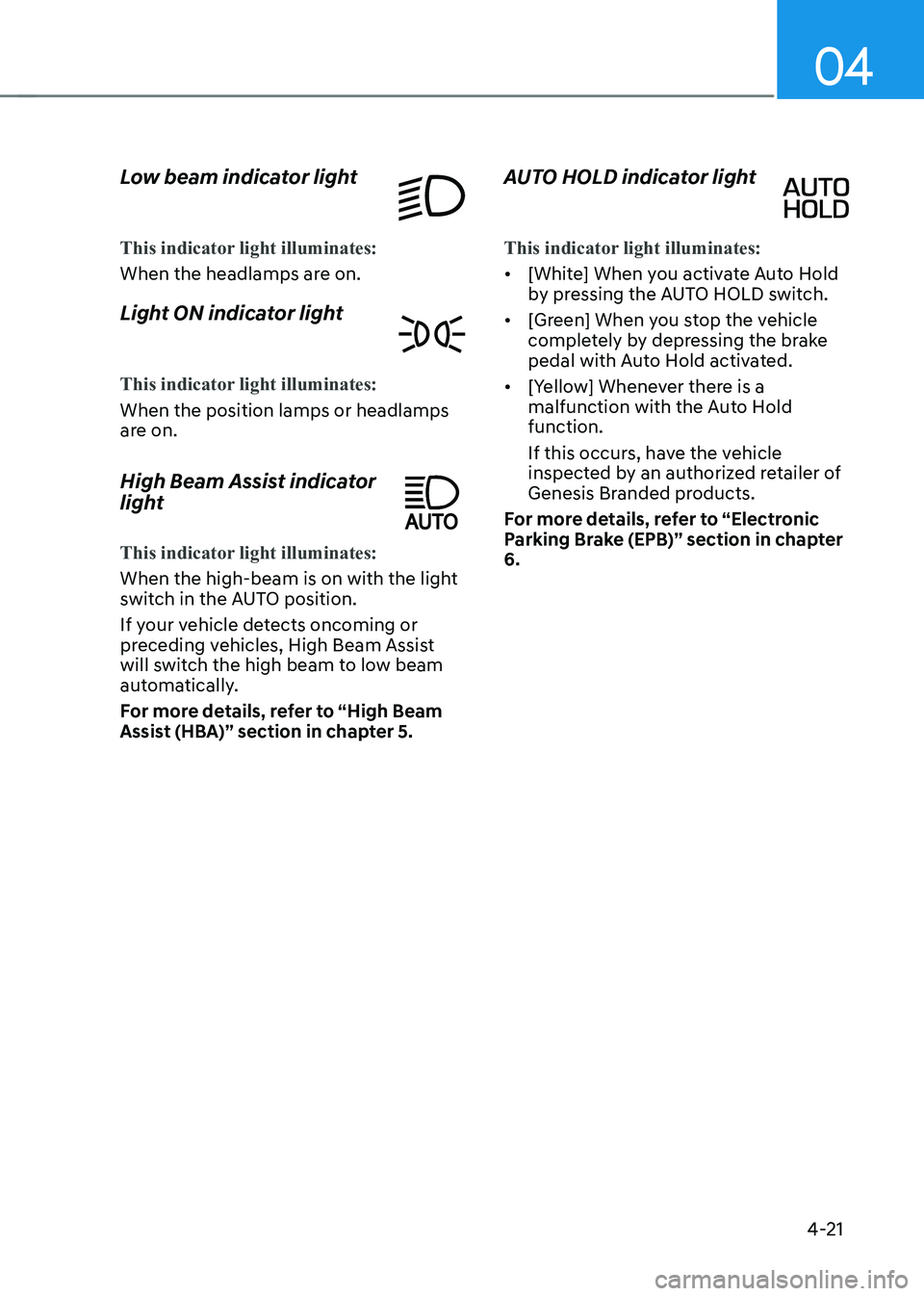
Low beam indicator light
This indicator light illuminates:
When the headlamps are on.
Light ON indicator light
This indicator light illuminates:
When the position lamps or headlamps
are on.
High Beam Assist indicator
light
This indicator light illuminates:
When the high-beam is on with the light
switch in the AUTO position.
If your vehicle detects oncoming or
preceding vehicles, High Beam Assist
will switch the high beam to low beam
automatically.
For more details, refer to “High Beam
Assist (HBA)” section in chapter 5.
AUTO HOLD indicator light
This indicator light illuminates:
• [White] When you activate Auto Hold
by pressing the AUTO HOLD switch.
• [Green] When you stop the vehicle
completely by depressing the brake
pedal with Auto Hold activated.
• [Yellow] Whenever there is a
malfunction with the Auto Hold
function.
If this occurs, have the vehicle
inspected by an authorized retailer of
Genesis Branded products.
For more details, refer to “Electronic
Parking Brake (EPB)” section in chapter
6.
Page 123 of 604

Instrument Cluster
4-22
LCD Display Messages
Vehicle is on
This message is displayed if you open the
driver’s door when the gear is in P (Park)
and the Engine Start/Stop button in the
ON or START position.
Turn the engine off before leaving the
vehicle.
Shift to P
This message is displayed if you try to
turn off the vehicle without the gear in
the P (Park) position.
If this occurs, the Engine Start/Stop
button turns to the ACC position.
Vehicle is in N. Press START button
and shift to P
This message is displayed if you try to
turn off the vehicle with the gear in N
(Neutral).
To turn off the vehicle:
1. Press the Engine Start/Stop button.
The button will change to the ON
position.
2. Press the P button to shift to P (Park).
3. Press the Engine Start/Stop button
again, then the vehicle will turn off.
Low key battery
This message is displayed if the battery
of the smart key is discharged while
changing the Engine Start/Stop button to
the OFF position.
Press brake pedal to start engine
This message is displayed if the Engine
Start/Stop button changes to the ACC
position twice by pressing the button
repeatedly without depressing the brake
pedal.
You can start the vehicle by depressing
the brake pedal and then pressing the
Engine Start/Stop button.
Key not in vehicle
This message is displayed if the smart
key is not in the vehicle when you leave
the vehicle with the Engine Start/Stop
button in the ON or Start position.
Always turn off the engine before leaving
your vehicle.
Key not detected
This message is displayed if the smart
key is not detected when you press the
Engine Start/Stop button.
Press START button again
This message is displayed if you were
unable to start the vehicle when the
Engine Start/Stop button was pressed.
If this occurs, attempt to start the engine
by pressing the Engine Start/ Stop button
again.
If the warning message appears each
time you press the Engine Start/Stop
button, we recommend that you have
the vehicle inspected by an authorized
retailer of Genesis Branded products.
Page 124 of 604
04
4-23
Place the smart key in the
emergency start slot and press the
start button
This message is displayed if you press
the Engine Start/Stop button while the
warning message “Key not detected” is
displayed.
At this time, the immobilizer indicator
light blinks.
Check BRAKE SWITCH fuse
This message is displayed if the brake
switch fuse is disconnected.
You need to replace the fuse with a new
one before starting the engine.
If that is not possible, you can start the
engine by pressing the Engine Start/
Stop button for 10 seconds in the ACC
position.
Shift to P or N to start engine
This message is displayed if you try to
start the engine in any other position
except P (Park) or N (Neutral).
Information
You can start the engine with the gear
in N (Neutral). But, for your safety, we
recommend that you start the engine with
the gear shifted to P (Park).
Battery discharging due to external
electrical devices
This message is displayed if the 12V
battery voltage is weak due to any
non-factory electrical accessories (ex.
dashboard camera) while parking. Be
careful that the battery is not discharged.
If the message appears after removing
the non-factory electrical accessories,
have the vehicle inspected by an
authorized retailer of Genesis Branded
products.
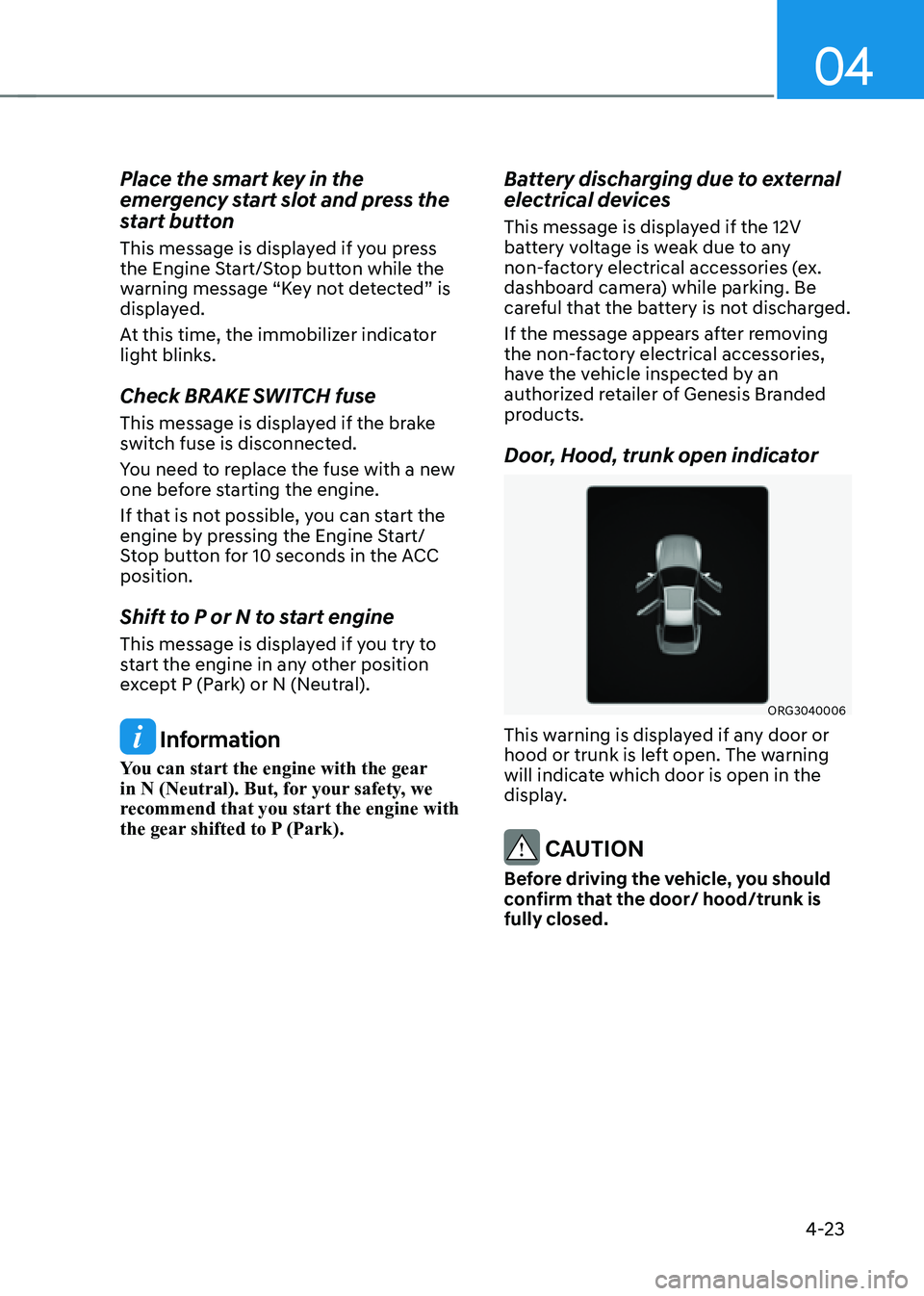
Door, Hood, trunk open indicator
ORG3040006
This warning is displayed if any door or
hood or trunk is left open. The warning
will indicate which door is open in the
display.
CAUTION
Before driving the vehicle, you should
confirm that the door/ hood/trunk is
fully closed.
Page 152 of 604
Convenient Features
5-14
How to Use the Digital Key (Smart
phone)
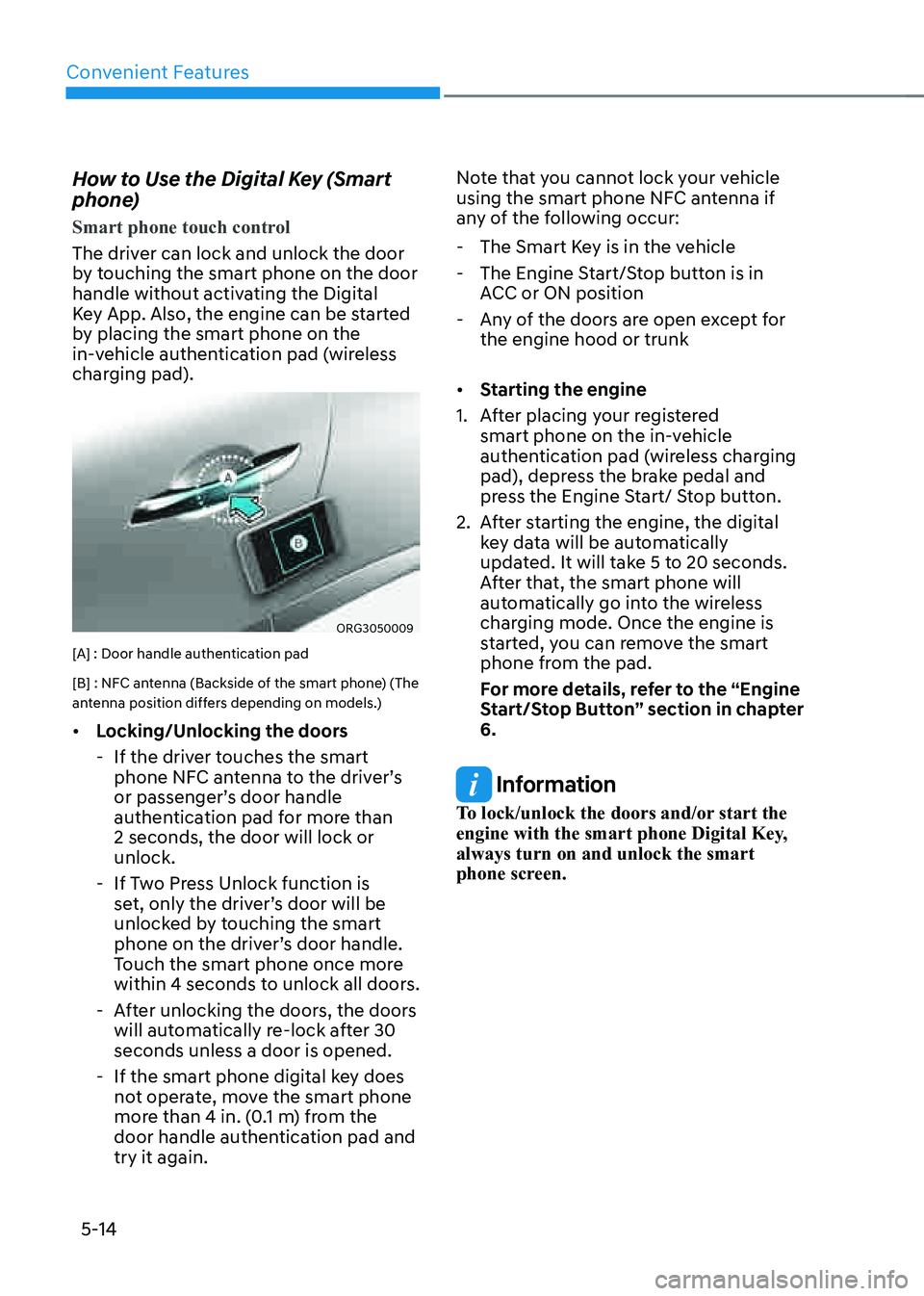
Smart phone touch control
The driver can lock and unlock the door
by touching the smart phone on the door
handle without activating the Digital
Key App. Also, the engine can be started
by placing the smart phone on the
in-vehicle authentication pad (wireless
charging pad).
ORG3050009
[A] : Door handle authentication pad
[B] : NFC antenna (Backside of the smart phone) (The
antenna position differs depending on models.)
• Locking/Unlocking the doors
-If the driver touches the smart
phone NFC antenna to the driver’s
or passenger’s door handle
authentication pad for more than
2 seconds, the door will lock or
unlock.
-If Two Press Unlock function is
set, only the driver’s door will be
unlocked by touching the smart
phone on the driver’s door handle.
Touch the smart phone once more
within 4 seconds to unlock all doors.
-After unlocking the doors, the doors
will automatically re-lock after 30
seconds unless a door is opened.
-If the smart phone digital key does
not operate, move the smart phone
more than 4 in. (0.1 m) from the
door handle authentication pad and
try it again. Note that you cannot lock your vehicle
using the smart phone NFC antenna if
any of the following occur:
-
The Smart Key is in the vehicle
-The Engine Start/Stop button is in
ACC or ON position
-Any of the doors are open except for
the engine hood or trunk
• Starting the engine
1. After placing your registered
smart phone on the in-vehicle
authentication pad (wireless charging
pad), depress the brake pedal and
press the Engine Start/ Stop button.
2. After starting the engine, the digital
key data will be automatically
updated. It will take 5 to 20 seconds.
After that, the smart phone will
automatically go into the wireless
charging mode. Once the engine is
started, you can remove the smart
phone from the pad.
For more details, refer to the “Engine
Start/Stop Button” section in chapter
6.
Information
To lock/unlock the doors and/or start the
engine with the smart phone Digital Key,
always turn on and unlock the smart
phone screen.
Page 157 of 604
05
5-19
Information
• When there is a digital key (card key)
already saved in the vehicle, the ‘Save’
menu is disabled. If you want to save
a digital key again, refer to “How to
delete Digital Key (Card key)” and
follow the deleting procedure first
before saving a digital key.
• When registering a digital key (card
key), authentication is required once
through a smart phone. Complete the
registration within 5 minutes after
authentication.
• To register the digital key (card key),
the smart key must be in the vehicle.
• The registered digital key (card key)
cannot be used for another vehicle.
• The previously saved digital key (card
key) can be not used if a new digital key
(card key) is registered.
How to use the Digital key (Card key)
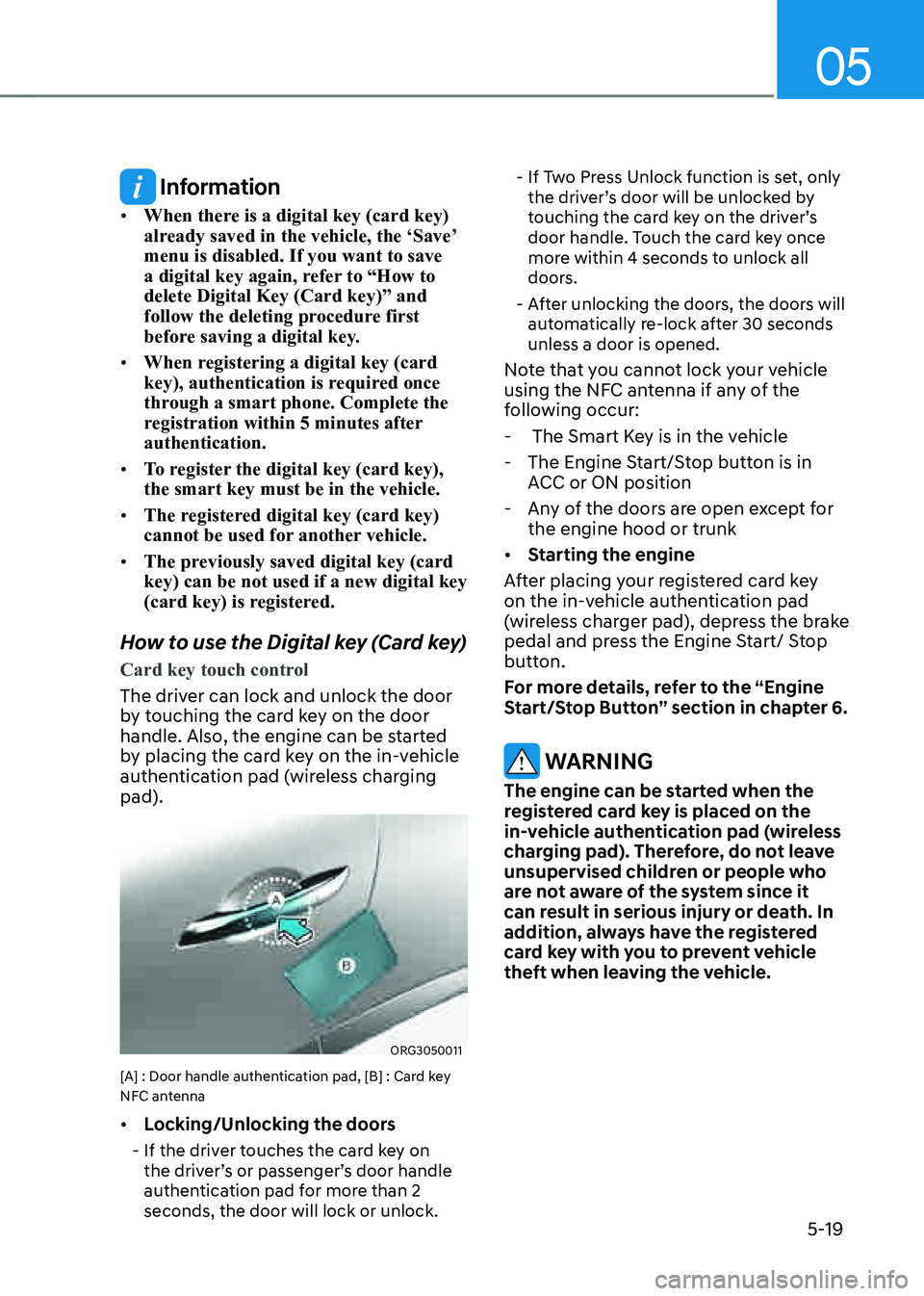
Card key touch control
The driver can lock and unlock the door
by touching the card key on the door
handle. Also, the engine can be started
by placing the card key on the in-vehicle
authentication pad (wireless charging
pad).
ORG3050011
[A] : Door handle authentication pad, [B] : Card key
NFC antenna
• Locking/Unlocking the doors
-If the driver touches the card key on
the driver’s or passenger’s door handle
authentication pad for more than 2
seconds, the door will lock or unlock.
-If Two Press Unlock function is set, only
the driver’s door will be unlocked by
touching the card key on the driver’s
door handle. Touch the card key once
more within 4 seconds to unlock all
doors.
-After unlocking the doors, the doors will
automatically re-lock after 30 seconds
unless a door is opened.
Note that you cannot lock your vehicle
using the NFC antenna if any of the
following occur:
- The Smart Key is in the vehicle
-The Engine Start/Stop button is in
ACC or ON position
-Any of the doors are open except for
the engine hood or trunk
• Starting the engine
After placing your registered card key
on the in-vehicle authentication pad
(wireless charger pad), depress the brake
pedal and press the Engine Start/ Stop
button.
For more details, refer to the “Engine
Start/Stop Button” section in chapter 6.
WARNING
The engine can be started when the
registered card key is placed on the
in-vehicle authentication pad (wireless
charging pad). Therefore, do not leave
unsupervised children or people who
are not aware of the system since it
can result in serious injury or death. In
addition, always have the registered
card key with you to prevent vehicle
theft when leaving the vehicle.
Page 167 of 604
05
5-29
WARNING
• The doors should always be fully
closed and locked while the
vehicle is in motion. If the doors
are unlocked, the risk of being
thrown from the vehicle in a crash is
increased.
• Do not pull the inner door handle of
the driver’s or passenger’s door while
the vehicle is moving.
WARNING
Do not leave children or animals
unattended in your vehicle. An enclosed
vehicle can become extremely hot,
causing death or serious injury to
unattended children or animals who
cannot escape the vehicle. Children
might operate features of the vehicle
that could injure them, or they could
encounter other harm, possibly from
someone gaining entry to the vehicle.
WARNING
Always secure your vehicle.
Leaving your vehicle unlocked increases
the potential risk to you or others from
someone hiding in your vehicle.
To secure your vehicle, while
depressing the brake, shift the gear
to the P (Park) position, engage the
parking brake, and press the Engine
Start/Stop button to the OFF position,
close all windows, lock all doors, and
always take the key with you.
CAUTION
Opening a door when something is
approaching may cause damage or
injury. Be careful when opening doors
and watch for vehicles, motorcycles,
bicycles or pedestrians approaching the
vehicle in the path of the door.
WARNING
If you stay in the vehicle for a long time
while the weather is very hot or cold,
there are risks of injuries or danger to
life. Do not lock the vehicle from the
outside when someone is in the vehicle.