GENESIS GV70 2023 Owners Manual
Manufacturer: GENESIS, Model Year: 2023, Model line: GV70, Model: GENESIS GV70 2023Pages: 637
Page 481 of 637
Driver Assistance System
7-130
Off conditions
• Press the Parking/View button (1)
again, the image will turn off.
• When vehicle speed is above 9 mph
(15 km/h) with the gear in D (Drive),
Surround View Monitor will turn off
and the screen will change back to the
previous infotainment system screen.
Although you drive below 9 mph (15
km/h) again, Surround View Monitor
will not turn on.
• Press one of the infotainment system
button (3), the screen will change to
the infotainment system screen.
• Shift the gear to P (Park), the image
will turn off.
Rear view
The rear image is displayed on the screen
when the gear is in P (Park) to assist in
parking. The rear view has a top view/
rear view/side view/3D view.
Operating conditions
• Shift the gear to R (Reverse), the rear
view will appear on the screen.
• Press the Parking/View button (1)
while the gear is in P (Park), the rear
view will appear on the screen.
Off conditions
• The image cannot be turned off when
the gear is in R (Reverse).
• Shift the gear from R (Reverse) to P
(Park), the image will turn off.
• Press the Parking/View button (1)
again while the gear is in P (Park) with
the image on the screen.
Page 482 of 637
07
7-131
Surround View Monitor
Malfunction and Limitations
Surround View Monitor malfunction
When Surround View Monitor is not
working properly, or the screen flickers,
or the camera image does not display
properly, have the vehicle inspected by
an authorized retailer of Genesis Branded
products.
Limitations of Surround View
Monitor
• When the vehicle is stopped for a long
time in winter or when the vehicle is
parked in an indoor parking lot, the
exhaust fumes may temporarily blur
the image.
• The screen may be displayed
abnormally, and an icon will appear at
the top left side of the screen under
the following circumstances:
-The liftgate is opened
-The driver or front passenger door
is opened
-The side view mirror is folded
WARNING
• ALWAYS look around your vehicle
to make sure there are no objects
or obstacles before moving the
vehicle. What you see on the screen
may differ from the actual vehicle’s
location.
• The image shown on the screen may
differ from the actual distance of the
object. Make sure to directly check
the vehicle's surroundings for safety.
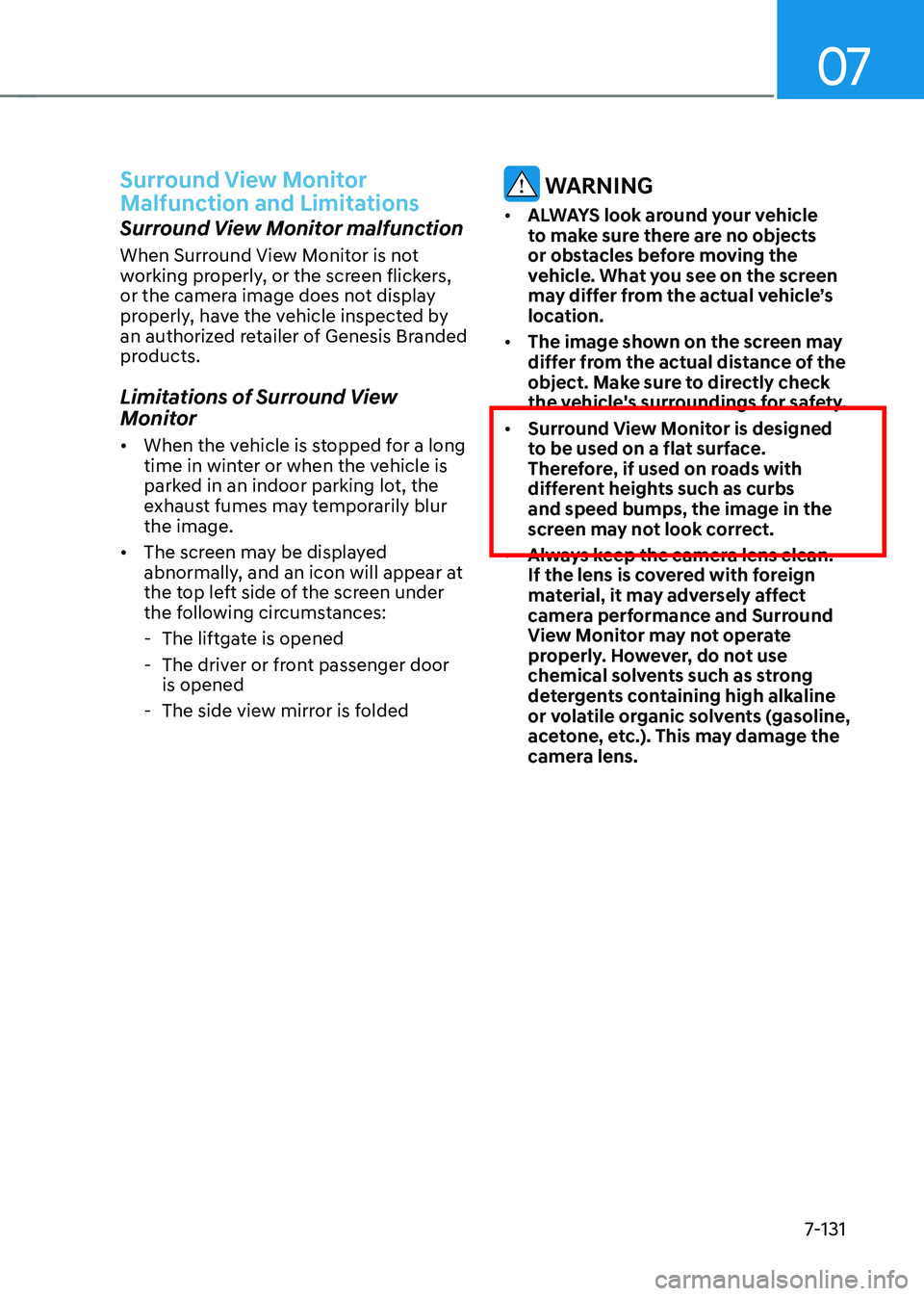
• Surround View Monitor is designed
to be used on a flat surface.
Therefore, if used on roads with
different heights such as curbs
and speed bumps, the image in the
screen may not look correct.
• Always keep the camera lens clean.
If the lens is covered with foreign
material, it may adversely affect
camera performance and Surround
View Monitor may not operate
properly. However, do not use
chemical solvents such as strong
detergents containing high alkaline
or volatile organic solvents (gasoline,
acetone, etc.). This may damage the
camera lens.
Page 483 of 637
Driver Assistance System
7-132
Rear Cross-Traffic Collision-Avoidance
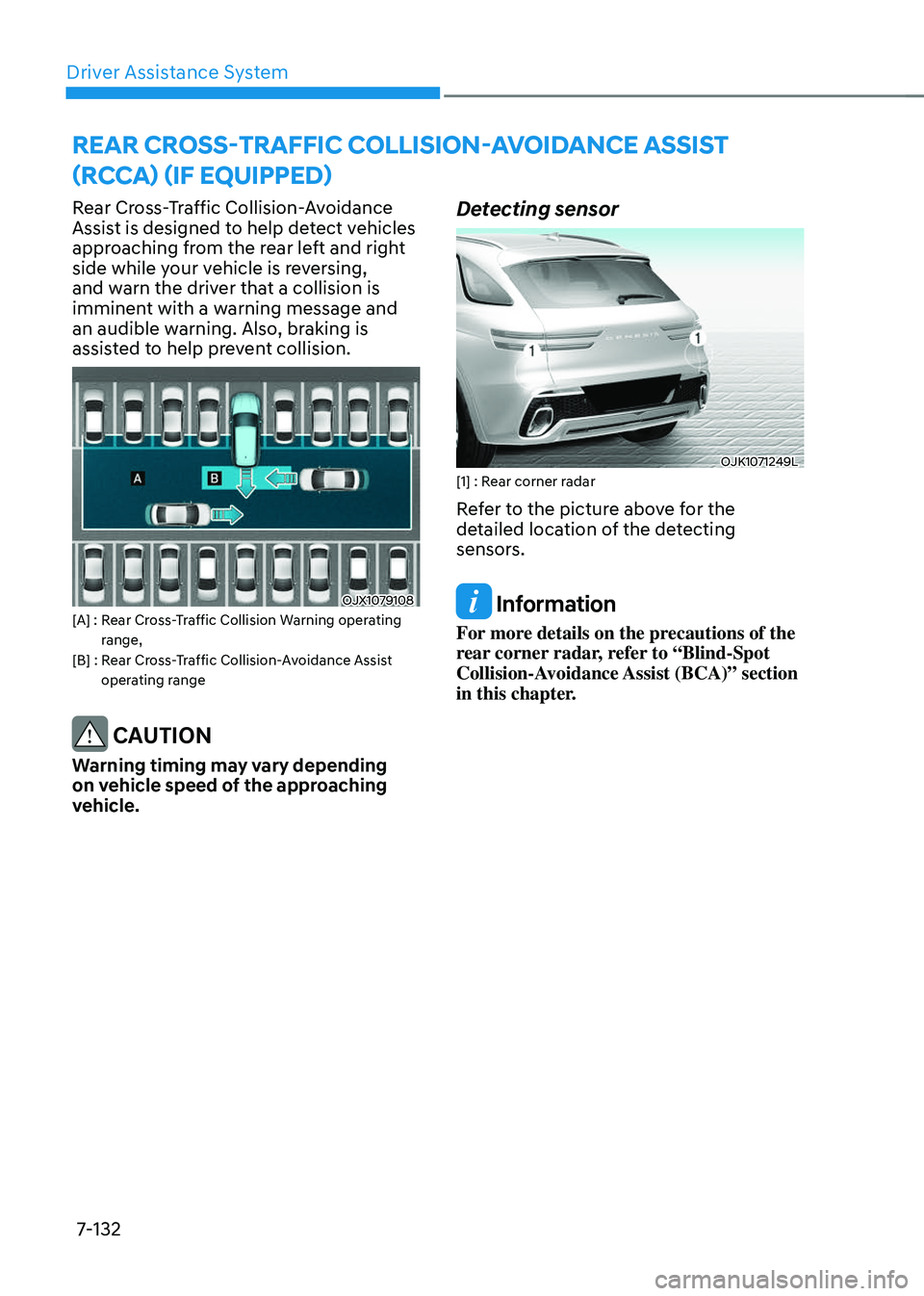
Assist is designed to help detect vehicles
approaching from the rear left and right
side while your vehicle is reversing,
and warn the driver that a collision is
imminent with a warning message and
an audible warning. Also, braking is
assisted to help prevent collision.
OJX1079108OJX1079108[A] : Rear Cross-Traffic Collision Warning operating range,[B] : Rear Cross-Traffic Collision-Avoidance Assist operating range
CAUTION
Warning timing may vary depending
on vehicle speed of the approaching
vehicle.
Detecting sensor
OJK1071249LOJK1071249L[1] : Rear corner radar
Refer to the picture above for the
detailed location of the detecting
sensors.
Information
For more details on the precautions of the
rear corner radar, refer to “Blind-Spot
Collision-Avoidance Assist (BCA)” section
in this chapter.
REAR CROSS-TRAFFIC COLLISION-AVOIDANCE ASSIST
(RCCA) (IF EQUIPPED)
Page 484 of 637
07
7-133
Rear Cross-Traffic Collision-
Avoidance Assist Settings
Setting features
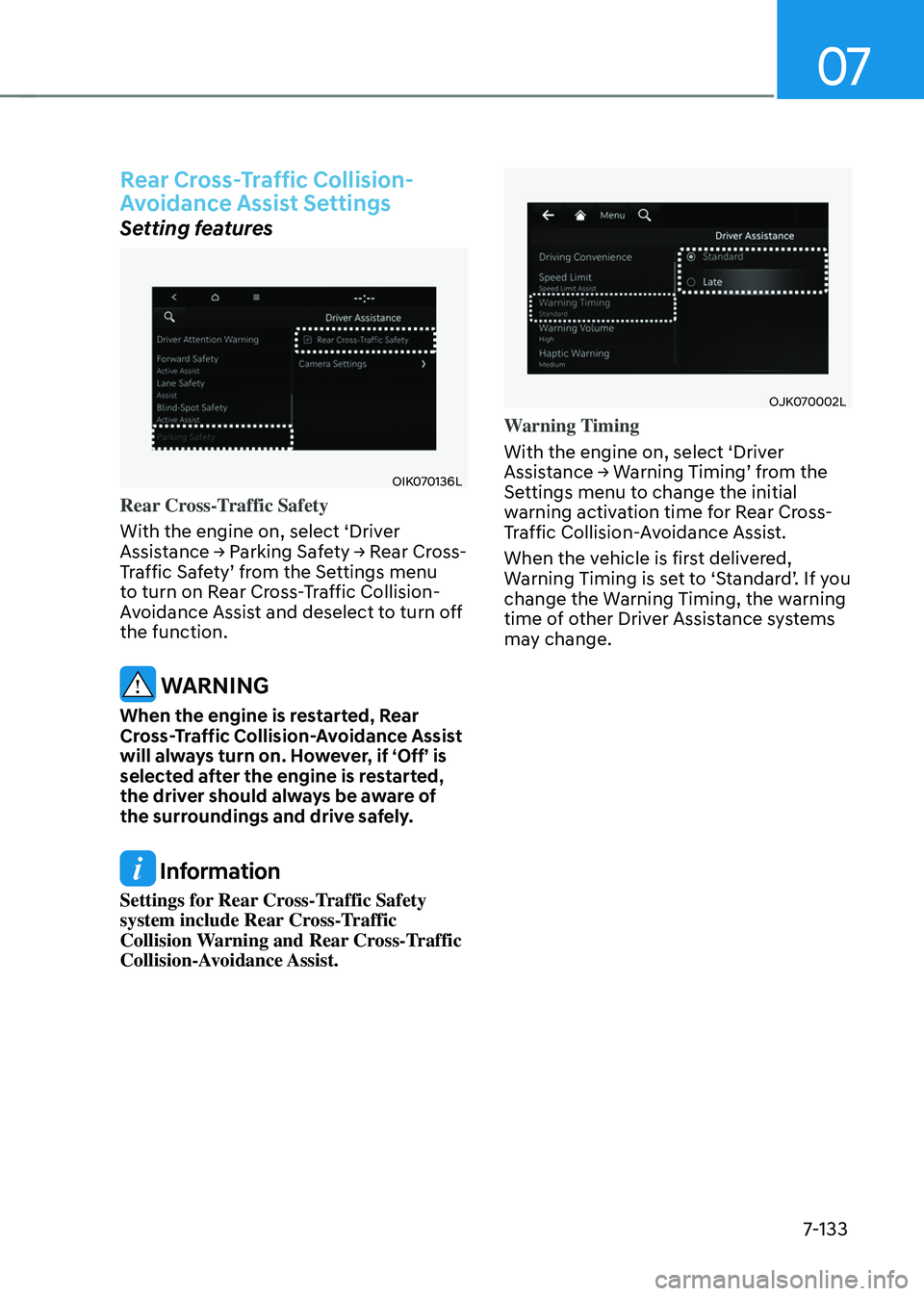
OIK070136LOIK070136L
Rear Cross-Traffic Safety
With the engine on, select ‘Driver
Assistance → Parking Safety → Rear Cross-
Traffic Safety’ from the Settings menu
to turn on Rear Cross-Traffic Collision-
Avoidance Assist and deselect to turn off
the function.
WARNING
When the engine is restarted, Rear
Cross-Traffic Collision-Avoidance Assist
will always turn on. However, if ‘Off’ is
selected after the engine is restarted,
the driver should always be aware of
the surroundings and drive safely.
Information
Settings for Rear Cross-Traffic Safety
system include Rear Cross-Traffic
Collision Warning and Rear Cross-Traffic
Collision-Avoidance Assist.
OJK070002LOJK070002L
Warning Timing
With the engine on, select ‘Driver
Assistance → Warning Timing’ from the
Settings menu to change the initial
warning activation time for Rear Cross-
Traffic Collision-Avoidance Assist.
When the vehicle is first delivered,
Warning Timing is set to ‘Standard’. If you
change the Warning Timing, the warning
time of other Driver Assistance systems
may change.
Page 485 of 637
Driver Assistance System
7-134
OJK071003NOJK071003N
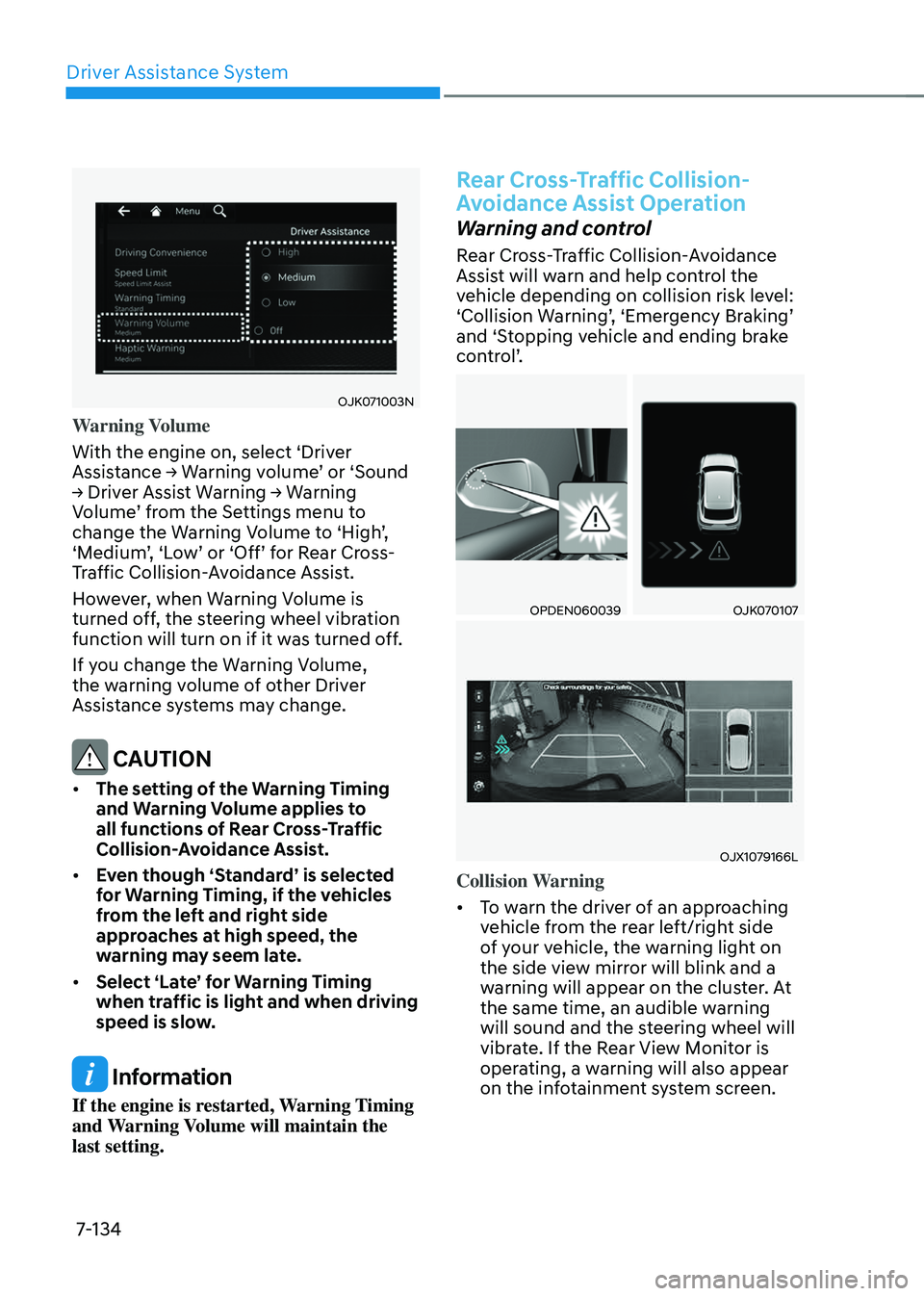
Warning Volume
With the engine on, select ‘Driver
Assistance → Warning volume’ or ‘Sound
→ Driver Assist Warning → Warning
Volume’ from the Settings menu to
change the Warning Volume to ‘High’,
‘Medium’, ‘Low’ or ‘Off’ for Rear Cross-
Traffic Collision-Avoidance Assist.
However, when Warning Volume is
turned off, the steering wheel vibration
function will turn on if it was turned off.
If you change the Warning Volume,
the warning volume of other Driver
Assistance systems may change.
CAUTION
• The setting of the Warning Timing
and Warning Volume applies to
all functions of Rear Cross-Traffic
Collision-Avoidance Assist.
• Even though ‘Standard’ is selected
for Warning Timing, if the vehicles
from the left and right side
approaches at high speed, the
warning may seem late.
• Select ‘Late’ for Warning Timing
when traffic is light and when driving
speed is slow.
Information
If the engine is restarted, Warning Timing
and Warning Volume will maintain the
last setting.
Rear Cross-Traffic Collision-
Avoidance Assist Operation
Warning and control
Rear Cross-Traffic Collision-Avoidance
Assist will warn and help control the
vehicle depending on collision risk level:
‘Collision Warning’, ‘Emergency Braking’
and ‘Stopping vehicle and ending brake
control’.
OPDEN060039OPDEN060039OJK070107OJK070107
OJX1079166LOJX1079166L
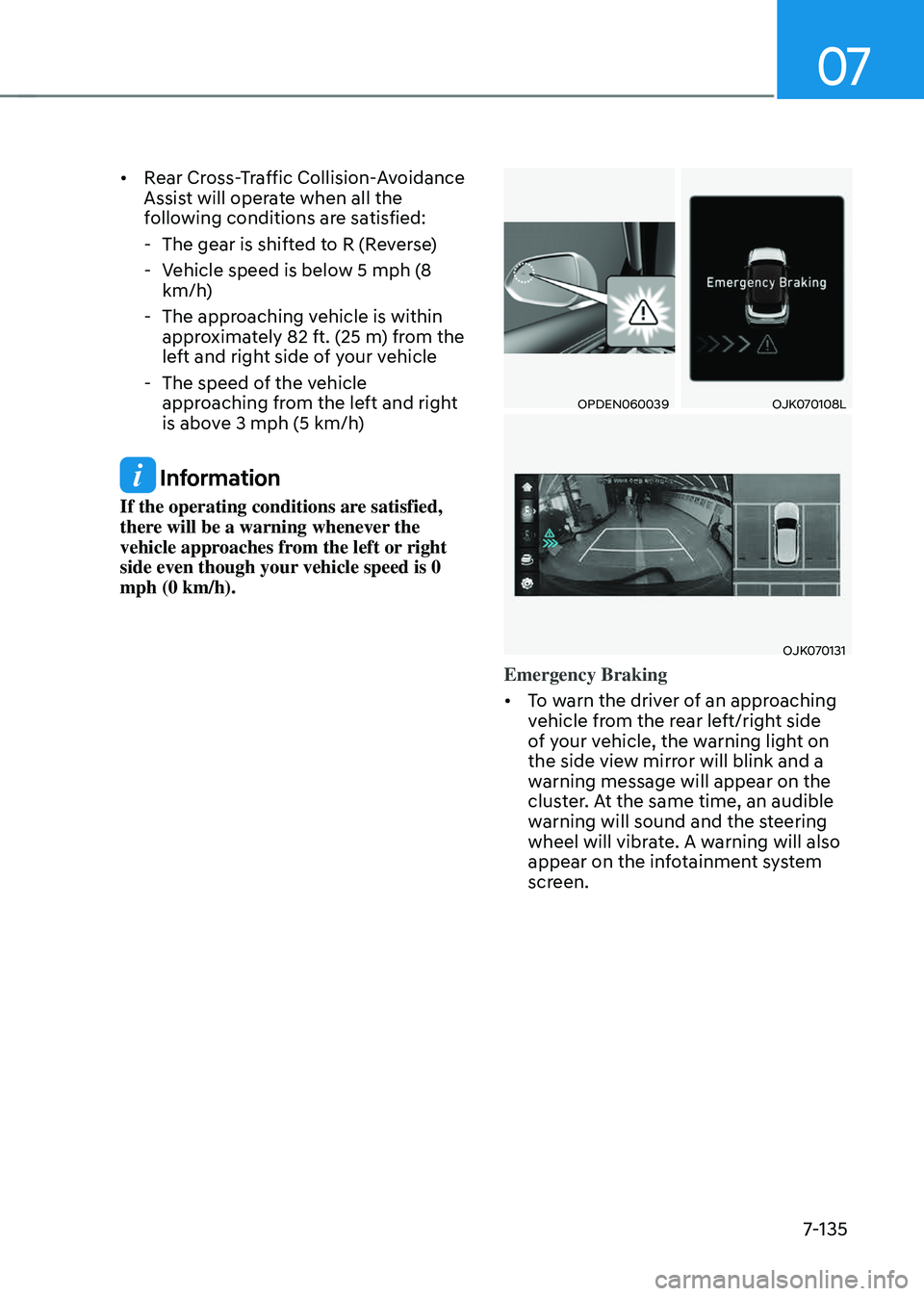
Collision Warning
• To warn the driver of an approaching
vehicle from the rear left/right side
of your vehicle, the warning light on
the side view mirror will blink and a
warning will appear on the cluster. At
the same time, an audible warning
will sound and the steering wheel will
vibrate. If the Rear View Monitor is
operating, a warning will also appear
on the infotainment system screen.
Page 486 of 637
07
7-135
• Rear Cross-Traffic Collision-Avoidance
Assist will operate when all the
following conditions are satisfied:
-The gear is shifted to R (Reverse)
-Vehicle speed is below 5 mph (8
km/h)
-The approaching vehicle is within
approximately 82 ft. (25 m) from the
left and right side of your vehicle
-The speed of the vehicle
approaching from the left and right
is above 3 mph (5 km/h)
Information
If the operating conditions are satisfied,
there will be a warning whenever the
vehicle approaches from the left or right
side even though your vehicle speed is 0
mph (0 km/h).
OPDEN060039OPDEN060039OJK070108LOJK070108L
OJK070131OJK070131
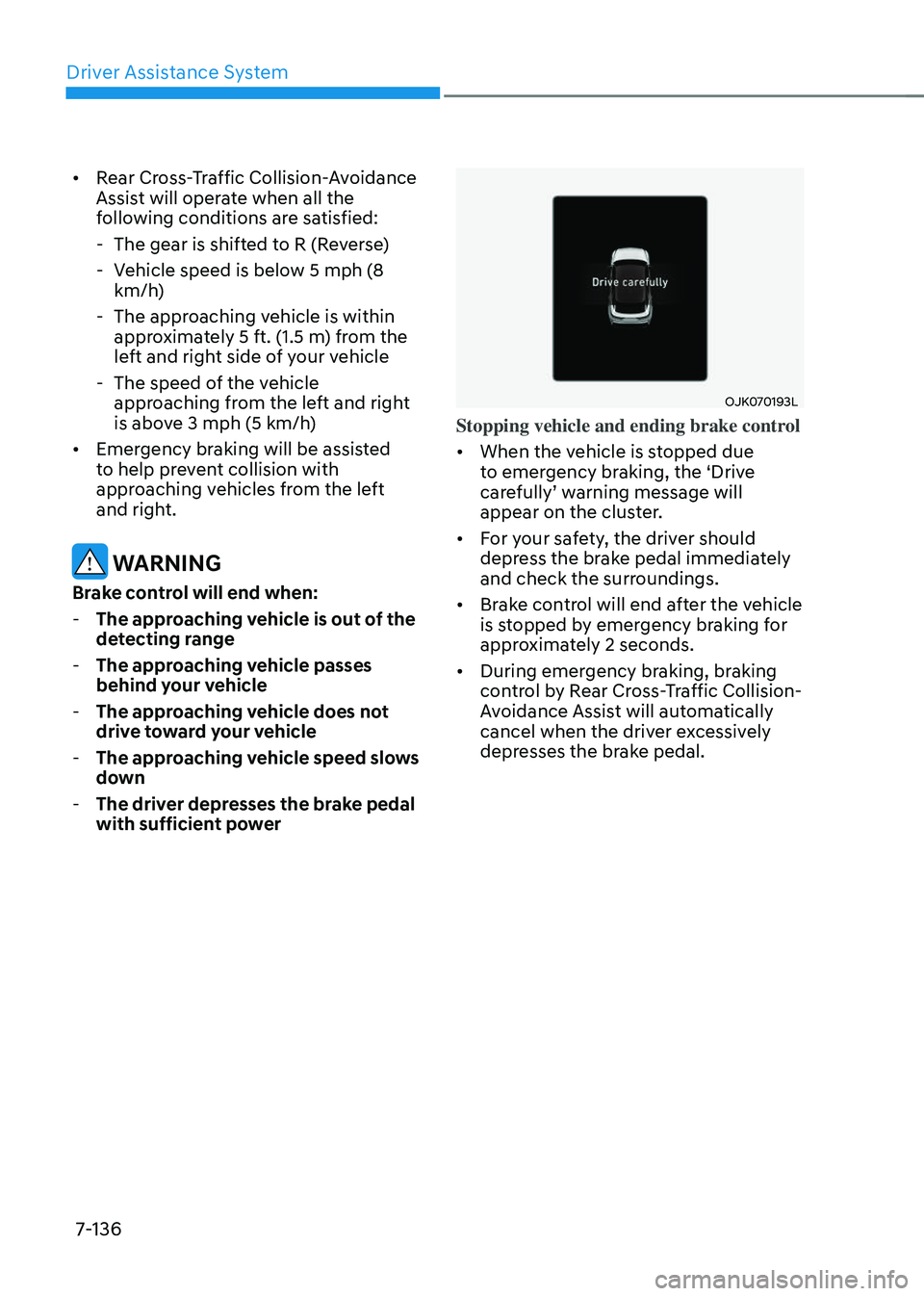
Emergency Braking
• To warn the driver of an approaching
vehicle from the rear left/right side
of your vehicle, the warning light on
the side view mirror will blink and a
warning message will appear on the
cluster. At the same time, an audible
warning will sound and the steering
wheel will vibrate. A warning will also
appear on the infotainment system
screen.
Page 487 of 637
Driver Assistance System
7-136
• Rear Cross-Traffic Collision-Avoidance
Assist will operate when all the
following conditions are satisfied:
-The gear is shifted to R (Reverse)
-Vehicle speed is below 5 mph (8
km/h)
-The approaching vehicle is within
approximately 5 ft. (1.5 m) from the
left and right side of your vehicle
-The speed of the vehicle
approaching from the left and right
is above 3 mph (5 km/h)
• Emergency braking will be assisted
to help prevent collision with
approaching vehicles from the left
and right.
WARNING
Brake control will end when:
- The approaching vehicle is out of the
detecting range
-The approaching vehicle passes
behind your vehicle
-The approaching vehicle does not
drive toward your vehicle
-The approaching vehicle speed slows
down
-The driver depresses the brake pedal
with sufficient power
OJK070193LOJK070193L
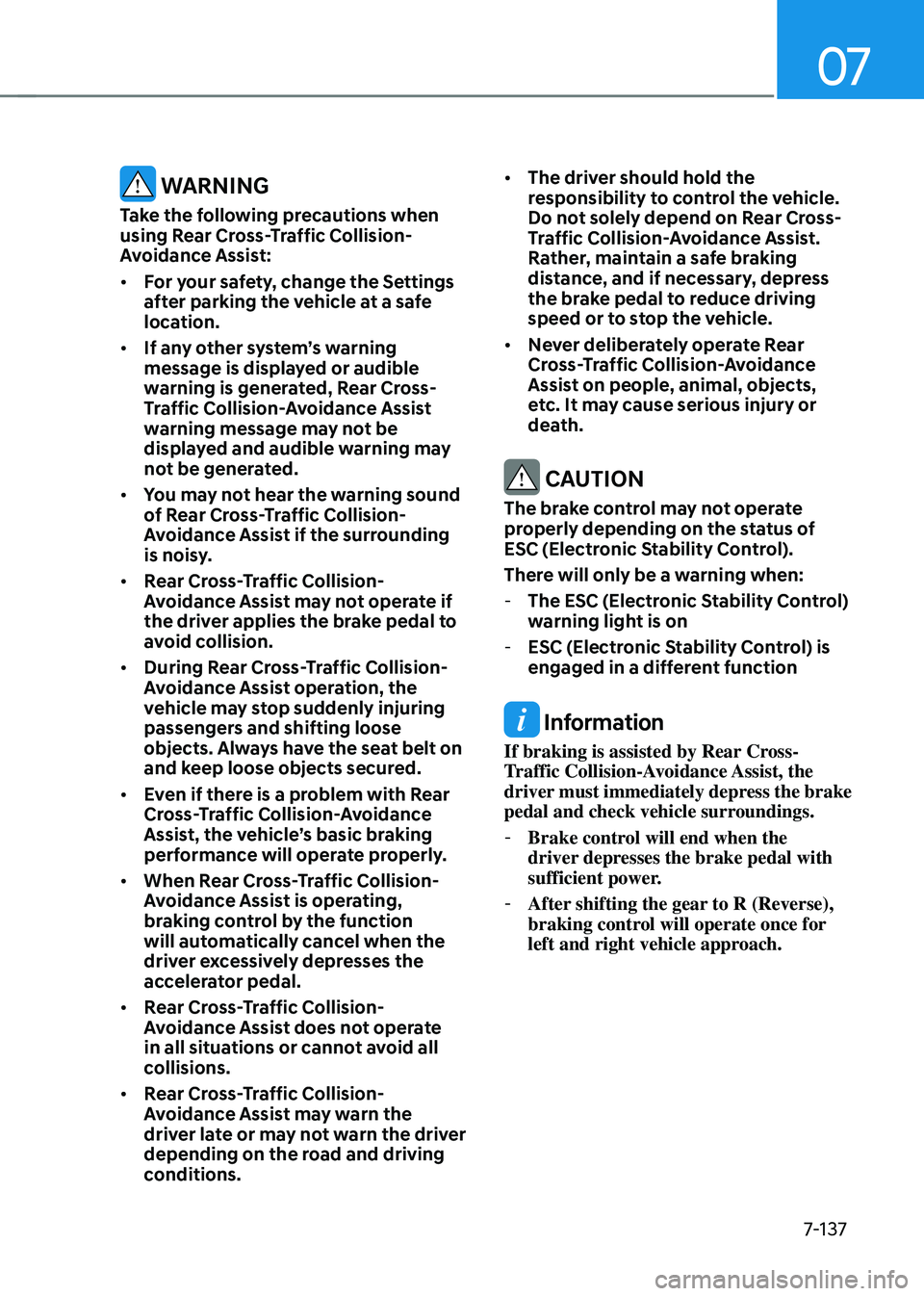
Stopping vehicle and ending brake control
• When the vehicle is stopped due
to emergency braking, the ‘Drive
carefully’ warning message will
appear on the cluster.
• For your safety, the driver should
depress the brake pedal immediately
and check the surroundings.
• Brake control will end after the vehicle
is stopped by emergency braking for
approximately 2 seconds.
• During emergency braking, braking
control by Rear Cross-Traffic Collision-
Avoidance Assist will automatically
cancel when the driver excessively
depresses the brake pedal.
Page 488 of 637
07
7-137
WARNING
Take the following precautions when
using Rear Cross-Traffic Collision-
Avoidance Assist:
• For your safety, change the Settings
after parking the vehicle at a safe
location.
• If any other system’s warning
message is displayed or audible
warning is generated, Rear Cross-
Traffic Collision-Avoidance Assist
warning message may not be
displayed and audible warning may
not be generated.
• You may not hear the warning sound
of Rear Cross-Traffic Collision-
Avoidance Assist if the surrounding
is noisy.
• Rear Cross-Traffic Collision-
Avoidance Assist may not operate if
the driver applies the brake pedal to
avoid collision.
• During Rear Cross-Traffic Collision-
Avoidance Assist operation, the
vehicle may stop suddenly injuring
passengers and shifting loose
objects. Always have the seat belt on
and keep loose objects secured.
• Even if there is a problem with Rear
Cross-Traffic Collision-Avoidance
Assist, the vehicle’s basic braking
performance will operate properly.
• When Rear Cross-Traffic Collision-
Avoidance Assist is operating,
braking control by the function
will automatically cancel when the
driver excessively depresses the
accelerator pedal.
• Rear Cross-Traffic Collision-
Avoidance Assist does not operate
in all situations or cannot avoid all
collisions.
• Rear Cross-Traffic Collision-
Avoidance Assist may warn the
driver late or may not warn the driver
depending on the road and driving
conditions.
• The driver should hold the
responsibility to control the vehicle.
Do not solely depend on Rear Cross-
Traffic Collision-Avoidance Assist.
Rather, maintain a safe braking
distance, and if necessary, depress
the brake pedal to reduce driving
speed or to stop the vehicle.
• Never deliberately operate Rear
Cross-Traffic Collision-Avoidance
Assist on people, animal, objects,
etc. It may cause serious injury or
death.
CAUTION
The brake control may not operate
properly depending on the status of
ESC (Electronic Stability Control).
There will only be a warning when:
-The ESC (Electronic Stability Control)
warning light is on
-ESC (Electronic Stability Control) is
engaged in a different function
Information
If braking is assisted by Rear Cross-
Traffic Collision-Avoidance Assist, the
driver must immediately depress the brake
pedal and check vehicle surroundings.
-Brake control will end when the
driver depresses the brake pedal with
sufficient power.
-After shifting the gear to R (Reverse),
braking control will operate once for
left and right vehicle approach.
Page 489 of 637
Driver Assistance System
7-138
Rear Cross-Traffic Collision-
Avoidance Assist Malfunction
and Limitations
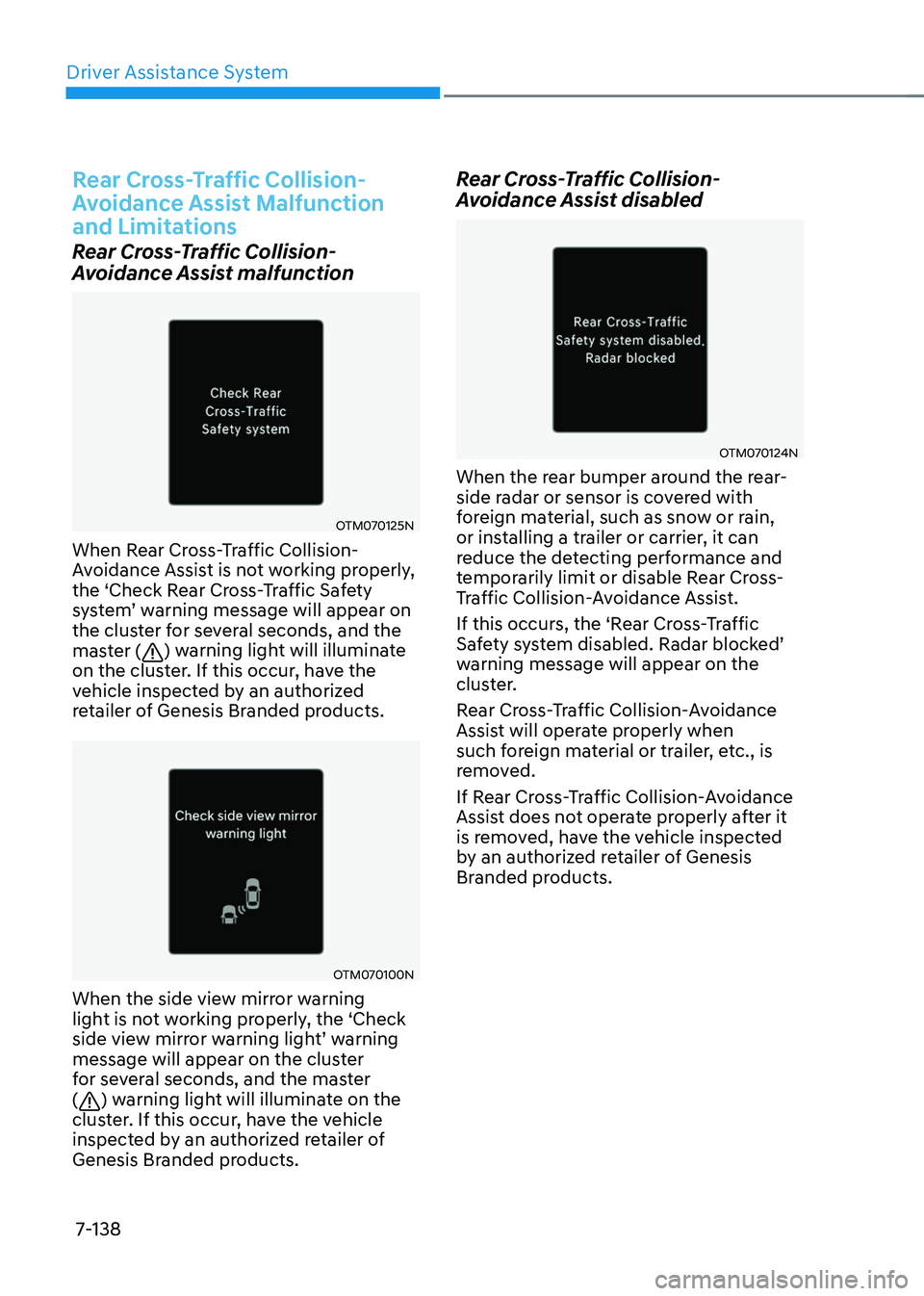
Rear Cross-Traffic Collision-
Avoidance Assist malfunction
OTM070125NOTM070125N
When Rear Cross-Traffic Collision-
Avoidance Assist is not working properly,
the ‘Check Rear Cross-Traffic Safety
system’ warning message will appear on
the cluster for several seconds, and the
master (
) warning light will illuminate
on the cluster. If this occur, have the
vehicle inspected by an authorized
retailer of Genesis Branded products.
OTM070100NOTM070100N
When the side view mirror warning
light is not working properly, the ‘Check
side view mirror warning light’ warning
message will appear on the cluster
for several seconds, and the master
(
) warning light will illuminate on the
cluster. If this occur, have the vehicle
inspected by an authorized retailer of
Genesis Branded products.
Rear Cross-Traffic Collision-
Avoidance Assist disabled
OTM070124NOTM070124N
When the rear bumper around the rear-
side radar or sensor is covered with
foreign material, such as snow or rain,
or installing a trailer or carrier, it can
reduce the detecting performance and
temporarily limit or disable Rear Cross-
Traffic Collision-Avoidance Assist.
If this occurs, the ‘Rear Cross-Traffic
Safety system disabled. Radar blocked’
warning message will appear on the
cluster.
Rear Cross-Traffic Collision-Avoidance
Assist will operate properly when
such foreign material or trailer, etc., is
removed.
If Rear Cross-Traffic Collision-Avoidance
Assist does not operate properly after it
is removed, have the vehicle inspected
by an authorized retailer of Genesis
Branded products.
Page 490 of 637
07
7-139
WARNING
• Even though the warning message
does not appear on the cluster, Rear
Cross-Traffic Collision-Avoidance
Assist may not operate properly.
• Rear Cross-Traffic Collision-
Avoidance Assist may not operate
properly in an area (for example,
open terrain), where any objects are
not detected after turning ON the
engine.
CAUTION
Turn off Rear Cross-Traffic Collision-
Avoidance Assist to install or remove a
trailer, carrier, or another attachment.
Turn on Rear Cross-Traffic Collision-
Avoidance Assist when finished.
Limitations of Rear Cross-Traffic
Collision-Avoidance Assist
Rear Cross-Traffic Collision-Avoidance
Assist may not operate properly, or it
may operate unexpectedly under the
following circumstances:
• Departing from where trees or grass
are overgrown
• Departing from where roads are wet
• Speed of the approaching vehicle is
fast or slow
Braking control may not work, driver’s
attention is required in the following
circumstances:
• The vehicle severely vibrates while
driving over a bumpy road, uneven
road or concrete patch
• Driving on a slippery surface due to
snow, water puddle, ice, etc.
• The tire pressure is low or a tire is
damaged
• The braking system has been modified
• Remote Smart Parking Assist is
operating (if equipped)
Information
For more details on the limitations of the
rear corner radar, refer to “Blind-Spot
Collision-Avoidance Assist (BCA)” section
in this chapter.
WARNING
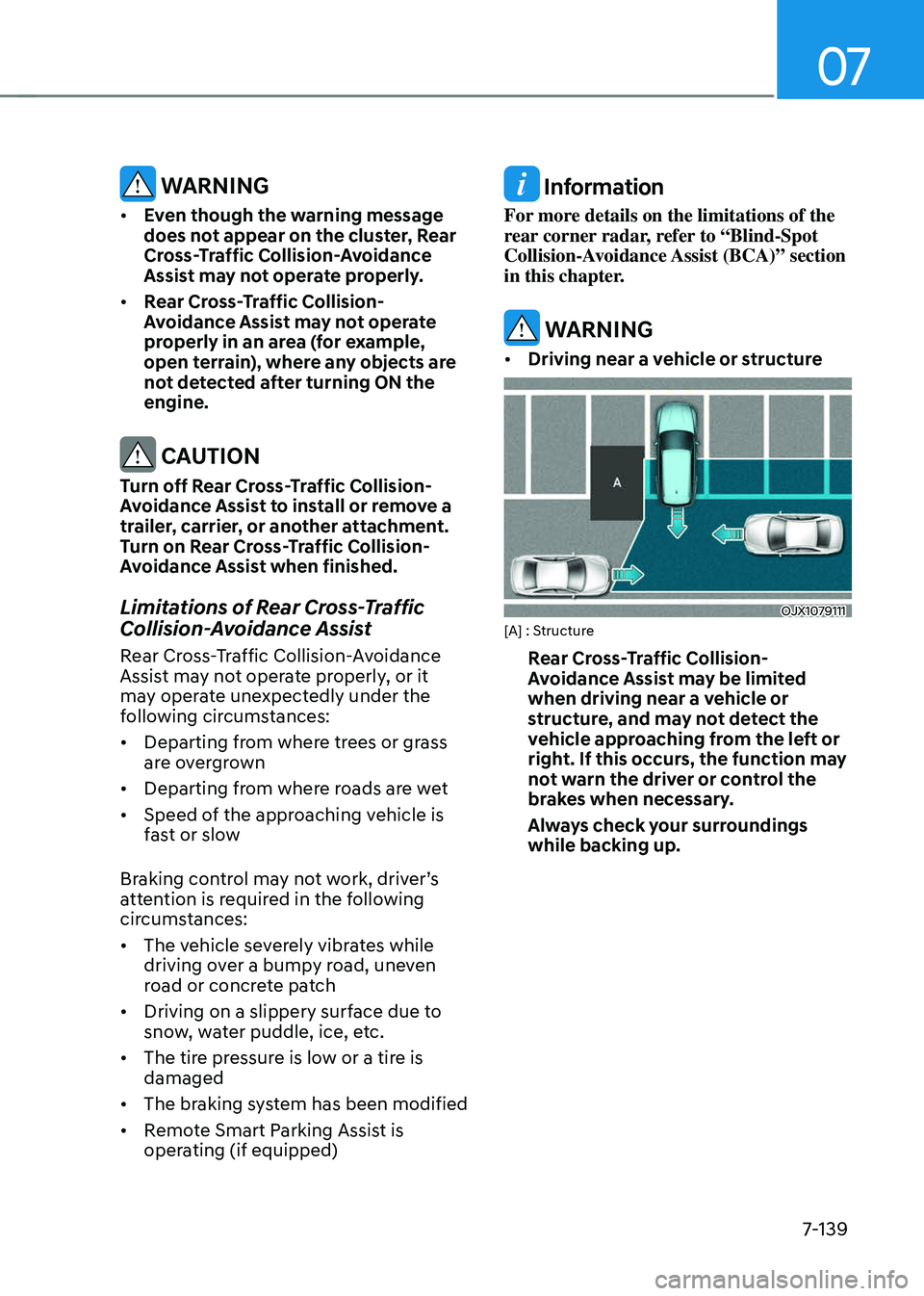
• Driving near a vehicle or structure
OJX1079111OJX1079111[A] : Structure
Rear Cross-Traffic Collision-
Avoidance Assist may be limited
when driving near a vehicle or
structure, and may not detect the
vehicle approaching from the left or
right. If this occurs, the function may
not warn the driver or control the
brakes when necessary.
Always check your surroundings
while backing up.