tow GMC ENVOY 1998 User Guide
[x] Cancel search | Manufacturer: GMC, Model Year: 1998, Model line: ENVOY, Model: GMC ENVOY 1998Pages: 386, PDF Size: 20.33 MB
Page 80 of 386

NEUTRAL (N): In this position, your engine doesn’t
connect with the wheels.
To restart when you’re already
moving, use
NEUTRAL (N) only.
Shifting out of PARK (P) or NEUTRAL (N) while
your engine
is “racing” (running at high speed) is
dangerous. Unless your foot is firmly on the
brake pedal, your vehicle could move very rapidly.
You could lose control and hit people or
objects. Don’t shift out
of PARK (P) or
NEUTRAL (N) while your engine is racing.
ml
I NOTICE:
Damage to your transmission caused by shifting
out
of PARK (P) or NEUTRAL (N) with the
engine racing isn’t covered by your warranty. DRIVE
(D):
This position is for normal driving. If you
need more power for passing, and you’re:
0 Going less than about 35 mph (55 krdh), push your
accelerator pedal about halfway down.
Going about 35 mph (55 krdh) or more, push the
accelerator all the way down.
You’ll shift down
to the next gear and have more power.
DRIVE
(D) should not be used when towing a trailer,
carrying a heavy load, driving on steep hills, or for
off-road driving. Select THIRD
(3) when operating the
vehicle under any of these conditions.
THIRD (3): This position is also used for normal
driving, however it offers more power and lower fuel
economy than DRIVE (D).
You should use THIRD (3)
when towing a trailer, carrying a heavy load, driving on
steep hills or winding roads or for off-road driving.
SECOND (2): This position gives you more power but
lower fuel economy than
THIRD (3). You can use
SECOND
(2) on hills. It can help control your speed as
you
go down steep mountain roads, but then you would
also want to use your brakes
off and on.
You can also use SECOND
(2) for starting your vehicle
from a stop
on slippery road surfaces.
2-19
ProCarManuals.com
Page 82 of 386

NOTICE:
Driving with the parking brake on can cause
your rear brakes to overheat.
You may have to
replace them, and you could also damage other
parts of your vehicle.
If you are towing a trailer and you must park on a hill,
see “Towing
a Trailer” in the Index. That section shows
what to do first to keep the trailer from moving.
Shifting Into PARK (P)
L
I
L!h CAUTL .:
It can be dangerous to get out of your vehicle if
the shift lever is not fully in PARK (P) with the
parking brake
firmly set. Your vehicle can roll. If
you have left the engine running, the vehicle can
move suddenly. You or others could be injured.
To be sure your vehicle won’t move, even when
you’re on fairly level ground, use the steps that
follow. Always put the shift lever fully in
PARK
(P) with the parking brake firmly set. If
you’re pulling a trailer, see “Towing a Trailer” in
the Index.
1. Hold the brake pedal down with your right foot and
set the parking brake.
2-21
ProCarManuals.com
Page 83 of 386

2. Move the shift lever into PARK (P) position
like this:
Hold in the button on the lever.
Push the lever all the way toward the front of
the vehicle.
3. Turn the ignition key to LOCK,
4. Remove the key and take it with you. If you can
leave your vehicle with the key, your vehicle
is in
PARK
(P).
Leaving Your Vehicle With the
Engine Running
It can be dangerous to leave your vehicle with the
engine running. Your vehicle could move
suddenly if the shift lever is not fully in
PARK (P)
with the parking brake firmly set. And, if you
leave the vehicle with the engine running, it could
overheat and even catch fire. You or others could
be injured. Don’t leave your vehicle with the
engine running unless you have to.
If you have to leave your vehicle with the engine
running, be sure your vehicle is in PARK (P) and your
parking brake is firmly set before
you leave it. After
you’ve moved the shift lever into PARK
(P), hold the
regular brake pedal down. Then, see if you can move the
shift lever away from PARK
(P) without pressing the
button
on the shift lever. If you can, it means that the
shift lever wasn’t fully locked into PARK
(P).
2-22
ProCarManuals.com
Page 86 of 386

Running Your Engine While
You’re Parked
It’s better not to park with the engine running. But if
ever you have to, here
are some things to know.
A CAUTION:
Idling the engine with the air system control
off could allow dangerous exhaust into your
vehicle (see the earlier Caution under
“Engine Exhaust”).
Also, idling in
a closed-in place can let deadly
carbon monoxide
(CO) into your vehicle even if
the fan switch is at the highest setting. One place
this can happen
is a garage. Exhaust -- with
CO -- can come in easily. NEVER park in a
garage with the engine running.
Another closed-in place can be
a blizzard. (See
L6BlizzardSS in the Index.)
It can be dangerous to get out of your vehicle if
the shift lever is not fully in PARK (P) with the
parking brake firmly set. Your vehicle can roll.
Don’t leave your vehicle when the engine is
running unless you have to.
If you’ve left the
engine running, the vehicle can move suddenly.
You or others could be injured.
To be sure your
vehicle won’t move, even when you’re on fairly
level ground, always set your parking brake and
move the shift lever to PARK
(P).
Follow the proper steps to be sure your vehicle won’t
move. See “Shifting Into
PARK (P)” in the Index.
If you’re pulling a trailer, see “Towing a Trailer” in
the Index.
2-25
ProCarManuals.com
Page 91 of 386
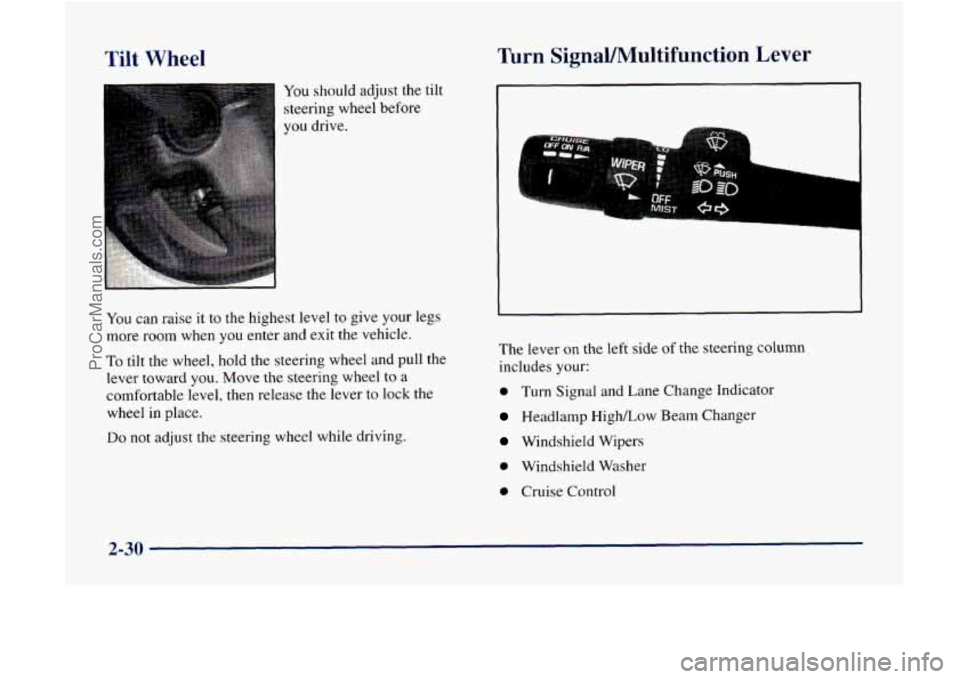
Tilt Wheel
You should adjust the tilt
steering wheel before
you drive.
Turn Signal/Multifunction Lever
You can raise it to the highest level to give your legs
more room when
you enter and exit the vehicle.
To tilt the wheel, hold the steering wheel and pull the
lever toward
YOU. Move the steering wheel to a
comfortable level, then release the lever to lock the
wheel in place.
Do not adjust the steering wheel while driving. The
lever on the left side
of the steering column
includes your:
0 Turn Signal and Lane Change Indicator
Headlamp High/Low Beam Changer
Windshield Wipers
0 Windshield Washer
0 Cruise Control
2-30
ProCarManuals.com
Page 92 of 386
Turn and Lane Change Signals
The turn signal has two upward (for right) and two
downward (for left) positions. These positions allow
you to signal a turn or a lane change.
To signal a turn, move the lever all the way up
or down. When the turn
is finished, the lever
will return automatically.
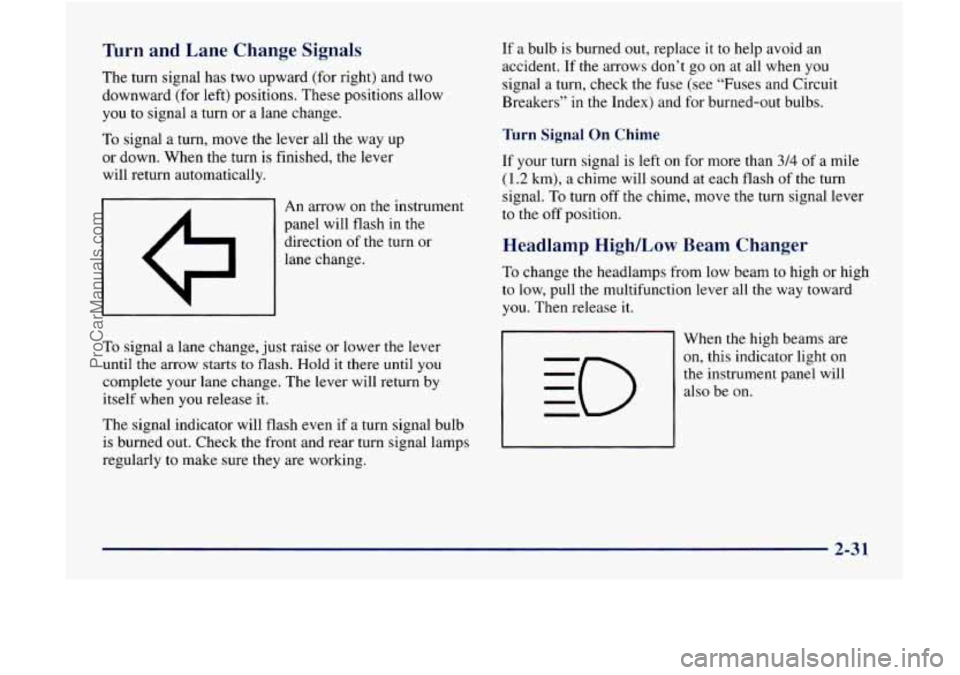
I 1 I An arrow on the instrument
panel will flash
in the
direction of the turn or
lane change.
To signal a lane change, just raise or lower the lever
until the arrow starts to flash. Hold it there until you
complete your lane change. The lever will return by
itself when you release it.
The signal indicator will flash even if a turn signal bulb
is burned out. Check the front and rear turn signal lamps
regularly
to make sure they are working. If
a bulb is burned out, replace it to help avoid an
accident. If the
arrows don’t go on at all when you
signal a turn, check the fuse (see “Fuses and Circuit
Breakers”
in the Index) and for burned-out bulbs.
Turn Signal On Chime
If your turn signal is left on for more than 3/4 of a mile
(1.2 km), a chime will sound at each flash of the turn
signal.
To turn off the chime, move the turn signal lever
to the off position.
Headlamp High/Low Beam Changer
To change the headlamps from low beam to high or high
to low, pull the multifunction lever all the way toward
you. Then release
it.
When the high beams are
on, this indicator light on
the instrument panel will
also be on.
2-31
ProCarManuals.com
Page 126 of 386
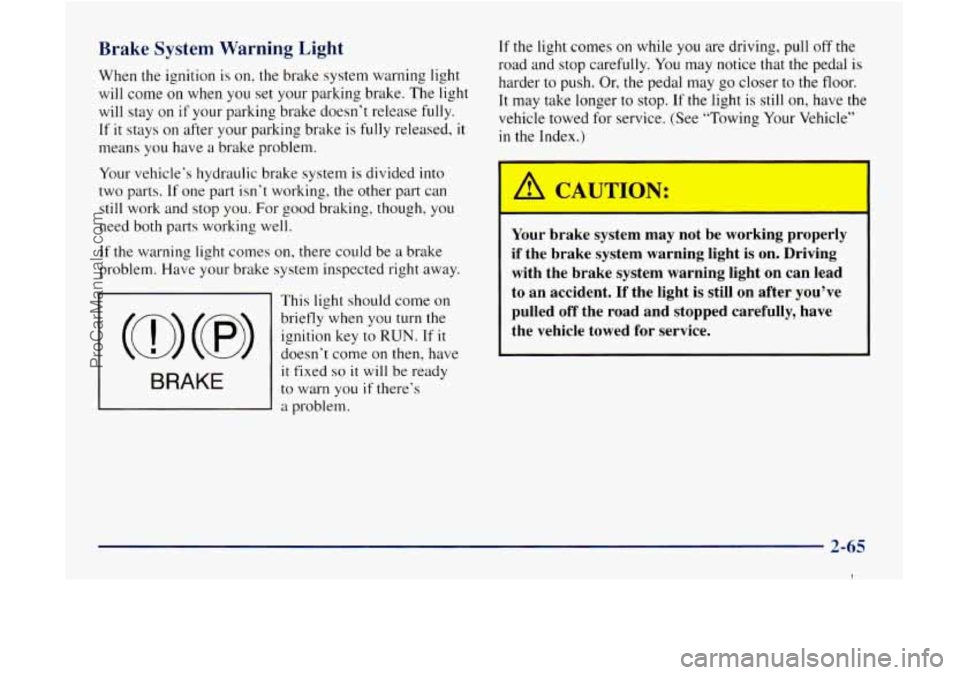
Brake System Warning Light
When the ignition is on, the brake system warning light
will come on when you set your parking brake. The light
will stay on
if your parking brake doesn’t release fully.
If it stays on after your parking brake is fully released, it
means you have a brake problem.
If the light comes on while you are driving, pull off the
road and stop carefully.
You may notice that the pedal is
harder to push.
Or, the pedal may go closer to the floor.
It may take longer to stop.
If the light is still on, have the
vehicle towed for service. (See “Towing Your Vehicle”
in the Index.)
Your vehicle’s hydraulic brake system is divided into
two parts.
If one part isn’t working, the other part can
still work and stop you. For good braking, though, you
need both parts working well.
If the warning light comes on, there could be a brake
problem. Have your brake system inspected right away.
This light should come
on
briefly when you turn the
ignition key to
RUN. If it
it fixed so it will be ready
to warn you if there’s
a problem.
(0) (8> doesn’t come on then, have
BRAKE
Your brake system may not be working properly
if the brake system warning light is on. Driving
with the brake system warning light on can lead
to an accident.
If the light is still on after you’ve
pulled off the road and stopped carefully, have
the vehicle towed for service.
2-65
1
ProCarManuals.com
Page 129 of 386

If the Light Is Flashing
The following may prevent more serious damage to
your vehicle:
Reducing vehicle speed.
Avoiding hard accelerations.
Avoiding steep uphill grades.
If you are towing a trailer, reduce the amount of
cargo being hauled as soon
as it is possible.
If the light stops flashing and remains on steady, see
“If
the Light Is On Steady” following.
If
the light continues to flash, when it is safe to do so,
stop the vehicle. Find a safe place to park your vehicle.
Turn the key off, wait at least 10 seconds and restart the
engine. If the light remains on steady, see “If the Light
Is On Steady” following.
If the light is still flashing,
follow the previous steps, and drive the vehicle to your
dealer or qualified service center for service.
If the Light Is On Steady
You may be able to correct the emission system
malfunction by considering the following:
Did you recently put
fuel into your vehicle?
If
so, reinstall the fuel cap, making sure to fully install
the cap. The diagnostic system can determine if the fuel
cap has been left off or improperly installed.
A loose or
missing fuel cap will allow fuel to evaporate into the
atmosphere.
A few driving trips with the cap properly
installed should turn the light off.
Did you just drive through a deep puddle of water?
If
so, your electrical system may be wet. The condition
will usually be corrected when the electrical system
dries out.
A few driving trips should turn the light off.
2-68
ProCarManuals.com
Page 131 of 386

I A CAUTION:
Don’t keep driving if the oil pressure is low. If
you do, your engine can become so hot that it
catches fire. You or others could be burned.
Check your oil
as soon as possible and have your
vehicle serviced.
I
I NOTICE:
Damage to your engine from neglected oil
problems can be costly and
is not covered by
your warranty.
Security Warning Light
SECURITY
This light will come on
briefly when you turn the
key toward START. The
light will stay on until the
engine starts.
If the light flashes, the Passlock system has entered a
tamper mode.
If the vehicle fails to start, see “Passlock”
in the Index.
If the light comes on continuously while driving and
stays
on, there may be a problem with the Passlock
system. Your vehicle will not be protected by Passlock,
and you should see your dealer.
This light should also flash as you open
the door (if your
ignition is off).
This is a reminder to activate the
theft-deterrent system. See “Content Theft-Deterrent” in
the Index for more information.
2-70
ProCarManuals.com
Page 135 of 386
I
Comfort Controls
With this system, you can control the heating, cooling
and ventilation in your vehicle.
AUTO: If the knob is in AUTO, the fan speed will vary
as the system maintains
the selected temperature.
Temperature Knob
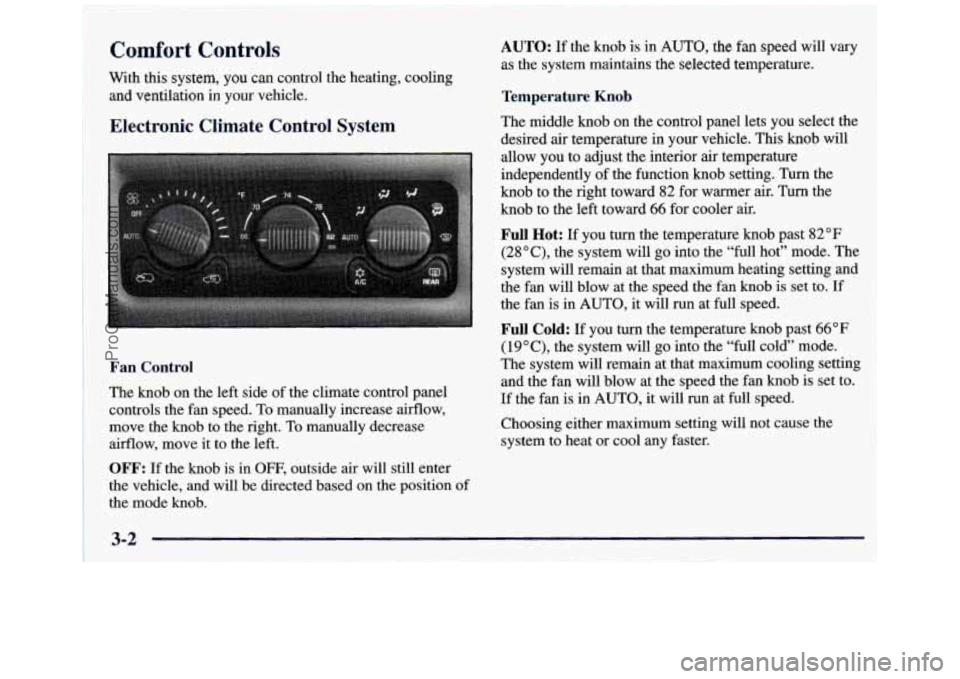
Electronic Climate Control System
Fan Control
The knob on the left side of the climate control panel
controls the fan speed.
To manually increase airflow,
move the knob to the right. To manually decrease
airflow, move it to the left.
OFF: If the knob is in OFF, outside air will still enter
the vehicle, and will be directed based on the position of
the mode knob. The middle knob
on the control panel lets
you select the
desired air temperature in your vehicle. This knob will
allow you
to adjust the interior air temperature
independently of the function knob setting. Turn the
knob to the right toward 82 for warmer air. Turn the
knob to the left toward
66 for cooler air.
Full Hot: If you turn the temperature knob past 82°F
(2SoC), the system will
go into the “full hot” mode. The
system will remain at that maximum heating setting and
the
fan will blow at the speed the fan knob is set to. If
the fan is in AUTO, it will run at full speed.
Full Cold: If you turn the temperature knob past 66°F
(19” C), the system will go into the “full cold” mode.
The system will remain at that maximum cooling setting
and the fan will blow at the speed the fan knob is set to.
If the fan is in AUTO, it will run at full speed.
Choosing either maximum setting will not cause the
system to heat or cool any faster.
3-2
ProCarManuals.com