instrument panel GMC SIERRA 2008 Workshop Manual
[x] Cancel search | Manufacturer: GMC, Model Year: 2008, Model line: SIERRA, Model: GMC SIERRA 2008Pages: 578, PDF Size: 6.47 MB
Page 305 of 578
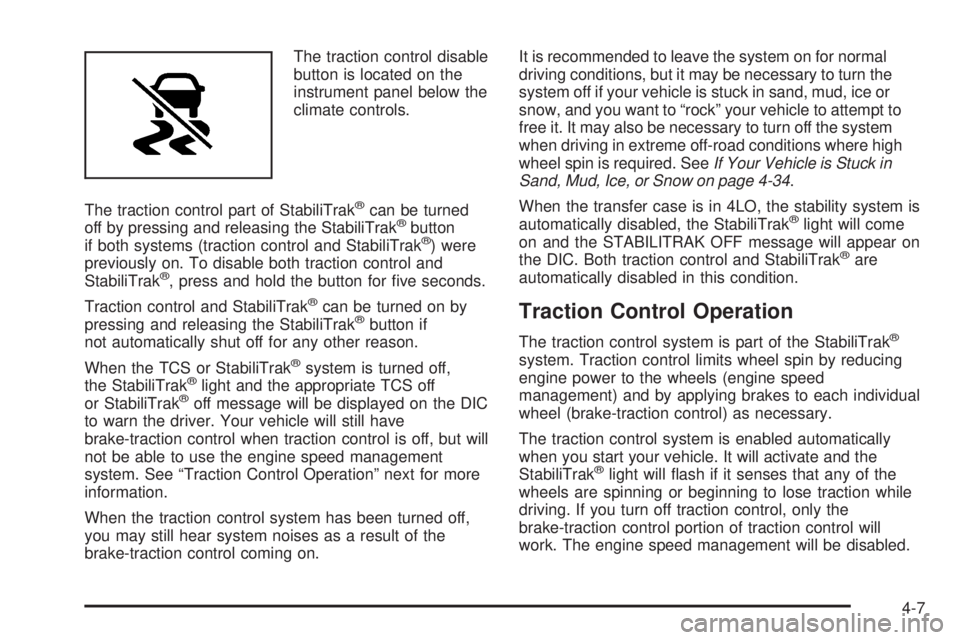
The traction control disable
button is located on the
instrument panel below the
climate controls.
The traction control part of StabiliTrak
®can be turned
off by pressing and releasing the StabiliTrak®button
if both systems (traction control and StabiliTrak®) were
previously on. To disable both traction control and
StabiliTrak
®, press and hold the button for ve seconds.
Traction control and StabiliTrak
®can be turned on by
pressing and releasing the StabiliTrak®button if
not automatically shut off for any other reason.
When the TCS or StabiliTrak
®system is turned off,
the StabiliTrak®light and the appropriate TCS off
or StabiliTrak®off message will be displayed on the DIC
to warn the driver. Your vehicle will still have
brake-traction control when traction control is off, but will
not be able to use the engine speed management
system. See “Traction Control Operation” next for more
information.
When the traction control system has been turned off,
you may still hear system noises as a result of the
brake-traction control coming on.It is recommended to leave the system on for normal
driving conditions, but it may be necessary to turn the
system off if your vehicle is stuck in sand, mud, ice or
snow, and you want to “rock” your vehicle to attempt to
free it. It may also be necessary to turn off the system
when driving in extreme off-road conditions where high
wheel spin is required. SeeIf Your Vehicle is Stuck in
Sand, Mud, Ice, or Snow on page 4-34.
When the transfer case is in 4LO, the stability system is
automatically disabled, the StabiliTrak
®light will come
on and the STABILITRAK OFF message will appear on
the DIC. Both traction control and StabiliTrak
®are
automatically disabled in this condition.
Traction Control Operation
The traction control system is part of the StabiliTrak®
system. Traction control limits wheel spin by reducing
engine power to the wheels (engine speed
management) and by applying brakes to each individual
wheel (brake-traction control) as necessary.
The traction control system is enabled automatically
when you start your vehicle. It will activate and the
StabiliTrak
®light will ash if it senses that any of the
wheels are spinning or beginning to lose traction while
driving. If you turn off traction control, only the
brake-traction control portion of traction control will
work. The engine speed management will be disabled.
4-7
Page 378 of 578
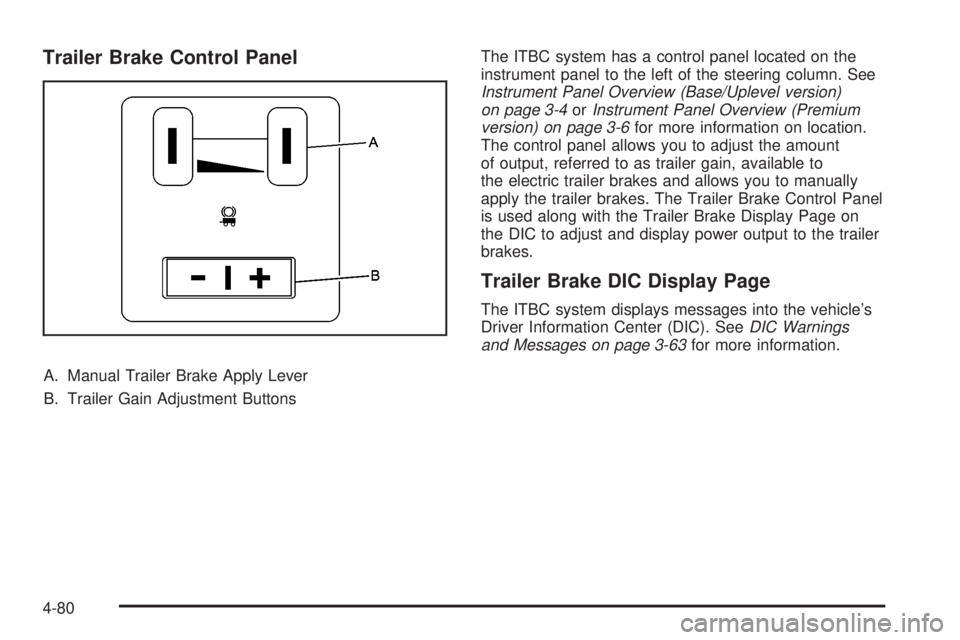
Trailer Brake Control Panel
A. Manual Trailer Brake Apply Lever
B. Trailer Gain Adjustment ButtonsThe ITBC system has a control panel located on the
instrument panel to the left of the steering column. See
Instrument Panel Overview (Base/Uplevel version)
on page 3-4orInstrument Panel Overview (Premium
version) on page 3-6for more information on location.
The control panel allows you to adjust the amount
of output, referred to as trailer gain, available to
the electric trailer brakes and allows you to manually
apply the trailer brakes. The Trailer Brake Control Panel
is used along with the Trailer Brake Display Page on
the DIC to adjust and display power output to the trailer
brakes.
Trailer Brake DIC Display Page
The ITBC system displays messages into the vehicle’s
Driver Information Center (DIC). SeeDIC Warnings
and Messages on page 3-63for more information.
4-80
Page 386 of 578
Turn Signals When Towing a Trailer
The arrows on your instrument panel will ash whenever
you signal a turn or lane change. Properly hooked up,
the trailer lamps will also ash, telling other drivers
you’re about to turn, change lanes or stop.
When towing a trailer, the arrows on your instrument
panel will ash for turns even if the bulbs on the trailer
are burned out. Thus, you may think drivers behind
you are seeing your signal when they are not. It’s
important to check occasionally to be sure the trailer
bulbs are still working.
Driving On Grades
Reduce speed and shift to a lower gearbeforeyou start
down a long or steep downgrade. If you don’t shift
down, you might have to use your brakes so much that
they would get hot and no longer work well.You can tow in DRIVE (D). You may want to shift the
transmission to lower gear selection if the transmission
shifts too often (e.g., under heavy loads and/or hilly
conditions).
You may also want to activate the tow/haul mode if the
transmission shifts too often. SeeTow/Haul Mode
Light on page 3-53.
When towing at high elevation on steep uphill grades,
consider the following: Engine coolant at higher
elevations will boil at a lower temperature than at or
near sea level. If you turn your engine off immediately
after towing at high elevation on steep uphill grades,
your vehicle may show signs similar to engine
overheating. To avoid this, let the engine run while
parked, preferably on level ground, with the transmission
in PARK (P) at least ve minutes before turning the
engine off. If you do get the overheat warning, see
Engine Overheating on page 5-30.
4-88
Page 391 of 578
Electric Brake Control Wiring
Provisions
These wiring provisions are included with your vehicle
as part of the trailer wiring package. These provisions
are for an electric brake controller. The instrument panel
contains blunt cut wires near the data link connector
for the trailer brake controller. The harness contains the
following wires:
Dark Blue: Brake Signal to Trailer Connector
Red/Black: Battery
Light Blue/White: Brake Switch
White: Ground
It should be installed by your dealer or a qualied
service center.
If your vehicle is equipped with an ITBC, the blunt cuts
exist, but are not connected further in the harness. If
you install an aftermarket trailer brake controller,
the ITBC must be disconnected. Do not power both
ITBC and aftermarket controllers to control the trailer
brakes at the same time.
Auxiliary Battery
The auxiliary battery provision can be used to supply
electrical power to additional equipment that you
may choose to add, such as a slide-in camper. If your
vehicle has this provision, this relay will be located
on the driver’s side of the vehicle, next to the underhood
electrical center.
Be sure to follow the proper installation instructions that
are included with any electrical equipment that you
install.
Notice:Leaving electrical equipment on for
extended periods will drain the battery. Always turn
off electrical equipment when not in use and do
not use equipment that exceeds the maximum
amperage rating for the auxiliary battery provision.
4-93
Page 394 of 578
Headlamp Aiming...........................................5-56
Bulb Replacement..........................................5-59
Halogen Bulbs..............................................5-59
Headlamps..................................................5-60
Center High-Mounted Stoplamp (CHMSL) and
Cargo Lamp.............................................5-61
Pickup Box Identication and Fender
Marker Lamps...........................................5-62
Taillamps, Turn Signal, Stoplamps and
Back-up Lamps.........................................5-62
License Plate Lamp......................................5-64
Replacement Bulbs.......................................5-65
Windshield Wiper Blade Replacement..............5-65
Tires..............................................................5-66
Tire Sidewall Labeling...................................5-67
Tire Terminology and Denitions.....................5-71
Ination - Tire Pressure.................................5-74
Dual Tire Operation.......................................5-76
Tire Pressure Monitor System.........................5-76
Tire Pressure Monitor Operation.....................5-78
Tire Inspection and Rotation...........................5-81
When It Is Time for New Tires.......................5-84
Buying New Tires.........................................5-84Different Size Tires and Wheels......................5-86
Uniform Tire Quality Grading..........................5-86
Wheel Alignment and Tire Balance..................5-88
Wheel Replacement......................................5-88
Tire Chains..................................................5-90
If a Tire Goes Flat........................................5-91
Changing a Flat Tire.....................................5-92
Removing the Spare Tire and Tools................5-93
Removing the Flat Tire and Installing the
Spare Tire................................................5-98
Secondary Latch System..............................5-105
Storing a Flat or Spare Tire and Tools...........5-108
Spare Tire.................................................5-112
Appearance Care
..........................................5-112
Interior Cleaning.........................................5-112
Fabric/Carpet..............................................5-114
Leather......................................................5-114
Instrument Panel, Vinyl, and Other Plastic
Surfaces.................................................5-115
Care of Safety Belts....................................5-115
Weatherstrips.............................................5-115
Washing Your Vehicle..................................5-116
Cleaning Exterior Lamps/Lenses....................5-116
Finish Care................................................5-116
Section 5 Service and Appearance Care
5-2
Page 395 of 578
Windshield and Wiper Blades.......................5-117
Aluminum or Chrome-Plated
Wheels and Trim.....................................5-118
Tires.........................................................5-119
Sheet Metal Damage...................................5-119
Finish Damage...........................................5-119
Underbody Maintenance...............................5-119
Chemical Paint Spotting...............................5-120
Vehicle Care/Appearance Materials................5-120
Vehicle Identication.....................................5-121
Vehicle Identication Number (VIN)................5-121
Service Parts Identication Label...................5-122Electrical System..........................................5-122
Add-On Electrical Equipment.........................5-122
Windshield Wiper Fuses...............................5-123
Power Windows and Other Power Options......5-123
Fuses and Circuit Breakers..........................5-123
Instrument Panel Fuse Block........................5-124
Center Instrument Panel Fuse Block..............5-125
Underhood Fuse Block................................5-126
Capacities and Specications........................5-130
Section 5 Service and Appearance Care
5-3
Page 398 of 578
Adding Equipment to the Outside of
Your Vehicle
Things you might add to the outside of your vehicle can
affect the airow around it. This can cause wind noise
and can affect fuel economy and windshield washer
performance. Check with your dealer/retailer before
adding equipment to the outside of your vehicle.
Fuel
If your vehicle has a diesel engine, see “Diesel Fuel
Requirements and Fuel System” in the DURAMAX®
Diesel manual.
For vehicles with gasoline engines, please read this.
Gasoline
Use of the recommended fuel is an important part of the
proper maintenance of your vehicle. To help keep the
engine clean and maintain optimum vehicle
performance, we recommend the use of gasoline
advertised as TOP TIER Detergent Gasoline.
The 8th digit of the Vehicle Identication Number (VIN)
shows the code letter or number that identies your
vehicle’s engine. The VIN is at the top left of the
instrument panel. SeeVehicle Identification Number
(VIN) on page 5-121.If your vehicle has the 5.3L V8 engine (VIN Code 0) or
the 5.3L V8 engine (VIN Code 3), you can use either
regular unleaded gasoline or ethanol fuel containing up
to 85% ethanol (E85); also seeFuel E85 (85% Ethanol)
on page 5-8. In all other gasoline engines, use only
regular unleaded gasoline.
Gasoline Octane
Use regular unleaded gasoline with a posted octane
rating of 87 or higher. If the octane rating is less than 87,
you might notice an audible knocking noise when you
drive, commonly referred to as spark knock. If this
occurs, use a gasoline rated at 87 octane or higher as
soon as possible. If you are using gasoline rated at
87 octane or higher and you hear heavy knocking, the
engine needs service.
Gasoline Specications
At a minimum, gasoline should meet ASTM specication
D 4814 in the United States or CAN/CGSB-3.5 or 3.511
in Canada. Some gasolines contain an octane-enhancing
additive called methylcyclopentadienyl manganese
tricarbonyl (MMT). We recommend against the use of
gasolines containing MMT. SeeAdditives on page 5-7for
additional information.
5-6
Page 400 of 578
Fuel E85 (85% Ethanol)
The 8th digit of the Vehicle Identication Number (VIN)
shows the code letter or number that identies your
vehicle’s engine. The VIN is at the top left of the
instrument panel. SeeVehicle Identification Number
(VIN) on page 5-121.
If your vehicle has the 5.3L V8 engine (VIN Code 0) or
the 5.3L V8 engine (VIN Code 3), you can use either
regular unleaded gasoline or ethanol fuel containing up
to 85% ethanol (E85); also seeFuel on page 5-6.Inall
other engines, use only the unleaded gasoline described
underGasoline Octane on page 5-6.
Only vehicles that have the 5.3L V8 engine
(VIN Code 0) or the 5.3L V8 engine (VIN Code 3) can
use 85% ethanol fuel (E85). We encourage the use
of E85 in vehicles that are designed to use it. The
ethanol in E85 is a “renewable” fuel, meaning it is made
from renewable sources such as corn and other crops.Many service stations will not have an 85% ethanol fuel
(E85) pump available. The U. S. Department of
Energy has an alternative fuels website
(www.eere.energy.gov/afdc/infrastructure/locator.html)
that can help you nd E85 fuel. Those stations that
do have E85 should have a label indicating ethanol
content. Do not use the fuel if the ethanol content
is greater than 85%.
At a minimum, E85 should meet ASTM Specication
D 5798. By denition, this means that fuel labeled E85
will have an ethanol content between 70% and 85%.
Filling the fuel tank with fuel mixtures that do not meet
ASTM specications can affect driveability and could
cause the malfunction indicator lamp to come on.
5-8
Page 422 of 578
Adding Coolant
If you need more coolant, add the proper DEX-COOL®
coolant mixture at the surge tank, but only when the
engine is cool. SeeCooling System on page 5-34
for more information.
{CAUTION:
You can be burned if you spill coolant on hot
engine parts. Coolant contains ethylene glycol,
and it will burn if the engine parts are hot
enough. Do not spill coolant on a hot engine.
When replacing the pressure cap, make sure it is
hand-tight and fully seated.
Coolant Surge Tank Pressure Cap
Notice:If the pressure cap is not tightly installed,
coolant loss and possible engine damage may
occur. Be sure the cap is properly and tightly
secured.
The coolant surge tank pressure cap must be fully
installed on the coolant surge tank. SeeEngine
Compartment Overview on page 5-14for more
information on location.
Engine Overheating
If your vehicle has the DURAMAX®Diesel engine, see
the DURAMAX®Diesel manual for more information.
You will nd a coolant temperature gage on your
vehicle’s instrument panel. SeeEngine Coolant
Temperature Gage on page 3-46.
In addition, you will nd ENGINE OVERHEATED STOP
ENGINE, ENGINE OVERHEATED IDLE ENGINE,
and ENGINE POWER IS REDUCED messages in the
Driver Information Center (DIC) on the instrument panel.
SeeDIC Warnings and Messages on page 3-63.
5-30
Page 470 of 578
Tire Pressure Monitor Operation
The Tire Pressure Monitor System (TPMS), if your
vehicle has this feature, is designed to warn the driver
when a low tire pressure condition exists. TPMS sensors
are mounted onto each tire and wheel assembly,
excluding the spare tire and wheel assembly. The TPMS
sensors monitor the air pressure in the vehicle’s tires
and transmits the tire pressure readings to a receiver
located in the vehicle.
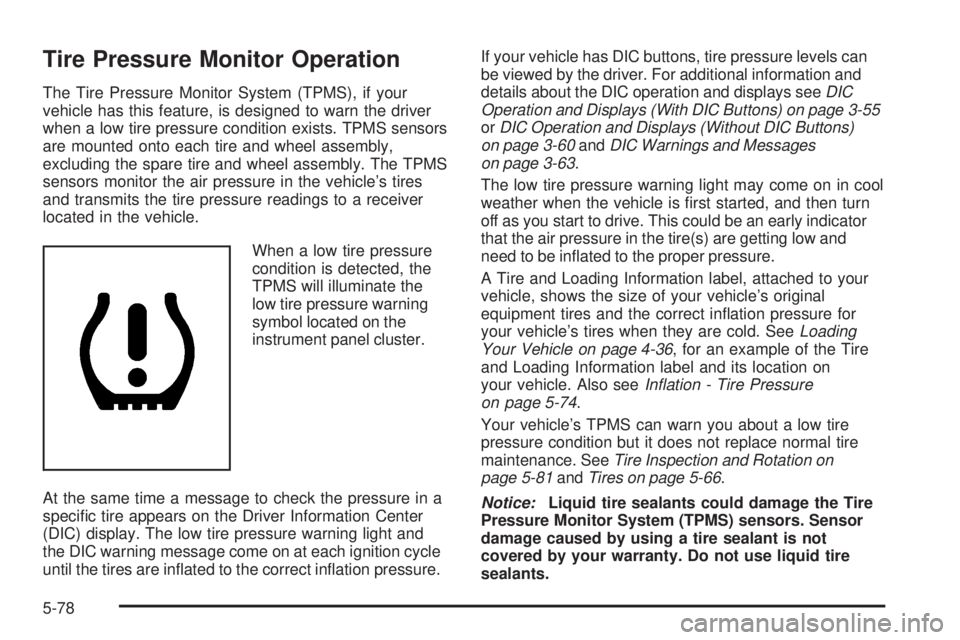
When a low tire pressure
condition is detected, the
TPMS will illuminate the
low tire pressure warning
symbol located on the
instrument panel cluster.
At the same time a message to check the pressure in a
specic tire appears on the Driver Information Center
(DIC) display. The low tire pressure warning light and
the DIC warning message come on at each ignition cycle
until the tires are inated to the correct ination pressure.If your vehicle has DIC buttons, tire pressure levels can
be viewed by the driver. For additional information and
details about the DIC operation and displays seeDIC
Operation and Displays (With DIC Buttons) on page 3-55
orDIC Operation and Displays (Without DIC Buttons)
on page 3-60andDIC Warnings and Messages
on page 3-63.
The low tire pressure warning light may come on in cool
weather when the vehicle is rst started, and then turn
off as you start to drive. This could be an early indicator
that the air pressure in the tire(s) are getting low and
need to be inated to the proper pressure.
A Tire and Loading Information label, attached to your
vehicle, shows the size of your vehicle’s original
equipment tires and the correct ination pressure for
your vehicle’s tires when they are cold. SeeLoading
Your Vehicle on page 4-36, for an example of the Tire
and Loading Information label and its location on
your vehicle. Also seeInflation - Tire Pressure
on page 5-74.
Your vehicle’s TPMS can warn you about a low tire
pressure condition but it does not replace normal tire
maintenance. SeeTire Inspection and Rotation on
page 5-81andTires on page 5-66.
Notice:Liquid tire sealants could damage the Tire
Pressure Monitor System (TPMS) sensors. Sensor
damage caused by using a tire sealant is not
covered by your warranty. Do not use liquid tire
sealants.
5-78