ignition HONDA ACCORD 2013 9.G Workshop Manual
[x] Cancel search | Manufacturer: HONDA, Model Year: 2013, Model line: ACCORD, Model: HONDA ACCORD 2013 9.GPages: 595, PDF Size: 20.67 MB
Page 429 of 595
uuWhen Driving uStarting the Engine
428Driving
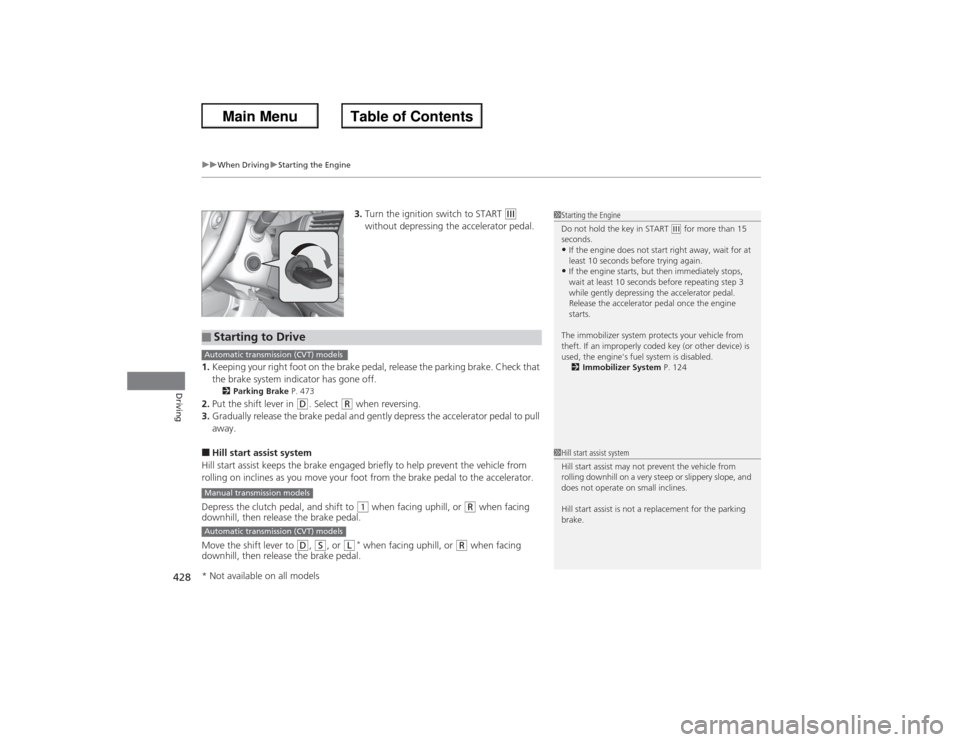
3. Turn the ignition switch to START
(e
without depressing the accelerator pedal.
1. Keeping your right foot on the brake pedal, release the parking brake. Check that
the brake system indicator has gone off.
2 Parking Brake P. 473
2.Put the shift lever in
(D. Select
(R when reversing.
3. Gradually release the brake pedal and gently depress the accelerator pedal to pull
away.
■Hill start assist system
Hill start assist keeps the brake engaged briefly to help prevent the vehicle from
rolling on inclines as you move your foot from the brake pedal to the accelerator.
Depress the clutch pedal, and shift to
(1 when facing uphill, or
(R when facing
downhill, then release the brake pedal.
Move the shift lever to
(D, ( S, or
(L
* when facing uphill, or
(R when facing
downhill, then release the brake pedal.
1 Starting the Engine
Do not hold the key in START
(e for more than 15
seconds.
•If the engine does not start right away, wait for at
least 10 seconds before trying again.•If the engine starts, but then immediately stops,
wait at least 10 seconds before repeating step 3
while gently depressing the accelerator pedal.
Release the accelerator pedal once the engine
starts.
The immobilizer system protects your vehicle from
theft. If an improperly coded key (or other device) is
used, the engine's fuel system is disabled. 2 Immobilizer System P. 124
■Starting to DriveAutomatic transmission (CVT) modelsManual transmission modelsAutomatic transmission (CVT) models
1Hill start assist system
Hill start assist may not prevent the vehicle from
rolling downhill on a very steep or slippery slope, and
does not operate on small inclines.
Hill start assist is not a replacement for the parking
brake.
* Not available on all models
Page 434 of 595
433
uuWhen Driving uPrecautions While Driving
Driving
Precautions While DrivingAvoid driving in deep water and on flooded roads. This can damage the engine or
driveline, or cause electrical component failure.
If there is a strong impact with something under the vehicle, stop in a safe location.
Check the underside of the vehicle for damage or any fluid leaks.*1: Models with the smart entry system have an ENGINE START/STOP button instead of an
ignition switch.■In Rain■Other Precautions
1 Precautions While DrivingNOTICEDo not operate the shift lever while pressing the
accelerator pedal. You could damage the
transmission.
If the ignition switch is turned to ACCESSORY
(q or
LOCK
(0*1 while driving, the engine will shut down
and all steering and brake power assist functions will
stop, making it difficult to control the vehicle.
Do not put the shift lever in
(N, as you will lose
engine braking (and acceleration) performance.
During the first 600 miles (1,000 km) of operation,
avoid sudden acceleration or full throttle operation so
as to not damage the engine or powertrain.
Avoid hard braking for the first 200 miles (300 km).
You should also follow this when the brake pads are
replaced.
Page 436 of 595
435
uuWhen Driving uShifting
Continued
Driving
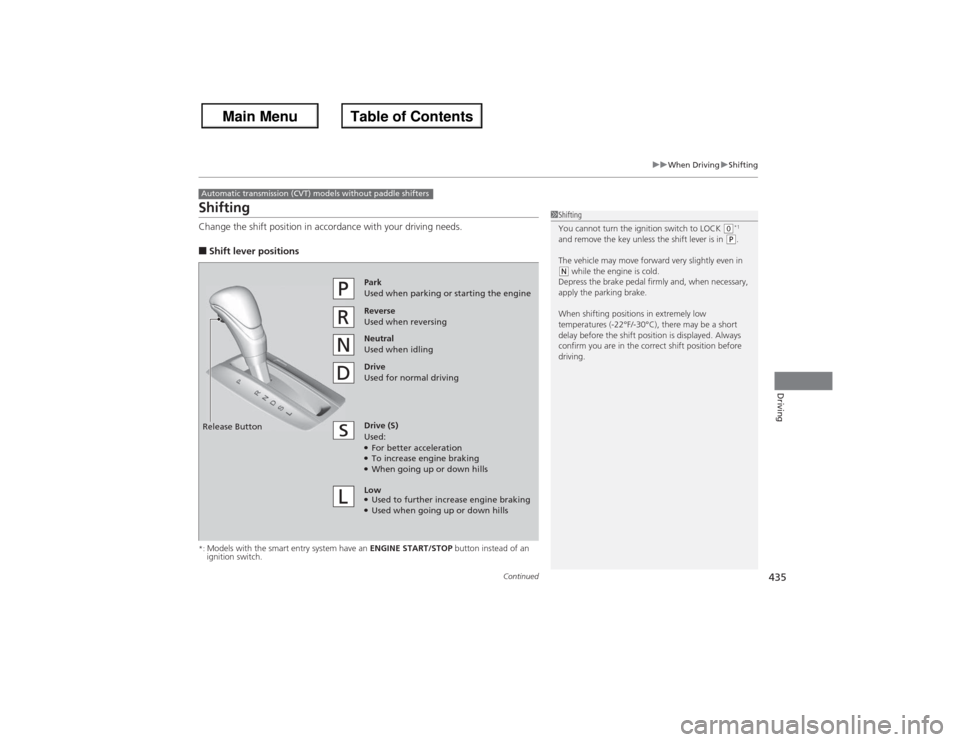
ShiftingChange the shift position in accordance with your driving needs.■Shift lever positions*:Models with the smart entry system have an ENGINE START/STOP button instead of an
ignition switch.Automatic transmission (CVT) models without paddle shifters
1 Shifting
You cannot turn the ignition switch to LOCK
(0*1
and remove the key unless the shift lever is in
(P.
The vehicle may move forward very slightly even in
(N while the engine is cold.
Depress the brake pedal firmly and, when necessary,
apply the parking brake.
When shifting positions in extremely low
temperatures (-22°F/-30°C), there may be a short
delay before the shift position is displayed. Always
confirm you are in the correct shift position before
driving.
Reverse
Used when reversingDrive
Used for normal drivingPark
Used when parking or starting the engine
Neutral
Used when idling
Release ButtonDrive (S)
Used:●For better acceleration●To increase engine braking●When going up or down hills
Low●Used to further increase engine braking●Used when going up or down hills
Page 438 of 595
437
uuWhen Driving uShifting
Continued
Driving
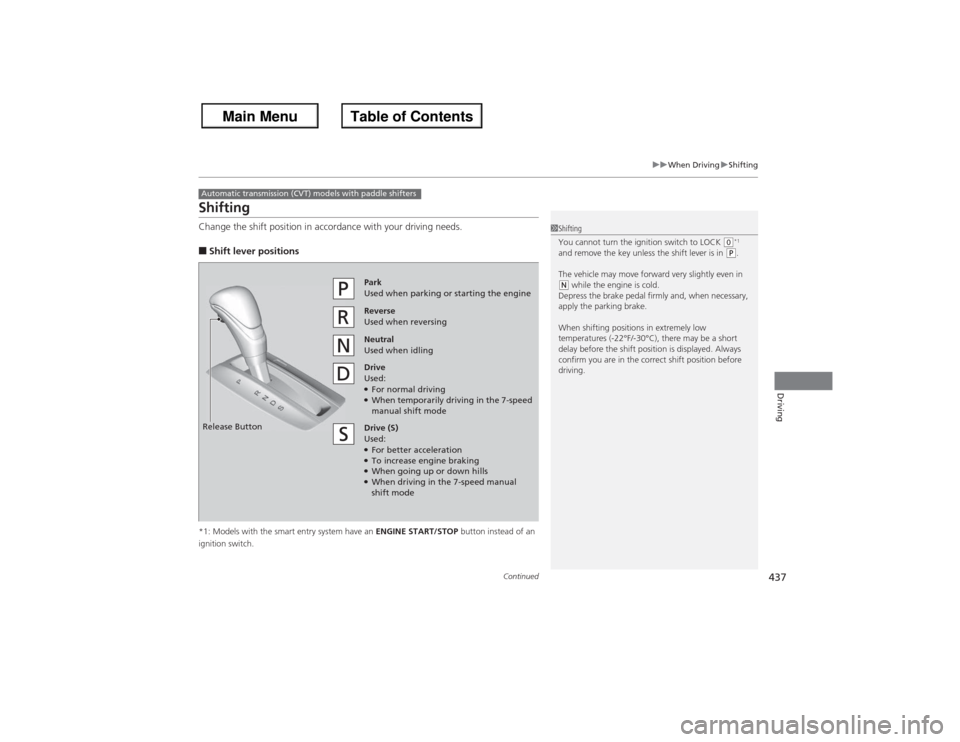
ShiftingChange the shift position in accordance with your driving needs.■Shift lever positions*1: Models with the smart entry system have an ENGINE START/STOP button instead of an
ignition switch.Automatic transmission (CVT) models with paddle shifters
1 Shifting
You cannot turn the ignition switch to LOCK
(0*1
and remove the key unless the shift lever is in
(P.
The vehicle may move forward very slightly even in
(N while the engine is cold.
Depress the brake pedal firmly and, when necessary,
apply the parking brake.
When shifting positions in extremely low
temperatures (-22°F/-30°C), there may be a short
delay before the shift position is displayed. Always
confirm you are in the correct shift position before
driving.
Reverse
Used when reversingDrive
Used:●For normal driving●When temporarily driving in the 7-speed
manual shift modePark
Used when parking or starting the engine
Neutral
Used when idling
Release ButtonDrive (S)
Used:●For better acceleration●To increase engine braking●When going up or down hills●When driving in the 7-speed manual
shift mode
Page 446 of 595
445
uuWhen Driving uShifting
Driving
The manual transmission has a lockout mechanism that stops you from accidentally
shifting into
(R from a forward gear while the vehicle is moving above a certain
speed.
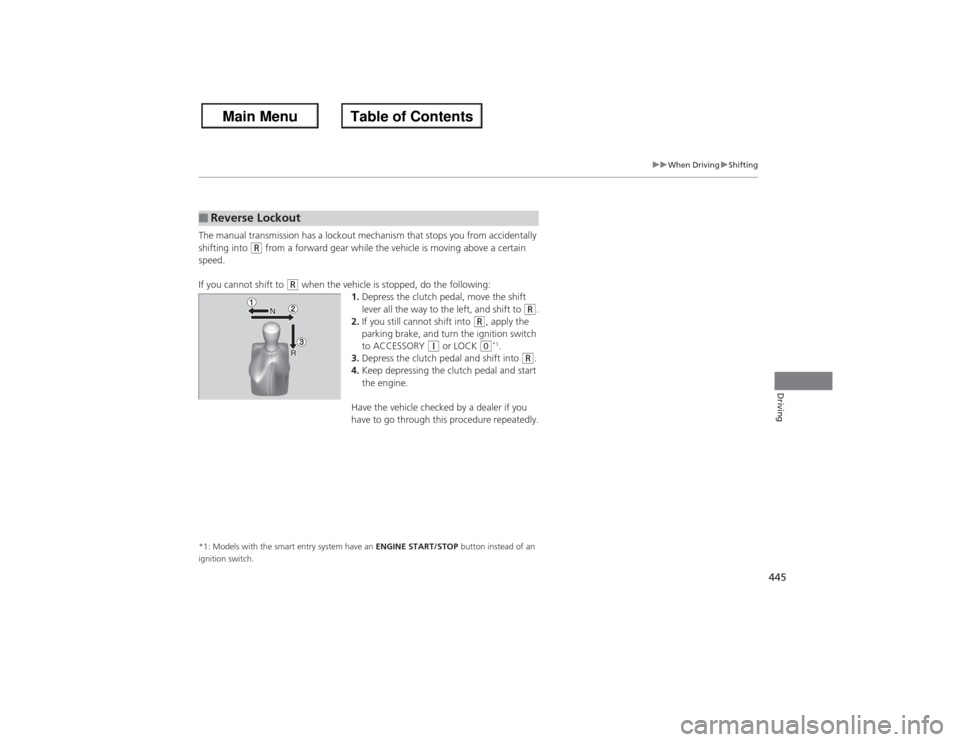
If you cannot shift to
(R when the vehicle is stopped, do the following: 1.Depress the clutch pedal, move the shift
lever all the way to the left, and shift to
(R.
2. If you still cannot shift into
(R, apply the
parking brake, and turn the ignition switch
to ACCESSORY
(q or LOCK
(0*1.
3. Depress the clutch pedal and shift into
(R.
4. Keep depressing the clutch pedal and start
the engine.
Have the vehicle checked by a dealer if you
have to go through this procedure repeatedly.
*1: Models with the smart entry system have an ENGINE START/STOP button instead of an
ignition switch.■Reverse Lockout
Page 470 of 595
469
uuWhen Driving uTPMS (Tire Pressure Monitoring System)
Continued
Driving
TPMS (Tire Pressure Monitoring System)Instead of directly measuring the pressure in each tire, the TPMS on this vehicle
monitors and compares the rolling radius and rotational characteristics of each
wheel and tire while you are driving to determine if one or more tires are
significantly under-infl ated. This will cause the low tire pressure/TPMS indicator to
come on and a message to appear on the multi-information display
*.
Calibrate the TPMS if you have:
• Adjusted the pressure in one or more tires.
• Rotated the tires.
• Replaced one or more tires.
u Before calibrating the TPMS, turn the ignition switch to ON
(w*1, and make
sure that the vehicle is at a complete stop.
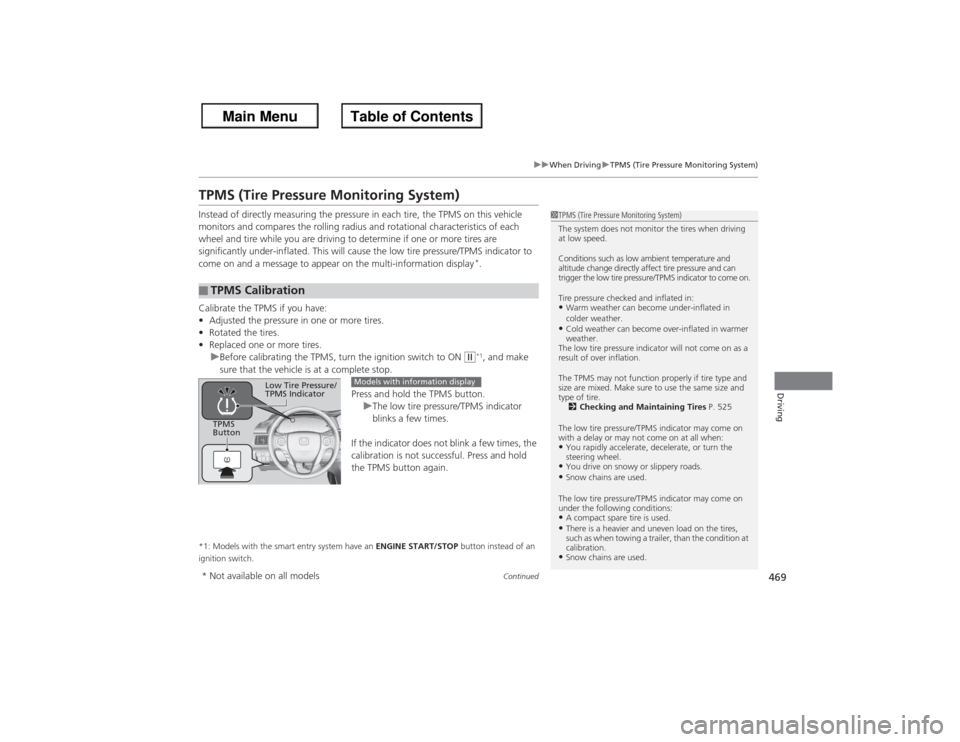
Press and hold the TPMS button.uThe low tire pressure/TPMS indicator
blinks a few times.
If the indicator does not blink a few times, the
calibration is not successful. Press and hold
the TPMS button again.
*1: Models with the smart entry system have an ENGINE START/STOP button instead of an
ignition switch.■TPMS Calibration
1 TPMS (Tire Pressure Monitoring System)
The system does not monitor the tires when driving
at low speed.
Conditions such as low ambient temperature and
altitude change directly affect tire pressure and can
trigger the low tire pressure/TPMS indicator to come on.
Tire pressure checked and inflated in:•Warm weather can become under-inflated in
colder weather.•Cold weather can become over-inflated in warmer
weather.
The low tire pressure indicator will not come on as a
result of over inflation.
The TPMS may not function properly if tire type and
size are mixed. Make sure to use the same size and
type of tire. 2 Checking and Maintaining Tires P. 525
The low tire pressure/TPMS indicator may come on
with a delay or may not come on at all when:•You rapidly accelerate, decelerate, or turn the
steering wheel.•You drive on snowy or slippery roads.•Snow chains are used.
The low tire pressure/TPMS indicator may come on
under the following conditions:•A compact spare tire is used.•There is a heavier and uneven load on the tires,
such as when towing a trailer, than the condition at
calibration.•Snow chains are used.
TPMS
Button
Low Tire Pressure/
TPMS Indicator
Models with information display
* Not available on all models
Page 490 of 595
489
Continued
Maintenance
Maintenance Minder
TM
If the engine oil life is less than 15%, you will see the Maintenance Minder messages
appear on the information display
* or the multi-information display
* every time you
turn the ignition switch to ON
(w*1. The messages notify you when to change the
engine oil, or when to bring your vehicle to a dealer for indicated maintenance
services.
To Use Maintenance Minder
TM
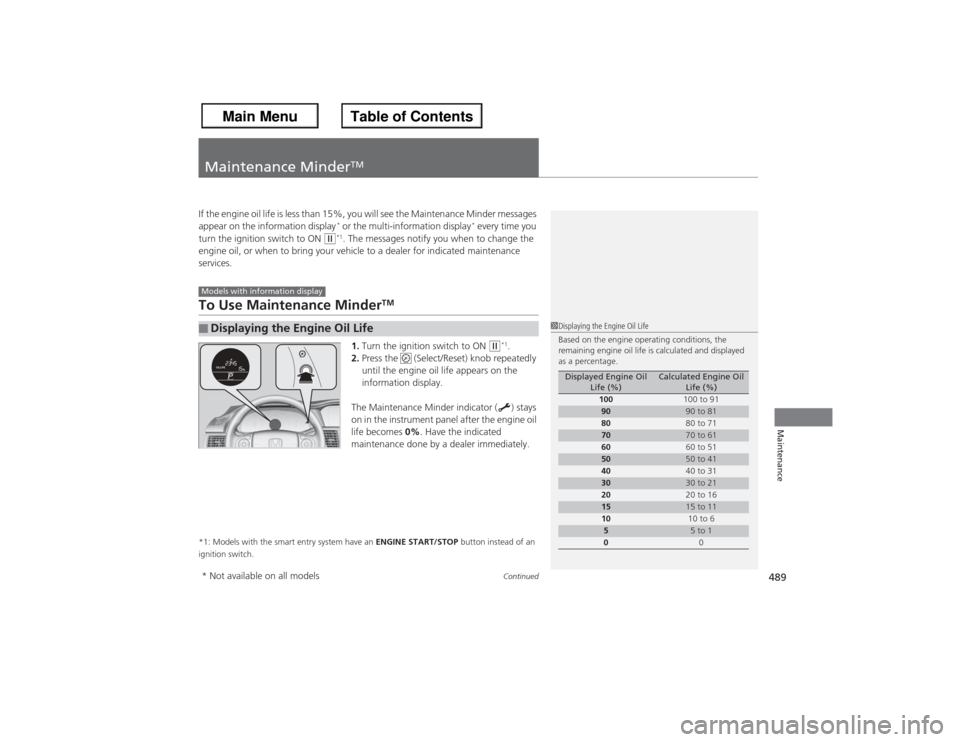
1. Turn the ignition switch to ON
(w*1.
2. Press the (Select/Reset) knob repeatedly
until the engine oil life appears on the
information display.
The Maintenance Minder indicator ( ) stays
on in the instrument panel after the engine oil
life becomes 0%. Have the indicated
maintenance done by a dealer immediately.
*1: Models with the smart entry system have an ENGINE START/STOP button instead of an
ignition switch.■Displaying the Engine Oil LifeModels with information display
1 Displaying the Engine Oil Life
Based on the engine operating conditions, the
remaining engine oil life is calculated and displayed
as a percentage.
Displayed Engine Oil
Life (%)
Calculated Engine Oil Life (%)
100 100 to 91
90
90 to 81
80 80 to 71
70
70 to 61
60 60 to 51
50
50 to 41
40 40 to 31
30
30 to 21
20 20 to 16
15
15 to 11
10 10 to 6
5
5 to 1
0 0
* Not available on all models
Page 493 of 595
uuMaintenance Minder
TMuTo Use Maintenance Minder
TM
49 2Maintenance
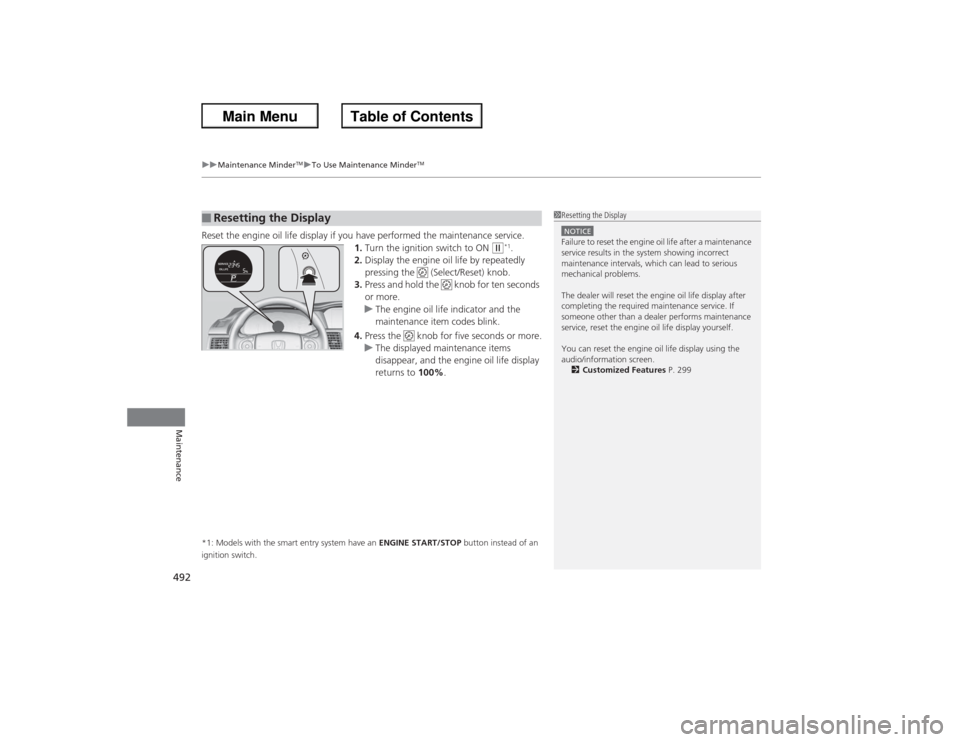
Reset the engine oil life display if you have performed the maintenance service.
1.Turn the ignition switch to ON
(w*1.
2. Display the engine oil life by repeatedly
pressing the (Select/Reset) knob.
3. Press and hold the knob for ten seconds
or more.
u The engine oil life indicator and the
maintenance item codes blink.
4. Press the knob for five seconds or more.
u The displayed maintenance items
disappear, and the engine oil life display
returns to 100%.
*1: Models with the smart entry system have an ENGINE START/STOP button instead of an
ignition switch.■Resetting the Display
1 Resetting the DisplayNOTICEFailure to reset the engine oil life after a maintenance
service results in the system showing incorrect
maintenance intervals, which can lead to serious
mechanical problems.
The dealer will reset the engine oil life display after
completing the required maintenance service. If
someone other than a dealer performs maintenance
service, reset the engine oil life display yourself.
You can reset the engine oil life display using the
audio/information screen.
2 Customized Features P. 299
Page 546 of 595
545
Continued
Handling the Unexpected
If a Tire Goes FlatChanging a Flat TireIf a tire goes flat while driving, grasp the steering wheel firmly, and brake gradually
to reduce speed. Then, stop in a safe place. Replace the flat tire with a compact
spare tire. Go to a dealer as soon as possible to have the full-size tire repaired or
replaced.
1.Park the vehicle on firm, level, and non-slippery surface and apply the parking
brake.
2. Move the shift lever to
(P.
2. Move the shift lever to (R.
3. Turn on the hazard warning lights and turn the ignition switch to LOCK
(0*1.
*1: Models with the smart entry system have an ENGINE START/STOP button instead of an
ignition switch.
1 Changing a Flat Tire
Periodically check the tire pressure of the compact
spare. It should be set to the specified pressure.
Specified Pressure: 60 psi (420 kPa, 4.2 kgf/cm
2)
When driving with the compact spare tire, keep the
vehicle speed under 50 mp h (80 km/h). Replace with
a full-size tire as soon as possible.
The compact spare tire and wheel in your vehicle are
specifically for this model.
Do not use them with another vehicle.
Do not use another type of compact spare tire or
wheel with your vehicle.
Do not mount tire chains on a compact spare tire.
If a chain-mounted front tire goes flat, remove one of
the full-size rear tires and replace it with the compact
spare tire. Remove the flat front tire and replace it
with the full size tire that was removed from the rear.
Mount the tire chains on the front tire.
Automatic transmission/CVT modelsManual transmission modelsAll models
Page 558 of 595
557Handling the Unexpected
Shift Lever Does Not MoveFollow the procedure below if you cannot move the shift lever out of the
(P
position.
1.Set the parking brake.
2. Remove the key from the ignition switch.
2. Remove the built-in key from the smart
entry remote.
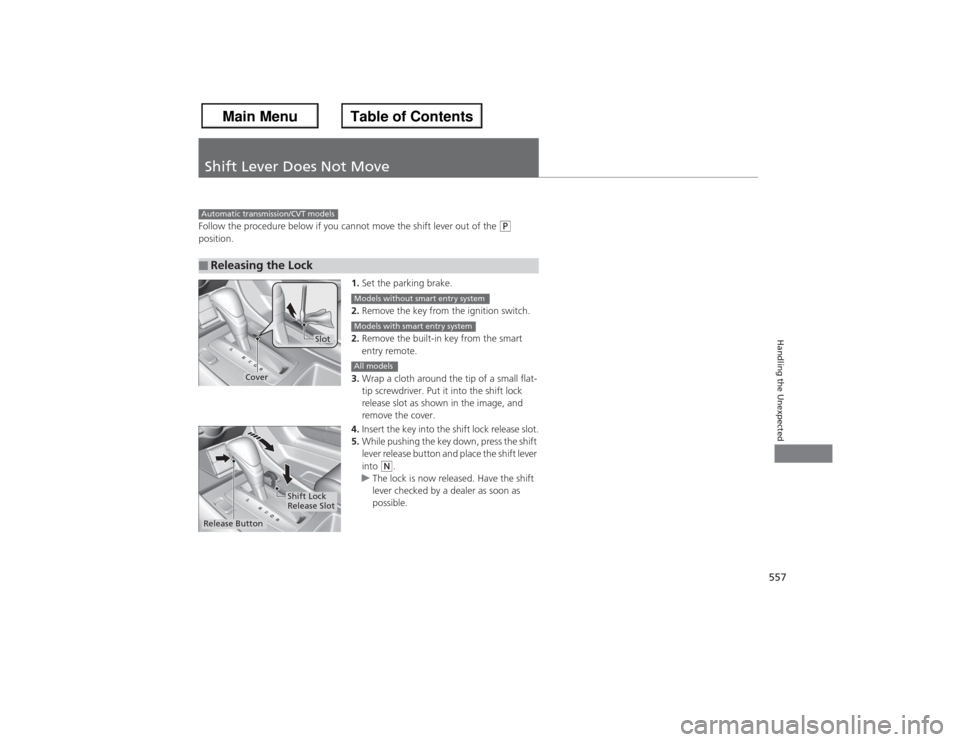
3. Wrap a cloth around the tip of a small flat-
tip screwdriver. Put it into the shift lock
release slot as shown in the image, and
remove the cover.
4. Insert the key into the shift lock release slot.
5. While pushing the key down, press the shift
lever release button and place the shift lever
into
(N.
u The lock is now released. Have the shift
lever checked by a dealer as soon as
possible.
■Releasing the LockAutomatic transmission/CVT models
Slot
Cover
Models without smart entry systemModels with smart entry systemAll models
Release Button
Shift Lock
Release Slot