audio HONDA ACCORD 2015 9.G Owners Manual
[x] Cancel search | Manufacturer: HONDA, Model Year: 2015, Model line: ACCORD, Model: HONDA ACCORD 2015 9.GPages: 593
Page 3 of 593
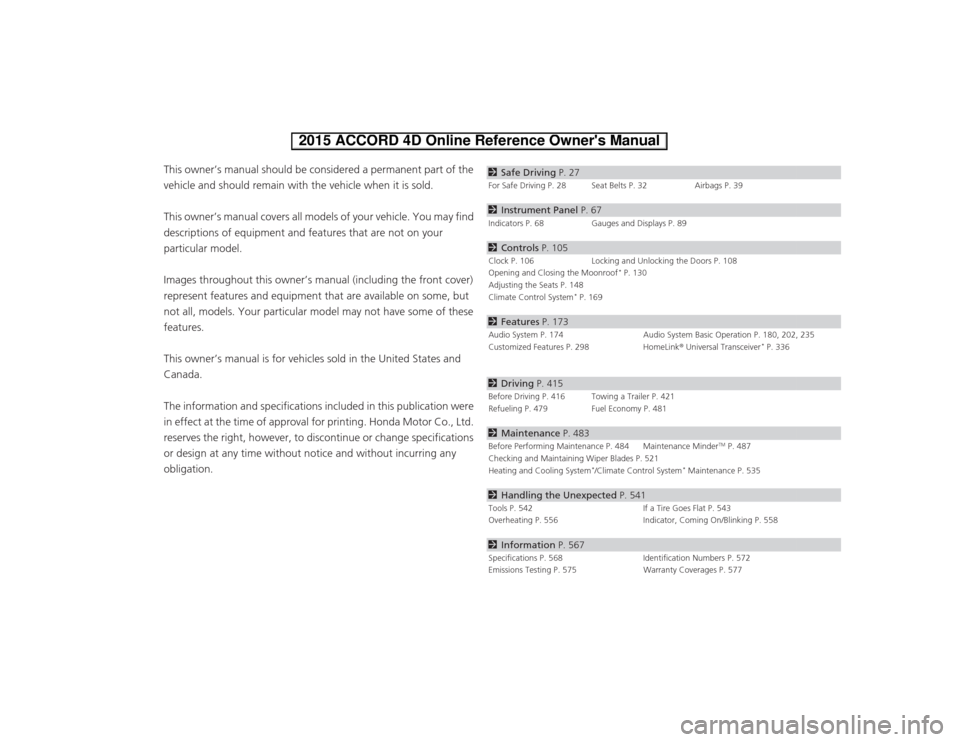
ContentsThis owner’s manual should be considered a permanent part of the
vehicle and should remain with the vehicle when it is sold.
This owner’s manual covers all models of your vehicle. You may find
descriptions of equipment and features that are not on your
particular model.
Images throughout this owner’s manual (including the front cover)
represent features and equipment that are available on some, but
not all, models. Your particular model may not have some of these
features.
This owner’s manual is for vehicles sold in the United States and
Canada.
The information and specifications included in this publication were
in effect at the time of approval for printing. Honda Motor Co., Ltd.
reserves the right, however, to discontinue or change specifications
or design at any time without notice and without incurring any
obligation.
2Safe Driving P. 27For Safe Driving P. 28 Seat Belts P. 32 Airbags P. 392Instrument Panel P. 67Indicators P. 68 Gauges and Displays P. 892Controls P. 105Clock P. 106 Locking and Unlocking the Doors P. 108
Opening and Closing the Moonroof
* P. 130
Adjusting the Seats P. 148
Climate Control System
* P. 169
2 Features P. 173Audio System P. 174 Audio System Basic Operation P. 180, 202, 235
Customized Features P. 298 HomeLink® Universal Transceiver
* P. 336
2 Driving P. 415Before Driving P. 416 Towing a Trailer P. 421
Refueling P. 479 Fuel Economy P. 4812Maintenance P. 483Before Performing Maintenance P. 484 Maintenance Minder
TM P. 487
Checking and Maintaining Wiper Blades P. 521
Heating and Cooling System
*/Climate Control System
* Maintenance P. 535
2 Handling the Unexpected P. 541Tools P. 542 If a Tire Goes Flat P. 543
Overheating P. 556 Indicator, Coming On/Blinking P. 5582Information P. 567Specifications P. 568 Identification Numbers P. 572
Emissions Testing P. 575 Warranty Coverages P. 577
Page 4 of 593
Contents
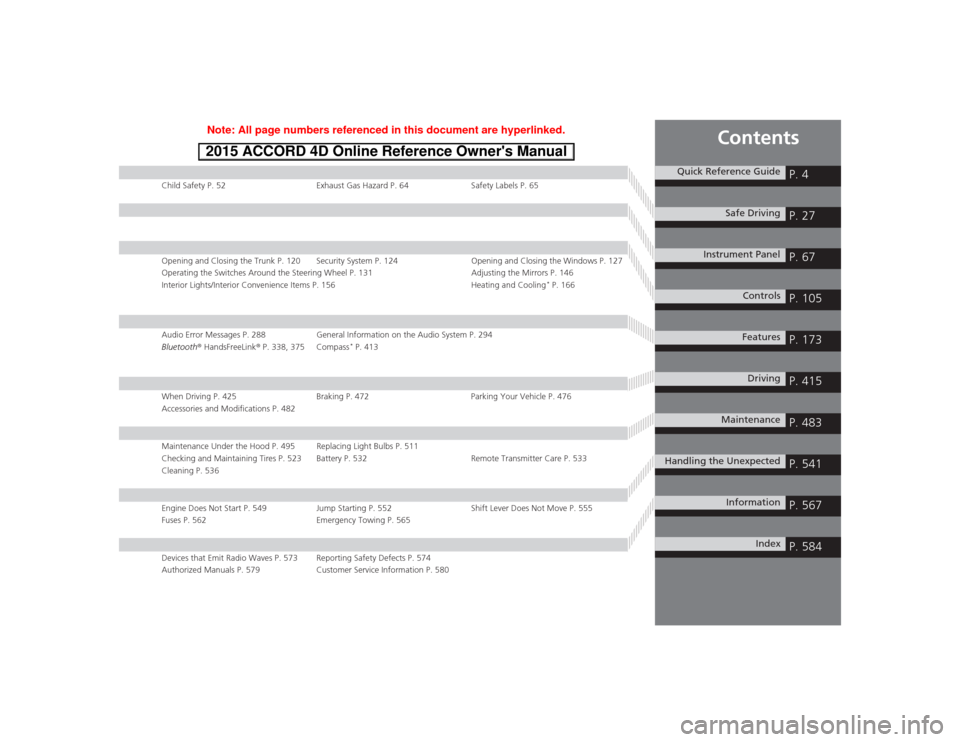
Child Safety P. 52Exhaust Gas Hazard P. 64Safety Labels P. 65Opening and Closing the Trunk P. 120 Security System P. 124 Opening and Closing the Windows P. 127
Operating the Switches Around the Steering Wheel P. 131 Adjusting the Mirrors P. 146
Interior Lights/Interior Convenience Items P. 156 Heating and Cooling
* P. 166
Audio Error Messages P. 288General Information on the Audio System P. 294
Bluetooth® HandsFreeLink ® P. 338, 375 Compass
* P. 413
When Driving P. 425 Braking P. 472Parking Your Vehicle P. 476
Accessories and Modifications P. 482Maintenance Under the Hood P. 495 Replacing Light Bulbs P. 511
Checking and Maintaining Tires P. 523 Battery P. 532 Remote Transmitter Care P. 533
Cleaning P. 536Engine Does Not Start P. 549 Jump Starting P. 552Shift Lever Does Not Move P. 555
Fuses P. 562 Emergency Towing P. 565Devices that Emit Radio Waves P. 573 Reporting Safety Defects P. 574
Authorized Manuals P. 579 Customer Service Information P. 580
Quick Reference Guide
P. 4
Safe Driving
P. 27
Instrument Panel
P. 67
Controls
P. 105
Features
P. 173
Driving
P. 415
Maintenance
P. 483
Handling the Unexpected
P. 541
Information
P. 567
Index
P. 584
Page 5 of 593
4Quick Reference Guide
Quick Reference GuideVisual Index*1: Models with the smart entry system have an ENGINE START/STOP button instead of an ignition switch.
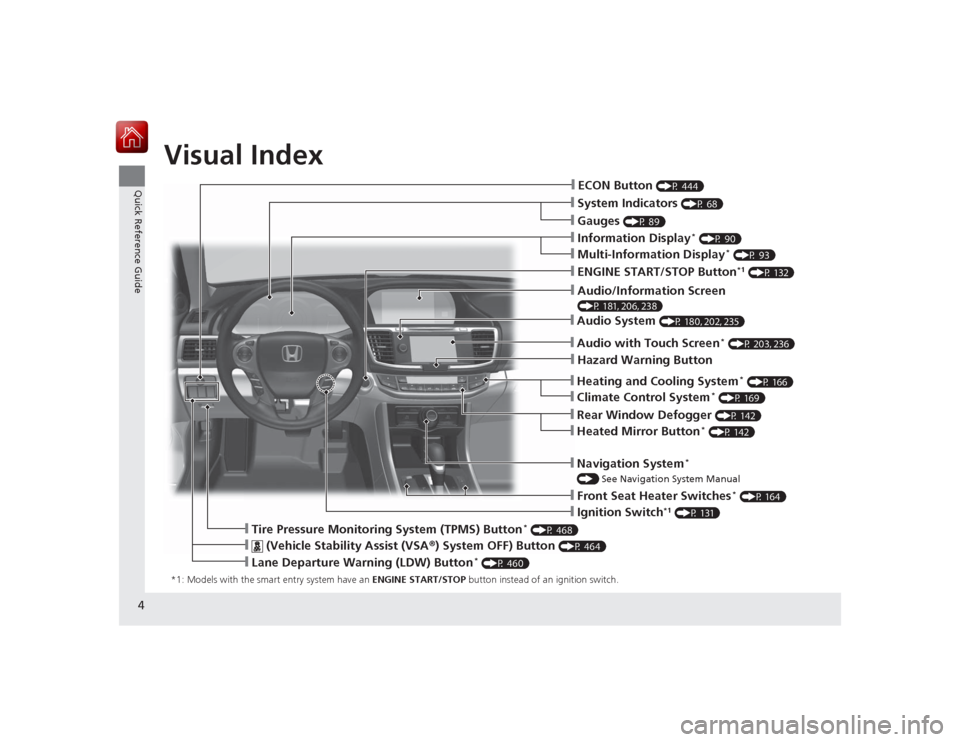
❙System Indicators
(P 68)
❙Gauges
(P 89)
❙Information Display
* (P 90)
❙Navigation System
*
() See Navigation System Manual❙Audio System
(P 180, 202, 235)
❙ENGINE START/STOP Button
*1 (P 132)
❙Heating and Cooling System
* (P 166)
❙Rear Window Defogger
(P 142)
❙Front Seat Heater Switches
* (P 164)
❙Ignition Switch
*1 (P 131)
❙ECON Button
(P 444)
❙Multi-Information Display
* (P 93)
❙Heated Mirror Button
* (P 142)
❙Climate Control System
* (P 169)
❙
(Vehicle Stability Assist (VSA ®) System OFF) Button
(P 464)
❙Lane Departure Warning (LDW) Button
* (P 460)
❙Tire Pressure Monitoring System (TPMS) Button
* (P 468)
❙Hazard Warning Button❙Audio with Touch Screen
* (P 203, 236)
❙Audio/Information Screen (P 181, 206, 238)
Page 17 of 593
16Quick Reference Guide
Features
(P 173)
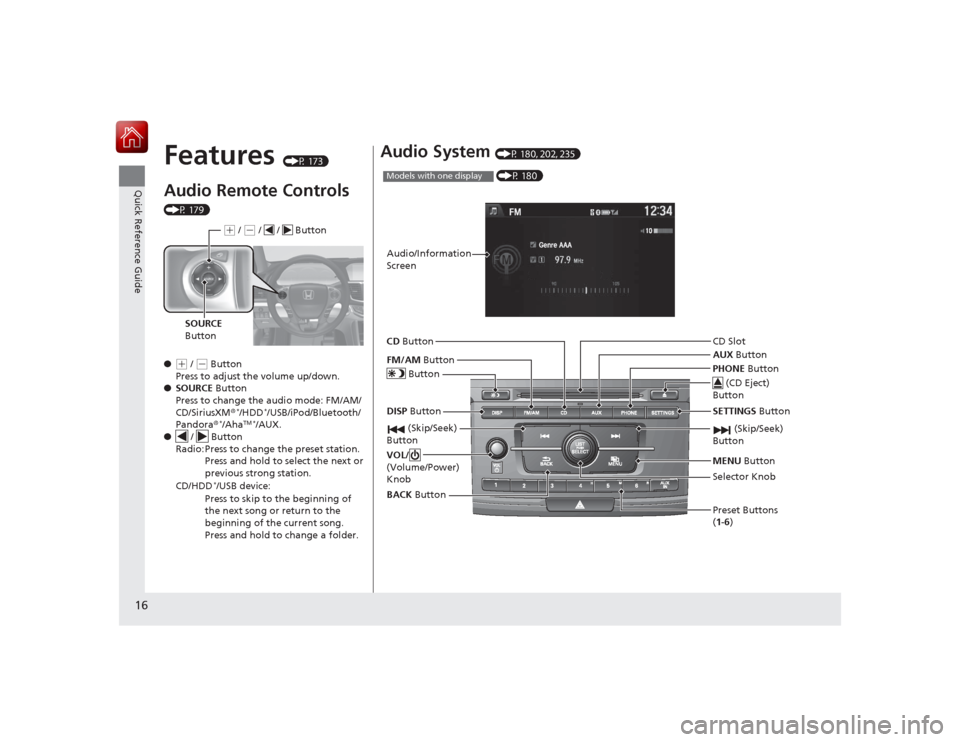
Audio Remote Controls (P 179)
●
(+ / ( - Button
Press to adjust the volume up/down.
● SOURCE Button
Press to change the audio mode: FM/AM/
CD/SiriusXM ®
*/HDD
*/USB/iPod/Bluetooth/
Pandora®
*/Aha
TM *
/AUX.
● / Button
Radio: Press to change the preset station. Press and hold to select the next or
previous strong station.
CD/HDD
*/USB device:
Press to skip to the beginning of
the next song or return to the
beginning of the current song.
Press and hold to change a folder.( + / (- / / Button
SOURCE
Button
Audio System
(P 180, 202, 235) (P 180)
Models with one displayAudio/Information
Screen
BACK Button
FM/AM
Button
(Skip/Seek)
Button
Selector Knob
Button
VOL/
(Volume/Power)
KnobCD
Button
AUX Button
CD Slot
(CD Eject)
Button
Preset Buttons
( 1- 6)
SETTINGS Button
(Skip/Seek)
ButtonPHONE ButtonMENU Button
DISP Button
Page 18 of 593
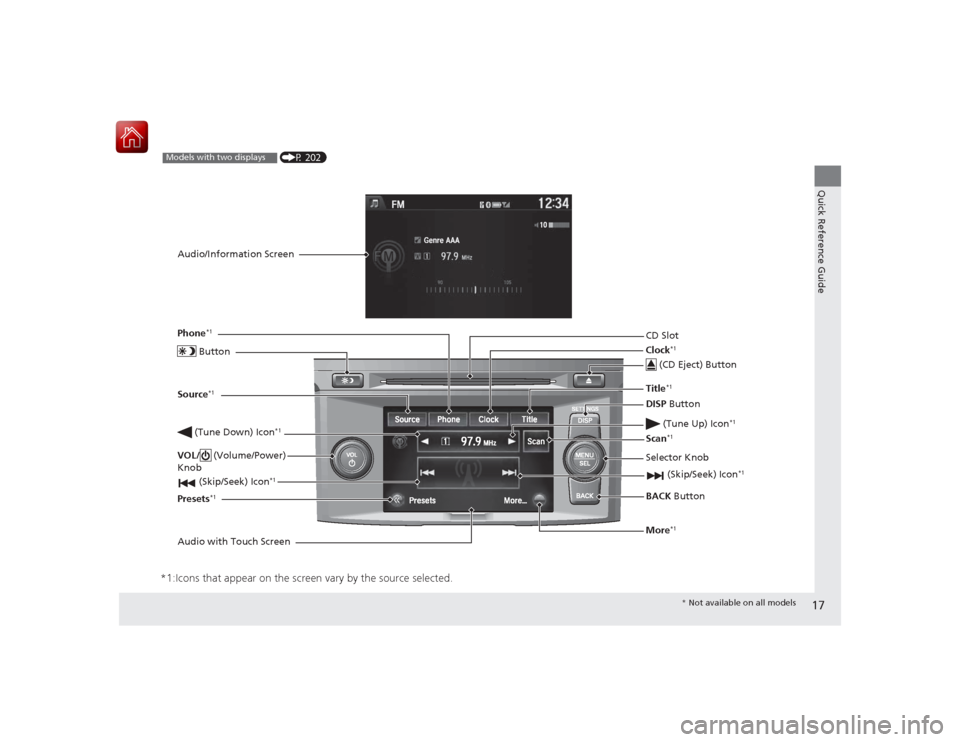
17Quick Reference Guide
*1:Icons that appear on the screen vary by the source selected.
CD Slot (CD Eject) ButtonBACK Button
Selector Knob
(Tune Down) Icon
*1
(Skip/Seek) Icon
*1
(P 202)
Models with two displaysAudio/Information Screen
Audio with Touch Screen ButtonSource
*1
VOL/
(Volume/Power)
Knob
(Skip/Seek) Icon
*1
Presets
*1
Phone
*1
Clock
*1
DISP Button
(Tune Up) Icon
*1
More
*1
Title
*1
Scan
*1
* Not available on all models
Page 19 of 593
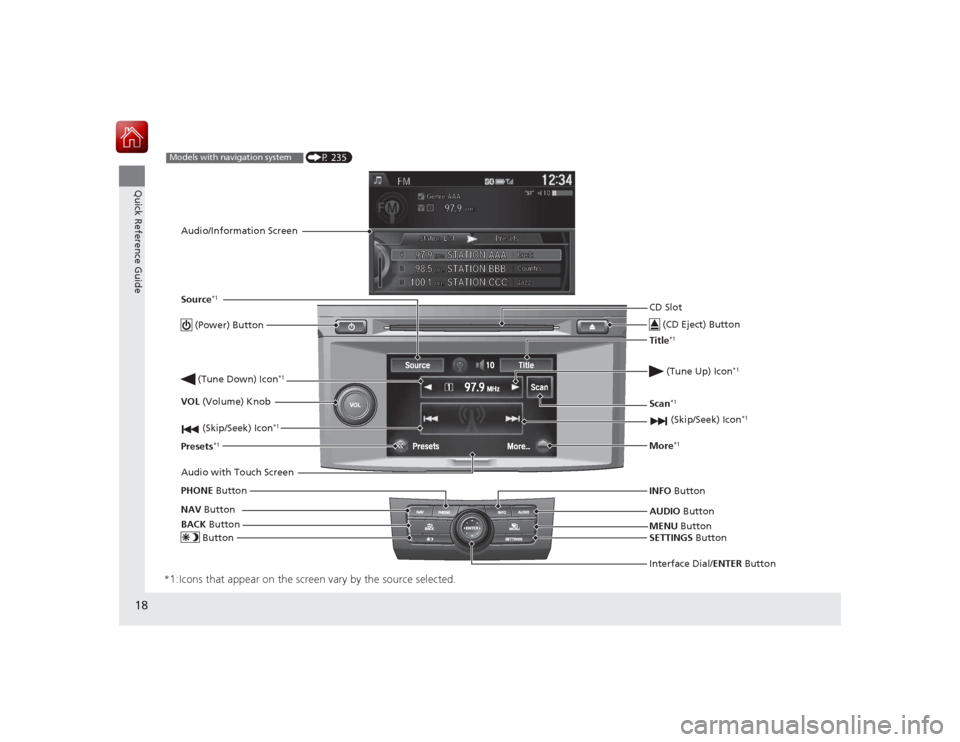
18Quick Reference Guide
*1:Icons that appear on the screen vary by the source selected.
CD Slot (CD Eject) ButtonMENU Button
Interface Dial/ENTER Button
(Skip/Seek) Icon
*1
(P 235)
Models with navigation systemAudio/Information Screen
Audio with Touch Screen
ButtonSource
*1
VOL (Volume) Knob
(Skip/Seek) Icon
*1
Presets
*1
(Tune Up) Icon
*1
More
*1
(Power) Button (Tune Down) Icon
*1
INFO Button
AUDIO Button
SETTINGS Button
BACK
Button
NAV
Button
PHONE
ButtonTitle
*1
Scan
*1
Page 91 of 593
90
uuGauges and Displays uInformation Display
*
Instrument Panel
Information Display
*
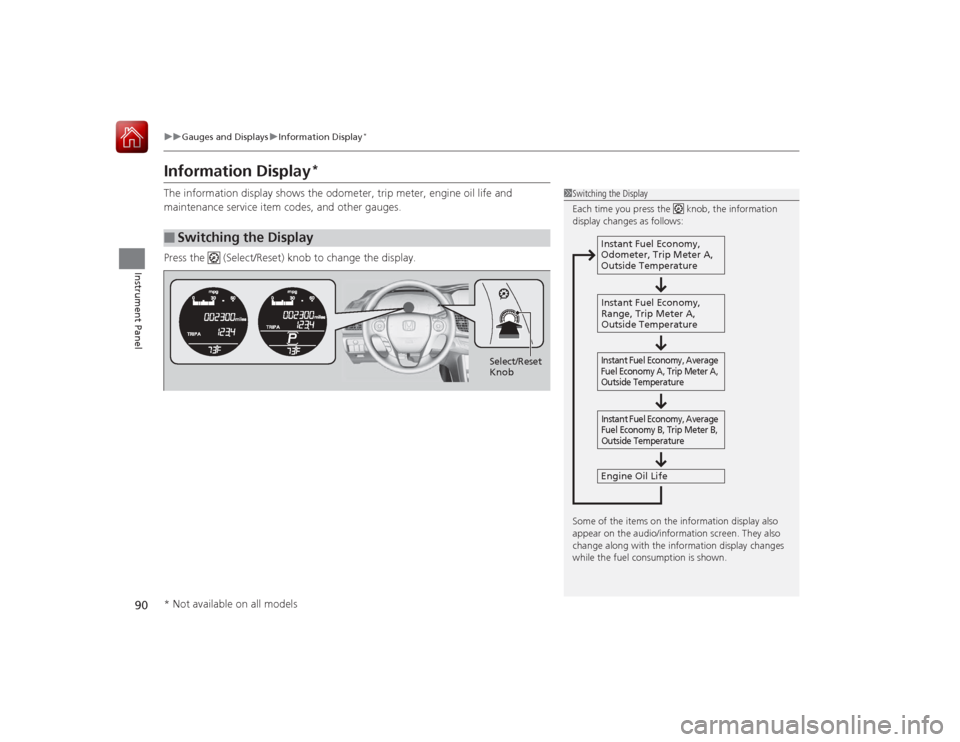
The information display shows the odometer, trip meter, engine oil life and
maintenance service item codes, and other gauges.
Press the (Select/Reset) knob to change the display.■
Switching the Display
1Switching the Display
Each time you press the knob, the information
display changes as follows:
Some of the items on the information display also
appear on the audio/information screen. They also
change along with the information display changes
while the fuel consumption is shown.
Instant Fuel Economy,
Odometer, Trip Meter A,
Outside Temperature
Instant Fuel Economy,
Range, Trip Meter A,
Outside Temperature
Engine Oil LifeInstant Fuel Economy, Average
Fuel Economy A, Trip Meter A,
Outside Temperature Instant Fuel Economy, Average
Fuel Economy B, Trip Meter B,
Outside Temperature
Select/Reset
Knob
* Not available on all models
Page 107 of 593
106Controls
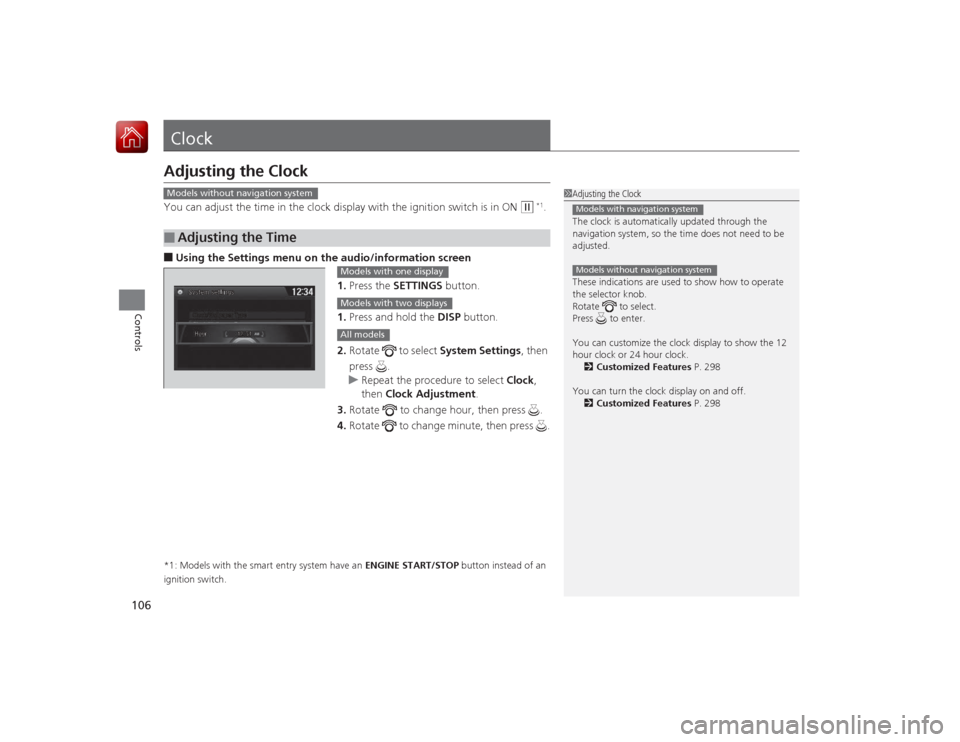
ClockAdjusting the ClockYou can adjust the time in the clock display with the ignition switch is in ON
(w
*1.
■Using the Settings menu on the audio /information screen
1. Press the SETTINGS button.
1. Press and hold the DISP button.
2. Rotate to select System Settings, then
press .
u Repeat the procedure to select Clock,
then Clock Adjustment .
3. Rotate to change hour, then press .
4. Rotate to change minute, then press .*1: Models with the smart entry system have an ENGINE START/STOP button instead of an
ignition switch.■
Adjusting the Time
1 Adjusting the Clock
The clock is automatically updated through the
navigation system, so the time does not need to be
adjusted.
These indications are used to show how to operate
the selector knob.
Rotate to select.
Press to enter.
You can customize the clock display to show the 12
hour clock or 24 hour clock.
2 Customized Features P. 298
You can turn the clock display on and off. 2 Customized Features P. 298Models with navigation systemModels without navigation system
Models without navigation system
Models with one displayModels with two displaysAll models
Page 108 of 593
107
uuClock uAdjusting the Clock
Controls
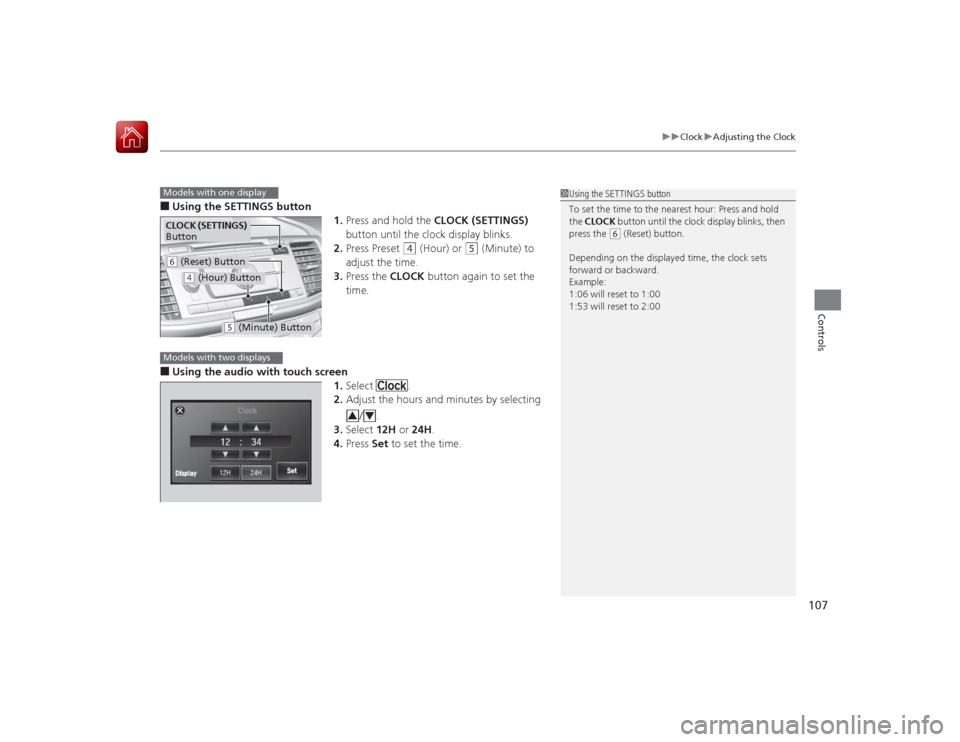
■Using the SETTINGS button
1.Press and hold the CLOCK (SETTINGS)
button until the clock display blinks.
2. Press Preset
(4
(Hour) or
(5
(Minute) to
adjust the time.
3. Press the CLOCK button again to set the
time.
■Using the audio with touch screen 1.Select .
2. Adjust the hours and minutes by selecting
/.
3. Select 12H or 24H.
4. Press Set to set the time.
1Using the SETTINGS button
To set the time to the nearest hour: Press and hold
the CLOCK button until the clock display blinks, then
press the
( 6 (Reset) button.
Depending on the displayed time, the clock sets
forward or backward.
Example:
1:06 will reset to 1:00
1:53 will reset to 2:00
Models with one displayCLOCK (SETTINGS)
Button( 6 (Reset) Button(4 (Hour) Button
(5 (Minute) Button
Models with two displays
3
4
Page 118 of 593
Continued
117
uuLocking and Unlocking the Doors uLocking/Unlocking the Doors from the Inside
Controls
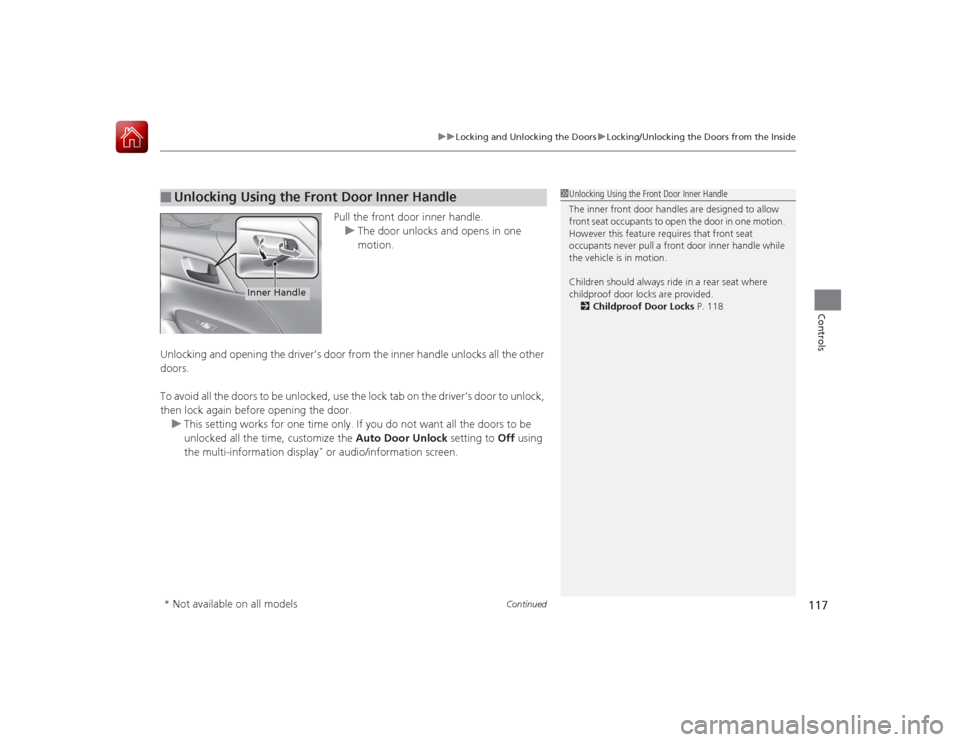
Pull the front door inner handle.
u The door unlocks and opens in one
motion.
Unlocking and opening the driver’s door from the inner handle unlocks all the other
doors.
To avoid all the doors to be unlocked, use the lock tab on the driver’s door to unlock,
then lock again before opening the door. u This setting works for one time only. If you do not want all the doors to be
unlocked all the time, customize the Auto Door Unlock setting to Off using
the multi-information display
* or audio/information screen.
■
Unlocking Using the Front Door Inner Handle
1 Unlocking Using the Front Door Inner Handle
The inner front door handles are designed to allow
front seat occupants to open the door in one motion.
However this feature requires that front seat
occupants never pull a front door inner handle while
the vehicle is in motion.
Children should always ride in a rear seat where
childproof door locks are provided.
2 Childproof Door Locks P. 118
Inner Handle
* Not available on all models