driver HONDA CR-Z 2013 1.G User Guide
[x] Cancel search | Manufacturer: HONDA, Model Year: 2013, Model line: CR-Z, Model: HONDA CR-Z 2013 1.GPages: 325, PDF Size: 11.73 MB
Page 45 of 325
44
uuAirbagsuFront Airbags (SRS)
Safe Driving
■When front airbags should not deploy
Minor frontal crashes: Front airbags were designed to supplement seat belts and
help save lives, not to prevent minor scrapes, or even broken bones that might occur
during a less than moderate-to-severe frontal crash.
Side impacts: Front airbags can provide protection when a sudden deceleration
causes a driver or passenger to move towards the front of the vehicle. Side airbags
and side curtain airbags have been specifically designed to help reduce the severity
of injuries that can occur during a mode rate-to-severe side impact which can cause
the driver or passenger to move towards the side of the vehicle.
Rear impacts: Head restraints and seat belts are your best protection during a rear
impact. Front airbags cannot provide any sig nificant protection and are not designed
to deploy in such collisions.
Rollovers: Seat belts and, in vehicles equipped with a rollover sensor, side airbags,
and side curtain airbags offer the best protection in a rollover. Because front airbags could provide little if any protectio n, they are not designed to deploy during a
rollover.
■ When front airbags deploy with little or no visible damage
Because the airbag system senses s udden deceleration, a strong impact to the
vehicle framework or suspension might cause one or more of the airbags to deploy.
Examples include running into a curb, the edge of a hole, or other low fixed object
that causes a sudden deceleration in the vehicle chassis. Since the impact is
underneath the vehicle, damage may not be readily apparent.
■ When front airbags may not depl oy, even though exterior damage
appears severe
Since crushable body parts absorb crash energy during an impact, the amount of
visible damage does not always indicate proper airbag operation. In fact, some
collisions can result in severe damage but no airbag deployment because the airbags
would not have been needed or would not have provided protection even if they
had deployed.
Main MenuTable of Contents
Page 46 of 325
45
uuAirbagsuFront Airbags (SRS)
Safe Driving
Your front airbags have advanced features to help reduce the likelihood of airbag
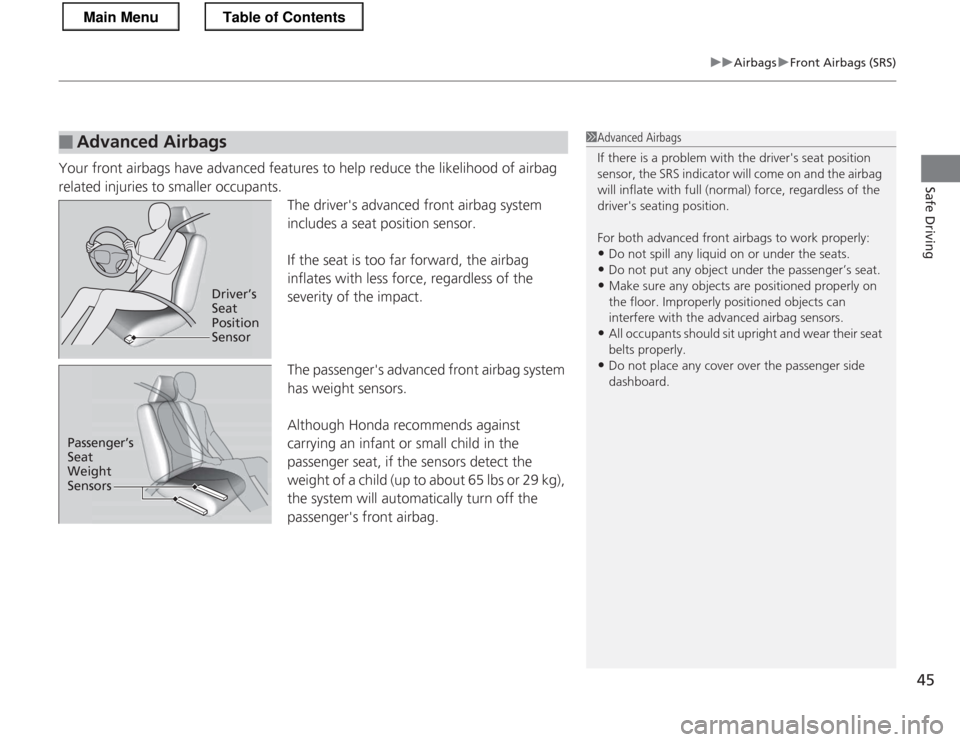
related injuries to smaller occupants.The driver's advanced front airbag system
includes a seat position sensor.
If the seat is too far forward, the airbag
inflates with less force, regardless of the
severity of the impact. The passenger's advanced front airbag system
has weight sensors.
Although Honda recommends against
carrying an infant or small child in the
passenger seat, if the sensors detect the
weight of a child (up to about 65 lbs or 29 kg),
the system will automatically turn off the
passenger's front airbag.
■Advanced Airbags1Advanced Airbags
If there is a problem with the driver's seat position
sensor, the SRS indicator will come on and the airbag
will inflate with full (normal) force, regardless of the
driver's seating position.
For both advanced front airbags to work properly: • Do not spill any liquid on or under the seats.
• Do not put any object under the passenger’s seat.
• Make sure any objects are positioned properly on
the floor. Improperly positioned objects can
interfere with the advanced airbag sensors.
• All occupants should sit upright and wear their seat belts properly.
• Do not place any cover over the passenger side dashboard.
Driver’s Seat Position Sensor
Passenger’s Seat
Weight
Sensors
Main MenuTable of Contents
Page 47 of 325
46
uuAirbagsuSide Airbags
Safe Driving
Side Airbags
The side airbags help protect the upper torso of the driver or a passenger during a
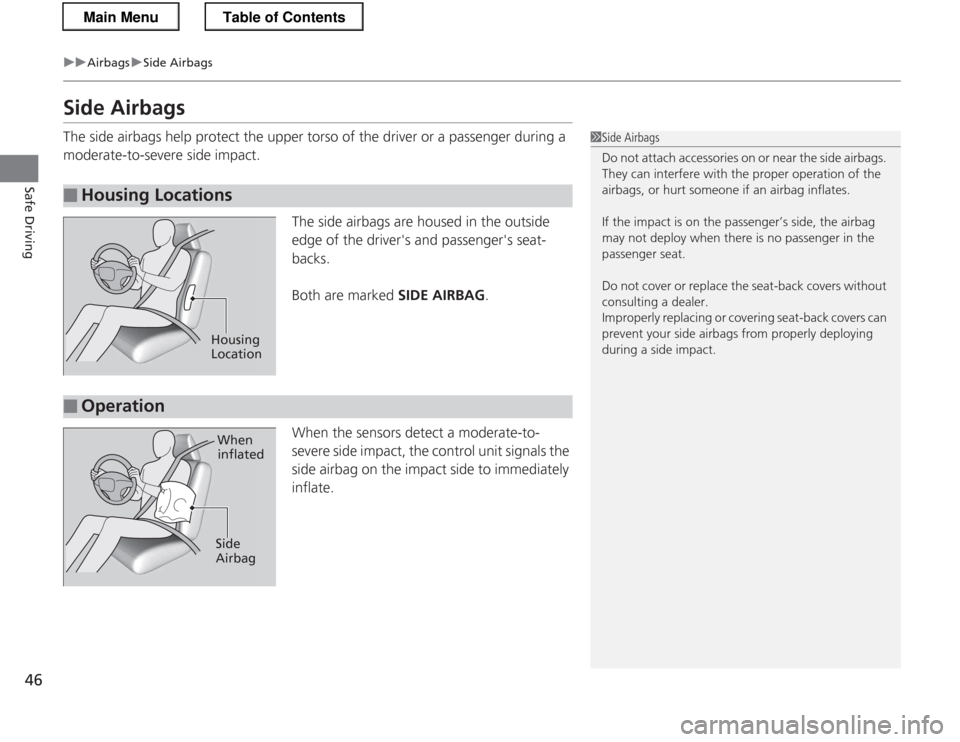
moderate-to-severe side impact.The side airbags are housed in the outside
edge of the driver's and passenger's seat-
backs.
Both are marked SIDE AIRBAG.
When the sensors detect a moderate-to-
severe side impact, the control unit signals the
side airbag on the impact side to immediately
inflate.
■Housing Locations
1Side Airbags
Do not attach accessories on or near the side airbags.
They can interfere with th e proper operation of the
airbags, or hurt someone if an airbag inflates.
If the impact is on the passenger’s side, the airbag
may not deploy when there is no passenger in the
passenger seat.
Do not cover or replace the seat-back covers without consulting a dealer.
Improperly replacing or covering seat-back covers can
prevent your side airbags from properly deploying
during a side impact.
Housing
Location
■Operation
When
inflated
Side Airbag
Main MenuTable of Contents
Page 50 of 325
49
uuAirbagsuSide Curtain Airbags
Safe Driving
Side Curtain Airbags
The side curtain airbags help protect the heads of the driver and a passenger during
a moderate-to-severe side impact.
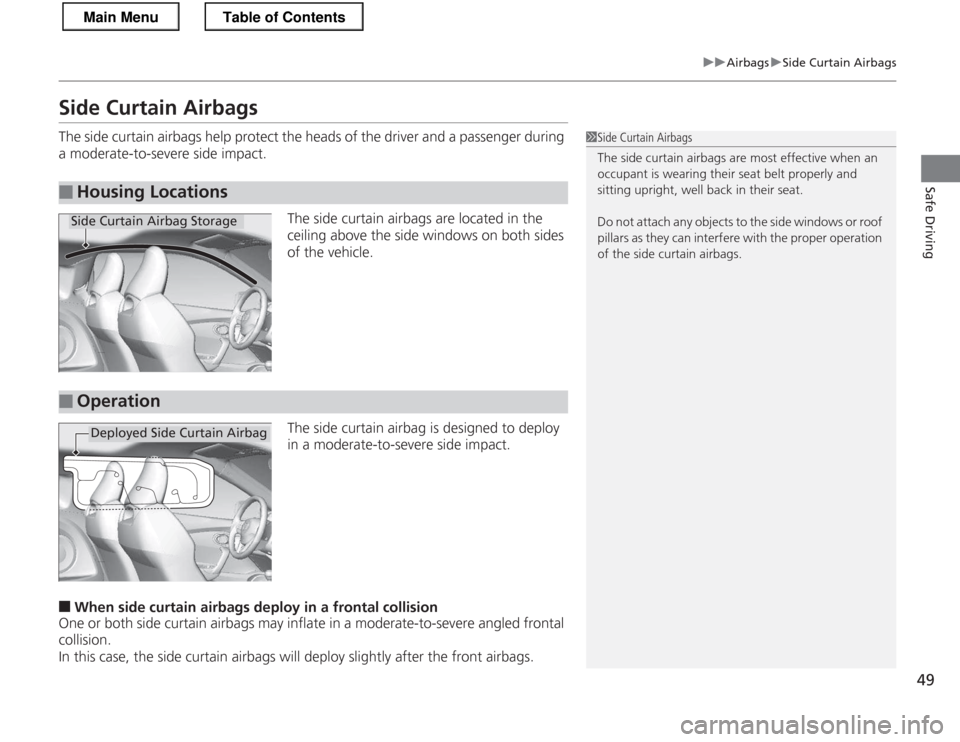
The side curtain airbags are located in the
ceiling above the side windows on both sides of the vehicle.
The side curtain airbag is designed to deploy
in a moderate-to-severe side impact.
■ When side curtain airbags de ploy in a frontal collision
One or both side curtain airbags may inflate in a moderate-to-severe angled frontal
collision.
In this case, the side curtain airbags will deploy slightly after the front airbags.
■Housing Locations
1Side Curtain Airbags
The side curtain airbags are most effective when an
occupant is wearing their seat belt properly and
sitting upright, well back in their seat.
Do not attach any objects to the side windows or roof
pillars as they can interf ere with the proper operation
of the side curtain airbags.
Side Curtain Airbag Storage
■Operation
Deployed Side Curtain Airbag
Main MenuTable of Contents
Page 54 of 325
53
uuAirbagsuAirbag Care
Safe Driving
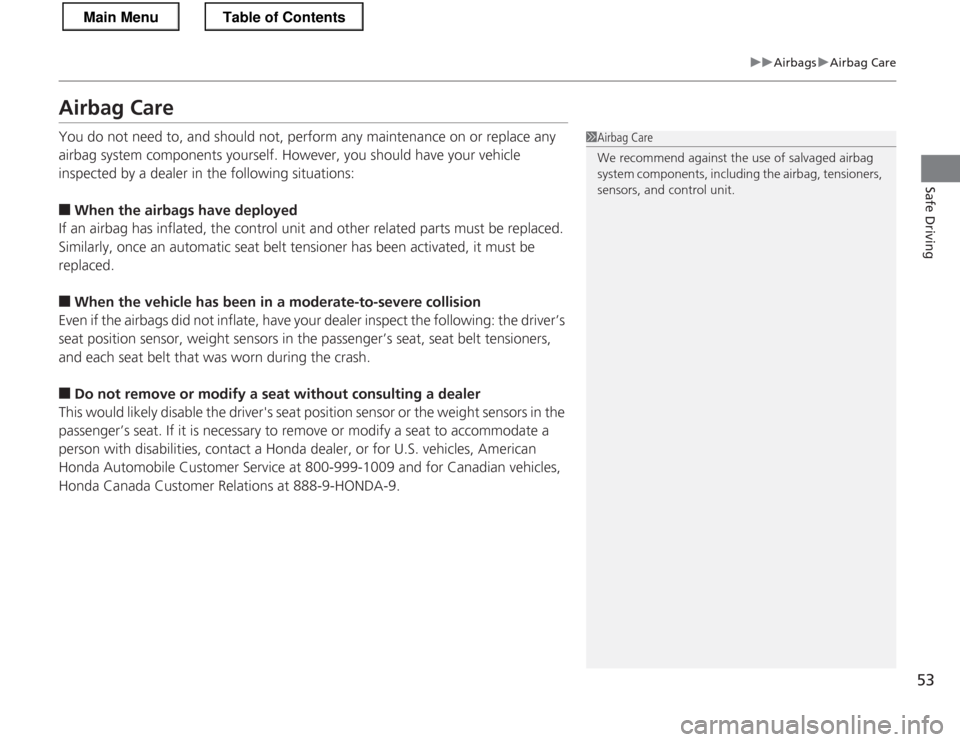
Airbag Care
You do not need to, and should not, perform any maintenance on or replace any
airbag system components yourself. However, you should have your vehicle
inspected by a dealer in the following situations: ■When the airbags have deployed
If an airbag has inflated, the control unit and other related parts must be replaced.
Similarly, once an automatic seat belt tensioner has been activated, it must be
replaced. ■ When the vehicle has been in a moderate-to-severe collision
Even if the airbags did not inflate, have your dealer inspect the following: the driver’s
seat position sensor, weight sensors in the passenger’s seat, seat belt tensioners,
and each seat belt that was worn during the crash.
■ Do not remove or modify a seat without consulting a dealer
This would likely disable the driver's seat position sensor or the weight sensors in the
passenger’s seat. If it is necessary to remove or modify a seat to accommodate a
person with disabilities, contact a Honda dealer, or for U.S. vehicles, American Honda Automobile Customer Service at 800-999-10 09 and for Canadian vehicles,
Honda Canada Customer Relations at 888-9-HONDA-9.
1Airbag Care
We recommend against the use of salvaged airbag
system components, including the airbag, tensioners,
sensors, and control unit.
Main MenuTable of Contents
Page 55 of 325
54
Safe Driving
Child Safety
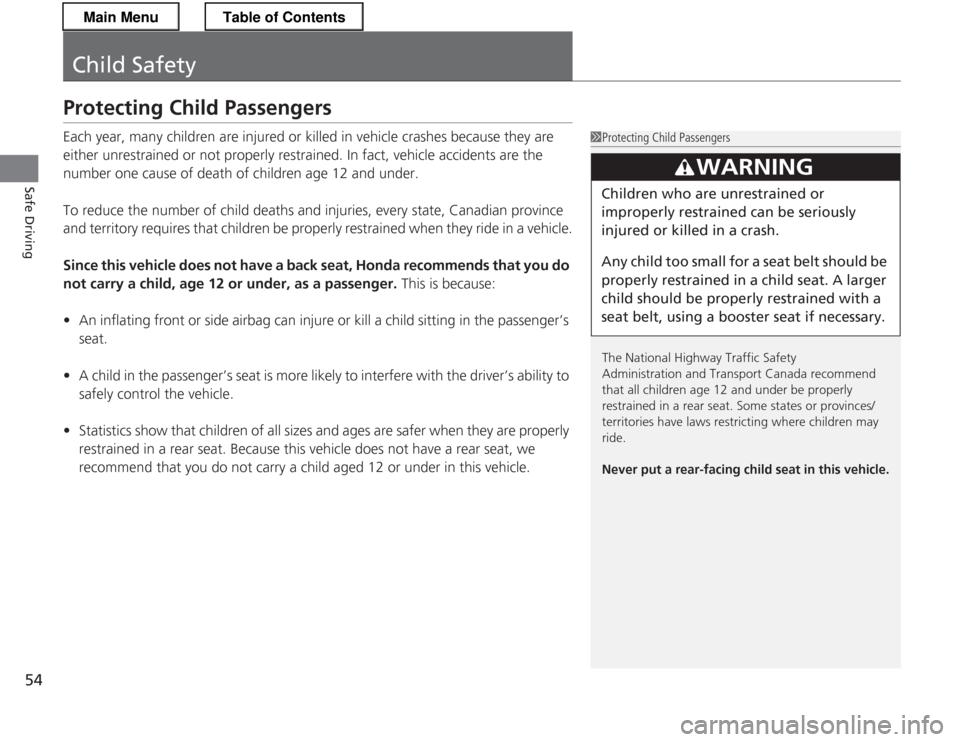
Protecting Child Passengers
Each year, many children are injured or killed in vehicle crashes because they are
either unrestrained or not properly restrained. In fact, vehicle accidents are the
number one cause of death of children age 12 and under.
To reduce the number of child deaths and injuries, every state, Canadian province
and territory requires that children be properly restrained when they ride in a vehicle.
Since this vehicle does not have a back seat, Honda recommends that you do
not carry a child, age 12 or under, as a passenger. This is because:
• An inflating front or side airbag can injure or kill a child sitting in the passenger’s
seat.
• A child in the passenger’s seat is more likely to interfere with the driver’s ability to
safely control the vehicle.
• Statistics show that ch ildren of all sizes and ages are safer when they are properly
restrained in a rear seat. Because this vehicle does not have a rear seat, we
recommend that you do not carry a ch ild aged 12 or under in this vehicle.
1Protecting Child Passengers
The National Highway Traffic Safety
Administration and Transport Canada recommend
that all children age 12 and under be properly
restrained in a rear seat. Some states or provinces/
territories have laws restricting where children may
ride.
Never put a rear-facing child seat in this vehicle.
3WARNING
Children who are unrestrained or
improperly restrained can be seriously
injured or killed in a crash.
Any child too small for a seat belt should be
properly restrained in a child seat. A larger
child should be properly restrained with a
seat belt, using a booster seat if necessary.
Main MenuTable of Contents
Page 79 of 325
78
uuIndicatorsuMulti-Information Display Warning and Information Messages
Instrument Panel
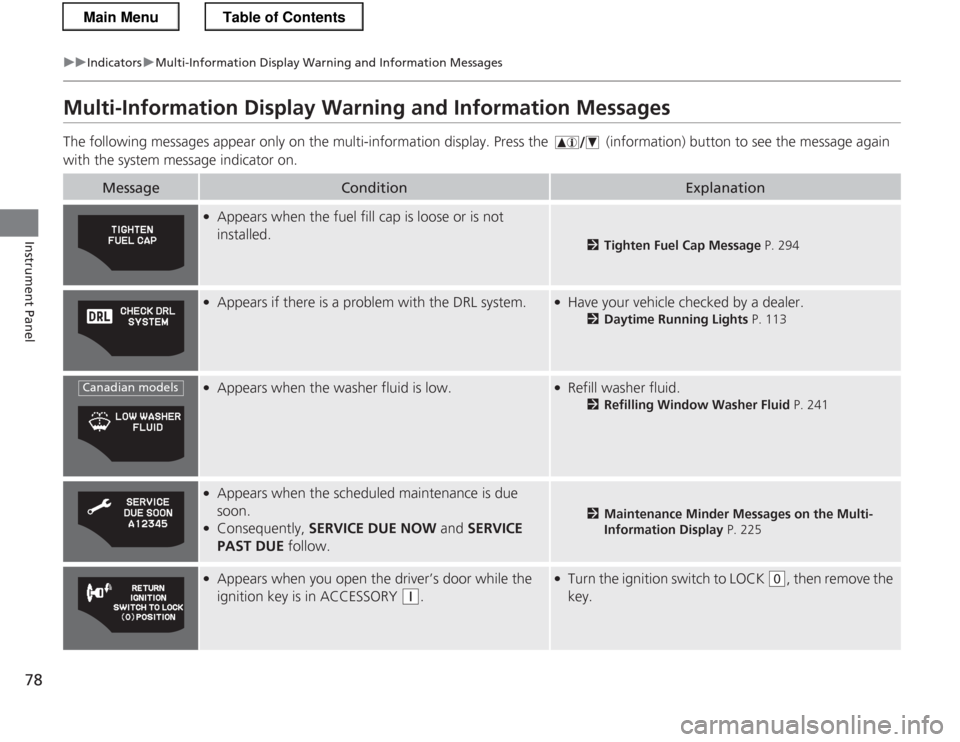
Multi-Information Display Warning and Information Messages
The following messages appear only on the multi-information display. Pres s the (information) button to see the message again
with the system message indicator on.
MessageConditionExplanation
● Appears when the fuel fill cap is loose or is not installed.
2 Tighten Fuel Cap Message P. 294
●
Appears if there is a problem with the DRL system.●Have your vehicle checked by a dealer.
2Daytime Running Lights P. 113
●
Appears when the washer fluid is low.●Refill washer fluid.
2Refilling Window Washer Fluid P. 241
●
Appears when the scheduled maintenance is due
soon.
● Consequently, SERVICE DUE NOW and SERVICE
PAST DUE follow.
2Maintenance Minder Messages on the Multi-
Information Display P. 225
●
Appears when you open the driver’s door while the
ignition key is in ACCESSORY
(q .
●
Turn the ignition switch to LOCK (0 , then remove the
key.
Canadian models
Main MenuTable of Contents
Page 80 of 325
79
uuIndicatorsuMulti-Information Display Warning and Information Messages
Continued
Instrument Panel
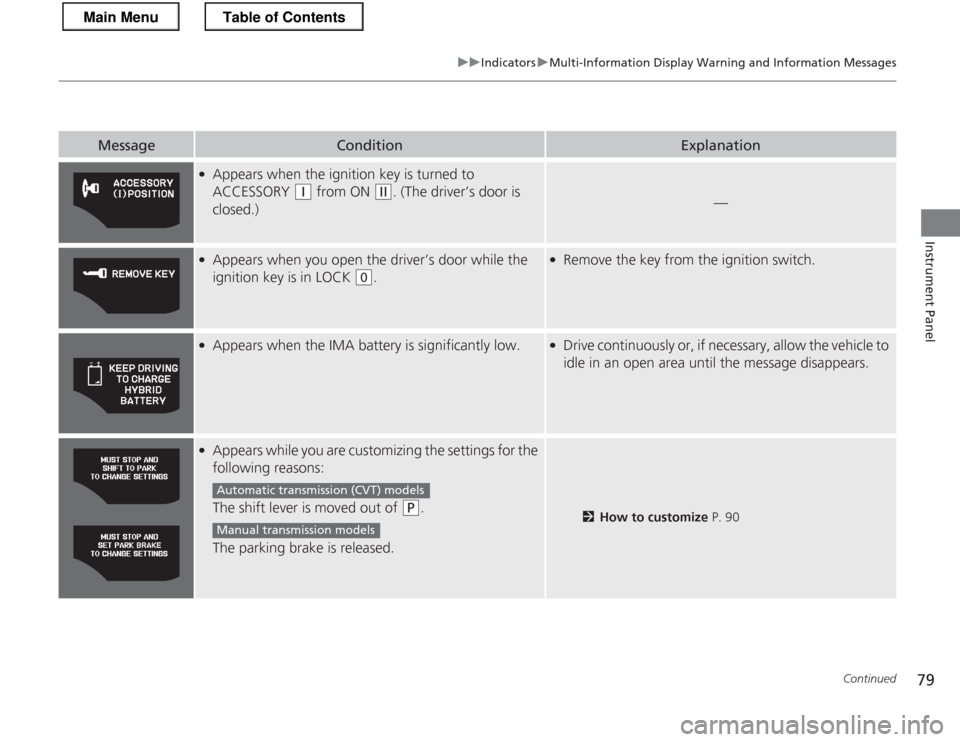
MessageConditionExplanation
●Appears when the ignition key is turned to
ACCESSORY
(q from ON (w. (The driver’s door is
closed.)—
● Appears when you open the driver’s door while the
ignition key is in LOCK
(0 .
●
Remove the key from the ignition switch.
●
Appears when the IMA battery is significantly low.●Drive continuously or, if necessary, allow the vehicle to
idle in an open area until the message disappears.
●Appears while you are customizing the settings for the
following reasons:
The shift lever is moved out of
(P .
The parking brake is released.2 How to customize P. 90
Automatic transmiss ion (CVT) models
Manual transmission models
Main MenuTable of Contents
Page 94 of 325
93
uuGauges and Multi-Information DisplayuMulti-Information Display
Continued
Instrument Panel
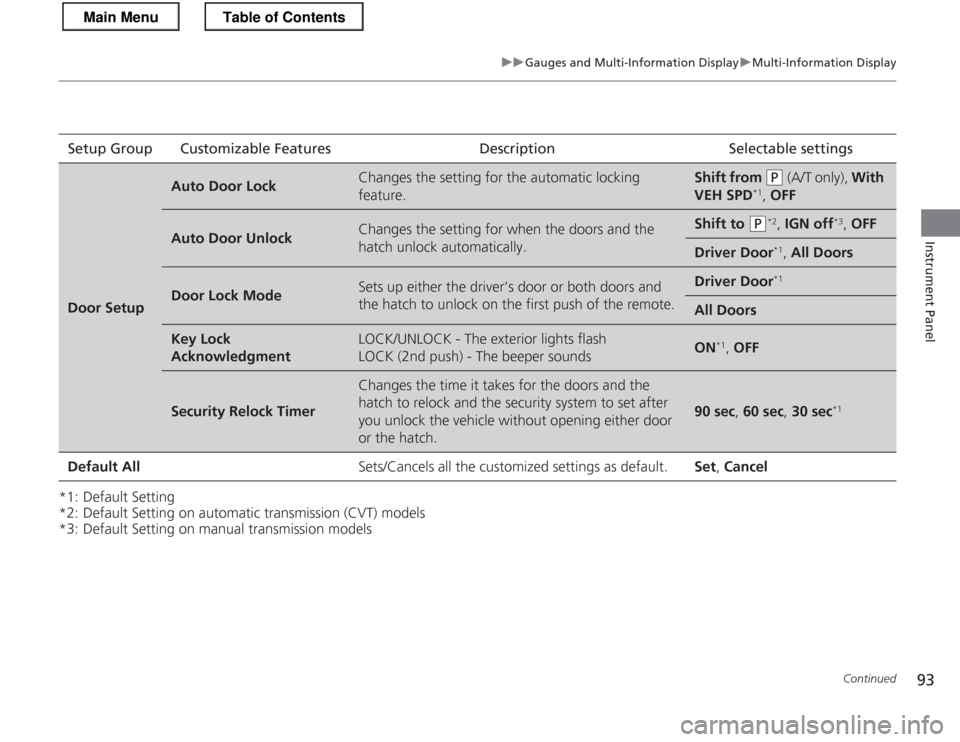
*1: Default Setting
*2: Default Setting on automatic transmission (CVT) models
*3: Default Setting on manual transmission modelsSetup Group Customizable Features Description Selectable settings
Door Setup
Auto Door LockChanges the setting for the automatic locking
feature.Shift from (P
(A/T only), With
VEH SPD *1
, OFF
Auto Door UnlockChanges the setting for when the doors and the
hatch unlock automatically.Shift to (P *2
, IGN off *3
, OFF
Driver Door *1
, All Doors
Door Lock ModeSets up either the driver’s door or both doors and
the hatch to unlock on the first push of the remote.Driver Door *1
All Doors
Key Lock AcknowledgmentLOCK/UNLOCK - The exterior lights flash
LOCK (2nd push) - The beeper soundsON*1
, OFF
Security Relock Timer
Changes the time it takes for the doors and the
hatch to relock and the security system to set after
you unlock the vehicle without opening either door
or the hatch.
90 sec , 60 sec , 30 sec *1
Default All Sets/Cancels all the customized settings as default. Set, Cancel
Main MenuTable of Contents
Page 101 of 325
100
uuLocking and Unlocking the DoorsuLocking/Unlocking the Doors from the Outside
Controls
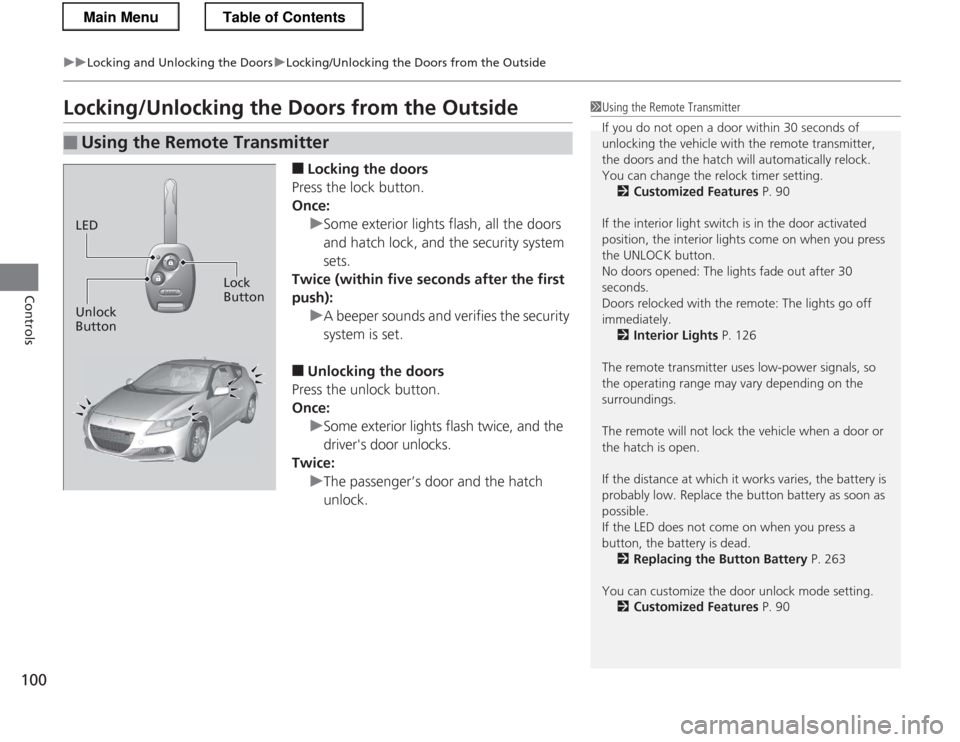
Locking/Unlocking the Doors from the Outside■Locking the doors
Press the lock button.
Once:
uSome exterior lights flash, all the doors
and hatch lock, and the security system sets.
Twice (within five seconds after the first push):
uA beeper sounds and verifies the security system is set.
■ Unlocking the doors
Press the unlock button.
Once:
uSome exterior lights flash twice, and the
driver's door unlocks.
Twice:
uThe passenger’s door and the hatch unlock.
■Using the Remote Transmitter
1Using the Remote Transmitter
If you do not open a door within 30 seconds of
unlocking the vehicle with the remote transmitter,
the doors and the hatch will automatically relock.
You can change the relock timer setting. 2 Customized Features P. 90
If the interior light switch is in the door activated
position, the interior lights come on when you press
the UNLOCK button.
No doors opened: The lights fade out after 30
seconds.
Doors relocked with the remote: The lights go off
immediately. 2 Interior Lights P. 126
The remote transmitter uses low-power signals, so
the operating range may vary depending on the surroundings.
The remote will not lock the vehicle when a door or the hatch is open.
If the distance at which it works varies, the battery is
probably low. Replace the button battery as soon as possible.
If the LED does not come on when you press a
button, the battery is dead. 2 Replacing the Button Battery P. 263
You can customize the door unlock mode setting. 2 Customized Features P. 90
LED
Unlock Button Lock
Button
Main MenuTable of Contents