audio HONDA HRV 2022 User Guide
[x] Cancel search | Manufacturer: HONDA, Model Year: 2022, Model line: HRV, Model: HONDA HRV 2022Pages: 641, PDF Size: 21.37 MB
Page 141 of 641
139
uuClock uAdjusting the Clock
Controls
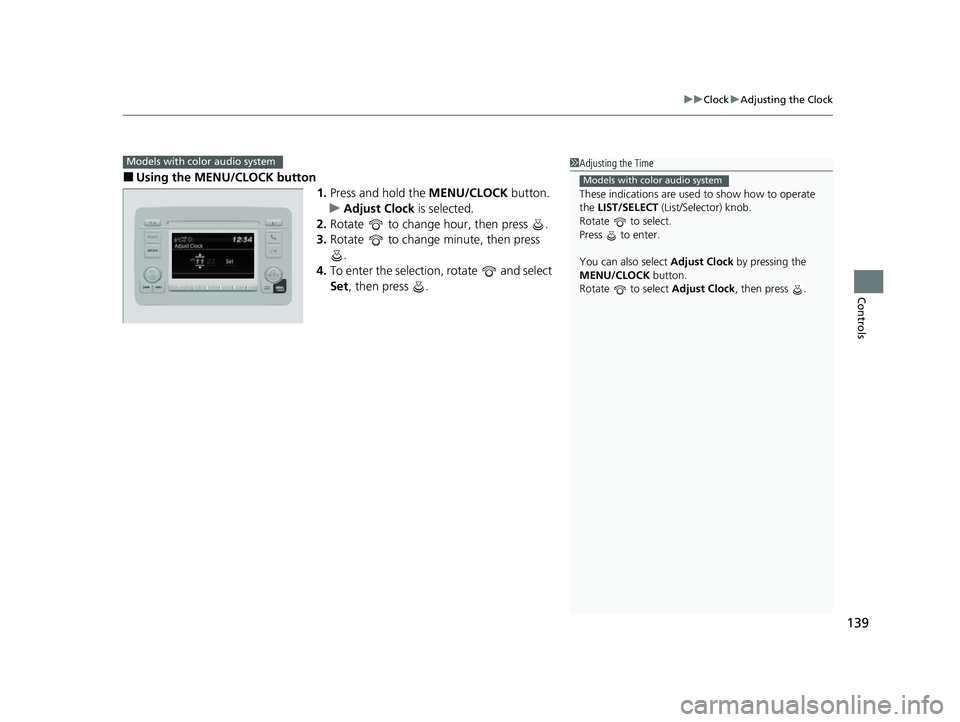
■Using the MENU/CLOCK button
1.Press and hold the MENU/CLOCK button.
u Adjust Clock is selected.
2. Rotate to change hour, then press .
3. Rotate to change minute, then press
.
4. To enter the selection, rotate and select
Set, then press .
Models with color audio system1Adjusting the Time
These indications are used to show how to operate
the LIST/SELECT (List/Selector) knob.
Rotate to select.
Press to enter.
You can also select Adjust Clock by pressing the
MENU/CLOCK button.
Rotate to select Adjust Clock, then press .
Models with color audio system
22 HR-V HDMC-31T7A6600.book 139 ページ 2021年4月12日 月曜日 午前10時50分
Page 165 of 641
163Continued
Controls
Security System
Immobilizer System
The immobilizer system prevents a key that has not been pre-registered from
starting the engine. Each key contains electronic transmitters that use electronic
signals to verify the key.
Pay attention to the following when insert ing the key into the ignition switch or
pressing the ENGINE START/STOP button:
• Do not allow objects that emit strong ra dio waves near the ignition switch or the
ENGINE START/STOP button.
• Make sure the key is not covered by or touching a metal object.
• Do not bring a key from another vehicle’s immobilizer system near the ignition
switch or the ENGINE START/STOP button.
• Do not put the key near magnetic items. El ectronic device, such as televisions and
audio systems emit strong magnetic fiel ds. Note that even a key chain can
become magnetic.
Security System Alarm
The security system alarm activates when the tailgate, hood or doors are forcibly
opened. The alarm does not activate if the tailgate or doors are opened with the key,
remote transmitter or keyless access system
*.
However, the alarm activates if a door is opened with the key and then the
transmission is taken out of
(P or the hood is opened before the ignition switch is
turned to ON
(w*1.
■When the security system alarm activates
The horn sounds intermittently and all of the exterior lights flash.
*1: Models with the keyless access system have an ENGINE START/STOP button instead of an
ignition switch.
1 Immobilizer System
NOTICE
Leaving the key in the vehicl e can result in theft or
accidental movement of the vehicle.
Always take the key with you whenever you leave the
vehicle unattendedM
Do not alter the system or add other devices to itM
Doing so may damage the system and make your
vehicle inoperableM
1 Security System Alarm
The security alarm continues for a maximum of two
minutes until the security system alarm deactivates.
* Not available on all models
22 HR-V HDMC-31T7A6600.book 163 ページ 2021年4月12日 月曜日 午前10時50分
Page 171 of 641
169
Controls
Operating the Switches Around the Steering Wheel
Ignition Switch
Models without keyless access system
1Ignition Switch
You cannot take the key out unless the shift lever is
in
( P.
If you open the driver’s door when the key is in LOCK
(0 or ACCESSORY (q, a warning buzzer will sound
to remind you to take the key out.
When the warning buzzer sounds, the following
messages appear on the multi-information display:
•In LOCK ( 0: the symbol with an Remove
Key From Ignition
•In ACCESSORY ( q: the symbol with a
Return Ignition Switch To Lock (0) Position
If the key won’t turn from LOCK
( 0 to ACCESSORY
(q, turn the key while moving the steering wheel left
and right. The steering wh eel will unlock, allowing
the key to turn.
Models with multi-information display
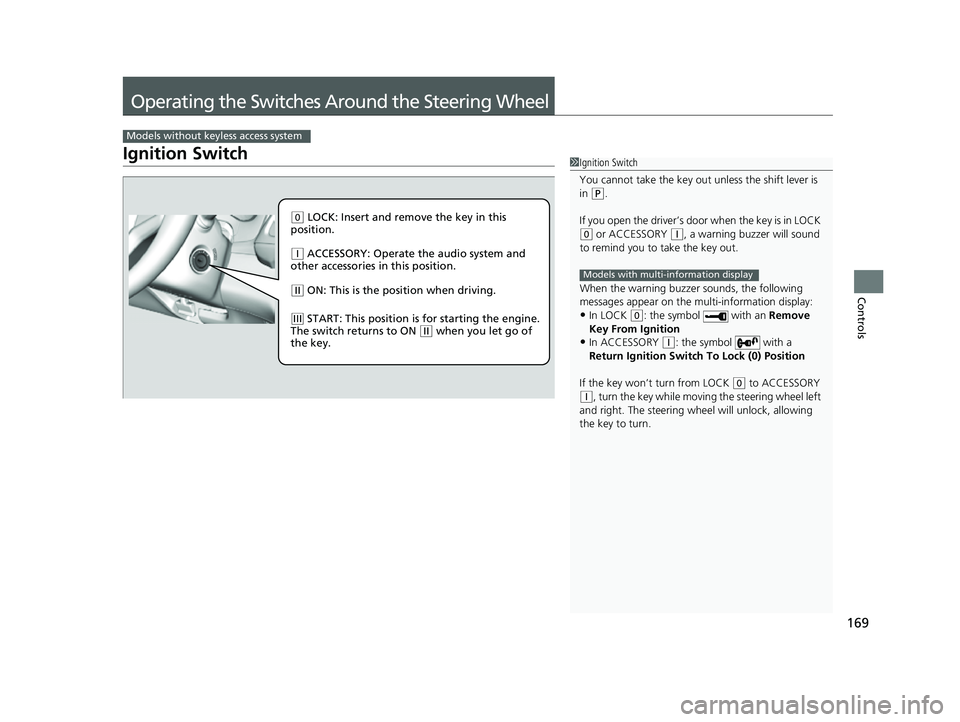
( 0 LOCK: Insert and remove the key in this
position.
( q ACCESSORY: Operate the audio system and
other accessories in this position.
( w ON: This is the position when driving.
(e START: This position is for starting the engine.
The switch returns to ON ( w when you let go of
the key.
22 HR-V HDMC-31T7A6600.book 169 ページ 2021年4月12日 月曜日 午前10時50分
Page 172 of 641
170
uuOperating the Switches Around the Steering Wheel uENGINE START/STOP Button
Controls
ENGINE START/STOP Button
*1: Canadian models
*2: U.S. models
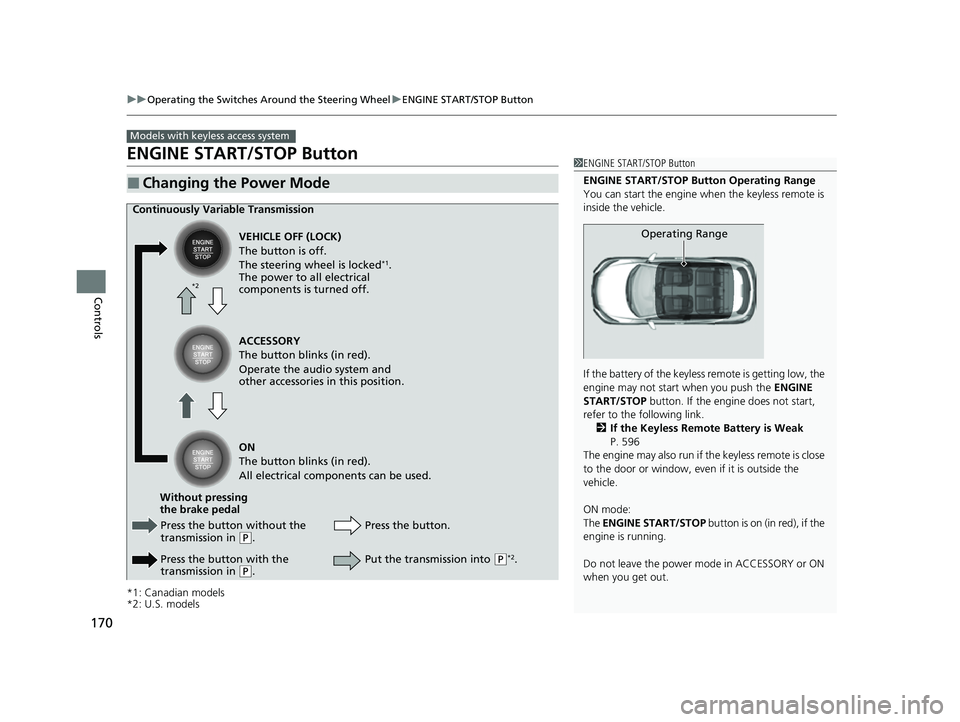
■Changing the Power Mode
Models with keyless access system
1ENGINE START/STOP Button
ENGINE START/STOP Button Operating Range
You can start the engine when the keyless remote is
inside the vehicle.
If the battery of the keyless remote is getting low, the
engine may not start when you push the ENGINE
START/STOP button. If the engi ne does not start,
refer to the following link. 2 If the Keyless Remote Battery is Weak
P. 596
The engine may also run if the keyless remote is close
to the door or window, even if it is outside the
vehicle.
ON mode:
The ENGINE START/STOP button is on (in red), if the
engine is running.
Do not leave the power mode in ACCESSORY or ON
when you get out.
Operating Range
Continuously Variable Transmission
VEHICLE OFF (LOCK)
The button is off.
The steering wheel is locked
*1.
The power to all electrical
components is turned off.
Press the button without the
transmission in
( P.
Press the button with the
transmission in
( P. Press the button.
Without pressing
the brake pedal ACCESSORY
The button blinks (in red).
Operate the audio system and
other accessories in this position.
ON
The button blinks (in red).
All electrical components can be used.
Put the transmission into (P*2.
*2
22 HR-V HDMC-31T7A6600.book 170 ページ 2021年4月12日 月曜日 午前10時50分
Page 175 of 641
173
uuOperating the Switches Around the Steering Wheel uIgnition Switch and Power Mode Comparison
Controls
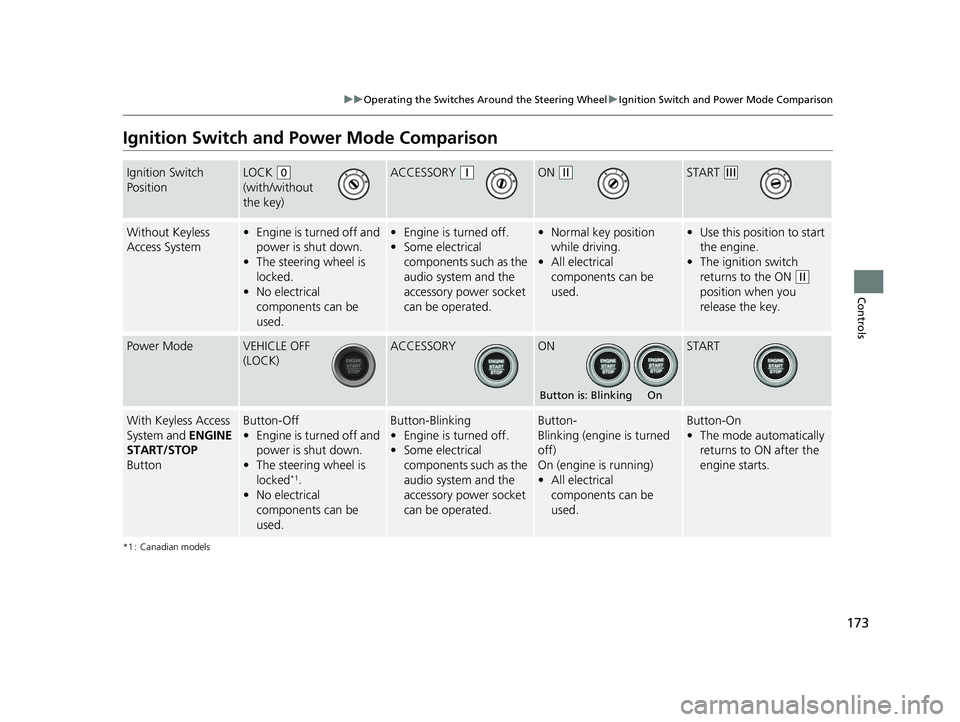
Ignition Switch and Po wer Mode Comparison
*1 : Canadian models
Ignition Switch
PositionLOCK (0
(with/without
the key)ACCESSORY (qON (wSTART (e
Without Keyless
Access System• Engine is turned off and
power is shut down.
• The steering wheel is
locked.
• No electrical
components can be
used.•Engine is turned off.
• Some electrical
components such as the
audio system and the
accessory power socket
can be operated.• Normal key position
while driving.
• All electrical
components can be
used.•Use this position to start
the engine.
• The ignition switch
returns to the ON
(w
position when you
release the key.
Power ModeVEHICLE OFF
(LOCK)ACCESSORYONSTART
With Keyless Access
System and ENGINE
START/STOP
ButtonButton-Off
• Engine is turned off and
power is shut down.
• The steering wheel is
locked
*1.
• No electrical
components can be
used.
Button-Blinking
•Engine is turned off.
• Some electrical
components such as the
audio system and the
accessory power socket
can be operated.Button-
Blinking (engine is turned
off)
On (engine is running)
• All electrical
components can be
used.Button-On
•The mode automatically
returns to ON after the
engine starts.
Button is: Blinking On
22 HR-V HDMC-31T7A6600.book 173 ページ 2021年4月12日 月曜日 午前10時50分
Page 233 of 641
231
Features
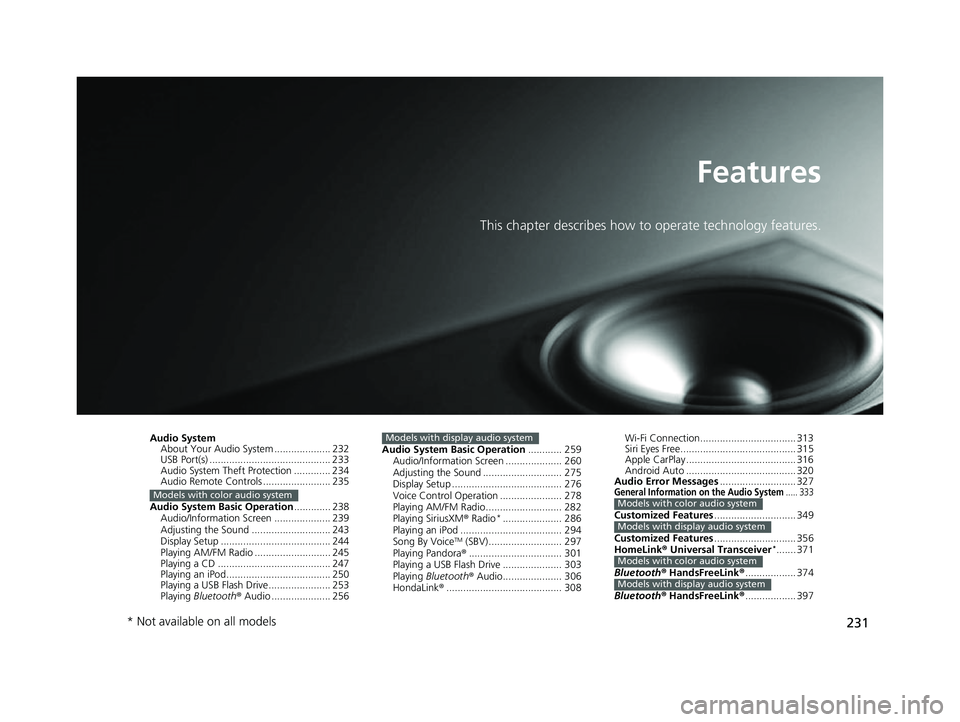
This chapter describes how to operate technology features.
Audio System
About Your Audio System .................... 232
USB Port(s) ........................................... 233
Audio System Theft Protection ............. 234
Audio Remote Controls ........................ 235
Audio System Basic Operation ............. 238
Audio/Information Screen .................... 239
Adjusting the Sound ............................ 243
Display Setup ....................................... 244
Playing AM/FM Radio ........................... 245
Playing a CD ........................................ 247
Playing an iPod..................................... 250
Playing a USB Flash Drive...................... 253
Playing Bluetooth ® Audio ..................... 256
Models with color audio system
Audio System Basic Operation ............ 259
Audio/Information Screen .................... 260
Adjusting the Sound ............................ 275
Display Setup ....................................... 276
Voice Control Operation ...................... 278
Playing AM/FM Radio........................... 282
Playing SiriusXM ® Radio
*..................... 286
Playing an iPod .................................... 294
Song By Voice
TM (SBV).......................... 297
Playing Pandora® ................................. 301
Playing a USB Flash Drive ..................... 303
Playing Bluetooth ® Audio..................... 306
HondaLink® ......................................... 308
Models with display audio systemWi-Fi Connection.................................. 31R
Siri Eyes Free........................................M 31T
Apple CarPlay ......................................M 31U
Android Auto ......................................M 32O
Audio Error Messages ........................... 327
General Information on the Audio System..... 333
Customized Features............................. 349
Customized Features ............................. 356
HomeLink ® Universal Transceiver
*....... 371
Bluetooth ® HandsFreeLink ®.................. 374
Bluetooth ® HandsFreeLink ®.................. 397
Models with color audio system
Models with display audio system
Models with color audio system
Models with display audio system
* Not available on all models
22 HR-V HDMC-31T7A6600.book 231 ページ 2021年4月12日 月曜日 午前10時50分
Page 234 of 641
232
Features
Audio System
About Your Audio System
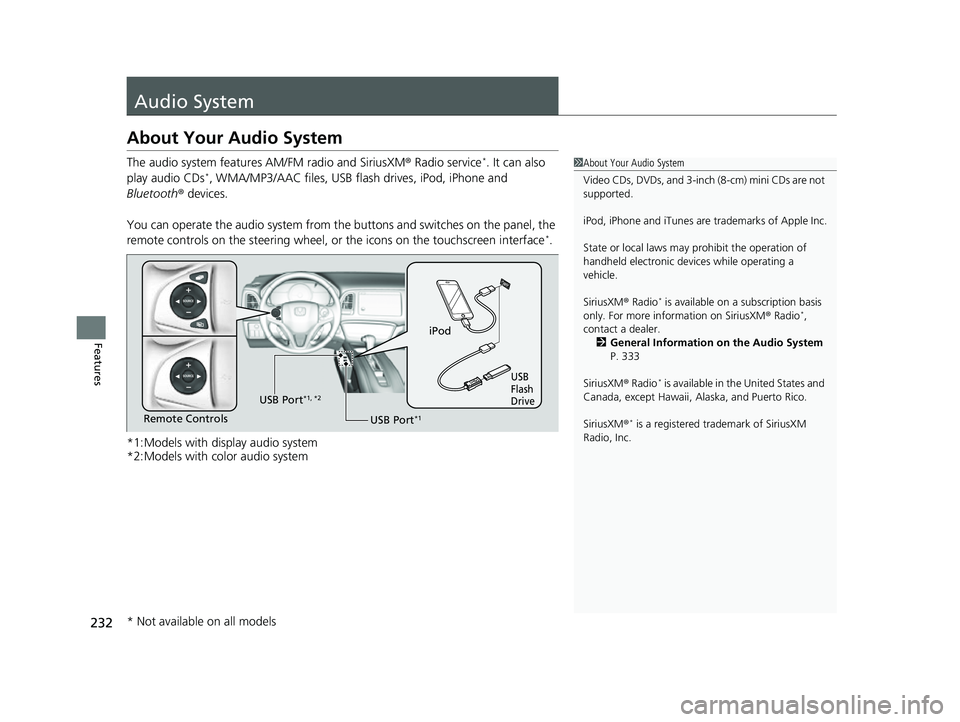
The audio system features AM/FM radio and SiriusXM ® Radio service*. It can also
play audio CDs*, WMA/MP3/AAC files, USB flas h drives, iPod, iPhone and
Bluetooth ® devices.
You can operate the audio system from the buttons and switches on the panel, the
remote controls on the steering wheel, or the icons on the touchscreen interface
*.
*1:Models with display audio system
*2:Models with color audio system
1 About Your Audio System
Video CDs, DVDs, and 3-inch (8-cm) mini CDs are not
supported.
iPod, iPhone and iTunes are trademarks of Apple Inc.
State or local laws may prohibit the operation of
handheld electronic devi ces while operating a
vehicle.
SiriusXM ® Radio
* is available on a subscription basis
only. For more information on SiriusXM ® Radio*,
contact a dealer.
2 General Information on the Audio System
P. 333
SiriusXM ® Radio
* is available in the United States and
Canada, except Ha waii, Alaska, and Puerto Rico.
SiriusXM ®
* is a registered tra demark of SiriusXM
Radio, Inc.
iPod
USB
Flash
Drive
USB Port*1Remote Controls USB Port
*1, *2
* Not available on all models
22 HR-V HDMC-31T7A6600.book 232 ページ 2021年4月12日 月曜日 午前10時50分
Page 235 of 641
233
uuAudio System uUSB Port(s)
Features
USB Port(s)
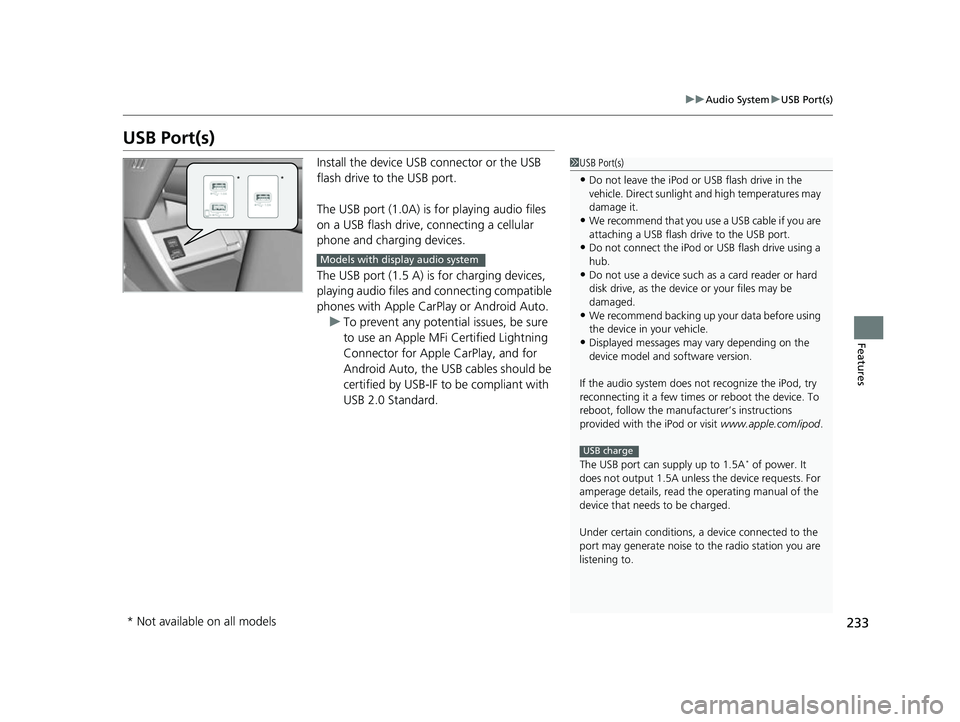
Install the device USB connector or the USB
flash drive to the USB port.
The USB port (1.0A) is for playing audio files
on a USB flash drive, connecting a cellular
phone and charging devices.
The USB port (1.5 A) is for charging devices,
playing audio files and connecting compatible
phones with Apple CarPlay or Android Auto.
u To prevent any potenti al issues, be sure
to use an Apple MFi Certified Lightning
Connector for Apple CarPlay, and for
Android Auto, the USB cables should be
certified by USB-IF to be compliant with
USB 2.0 Standard.1 USB Port(s)
•Do not leave the iPod or USB flash drive in the
vehicle. Direct sunlight and high temperatures may
damage it.
•We recommend that you us e a USB cable if you are
attaching a USB flash drive to the USB port.
•Do not connect the iPod or USB flash drive using a
hub.
•Do not use a device such as a card reader or hard
disk drive, as the device or your files may be
damaged.
•We recommend backing up yo ur data before using
the device in your vehicle.
•Displayed messages may vary depending on the
device model and software version.
If the audio system does not recognize the iPod, try
reconnecting it a few times or reboot the device. To
reboot, follow the manufac turer’s instructions
provided with the iPod or visit www.apple.com/ipod.
The USB port can supply up to 1.5A
* of power. It
does not output 1.5A unless the device requests. For
amperage details, read th e operating manual of the
device that needs to be charged.
Under certain condi tions, a device connected to the
port may generate noise to the radio station you are
listening to.
USB charge
**
Models with display audio system
* Not available on all models
22 HR-V HDMC-31T7A6600.book 233 ページ 2021年4月12日 月曜日 午前10時50分
Page 236 of 641
234
uuAudio System uAudio System Theft Protection
Features
Audio System Theft Protection
The audio system is disabled when it is disconnected from the power source, such as
when the battery is disconnected or goes dead. In certain conditions, the system
may display a code entry screen. If this occurs, reactivate the audio system.
■Reactivating the audio system
1. Turn the ignition switch to ON
(w*1.
2. Turn on the audio system.
3. Press and hold the audio system power button for more than two seconds.
u The audio system is reac tivated when the audio co ntrol unit establishes a
connection with the vehicle control unit. If the control unit fails to recognize
the audio unit, you must go to a dealer and have the audio unit checked.
*1: Models with the keyless access system have an ENGINE START/STOP button instead of an
ignition switch.
22 HR-V HDMC-31T7A6600.book 234 ページ 2021年4月12日 月曜日 午前10時50分
Page 237 of 641
235
uuAudio System uAudio Remote Controls
Continued
Features
Audio Remote Controls
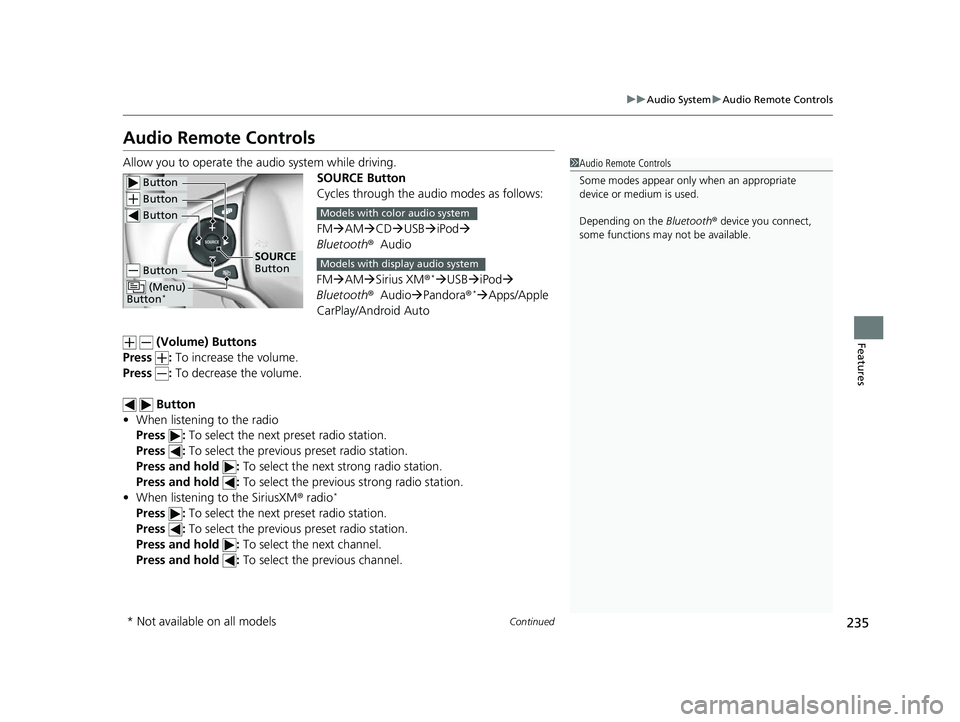
Allow you to operate the au dio system while driving.
SOURCE Button
Cycles through the audio modes as follows:
FMAM CD USB iPod
Bluetooth ®Audio
FM AM Sirius XM®
*USB iPod
Bluetooth ®Audio Pandora®* Apps/Apple
CarPlay/Android Auto
(Volume) Buttons
Press : To increase the volume.
Press : To decrease the volume.
Button
• When listening to the radio
Press : To select the next preset radio station.
Press : To select the previous preset radio station.
Press and hold : To select the next strong radio station.
Press and hold : To select the previous strong radio station.
• When listening to the SiriusXM ® radio
*
Press : To select the next preset radio station.
Press : To select the previous preset radio station.
Press and hold : To select the next channel.
Press and hold : To select the previous channel.
1Audio Remote Controls
Some modes appear only when an appropriate
device or medium is used.
Depending on the Bluetooth® device you connect,
some functions may not be available.
Button
Button
Button
Button
(Menu)
Button*
SOURCE
Button
Models with color audio system
Models with display audio system
* Not available on all models
22 HR-V HDMC-31T7A6600.book 235 ページ 2021年4月12日 月曜日 午前10時50分