steering wheel HONDA ODYSSEY 2018 (in English) Workshop Manual
[x] Cancel search | Manufacturer: HONDA, Model Year: 2018, Model line: ODYSSEY, Model: HONDA ODYSSEY 2018Pages: 763, PDF Size: 47.02 MB
Page 552 of 763
550
uuWhen Driving uShifting
Driving
Use the paddle shifters to change between 1st and 9th* or 10th* gears without
removing your hands from the steering wheel . The transmission will switch to the
sequential mode.
■When the transmission is in (D:
The vehicle will go into the sequential mo de momentarily, and the sequential mode
gear selection indicator will come on.
When the vehicle goes into the sequential mode by
(- paddle shifter and the lower
gear is available, the trans mission properly selects single or double gear change.
Once you start traveling at a constant sp eed, the sequential mode will automatically
switch off, and the sequential mode gear selection indicator will go off.
Hold the
(+ paddle shifter for two seconds to return to normal drive.
■When the transmission is in (S:
The vehicle will go into th e sequential mode, and the M (sequential mode) indicator
and sequential mode gear selection indicator will come on.
If the vehicle speed increases and the engi ne speed reaches near the tachometer’s
red zone, the transmission automatica lly shifts up to the next gear.
You can cancel this mode by holding the
(+ paddle shifter for two seconds. When
the sequential mode is canceled, the sequ ential mode indicator and sequential
mode gear selection indicator go off.
■Sequential Mode
ELITE and TOURING grade models
* Not available on all models
18 US ODYSSEY-31THR6010.book 550 ページ 2018年12月6日 木曜日 午後4時18分
Page 556 of 763
554
uuWhen Driving uAuto Idle Stop*
Driving
■Auto Idle Stop may not activate when:
• The vehicle is stopped by braking suddenly.
• The steering wheel is operated.
• The fan speed is high.
• Altitude is high.
• The vehicle is repeated ly accelerated and dece lerated at a low speed.
• The climate control system is in use, and there is a significant difference between
the set temperature and the actual interior temperature.
• Humidity in the interior is high.
• The rear fan is set to maximum speed.
u Auto Idle Stop may not ac tivate under other conditions when the rear climate
control system is in use.
18 US ODYSSEY-31THR6010.book 554 ページ 2018年12月6日 木曜日 午後4時18分
Page 557 of 763
Continued555
uuWhen Driving uAuto Idle Stop*
Driving
• The brake pedal is released (without the automatic brake hold system activated).
• The accelerator pedal is depressed (with the automatic brake hold system
activated).
2 Automatic Brake Hold P. 604
■The engine restarts even if the brake pedal is depressed*1 when:
• The Auto Idle Stop OFF button is pressed.
• When a steering wheel is operated.
• The transmission is put into
(R, (S, and (P, or taken out of (N and put into (D.
• The pressure on the brake pedal is reduced and the vehicle starts moving while
stopped on an incline.
• The pressure on the brake pedal is repeat edly applied and released slightly during
a stop.
• The battery charge becomes low.
• The accelerator pedal is depressed.
• The driver’s seat belt is unlatched.
• is on (indicator on).
• The climate control system is in use, and the difference between the set
temperature and actual interior temperature becomes significant.
• The climate control system is being used to dehumidify the interior.
• The rear fan is set to maximum speed.
u Auto Idle Stop may not activate under other conditions when the rear climate
control system is in use.
• When the Intelligent Traction Management is set to Snow.
■The Engine Automatically Restarts When:1The Engine Automatically Restarts When:
If you are using an electroni c device during Auto Idle
Stop, the device may tempor arily be turned off when
the engine restarts.
1 The engine restarts even if the brake pedal is depressed*1 when:
*1: With the automatic brake hold system activated,
you can release the brake pe dal during Auto Idle Stop
is in operation.
18 US ODYSSEY-31THR6010.book 555 ページ 2018年12月6日 木曜日 午後4時18分
Page 561 of 763
559
uuWhen Driving uCruise Control*
Continued
Driving
Cruise Control*
Maintains a constant vehicle speed without having to keep your foot on the
accelerator. Use cruise control on freeways or open road s where you can travel at a
constant speed with little ac celeration or deceleration.1Cruise Control*
It may not be possible to maintain a constant speed
when driving uphill or downhill.
When not using cruise control:
Turn off cruise control by pressing the CRUISE
button.
While in the ECON mode, it may take relatively more
time to accelerate to maintain the set speed.
Cruise control is not avai lable when the snow mode
is in operation.
3WARNING
Improper use of the cruise control can lead
to a crash.
Use the cruise control only when traveling
on open highways in good weather.When to use
■Gear positions for cruise control:
In ( D or (S Always keep sufficient distance
between you and the vehicle in
front of you.
■Vehicle speed for cruise control:
Desired speed in a range above
roughly 25 mph (40 km/h) ~
How to use
CRUISE MAIN
is on in the
instrument panel.
Cruise control is ready to use.
■Press the CRUISE button on
the steering wheel.
* Not available on all models
18 US ODYSSEY-31THR6010.book 559 ページ 2018年12月6日 木曜日 午後4時18分
Page 563 of 763
561
uuWhen Driving uCruise Control*
Driving
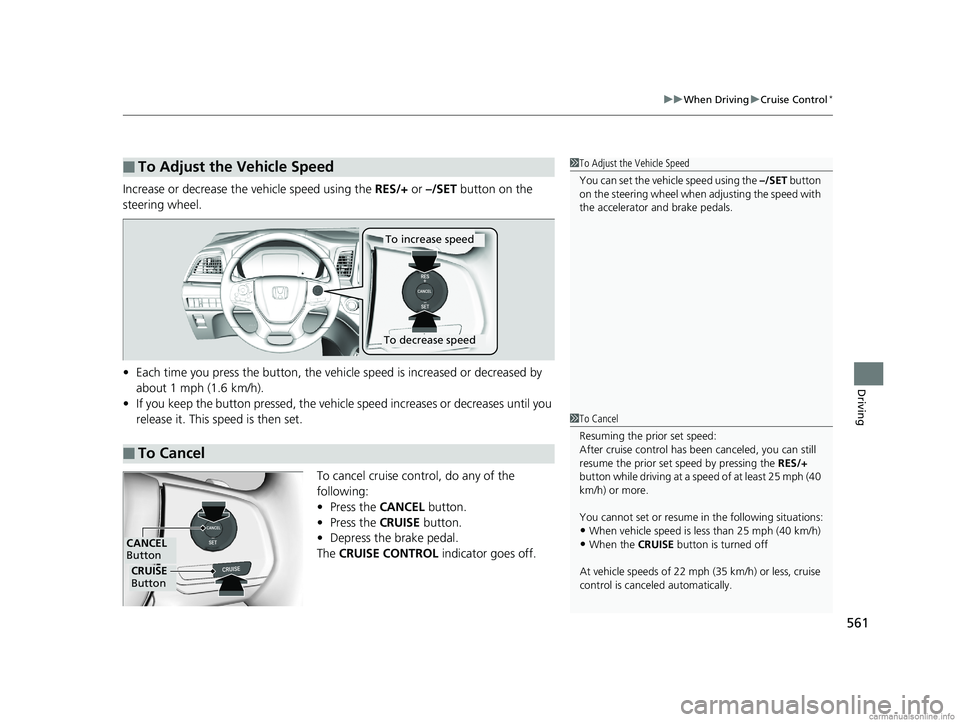
Increase or decrease the vehicle speed using the RES/+ or –/SET button on the
steering wheel.
• Each time you press the button, the vehicl e speed is increased or decreased by
about 1 mph (1.6 km/h).
• If you keep the button pressed, the vehicl e speed increases or decreases until you
release it. This speed is then set.
To cancel cruise control, do any of the
following:
• Press the CANCEL button.
• Press the CRUISE button.
• Depress the brake pedal.
The CRUISE CONTROL indicator goes off.
■To Adjust the Vehicle Speed1To Adjust the Vehicle Speed
You can set the vehicle speed using the –/SET button
on the steering wheel when adjusting the speed with
the accelerator and brake pedals.
■To Cancel
To decrease speed
To increase speed
1 To Cancel
Resuming the prior set speed:
After cruise control has be en canceled, you can still
resume the prior set speed by pressing the RES/+
button while driving at a speed of at least 25 mph (40
km/h) or more.
You cannot set or resume in the following situations:
•When vehicle speed is less than 25 mph (40 km/h)
•When the CRUISE button is turned off
At vehicle speeds of 22 m ph (35 km/h) or less, cruise
control is canceled automatically.
CRUISE
Button
CANCEL
Button
18 US ODYSSEY-31THR6010.book 561 ページ 2018年12月6日 木曜日 午後4時18分
Page 567 of 763
Continued565
uuWhen Driving uAdaptive Cruise Control (ACC)*
Driving
■How to activate the system1Adaptive Cruise Control (ACC)*
Important Reminder
As with any system, there are limits to ACC. Use the
brake pedal whenever necessary, and always keep a
safe interval betw een your vehicle and other vehicles.
You can read about handling information for the
camera equipped with this system. 2 Front Sensor Camera
* P. 562
The radar sensor for ACC is shared with the Collision
Mitigation Braking System
TM (CMBSTM).
2 Collision Mitigation Braking SystemTM
(CMBSTM)* P. 608
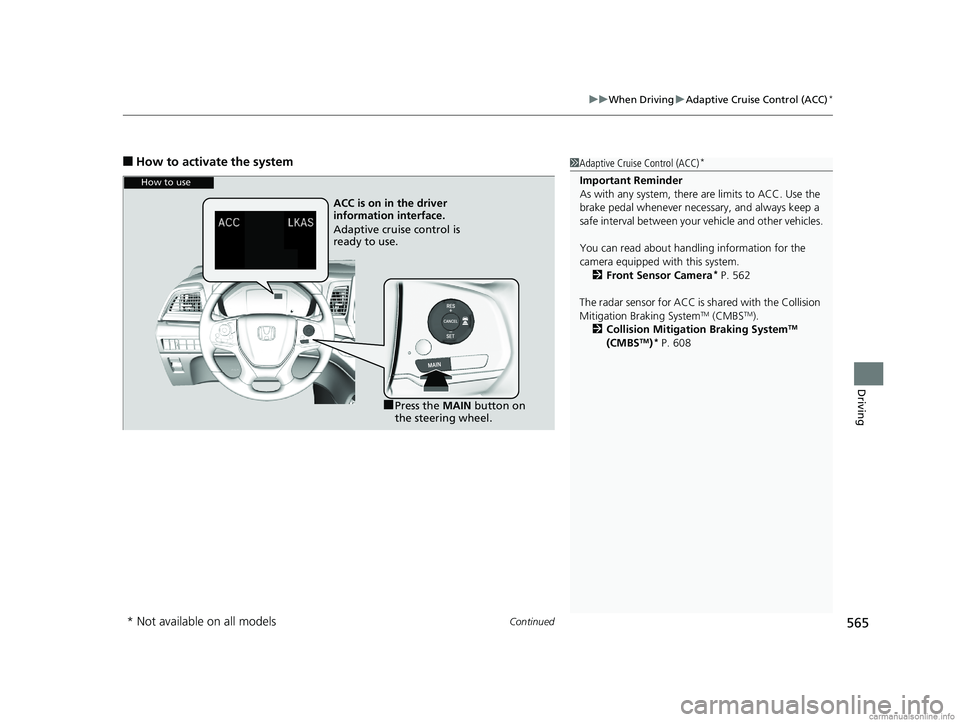
How to use
ACC is on in the driver
information interface.
Adaptive cruise control is
ready to use.
■Press the MAIN button on
the steering wheel.
* Not available on all models
18 US ODYSSEY-31THR6010.book 565 ページ 2018年12月6日 木曜日 午後4時18分
Page 573 of 763
Continued571
uuWhen Driving uAdaptive Cruise Control (ACC)*
Driving
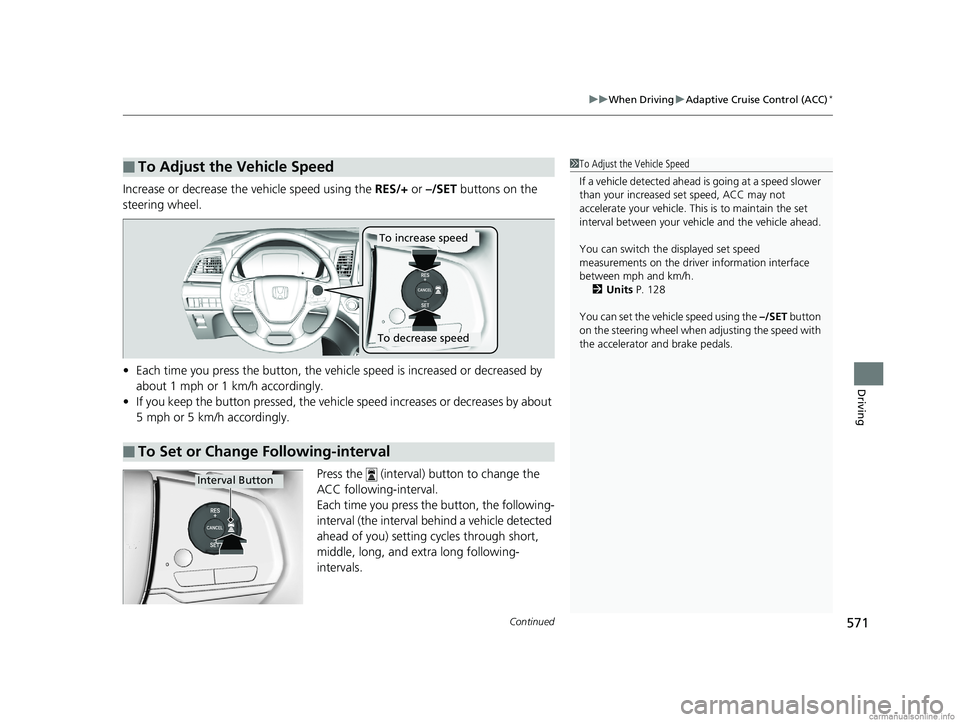
Increase or decrease the vehicle speed using the RES/+ or –/SET buttons on the
steering wheel.
• Each time you press the button, the vehicl e speed is increased or decreased by
about 1 mph or 1 km/h accordingly.
• If you keep the button pressed, the vehicle speed increases or decreases by about
5 mph or 5 km/h accordingly.
Press the (interval) button to change the
ACC following-interval.
Each time you press the button, the following-
interval (the interval behind a vehicle detected
ahead of you) setting cycles through short,
middle, long, and extra long following-
intervals.
■To Adjust the Vehicle Speed1 To Adjust the Vehicle Speed
If a vehicle detected ahead is going at a speed slower
than your increased set speed, ACC may not
accelerate your vehicle. This is to maintain the set
interval between your vehi cle and the vehicle ahead.
You can switch the displayed set speed
measurements on the driver information interface
between mph and km/h. 2 Units P. 128
You can set the vehicle speed using the –/SET button
on the steering wheel when adjusting the speed with
the accelerator and brake pedals.
■To Set or Change Following-interval
To increase speed
To decrease speed
Interval Button
18 US ODYSSEY-31THR6010.book 571 ページ 2018年12月6日 木曜日 午後4時18分
Page 575 of 763
Continued573
uuWhen Driving uAdaptive Cruise Control (ACC)*
Driving
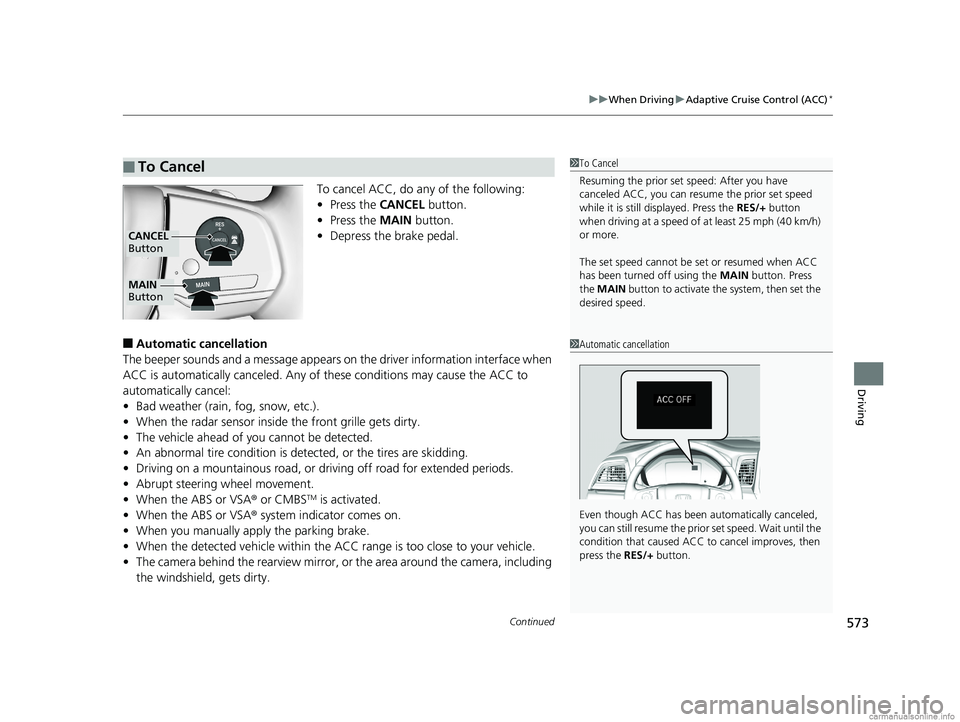
To cancel ACC, do any of the following:
• Press the CANCEL button.
• Press the MAIN button.
• Depress the brake pedal.
■Automatic ca ncellation
The beeper sounds and a message appears on the driver information interface when
ACC is automatically cancel ed. Any of these conditions may cause the ACC to
automatically cancel:
• Bad weather (rain, fog, snow, etc.).
• When the radar sensor inside the front grille gets dirty.
• The vehicle ahead of yo u cannot be detected.
• An abnormal tire condition is de tected, or the tires are skidding.
• Driving on a mountainous road, or driving off road for extended periods.
• Abrupt steering wheel movement.
• When the ABS or VSA ® or CMBS
TM is activated.
• When the ABS or VSA ® system indicator comes on.
• When you manually apply the parking brake.
• When the detected vehicle within the AC C range is too close to your vehicle.
• The camera behind the rearview mirror, or the area around the camera, including
the windshield, gets dirty.
■To Cancel1 To Cancel
Resuming the prior set sp eed: After you have
canceled ACC, you can resume the prior set speed
while it is still displayed. Press the RES/+ button
when driving at a speed of at least 25 mph (40 km/h)
or more.
The set speed cannot be set or resumed when ACC
has been turned off using the MAIN button. Press
the MAIN button to activate the system, then set the
desired speed.
MAIN
Button
CANCEL
Button
1 Automatic cancellation
Even though ACC has been automatically canceled,
you can still resume the prior set speed. Wait until the
condition that caused ACC to cancel improves, then
press the RES/+ button.
18 US ODYSSEY-31THR6010.book 573 ページ 2018年12月6日 木曜日 午後4時18分
Page 578 of 763
576
uuWhen Driving uRoad Departure Mitigation (RDM) System*
Driving
Road Departure Mitigation (RDM) System*
Alerts and helps to assist you when the system detects a possibility of your vehicle
unintentionally crossing over detected la ne markings and/or leaving the roadway
altogether.
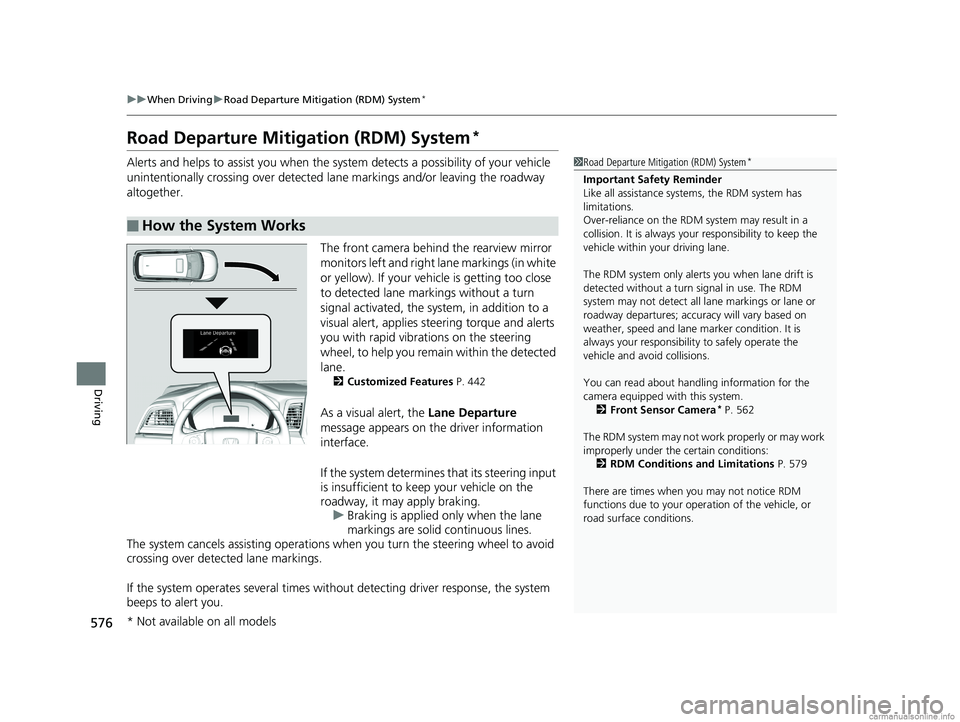
The front camera behind the rearview mirror
monitors left and right lane markings (in white
or yellow). If your vehicle is getting too close
to detected lane markings without a turn
signal activated, the system, in addition to a
visual alert, applies steering torque and alerts
you with rapid vibrations on the steering
wheel, to help you remain within the detected
lane.
2 Customized Features P. 442
As a visual alert, the Lane Departure
message appears on the driver information
interface.
If the system determines that its steering input
is insufficient to keep your vehicle on the
roadway, it may apply braking. u Braking is applied only when the lane
markings are solid continuous lines.
The system cancels assisting operations when you turn th e steering wheel to avoid
crossing over detected lane markings.
If the system operates several times without detecting driver response, the system
beeps to alert you.
■How the System Works
1 Road Departure Mitigation (RDM) System*
Important Safety Reminder
Like all assistance systems, the RDM system has
limitations.
Over-reliance on the RDM system may result in a
collision. It is always your responsibility to keep the
vehicle within your driving lane.
The RDM system only alerts you when lane drift is
detected without a turn signal in use. The RDM
system may not detect all la ne markings or lane or
roadway departures; accu racy will vary based on
weather, speed and lane marker condition. It is
always your responsibilit y to safely operate the
vehicle and avoid collisions.
You can read about handling information for the
camera equipped with this system. 2 Front Sensor Camera
* P. 562
The RDM system may not wo rk properly or may work
improperly under the certain conditions:
2 RDM Conditions and Limitations P. 579
There are times when you may not notice RDM
functions due to your opera tion of the vehicle, or
road surface conditions.
* Not available on all models
18 US ODYSSEY-31THR6010.book 576 ページ 2018年12月6日 木曜日 午後4時18分
Page 579 of 763
Continued577
uuWhen Driving uRoad Departure Mitigation (RDM) System*
Driving
The system becomes ready to start sear ching for lane markings when all the
following conditions are met:
• The vehicle is traveling between about 45 and 90 mph (72 and 145 km/h).
• The vehicle is on a straight or slightly curved road.
• The turn signals are off.
• The brake pedal is not depressed.
• The wipers are not in continuous operation.
• The vehicle is not accelera ting or braking, and the steering wheel is not being
turned.
• The system makes a determination that th e driver is not actively accelerating,
braking or steering.
■How the System Activates1 How the System Activates
The RDM system may automa tically shut off and the
indicator comes and stays on.
2 Indicators P. 84
RDM system function can be impacted when the
vehicle is:
•Not driven within a traffic lane.•Driven on the inside edge of a curve, or outside of
a lane.
•Driven in a narrow lane.
18 US ODYSSEY-31THR6010.book 577 ページ 2018年12月6日 木曜日 午後4時18分