change HONDA ODYSSEY 2022 Owners Manual
[x] Cancel search | Manufacturer: HONDA, Model Year: 2022, Model line: ODYSSEY, Model: HONDA ODYSSEY 2022Pages: 782, PDF Size: 27.17 MB
Page 514 of 782
513
uuBluetooth ® HandsFreeLink ®u HFL Menus
Continued
Features
HFL Menus
The power mode must be in ACCESSO RY or ON to use the system.
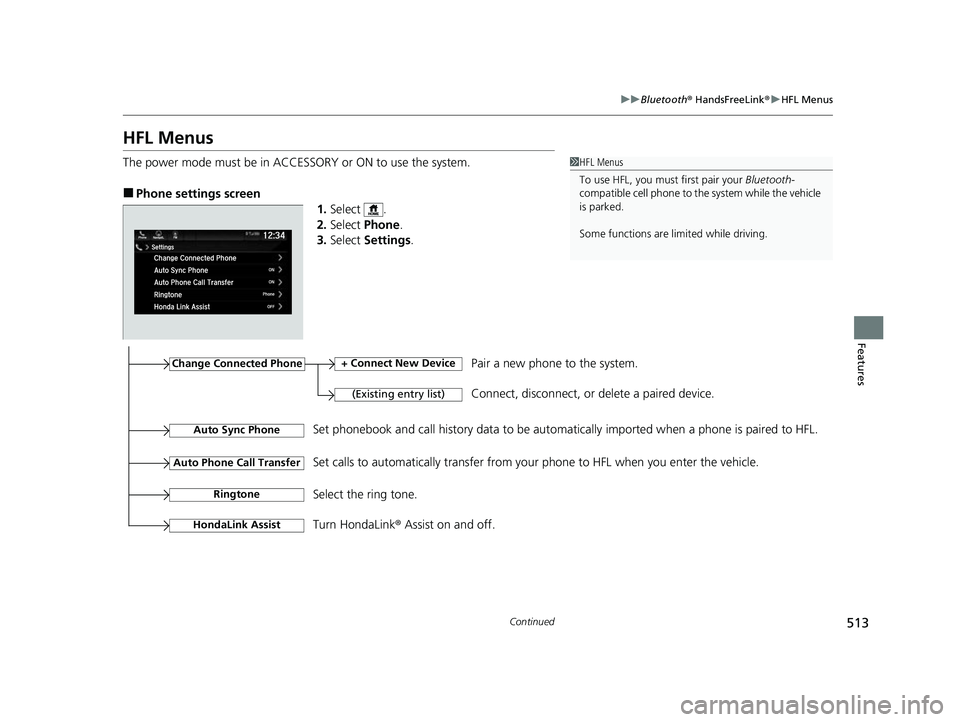
■Phone settings screen
1.Select .
2. Select Phone .
3. Select Settings .
1HFL Menus
To use HFL, you must first pair your Bluetooth-
compatible cell phone to th e system while the vehicle
is parked.
Some functions are limited while driving.
Change Connected Phone
(Existing entry list)
+ Connect New DevicePair a new phone to the system.
Connect, disconnect, or delete a paired device.
RingtoneSelect the ring tone.
Auto Sync PhoneSet phonebook and call history data to be automa tically imported when a phone is paired to HFL.
Turn HondaLink® Assist on and off.
HondaLink Assist
Auto Phone Call TransferSet calls to automatically transfer from your phone to HFL when you enter the vehicle.
22 US ODYSSEY-31THR6400.book 513 ページ 2020年11月16日 月曜日 午後1時41分
Page 518 of 782
Continued517
uuBluetooth ® HandsFreeLink ®u HFL Menus
Features
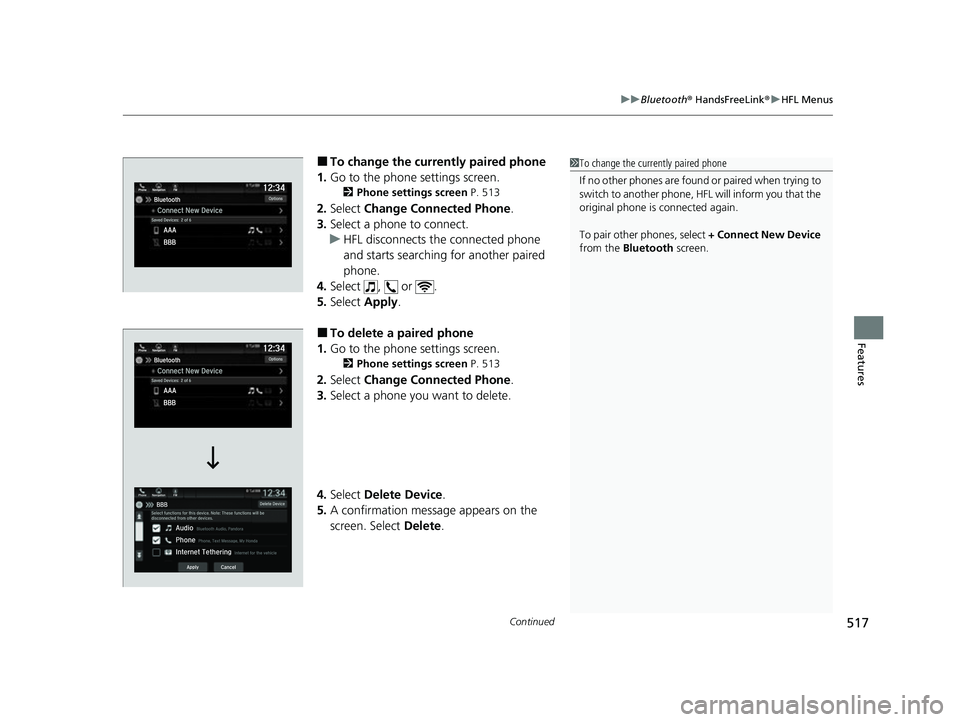
■To change the currently paired phone
1. Go to the phone settings screen.
2 Phone settings screen P. 513
2.Select Change Connected Phone .
3. Select a phone to connect.
u HFL disconnects the connected phone
and starts searching for another paired
phone.
4. Select , or .
5. Select Apply.
■To delete a paired phone
1. Go to the phone settings screen.
2 Phone settings screen P. 513
2.Select Change Connected Phone .
3. Select a phone you want to delete.
4. Select Delete Device .
5. A confirmation message appears on the
screen. Select Delete.
1To change the currently paired phone
If no other phones are found or paired when trying to
switch to another phone, HFL will inform you that the
original phone is connected again.
To pair other phones, select + Connect New Device
from the Bluetooth screen.
22 US ODYSSEY-31THR6400.book 517 ページ 2020年11月16日 月曜日 午後1時41分
Page 519 of 782
uuBluetooth ® HandsFreeLink ®u HFL Menus
518
Features
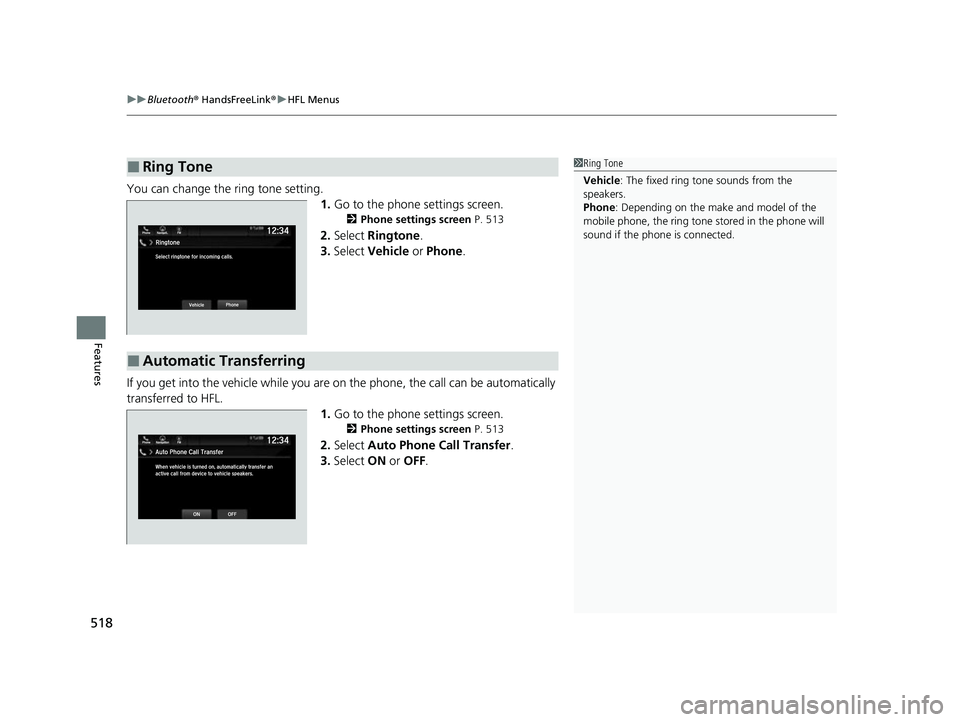
You can change the ring tone setting.
1.Go to the phone settings screen.
2 Phone settings screen P. 513
2.Select Ringtone .
3. Select Vehicle or Phone .
If you get into the vehicle while you are on the phone, the call can be automatically
transferred to HFL. 1.Go to the phone settings screen.
2 Phone settings screen P. 513
2.Select Auto Phone Call Transfer .
3. Select ON or OFF .
■Ring Tone1Ring Tone
Vehicle : The fixed ring tone sounds from the
speakers.
Phone : Depending on the make and model of the
mobile phone, the ring tone stored in the phone will
sound if the phone is connected.
■Automatic Transferring
Phone FMAuto Phone Call Transfer
ONOFF
12:34Navigation
When vehicle is turned on, automatically transfer an
active call from device to vehicle speakers.
22 US ODYSSEY-31THR6400.book 518 ページ 2020年11月16日 月曜日 午後1時41分
Page 525 of 782
uuBluetooth ® HandsFreeLink ®u HFL Menus
524
Features
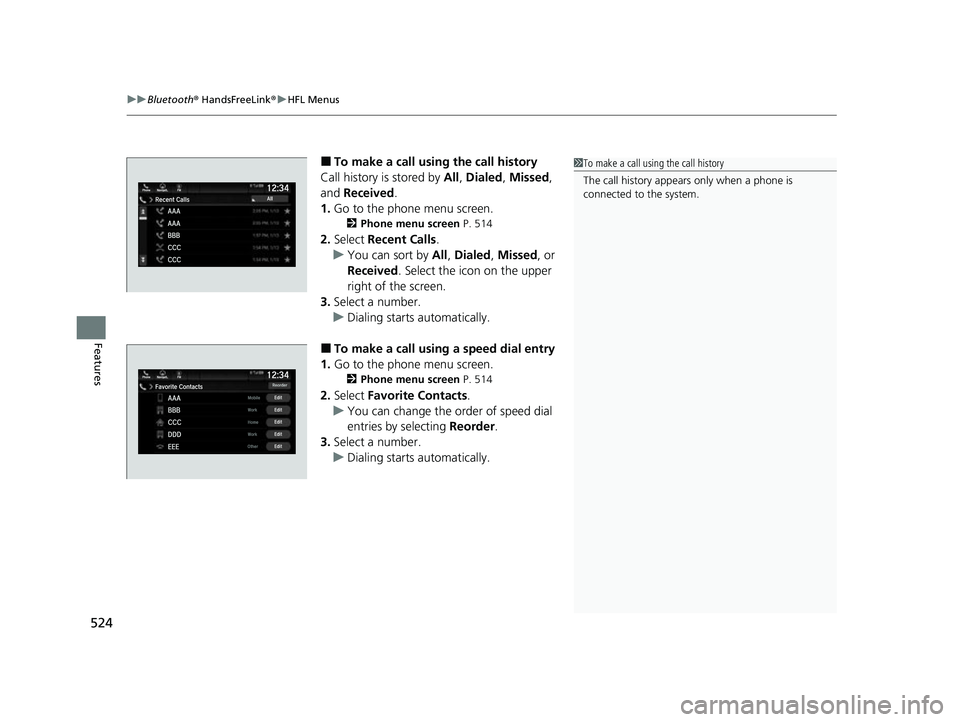
■To make a call usin g the call history
Call history is stored by All, Dialed , Missed ,
and Received .
1. Go to the phone menu screen.
2 Phone menu screen P. 514
2.Select Recent Calls .
u You can sort by All, Dialed , Missed, or
Received . Select the icon on the upper
right of the screen.
3. Select a number.
u Dialing starts automatically.
■To make a call using a speed dial entry
1. Go to the phone menu screen.
2 Phone menu screen P. 514
2.Select Favorite Contacts .
u You can change the order of speed dial
entries by selecting Reorder.
3. Select a number.
u Dialing starts automatically.
1To make a call using the call history
The call history appears only when a phone is
connected to the system.
22 US ODYSSEY-31THR6400.book 524 ページ 2020年11月16日 月曜日 午後1時41分
Page 529 of 782
uuBluetooth ® HandsFreeLink ®u HFL Menus
528
Features
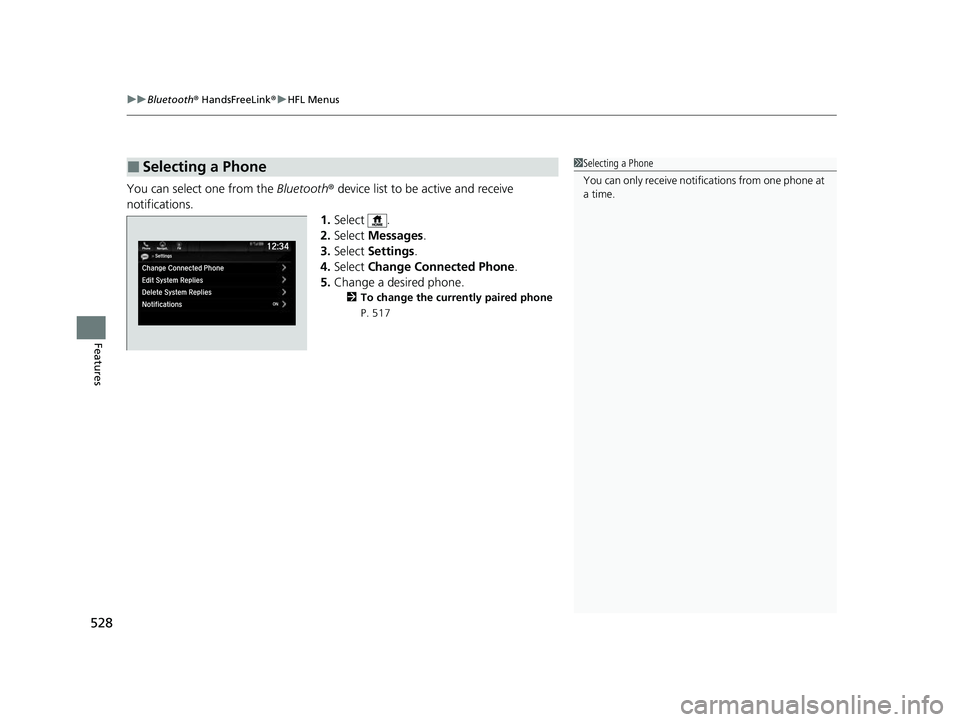
You can select one from the Bluetooth® device list to be active and receive
notifications. 1.Select .
2. Select Messages.
3. Select Settings .
4. Select Change Connected Phone .
5. Change a desired phone.
2 To change the currently paired phone
P. 517
■Selecting a Phone1 Selecting a Phone
You can only receive notifications from one phone at
a time.
22 US ODYSSEY-31THR6400.book 528 ページ 2020年11月16日 月曜日 午後1時41分
Page 532 of 782
Continued531
uuBluetooth ® HandsFreeLink ®u HFL Menus
Features
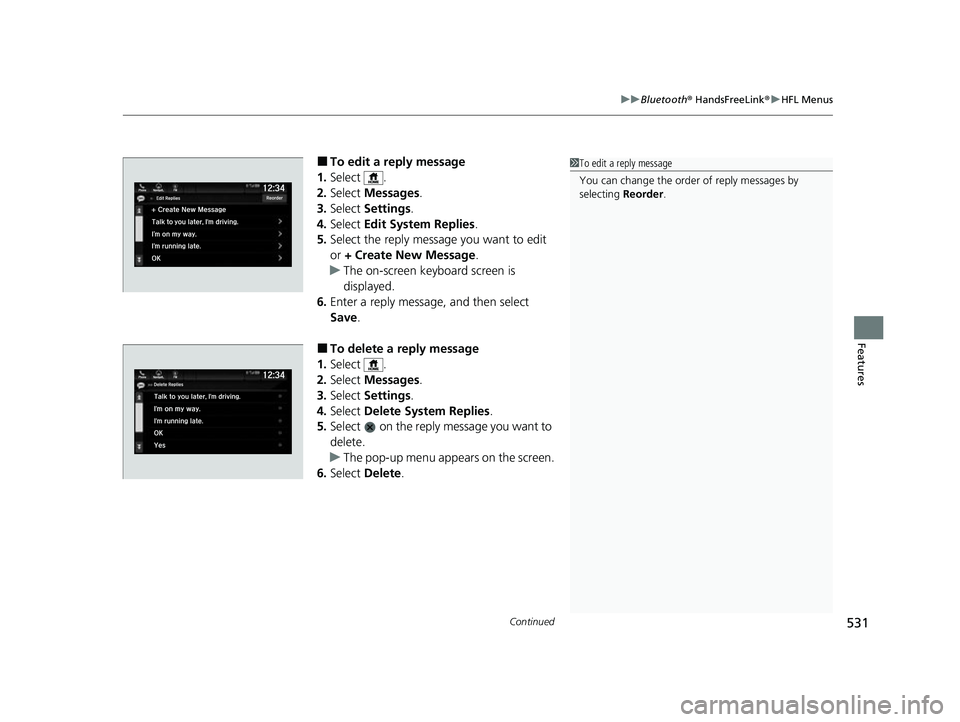
■To edit a reply message
1. Select .
2. Select Messages.
3. Select Settings .
4. Select Edit System Replies .
5. Select the reply message you want to edit
or + Create New Message .
u The on-screen keyboard screen is
displayed.
6. Enter a reply message, and then select
Save.
■To delete a reply message
1. Select .
2. Select Messages.
3. Select Settings .
4. Select Delete System Replies .
5. Select on the reply message you want to
delete.
u The pop-up menu appears on the screen.
6. Select Delete .
1To edit a reply message
You can change the order of reply messages by
selecting Reorder.
22 US ODYSSEY-31THR6400.book 531 ページ 2020年11月16日 月曜日 午後1時41分
Page 534 of 782
Continued533
uuBluetooth ® HandsFreeLink ®u HFL Menus
Features
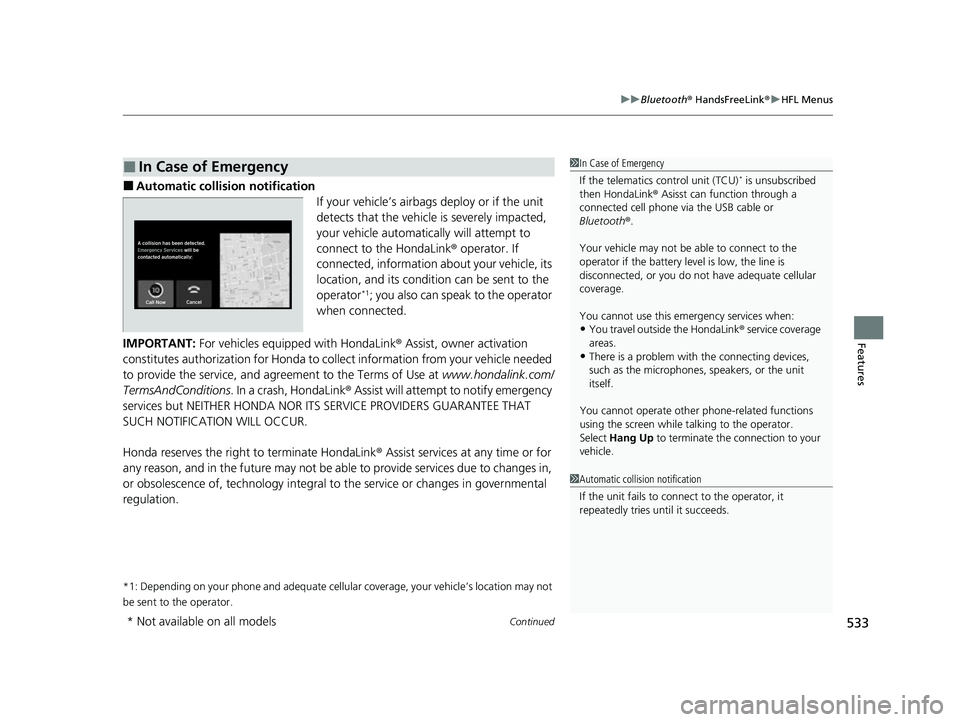
■Automatic collis ion notification
If your vehicle’s airbags deploy or if the unit
detects that the vehicle is severely impacted,
your vehicle automatically will attempt to
connect to the HondaLink ® operator. If
connected, information ab out your vehicle, its
location, and its condition can be sent to the
operator
*1; you also can speak to the operator
when connected.
IMPORTANT: For vehicles equipped with HondaLink ® Assist, owner activation
constitutes authorization for Honda to collect information from your vehicle needed
to provide the service, and agreement to the Terms of Use at www.hondalink.com/
TermsAndConditions . In a crash, HondaLink ® Assist will attempt to notify emergency
services but NEITHER HONDA NOR I TS SERVICE PROVIDERS GUARANTEE THAT
SUCH NOTIFICATION WILL OCCUR.
Honda reserves the right to terminate HondaLink ® Assist services at any time or for
any reason, and in the future may not be ab le to provide services due to changes in,
or obsolescence of, technology integral to the service or changes in governmental
regulation.
*1: Depending on your phone and adequate cellular coverage, your vehicle’s location may not
be sent to the operator.
■In Case of Emergency1 In Case of Emergency
If the telematics control unit (TCU)
* is unsubscribed
then HondaLink ® Asisst can function through a
connected cell phone via the USB cable or
Bluetooth ®.
Your vehicle may not be able to connect to the
operator if the battery level is low, the line is
disconnected, or you do not have adequate cellular
coverage.
You cannot use this emergency services when:
•You travel outside the HondaLink ® service coverage
areas.
•There is a problem with the connecting devices,
such as the microphones, speakers, or the unit
itself.
You cannot operate othe r phone-related functions
using the screen while talking to the operator.
Select Hang Up to terminate the connection to your
vehicle.
1 Automatic collision notification
If the unit fails to connect to the operator, it
repeatedly tries until it succeeds.
* Not available on all models
22 US ODYSSEY-31THR6400.book 533 ページ 2020年11月16日 月曜日 午後1時41分
Page 536 of 782
535
Features
CabinWatch®*
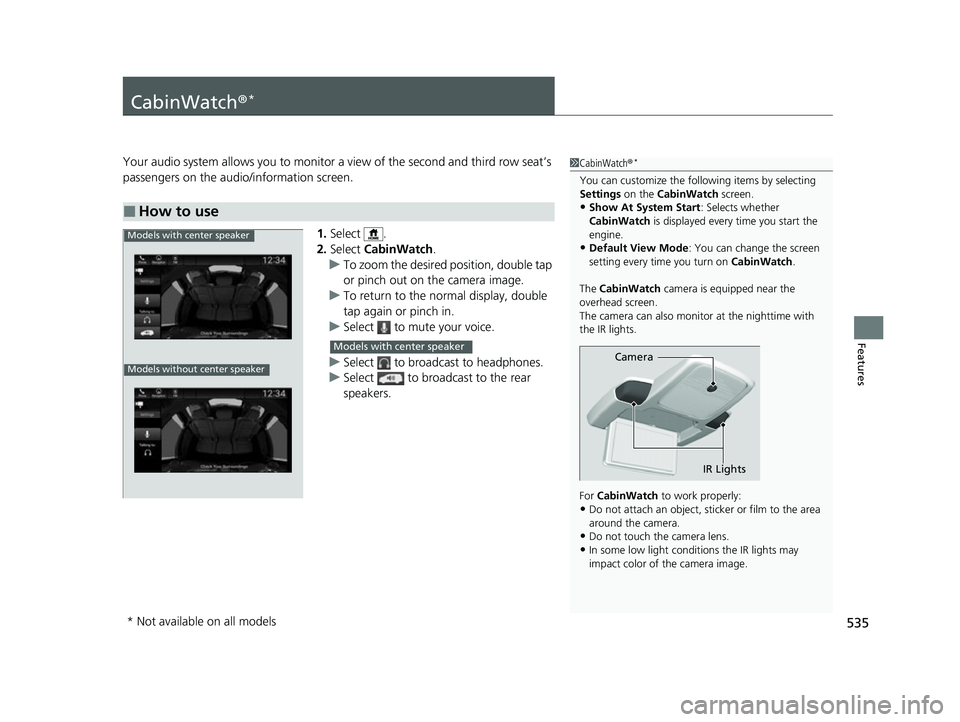
Your audio system allows you to monitor a view of the second and third row seat’s
passengers on the audio/information screen.
1.Select .
2. Select CabinWatch .
u To zoom the desired position, double tap
or pinch out on the camera image.
u To return to the normal display, double
tap again or pinch in.
u Select to mute your voice.
u Select to broadcast to headphones.
u Select to broadcast to the rear
speakers.
■How to use
1CabinWatch ®*
You can customize the foll owing items by selecting
Settings on the CabinWatch screen.
•Show At System Start : Selects whether
CabinWatch is displayed every time you start the
engine.
•Default View Mode : You can change the screen
setting every time you turn on CabinWatch.
The CabinWatch camera is equipped near the
overhead screen.
The camera can also monitor at the nighttime with
the IR lights.
For CabinWatch to work properly:
•Do not attach an object, sticker or film to the area
around the camera.
•Do not touch the camera lens.
•In some low light conditions the IR lights may
impact color of the camera image.
Camera
IR Lights
Models with center speaker
Models without center speaker
Models with center speaker
* Not available on all models
22 US ODYSSEY-31THR6400.book 535 ページ 2020年11月16日 月曜日 午後1時41分
Page 556 of 782
555
uuWhen Driving uStarting the Engine
Driving
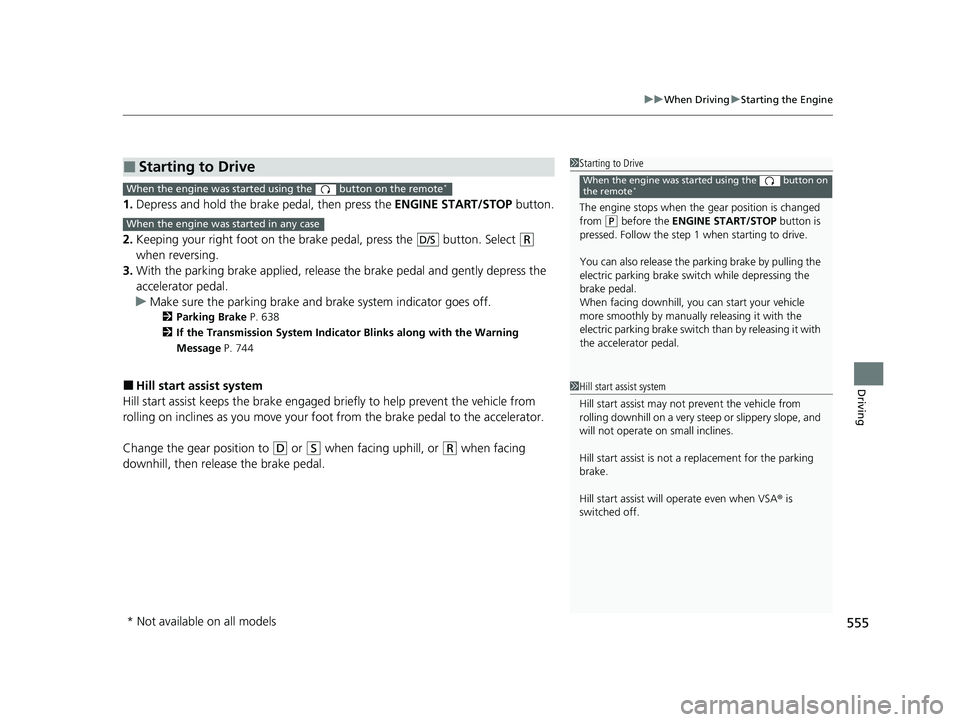
1. Depress and hold the brake pedal, then press the ENGINE START/STOP button.
2. Keeping your right foot on the br ake pedal, press the button. Select
(R
when reversing.
3. With the parking brake applied, release the brake pedal and gently depress the
accelerator pedal.
u Make sure the parking brake and brake system indicator goes off.
2Parking Brake P. 638
2 If the Transmission System Indicator Blinks along with the Warning
Message P. 744
■Hill start assist system
Hill start assist keeps the brake engaged br iefly to help prevent the vehicle from
rolling on inclines as you move your foot from the brake pedal to the accelerator.
Change the gear position to
(D or (S when facing uphill, or (R when facing
downhill, then release the brake pedal.
■Starting to Drive1 Starting to Drive
The engine stops when the gear position is changed
from
( P before the ENGINE START/STOP button is
pressed. Follow the step 1 when starting to drive.
You can also release the parking brake by pulling the
electric parking brake sw itch while depressing the
brake pedal.
When facing downhill, you can start your vehicle
more smoothly by manually releasing it with the
electric parking brake switch than by releasing it with
the accelerator pedal.
When the engine was started using the button on
the remote*When the engine was started using the button on the remote*
When the engine was started in any case
D/S
1 Hill start assist system
Hill start assist may not prevent the vehicle from
rolling downhill on a very st eep or slippery slope, and
will not operate on small inclines.
Hill start assist is not a replacement for the parking
brake.
Hill start assist will operate even when VSA ® is
switched off.
* Not available on all models
22 US ODYSSEY-31THR6400.book 555 ページ 2020年11月16日 月曜日 午後1時41分
Page 557 of 782
556
uuWhen Driving uPrecautions While Driving
Driving
Precautions While Driving
Avoid driving in deep water and on flooded roads. This can damage the engine or
driveline, or cause electrical component failure.
If there is a strong impact with something under the vehicle, stop in a safe location.
Check the underside of the vehicle for damage or any fluid leaks.
■In Rain
■Other Precautions
1 Precautions While Driving
NOTICE
Do not change the gear position while pressing the
accelerator pedal. You could damage the
transmission.
NOTICE
If you repeatedly turn the steering wheel at an
extremely low speed, or hold the steering wheel in
the full left or right position for a while, the electric
power steering (EPS) system heats up. The system
goes into a protective mode, and limits its
performance. The steering wheel becomes harder
and harder to operate. Once the system cools down,
the EPS system is restored.
Repeated operation under these conditions can
eventually damage the system.
If the power mode is set to ACCESSORY while
driving, the engine will shut down and all steering
and brake power assist functi ons will stop, making it
difficult to control the vehicle.
Do not select
( N while driving as you will lose engine
braking (and accelera tion) performance.
During the first 600 miles (1,000 km) of operation,
avoid sudden acceleration or full throttle operation so
as not to damage the engine or powertrain.
Avoid hard braking for the first 200 miles (300 km)
after purchasing your new vehicle or replacing the
brake pads or rotors, to allow for proper break-in.
22 US ODYSSEY-31THR6400.book 556 ページ 2020年11月16日 月曜日 午後1時41分