lock HONDA PRELUDE 1992 Owner's Manual
[x] Cancel search | Manufacturer: HONDA, Model Year: 1992, Model line: PRELUDE, Model: HONDA PRELUDE 1992Pages: 225, PDF Size: 2.1 MB
Page 48 of 225
Keys and Locks
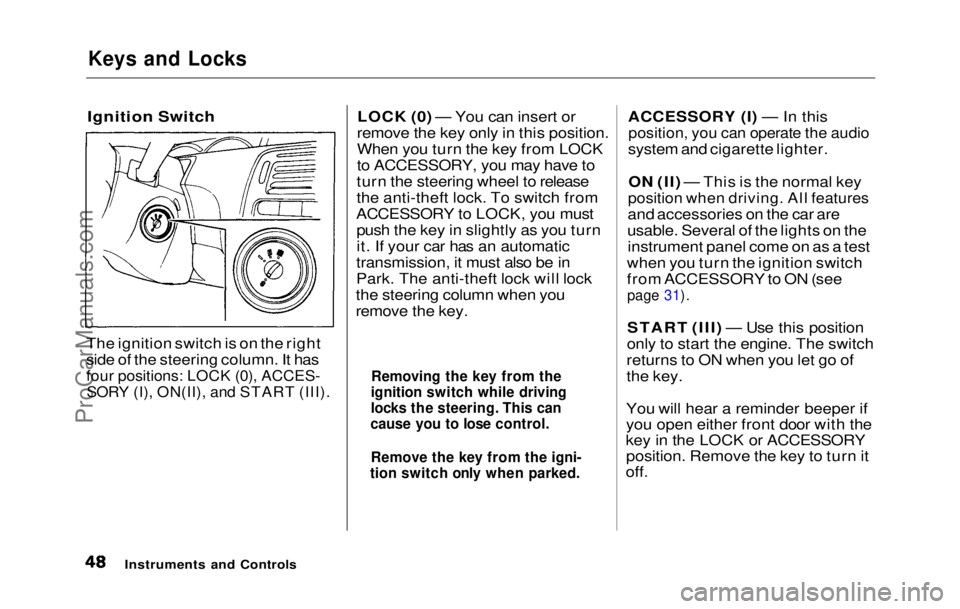
Ignition Switch
The ignition switch is on the right
side of the steering column. It has
four positions: LOCK (0), ACCES-
SORY (I), ON(II), and START (III).
LOCK (0) — You can insert or
remove the key only in this position.
When you turn the key from LOCK
to ACCESSORY, you may have to
turn the steering wheel to release
the anti-theft lock. To switch from
ACCESSORY to LOCK, you must push the key in slightly as you turn
it. If your car has an automatic
transmission, it must also be in
Park. The anti-theft lock will lock
the steering column when you
remove the key. ACCESSORY (I) — In this
position, you can operate the audio
system and cigarette lighter.
ON (II) — This is the normal key
position when driving. All features
and accessories on the car are
usable. Several of the lights on the instrument panel come on as a test
when you turn the ignition switch
from ACCESSORY to ON (see
page 31).
START (III) — Use this position
only to start the engine. The switch
returns to ON when you let go of
the key.
You will hear a reminder beeper if
you open either front door with the
key in the LOCK or ACCESSORY position. Remove the key to turn it
off.
Instruments and Controls
Removing the key from the
ignition switch while driving
locks the steering. This can
cause you to lose control.
Remove the key from the igni-
tion switch only when parked.ProCarManuals.comMain Menu Table of Contents s t
Page 49 of 225
Keys and Locks
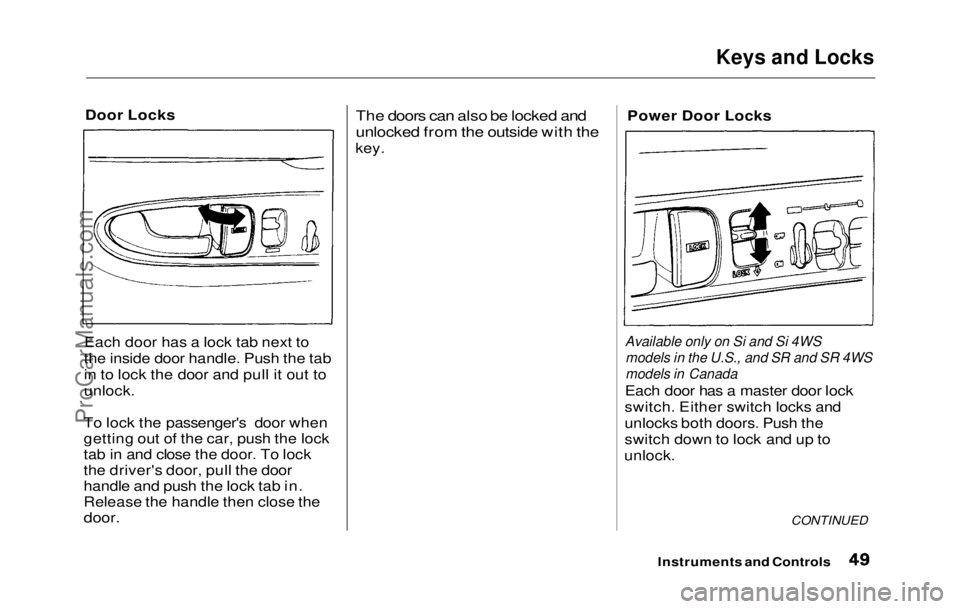
Door Locks
Each door has a lock tab next to
the inside door handle. Push the tab
in to lock the door and pull it out to
unlock.
To lock the passenger's door when
getting out of the car, push the lock
tab in and close the door. To lock
the driver's door, pull the door
handle and push the lock tab in.
Release the handle then close the
door.
The doors can also be locked and
unlocked from the outside with the
key. Power Door Locks
Available only on Si and Si 4WS models in the U.S., and SR and SR 4WS
models in Canada
Each door has a master door lock
switch. Either switch locks and
unlocks both doors. Push the
switch down to lock and up to
unlock.
CONTINUED
Instruments and ControlsProCarManuals.comMain Menu Table of Contents s t
Page 50 of 225
Keys and Locks
Both doors lock when you push in
the lock tab on the driver's door, or
lock the driver's door from the outside with the key. Only the
driver's door unlocks when you use
the key or lock tab. To unlock the
passenger's door, use the master
door lock switch or pull out the
lock tab on passenger's door.
Lockout Prevention
If you forget and leave the key in
the ignition switch, Lockout
Prevention will not allow you to
lock the driver's door. With either
door open and the key in the
ignition, the master door lock
switches are disabled. If you try to
lock the driver's door by pushing in
the lock tab, the tabs on both doors immediately pop up.
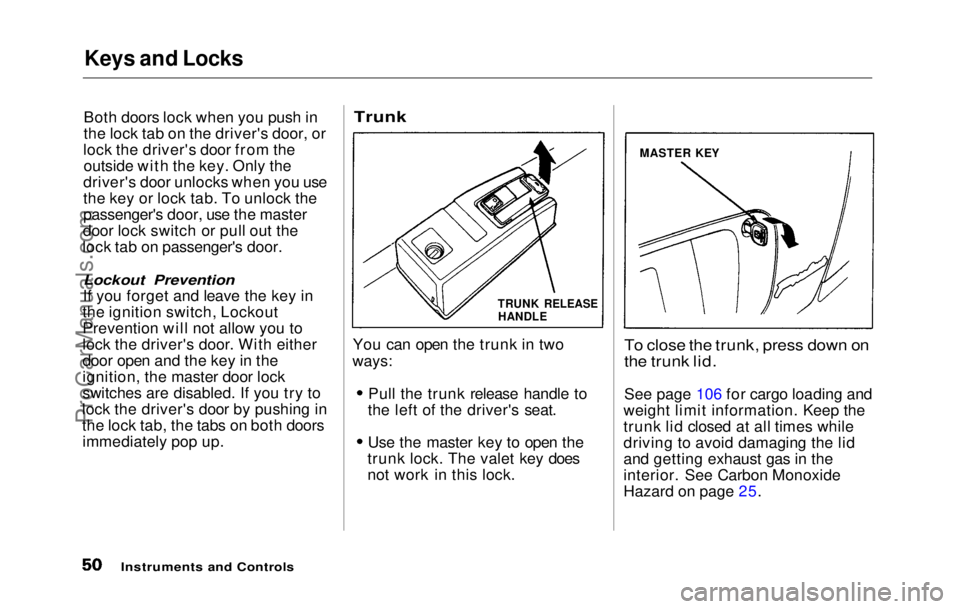
Trunk
You can open the trunk in two
ways:
Pull the trunk release handle to
the left of the driver's seat. Use the master key to open the
trunk lock. The valet key does
not work in this lock.
To close the trunk, press down on
the trunk lid.
See page 106 fo
r cargo loading and
weight limit
information. Keep the
trunk lid closed at all times while
driving to avoid damaging the lid
and getting exhaust gas in the
interior. See Carbon Monoxide
Hazard on page 25.
Instruments and Controls
MASTER KEY
TRUNK RELEASE
HANDLEProCarManuals.comMain Menu Table of Contents s t
Page 51 of 225
Keys and Locks, Seat Adjustments
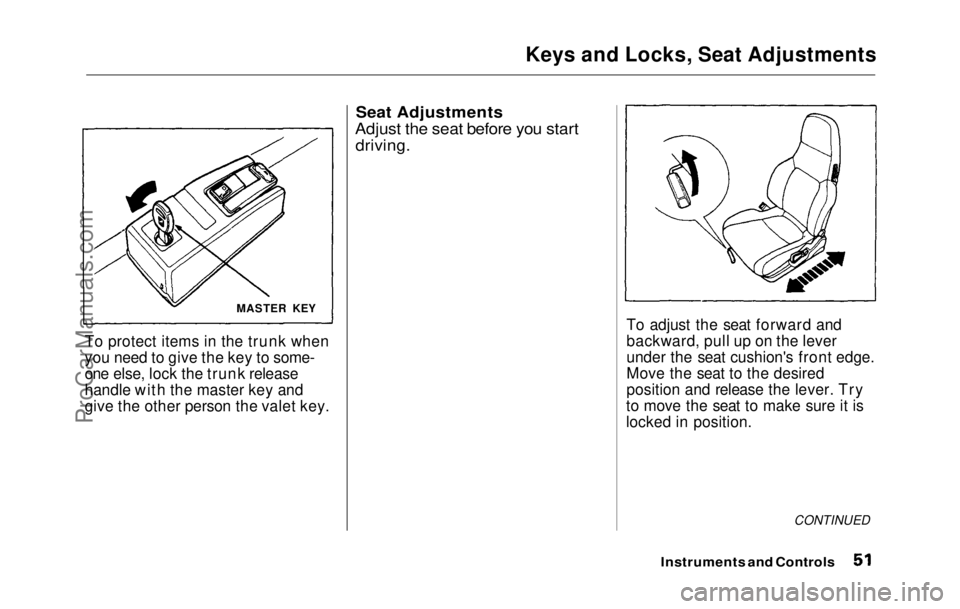
To protect items in the trunk when
you need to give the key to some-
one else, lock the trunk release
handle with the master key and
give the other person the valet key.
Seat Adjustments
Adjust the seat before you start
driving.
To adjust the seat forward and
backward, pull up on the lever
under the seat cushion's front edge.
Move the seat to the desired
position and release the lever. Try
to move the seat to make sure it is
locked in position.
CONTINUED
Instruments and Controls
MASTER KEYProCarManuals.comMain Menu Table of Contents s t
Page 55 of 225
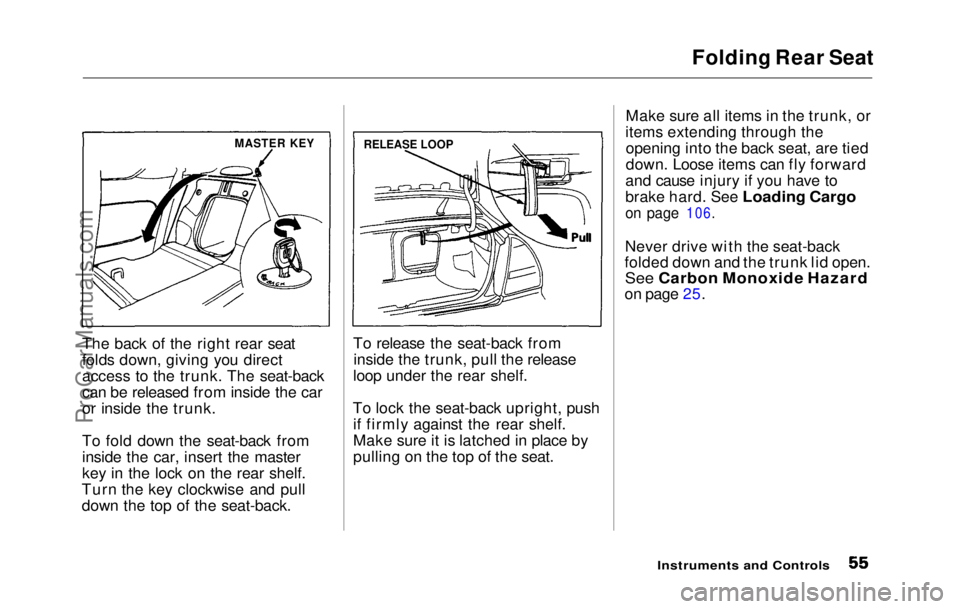
Folding Rear Seat
The back of the right rear seat
folds down, giving you direct
access to the trunk. The seat-back
can be released from inside the car
or inside the trunk.
To fold down the seat-back from
inside the car, insert the master
key in the lock on the rear shelf.
Turn the key clockwise and pull
down the top of the seat-back. To release the seat-back from
inside the trunk, pull the release
loop under the rear shelf.
To lock the seat-back upright, push if firmly against the rear shelf.
Make sure it is latched in place by
pulling on the top of the seat. Make sure all items in the trunk, or
items extending through the opening into the back seat, are tied
down. Loose items can fly forward
and cause injury if you have to
brake hard. See Loading Cargo
on page 106.
Never driv e
with the seat-back
folded down and the trunk lid open.
See Carbon Monoxide Hazard
on page 25.
Instruments and Controls
MASTER KEY
RELEASE LOOPProCarManuals.comMain Menu Table of Contents s t
Page 62 of 225
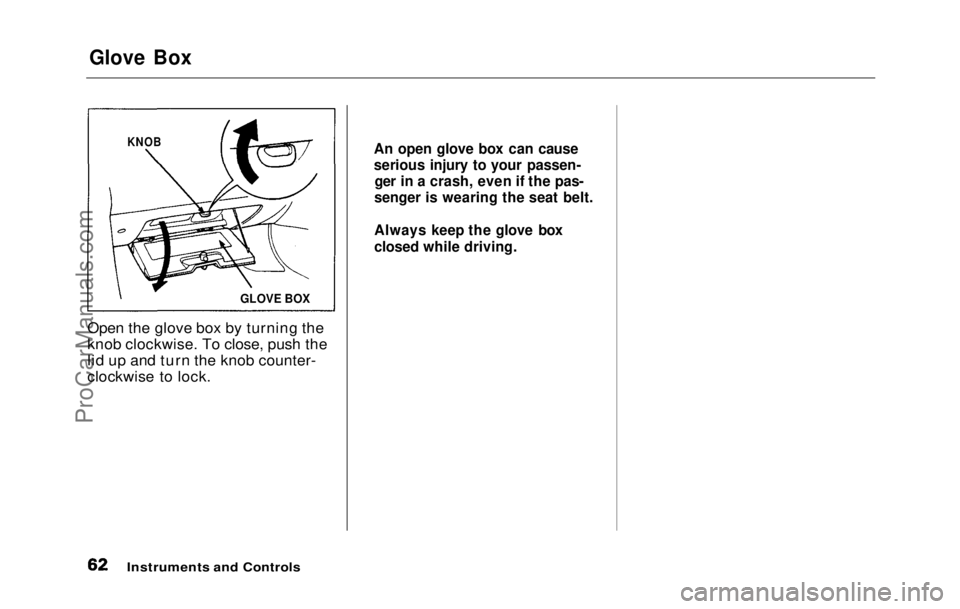
Glove Box
Open the glove box by turning the
knob clockwise. To close, push the
lid up and turn the knob counter-
clockwise to lock.
Instruments and Controls
KNOB
GLOVE BOX An open glove box can cause
serious injury to your passen-
ger in a crash, even if the pas-
senger is wearing the seat belt.
Always keep the glove box
closed while driving.ProCarManuals.comMain Menu Table of Contents s t
Page 63 of 225
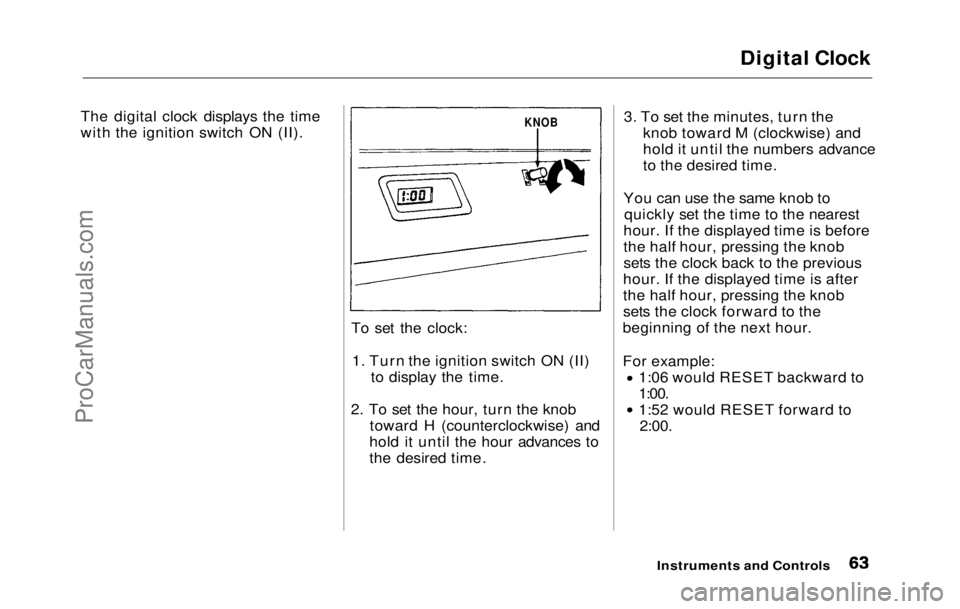
Digital Clock
The digital clock displays the time
with the ignition switch ON (II).
To set the clock:1. Turn the ignition switch ON (II)
to display the time.
2. To
set the hour, turn the knob
toward H (counterclockwise) and
hold it until the hour advances to
the desired time.
3. To
set the minutes, turn the
knob toward M (clockwise) and
hold it until the numbers advance
to the desired time.
You ca
n
use the same knob to
quickly set the time to the nearest
hour. If the displayed time is before
the half hour, pressing the knob
sets the clock back to the previous
hour. If the displayed time is after
the half hour, pressing the knob
sets the clock forward to the
beginning of the next hour.
For example: 1:06 would RESET backward to
1:00. 1:52 would RESET forward to
2:00.
Instruments and
Controls
KNOBProCarManuals.comMain Menu Table of Contents s t
Page 64 of 225
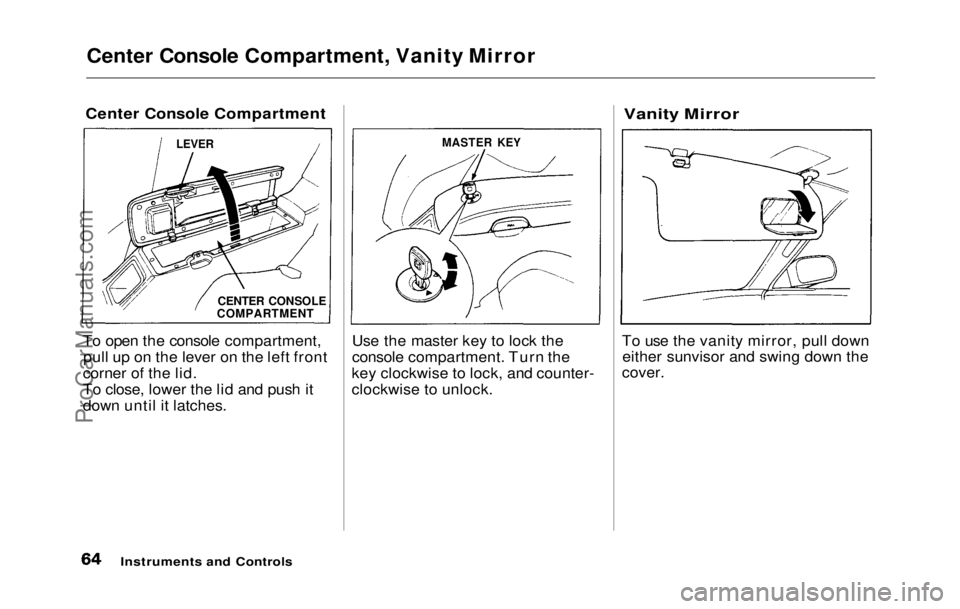
Center Console Compartment, Vanity Mirror
Center Console Compartment
To open the console compartment, pull up on the lever on the left front
corner of the lid.
To close, lower the lid and push it
down until it latches. Use the master key to lock the
console compartment. Turn the
key clockwise to lock, and counter-
clockwise to unlock.
Vanity Mirror
To use the vanity mirror, pull down either sunvisor and swing down the
cover.
Instruments and Controls
LEVER
MASTER KEY
CENTER CONSOLE
COMPARTMENTProCarManuals.comMain Menu Table of Contents s t
Page 77 of 225
Audio System (S)
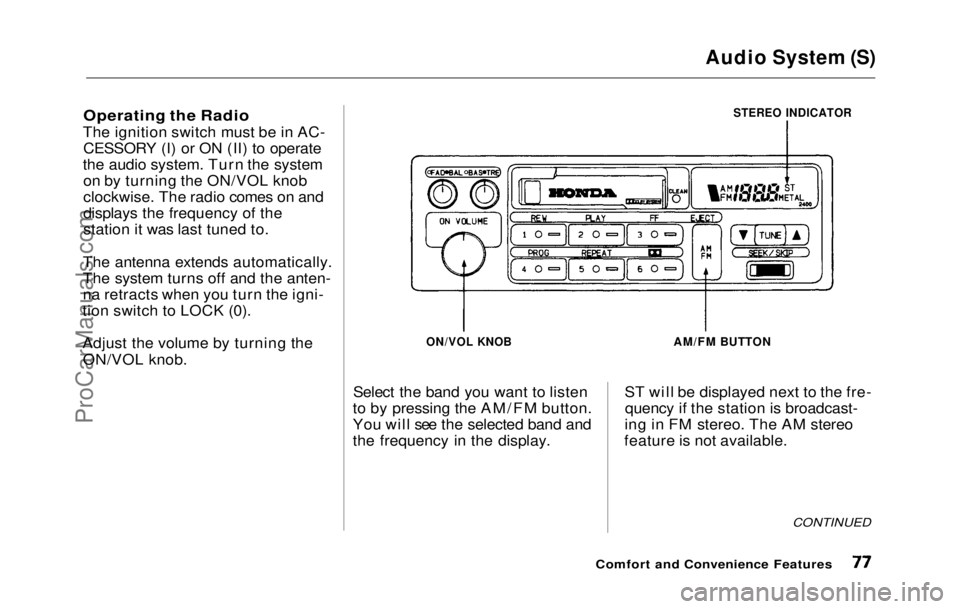
Operating the Radio
The ignition switch must be in AC- CESSORY (I) or ON (II) to operate
the audio system. Turn the system on by turning the ON/VOL knob
clockwise. The radio comes on and
displays the frequency of the
station it was last tuned to.
The antenna extends automatically.
The system turns off and the anten-
na retracts when you turn the igni-
tion switch to LOCK (0).
Adjust the volume by turning the
ON/VOL knob.
STEREO INDICATOR
ON/VOL KNOB
Select the band you want to listen
to by pressing the AM/FM button.
You will see the selected band and
the frequency in the display.
AM/FM BUTTON
ST will be displayed next to the fre- quency if the station is broadcast-
ing in FM stereo. The AM stereo
feature is not available.
CONTINUED
Comfort and Convenience FeaturesProCarManuals.comMain Menu Table of Contents s t
Page 86 of 225
Audio System (Si, SR)
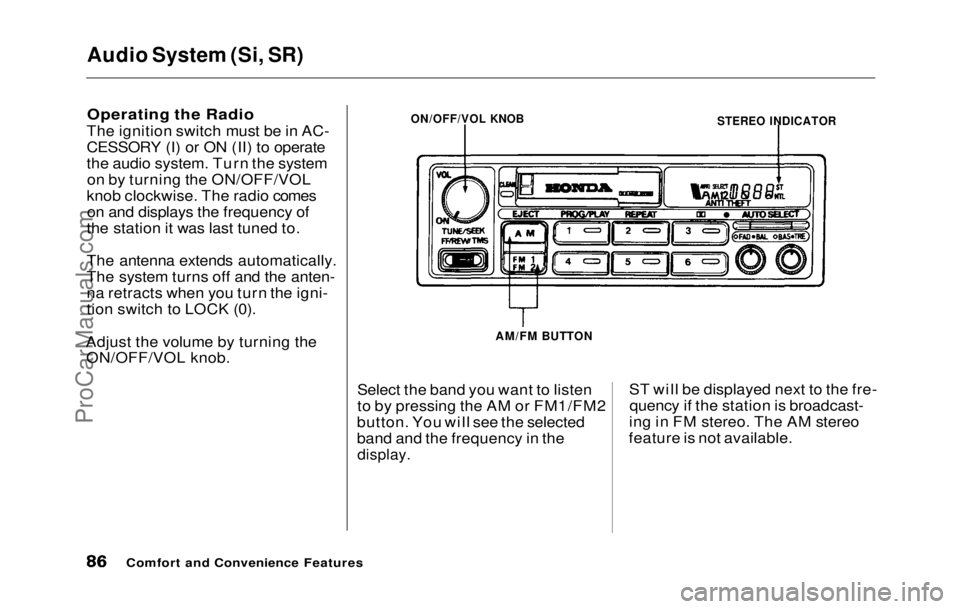
Operating the Radio
The ignition switch must be in AC-
CESSORY (I) or ON (II) to operate
the audio system. Turn the system on by turning the ON/OFF/VOL
knob clockwise. The radio comes on and displays the frequency of
the station it was last tuned to.
The antenna extends automatically.
The system turns off and the anten-
na retracts when you turn the igni-
tion switch to LOCK (0).
Adjust the volume by turning the ON/OFF/VOL knob.
Select the band you want to listen
to by pressing the AM or FM1/FM2
button. You will see the selected
band and the frequency in the
display.
ST will be displayed next to the fre-
quency if the station is broadcast-
ing in FM stereo. The AM stereo
feature is not available.
Comfort and Convenience Features
STEREO INDICATOR
ON/OFF/VOL KNOB
AM/FM BUTTONProCarManuals.comMain Menu Table of Contents s t