lock HONDA S2000 2000 1.G User Guide
[x] Cancel search | Manufacturer: HONDA, Model Year: 2000, Model line: S2000, Model: HONDA S2000 2000 1.GPages: 273, PDF Size: 21.58 MB
Page 44 of 273
This section gives information about
the controls and displays
that
contribute to the daily operation of
your Honda.
All the essential
controls are within easy reach.
Control Locations ............................ 42
Indicator Lights ................................ 43
Gauges .............................................. 47
Speedometer ................................ 4 7
Select Button ................................ 4 7
Tachometer .................................. 4 7
Temperature Gauge ....................
47
Fuel Gauge ................................... 48
Odometer ...................................... 48
Trip Meter .................................... 48
Maintenance Required
Indicator ....................................
49
Controls Near the Steering
Wheel ........................................
50
Headlights .................................... 51
Daytime Running Lights ............. 52
Instrument Panel Brightness ..... 52
Turn Signals ................................. 53
Windshield Wipers ...................... 53
Windshield Washers ................... 54
Steering Wheel Controls ................ 55
Cruise Control .............................. 55
Keys and Locks ................................ 58
Keys ............................................... 58
Immobilizer System ..................... 59
Ignition Switch ............................. 60
Instruments and Controls
Power Door Locks ....................... 62
Remote Transmitter .................... 63
Trunk ............................................ 66
Console Compartments .............. 67
Seat Adjustments ............................. 68
Power Windows ............................... 69
Convertible Top ............................... 71
Opening the Convertible Top ..... 71
Closing the Convertible Top ...... 7 4
Convertible Top
Cover.. .............. 76
Maintenance ................................. 77
Hazard Warning ............................... 79
Mirrors .............................................. 79
Adjusting the Power Mirrors ..... 79
Parking Brake .................................. 80
Beverage Holder .............................. 81
Accessory Power Socket ................ 81
Audio Panel. ...................................... 82
Interior Lights .................................. 83
Instruments and Controls 41
Page 48 of 273
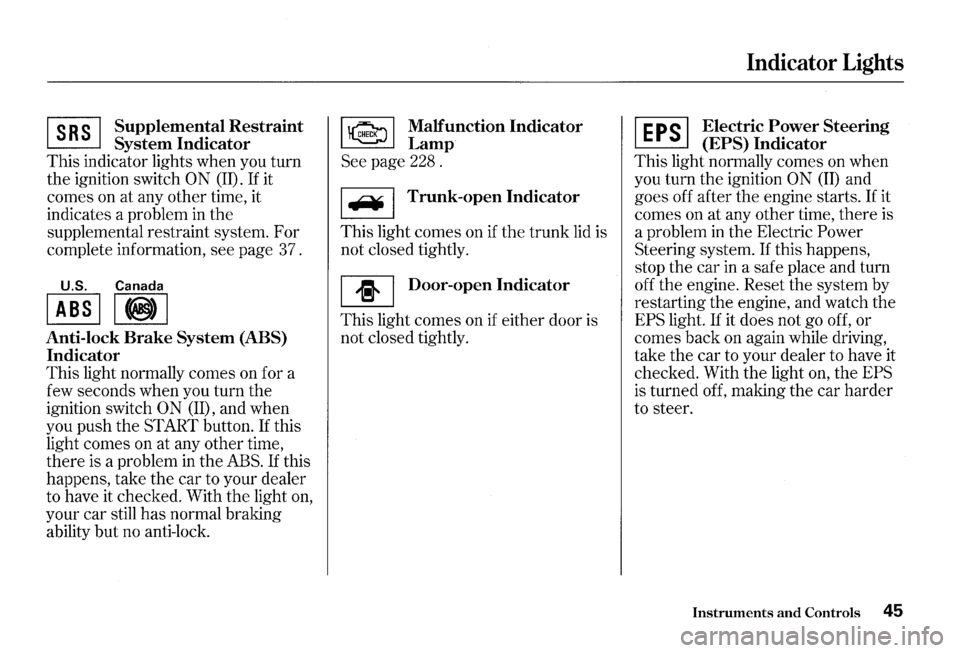
~ Supplemen~al Restraint
~ System Indicator
This indicator lights when you turn
the ignition switch
0 N (II). If it
comes on at any other time, it
indicates a problem in
the
supplemental restraint system. For
complete information, see page 37.
U.S. Canada
I ABS II@) I
Anti-lock Brake System (ABS)
Indicator
This light normally comes on for a
few seconds when you turn the
ignition switch
ON (II), and when
you push the START button.
If this
light comes on at any other time,
there
is a problem in the ABS. If this
happens, take the car to your dealer
to have it checked. With
the light on,
your car still
has normal braking
ability but no anti-lock.
~ Malfunction Indicator
~Lamp
See page 228 .
I F¥ I Trunk-open Indicator
This light comes on if the trunk lid is
not closed tightly.
[I] Door-open Indicator
This light comes on if either door is
not closed tightly.
Indicator Lights
~ Electric Power Steering
~ (EPS) Indicator
This light normally comes on when
you turn the ignition
ON (II) and
goes off after the engine starts.
If it
comes on at any other time, there is
a problem
in the Electric Power
Steering system. If this happens,
stop the car
in a safe place and turn
off the engine. Reset the system by
restarting the engine, and watch the
EPS light. If it does not go off, or
comes back on again while driving,
take the car to your dealer to have it
checked. With the light
on, the EPS
is turned off, making the car harder
to steer.
Instruments and Controls 45
Page 49 of 273
Indicator Lights
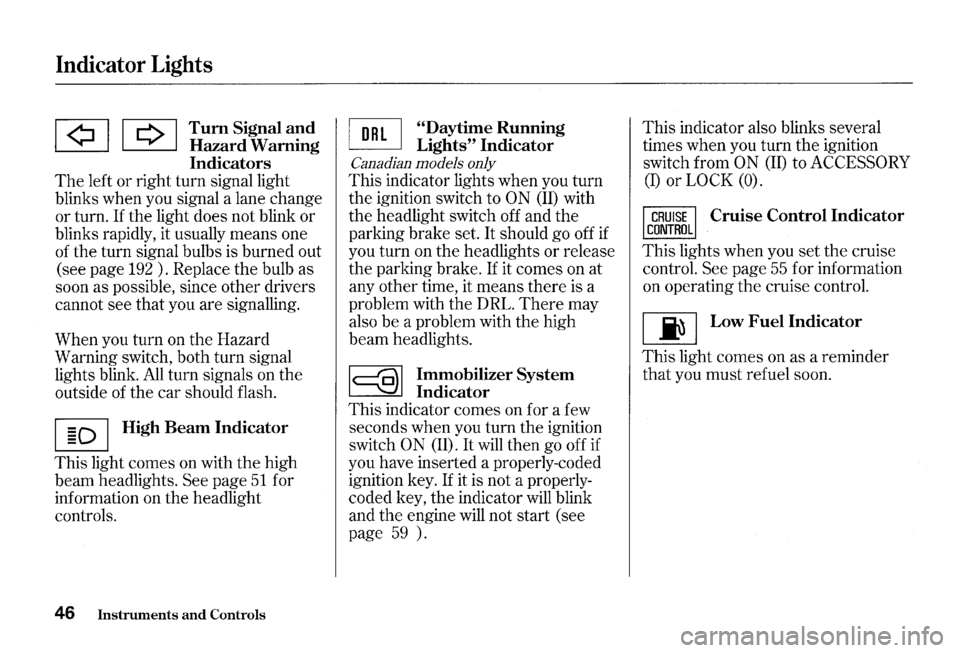
lA! I Q I Tum Signal a!ld ~ Hazard Wammg
Indicators
The left or right turn signal light
blinks when you signal a lane change
or turn. If the light does not blink or
blinks rapidly, it usually means one
of the turn signal bulbs is burned out
(see page
192 ) . Replace the bulb as
soon as possible, since other drivers
cannot see that you are signalling.
When you turn on the Hazard
Warning switch, both turn signal
lights blink.
All turn signals on the
outside of the car should flash.
I § D I High Beam Indicator
This light comes on with the high
beam headlights.
See page 51 for
information on the headlight
controls.
46 Instruments and Controls
~ "Daytime Running
~ Lights" Indicator
Canadian models only
This indicator lights when you turn
the ignition switch to
ON (ID with
the headlight switch off and the
parking brake set.
It should go off if
you turn on the headlights or release
the parking brake.
If it comes on at
any other time, it means there is a
problem with the DRL.
There may
also be a problem with the high
beam headlights.
~ Immobilizer System
~ Indicator
This indicator comes on for a few
seconds when you turn the ignition
switch
0 N (ID. It will then go off if
you have inserted a properly-coded
ignition key.
If it is not a properly
coded key, the indicator will blink
and
the engine will not start (see
page
59 ). This
indicator also blinks several
times when you turn the ignition
switch from
ON (II) to ACCESSORY
(I) or LOCK (0).
Cruise Control Indicator
This lights when you set the cruise
control.
See page 55 for information
on operating the cruise control.
[ji] Low Fuel Indicator
This light comes on as a reminder
that you must refuel soon.
Page 52 of 273
Maintenance Required Indicator
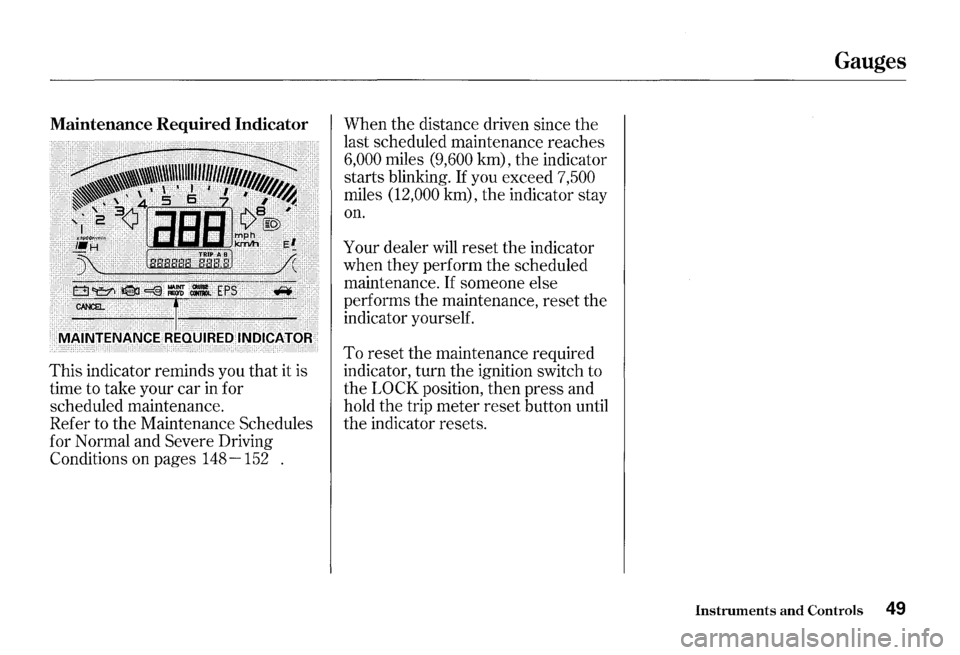
This indicator reminds you that it is
time to take your car in for
scheduled maintenance.
Refer to the Maintenance Schedules
for Normal and
Severe Driving
Conditions on pages
148-152 . When
the distance driven since
the
last scheduled maintenance reaches
6,000 miles (9,600 km), the indicator
starts blinking.
If you exceed 7,500
miles (12,000 km), the indicator stay
on.
Your dealer will reset the indicator
when they perform the scheduled
maintenance.
If someone else
performs the maintenance, reset the
indicator yourself.
To reset the maintenance required
indicator, turn the ignition switch to
the
LOCK position, then press and
hold the trip meter reset button until
the indicator resets.
Gauges
Instruments and Controls 49
Page 54 of 273
Headlights
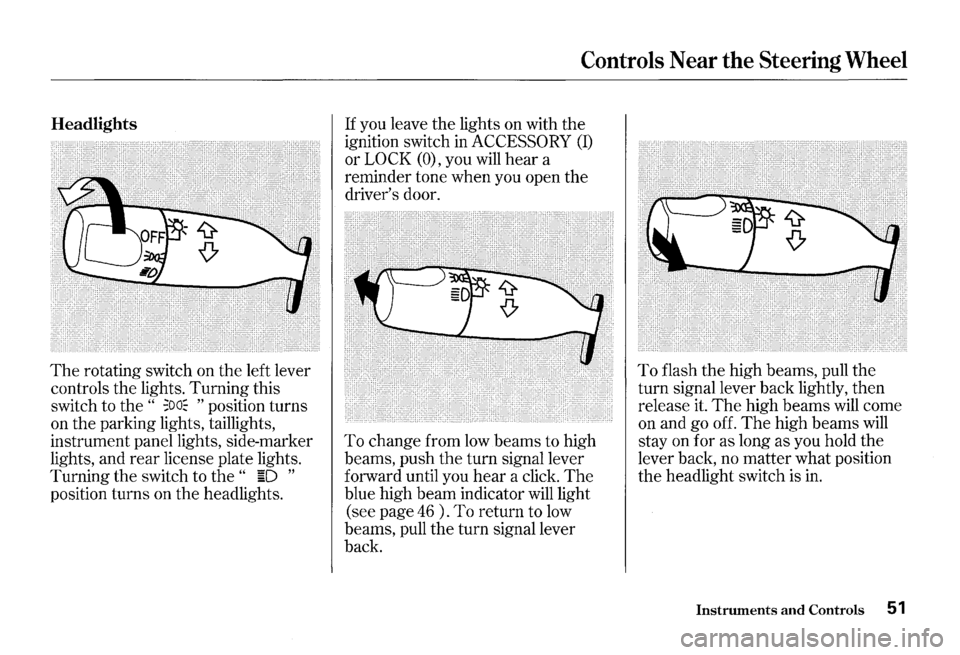
The rotating switch on the left lever
controls the lights. Turning this
switch to the
" ;oa~ " position turns
on the parking lights, taillights,
instrument panel lights, side-marker
lights, and
rear license plate lights.
Turning the switch to
the " ~D "
position turns on the headlights.
Controls Near the Steering Wheel
If you leave the lights on with the
ignition switch in
ACCESSORY (I)
or LOCK (O), you will hear a
reminder tone when you open the
driver's door.
To change from low beams to high
beams, push
the turn signal lever
forward until you
hear a click. The
blue high beam indicator will light
(see page
46 ) . To return to low
beams, pull the turn signal lever
back.
To flash the high beams, pull the
turn signal lever back lightly, then
release it.
The high beams will come
on and go off.
The high beams will
stay on for as long as you hold the
lever back, no matter what position
the headlight switch is in.
Instruments and Controls 51
Page 58 of 273
Cruise Control
Cruise control allows you to maintain
a
set speed above 25 mph ( 40 km/h)
without keeping your foot on the
accelerator pedal. It should be used
for cruising on straight, open
highways.
It is not recommended for
conditions such as city driving,
winding roads, slippery roads, heavy
rain, or bad weather. You should
have full control of
the car under
those conditions.
Improper use of the cruise
control can lead to a crash.
Use the cruise
control only
when traveling on open
highways
in good weather.
NOTICE
The cruise control, as it operates,
moves the accelerator pedal. You can
damage your vehicle's accelerator
mechanism by resting your
foot under
the pedal and blocking the movement.
Steering Wheel Controls
Using the Cruise Control
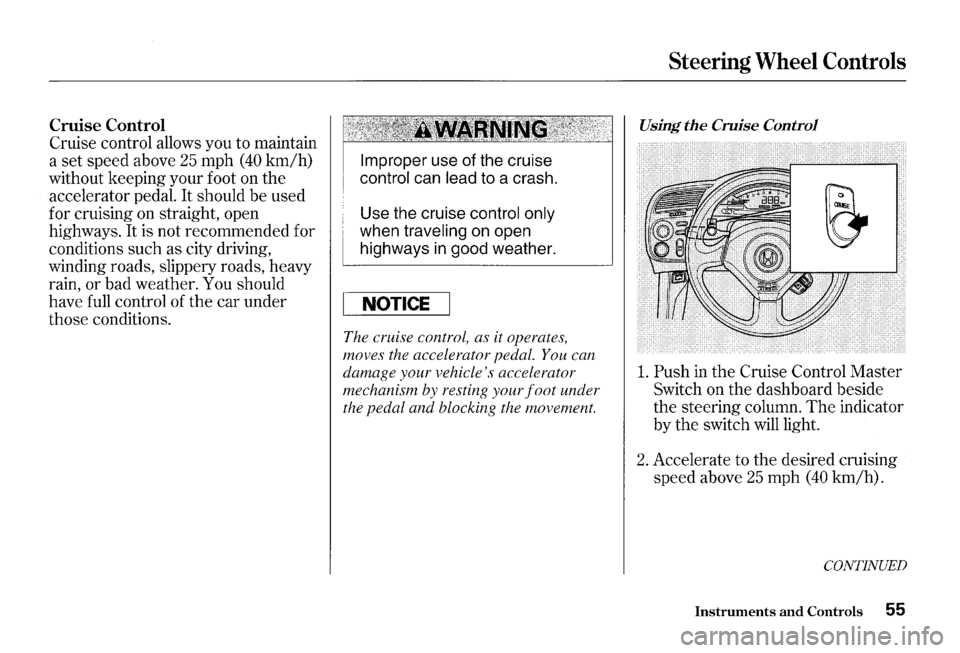
1. Push in the Cruise Control Master
Switch on the dashboard beside
the steering column. The indicator
by
the switch will light.
2. Accelerate to the desired cruising
speed above
25 mph (40 km/h).
CONTINUED
Instruments and Controls 55
Page 61 of 273
Keys and Locks
Keys
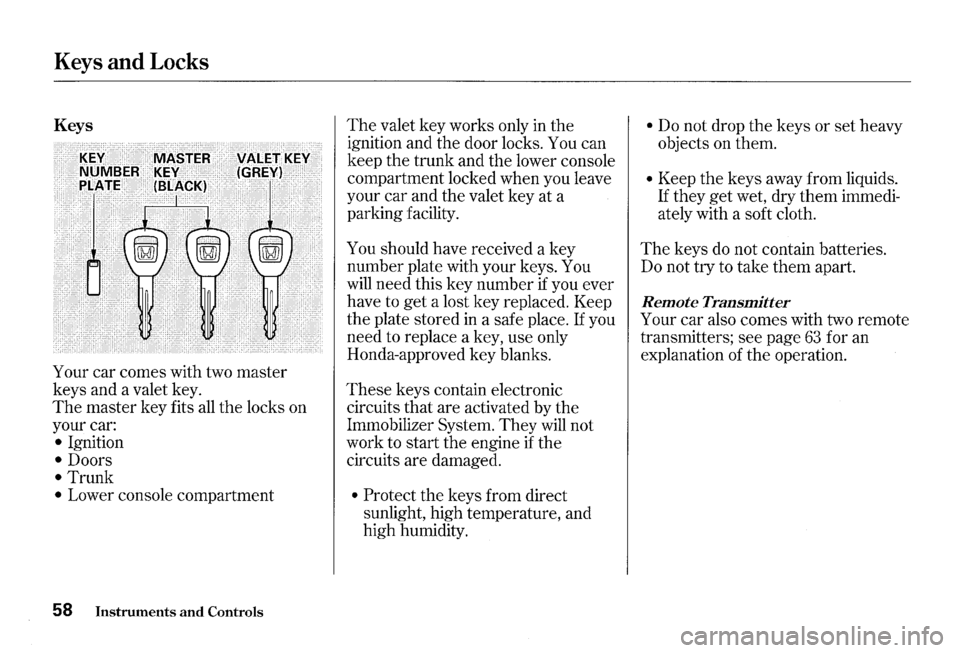
Your car comes with two master
keys and a valet key.
The master key fits all the locks on
your car:
• Ignition
• Doors
• Trunk
• Lower console compartment
58 Instruments and Controls
The valet key works only in the
ignition and the door locks. You can
keep the trunk and the lower console
compartment locked when you leave
your car and the valet key at a
parking facility.
You should have received a key
number plate with your keys. You
will need this key number if you ever
have to
get a lost key replaced. Keep
the plate stored
in a safe place. If you
need to replace a key, use only
Honda-approved key blanks.
These keys contain electronic
circuits that are activated by the
Immobilizer System.
They will not
work to start the engine if the
circuits are damaged.
• Protect the keys from direct
sunlight, high temperature, and
high humidity.
• Do not drop the keys or set heavy
objects on them.
• Keep the keys away from liquids.
If they get wet, dry them immedi
ately with a soft cloth.
The keys do not contain batteries.
Do not try to take them apart.
Remote Transmitter
Your car also comes with two remote
transmitters; see page
63 for an
explanation of the operation.
Page 62 of 273
Immobilizer System
The Immobilizer System protects
your car from theft. A properly
coded master or valet key must be
used
in the ignition switch for the
engine to start.
If an improperly
coded key (or other device) is used,
the engine's fuel system is disabled.
When you
turn the ignition switch to
ON (II), the Immobilizer System
indicator should come on for a few
seconds, then go out.
If the indicator
starts to blink, it means the system
does not recognize the coding of the
key.
Turn the ignition switch to
LOCK (O), remove the key, reinsert
it, and turn
the switch to ON (II)
a gam.
The system may not recognize your
key's coding
if another immobilizer
key or other metal object is near the
ignition switch when you insert the
key.
To make sure the system
recognizes
the key code:
• Do not keep other immobilizer
keys
on the same key ring.
• Use a plastic or leather key fob,
not metal.
• Keep other keys away from your
vehicle's key and
the ignition
switch while trying to start the
engine.
If the system repeatedly does not
recognize the coding of your key,
contact your Honda dealer.
This indicator will also blink several
times when you turn the ignition
switch from
ON (II) to ACCESSORY
(I) or LOCK (0).
Do not attempt to alter this system
or add other devices to
it. Electrical
problems could result
that may make
your car undriveable.
If you have lost your key and you
cannot start the engine, contact your
Honda dealer.
Keys and Locks
As required by the FCC:
This device complies with Part 15 of the
FCC rules. Operation is subject to the
following two conditions:
(1) This device
may not cause harmful interference, and
(2) this device must accept any
interference received, including
interference that
may cause undesired
operation.
Changes or modifications
not expressly
approved
by the party responsible for
compliance could void the user's
authority to operate the equipment.
This device complies with Indust1y
Canada Standard RSS-210.
Operation
is subject to the following two
conditions:
(1) this device may not cause
interference, and
(2) this device must
accept any interference that may cause
undesired operation
of the device.
Instruments and Controls 59
Page 63 of 273
Keys and Locks
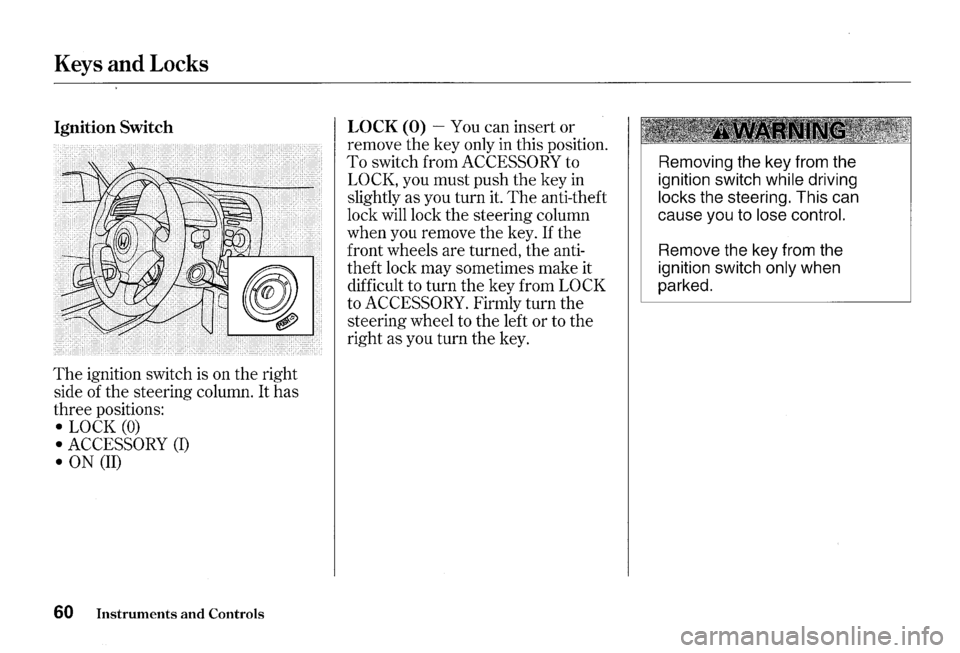
Ignition Switch
The ignition switch is on the right
side of the steering column.
It has
three positions:
• LOCK (0)
• ACCESSORY (I)
• ON (II)
60 Instruments and Controls
LOCK (0)-You can insert or
remove the key only in this position.
To switch from ACCESSORY to
LOCK, you must push the key in
slightly as you turn it. The anti-theft
lock will lock the steering column
when you remove the key.
If the
front wheels are turned, the anti
theft lock may sometimes make it
difficult to turn the key from
LOCK
to ACCESSORY. Firmly turn the
steering wheel to the left or to the
right as you turn the key.
Removing the key from the
ignition switch
while driving
locks the steering. This can
cause you to
lose control.
Remove the key from the
ignition switch
only when
parked.
Page 64 of 273
ACCESSORY (I) -In this position,
you can operate
the audio system
and the accessory power socket.
ON (II) -This is the normal key
position when driving. All features
and accessories on
the car are usable.
Several of
the lights on the instru
ment panel come on as a test when
you
turn the ignition switch from
ACCESSORY to
ON.
The engine can be started with the
key in this position by pressing the
engine START button (see page
131 ).
The engine will not start if the
Immobilizer System does not
recognize the key's coding (see page
59).
You will hear a reminder beeper if
you leave
the key in the ignition
switch in
the LOCK (0) or
ACCESSORY (I) position and open
the driver's door. Remove the key to
turn off the beeper.
Keys and Locks
Instruments and Controls 61