ignition HUMMER H3 2010 User Guide
[x] Cancel search | Manufacturer: HUMMER, Model Year: 2010, Model line: H3, Model: HUMMER H3 2010Pages: 410, PDF Size: 2.24 MB
Page 43 of 410
Keys, Doors and Windows 2-17
Window Lockout
o(Window Lockout): The window
lockout button is located in front
of the window switches. This feature
disables the passenger's window
switches when the button is
pressed. Press the button again to
turn the lockout off. A red band on
the side of the button is lit when the
windows are not locked out.
Sun Visors
Pull the visor toward you, or move it
to the side to help reduce glare.
Pull out the extenders for further
coverage.
On a visor with a mirror, lift the
cover to use it.
Roof
Sunroof
To operate a power sliding sunroof,
the ignition must be on, or Retained
Accessory Power (RAP) must be
active. See Retained Accessory
Power (RAP) on page 9‑35.
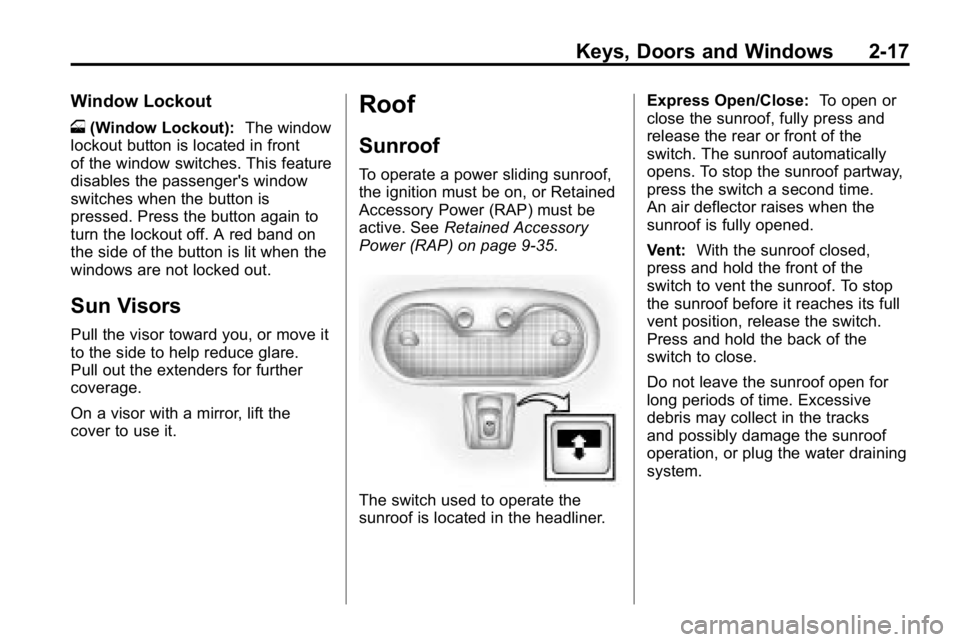
The switch used to operate the
sunroof is located in the headliner. Express Open/Close:
To open or
close the sunroof, fully press and
release the rear or front of the
switch. The sunroof automatically
opens. To stop the sunroof partway,
press the switch a second time.
An air deflector raises when the
sunroof is fully opened.
Vent: With the sunroof closed,
press and hold the front of the
switch to vent the sunroof. To stop
the sunroof before it reaches its full
vent position, release the switch.
Press and hold the back of the
switch to close.
Do not leave the sunroof open for
long periods of time. Excessive
debris may collect in the tracks
and possibly damage the sunroof
operation, or plug the water draining
system.
Page 50 of 410
3-6 Seats and Restraints
Heated Front Seats
{WARNING
If you cannot feel temperature
change or pain to the skin, the
seat heater may cause burns
even at low temperatures.
To reduce the risk of burns,
people with such a condition
should use care when using
the seat heater, especially for
long periods of time. Do not
place anything on the seat that
insulates against heat, such as
a blanket, cushion, cover or
similar item. This may cause
the seat heater to overheat.
An overheated seat heater may
cause a burn or may damage
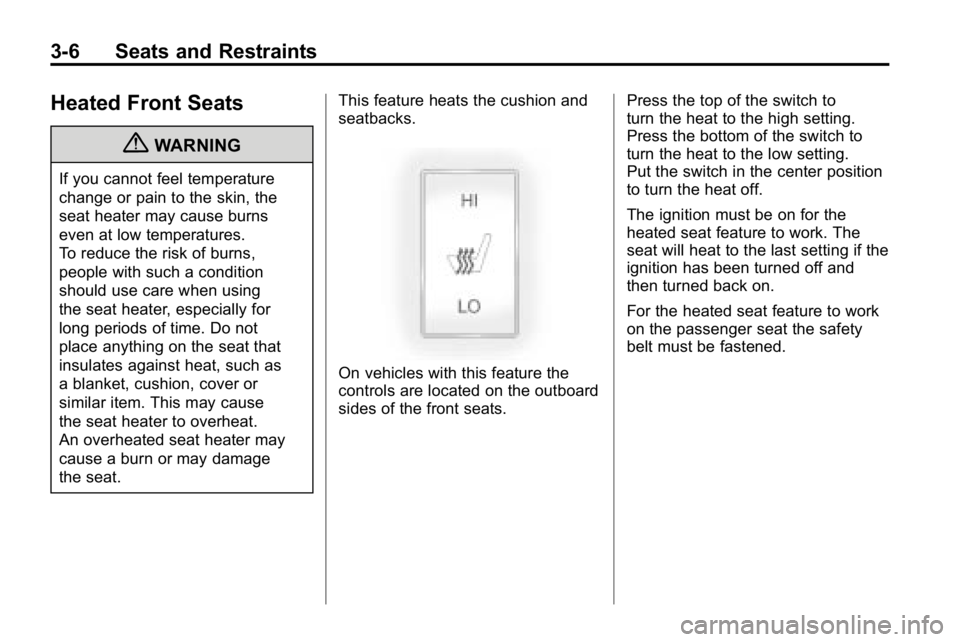
the seat.This feature heats the cushion and
seatbacks.
On vehicles with this feature the
controls are located on the outboard
sides of the front seats.
Press the top of the switch to
turn the heat to the high setting.
Press the bottom of the switch to
turn the heat to the low setting.
Put the switch in the center position
to turn the heat off.
The ignition must be on for the
heated seat feature to work. The
seat will heat to the last setting if the
ignition has been turned off and
then turned back on.
For the heated seat feature to work
on the passenger seat the safety
belt must be fastened.
Page 84 of 410
3-40 Seats and Restraints
Servicing the
Airbag-Equipped Vehicle
Airbags affect how the vehicle
should be serviced. There are
parts of the airbag system in
several places around the vehicle.
Your dealer and the service manual
have information about servicing
the vehicle and the airbag system.
To purchase a service manual, see
Service Publications Ordering
Information on page 13‑12.
{WARNING
For up to 10 seconds after the
ignition is turned off and the
battery is disconnected, an airbag
can still inflate during improper
service. You can be injured if you
are close to an airbag when it
inflates. Avoid yellow connectors.(Continued)
WARNING (Continued)
They are probably part of the
airbag system. Be sure to follow
proper service procedures, and
make sure the person performing
work for you is qualified to do so.
Adding Equipment to the
Airbag-Equipped Vehicle
Q: Is there anything I might addto or change about the vehicle
that could keep the airbags
from working properly?
A: Yes. If you add things that
change the vehicle's frame,
bumper system, height, front
end or side sheet metal, they
may keep the airbag system
from working properly. Changing
or moving any parts of the front
seats, safety belts, the airbag
sensing and diagnostic module, steering wheel, instrument
panel, roof-rail airbag modules,
ceiling headliner or pillar garnish
trim, overhead console, front
sensors, side impact sensors,
rollover sensor module, or airbag
wiring can affect the operation of
the airbag system.
In addition, the vehicle has a
passenger sensing system
for the right front passenger
position, which includes sensors
that are part of the passenger
seat. The passenger sensing
system may not operate properly
if the original seat trim is
replaced with non-Hummer
covers, upholstery or trim,
or with Hummer covers,
upholstery or trim designed for
a different vehicle. Any object,
such as an aftermarket seat
heater or a comfort enhancing
pad or device, installed under or
Page 116 of 410
5-2 Instruments and Controls
Controls
Steering Wheel
Adjustment
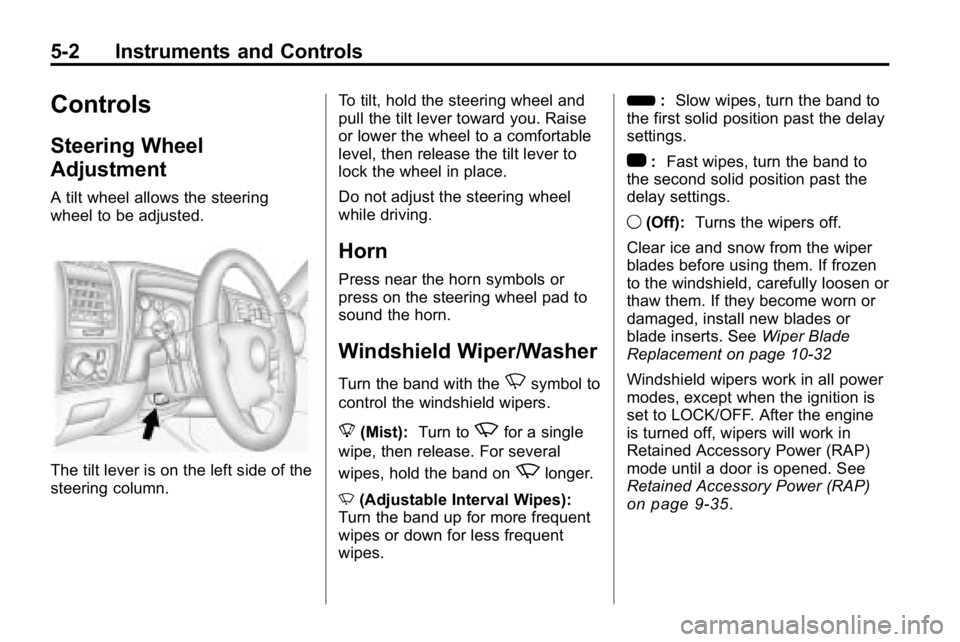
A tilt wheel allows the steering
wheel to be adjusted.
The tilt lever is on the left side of the
steering column.To tilt, hold the steering wheel and
pull the tilt lever toward you. Raise
or lower the wheel to a comfortable
level, then release the tilt lever to
lock the wheel in place.
Do not adjust the steering wheel
while driving.
Horn
Press near the horn symbols or
press on the steering wheel pad to
sound the horn.
Windshield Wiper/Washer
Turn the band with theNsymbol to
control the windshield wipers.
8 (Mist): Turn to
zfor a single
wipe, then release. For several
wipes, hold the band on
zlonger.
N (Adjustable Interval Wipes):
Turn the band up for more frequent
wipes or down for less frequent
wipes. 6
:Slow wipes, turn the band to
the first solid position past the delay
settings.
1 :Fast wipes, turn the band to
the second solid position past the
delay settings.
9 (Off): Turns the wipers off.
Clear ice and snow from the wiper
blades before using them. If frozen
to the windshield, carefully loosen or
thaw them. If they become worn or
damaged, install new blades or
blade inserts. See Wiper Blade
Replacement on page 10‑32
Windshield wipers work in all power
modes, except when the ignition is
set to LOCK/OFF. After the engine
is turned off, wipers will work in
Retained Accessory Power (RAP)
mode until a door is opened. See
Retained Accessory Power (RAP)
on page 9‑35.
Page 118 of 410

5-4 Instruments and Controls
Compass Calibration
The compass may need to be
calibrated if CAL is not displayed
and the compass requires
calibration. Press and hold
Ountil
CAL displays in the compass
window, then release the button.
The compass is now in
calibration mode.
.Drive the vehicle in circles
at less than 8 km/h (5 mph)
until CAL is no longer displayed
in the compass window. Then
continue to drive to make sure
all eight directions are available.
.Drive the vehicle under normal
operating conditions.
Compass Variance
The mirror is set to zone eight.
If you do not live in zone eight or
drive out of the area, the compass
variance needs to be changed to
the appropriate zone. To adjust for compass variance:
1. Find your current location and
variance zone number on the
following zone map.
2. Press and holdOfor
six seconds until ZONE
displays. Release the button.
The compass is now in
zone mode. 3. Keep pressing
Ountil the
desired zone number displays.
Release the button. After
four seconds, the new zone
number locks in and the
compass display returns.
Clock
The clock can be set with the
ignition on or off. Use the H and
M buttons located on the lower left
side of the radio.
To set the clock:
1. Press and hold H until the correct hour and AM or PM
displays.
2. Press and hold M until the correct minute displays.
Press DISP (Display) to display the
time while the ignition is turned off.
Page 122 of 410
5-8 Instruments and Controls
Speedometer
The speedometer shows the
vehicle's speed in both kilometers
per hour (km/h) and miles per
hour (mph).
Odometer
The odometer shows how far the
vehicle has been driven, in either
kilometers or miles.
This vehicle has a tamper-resistant
odometer. If the vehicle needs a
new odometer installed, the new
one is set to the mileage of the old
odometer. If this is not possible,
it is set at zero and a label is put
on the driver's door to show the old
mileage reading.
Trip Odometer
The vehicle has a trip odometer that
indicates how far the vehicle has
been driven since the trip odometer
was last set to zero.See
“Trip Odometer” underDriver
Information Center (DIC)
on
page 5‑18for more information.
Tachometer
The tachometer displays the engine
speed in revolutions per
minute (rpm).
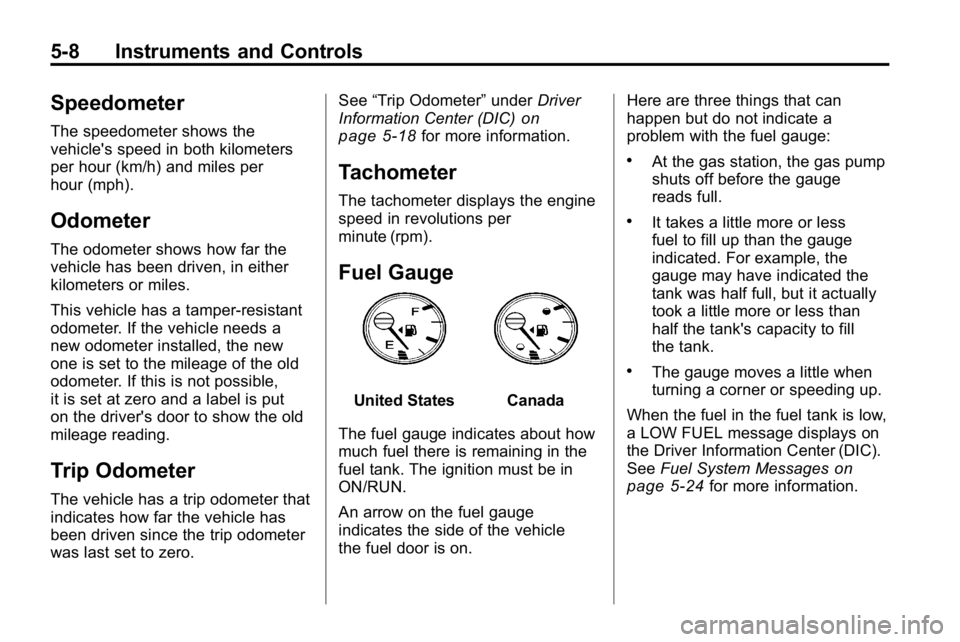
Fuel Gauge
United StatesCanada
The fuel gauge indicates about how
much fuel there is remaining in the
fuel tank. The ignition must be in
ON/RUN.
An arrow on the fuel gauge
indicates the side of the vehicle
the fuel door is on. Here are three things that can
happen but do not indicate a
problem with the fuel gauge:
.At the gas station, the gas pump
shuts off before the gauge
reads full.
.It takes a little more or less
fuel to fill up than the gauge
indicated. For example, the
gauge may have indicated the
tank was half full, but it actually
took a little more or less than
half the tank's capacity to fill
the tank.
.The gauge moves a little when
turning a corner or speeding up.
When the fuel in the fuel tank is low,
a LOW FUEL message displays on
the Driver Information Center (DIC).
See Fuel System Messages
on
page 5‑24for more information.
Page 125 of 410

Instruments and Controls 5-11
Passenger Airbag Status
Indicator
The vehicle has the passenger
sensing system. SeePassenger
Sensing System
on page 3‑35for
important safety information. The
instrument panel has a passenger
airbag status indicator.
United States
Canada
When the vehicle is started, the
passenger airbag status indicator
will light ON and OFF, or the symbol
for on and off, for several seconds as a system check. Then, after
several more seconds, the status
indicator will light either ON or OFF,
or either the on or off symbol to let
you know the status of the right front
passenger frontal airbag.
If the word ON or the on symbol is
lit on the passenger airbag status
indicator, it means that the right
front passenger frontal airbag is
enabled (may inflate).
If the word OFF or the off symbol is
lit on the airbag status indicator, it
means that the passenger sensing
system has turned off the right front
passenger frontal airbag.
If, after several seconds, both status
indicator lights remain on, or if there
are no lights at all, there may be
a problem with the lights or the
passenger sensing system. See
your dealer for service.
{WARNING
If the airbag readiness light
ever comes on and stays on, it
means that something may be
wrong with the airbag system.
To help avoid injury to yourself or
others, have the vehicle serviced
right away. See
Airbag Readiness
Light
on page 5‑10for more
information, including important
safety information.
Charging System Light
This light comes on briefly when the
ignition key is turned, but the engine
is not running, as a check to show it
is working.
Page 126 of 410

5-12 Instruments and Controls
It should go out once the engine
starts. If it stays on, or comes on
while driving, there could be a
problem with the charging system.
A charging system message in the
Driver Information Center (DIC)
may also appear. SeeBattery
Voltage and Charging Messages
on
page 5‑21for more information.
This light could indicate that there
are problems with a generator drive
belt, or that there is an electrical
problem. Have it checked right
away. If the vehicle must be driven a
short distance with the light on, turn
off all the accessories, such as the
radio and air conditioner.
Malfunction
Indicator Lamp
A computer system called OBD II
(On-Board Diagnostics-Second
Generation) monitors operation of
the fuel, ignition, and emission
control systems. It ensures that emissions are at acceptable levels
for the life of the vehicle, helping to
produce a cleaner environment.
This light comes on when the
ignition is on, but the engine is not
running, as a check to show it is
working. If it does not, have the
vehicle serviced by your dealer.
If the check engine light comes on
and stays on, while the engine is
running, this indicates that there is
an OBD II problem and service is
required.
Malfunctions often are indicated by
the system before any problem is
apparent. Being aware of the light
can prevent more serious damage
to the vehicle. This system assists
the service technician in correctly
diagnosing any malfunction.Notice:
If the vehicle is
continually driven with this light
on, after a while, the emission
controls might not work as well,
the vehicle's fuel economy might
not be as good, and the engine
might not run as smoothly. This
could lead to costly repairs that
might not be covered by the
vehicle warranty.
Notice: Modifications made to the
engine, transmission, exhaust,
intake, or fuel system of the
vehicle or the replacement of
the original tires with other
than those of the same Tire
Performance Criteria (TPC) can
affect the vehicle's emission
controls and can cause this light
to come on. Modifications to
these systems could lead to
costly repairs not covered by
the vehicle warranty. This
could also result in a failure
to pass a required Emission
Inspection/Maintenance test.
See Accessories and
Modifications on page 10‑3.
Page 128 of 410

5-14 Instruments and Controls
Emissions Inspection and
Maintenance Programs
Some state/provincial and local
governments have or might begin
programs to inspect the emission
control equipment on the vehicle.
Failure to pass this inspection
could prevent getting a vehicle
registration.
Here are some things to know to
help the vehicle pass an inspection:
.The vehicle will not pass this
inspection if the check engine
light is on with the engine
running, or if the key is in
ON/RUN and the light is not on.
.The vehicle will not pass
this inspection if the OBD II
(on-board diagnostic) system
determines that critical emission
control systems have not been
completely diagnosed by the
system. The vehicle would
be considered not ready for
inspection. This can happen ifthe battery has recently been
replaced or if the battery has run
down. The diagnostic system is
designed to evaluate critical
emission control systems during
normal driving. This can take
several days of routine driving.
If this has been done and the
vehicle still does not pass the
inspection for lack of OBD II
system readiness, your dealer
can prepare the vehicle for
inspection.
Brake System Warning
Light
The vehicle's hydraulic brake
system is divided into two parts.
If one part is not working, the other
part can still work and stop the
vehicle. For good braking though,
both parts need to be working well.
If the warning light comes on, there
could be a brake problem. Have the
brake system inspected right away.
United StatesCanada
This light comes on briefly when the
ignition key is turned to ON/RUN.
If it does not, have it fixed so it will
be ready to warn if there is a
problem.
When the ignition is on, the brake
system warning light comes on
when the parking brake is set.
See Parking Brake
on page 9‑51for more information. The light stays
on if the parking brake does not
release fully. If it stays on after the
parking brake is fully released, it
means there is a brake problem.
Page 129 of 410
Instruments and Controls 5-15
If the light comes on while driving,
pull off the road and stop. The brake
pedal might be harder to push, or it
might go closer to the floor. It can
take longer to stop. If the light is
still on, have the vehicle towed for
service. SeeTowing the Vehicle
on
page 10‑90.
{WARNING
The brake system might not be
working properly if the brake
system warning light is on.
Driving with the brake system
warning light on can lead to a
crash. If the light is still on after
the vehicle has been pulled off
the road and carefully stopped,
have the vehicle towed for
service.
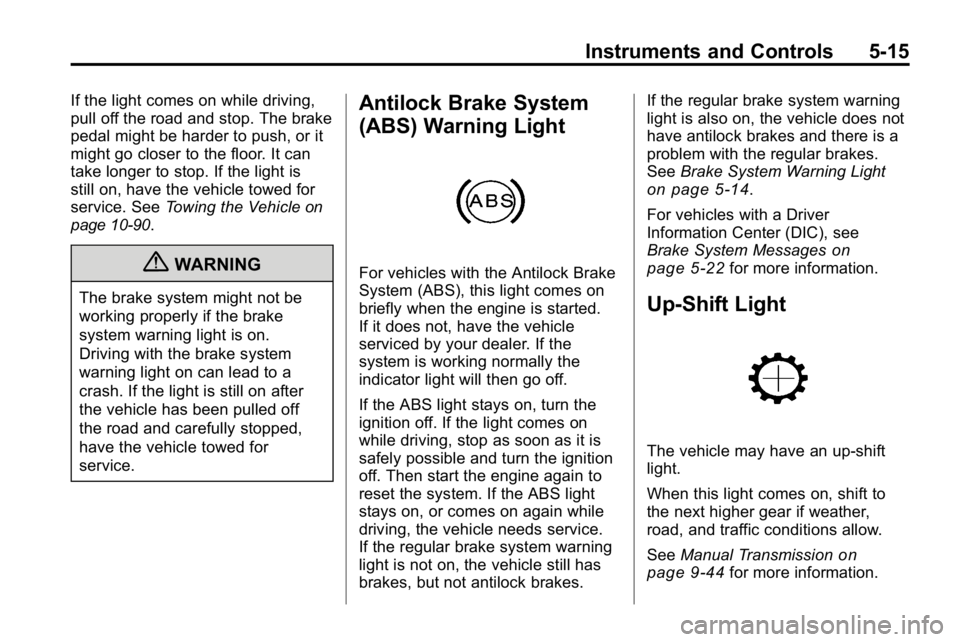
Antilock Brake System
(ABS) Warning Light
For vehicles with the Antilock Brake
System (ABS), this light comes on
briefly when the engine is started.
If it does not, have the vehicle
serviced by your dealer. If the
system is working normally the
indicator light will then go off.
If the ABS light stays on, turn the
ignition off. If the light comes on
while driving, stop as soon as it is
safely possible and turn the ignition
off. Then start the engine again to
reset the system. If the ABS light
stays on, or comes on again while
driving, the vehicle needs service.
If the regular brake system warning
light is not on, the vehicle still has
brakes, but not antilock brakes. If the regular brake system warning
light is also on, the vehicle does not
have antilock brakes and there is a
problem with the regular brakes.
See
Brake System Warning Light
on page 5‑14.
For vehicles with a Driver
Information Center (DIC), see
Brake System Messages
on
page 5‑22for more information.
Up-Shift Light
The vehicle may have an up-shift
light.
When this light comes on, shift to
the next higher gear if weather,
road, and traffic conditions allow.
See Manual Transmission
on
page 9‑44for more information.