ESP Hyundai Accent 2006 Owner's Guide
[x] Cancel search | Manufacturer: HYUNDAI, Model Year: 2006, Model line: Accent, Model: Hyundai Accent 2006Pages: 599, PDF Size: 17.59 MB
Page 379 of 599

1
FEATURES OF YOUR HYUNDAI
97
H210B04O-AAT
1. POWER ON-OFF/VOLUME Control Knob
The radio unit may be operated when the ignition key is in the "ACC" or "ON"position. Rotate the knob clockwise to switch the radio unit on and to increase the volume.The LCD shows the radio frequency in the radio mode. Turn the knob counter- clockwise to reduce the volume and toswitch the radio unit off. BAL (Balance Control) Knob Pull and turn the control knob clockwise to emphasize right speaker sound (left speaker sound will be attenuated). When the control knob is turned counterclock-wise, left speaker sound will be empha- sized (right speaker sound will be at- tenuated).After adjusting the balance, push the knob again to use the other function. SCAN Knob When the scan knob is pressed, the frequency will increase and the receiv-able stations will be tuned in one after another, receiving each station for 5 seconds. To stop scanning, press thescan knob again.
2. FAD (Fader Control) Knob Turn the control knob counterclockwise to emphasize front speaker sound (rear speaker sound will be attenuated). Whenthe control knob is turned clockwise, rear speaker sound will be emphasized (front speaker sound will be attenu-ated).
3. BASS Control Knob Press to pop the knob out and turn to the left or right for the desired bass tone. TREBLE Control Knob. Pull the bass control knob further out. Turn to the left or right for the desiredtreble tone.4. BAND Selector Pressing the button changes the AM, FM1 and FM2 bands. The modeselected is displayed on LCD.
5. TUNE (Manual) Select Button Press the ( ) side or ( ) side to increase or to decrease the frequency. With the button held down for 1 sec. ormore, the stop signal (broadcasting radio wave) is ignored and channel selection continues. SEEK Operation (Automatic Channel Selection) Press the TUNE select button for 1 sec. or more. When the ( ) side is pressed,the unit will automatically tune to the next higher frequency and when the ( ) side is pressed, it will automaticallytune to the next lower frequency.
6. PRESET STATION SELECT
Button
Six (6) stations for AM, FM1 and FM2 respectively can be preset in the elec- tronic memory circuit on this unit.
FM AM
Page 382 of 599

1FEATURES OF YOUR HYUNDAI
100
H210B04O-AAT
1. POWER ON-OFF/VOLUMEControl Knob
The radio unit may be operated when the ignition key is in the "ACC" or "ON"position. Rotate the knob clockwise to switch the radio unit on and to increase the volume.The LCD shows the radio frequency in the radio mode. Turn the knob counter- clockwise to reduce the volume and toswitch the radio unit off. BAL (Balance Control) Knob Pull and turn the control knob clockwise to emphasize right speaker sound (left speaker sound will be attenuated). When the control knob is turned counterclock-wise, left speaker sound will be empha- sized (right speaker sound will be at- tenuated).After adjusting the balance, push the knob again to use the other function. SCAN Knob When the scan knob is pressed, the frequency will increase and the receiv-able stations will be tuned in one after another, receiving each station for 5 seconds. To stop scanning, press thescan knob again.
2. FAD (Fader Control) Knob Turn the control knob counterclockwise to emphasize front speaker sound (rear speaker sound will be attenuated). Whenthe control knob is turned clockwise, rear speaker sound will be emphasized (front speaker sound will be attenu-ated).
3. BASS Control Knob Press to pop the knob out and turn to the left or right for the desired bass tone. TREBLE Control Knob. Pull the bass control knob further out. Turn to the left or right for the desiredtreble tone. 4. BAND Selector Pressing the button changes the AM, FM1 and FM2 bands. The modeselected is displayed on LCD.
5. TUNE (manual) Select Button Press the ( ) side or ( ) side to increase or to decrease the frequency. With the button held down for 1 sec. ormore, the stop signal (broadcasting radio wave) is ignored and channel selection continues. SEEK Operation (Automatic Channel Selection) Press the TUNE select button for 1 sec. or more. When the ( ) side is pressed,the unit will automatically tune to the next higher frequency and when the ( ) side is pressed, it will automaticallytune to the next lower frequency.
6. PRESET STATION SELECT
Button
Six (6) stations for AM, FM1 and FM2 respectively can be preset in the elec- tronic memory circuit on this unit.
FM AM
Page 388 of 599
1FEATURES OF YOUR HYUNDAI
106
7. PRESET STATION SELECTButton
Six (6) stations for AM, FM1 and FM2 respectively can be preset in the elec-tronic memory circuit on this unit. HOW TO PRESET STATIONS Six AM and twelve FM stations may be programmed into the memory of the radio. Then, by simply pressing the band select button and/or one of the sixstation select buttons, you may recall any of these stations instantly. To pro- gram the stations, follow these steps:
o Press band selector to set the band for AM, FM1, or FM2.
o Select the desired station to be stored by seek, scan or manual tuning.
o Determine the preset station select button you wish to use to access that station.
o Press the station select button for more than two seconds. A selectbutton indicator will show in the dis- play indicating which select buttonyou have depressed. The frequency display will flash after it has been stored into the memory. You should then release the button,and proceed to program the nextdesired station. A total of 18 stations can be programmed by selecting one AM and two FM stations per button.
o When completed, any preset station may be recalled by selecting AM,FM1 or FM2 band and the appropri-ate station button.
! CAUTION:
o Do not place beverages close to the audio system. The audio sys- tem mechanism may be damagedif you spill them.
o Do not impact on the audio sys-
tem, or the audio system mecha-nism could be damaged.
Page 398 of 599
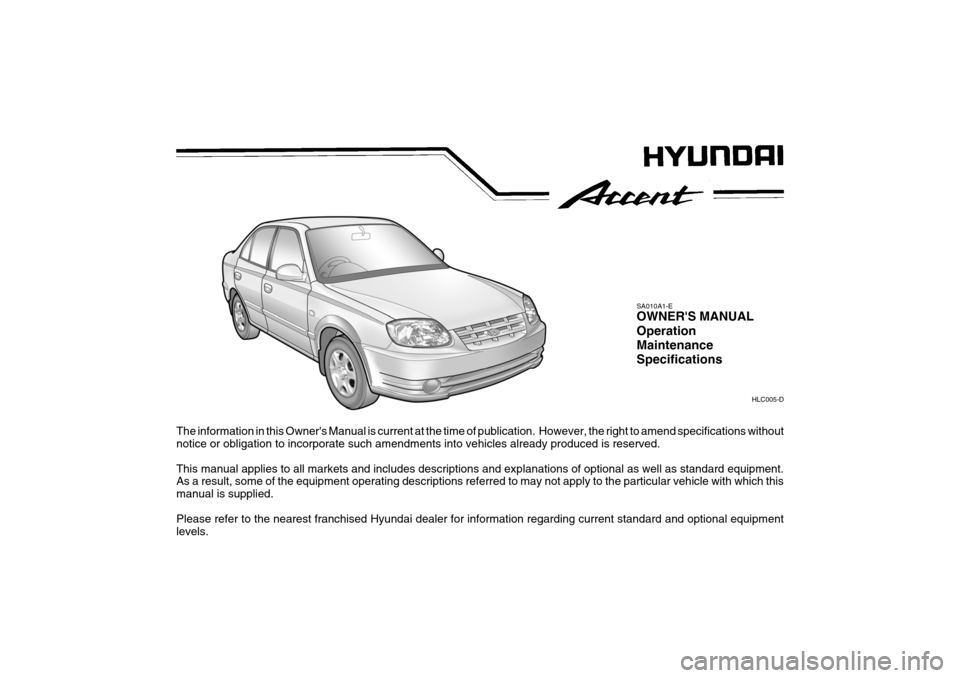
The information in this Owner's Manual is current at the time of publication. However, the right to amend specifications without
notice or obligation to incorporate such amendments into vehicles already produced is reserved. This manual applies to all markets and includes descriptions and explanations of optional as well as standard equipment. As a result, some of the equipment operating descriptions referred to may not apply to the particular vehicle with which this manual is supplied. Please refer to the nearest franchised Hyundai dealer for information regarding current standard and optional equipment levels. HLC005-D
SA010A1-E OWNER'S MANUAL Operation MaintenanceSpecifications
Page 399 of 599

Responsibilty For Maintenance
It is the responsibility of the vehicle owner/driver to ensure that all routine mainte- nance services are undertaken in line with the recommendations specified in Section 5 of this manual. In addition, in order to ensure continued validity of the new vehiclewarranty and safe operation of the vehicle, non scheduled maintenance/running repairs should be undertaken at the earliest available opportunity. Under severe operating conditions, more frequent maintenance is required. Detailsof the maintenance schedule for such conditions are also given in section 5. It is recommended that all maintenance operations and repairs are entrusted to a franchised Hyundai dealer to ensure that the latest repair methods, specializedtooling and genuine Hyundai parts are used to ensure the continued reliability and safety of the vehicle.
SA020A1-E
Page 401 of 599
SA040A1-E SA050A1-E
TWO WAY RADIO INSTALLATION
This vehicle is fitted with electronically controlled fuel injection or other micro processor controlled equipment. It is possible for incorrectly installed two way radio equipment including mobiletelephones to adversely affect these systems. Before radio equipment of this kind is installed, please contact your Hyundai dealer for recommendation regarding the suitability of the particular radio equipmentconcerned and the recommended method of installation and equipment location. Incorrectly installed or unsuitable equipment which gives rise to incorrect functioning of or damage to electronic vehicle components will not fall within the scope of thevehicle manufacturers warranty.
CAUTION: MODIFICATIONS TO ORIGINAL VEHICLE SPECIFICATION
Modification to the original vehicle specification may invalidate the manufacturers warranty and may adversely affect the safety and durability of the vehicle. Components which are subject to modification or are added to the original vehiclespecification without the express approval of the manufacturer and result in conse- quential loss or damage are not covered by the vehicle manufacturers warranty.!
Page 410 of 599
3
1
CONTROLS AND EQUIPMENT
ZB010C1-E "Alternative fuels" Fuels which contain methanol or etha- nol must not be used. ZB010D1-E Operation in Foreign Countries Drivers of vehicles which are to be operated in foreign countries must sat-isfy themselves that:
o The vehicle meets all local regula-
tions with respect to insurance, speci- fications etc..
o The correct types and grades of fuel are available for satisfactory opera-tion of the vehicle.
BEFORE ENTERING THE VEHICLE
YB020A1-E
o Ensure that all windows, mirrors and
lamps are clean.
o Check condition of all tyres.
o Ensure that no fluid leaks are evi- dent.
o Ensure that the area around the ve-
hicle is clear before driving off.
SB010E1-E FUELS FOR CLEANER AIR To help contribute to cleaner air, Hyundai recommends that you use fuels treatedwith detergent additives, which help to prevent deposit formation in the engine. These fuels will help the engines runcleaner and the Emission Control Sys- tem performance.
Page 413 of 599
1CONTROLS AND EQUIPMENT
6
The key number should be recorded and kept in a safe place in case theneed to order further keys arises. New keys are available from any Hyundai dealer by quoting the relevant keynumber. In the interest of security, the metal tag attached to the keys which bears thekey number should be removed from the key ring after you receive your new vehicle. In addition, key numbers can-not be provided by Hyundai for security reasons. If you need additional keys or if youshould lose your keys, your authorized Hyundai dealer can make new keys.
!
B040A02Y-EAT Door Locks B040B01A-AATLocking and Unlocking Front Doors With a Key
WARNING:
o Unlocked doors can be danger- ous. Before you drive away (espe- cially if there are children in thecar), be sure that all the doors are securely closed and locked so that the doors cannot be inadvert-ently opened from the inside. This helps ensure that doors will not be opened accidentally. Also, when combined with the proper use of seat belts, locking the doors helpskeep occupants from being ejected from the car in case of an accident.
o Before opening the door, always look for and avoid oncoming traf-fic.
o In case of accident the door is unlocked automatically (Not allmodels). o The door can be locked or unlocked
with a key.
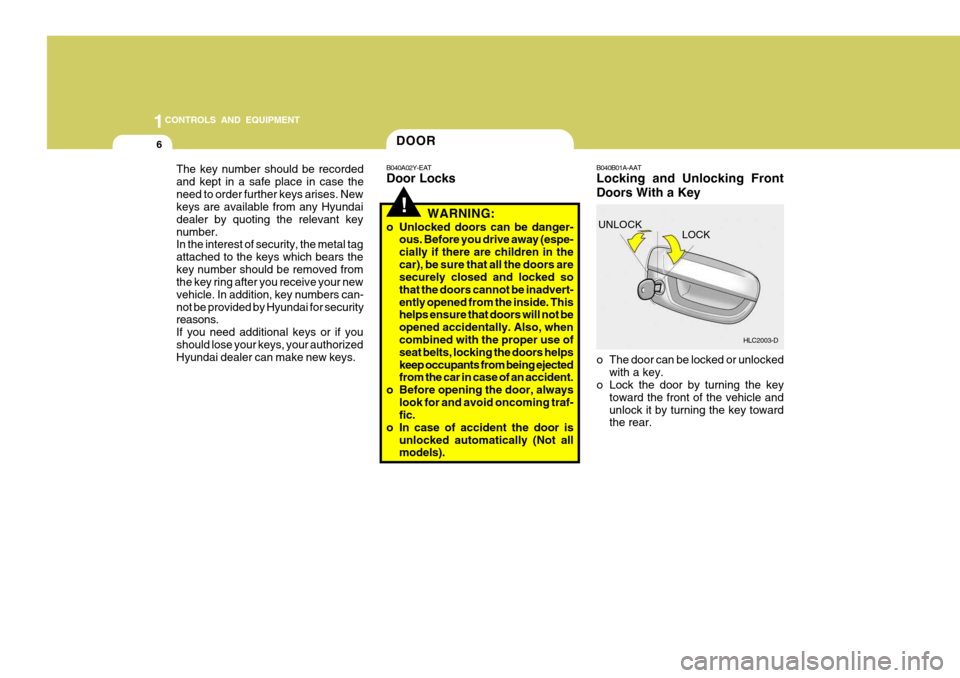
o Lock the door by turning the key
toward the front of the vehicle and unlock it by turning the key toward the rear.
UNLOCK
LOCK
HLC2003-D
DOOR
Page 434 of 599
27
1
CONTROLS AND EQUIPMENT
An ISOFIX-seat can only be installed if it has vehicle-specific approval in ac-cordance with the requirements of ECE- R44. For your Hyundai, the Hyundai ISOFIX GR1 / Hyundai Duo / RömerISOFIX GR1 and the Römer Duo ISOFIX / Britax Duo ISOFIX is approved ac- cording to the requirement ECE-R44.This seat has been tested extensively by Hyundai and is recommended for your Hyundai. NOTE: At present, this seat is the only one complying with that provision. In case that other manufacturers willfurnish proof of a respective certifi- cation, Hyundai is going to evaluate this seat carefully and will give arecommendation provided that seat complies to the law. Please ask your Hyundai dealer in this respect.
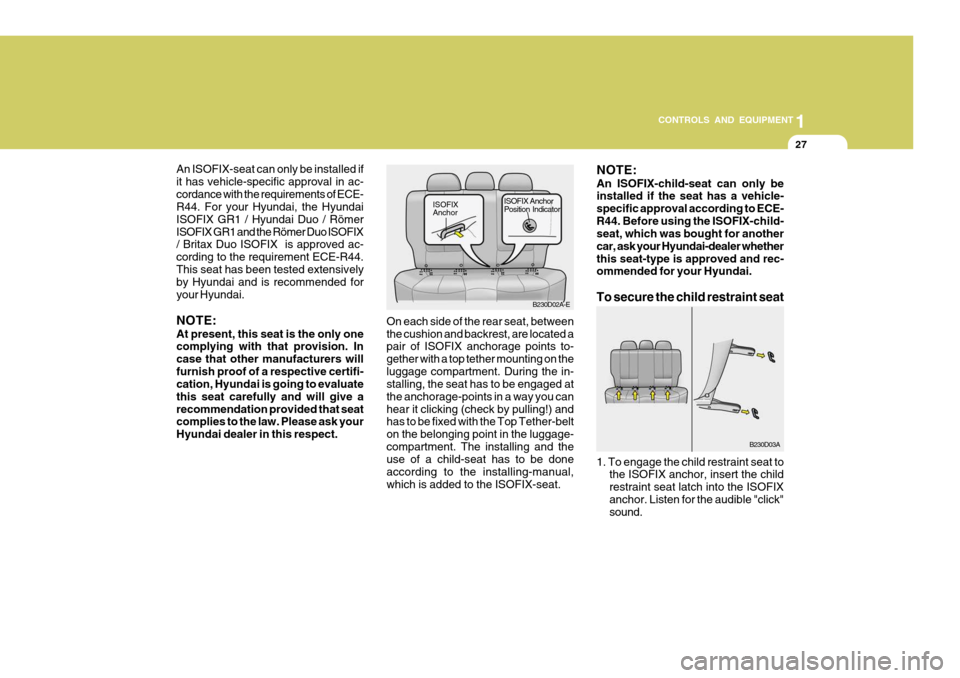
On each side of the rear seat, between the cushion and backrest, are located a pair of ISOFIX anchorage points to- gether with a top tether mounting on theluggage compartment. During the in- stalling, the seat has to be engaged at the anchorage-points in a way you canhear it clicking (check by pulling!) and has to be fixed with the Top Tether-belt on the belonging point in the luggage-compartment. The installing and the use of a child-seat has to be done according to the installing-manual,which is added to the ISOFIX-seat. B230D02A-E
ISOFIX AnchorISOFIX Anchor Position Indicator
NOTE: An ISOFIX-child-seat can only be installed if the seat has a vehicle- specific approval according to ECE-R44. Before using the ISOFIX-child- seat, which was bought for another car, ask your Hyundai-dealer whetherthis seat-type is approved and rec- ommended for your Hyundai. To secure the child restraint seat
B230D03A
1. To engage the child restraint seat to the ISOFIX anchor, insert the child restraint seat latch into the ISOFIXanchor. Listen for the audible "click" sound.
Page 450 of 599
43
1
CONTROLS AND EQUIPMENT
!
SB210J1-E
High Beam Indicator Light
The high beam indicator light will illumi- nate whenever the headlights areswitched to high beam of flash position.
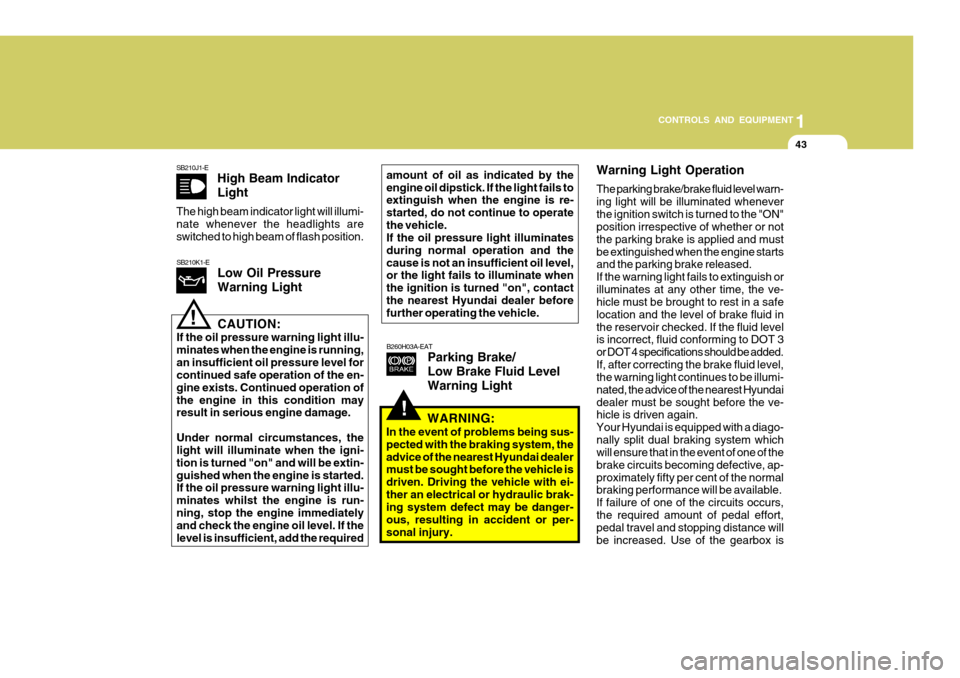
B260H03A-EATParking Brake/ Low Brake Fluid LevelWarning Light
SB210K1-ELow Oil Pressure Warning Light
!CAUTION:
If the oil pressure warning light illu- minates when the engine is running,an insufficient oil pressure level for continued safe operation of the en- gine exists. Continued operation ofthe engine in this condition may result in serious engine damage. Under normal circumstances, the light will illuminate when the igni- tion is turned "on" and will be extin-guished when the engine is started. If the oil pressure warning light illu- minates whilst the engine is run-ning, stop the engine immediately and check the engine oil level. If the level is insufficient, add the required amount of oil as indicated by theengine oil dipstick. If the light fails to extinguish when the engine is re- started, do not continue to operatethe vehicle. If the oil pressure light illuminates during normal operation and thecause is not an insufficient oil level, or the light fails to illuminate when the ignition is turned "on", contactthe nearest Hyundai dealer before further operating the vehicle.
Warning Light Operation The parking brake/brake fluid level warn- ing light will be illuminated wheneverthe ignition switch is turned to the "ON" position irrespective of whether or not the parking brake is applied and mustbe extinguished when the engine starts and the parking brake released. If the warning light fails to extinguish orilluminates at any other time, the ve- hicle must be brought to rest in a safe location and the level of brake fluid inthe reservoir checked. If the fluid level is incorrect, fluid conforming to DOT 3 or DOT 4 specifications should be added.If, after correcting the brake fluid level, the warning light continues to be illumi- nated, the advice of the nearest Hyundaidealer must be sought before the ve- hicle is driven again. Your Hyundai is equipped with a diago-nally split dual braking system which will ensure that in the event of one of the brake circuits becoming defective, ap-proximately fifty per cent of the normal braking performance will be available. If failure of one of the circuits occurs,the required amount of pedal effort, pedal travel and stopping distance will be increased. Use of the gearbox is
WARNING:
In the event of problems being sus-pected with the braking system, theadvice of the nearest Hyundai dealer must be sought before the vehicle is driven. Driving the vehicle with ei-ther an electrical or hydraulic brak- ing system defect may be danger- ous, resulting in accident or per-sonal injury.