Drive Hyundai Creta 2019 Workshop Manual
[x] Cancel search | Manufacturer: HYUNDAI, Model Year: 2019, Model line: Creta, Model: Hyundai Creta 2019Pages: 472, PDF Size: 13.39 MB
Page 139 of 472
3-54
Convenient features of your vehicle
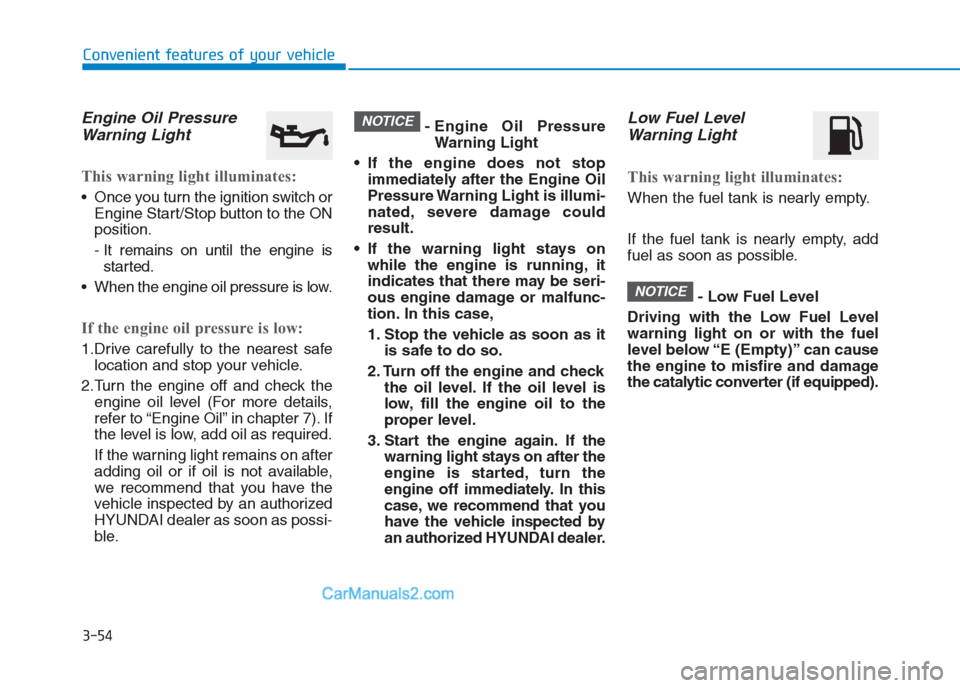
Engine Oil Pressure
Warning Light
This warning light illuminates:
Once you turn the ignition switch or
Engine Start/Stop button to the ON
position.
- It remains on until the engine is
started.
When the engine oil pressure is low.
If the engine oil pressure is low:
1.Drive carefully to the nearest safe
location and stop your vehicle.
2.Turn the engine off and check the
engine oil level (For more details,
refer to “Engine Oil” in chapter 7). If
the level is low, add oil as required.
If the warning light remains on after
adding oil or if oil is not available,
we recommend that you have the
vehicle inspected by an authorized
HYUNDAI dealer as soon as possi-
ble.- Engine Oil Pressure
Warning Light
If the engine does not stop
immediately after the Engine Oil
Pressure Warning Light is illumi-
nated, severe damage could
result.
If the warning light stays on
while the engine is running, it
indicates that there may be seri-
ous engine damage or malfunc-
tion. In this case,
1. Stop the vehicle as soon as it
is safe to do so.
2. Turn off the engine and check
the oil level. If the oil level is
low, fill the engine oil to the
proper level.
3. Start the engine again. If the
warning light stays on after the
engine is started, turn the
engine off immediately. In this
case, we recommend that you
have the vehicle inspected by
an authorized HYUNDAI dealer.
Low Fuel Level
Warning Light
This warning light illuminates:
When the fuel tank is nearly empty.
If the fuel tank is nearly empty, add
fuel as soon as possible.
- Low Fuel Level
Driving with the Low Fuel Level
warning light on or with the fuel
level below “E (Empty)” can cause
the engine to misfire and damage
the catalytic converter (if equipped).
NOTICE
NOTICE
Page 140 of 472
3-55
Convenient features of your vehicle
3
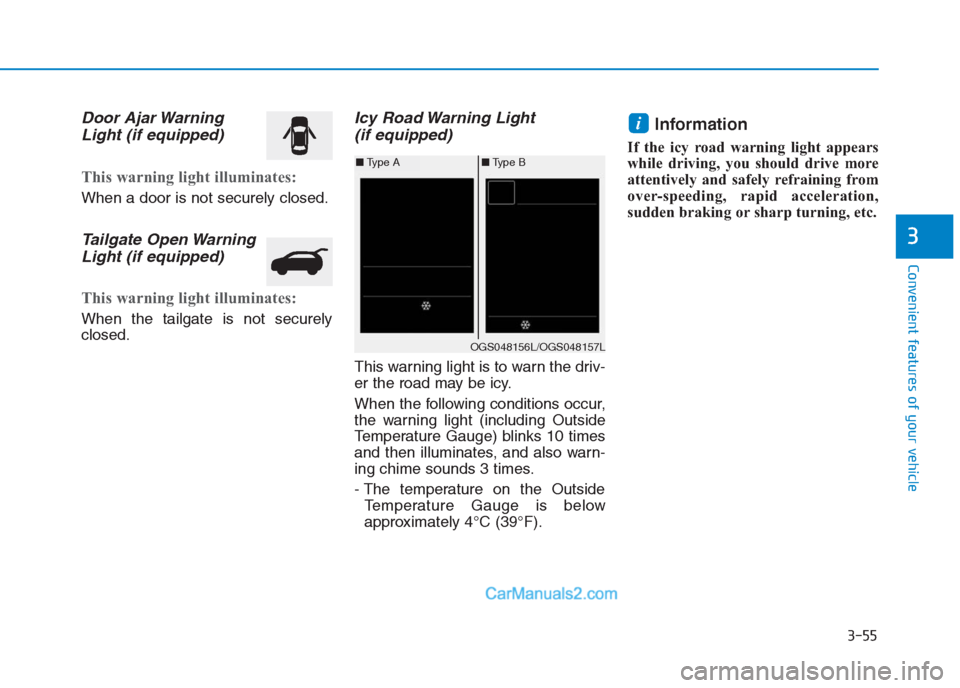
Door Ajar Warning
Light (if equipped)
This warning light illuminates:
When a door is not securely closed.
Tailgate Open Warning
Light (if equipped)
This warning light illuminates:
When the tailgate is not securely
closed.
Icy Road Warning Light
(if equipped)
This warning light is to warn the driv-
er the road may be icy.
When the following conditions occur,
the warning light (including Outside
Temperature Gauge) blinks 10 times
and then illuminates, and also warn-
ing chime sounds 3 times.
- The temperature on the Outside
Temperature Gauge is below
approximately 4°C (39°F).
Information
If the icy road warning light appears
while driving, you should drive more
attentively and safely refraining from
over-speeding, rapid acceleration,
sudden braking or sharp turning, etc.
i
OGS048156L/OGS048157L
■Type A■Type B
Page 145 of 472
3-60
Convenient features of your vehicle
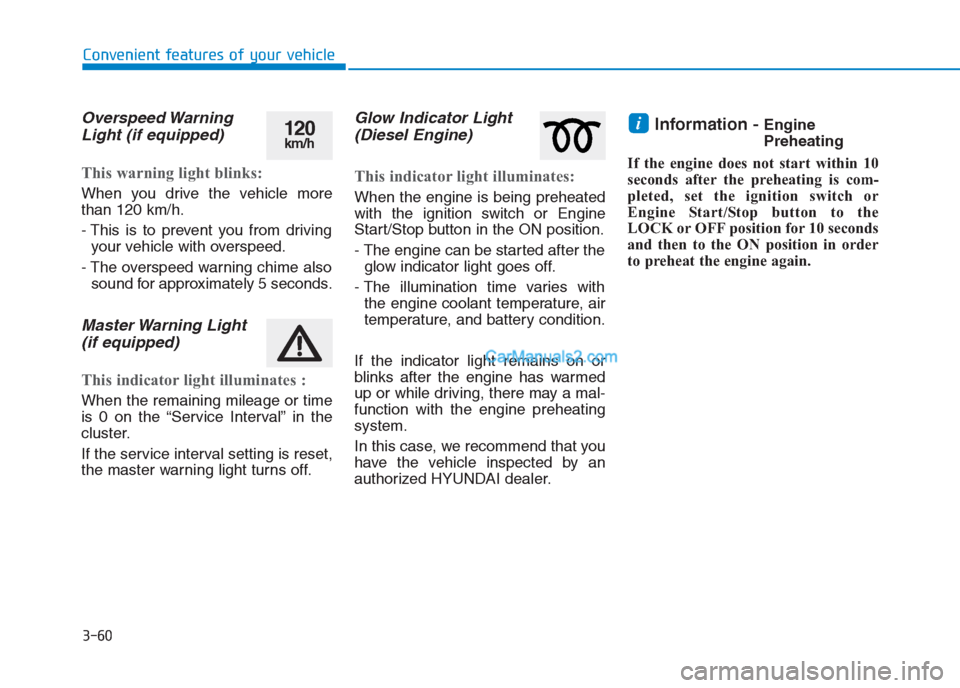
Overspeed Warning
Light (if equipped)
This warning light blinks:
When you drive the vehicle more
than 120 km/h.
- This is to prevent you from driving
your vehicle with overspeed.
- The overspeed warning chime also
sound for approximately 5 seconds.
Master Warning Light
(if equipped)
This indicator light illuminates :
When the remaining mileage or time
is 0 on the “Service Interval” in the
cluster.
If the service interval setting is reset,
the master warning light turns off.
Glow Indicator Light
(Diesel Engine)
This indicator light illuminates:
When the engine is being preheated
with the ignition switch or Engine
Start/Stop button in the ON position.
- The engine can be started after the
glow indicator light goes off.
- The illumination time varies with
the engine coolant temperature, air
temperature, and battery condition.
If the indicator light remains on or
blinks after the engine has warmed
up or while driving, there may a mal-
function with the engine preheating
system.
In this case, we recommend that you
have the vehicle inspected by an
authorized HYUNDAI dealer.
Information - Engine
Preheating
If the engine does not start within 10
seconds after the preheating is com-
pleted, set the ignition switch or
Engine Start/Stop button to the
LOCK or OFF position for 10 seconds
and then to the ON position in order
to preheat the engine again.i120km/h
Page 156 of 472
3-71
Convenient features of your vehicle
3
ItemsExplanation
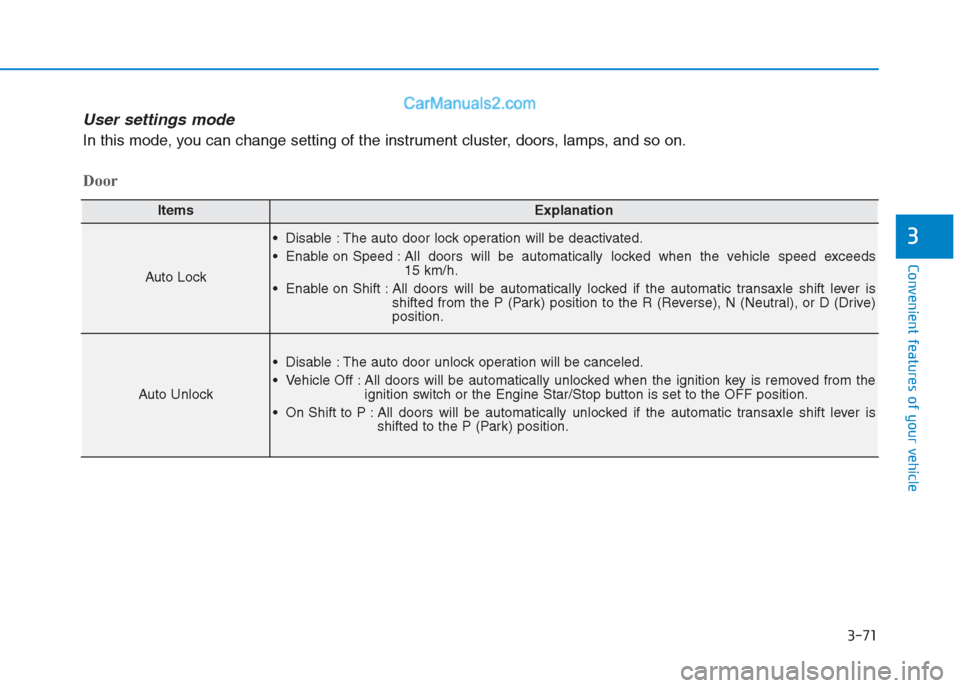
Auto Lock
Disable : The auto door lock operation will be deactivated.
Enable on Speed : All doors will be automatically locked when the vehicle speed exceeds
15 km/h.
Enable on Shift : All doors will be automatically locked if the automatic transaxle shift lever is
shifted from the P (Park) position to the R (Reverse), N (Neutral), or D (Drive)
position.
Auto Unlock
Disable : The auto door unlock operation will be canceled.
Vehicle Off : All doors will be automatically unlocked when the ignition key is removed from the
ignition switch or the Engine Star/Stop button is set to the OFF position.
On Shift to P : All doors will be automatically unlocked if the automatic transaxle shift lever is
shifted to the P (Park) position.
Door
User settings mode
In this mode, you can change setting of the instrument cluster, doors, lamps, and so on.
Page 159 of 472
3-74
Convenient features of your vehicle
Trip computer
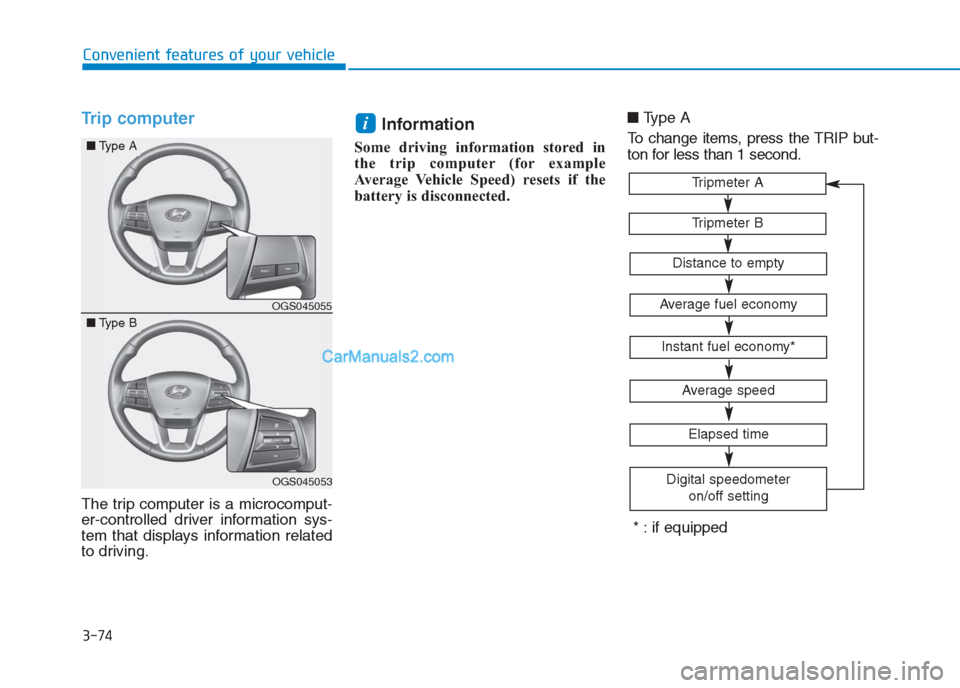
The trip computer is a microcomput-
er-controlled driver information sys-
tem that displays information related
to driving.
Information
Some driving information stored in
the trip computer (for example
Average Vehicle Speed) resets if the
battery is disconnected.■Type A
To change items, press the TRIP but-
ton for less than 1 second.
i
Tripmeter B
Tripmeter A
Average fuel economy
Instant fuel economy*
Average speed
Elapsed time
Digital speedometer
on/off setting
Distance to empty
* : if equipped
OGS045055
OGS045053
■Type A
■Type B
Page 160 of 472
3-75
Convenient features of your vehicle
3
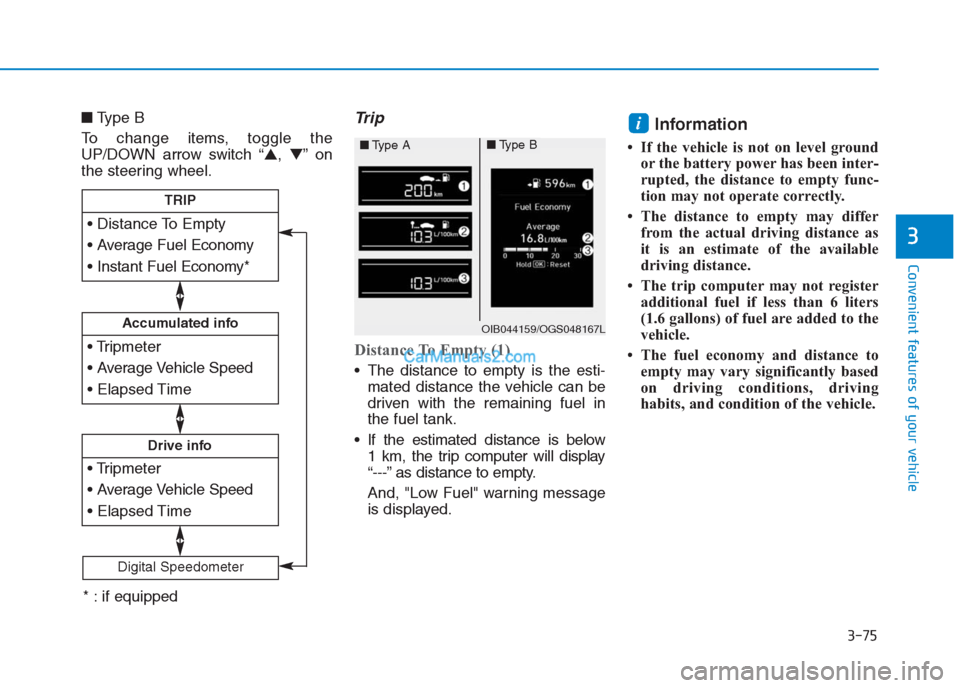
■Type B
To change items, toggle the
UP/DOWN arrow switch “▲,▼”on
the steering wheel.Trip
Distance To Empty (1)
The distance to empty is the esti-
mated distance the vehicle can be
driven with the remaining fuel in
the fuel tank.
If the estimated distance is below
1 km, the trip computer will display
“---” as distance to empty.
And, "Low Fuel" warning message
is displayed.
Information
• If the vehicle is not on level ground
or the battery power has been inter-
rupted, the distance to empty func-
tion may not operate correctly.
• The distance to empty may differ
from the actual driving distance as
it is an estimate of the available
driving distance.
• The trip computer may not register
additional fuel if less than 6 liters
(1.6 gallons) of fuel are added to the
vehicle.
• The fuel economy and distance to
empty may vary significantly based
on driving conditions, driving
habits, and condition of the vehicle.
i
Accumulated info
Drive info
TRIP
Digital Speedometer
OIB044159/OGS048167L
■Type A■Type B
* : if equipped
Page 161 of 472
3-76
Convenient features of your vehicle
Average Fuel Economy (2)
The average fuel economy is calcu-
lated by the total driving distance
and fuel consumption since the last
average fuel economy reset.
The average fuel economy can be
reset both manually and automati-
cally.
Manual reset
To clear the average fuel economy
manually, press the OK button (or
RESET button) on the steering wheel
for more than 1 second when the
average fuel economy is displayed.
Automatic reset
To automatically reset the average
fuel economy after refueling, select
the “After Refueling” feature in the
User Settings Mode on the LCD dis-
play (Refer to "LCD Display“ in this
chapter).
If the “After Refueling” feature is
selected, the average fuel economy
will be cleared to zero (---), when
driving speed exceeds 1km/h, after
refueling more than 6 liters.
Information
The vehicle must be driven for a min-
imum of 300 meters since the last igni-
tion key cycle before the average fuel
economy is recalculated.
Instant Fuel Economy (3)
This mode displays the instantaneous
fuel economy while driving when the
vehicle speed is greater than 10 km/h.
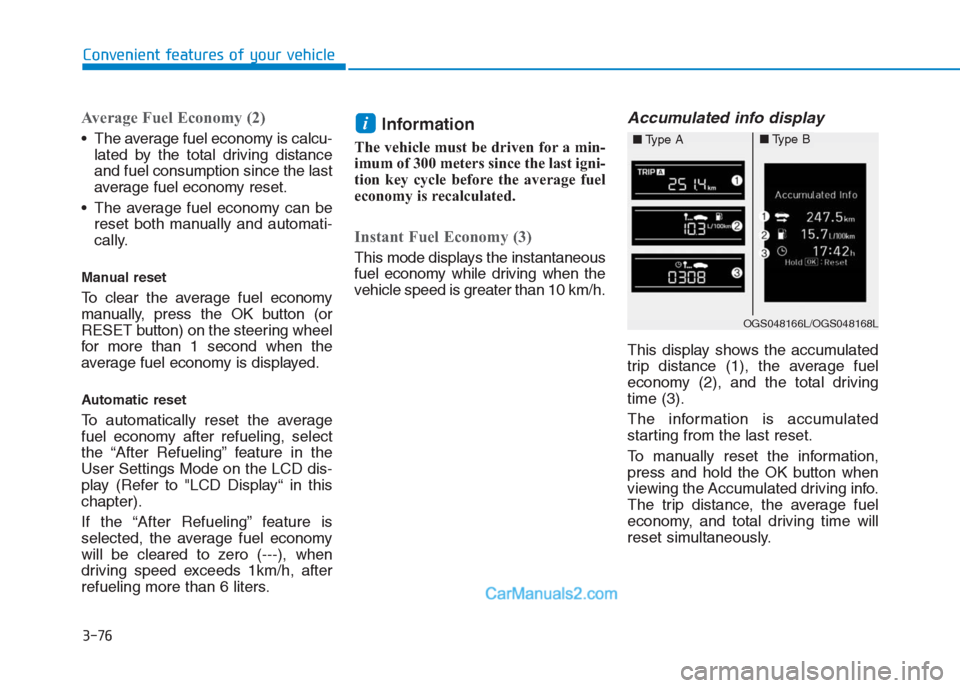
Accumulated info display
This display shows the accumulated
trip distance (1), the average fuel
economy (2), and the total driving
time (3).
The information is accumulated
starting from the last reset.
To manually reset the information,
press and hold the OK button when
viewing the Accumulated driving info.
The trip distance, the average fuel
economy, and total driving time will
reset simultaneously.
i
OGS048166L/OGS048168L
■Type A■Type B
Page 162 of 472
3-77
Convenient features of your vehicle
3
The accumulated driving information
will continue to be counted while the
engine is still running (for example,
when the vehicle is in traffic or
stopped at a stop light).
Information
The vehicle must be driven for a min-
imum of 300 meters (0.19 miles) since
the last ignition key cycle before the
average fuel economy will be recalcu-
lated.
Drive Info display
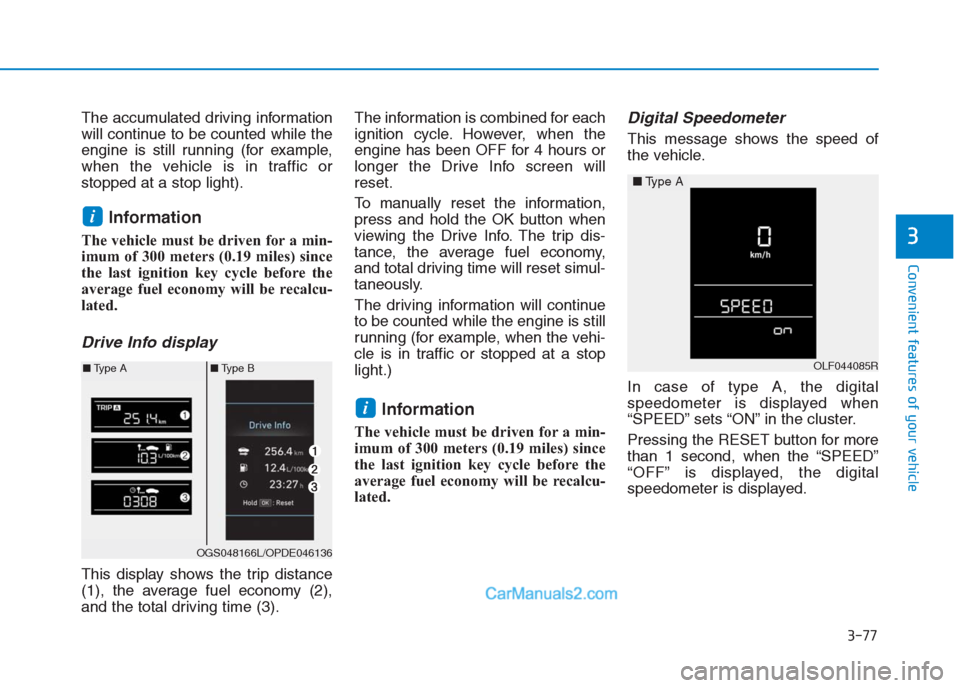
This display shows the trip distance
(1), the average fuel economy (2),
and the total driving time (3).The information is combined for each
ignition cycle. However, when the
engine has been OFF for 4 hours or
longer the Drive Info screen will
reset.
To manually reset the information,
press and hold the OK button when
viewing the Drive Info. The trip dis-
tance, the average fuel economy,
and total driving time will reset simul-
taneously.
The driving information will continue
to be counted while the engine is still
running (for example, when the vehi-
cle is in traffic or stopped at a stop
light.)
Information
The vehicle must be driven for a min-
imum of 300 meters (0.19 miles) since
the last ignition key cycle before the
average fuel economy will be recalcu-
lated.
Digital Speedometer
This message shows the speed of
the vehicle.
In case of type A, the digital
speedometer is displayed when
“SPEED” sets “ON” in the cluster.
Pressing the RESET button for more
than 1 second, when the “SPEED”
“OFF” is displayed, the digital
speedometer is displayed.
i
i
OGS048166L/OPDE046136
■Type A■Type BOLF044085R
■Type A
Page 163 of 472
3-78
Convenient features of your vehicle
L LI
IG
GH
HT
T
Exterior lights
Lighting control
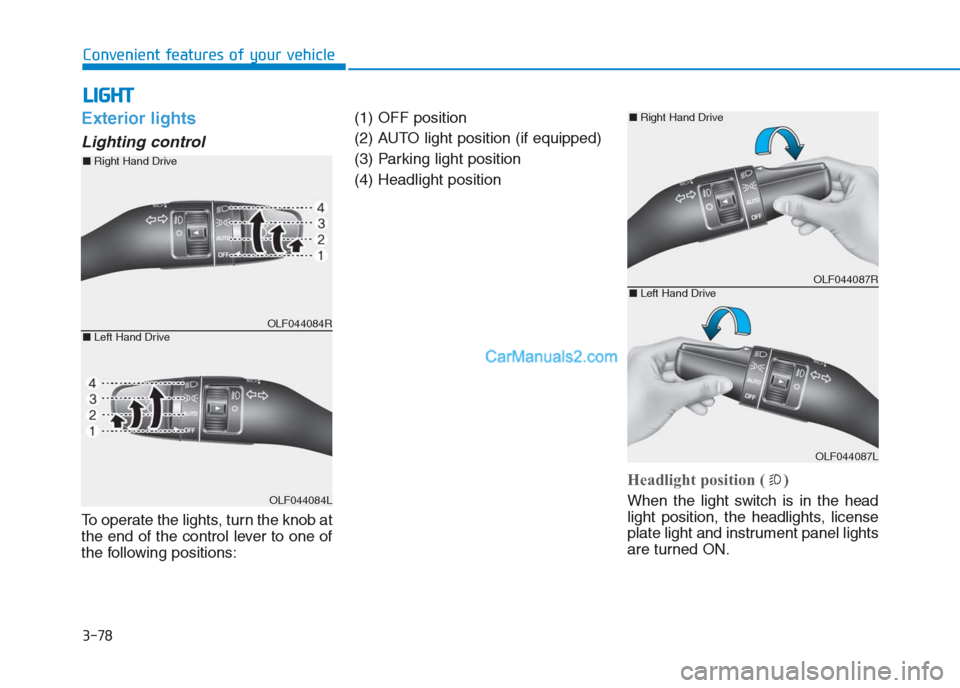
To operate the lights, turn the knob at
the end of the control lever to one of
the following positions:(1) OFF position
(2) AUTO light position (if equipped)
(3) Parking light position
(4) Headlight position
Headlight position ( )
When the light switch is in the head
light position, the headlights, license
plate light and instrument panel lights
are turned ON.
OLF044084R
OLF044084L
■Right Hand Drive
■Left Hand Drive
OLF044087R
OLF044087L
■Right Hand Drive
■Left Hand Drive
Page 164 of 472
3-79
Convenient features of your vehicle
3
Information
The ignition switch must be in the ON
position to turn on the headlights.
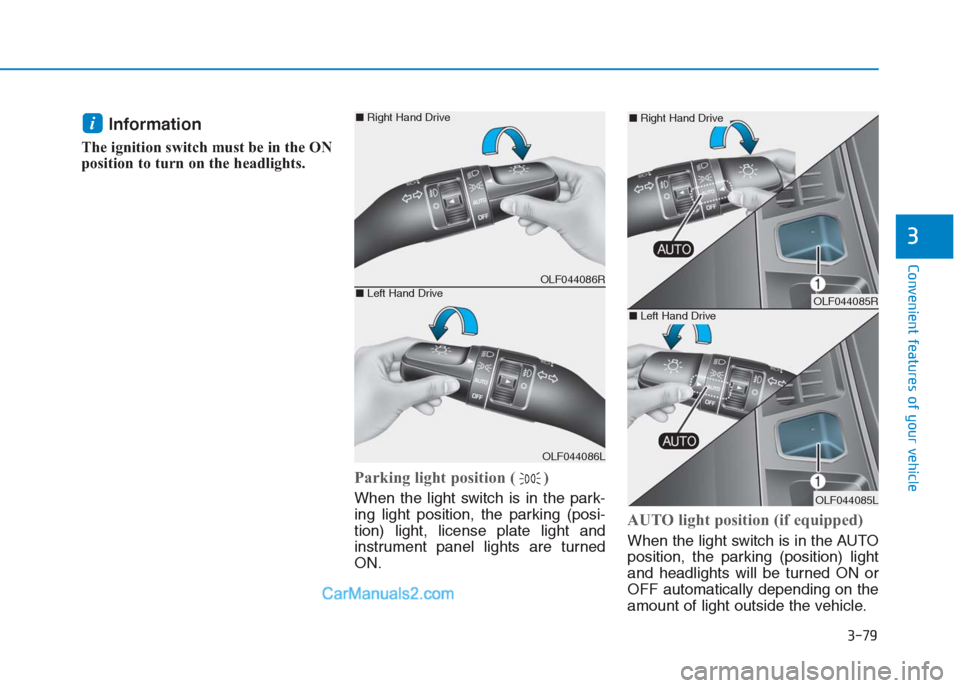
Parking light position ( )
When the light switch is in the park-
ing light position, the parking (posi-
tion) light, license plate light and
instrument panel lights are turned
ON.
AUTO light position (if equipped)
When the light switch is in the AUTO
position, the parking (position) light
and headlights will be turned ON or
OFF automatically depending on the
amount of light outside the vehicle.
i
OLF044086R
OLF044086L
■Right Hand Drive
■Left Hand DriveOLF044085R
OLF044085L
■Right Hand Drive
■Left Hand Drive