Hold Hyundai Elantra 2006 User Guide
[x] Cancel search | Manufacturer: HYUNDAI, Model Year: 2006, Model line: Elantra, Model: Hyundai Elantra 2006Pages: 277, PDF Size: 10.18 MB
Page 81 of 277
1
FEATURES OF YOUR HYUNDAI
67PARKING BRAKEDRINK HOLDER
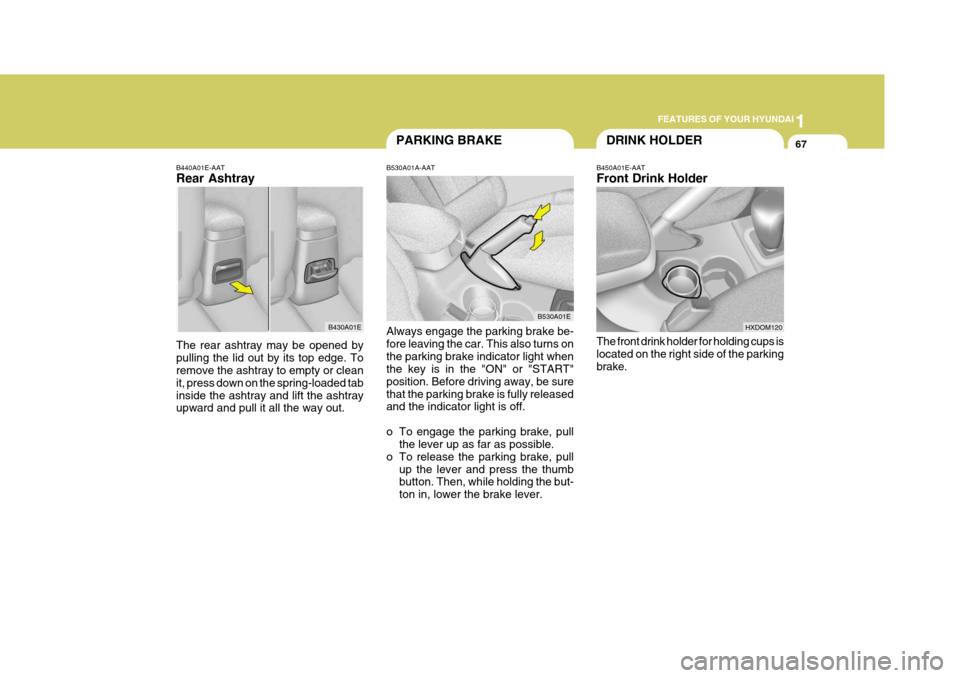
B450A01E-AAT Front Drink Holder The front drink holder for holding cups is located on the right side of the parking brake.
B530A01A-AAT Always engage the parking brake be- fore leaving the car. This also turns onthe parking brake indicator light when the key is in the "ON" or "START" position. Before driving away, be surethat the parking brake is fully released and the indicator light is off.
o To engage the parking brake, pull
the lever up as far as possible.
o To release the parking brake, pull up the lever and press the thumb button. Then, while holding the but- ton in, lower the brake lever. B530A01E
B440A01E-AAT Rear Ashtray The rear ashtray may be opened by pulling the lid out by its top edge. To remove the ashtray to empty or clean it, press down on the spring-loaded tabinside the ashtray and lift the ashtray upward and pull it all the way out.
B430A01E
HXDOM120
Page 82 of 277
1FEATURES OF YOUR HYUNDAI
68
!
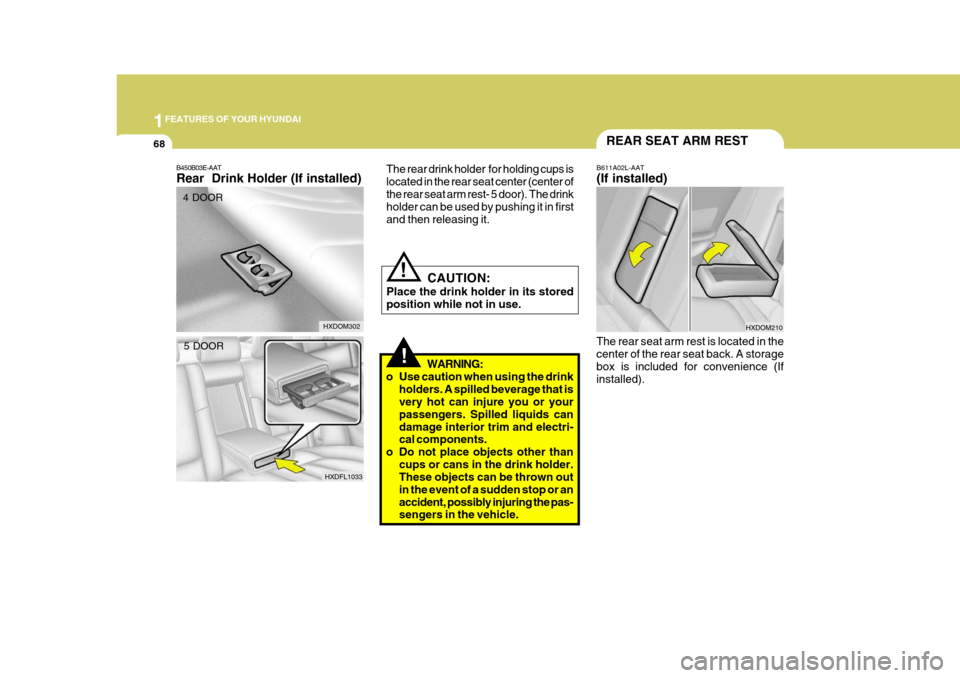
B450B03E-AAT Rear Drink Holder (If installed) The rear drink holder for holding cups is located in the rear seat center (center ofthe rear seat arm rest- 5 door). The drink holder can be used by pushing it in first and then releasing it.
WARNING:
o Use caution when using the drink holders. A spilled beverage that is very hot can injure you or your passengers. Spilled liquids candamage interior trim and electri- cal components.
o Do not place objects other than cups or cans in the drink holder.These objects can be thrown out in the event of a sudden stop or anaccident, possibly injuring the pas- sengers in the vehicle.
!
HXDOM302 B611A02L-AAT (If installed)
The rear seat arm rest is located in the center of the rear seat back. A storage box is included for convenience (Ifinstalled). HXDOM210
4 DOOR
5 DOOR REAR SEAT ARM REST
HXDFL1033
CAUTION:
Place the drink holder in its stored position while not in use.
Page 83 of 277
1
FEATURES OF YOUR HYUNDAI
69HEADLIGHT LEVELING DEVICE SYSTEMSEATBACK
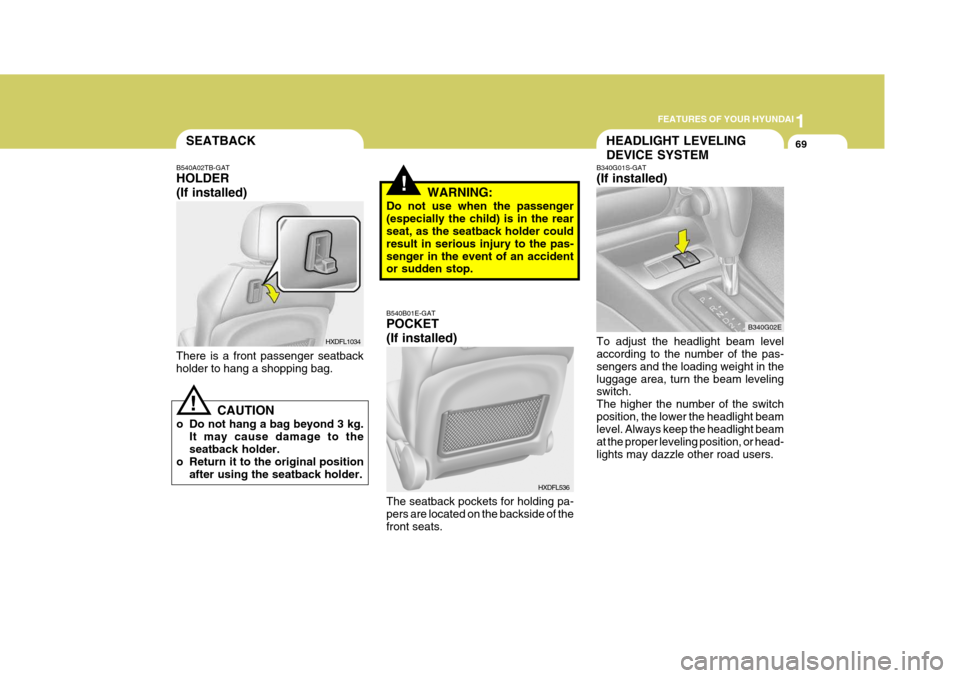
B340G01S-GAT (If installed) To adjust the headlight beam level according to the number of the pas- sengers and the loading weight in theluggage area, turn the beam leveling switch. The higher the number of the switchposition, the lower the headlight beam level. Always keep the headlight beam at the proper leveling position, or head-lights may dazzle other road users.B340G02E
B540B01E-GAT POCKET (If installed)
HXDFL536
There is a front passenger seatback holder to hang a shopping bag.
HXDFL1034
B540A02TB-GAT HOLDER (If installed)
!
CAUTION
o Do not hang a bag beyond 3 kg. It may cause damage to the seatback holder.
o Return it to the original position after using the seatback holder.
The seatback pockets for holding pa- pers are located on the backside of the front seats.
!WARNING:
Do not use when the passenger (especially the child) is in the rear seat, as the seatback holder could result in serious injury to the pas-senger in the event of an accident or sudden stop.
Page 84 of 277
1FEATURES OF YOUR HYUNDAI
70
B460B03E-AAT OPERATING THE SUNROOF SYSTEMOpening or Closing the Sunroof
B460B02E
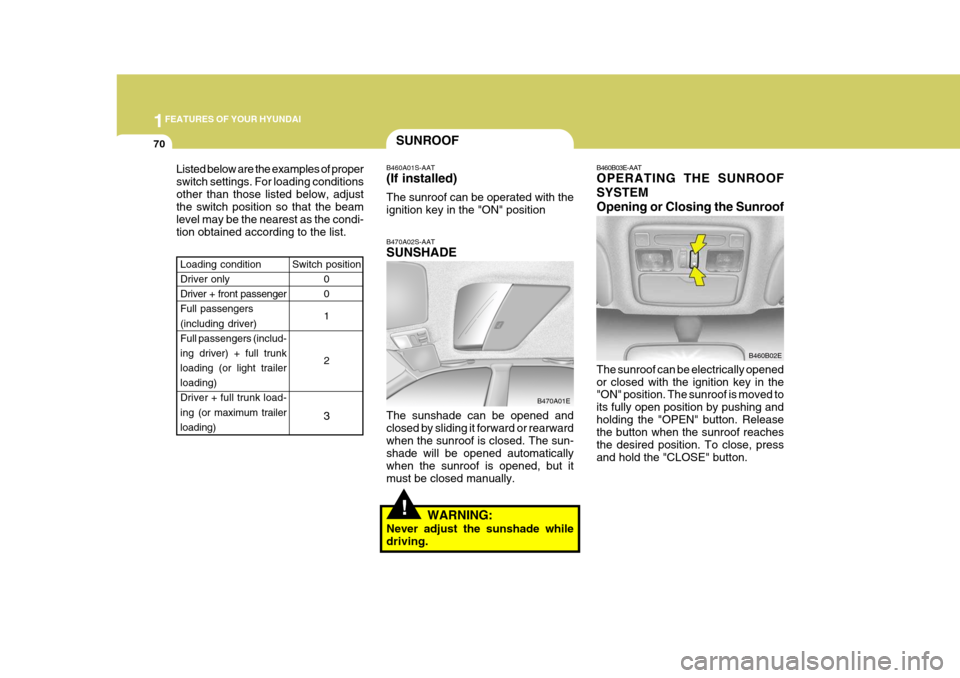
The sunroof can be electrically opened or closed with the ignition key in the "ON" position. The sunroof is moved to its fully open position by pushing andholding the "OPEN" button. Release the button when the sunroof reaches the desired position. To close, pressand hold the "CLOSE" button.
SUNROOF
Listed below are the examples of proper switch settings. For loading conditionsother than those listed below, adjust the switch position so that the beam level may be the nearest as the condi-tion obtained according to the list. B470A02S-AAT SUNSHADE The sunshade can be opened and closed by sliding it forward or rearwardwhen the sunroof is closed. The sun- shade will be opened automatically when the sunroof is opened, but itmust be closed manually.
B460A01S-AAT (If installed) The sunroof can be operated with the ignition key in the "ON" position
Switch position 0 0 1 2
3
Loading condition Driver only Driver + front passengerFull passengers (including driver) Full passengers (includ-ing driver) + full trunk loading (or light trailer loading)
Driver + full trunk load- ing (or maximum trailer
loading)
B470A01E
!WARNING:
Never adjust the sunshade while driving.
Page 93 of 277
1
FEATURES OF YOUR HYUNDAI
79
CAUTION:
Make sure that the support rod has been released prior to closing thehood.!
2. Pull the secondary latch lever up and
lift the hood.
3. Hold the hood open with the support rod.
Before closing the hood, return the support rod to its clip to prevent it from rattling. Lower the hood until it is about30 cm (1 ft.) above the closed position and let it drop. Make sure that it locks into place.
!WARNING:
o Always double check to be sure that the hood is firmly latched before driving away. If it is notlatched, the hood could open while the vehicle is being driven, causing a total loss of visibility,which might result in an acci- dent.
o The support rod must be inserted completely into the hole providedin the hood whenever you in- spect the engine compartment.This will prevent the hood from falling and possibly injuring you.
o Do not move the vehicle with the hood in the raised position, asvision is obstructed and the hood could fall or be damaged.
REMOTE FUEL-FILLER LID RELEASE
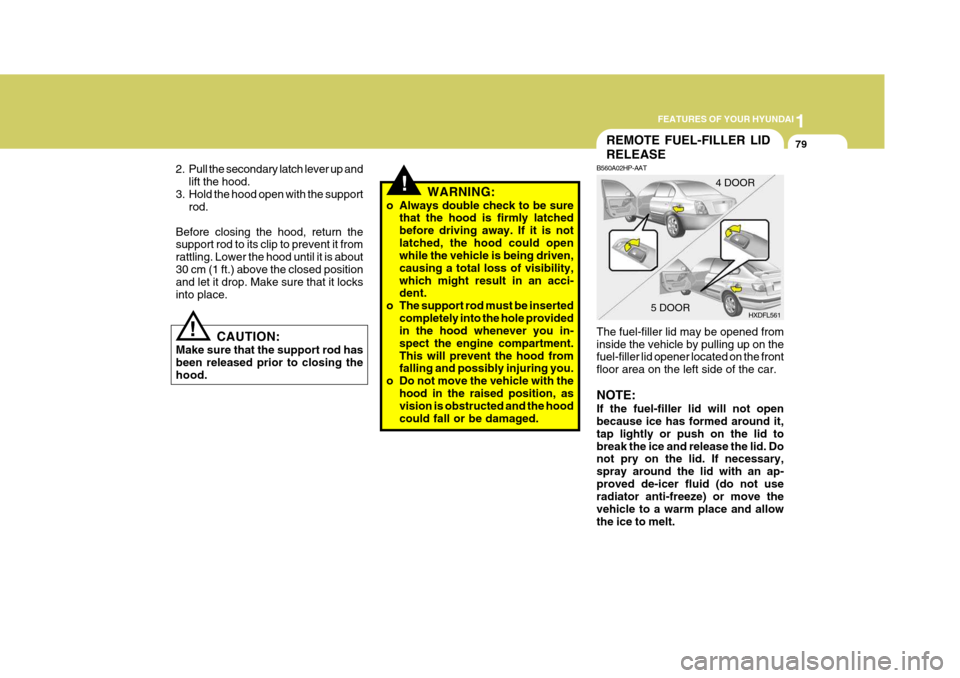
B560A02HP-AAT The fuel-filler lid may be opened from inside the vehicle by pulling up on the fuel-filler lid opener located on the front floor area on the left side of the car. NOTE: If the fuel-filler lid will not open because ice has formed around it, tap lightly or push on the lid tobreak the ice and release the lid. Do not pry on the lid. If necessary, spray around the lid with an ap-proved de-icer fluid (do not use radiator anti-freeze) or move the vehicle to a warm place and allowthe ice to melt. 4 DOOR
HXDFL561
5 DOOR
Page 99 of 277
1
FEATURES OF YOUR HYUNDAI
85
!
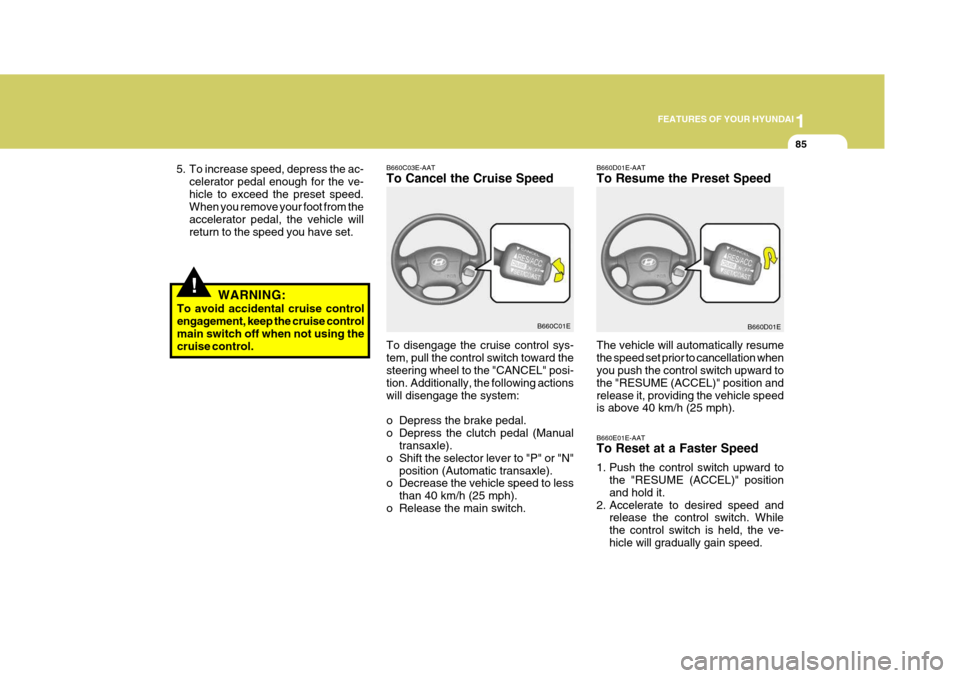
B660C03E-AAT To Cancel the Cruise Speed B660D01E-AATTo Resume the Preset Speed
To disengage the cruise control sys- tem, pull the control switch toward the steering wheel to the "CANCEL" posi-
tion. Additionally, the following actionswill disengage the system:
o Depress the brake pedal.
o Depress the clutch pedal (Manual transaxle).
o Shift the selector lever to "P" or "N" position (Automatic transaxle).
o Decrease the vehicle speed to less
than 40 km/h (25 mph).
o Release the main switch. The vehicle will automatically resumethe speed set prior to cancellation when you push the control switch upward to the "RESUME (ACCEL)" position andrelease it, providing the vehicle speed is above 40 km/h (25 mph).
B660C01E
B660D01E
5. To increase speed, depress the ac-
celerator pedal enough for the ve- hicle to exceed the preset speed. When you remove your foot from the accelerator pedal, the vehicle willreturn to the speed you have set.
WARNING:
To avoid accidental cruise control engagement, keep the cruise control main switch off when not using thecruise control.
B660E01E-AAT To Reset at a Faster Speed
1. Push the control switch upward tothe "RESUME (ACCEL)" position and hold it.
2. Accelerate to desired speed and release the control switch. Whilethe control switch is held, the ve-hicle will gradually gain speed.
Page 100 of 277
1FEATURES OF YOUR HYUNDAI
86
!
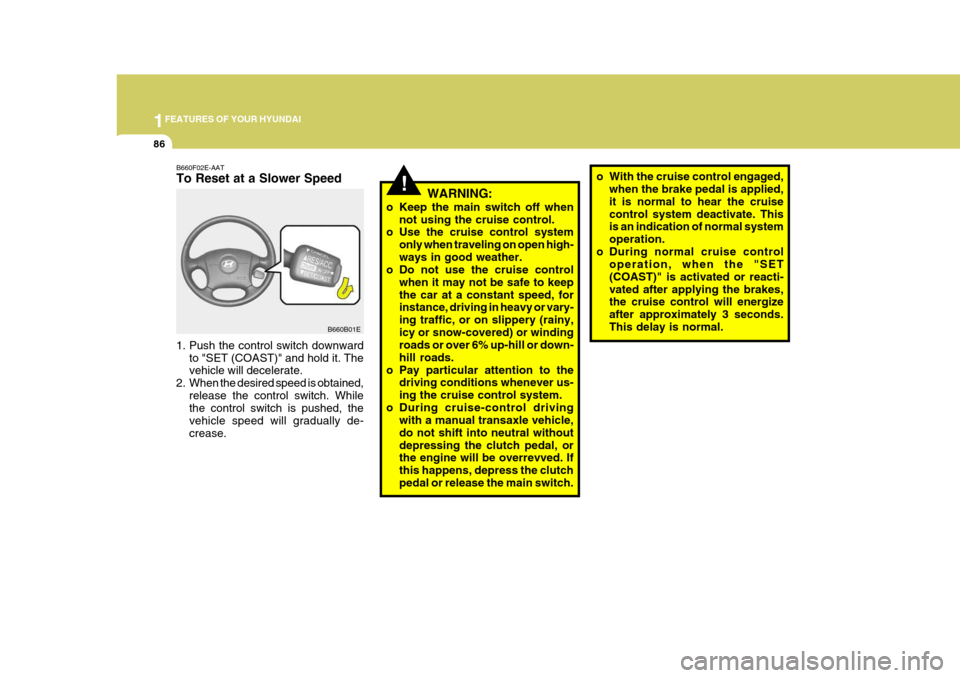
1. Push the control switch downward
to "SET (COAST)" and hold it. The vehicle will decelerate.
2. When the desired speed is obtained, release the control switch. Whilethe control switch is pushed, the vehicle speed will gradually de-crease. WARNING:
o Keep the main switch off when not using the cruise control.
o Use the cruise control system
only when traveling on open high-ways in good weather.
o Do not use the cruise control
when it may not be safe to keepthe car at a constant speed, for instance, driving in heavy or vary- ing traffic, or on slippery (rainy,icy or snow-covered) or winding roads or over 6% up-hill or down- hill roads.
o Pay particular attention to the driving conditions whenever us-ing the cruise control system.
o During cruise-control driving with a manual transaxle vehicle,do not shift into neutral withoutdepressing the clutch pedal, or the engine will be overrevved. If this happens, depress the clutchpedal or release the main switch. o With the cruise control engaged,
when the brake pedal is applied,it is normal to hear the cruisecontrol system deactivate. This is an indication of normal system operation.
o During normal cruise control operation, when the "SET(COAST)" is activated or reacti-vated after applying the brakes, the cruise control will energize after approximately 3 seconds.This delay is normal.
B660F02E-AAT To Reset at a Slower Speed
B660B01E
Page 124 of 277
1FEATURES OF YOUR HYUNDAI
110
H240B03O-GAT
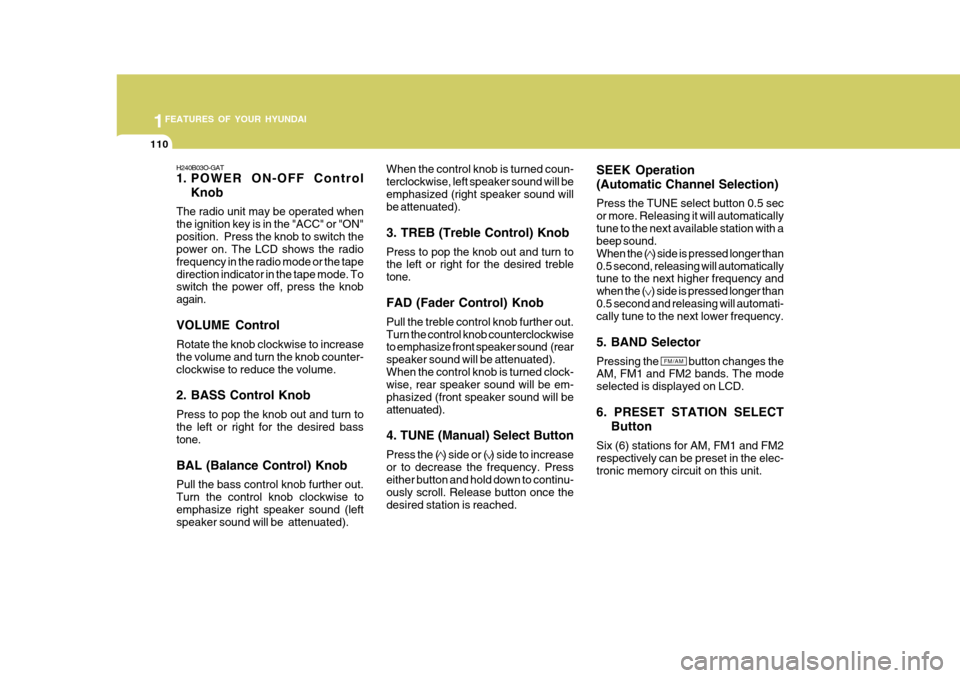
1. POWER ON-OFF ControlKnob
The radio unit may be operated when the ignition key is in the "ACC" or "ON"position. Press the knob to switch the power on. The LCD shows the radio frequency in the radio mode or the tapedirection indicator in the tape mode. To switch the power off, press the knob again. VOLUME Control Rotate the knob clockwise to increase the volume and turn the knob counter-clockwise to reduce the volume. 2. BASS Control Knob Press to pop the knob out and turn to the left or right for the desired bass tone. BAL (Balance Control) Knob Pull the bass control knob further out. Turn the control knob clockwise toemphasize right speaker sound (left speaker sound will be attenuated). When the control knob is turned coun- terclockwise, left speaker sound will beemphasized (right speaker sound will be attenuated). 3. TREB (Treble Control) Knob Press to pop the knob out and turn to the left or right for the desired treble tone. FAD (Fader Control) Knob Pull the treble control knob further out. Turn the control knob counterclockwise to emphasize front speaker sound (rear speaker sound will be attenuated).When the control knob is turned clock- wise, rear speaker sound will be em- phasized (front speaker sound will beattenuated). 4. TUNE (Manual) Select Button Press the ( ) side or ( ) side to increase or to decrease the frequency. Press either button and hold down to continu- ously scroll. Release button once thedesired station is reached.
SEEK Operation (Automatic Channel Selection) Press the TUNE select button 0.5 sec or more. Releasing it will automaticallytune to the next available station with a beep sound. When the ( ) side is pressed longer than0.5 second, releasing will automatically tune to the next higher frequency and when the ( ) side is pressed longer than0.5 second and releasing will automati- cally tune to the next lower frequency. 5. BAND Selector Pressing the button changes the AM, FM1 and FM2 bands. The mode selected is displayed on LCD. 6. PRESET STATION SELECT
Button
Six (6) stations for AM, FM1 and FM2 respectively can be preset in the elec-tronic memory circuit on this unit.
FM/AM
Page 129 of 277
1
FEATURES OF YOUR HYUNDAI
115
H260B03E-AAT
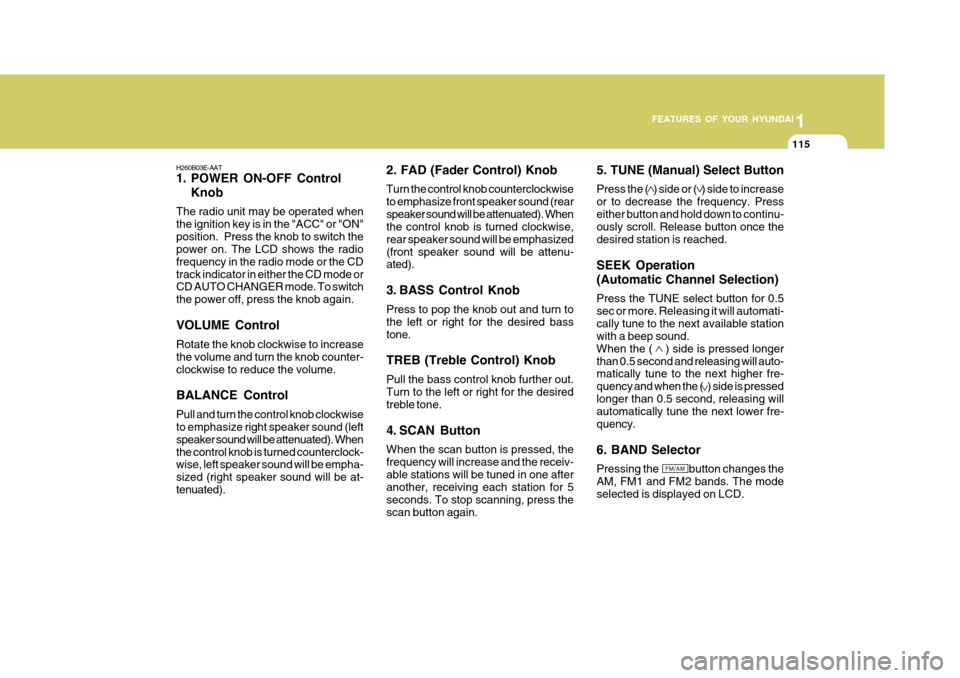
1. POWER ON-OFF Control Knob
The radio unit may be operated when the ignition key is in the "ACC" or "ON"position. Press the knob to switch the power on. The LCD shows the radio frequency in the radio mode or the CDtrack indicator in either the CD mode or CD AUTO CHANGER mode. To switch the power off, press the knob again. VOLUME Control Rotate the knob clockwise to increase the volume and turn the knob counter-clockwise to reduce the volume. BALANCE Control Pull and turn the control knob clockwise to emphasize right speaker sound (left speaker sound will be attenuated). Whenthe control knob is turned counterclock- wise, left speaker sound will be empha- sized (right speaker sound will be at-tenuated). 2. FAD (Fader Control) Knob Turn the control knob counterclockwise to emphasize front speaker sound (rearspeaker sound will be attenuated). When the control knob is turned clockwise, rear speaker sound will be emphasized(front speaker sound will be attenu- ated).
3. BASS Control Knob Press to pop the knob out and turn to the left or right for the desired basstone. TREB (Treble Control) Knob Pull the bass control knob further out. Turn to the left or right for the desired treble tone.
4. SCAN Button When the scan button is pressed, the frequency will increase and the receiv-able stations will be tuned in one after another, receiving each station for 5 seconds. To stop scanning, press thescan button again.5. TUNE (Manual) Select Button Press the ( ) side or ( ) side to increase or to decrease the frequency. Presseither button and hold down to continu- ously scroll. Release button once the desired station is reached. SEEK Operation (Automatic Channel Selection) Press the TUNE select button for 0.5 sec or more. Releasing it will automati-cally tune to the next available station with a beep sound. When the ( ) side is pressed longerthan 0.5 second and releasing will auto- matically tune to the next higher fre- quency and when the ( ) side is pressedlonger than 0.5 second, releasing will automatically tune the next lower fre- quency. 6. BAND Selector Pressing the button changes the AM, FM1 and FM2 bands. The mode selected is displayed on LCD.
FM/AM
Page 132 of 277
1FEATURES OF YOUR HYUNDAI
118
B260D03O-AAT
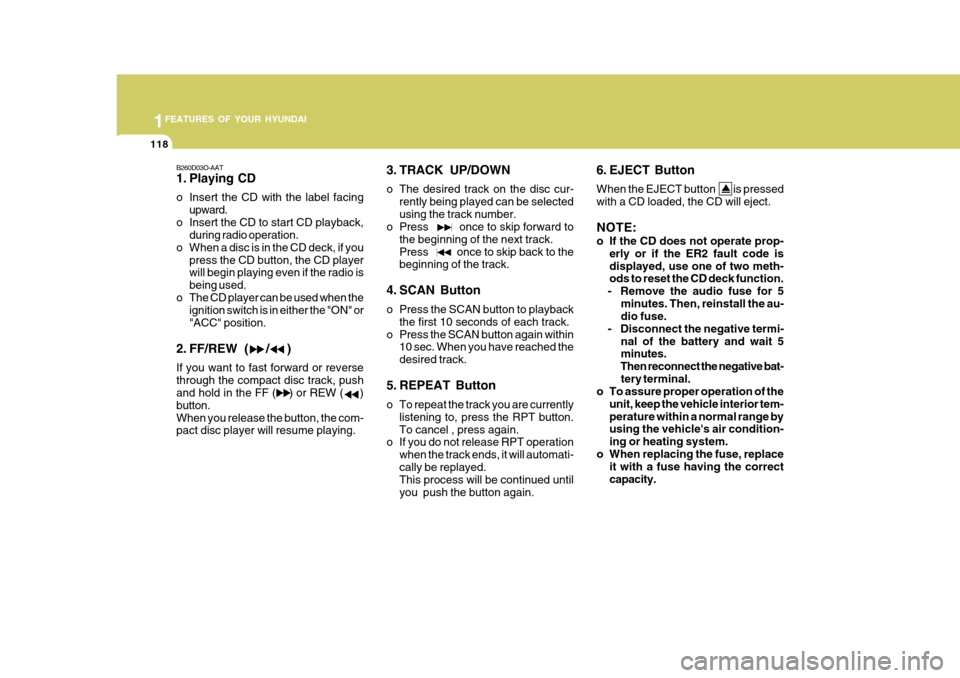
1. Playing CD
o Insert the CD with the label facingupward.
o Insert the CD to start CD playback, during radio operation.
o When a disc is in the CD deck, if you press the CD button, the CD player will begin playing even if the radio is being used.
o The CD player can be used when the ignition switch is in either the "ON" or"ACC" position.
2. FF/REW ( / ) If you want to fast forward or reverse through the compact disc track, push and hold in the FF ( ) or REW ( ) button.When you release the button, the com- pact disc player will resume playing. 3. TRACK UP/DOWN
o The desired track on the disc cur-
rently being played can be selected using the track number.
o Press once to skip forward to
the beginning of the next track.Press once to skip back to the beginning of the track.
4. SCAN Button
o Press the SCAN button to playback the first 10 seconds of each track.
o Press the SCAN button again within 10 sec. When you have reached the desired track.
5. REPEAT Button
o To repeat the track you are currently listening to, press the RPT button. To cancel , press again.
o If you do not release RPT operation
when the track ends, it will automati-cally be replayed. This process will be continued until you push the button again. 6. EJECT Button When the EJECT button is pressed with a CD loaded, the CD will eject. NOTE:
o If the CD does not operate prop-
erly or if the ER2 fault code is displayed, use one of two meth- ods to reset the CD deck function.
- Remove the audio fuse for 5
minutes. Then, reinstall the au-dio fuse.
- Disconnect the negative termi- nal of the battery and wait 5minutes.
Then reconnect the negative bat- tery terminal.
o To assure proper operation of the
unit, keep the vehicle interior tem- perature within a normal range by using the vehicle's air condition- ing or heating system.
o When replacing the fuse, replace it with a fuse having the correctcapacity.