Hold Hyundai Elantra 2006 Owner's Guide
[x] Cancel search | Manufacturer: HYUNDAI, Model Year: 2006, Model line: Elantra, Model: Hyundai Elantra 2006Pages: 277, PDF Size: 10.18 MB
Page 135 of 277
1
FEATURES OF YOUR HYUNDAI
121
B260F03E-AAT The CD auto changer is located in the left side of the trunk.
o To use the CD auto changer.
1. Open the sliding lid of the CD auto changer.
2. To eject the compact disc maga-
zine, press the EJECT button lo- cated inside the CD auto changer.
3. Insert the discs into the magazine.
4. Push the magazine into the CD auto changer and close the sliding lid.
o The CD auto changer can be used when the ignition switch is in eitherthe "ON" or "ACC" position.
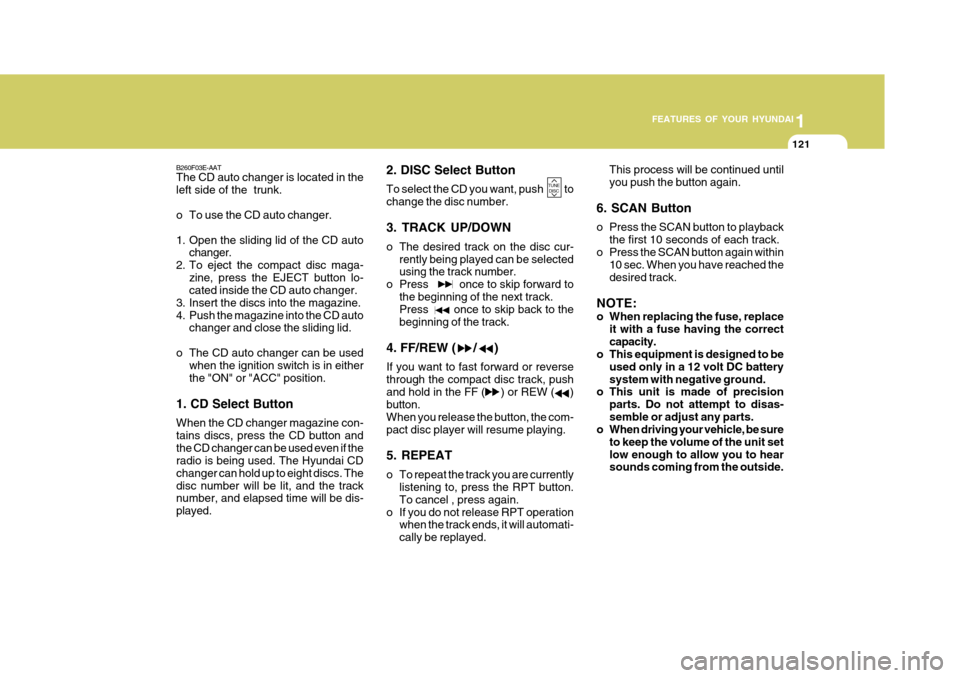
1. CD Select Button When the CD changer magazine con- tains discs, press the CD button andthe CD changer can be used even if the radio is being used. The Hyundai CD changer can hold up to eight discs. Thedisc number will be lit, and the track number, and elapsed time will be dis- played. 2. DISC Select Button To select the CD you want, push to change the disc number. 3. TRACK UP/DOWN
o The desired track on the disc cur-
rently being played can be selected using the track number.
o Press once to skip forward to
the beginning of the next track.Press once to skip back to the beginning of the track.
4. FF/REW ( / ) If you want to fast forward or reverse through the compact disc track, pushand hold in the FF ( ) or REW ( ) button. When you release the button, the com-pact disc player will resume playing. 5. REPEAT
o To repeat the track you are currently listening to, press the RPT button. To cancel , press again.
o If you do not release RPT operation when the track ends, it will automati-cally be replayed. This process will be continued untilyou push the button again.
6. SCAN Button
o Press the SCAN button to playback the first 10 seconds of each track.
o Press the SCAN button again within 10 sec. When you have reached the desired track.
NOTE:
o When replacing the fuse, replace it with a fuse having the correct capacity.
o This equipment is designed to be
used only in a 12 volt DC batterysystem with negative ground.
o This unit is made of precision
parts. Do not attempt to disas-semble or adjust any parts.
o When driving your vehicle, be sure
to keep the volume of the unit setlow enough to allow you to hear sounds coming from the outside.
TUNEDISC
Page 138 of 277
1FEATURES OF YOUR HYUNDAI
124
BALANCE Control knob Pull the Bass control knob out further. Rotate the knob clockwise to empha-size right speaker sound (left speaker sound will be attenuated). When the control knob is turned counterclock-wise, left speaker sound will be empha- sized (right speaker sound will be at- tenuated).
3. TREBLE/FAD KnobTREBLE Control Knob
Press to pop the knob out and turn to the left or right for the desired trebletone. FAD (Fader Control) Knob Pull the Treble control knob out further. Turn the control knob counterclockwise to emphasize front speaker sound (rearspeaker sound will be attenuated). When the control knob is turned clockwise, rear speaker sound will be emphasized(front speaker sound will be attenu- ated).
H290B03E-GAT
1. POWER ON-OFF Control
Knob
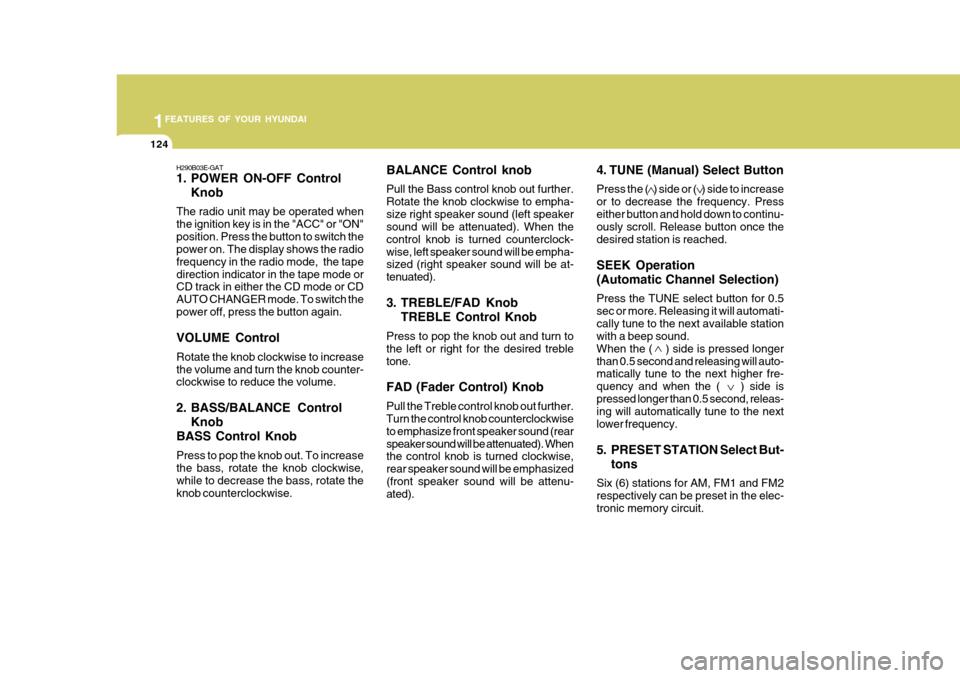
The radio unit may be operated when the ignition key is in the "ACC" or "ON"position. Press the button to switch the power on. The display shows the radio frequency in the radio mode, the tapedirection indicator in the tape mode or CD track in either the CD mode or CD AUTO CHANGER mode. To switch thepower off, press the button again. VOLUME Control Rotate the knob clockwise to increase the volume and turn the knob counter- clockwise to reduce the volume.
2. BASS/BALANCE Control Knob
BASS Control Knob Press to pop the knob out. To increase the bass, rotate the knob clockwise, while to decrease the bass, rotate theknob counterclockwise. 4. TUNE (Manual) Select Button Press the ( ) side or ( ) side to increase or to decrease the frequency. Presseither button and hold down to continu- ously scroll. Release button once the desired station is reached. SEEK Operation (Automatic Channel Selection) Press the TUNE select button for 0.5 sec or more. Releasing it will automati-cally tune to the next available station with a beep sound. When the ( ) side is pressed longerthan 0.5 second and releasing will auto- matically tune to the next higher fre- quency and when the ( ) side ispressed longer than 0.5 second, releas- ing will automatically tune to the next lower frequency.
5. PRESET STATION Select But-
tons
Six (6) stations for AM, FM1 and FM2 respectively can be preset in the elec-tronic memory circuit.
Page 143 of 277
1
FEATURES OF YOUR HYUNDAI
129
H290F02O-GAT
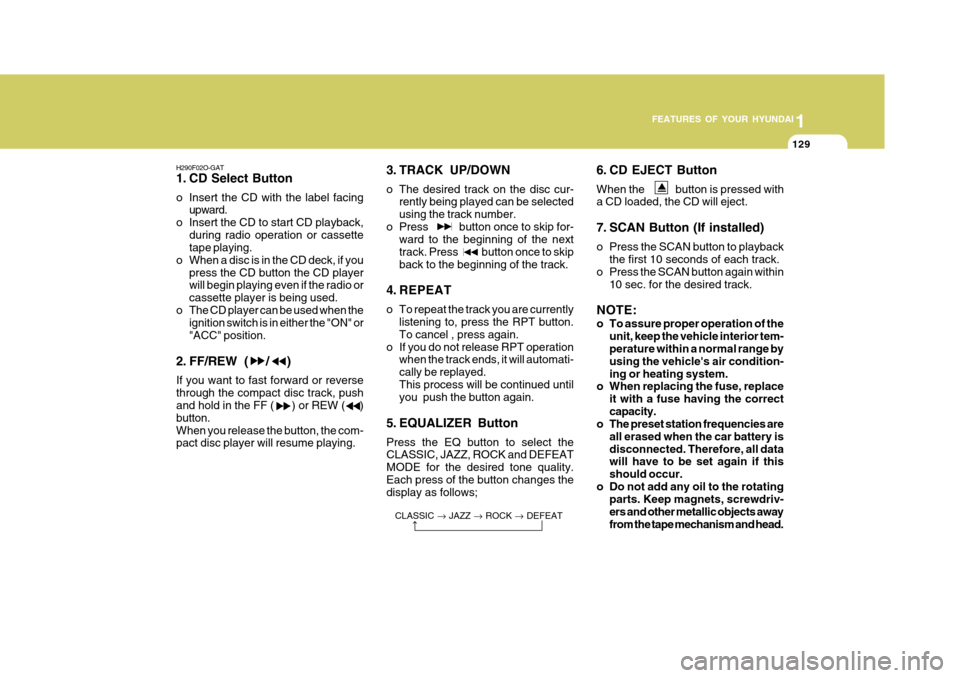
1. CD Select Button
o Insert the CD with the label facing upward.
o Insert the CD to start CD playback, during radio operation or cassette tape playing.
o When a disc is in the CD deck, if you
press the CD button the CD playerwill begin playing even if the radio or cassette player is being used.
o The CD player can be used when the ignition switch is in either the "ON" or"ACC" position.
2. FF/REW ( / ) If you want to fast forward or reverse through the compact disc track, push and hold in the FF ( ) or REW ( ) button.When you release the button, the com- pact disc player will resume playing. 3. TRACK UP/DOWN
o The desired track on the disc cur-
rently being played can be selected using the track number.
o Press button once to skip for- ward to the beginning of the nexttrack. Press button once to skipback to the beginning of the track.
4. REPEAT
o To repeat the track you are currently listening to, press the RPT button. To cancel , press again.
o If you do not release RPT operation when the track ends, it will automati- cally be replayed.This process will be continued until you push the button again.
5. EQUALIZER Button Press the EQ button to select the CLASSIC, JAZZ, ROCK and DEFEAT MODE for the desired tone quality.Each press of the button changes the display as follows; 6. CD EJECT Button When the button is pressed with a CD loaded, the CD will eject.
7. SCAN Button (If installed)
o Press the SCAN button to playback
the first 10 seconds of each track.
o Press the SCAN button again within
10 sec. for the desired track.
NOTE:
o To assure proper operation of the unit, keep the vehicle interior tem- perature within a normal range by using the vehicle's air condition-ing or heating system.
o When replacing the fuse, replace
it with a fuse having the correctcapacity.
o The preset station frequencies are
all erased when the car battery isdisconnected. Therefore, all data will have to be set again if this should occur.
o Do not add any oil to the rotating parts. Keep magnets, screwdriv-ers and other metallic objects awayfrom the tape mechanism and head.
CLASSIC
JAZZ ROCK DEFEAT
Page 146 of 277
1FEATURES OF YOUR HYUNDAI
132
B290H03E-GAT The CD auto changer is located in the left side of the trunk.
o To use the CD auto changer.
1. Open the sliding lid of the CD autochanger.
2. To eject the compact disc maga-
zine, press the EJECT button lo- cated inside the CD auto changer.
3. Insert the discs into the magazine.
4. Push the magazine into the CD auto changer and close the sliding lid.
o The CD auto changer can be used when the ignition switch is in either"ON" or "ACC" position.
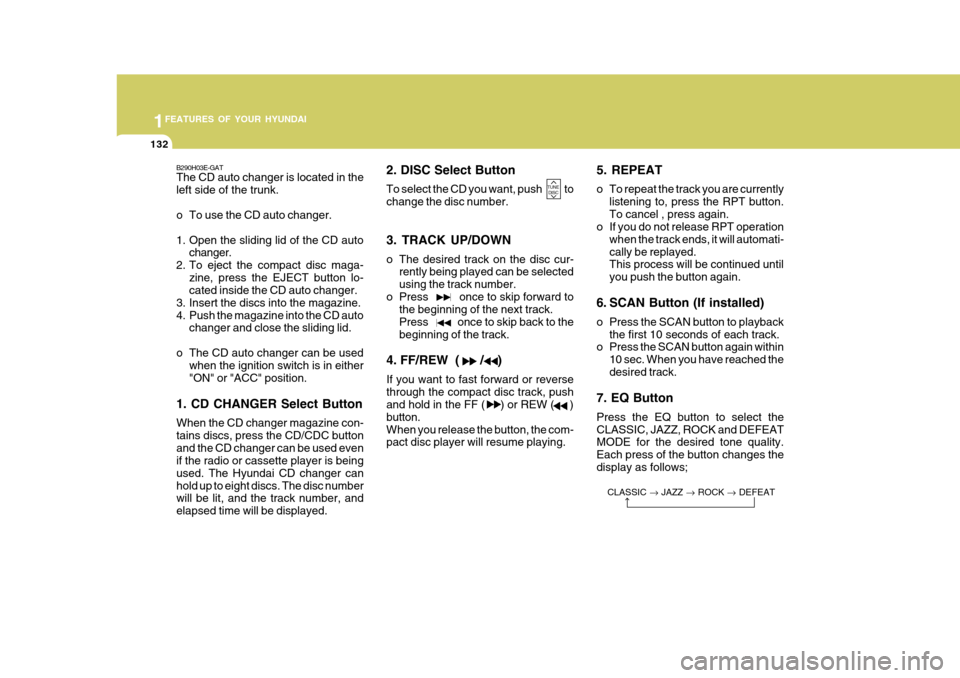
1. CD CHANGER Select Button When the CD changer magazine con- tains discs, press the CD/CDC buttonand the CD changer can be used even if the radio or cassette player is being used. The Hyundai CD changer canhold up to eight discs. The disc number will be lit, and the track number, and elapsed time will be displayed. 2. DISC Select Button To select the CD you want, push to change the disc number. 3. TRACK UP/DOWN
o The desired track on the disc cur-
rently being played can be selected using the track number.
o Press once to skip forward to the beginning of the next track.Press once to skip back to thebeginning of the track.
4. FF/REW ( / ) If you want to fast forward or reverse through the compact disc track, push and hold in the FF ( ) or REW ( ) button.When you release the button, the com- pact disc player will resume playing. 5. REPEAT
o To repeat the track you are currently
listening to, press the RPT button. To cancel , press again.
o If you do not release RPT operation
when the track ends, it will automati-cally be replayed. This process will be continued until you push the button again.
6. SCAN Button (If installed)
o Press the SCAN button to playback the first 10 seconds of each track.
o Press the SCAN button again within
10 sec. When you have reached the desired track.
7. EQ Button Press the EQ button to select the CLASSIC, JAZZ, ROCK and DEFEAT MODE for the desired tone quality. Each press of the button changes thedisplay as follows; CLASSIC JAZZ ROCK DEFEAT
TUNE
DISC
Page 149 of 277
1
FEATURES OF YOUR HYUNDAI
135
Damaged Disc Do not attempt to play damaged, warped or cracked discs. These could severelydamage the playback mechanism. Storage When not in use, place your discs in their individual cases and store them in a cool place away from the sun, heat,and dust. Do not grip or pull out the disc with your hand while the disc is being pulled intothe unit by the self loading mechanism. Do not pull the unit from the dash immediately after a disc is inserted orthe eject switch has been pressed. If the unit is pulled out before an operation is completed, the disc will be unstablein the unit and may be damaged. Do not attempt to insert a disc into the unit when the unit is out of the dash orthe power is off.
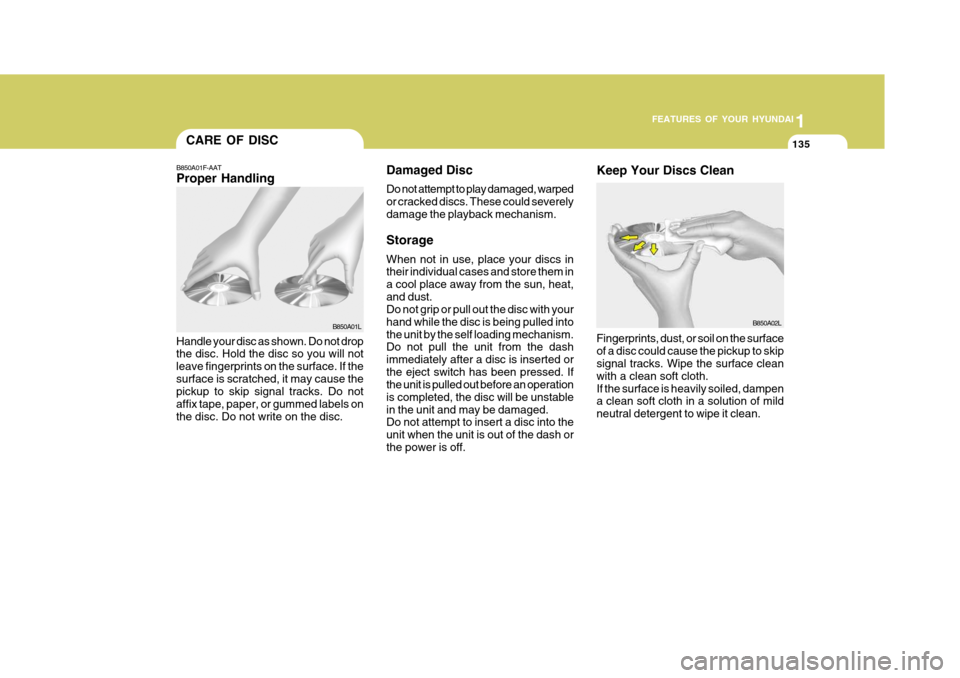
B850A01F-AAT Proper Handling
Handle your disc as shown. Do not drop the disc. Hold the disc so you will not leave fingerprints on the surface. If thesurface is scratched, it may cause the pickup to skip signal tracks. Do not affix tape, paper, or gummed labels onthe disc. Do not write on the disc. B850A01L
B850A02L
Keep Your Discs Clean Fingerprints, dust, or soil on the surface of a disc could cause the pickup to skip signal tracks. Wipe the surface clean with a clean soft cloth.If the surface is heavily soiled, dampen a clean soft cloth in a solution of mild neutral detergent to wipe it clean.
CARE OF DISC
Page 156 of 277
2
DRIVING YOUR HYUNDAI
3
!
TO START THE ENGINEBEFORE STARTING THE ENGINE
C020A01O-GAT Before you start the engine, you should always:
1. Look around the vehicle to be sure
there are no flat tires, puddles of oil, water or other indications of pos- sible trouble.
2. After entering the car, check to be sure the parking brake is engaged.
3. Check that all windows and lights are clean.
4. Check that the interior and exterior
mirrors are clean and in position.
5. Check your seat, seatback and headrest to be sure they are in theirproper positions.
6. Lock all the doors.
7. Fasten your seat belt and be sure
that all other occupants have fas- tened theirs.
8. Turn off all lights and accessories
that are not needed. C030A01A-GAT COMBINATION IGNITION SWITCH Before starting the engine:
o If your Hyundai is equipped with a
manual transaxle, place the shift lever in neutral and depress the clutch pedal fully.
o If your Hyundai has an automatic transaxle, place the shift lever in "P"(park).
o To start the engine, insert the igni- tion key and turn it to the "START"position. Release it as soon as the engine starts. Do not hold the key inthe "START" position for more than 15 seconds.
NOTE: For safety, the engine will not start if the shift lever is not in "P" or "N" Position (Automatic Transaxle).
WARNING (DIESEL ENGINE):
To ensure that sufficient vacuum exists within the brake system dur- ing cold weather start-up condi-tions, it is necessary to run the engine at idle for several seconds after starting the engine.
9. When you turn the ignition switch to
"ON", check that all appropriatewarning lights are operating and that you have sufficient fuel.
10.Check the operation of warning lights and all bulbs when key is inthe "ON" position.
Page 157 of 277
2 DRIVING YOUR HYUNDAI
4
!
KEY POSITIONS
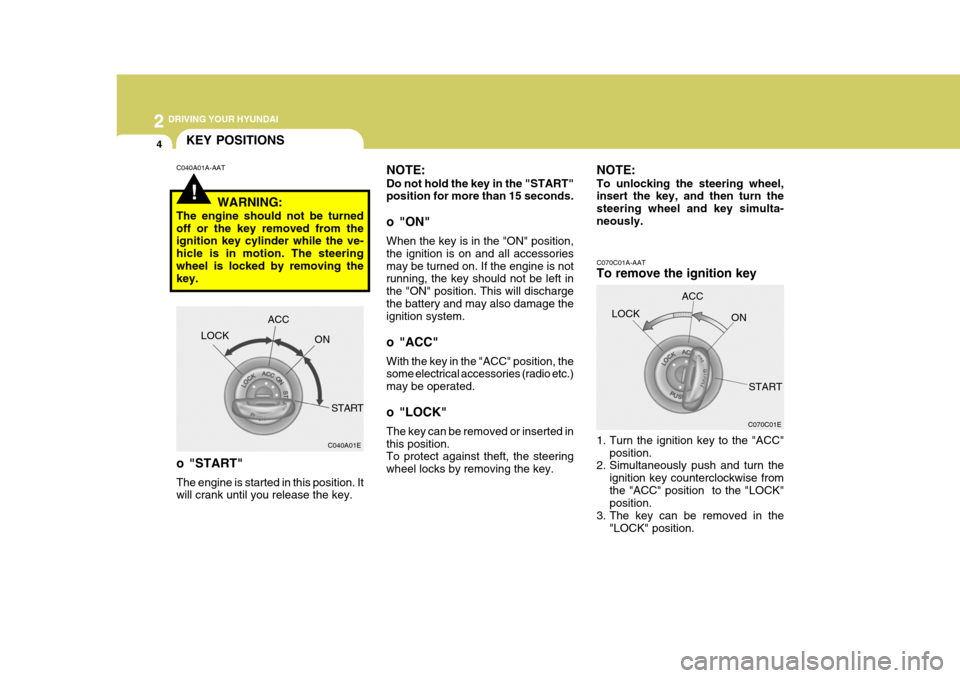
C070C01E
C070C01A-AAT To remove the ignition key
1. Turn the ignition key to the "ACC"
position.
2. Simultaneously push and turn the
ignition key counterclockwise from the "ACC" position to the "LOCK" position.
3. The key can be removed in the
"LOCK" position.LOCK
ACC
ON
START
NOTE: Do not hold the key in the "START" position for more than 15 seconds.
o "ON" When the key is in the "ON" position, the ignition is on and all accessoriesmay be turned on. If the engine is not running, the key should not be left in the "ON" position. This will dischargethe battery and may also damage the ignition system.
o "ACC" With the key in the "ACC" position, the some electrical accessories (radio etc.) may be operated.
o "LOCK" The key can be removed or inserted in this position. To protect against theft, the steering wheel locks by removing the key.
C040A01A-AAT
C040A01E
LOCK
ACC
ON
START
WARNING:
The engine should not be turnedoff or the key removed from the ignition key cylinder while the ve- hicle is in motion. The steeringwheel is locked by removing the key.
o "START" The engine is started in this position. It will crank until you release the key. NOTE: To unlocking the steering wheel, insert the key, and then turn the steering wheel and key simulta-neously.
Page 161 of 277
2 DRIVING YOUR HYUNDAI
8
o Slow down before shifting to a lowergear. This will help avoid over-rev- ving the engine, which can cause damage.
o Slow down when you encounter
cross winds. This gives you muchbetter control of your car.
o Be sure the car is completely stopped before you attempt to shift into re-verse. The transaxle can be dam- aged if you do not. To shift intoreverse, depress the clutch, move the shift lever to neutral, wait three seconds, then shift to the reverseposition.
o Exercise extreme caution when driv-
ing on a slippery surface. Be espe-cially careful when braking, acceler- ating or shifting gears. On a slippery surface, an abrupt change in ve-hicle speed can cause the drive wheels to lose traction and the ve- hicle to go out of control.
C070D02O-AAT Good Driving Practices
o Never take the car out of gear and
coast down a hill. This is extremely hazardous. Always leave the car in gear.
o Don't "ride" the brakes. This can cause them to overheat and mal-function. Instead, when you are driv-ing down a long hill, slow down and shift to a lower gear. When you do this, engine braking will help slow thecar.
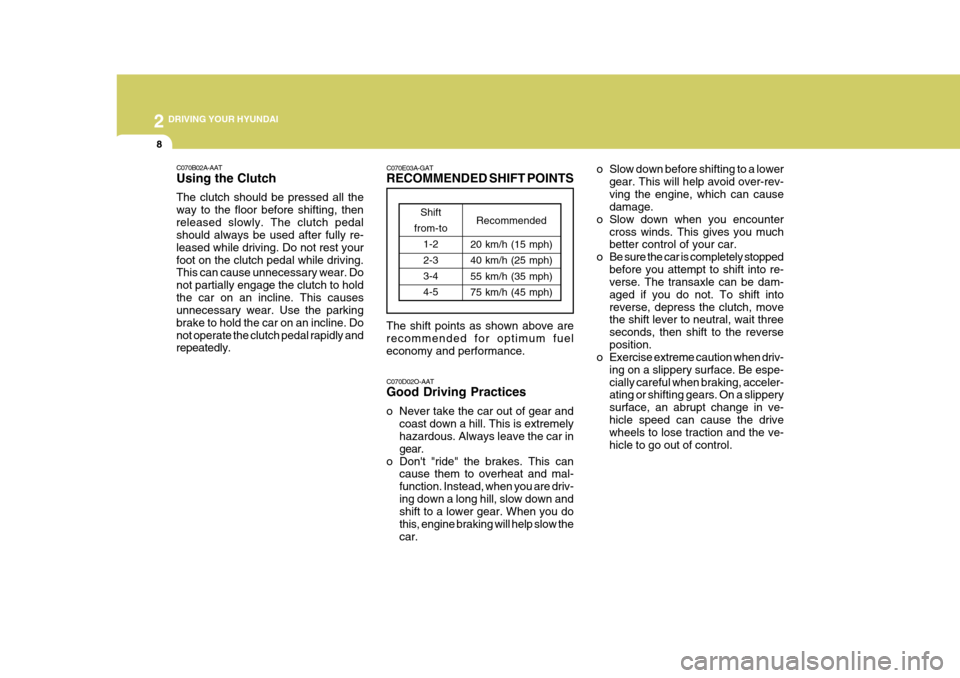
C070E03A-GAT RECOMMENDED SHIFT POINTS The shift points as shown above are recommended for optimum fueleconomy and performance.
C070B02A-AAT Using the Clutch The clutch should be pressed all the way to the floor before shifting, thenreleased slowly. The clutch pedal should always be used after fully re- leased while driving. Do not rest yourfoot on the clutch pedal while driving. This can cause unnecessary wear. Do not partially engage the clutch to holdthe car on an incline. This causes unnecessary wear. Use the parking brake to hold the car on an incline. Donot operate the clutch pedal rapidly and repeatedly.
Shift
from-to 1-2 2-33-4 4-5 Recommended
20 km/h (15 mph)40 km/h (25 mph) 55 km/h (35 mph)75 km/h (45 mph)
Page 164 of 277
2
DRIVING YOUR HYUNDAI
11
C090D02A-AAT o N (Neutral): In the "N" position, the transaxle is in neutral position, which means that no gears are engaged. The engine can bestarted with the shift lever in "N" posi- tion, although this is not recommended except if the engine stalls while the caris moving. C090E01A-GAT o D (Drive): Use for normal driving. The transaxle will automatically shift through a four-gear sequence. Never downshift manu- ally to "2" position or "L" position when vehicle speed is more than 95 km/h(60 mph).
C090B01A-AAT The Function of Each Position Is As Follows: o P (Park): Use to hold the vehicle in place when parking or while starting the engine; shift the selector lever to the "P" (Park) position. Whenever parking the car,apply the parking brake and shift the selector lever to the "P" (Park) posi- tion.
CAUTION:
Never place the selector lever in the "P" (Park) position unless the ve- hicle is fully stopped. Failure toobserve this caution will cause se- vere damage to the transaxle.
! C090C01A-AAT o R (Reverse): Use for backing up the vehicle. Bring the car to a complete stop before shift-ing the selector lever to "R" position.
C090Q01E-GAT o 3 (Third gear) : 1.8 / 2.0 DOHC Use for towing a trailer during hill climb- ing or to use engine braking downhill."3" automatically shifts between 1st, 2nd and 3rd gears. This means that no shift-up to 4th gear is performed. How-ever, the shift-up to 4th gear is done when the car speed exceeds a certain value to prevent the engine from over-revving. Manually move the selector to "D" when returning to normal driving condition. C090F01A-AAT o 2 (Second gear): Use for driving on a slippery road, hill climbing or engine braking downhill."2" automatically shifts between first and second gears. This means that no shift-up to 3rd gearis performed. However, the shift-up to third gear is done when the car speed exceeds a certain value to prevent theengine from over-revving. Manually move the selector to "D" returning to normal driving condition.
shifts are cycled a few times by theT.C.M (Transaxle Control Module.)
Page 170 of 277
2
DRIVING YOUR HYUNDAI
17DRIVING FOR ECONOMY
C140A01A-GAT You can save fuel and get more kilo- meters from your car if you follow these suggestions:
o Drive smoothly. Accelerate at a moderate rate. Don't make "jack- rabbit" starts or full-throttle shiftsand maintain a steady cruising speed. Don't race between stop- lights. Try to adjust your speed tothat of the other traffic so you don't have to change speeds unneces- sarily. Avoid heavy traffic wheneverpossible. Always maintain a safe distance from other vehicles so you can avoidunnecessary braking. This also re- duces brake wear.
o Drive at a moderate speed. The faster you drive, the more fuel yourcar uses. Driving at a moderate speed, especially on the highway, isone of the most effective ways to reduce fuel consumption.
o Don't "ride" the brake or clutch pedal. This can increase fuel consumptionand also increase wear on these
o Don't coast down hills with the car
out of gear. This is extremely haz- ardous. Keep the car in gear at all times, use the brakes to slow down, then shift to a lower gear so thatengine braking will help you main- tain a safe speed.
o Don't "ride" the brake pedal. Rest- ing your foot on the brake pedalwhile driving can be dangerous be- cause it can result in the brakesoverheating and losing their effec- tiveness. It also increases the wear of the brake components.
o If a tire goes flat while you are driving, apply the brakes gently andkeep the car pointed straight aheadwhile you slow down. When you are moving slowly enough for it to be safe to do so, pull off the road andstop in a safe place.
o If your car is equipped with an auto-
matic transaxle, don't let your carcreep forward. To avoid creeping forward, keep your foot on the brake pedal when the car is stopped.
o Use caution when parking on a hill. Engage the parking brake and placethe gear selector lever in "P" (auto-matic transaxle) or in first or reverse gear (manual transaxle). If your caris facing downhill, turn the frontwheels into the curb to help keep the car from rolling. If your car is facing uphill, turn the front wheels awayfrom the curb to help keep the car from rolling. If there is no curb or if it is requiredby other conditions to keep the car from rolling, block the wheels.
o Under some conditions your park- ing brake can freeze in the engagedposition. This is most likely to hap- pen when there is an accumulationof snow or ice around or near the rear brakes or if the brakes are wet. If there is a risk that the parkingbrake may freeze, apply it only tem- porarily while you put the gear se- lector lever in "P" (automatic) or infirst or reverse gear (manual transaxle) and block the rear wheels so the car cannot roll. Then releasethe parking brake.
o Do not hold the vehicle on the up-
grade with the accelerator pedal.This can cause the transmission to overheat. Always use the brake pedal or parking brake.