tow Hyundai Elantra 2006 User Guide
[x] Cancel search | Manufacturer: HYUNDAI, Model Year: 2006, Model line: Elantra, Model: Hyundai Elantra 2006Pages: 277, PDF Size: 10.18 MB
Page 63 of 277
1
FEATURES OF YOUR HYUNDAI
49
!
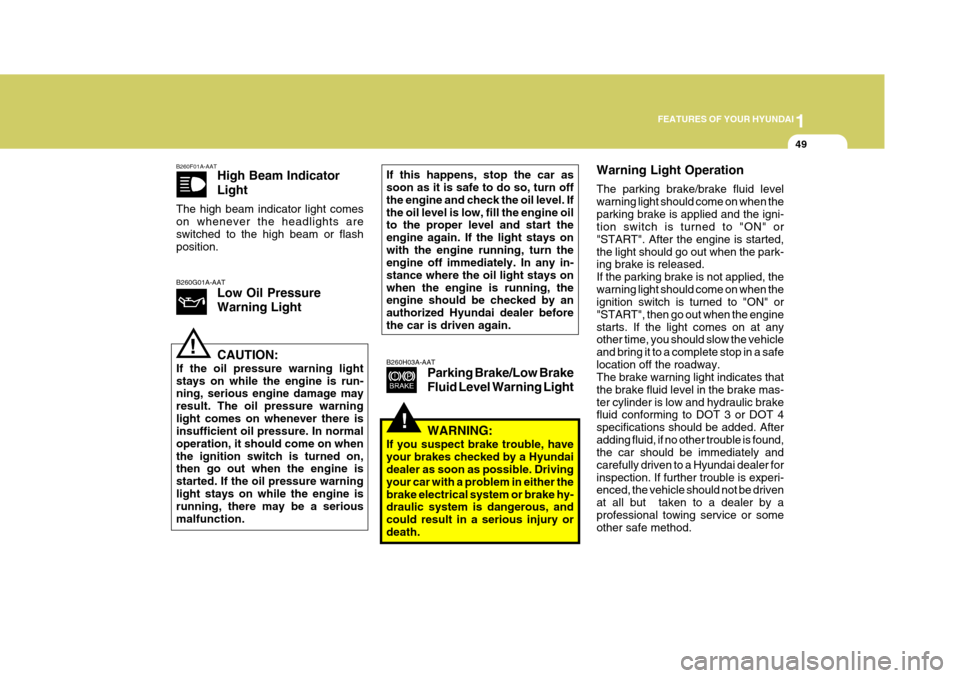
B260H03A-AAT
Parking Brake/Low Brake Fluid Level Warning Light Warning Light Operation The parking brake/brake fluid level warning light should come on when theparking brake is applied and the igni- tion switch is turned to "ON" or "START". After the engine is started,the light should go out when the park- ing brake is released. If the parking brake is not applied, thewarning light should come on when the ignition switch is turned to "ON" or "START", then go out when the enginestarts. If the light comes on at any other time, you should slow the vehicle and bring it to a complete stop in a safelocation off the roadway. The brake warning light indicates that the brake fluid level in the brake mas-ter cylinder is low and hydraulic brake fluid conforming to DOT 3 or DOT 4 specifications should be added. Afteradding fluid, if no other trouble is found, the car should be immediately and carefully driven to a Hyundai dealer forinspection. If further trouble is experi- enced, the vehicle should not be driven at all but taken to a dealer by aprofessional towing service or some other safe method.
B260F01A-AAT
High Beam Indicator Light
The high beam indicator light comes on whenever the headlights are switched to the high beam or flash position.
B260G01A-AAT Low Oil Pressure Warning Light CAUTION:
If the oil pressure warning light stays on while the engine is run- ning, serious engine damage may result. The oil pressure warninglight comes on whenever there is insufficient oil pressure. In normal operation, it should come on whenthe ignition switch is turned on, then go out when the engine is started. If the oil pressure warninglight stays on while the engine is running, there may be a serious malfunction. If this happens, stop the car as soon as it is safe to do so, turn off the engine and check the oil level. Ifthe oil level is low, fill the engine oil to the proper level and start the engine again. If the light stays onwith the engine running, turn the engine off immediately. In any in- stance where the oil light stays onwhen the engine is running, the engine should be checked by an authorized Hyundai dealer beforethe car is driven again.
!
WARNING:
If you suspect brake trouble, have your brakes checked by a Hyundai dealer as soon as possible. Driving your car with a problem in either thebrake electrical system or brake hy- draulic system is dangerous, and could result in a serious injury ordeath.
Page 73 of 277
1
FEATURES OF YOUR HYUNDAI
59
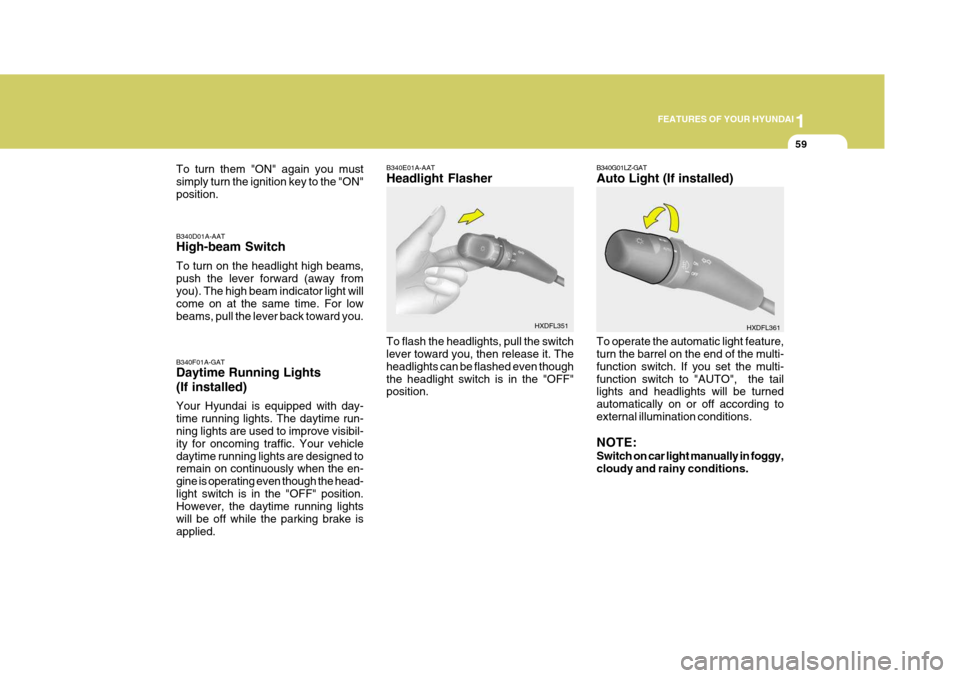
B340E01A-AAT Headlight Flasher To flash the headlights, pull the switch lever toward you, then release it. The headlights can be flashed even thoughthe headlight switch is in the "OFF" position. HXDFL351
To turn them "ON" again you must simply turn the ignition key to the "ON"position. B340F01A-GAT Daytime Running Lights (If installed) Your Hyundai is equipped with day- time running lights. The daytime run- ning lights are used to improve visibil- ity for oncoming traffic. Your vehicledaytime running lights are designed to remain on continuously when the en- gine is operating even though the head-light switch is in the "OFF" position. However, the daytime running lights will be off while the parking brake isapplied.
B340D01A-AAT High-beam Switch To turn on the headlight high beams, push the lever forward (away from you). The high beam indicator light will come on at the same time. For lowbeams, pull the lever back toward you.
B340G01LZ-GAT Auto Light (If installed)
HXDFL361
To operate the automatic light feature, turn the barrel on the end of the multi- function switch. If you set the multi-function switch to "AUTO", the tail lights and headlights will be turned automatically on or off according toexternal illumination conditions. NOTE: Switch on car light manually in foggy, cloudy and rainy conditions.
Page 75 of 277
1
FEATURES OF YOUR HYUNDAI
61
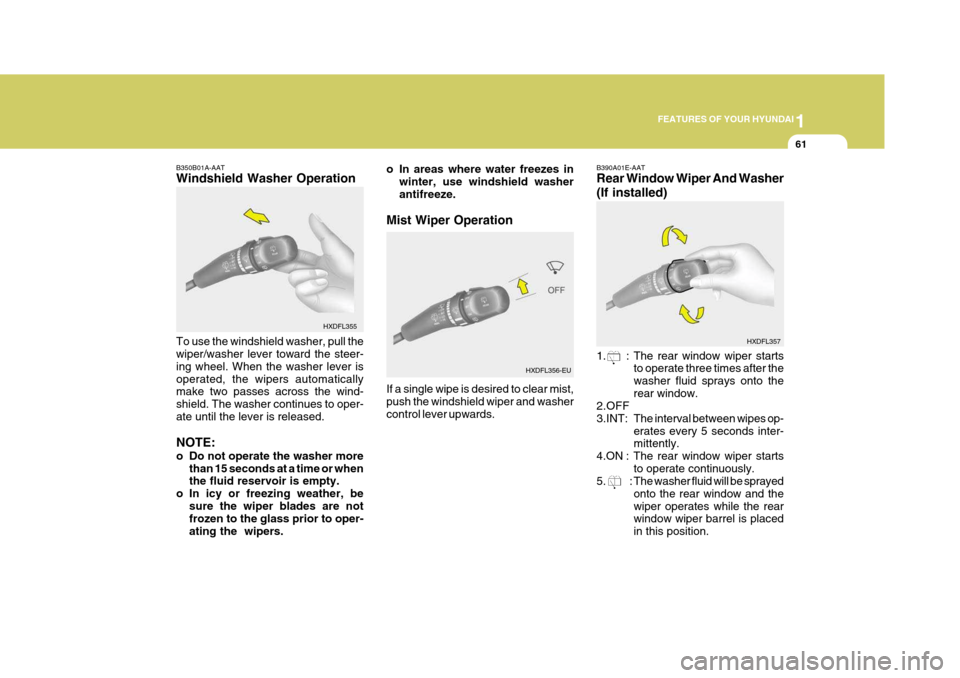
B350B01A-AAT Windshield Washer Operation To use the windshield washer, pull the wiper/washer lever toward the steer- ing wheel. When the washer lever isoperated, the wipers automatically make two passes across the wind- shield. The washer continues to oper-ate until the lever is released. NOTE:
o Do not operate the washer more
than 15 seconds at a time or when the fluid reservoir is empty.
o In icy or freezing weather, be
sure the wiper blades are notfrozen to the glass prior to oper- ating the wipers. B390A01E-AAT Rear Window Wiper And Washer (If installed)
1. : The rear window wiper starts
to operate three times after the washer fluid sprays onto therear window.
2.OFF3.INT: The interval between wipes op-erates every 5 seconds inter- mittently.
4.ON : The rear window wiper starts
to operate continuously.
5. : The washer fluid will be sprayed
onto the rear window and the wiper operates while the rear window wiper barrel is placed in this position.
HXDFL355
HXDFL357
o In areas where water freezes inwinter, use windshield washer antifreeze.
Mist Wiper Operation If a single wipe is desired to clear mist, push the windshield wiper and washer control lever upwards. HXDFL356-EU
Page 90 of 277
1FEATURES OF YOUR HYUNDAI
76
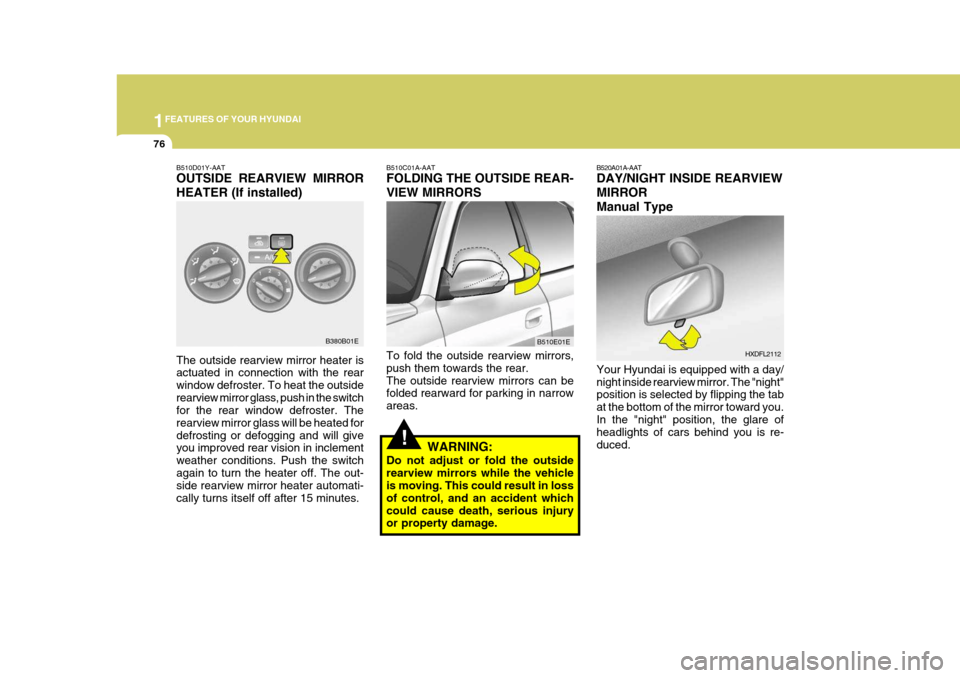
B520A01A-AAT DAY/NIGHT INSIDE REARVIEW MIRRORManual Type Your Hyundai is equipped with a day/ night inside rearview mirror. The "night" position is selected by flipping the tab at the bottom of the mirror toward you.In the "night" position, the glare of headlights of cars behind you is re- duced. HXDFL2112
!
B510C01A-AAT FOLDING THE OUTSIDE REAR- VIEW MIRRORS To fold the outside rearview mirrors, push them towards the rear.The outside rearview mirrors can be folded rearward for parking in narrow areas.
WARNING:
Do not adjust or fold the outsiderearview mirrors while the vehicle is moving. This could result in loss of control, and an accident whichcould cause death, serious injury or property damage. B510E01EB510D01Y-AAT OUTSIDE REARVIEW MIRROR HEATER (If installed) The outside rearview mirror heater is actuated in connection with the rear window defroster. To heat the outsiderearview mirror glass, push in the switch for the rear window defroster. The rearview mirror glass will be heated fordefrosting or defogging and will give you improved rear vision in inclement weather conditions. Push the switchagain to turn the heater off. The out- side rearview mirror heater automati- cally turns itself off after 15 minutes.
B380B01E
Page 99 of 277
1
FEATURES OF YOUR HYUNDAI
85
!
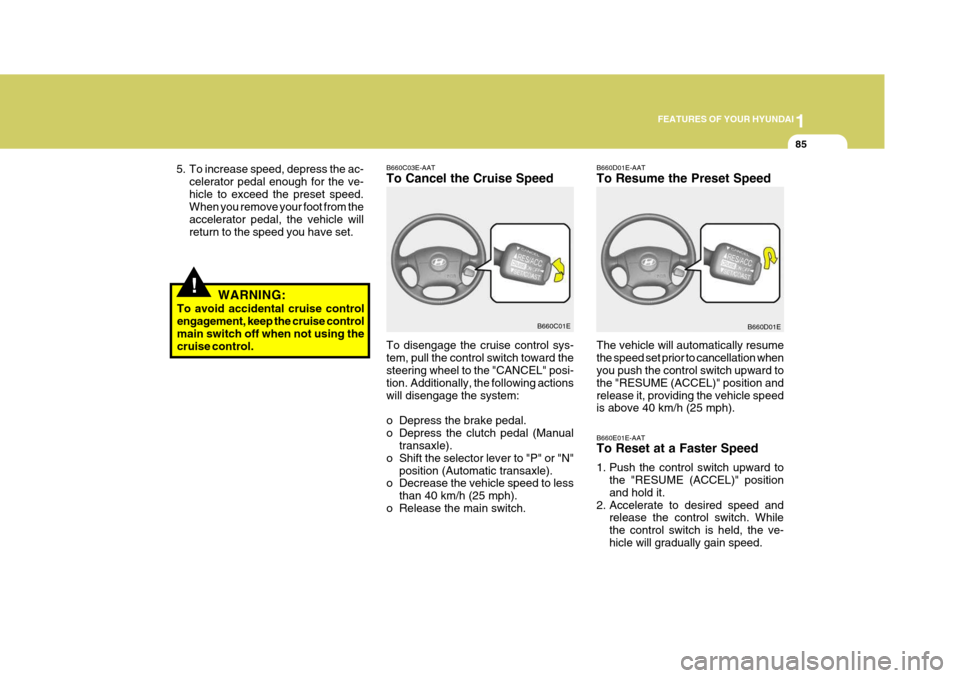
B660C03E-AAT To Cancel the Cruise Speed B660D01E-AATTo Resume the Preset Speed
To disengage the cruise control sys- tem, pull the control switch toward the steering wheel to the "CANCEL" posi-
tion. Additionally, the following actionswill disengage the system:
o Depress the brake pedal.
o Depress the clutch pedal (Manual transaxle).
o Shift the selector lever to "P" or "N" position (Automatic transaxle).
o Decrease the vehicle speed to less
than 40 km/h (25 mph).
o Release the main switch. The vehicle will automatically resumethe speed set prior to cancellation when you push the control switch upward to the "RESUME (ACCEL)" position andrelease it, providing the vehicle speed is above 40 km/h (25 mph).
B660C01E
B660D01E
5. To increase speed, depress the ac-
celerator pedal enough for the ve- hicle to exceed the preset speed. When you remove your foot from the accelerator pedal, the vehicle willreturn to the speed you have set.
WARNING:
To avoid accidental cruise control engagement, keep the cruise control main switch off when not using thecruise control.
B660E01E-AAT To Reset at a Faster Speed
1. Push the control switch upward tothe "RESUME (ACCEL)" position and hold it.
2. Accelerate to desired speed and release the control switch. Whilethe control switch is held, the ve-hicle will gradually gain speed.
Page 108 of 277
1FEATURES OF YOUR HYUNDAI
94AIR CONDITIONING SYSTEM
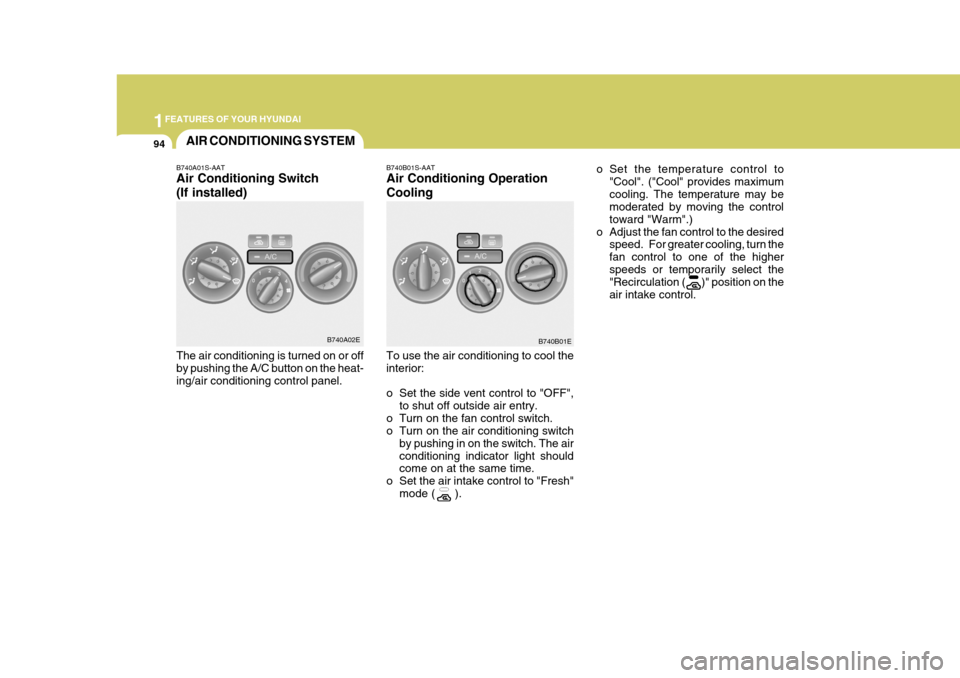
B740B01S-AAT Air Conditioning Operation Cooling To use the air conditioning to cool the interior:
o Set the side vent control to "OFF",to shut off outside air entry.
o Turn on the fan control switch.
o Turn on the air conditioning switch by pushing in on the switch. The air conditioning indicator light should come on at the same time.
o Set the air intake control to "Fresh" mode ( ). o Set the temperature control to
"Cool". ("Cool" provides maximum cooling. The temperature may be moderated by moving the control toward "Warm".)
o Adjust the fan control to the desired speed. For greater cooling, turn thefan control to one of the higherspeeds or temporarily select the "Recirculation ( )" position on the air intake control.
B740A01S-AAT Air Conditioning Switch (If installed) The air conditioning is turned on or off by pushing the A/C button on the heat-ing/air conditioning control panel.
B740A02E
B740B01E
Page 118 of 277
1FEATURES OF YOUR HYUNDAI
104STEREO SOUND SYSTEM
AM reception
Ionosphere
FM reception
B750A01L
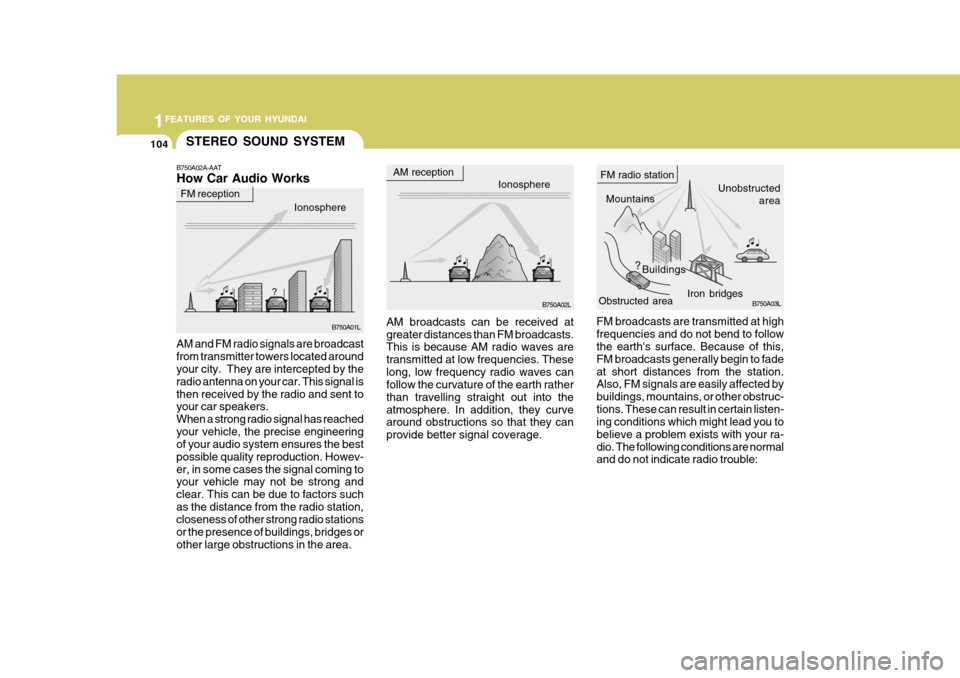
B750A02A-AAT How Car Audio Works
Ionosphere
B750A02L Mountains
Buildings Unobstructed
area
FM radio station
B750A03L
Obstructed area
FM broadcasts are transmitted at high frequencies and do not bend to follow the earth's surface. Because of this, FM broadcasts generally begin to fadeat short distances from the station. Also, FM signals are easily affected by buildings, mountains, or other obstruc-tions. These can result in certain listen- ing conditions which might lead you to believe a problem exists with your ra-dio. The following conditions are normal and do not indicate radio trouble:
AM broadcasts can be received at greater distances than FM broadcasts. This is because AM radio waves are transmitted at low frequencies. Theselong, low frequency radio waves can follow the curvature of the earth rather than travelling straight out into theatmosphere. In addition, they curve around obstructions so that they can provide better signal coverage.
AM and FM radio signals are broadcastfrom transmitter towers located around your city. They are intercepted by the radio antenna on your car. This signal isthen received by the radio and sent to your car speakers. When a strong radio signal has reachedyour vehicle, the precise engineering of your audio system ensures the best possible quality reproduction. Howev-er, in some cases the signal coming to your vehicle may not be strong and clear. This can be due to factors suchas the distance from the radio station, closeness of other strong radio stations or the presence of buildings, bridges orother large obstructions in the area. Iron bridges
Page 144 of 277
1FEATURES OF YOUR HYUNDAI
130
o This equipment is designed to beused only in a 12 volt DC battery system with negative ground.
o This unit is made of precision
parts. Do not attempt to disas-semble or adjust any parts.
o When driving your vehicle, be sure
to keep the volume of the unit setlow enough to allow you to hear sounds coming from the outside.
o Do not expose this equipment (in- cluding the speakers and tape) towater or excessive moisture.
! CAUTION:
o Do not insert warped or poor qual- ity discs into the CD player as damage to the unit may occur.
o Do not insert anything like coins into the player slot as damage tothe unit may occur.
o Do not place beverages close to the audio system. The playbackmechanism may be damaged ifyou spill them.
o Do not impact or strike the audio
system, or the playback mecha-nism could be damaged.
o Driving on the off-roads or other
vibrations may skip your compactdisc. Do not use the audio system on off-roads as the discs could bescratched and damaged.
o Do not grip or pull out the disc
with your hand while the disc isbeing pulled into the unit by the self loading mechanism. These can cause poor disc scratching tooccur or damage the compact disc player. o Avoid using CD-Recordable or CD-
Rewritable as the player could notbe operated in recording way of the CD maker. When using thecompact disc player, profession- ally recorded CDs are recom- mended.
Page 154 of 277
2
Before Starting the Engine ........................................... 2-3
Key Positions ................................................................ 2-4Starting......................................................................... 2-5
Operating the Manual Transaxle ................................. 2-7
Automatic Transaxle .................................................... 2-9
Anti-Lock Brake System (ABS) .................................. 2-14
Traction Control System (TCS) .................................. 2-15
Driving for Economy ................................................... 2-17
Smooth Cornering ...................................................... 2-19
Winter Driving ............................................................. 2-19
Trailer or Vehicle Towing ........................................... 2-22
DRIVING YOUR HYUNDAI
2
Page 164 of 277

2
DRIVING YOUR HYUNDAI
11
C090D02A-AAT o N (Neutral): In the "N" position, the transaxle is in neutral position, which means that no gears are engaged. The engine can bestarted with the shift lever in "N" posi- tion, although this is not recommended except if the engine stalls while the caris moving. C090E01A-GAT o D (Drive): Use for normal driving. The transaxle will automatically shift through a four-gear sequence. Never downshift manu- ally to "2" position or "L" position when vehicle speed is more than 95 km/h(60 mph).
C090B01A-AAT The Function of Each Position Is As Follows: o P (Park): Use to hold the vehicle in place when parking or while starting the engine; shift the selector lever to the "P" (Park) position. Whenever parking the car,apply the parking brake and shift the selector lever to the "P" (Park) posi- tion.
CAUTION:
Never place the selector lever in the "P" (Park) position unless the ve- hicle is fully stopped. Failure toobserve this caution will cause se- vere damage to the transaxle.
! C090C01A-AAT o R (Reverse): Use for backing up the vehicle. Bring the car to a complete stop before shift-ing the selector lever to "R" position.
C090Q01E-GAT o 3 (Third gear) : 1.8 / 2.0 DOHC Use for towing a trailer during hill climb- ing or to use engine braking downhill."3" automatically shifts between 1st, 2nd and 3rd gears. This means that no shift-up to 4th gear is performed. How-ever, the shift-up to 4th gear is done when the car speed exceeds a certain value to prevent the engine from over-revving. Manually move the selector to "D" when returning to normal driving condition. C090F01A-AAT o 2 (Second gear): Use for driving on a slippery road, hill climbing or engine braking downhill."2" automatically shifts between first and second gears. This means that no shift-up to 3rd gearis performed. However, the shift-up to third gear is done when the car speed exceeds a certain value to prevent theengine from over-revving. Manually move the selector to "D" returning to normal driving condition.
shifts are cycled a few times by theT.C.M (Transaxle Control Module.)