wheel Hyundai Elantra 2009 Инструкция по эксплуатации (in Russian)
[x] Cancel search | Manufacturer: HYUNDAI, Model Year: 2009, Model line: Elantra, Model: Hyundai Elantra 2009Pages: 308, PDF Size: 15.03 MB
Page 56 of 308
4
Keys / 4-2 Remote keyless entry / 4-4Theft-alarm system / 4-6
Door locks / 4-8Boot / 4-12
Windows / 4-13Bonnet / 4-17
Fuel filler lid / 4-19
Sunroof / 4-22
Steering wheel / 4-26
Mirrors / 4-29
Instrument cluster / 4-33
Hazard warning flasher / 4-45Lighting / 4-46
Wipers and washers / 4-49
Interior light / 4-51
Defroster / 4-54
Manual climate control system / 4-55
Automatic climate control system / 4-64
Windshield defrosting and defogging / 4-72
Storage compartment / 4-75
Interior features / 4-77Audio system / 4-82
Features of your vehicle
Page 81 of 308
Features of your vehicle
26
4
STEERING WHEEL
Electronic power steering
Power steering uses the motor to assist
you in steering the vehicle. If the engine
is off or if the power steering system
becomes inoperative, the vehicle may
still be steered, but it will require
increased steering effort.
The motor driven power steering is con-
trolled by power steering control unit
which sense the steering wheel torque,
steering wheel position and vehicle
speed to command the motor.
The steering wheel becomes heavier as
the vehicle’s speed increases and
becomes lighter as the vehicle’s speed
decreases for the better control of the
steering wheel.
Should you notice any change in the
effort required to steer during normal
vehicle operation, have the power steer-
ing checked by an authorised Hyundai
dealer.
✽✽ NOTICE
The following symptoms may be
occurred during normal vehicle opera-
tion and if there is no illumination ofEPS warning light, it is not malfunction
of EPS system. After turning the igni-tion switch on, the steering wheel
becomes heavier while it performs EPS
system diagnostics for a few seconds,
then it returns to be normal steering
condition. The click sound of EPS relay
may occur after turning the ignition
switch on or off, this is normal opera-
tion. When it is steered in the stop posi-
tion or low driving speed, motor noise
may occur again, this is normal opera-tion.Tilt steering
A tilt steering wheel allows you to adjust
the steering wheel before you drive. You
can also raise it to the highest level to
give your legs more room when you exit
and enter the vehicle.
The steering wheel should be positioned
so that it is comfortable for you to drive,
while permitting you to see the instru-
ment panel warning lights and gauges.
Page 82 of 308
427
Features of your vehicle
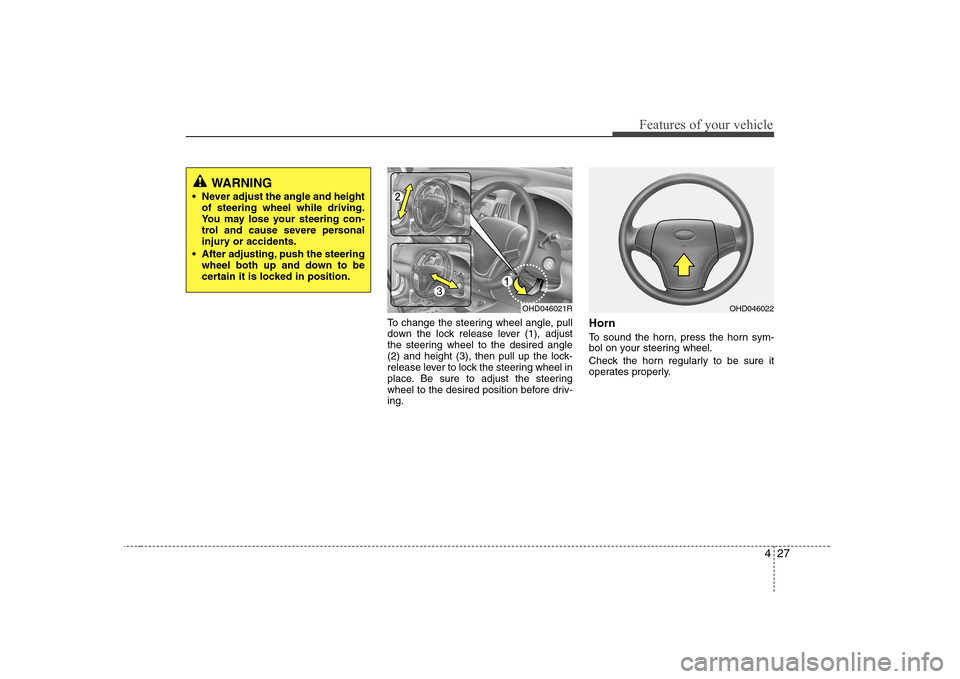
To change the steering wheel angle, pull
down the lock release lever (1), adjust
the steering wheel to the desired angle
(2) and height (3), then pull up the lock-
release lever to lock the steering wheel in
place. Be sure to adjust the steering
wheel to the desired position before driv-ing.Horn
To sound the horn, press the horn sym-
bol on your steering wheel.
Check the horn regularly to be sure it
operates properly.
WARNING
Never adjust the angle and height of steering wheel while driving.
You may lose your steering con-
trol and cause severe personal
injury or accidents.
After adjusting, push the steering wheel both up and down to be
certain it is locked in position.
OHD046021ROHD046022
Page 83 of 308
Features of your vehicle
28
4
CAUTION
To sound the horn, press the area
indicated by the horn symbol onyour steering wheel (see illustra-tion). The horn will operate only
when this area is pressed.
Do not strike the horn severely to operate it, or hit it with your fist.Do not press on the horn with asharp-pointed object.
Page 96 of 308
441
Features of your vehicle
Hand brake & brake fluidwarning
Hand brake warning This light is illuminated when the hand
brake is applied with the ignition switch in
the START or ON position. The warning
light should go off when the hand brakeis released. Low brake fluid level warning
If the warning light remains on, it may
indicate that the brake fluid level in the
reservoir is low.
If the warning light remains on:
1. Drive carefully to the nearest safe location and stop your vehicle.
2. With the engine stopped, check the brake fluid level immediately and add
fluid as required. Then check all brake
components for fluid leaks.
3. Do not drive the vehicle if leaks are found, the warning light remains on or
the brakes do not operate properly.
Have it towed to any authorised
Hyundai dealer for a brake system
inspection and necessary repairs. Your vehicle is equipped with dual-diago-
nal braking systems. This means you still
have braking on two wheels even if one
of the dual systems should fail. With only
one of the dual systems working, more
than normal pedal travel and greaterpedal pressure are required to stop the
car. Also, the car will not stop in as short
a distance with only a portion of the
brake system working. If the brakes fail
while you are driving, shift to a lower gear
for additional engine braking and stop the
car as soon as it is safe to do so.
To check bulb operation, check whether
the hand brake and brake fluid warning
light illuminates when the ignition switchis in the ON position.
CAUTION
If the oil pressure warning light
stays on while the engine is run- ning, serious engine damage mayresult. The oil pressure warning
light comes on whenever there isinsufficient oil pressure. In normaloperation, it should come on whenthe ignition switch is turned on,
then go out when the engine isstarted. If the oil pressure warninglight stays on while the engine is running, there is a serious malfunc-
tion.
If this happens, stop the car assoon as it is safe to do so, turn offthe engine and check the oil level. If
the oil level is low, fill the engine oilto the proper level and start theengine again. If the light stays onwith the engine running, turn the
engine off immediately. In anyinstance where the oil light stays onwhen the engine is running, the engine should be checked by an
authorised Hyundai dealer beforethe car is driven again.
WARNING
Driving the vehicle with a warning
light on is dangerous. If the brake
warning light remains on, have the
brakes checked and repaired imme-
diately by an authorised Hyundai
dealer.
Page 99 of 308
Features of your vehicle
44
4
CRUISE
ESP
OFF✽✽ NOTICE
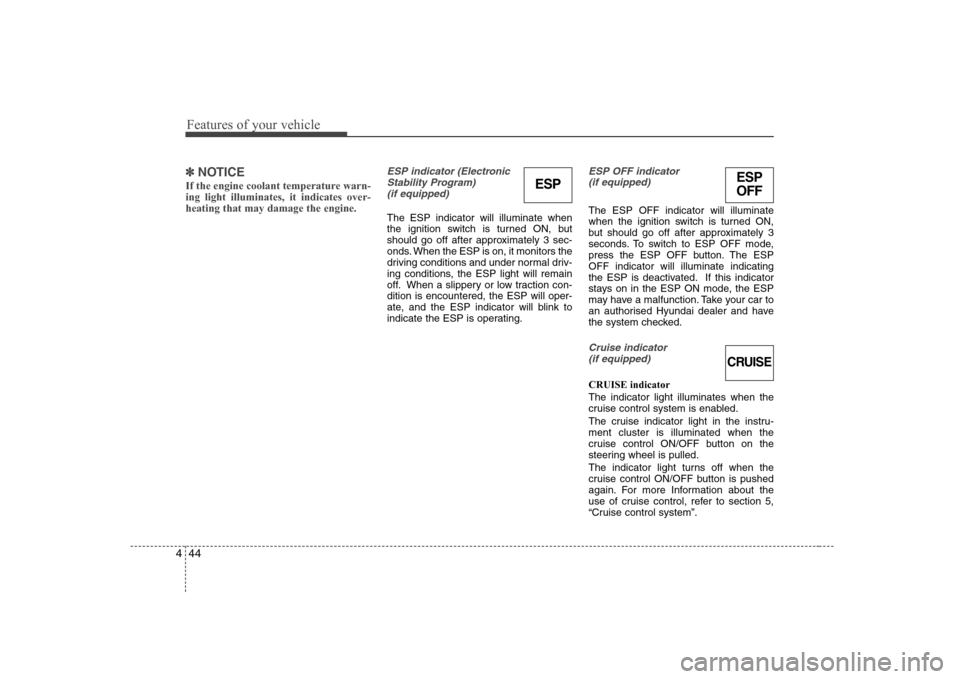
If the engine coolant temperature warn- ing light illuminates, it indicates over-heating that may damage the engine.ESP indicator (Electronic Stability Program) (if equipped)
The ESP indicator will illuminate when
the ignition switch is turned ON, but
should go off after approximately 3 sec-
onds. When the ESP is on, it monitors the
driving conditions and under normal driv-
ing conditions, the ESP light will remain
off. When a slippery or low traction con-dition is encountered, the ESP will oper-
ate, and the ESP indicator will blink to
indicate the ESP is operating.
ESP OFF indicator (if equipped)
The ESP OFF indicator will illuminate
when the ignition switch is turned ON,
but should go off after approximately 3
seconds. To switch to ESP OFF mode,
press the ESP OFF button. The ESPOFF indicator will illuminate indicating
the ESP is deactivated. If this indicator
stays on in the ESP ON mode, the ESP
may have a malfunction. Take your car to
an authorised Hyundai dealer and have
the system checked.
Cruise indicator
(if equipped)
CRUISE indicator The indicator light illuminates when the
cruise control system is enabled.
The cruise indicator light in the instru- ment cluster is illuminated when the
cruise control ON/OFF button on the
steering wheel is pulled.
The indicator light turns off when the
cruise control ON/OFF button is pushed
again. For more Information about the
use of cruise control, refer to section 5,
“Cruise control system”.
ESP
Page 113 of 308
Features of your vehicle
58
4
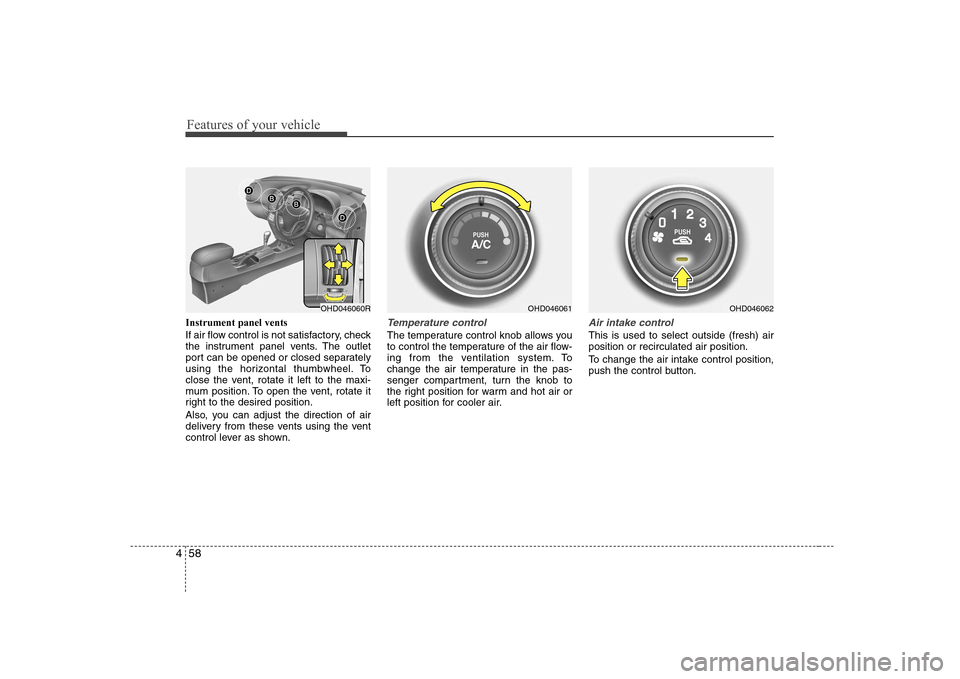
Instrument panel vents
If air flow control is not satisfactory, check
the instrument panel vents. The outlet
port can be opened or closed separately
using the horizontal thumbwheel. To
close the vent, rotate it left to the maxi-
mum position. To open the vent, rotate it
right to the desired position.
Also, you can adjust the direction of air
delivery from these vents using the vent
control lever as shown.Temperature control
The temperature control knob allows you
to control the temperature of the air flow-
ing from the ventilation system. To
change the air temperature in the pas-
senger compartment, turn the knob to
the right position for warm and hot air or
left position for cooler air.
Air intake control
This is used to select outside (fresh) air position or recirculated air position.
To change the air intake control position,
push the control button.
OHD046061OHD046060ROHD046062
Page 122 of 308
467
Features of your vehicle
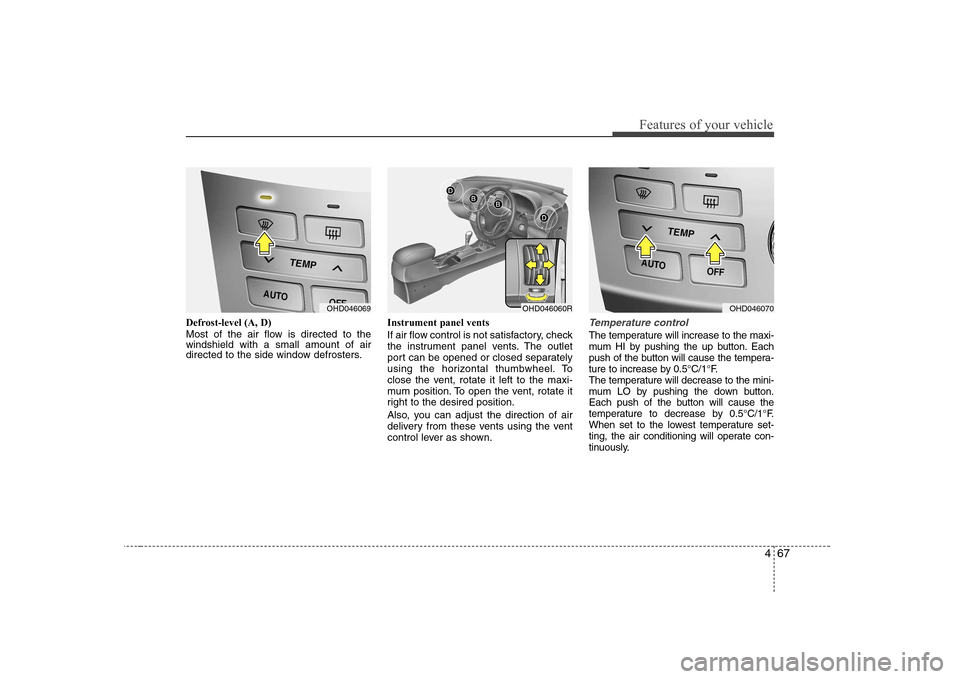
Defrost-level (A, D)
Most of the air flow is directed to the windshield with a small amount of air
directed to the side window defrosters.Instrument panel vents
If air flow control is not satisfactory, check
the instrument panel vents. The outlet
port can be opened or closed separately
using the horizontal thumbwheel. To
close the vent, rotate it left to the maxi-
mum position. To open the vent, rotate it
right to the desired position.
Also, you can adjust the direction of air
delivery from these vents using the vent
control lever as shown.Temperature control
The temperature will increase to the maxi-
mum HI by pushing the up button. Each
push of the button will cause the tempera-
ture to increase by 0.5°C/1°F.
The temperature will decrease to the mini-
mum LO by pushing the down button.
Each push of the button will cause the
temperature to decrease by 0.5°C/1°F.
When set to the lowest temperature set-
ting, the air conditioning will operate con-
tinuously.
OHD046069OHD046060ROHD046070
Page 138 of 308
483
Features of your vehicle
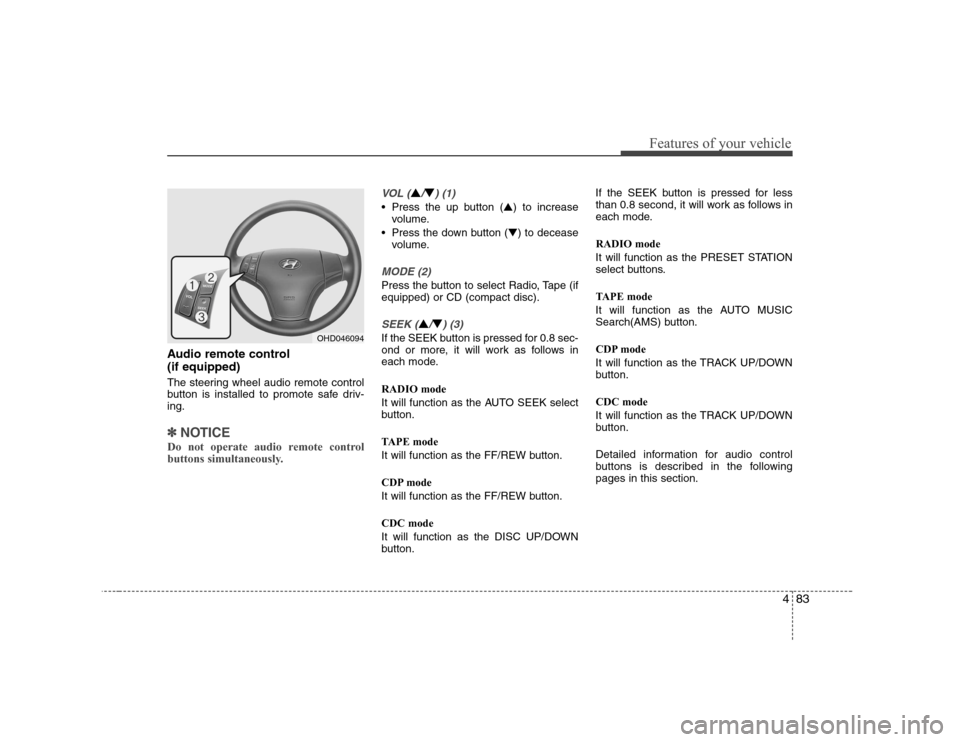
Audio remote control (if equipped)
The steering wheel audio remote control
button is installed to promote safe driv-ing.
✽✽NOTICE
Do not operate audio remote control
buttons simultaneously.
VOL (▲/▼) (1)
• Press the up button ( ▲) to increase
volume.
Press the down button ( ▼) to decease
volume.
MODE (2)
Press the button to select Radio, Tape (if equipped) or CD (compact disc).
SEEK (▲/▼) (3)
If the SEEK button is pressed for 0.8 sec-
ond or more, it will work as follows in
each mode. RADIO mode
It will function as the AUTO SEEK select
button.
TAPE mode
It will function as the FF/REW button.
CDP mode
It will function as the FF/REW button. CDC mode
It will function as the DISC UP/DOWN
button. If the SEEK button is pressed for less
than 0.8 second, it will work as follows in
each mode. RADIO mode
It will function as the PRESET STATION
select buttons.
TAPE mode
It will function as the AUTO MUSIC
Search(AMS) button.
CDP mode
It will function as the TRACK UP/DOWN
button. CDC mode
It will function as the TRACK UP/DOWN
button.
Detailed information for audio control
buttons is described in the followingpages in this section.OHD046094
Page 166 of 308
Driving your vehicle
4
5
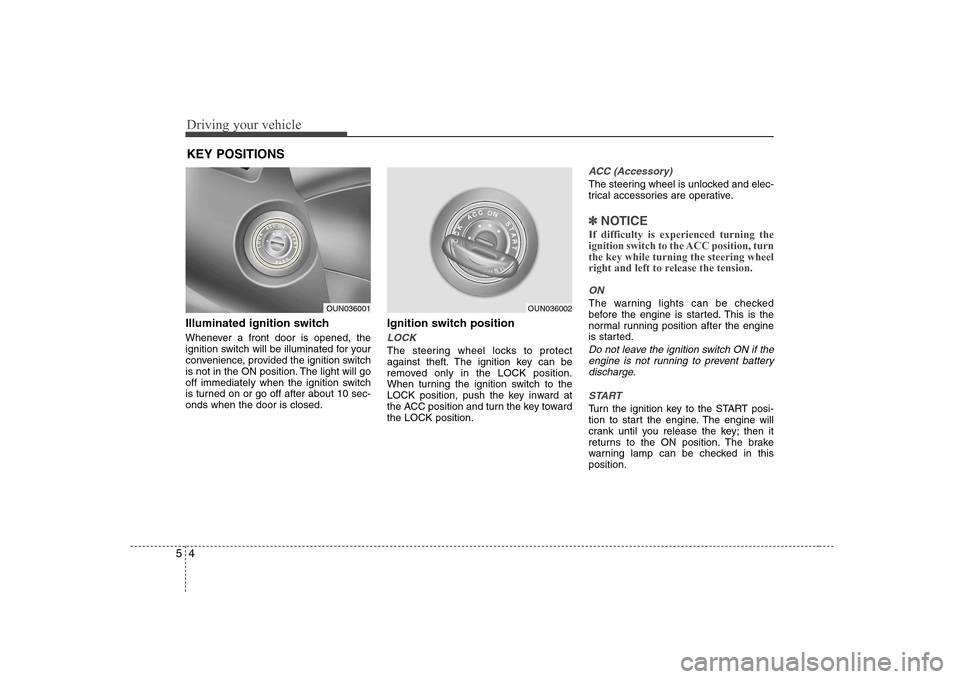
Illuminated ignition switch
Whenever a front door is opened, the
ignition switch will be illuminated for your
convenience, provided the ignition switch
is not in the ON position. The light will go
off immediately when the ignition switch
is turned on or go off after about 10 sec-onds when the door is closed. Ignition switch position
LOCK
The steering wheel locks to protect
against theft. The ignition key can be
removed only in the LOCK position.
When turning the ignition switch to the
LOCK position, push the key inward at
the ACC position and turn the key towardthe LOCK position.
ACC (Accessory)
The steering wheel is unlocked and elec-
trical accessories are operative.
✽✽
NOTICE
If difficulty is experienced turning the
ignition switch to the ACC position, turnthe key while turning the steering wheel
right and left to release the tension.
ON
The warning lights can be checked
before the engine is started. This is the
normal running position after the engine
is started.
Do not leave the ignition switch ON if the engine is not running to prevent batterydischarge.
START
Turn the ignition key to the START posi-
tion to start the engine. The engine will
crank until you release the key; then it
returns to the ON position. The brake
warning lamp can be checked in thisposition.
KEY POSITIONS
OUN036001OUN036002