warning Hyundai Elantra 2018 Owners Manual
[x] Cancel search | Manufacturer: HYUNDAI, Model Year: 2018, Model line: Elantra, Model: Hyundai Elantra 2018Pages: 526, PDF Size: 17.2 MB
Page 151 of 526
3-74
Convenient features of your vehicle
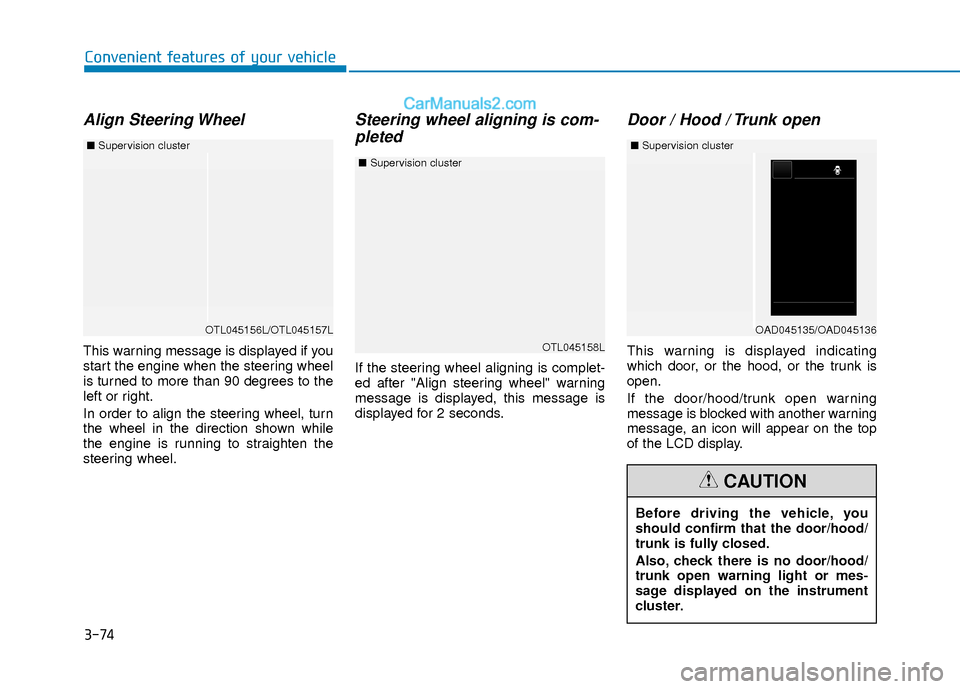
Align Steering Wheel
This warning message is displayed if you
start the engine when the steering wheel
is turned to more than 90 degrees to the
left or right.
In order to align the steering wheel, turn
the wheel in the direction shown while
the engine is running to straighten the
steering wheel.
Steering wheel aligning is com-pleted
If the steering wheel aligning is complet-
ed after "Align steering wheel" warning
message is displayed, this message is
displayed for 2 seconds.
Door / Hood / Trunk open
This warning is displayed indicating
which door, or the hood, or the trunk is
open.
If the door/hood/trunk open warning
message is blocked with another warning
message, an icon will appear on the top
of the LCD display.
OTL045156L/OTL045157L
■ Supervision cluster
Before driving the vehicle, you
should confirm that the door/hood/
trunk is fully closed.
Also, check there is no door/hood/
trunk open warning light or mes-
sage displayed on the instrument
cluster.
CAUTION
OTL045158L
■Supervision cluster
OAD045135/OAD045136
■Supervision cluster
Page 152 of 526
3-75
Convenient features of your vehicle
3
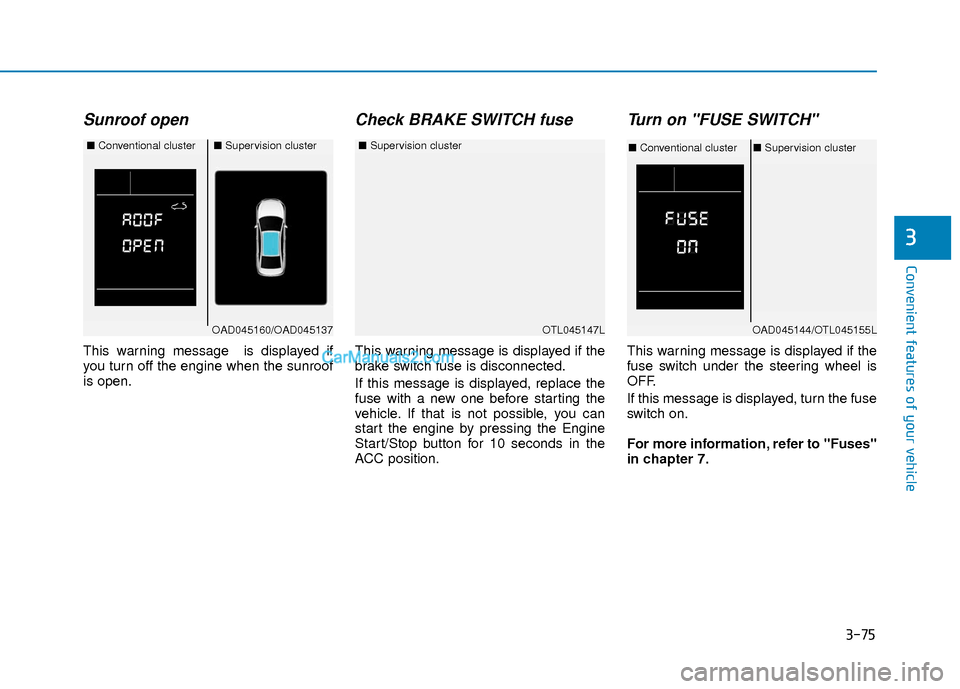
Sunroof open
This warning message is displayed if
you turn off the engine when the sunroof
is open.
Check BRAKE SWITCH fuse
This warning message is displayed if the
brake switch fuse is disconnected.
If this message is displayed, replace the
fuse with a new one before starting the
vehicle. If that is not possible, you can
start the engine by pressing the Engine
Start/Stop button for 10 seconds in the
ACC position.
Turn on "FUSE SWITCH"
This warning message is displayed if the
fuse switch under the steering wheel is
OFF.
If this message is displayed, turn the fuse
switch on.
For more information, refer to "Fuses"
in chapter 7.
OTL045147L
■Supervision cluster
OAD045160/OAD045137
■Conventional cluster■Supervision cluster
OAD045144/OTL045155L
■Conventional cluster ■Supervision cluster
Page 153 of 526
3-76
Convenient features of your vehicle
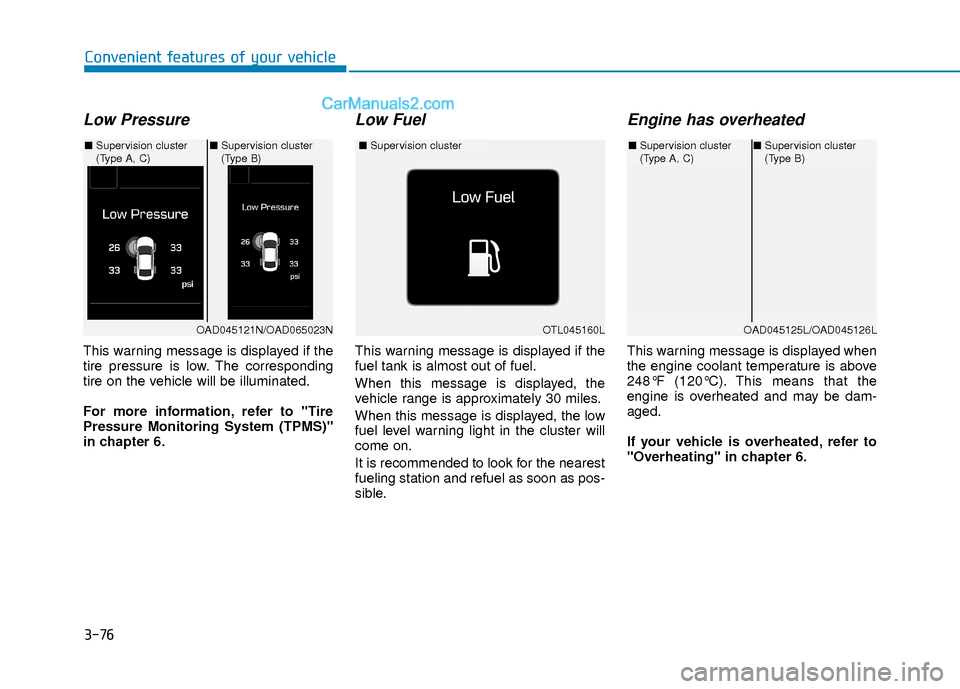
Low Pressure
This warning message is displayed if the
tire pressure is low. The corresponding
tire on the vehicle will be illuminated.
For more information, refer to "Tire
Pressure Monitoring System (TPMS)"
in chapter 6.
Low Fuel
This warning message is displayed if the
fuel tank is almost out of fuel.
When this message is displayed, the
vehicle range is approximately 30 miles.
When this message is displayed, the low
fuel level warning light in the cluster will
come on.
It is recommended to look for the nearest
fueling station and refuel as soon as pos-
sible.
Engine has overheated
This warning message is displayed when
the engine coolant temperature is above
248°F (120°C). This means that the
engine is overheated and may be dam-
aged.
If your vehicle is overheated, refer to
"Overheating" in chapter 6.
OTL045160L
■Supervision cluster
OAD045121N/OAD065023N
■Supervision cluster
(Type A, C) ■
Supervision cluster
(Type B)
OAD045125L/OAD045126L
■Supervision cluster
(Type A, C)■Supervision cluster
(Type B)
Page 154 of 526
3-77
Convenient features of your vehicle
3
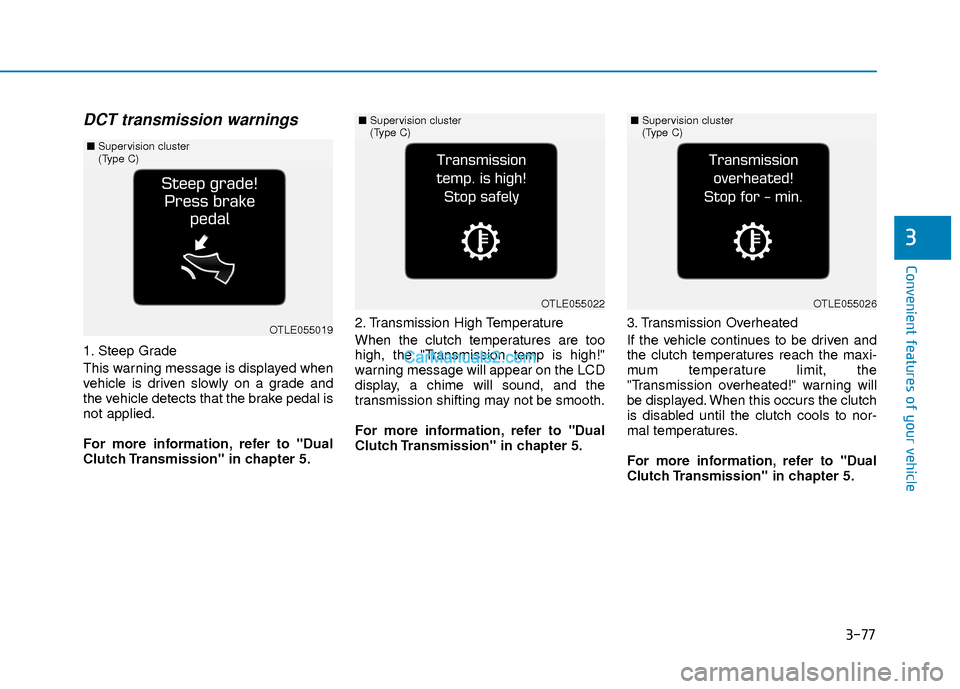
DCT transmission warnings
1. Steep Grade
This warning message is displayed when
vehicle is driven slowly on a grade and
the vehicle detects that the brake pedal is
not applied.
For more information, refer to "Dual
Clutch Transmission" in chapter 5.2. Transmission High Temperature
When the clutch temperatures are too
high, the "Transmission temp is high!"
warning message will appear on the LCD
display, a chime will sound, and the
transmission shifting may not be smooth.
For more information, refer to "Dual
Clutch Transmission" in chapter 5.
3. Transmission Overheated
If the vehicle continues to be driven and
the clutch temperatures reach the maxi-
mum temperature limit, the
"Transmission overheated!" warning will
be displayed. When this occurs the clutch
is disabled until the clutch cools to nor-
mal temperatures.
For more information, refer to "Dual
Clutch Transmission" in chapter 5.
OTLE055019
■
Supervision cluster
(Type C)
OTLE055022
■Supervision cluster
(Type C)
OTLE055026
■Supervision cluster
(Type C)
Page 155 of 526
3-78
Convenient features of your vehicle
Check headlight
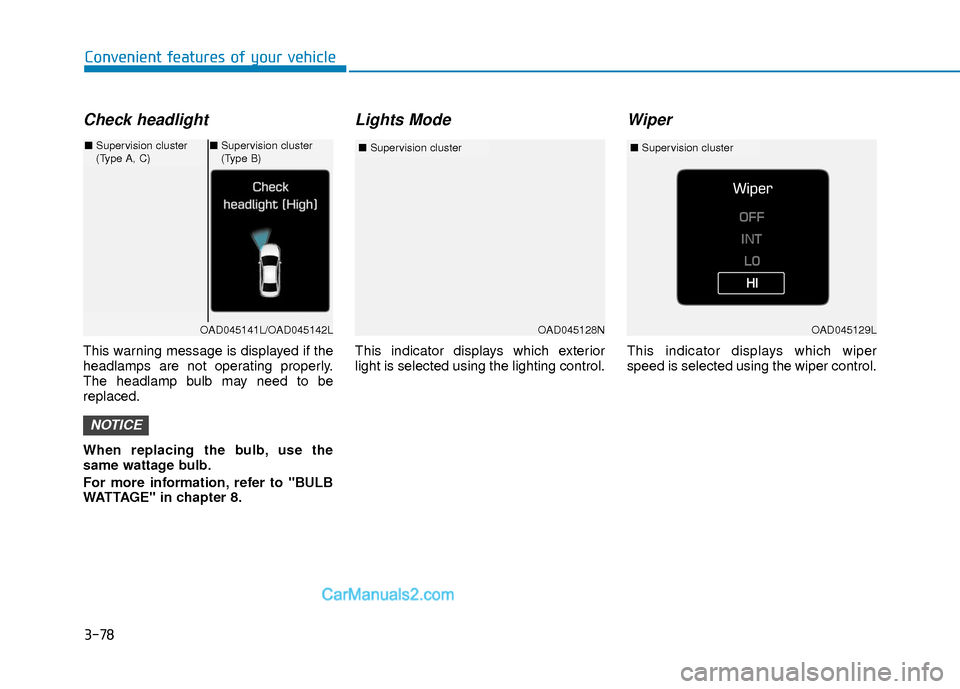
This warning message is displayed if the
headlamps are not operating properly.
The headlamp bulb may need to be
replaced.
When replacing the bulb, use the
same wattage bulb.
For more information, refer to "BULB
WATTAGE" in chapter 8.
Lights Mode
This indicator displays which exterior
light is selected using the lighting control.
Wiper
This indicator displays which wiper
speed is selected using the wiper control.
NOTICE
OAD045128N
■Supervision cluster
OAD045141L/OAD045142L
■Supervision cluster
(Type A, C)■Supervision cluster
(Type B)
OAD045129L
■ Supervision cluster
Page 156 of 526
3-79
Convenient features of your vehicle
3
Check AEB system (if equipped)
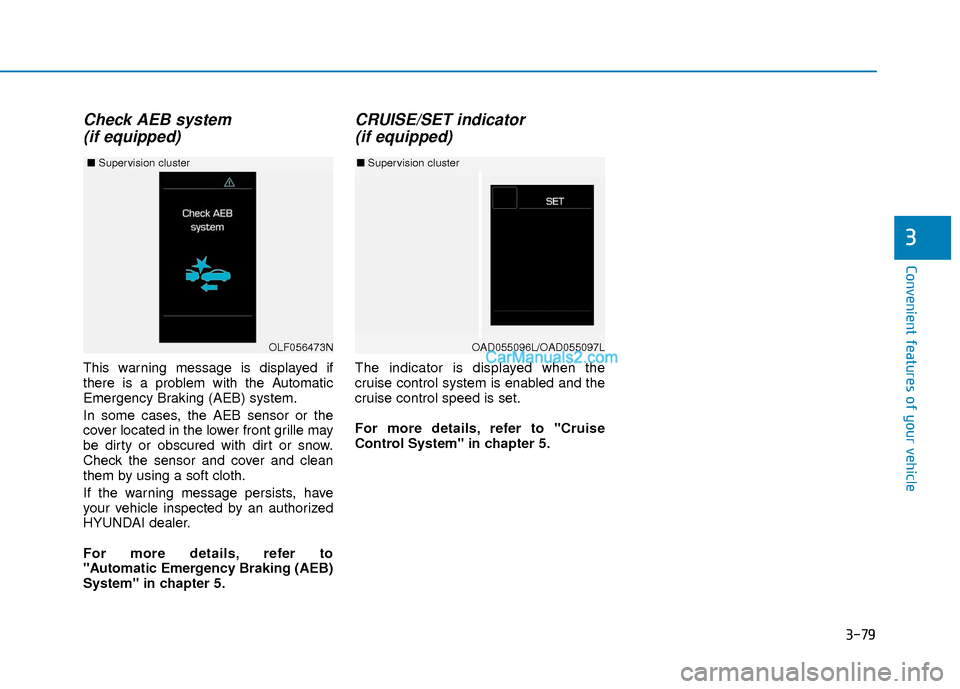
This warning message is displayed if
there is a problem with the Automatic
Emergency Braking (AEB) system.
In some cases, the AEB sensor or the
cover located in the lower front grille may
be dirty or obscured with dirt or snow.
Check the sensor and cover and clean
them by using a soft cloth.
If the warning message persists, have
your vehicle inspected by an authorized
HYUNDAI dealer.
For more details, refer to
"Automatic Emergency Braking (AEB)
System" in chapter 5.
CRUISE/SET indicator (if equipped)
The indicator is displayed when the
cruise control system is enabled and the
cruise control speed is set.
For more details, refer to "Cruise
Control System" in chapter 5.
OAD055096L/OAD055097L
■ Supervision cluster
OLF056473N
■ Supervision cluster
Page 158 of 526
3-81
Convenient features of your vehicle
3
LCD Display Modes
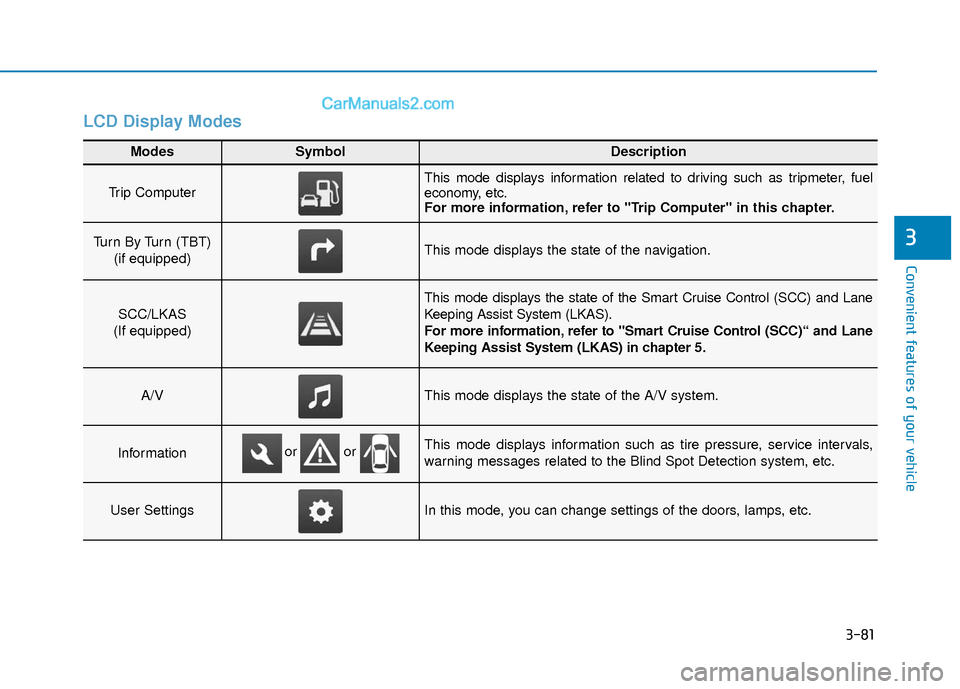
Modes SymbolDescription
Trip Computer This mode displays information related to driving such as tripmeter, fuel
economy, etc.
For more information, refer to "Trip Computer" in this chapter.
Turn By Turn (TBT) (if equipped)This mode displays the state of the navigation.
SCC/LKAS
(If equipped)
This mode displays the state of the Smart Cruise Control (SCC) and Lane
Keeping Assist System (LKAS).
For more information, refer to "Smart Cruise Control (SCC)“ and Lane
Keeping Assist System (LKAS) in chapter 5.
A/VThis mode displays the state of the A/V system.
InformationThis mode displays information such as tire pressure, service intervals,
warning messages related to the Blind Spot Detection system, etc.
User SettingsIn this mode, you can change settings of the doors, lamps, etc.
or or
Page 159 of 526
3-82
Convenient features of your vehicle
Edit, settings after engagingparking brake
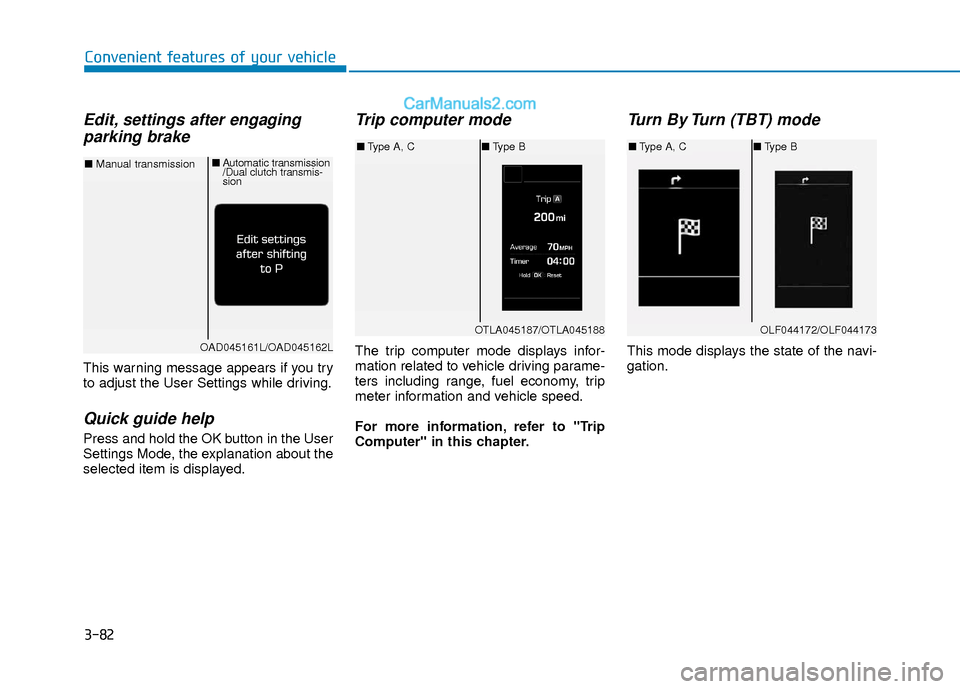
This warning message appears if you try
to adjust the User Settings while driving.
Quick guide help
Press and hold the OK button in the User
Settings Mode, the explanation about the
selected item is displayed.
Trip computer mode
The trip computer mode displays infor-
mation related to vehicle driving parame-
ters including range, fuel economy, trip
meter information and vehicle speed.
For more information, refer to "Trip
Computer" in this chapter.
Turn By Turn (TBT) mode
This mode displays the state of the navi-
gation.
OTLA045187/OTLA045188
■ Type A, C ■Type B
OAD045161L/OAD045162L
■ Manual transmission ■
Automatic transmission
/Dual clutch transmis-
sion
OLF044172/OLF044173
■Type A, C ■Type B
Page 161 of 526
3-84
Convenient features of your vehicle
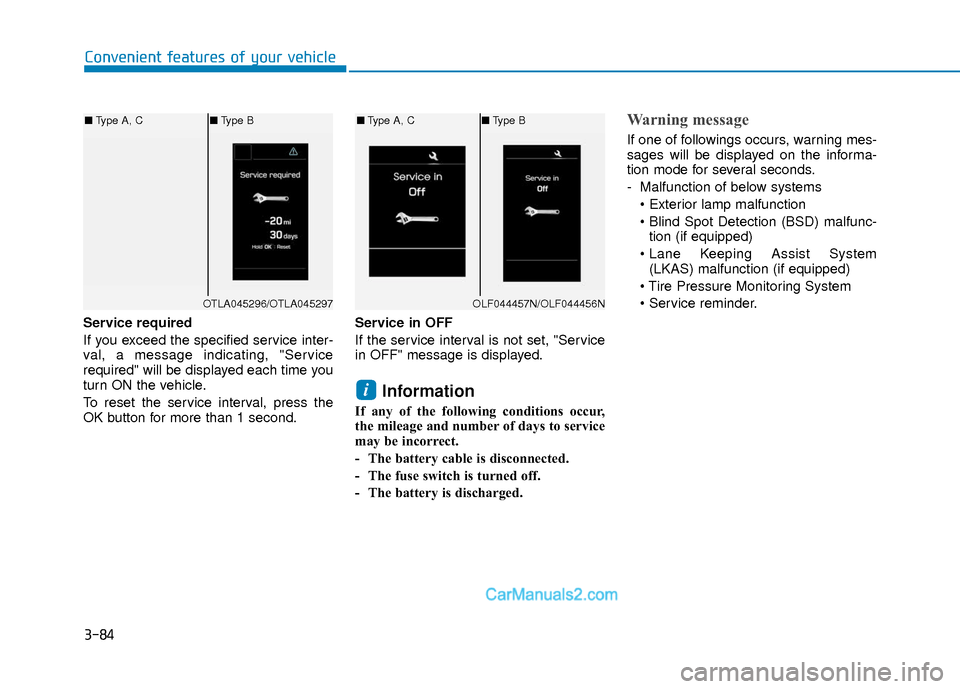
Service required
If you exceed the specified service inter-
val, a message indicating, "Service
required" will be displayed each time you
turn ON the vehicle.
To reset the service interval, press the
OK button for more than 1 second.Service in OFF
If the service interval is not set, "Service
in OFF" message is displayed.
Information
If any of the following conditions occur,
the mileage and number of days to service
may be incorrect.
- The battery cable is disconnected.
- The fuse switch is turned off.
- The battery is discharged.
Warning message
If one of followings occurs, warning mes-
sages will be displayed on the informa-
tion mode for several seconds.
- Malfunction of below systems
tion (if equipped)
(LKAS) malfunction (if equipped)
i
OTLA045296/OTLA045297
■ Type A, C ■Type B
OLF044457N/OLF044456N
■Type A, C ■Type B
Page 162 of 526
3-85
Convenient features of your vehicle
3
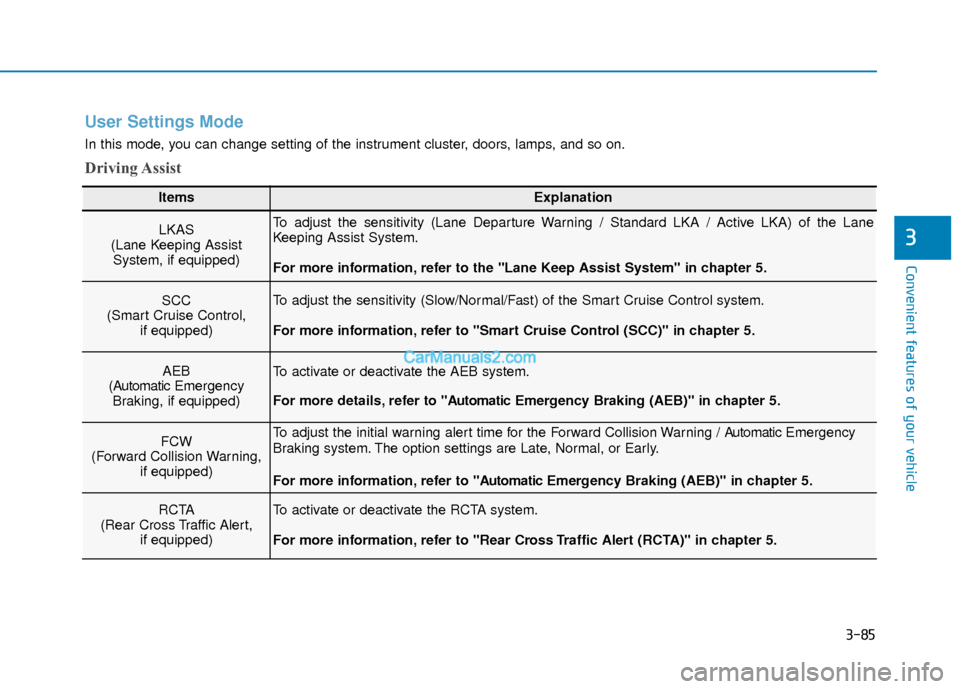
User Settings Mode
In this mode, you can change setting of the instrument cluster, doors, lamps, and so on.
Driving Assist
ItemsExplanation
LKAS
(Lane Keeping Assist System, if equipped)To adjust the sensitivity (Lane Departure Warning / Standard LKA / Active LKA) of the Lane
Keeping Assist System.
For more information, refer to the "Lane Keep Assist System" in chapter 5.
SCC
(Smart Cruise Control, if equipped)To adjust the sensitivity (Slow/Normal/Fast) of the Smart Cruise Control system.
For more information, refer to "Smart Cruise Control (SCC)" in chapter 5.
AEB
(Automatic Emergency
Braking, if equipped)To activate or deactivate the AEB system.
For more details, refer to "A utomaticEmergency Braking (AEB)" in chapter 5.
FCW
(Forward Collision Warning, if equipped)To adjust the initial warning alert time for the Forward Collision Warning / A utomaticEmergency
Braking system. The option settings are Late, Normal, or Early.
For more information, refer to "A utomaticEmergency Braking (AEB)" in chapter 5.
RCTA
(Rear Cross Traffic Alert, if equipped)To activate or deactivate the RCTA system.
For more information, refer to "Rear Cross Traffic Alert (RCTA)" in chapter 5.