battery Hyundai Elantra 2018 User Guide
[x] Cancel search | Manufacturer: HYUNDAI, Model Year: 2018, Model line: Elantra, Model: Hyundai Elantra 2018Pages: 526, PDF Size: 17.2 MB
Page 108 of 526
3-31
Convenient features of your vehicle
3
Programming HomeLink®
Please note the following:
When programming a garage dooropener, it is advised to park the vehicle
outside of the garage.
It is recommended that a new battery be placed in the hand-held transmitter
of the device being programmed to
HomeLink
®for quicker training and
accurate transmission of the radio-fre-
quency signal.
Some vehicles may require the ignition switch to be placed in the ACC (or
"Accessories") position for program-
ming and/or operation of HomeLink
®.
In the event that there are still pro- gramming difficulties or questions after
following the programming steps listed
below, contact HomeLink
®at:
www.homelink.com or by calling 1-
800-355-3515.
Rolling code programming
Rolling code devices which are "code-
protected" and manufactured after 1996
may be determined by the following:
Reference the device owner’s manual for verification.
The handheld transmitter appears to program the HomeLink
®Universal
Transceiver but does not activate the
device.
Press and hold the trained HomeLink button. The device has the rolling code
feature if the indicator light flashes rap-
idly and then turns solid after 2 sec-
onds.
To train rolling code devices, follow these
instructions:
1. At the garage door opener receiver (motor-head unit) in the garage, locate
the "learn" or "smart" button. This can
usually be found where the hanging
antenna wire is attached to the motor-
head unit. Exact location and color of
the button may vary by garage door
opener brand. If there is difficulty
locating the training button, reference
the device owner’s manual or please
visit our Web site at
www.homelink.com. 2. Firmly press and release the "learn" or
"smart" button (which activates the
"training light"). You will have 30 sec-
onds to initiate step 3.
3. Return to the vehicle and firmly press, hold for two seconds and then release
the desired HomeLink
®button. Repeat
the "press/hold/release" sequence a
second time to complete the program-
ming. (Some devices may require you
to repeat this sequence a third time to
complete the programming.)
4. Press and hold the just-trained HomeLink
®button and observe the
red Status Indicator LED. If the indica-
tor light stays on constantly, program-
ming is complete and your device
should activate.
5. To program the remaining two HomeLink
®buttons, follow either
steps 1 through 4 above for other
Rolling Code devices or steps 2
through 5 in Standard Programming
for standard devices.
Page 121 of 526
3-44
Convenient features of your vehicle
Resetting the sunroof
Sunroof needs to be reset if the following
occurs :
- Battery is discharged or disconnectedor the related fuse has been replaced
or disconnected
- The one-touch sliding function of the sunroof does not normally operate
Reset procedure :
1. Place the ignition switch to the ON position or start the engine. It is rec-
ommended to reset the sunroof while
the engine is running.
2. Push the control lever forward. The sunroof will close completely or tilt
depending on the condition of the sun-
roof.
3. Release the control lever when the sunroof stops moving.
4. Push the control lever forward about 10 seconds.
- When the sunroof is in the closed position :
The glass will tilt and slightly move up and down.
- When the sunroof is in the tilt posi- tion:
The glass will slightly move up and down. Do not release the lever until the opera-
tion is completed.
If you release the lever during operation,
start the procedure again from step 2.
5. Within 3 seconds, push and hold the
control lever forward until the sunroof
operates as follows:
Tilt down → Slide Open → Slide
Close.
Do not release the lever until the opera-
tion is completed.
If you release the lever during operation,
start the procedure again from step 2.
6. Release the sunroof control lever after all steps have completed. (The sun-
roof system has been reset.)
Information
• If the sunroof is not reset when the vehi-cle battery is disconnected or dis-
charged, or the sunroof fuse is blown,
the sunroof may not operate normally.
• For more detailed information, we rec- ommend that you contact an authorized
HYUNDAI dealer.
i
Page 141 of 526
3-64
Convenient features of your vehicle
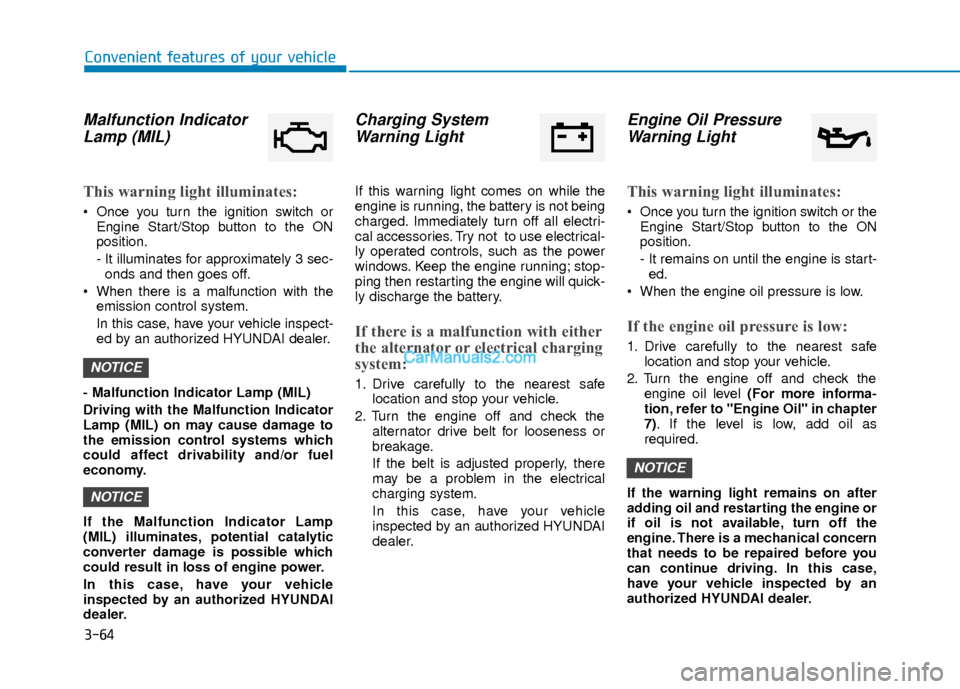
Malfunction IndicatorLamp (MIL)
This warning light illuminates:
Once you turn the ignition switch or
Engine Start/Stop button to the ON
position.
- It illuminates for approximately 3 sec-onds and then goes off.
When there is a malfunction with the emission control system.
In this case, have your vehicle inspect-
ed by an authorized HYUNDAI dealer.
- Malfunction Indicator Lamp (MIL)
Driving with the Malfunction Indicator
Lamp (MIL) on may cause damage to
the emission control systems which
could affect drivability and/or fuel
economy.
If the Malfunction Indicator Lamp
(MIL) illuminates, potential catalytic
converter damage is possible which
could result in loss of engine power.
In this case, have your vehicle
inspected by an authorized HYUNDAI
dealer.
Charging System Warning Light
If this warning light comes on while the
engine is running, the battery is not being
charged. Immediately turn off all electri-
cal accessories. Try not to use electrical-
ly operated controls, such as the power
windows. Keep the engine running; stop-
ping then restarting the engine will quick-
ly discharge the battery.
If there is a malfunction with either
the alternator or electrical charging
system:
1. Drive carefully to the nearest safe
location and stop your vehicle.
2. Turn the engine off and check the alternator drive belt for looseness or
breakage.
If the belt is adjusted properly, there
may be a problem in the electrical
charging system.
In this case, have your vehicle
inspected by an authorized HYUNDAI
dealer.
Engine Oil PressureWarning Light
This warning light illuminates:
Once you turn the ignition switch or the
Engine Start/Stop button to the ON
position.
- It remains on until the engine is start-ed.
When the engine oil pressure is low.
If the engine oil pressure is low:
1. Drive carefully to the nearest safe location and stop your vehicle.
2. Turn the engine off and check the engine oil level (For more informa-
tion, refer to "Engine Oil" in chapter
7). If the level is low, add oil as
required.
If the warning light remains on after
adding oil and restarting the engine or
if oil is not available, turn off the
engine. There is a mechanical concern
that needs to be repaired before you
can continue driving. In this case,
have your vehicle inspected by an
authorized HYUNDAI dealer.
NOTICE
NOTICE
NOTICE
Page 146 of 526
3-69
Convenient features of your vehicle
3
This indicator light illuminates for
2 seconds and goes off:
If the smart key is in the vehicle and the
Engine Start/Stop button is ON, but the
vehicle cannot detect the smart key.
In this case, have your vehicle inspected
by an authorized HYUNDAI dealer.
This indicator light blinks:
When the battery voltage of the smartkey is low.
- At this time, you can not start theengine. However, you can start the
engine if you press the ignition switch or
the Engine Start/Stop button with the
smart key. (For more information,
refer to "Starting the Engine" in
chapter 5).
When there is a malfunction with the immobilizer system.
In this case, have your vehicle inspect-
ed by an authorized HYUNDAI dealer.
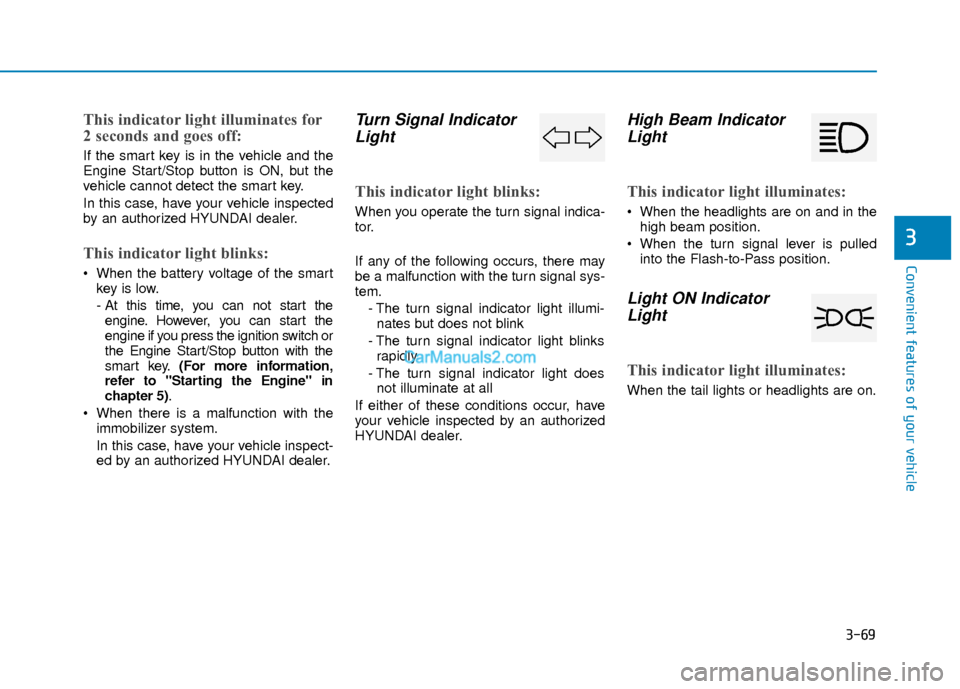
Turn Signal IndicatorLight
This indicator light blinks:
When you operate the turn signal indica-
tor.
If any of the following occurs, there may
be a malfunction with the turn signal sys-
tem.
- The turn signal indicator light illumi-nates but does not blink
- The turn signal indicator light blinks rapidly
- The turn signal indicator light does not illuminate at all
If either of these conditions occur, have
your vehicle inspected by an authorized
HYUNDAI dealer.
High Beam Indicator Light
This indicator light illuminates:
When the headlights are on and in the
high beam position.
When the turn signal lever is pulled into the Flash-to-Pass position.
Light ON IndicatorLight
This indicator light illuminates:
When the tail lights or headlights are on.
Page 150 of 526
3-73
Convenient features of your vehicle
3
Low Key Battery
This warning message is displayed if the
battery of the smart key is discharged
when the Engine Start/Stop button
changes to the OFF position.
Key not detected
This warning message is displayed if the
smart key is not detected when you
press the Engine Start/Stop button.
Key not in vehicle
This warning message is displayed if the
smart key is not in the vehicle when you
press the Engine Start/Stop button.
When attempting to start the vehicle,
always have the smart key with you.
OTL045141L
■Supervision cluster
OTL045138LOTL045139L
■Supervision cluster ■Supervision cluster
Page 161 of 526
3-84
Convenient features of your vehicle
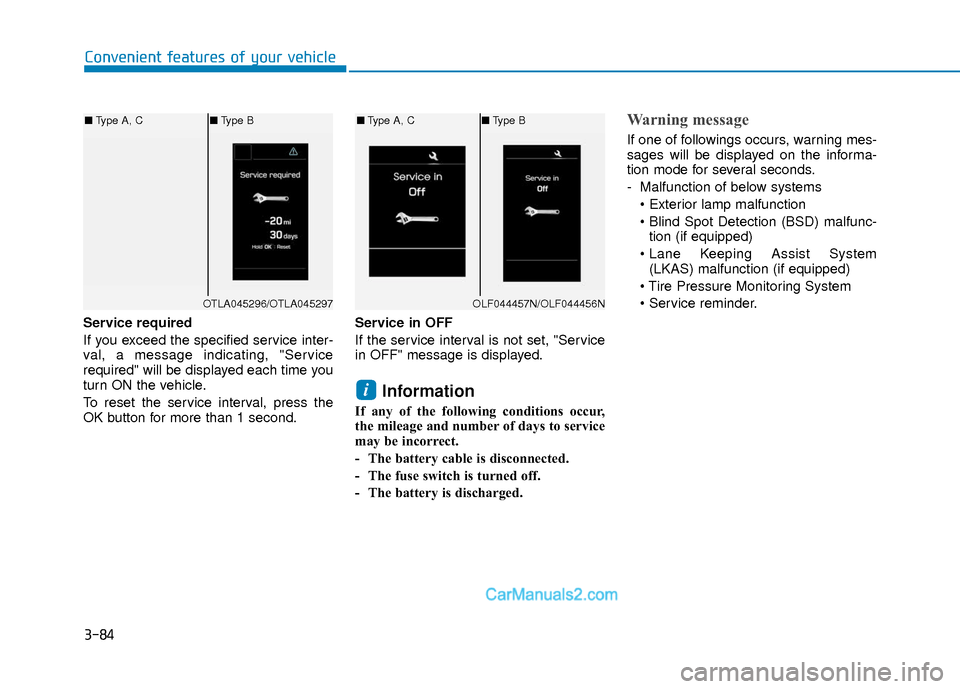
Service required
If you exceed the specified service inter-
val, a message indicating, "Service
required" will be displayed each time you
turn ON the vehicle.
To reset the service interval, press the
OK button for more than 1 second.Service in OFF
If the service interval is not set, "Service
in OFF" message is displayed.
Information
If any of the following conditions occur,
the mileage and number of days to service
may be incorrect.
- The battery cable is disconnected.
- The fuse switch is turned off.
- The battery is discharged.
Warning message
If one of followings occurs, warning mes-
sages will be displayed on the informa-
tion mode for several seconds.
- Malfunction of below systems
tion (if equipped)
(LKAS) malfunction (if equipped)
i
OTLA045296/OTLA045297
■ Type A, C ■Type B
OLF044457N/OLF044456N
■Type A, C ■Type B
Page 167 of 526
3-90
Convenient features of your vehicle
Conventional Cluster
The trip computer is a microcomputer-
controlled driver information system that
displays information related to driving.
Information
Some driving information stored in the
trip computer (for example Average
Vehicle Speed) resets if the battery is dis-
connected.
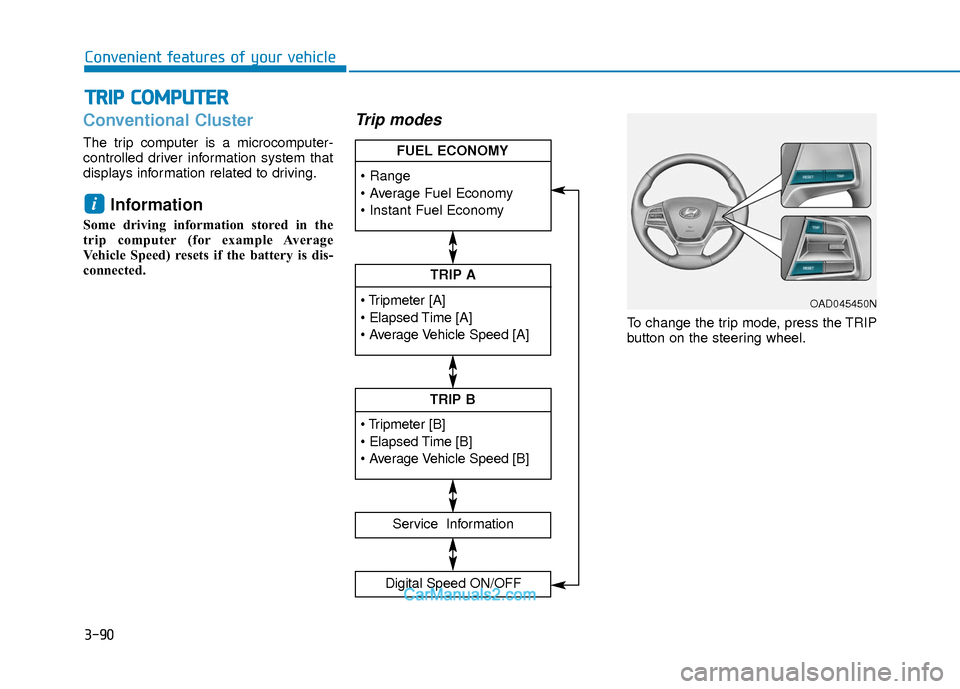
Trip modes
To change the trip mode, press the TRIP
button on the steering wheel.
i
T TR
R I
IP
P
C
C O
O M
M P
PU
U T
TE
ER
R
TRIP A
Service Information
Digital Speed ON/OFF
TRIP B
FUEL ECONOMY
OAD045450N
Page 168 of 526
3-91
Convenient features of your vehicle
3
Range
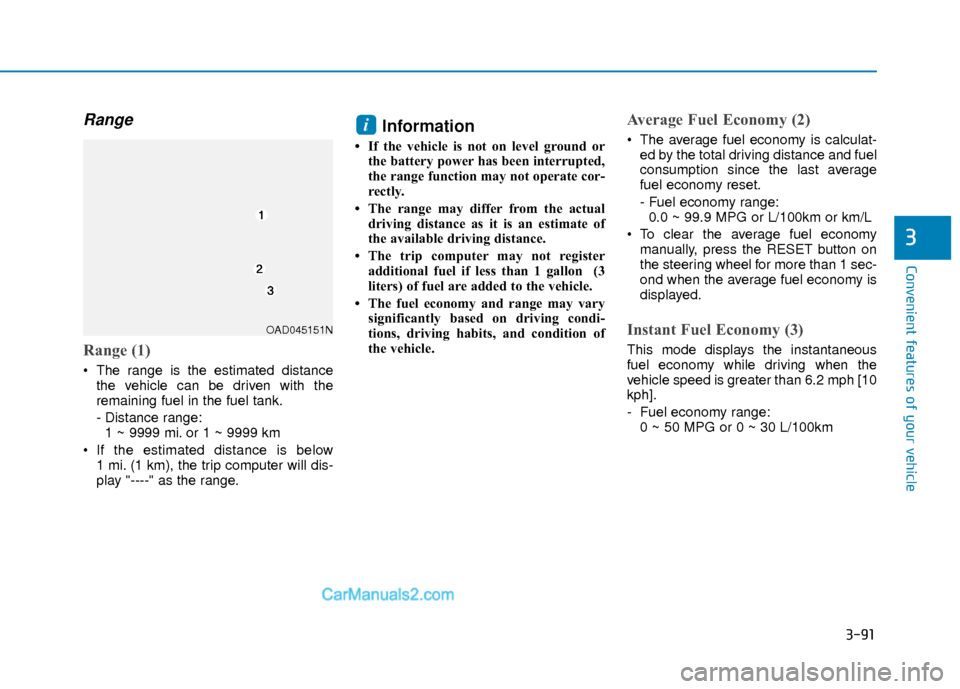
Range (1)
The range is the estimated distancethe vehicle can be driven with the
remaining fuel in the fuel tank.
- Distance range:1 ~ 9999 mi. or 1 ~ 9999 km
If the estimated distance is below 1 mi. (1 km), the trip computer will dis-
play "----" as the range.
Information
• If the vehicle is not on level ground orthe battery power has been interrupted,
the range function may not operate cor-
rectly.
• The range may differ from the actual driving distance as it is an estimate of
the available driving distance.
• The trip computer may not register additional fuel if less than 1 gallon (3
liters) of fuel are added to the vehicle.
• The fuel economy and range may vary significantly based on driving condi-
tions, driving habits, and condition of
the vehicle.
Average Fuel Economy (2)
The average fuel economy is calculat-ed by the total driving distance and fuel
consumption since the last average
fuel economy reset.
- Fuel economy range:0.0 ~ 99.9 MPG or L/100km or km/L
To clear the average fuel economy manually, press the RESET button on
the steering wheel for more than 1 sec-
ond when the average fuel economy is
displayed.
Instant Fuel Economy (3)
This mode displays the instantaneous
fuel economy while driving when the
vehicle speed is greater than 6.2 mph [10
kph].
- Fuel economy range:0 ~ 50 MPG or 0 ~ 30 L/100km
i
OAD045151N
Page 171 of 526
3-94
Convenient features of your vehicle
Supervision Cluster
The trip computer is a microcomputer-
controlled driver information system that
displays information related to driving.
Information
Some driving information stored in the
trip computer (for example Average
Vehicle Speed) resets if the battery is dis-
connected.
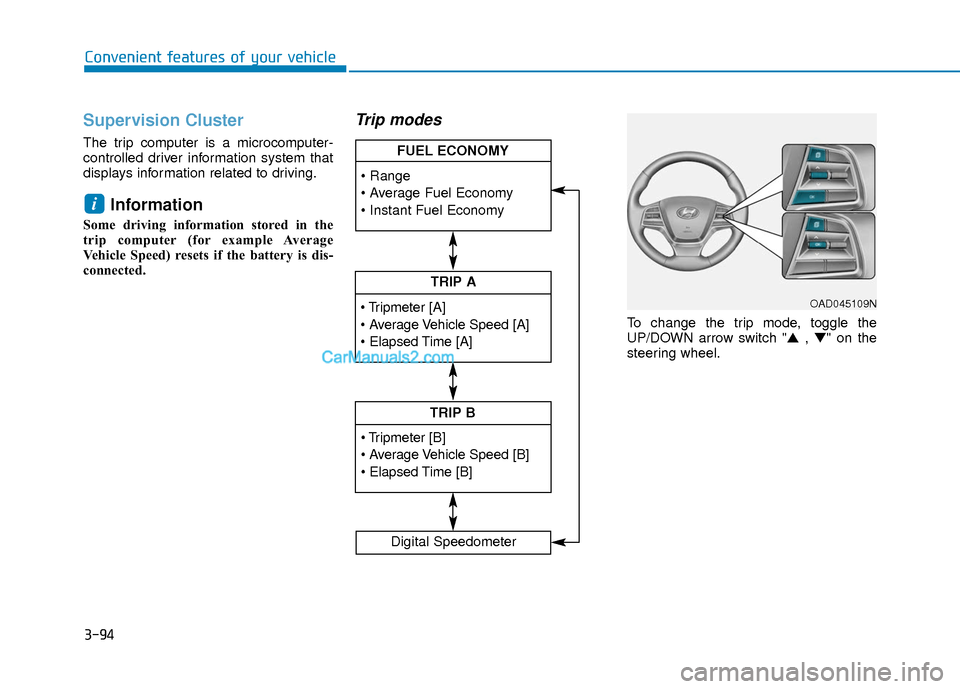
Trip modes
To change the trip mode, toggle the
UP/DOWN arrow switch "▲ , ▼" on the
steering wheel.
i
TRIP A
TRIP B
FUEL ECONOMY
Digital Speedometer
OAD045109N
Page 172 of 526
3-95
Convenient features of your vehicle
3
Range
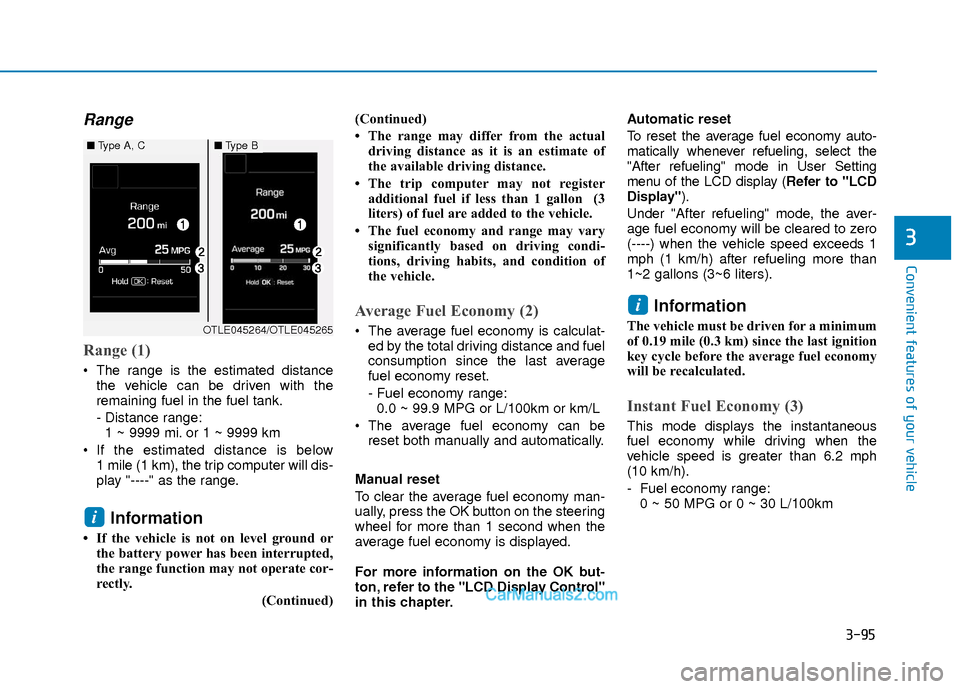
Range (1)
The range is the estimated distancethe vehicle can be driven with the
remaining fuel in the fuel tank.
- Distance range:1 ~ 9999 mi. or 1 ~ 9999 km
If the estimated distance is below 1 mile (1 km), the trip computer will dis-
play "----" as the range.
Information
• If the vehicle is not on level ground orthe battery power has been interrupted,
the range function may not operate cor-
rectly.
(Continued)(Continued)
• The range may differ from the actual
driving distance as it is an estimate of
the available driving distance.
• The trip computer may not register additional fuel if less than 1 gallon (3
liters) of fuel are added to the vehicle.
• The fuel economy and range may vary significantly based on driving condi-
tions, driving habits, and condition of
the vehicle.
Average Fuel Economy (2)
The average fuel economy is calculat-ed by the total driving distance and fuel
consumption since the last average
fuel economy reset.
- Fuel economy range:0.0 ~ 99.9 MPG or L/100km or km/L
The average fuel economy can be reset both manually and automatically.
Manual reset
To clear the average fuel economy man-
ually, press the OK button on the steering
wheel for more than 1 second when the
average fuel economy is displayed.
For more information on the OK but-
ton, refer to the "LCD Display Control"
in this chapter. Automatic reset
To reset the average fuel economy auto-
matically whenever refueling, select the
"After refueling" mode in User Setting
menu of the LCD display (
Refer to "LCD
Display").
Under "After refueling" mode, the aver-
age fuel economy will be cleared to zero
(----) when the vehicle speed exceeds 1
mph (1 km/h) after refueling more than
1~2 gallons (3~6 liters).
Information
The vehicle must be driven for a minimum
of 0.19 mile (0.3 km) since the last ignition
key cycle before the average fuel economy
will be recalculated.
Instant Fuel Economy (3)
This mode displays the instantaneous
fuel economy while driving when the
vehicle speed is greater than 6.2 mph
(10 km/h).
- Fuel economy range: 0 ~ 50 MPG or 0 ~ 30 L/100km
i
i
■ Type A, C■Type B
OTLE045264/OTLE045265