warning Hyundai Equus 2016 Owner's Manual
[x] Cancel search | Manufacturer: HYUNDAI, Model Year: 2016, Model line: Equus, Model: Hyundai Equus 2016Pages: 477, PDF Size: 16.25 MB
Page 306 of 477
5-55
Driving your vehicle05
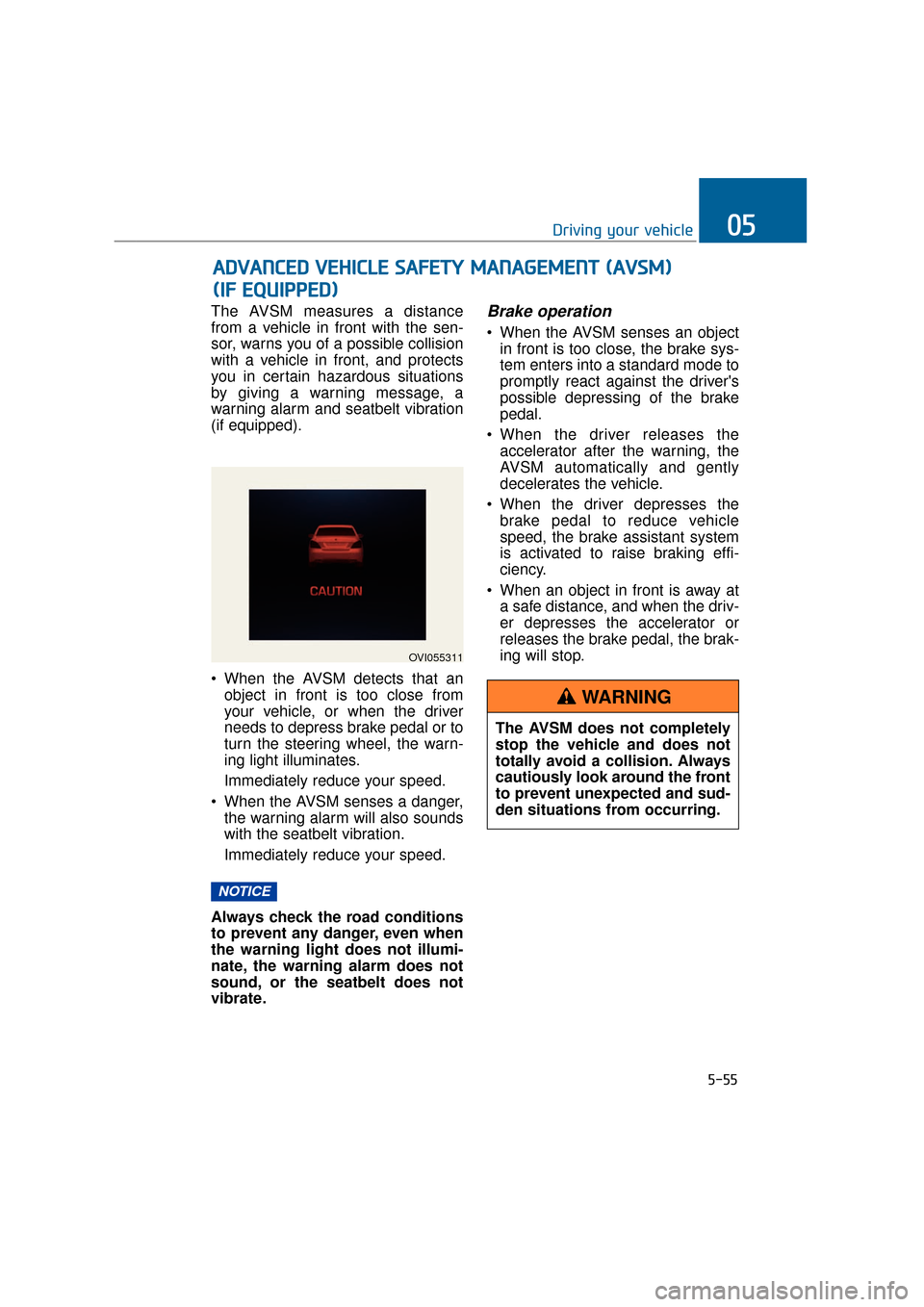
The AVSM measures a distance
from a vehicle in front with the sen-
sor, warns you of a possible collision
with a vehicle in front, and protects
you in certain hazardous situations
by giving a warning message, a
warning alarm and seatbelt vibration
(if equipped).
When the AVSM detects that anobject in front is too close from
your vehicle, or when the driver
needs to depress brake pedal or to
turn the steering wheel, the warn-
ing light illuminates.
Immediately reduce your speed.
When the AVSM senses a danger, the warning alarm will also sounds
with the seatbelt vibration.
Immediately reduce your speed.
Always check the road conditions
to prevent any danger, even when
the warning light does not illumi-
nate, the warning alarm does not
sound, or the seatbelt does not
vibrate.Brake operation
When the AVSM senses an object in front is too close, the brake sys-
tem enters into a standard mode to
promptly react against the driver's
possible depressing of the brake
pedal.
When the driver releases the accelerator after the warning, the
AVSM automatically and gently
decelerates the vehicle.
When the driver depresses the brake pedal to reduce vehicle
speed, the brake assistant system
is activated to raise braking effi-
ciency.
When an object in front is away at a safe distance, and when the driv-
er depresses the accelerator or
releases the brake pedal, the brak-
ing will stop.
NOTICE
A AD
DV
VA
A N
N C
CE
E D
D
V
V E
EH
H I
IC
C L
LE
E
S
S A
A F
FE
E T
T Y
Y
M
M A
AN
N A
AG
G E
EM
M E
EN
N T
T
(
( A
A V
VS
SM
M )
)
(
( I
IF
F
E
E Q
Q U
UI
IP
P P
PE
ED
D )
)
OVI055311
The AVSM does not completely
stop the vehicle and does not
totally avoid a collision. Always
cautiously look around the front
to prevent unexpected and sud-
den situations from occurring.
WARNING
Page 307 of 477
Seat belt operating
The seat belt tightens when the vehi-
cle senses a collision.
When the AVSM is activated ordeactivated, make sure that the
vehicle is stopped.
When the engine runs, the AVSM is automatically turned ON. If
unnecessary, select the AVSM
OFF in the User Settings mode.
Even when the AVSM ON is selected in the User Settings
mode, but when the ESC is
turned OFF by pressing the ESC
OFF button, the AVSM is auto-
matically deactivated. Then, it is
impossible to manually control
the AVSM.
Malfunction indicator
The AVSM OFF indicator illumi-nates, when the Engine Start/Stop
button is pressed ON. However, it
goes OFF in approximately 3 sec-
onds. When the indicator does not
illuminate, or continuously remains
ON even after 3 seconds, with the
Engine Start/Stop button ON, or
when the indicator remains ON
while driving, the AVSM does not
properly operate. Take your vehicle
to an authorized EQUUS dealer
and have the system checked.
The AVSM OFF indicator may illu- minate, when the ESC indicator or
SCC indicator illuminates. It does
not indicate a malfunction of the
AVSM.
NOTICE
5-56
Driving your vehicle
The AVSM is not a substitute for
your safe driving practices, but
only a supplementary system. It
is the driver's responsibility to
always check the speed and the
vehicle-to-vehicle distance.
WARNING
The AVSM is activated depend-
ing on the vehicle-to-vehicle
distance, relative velocity and
driver's brake pedal/accelerator
operation. Do not recklessly
drive on purpose to activate the
AVSM.
WARNING
Page 308 of 477
5-57
Driving your vehicle05
Even if there is a malfunctionin AVSM braking, the brake is
normally operable by
depressing the brake pedal.
The AVSM braking does not
operate in certain hazardous
situations.
The AVSM is designed to be active, while driving above
approximately 9.3 mph (15
km/h) and below approximate-
ly 111.8 mph (180 km/h).
The AVSM does not react to: - A person or animal
- An oncoming vehicle inlanes of the opposite direc-
tion or a vehicle in an inter-
section
- A stopped object
The AVSM cannot detect an object in below conditions:
- The sensors are stained orcovered with dirt.
- There is heavy rain or heavy snow.
- There is interference from electromagnetic waves.
- There are strong radar reflections.
- The vehicle drives in a curve.
- The vehicle drives uphill or downhill.
- The vehicle drives in a con- struction area.
- An object in front is very nar- row, such as a motorcycle or
bicycle.
- A vehicle suddenly cuts in front.
(Continued)
(Continued)
The AVSM braking operationin inoperable, when the driver
does not release the accelera-
tor nor depress the brake
pedal.WARNING
Page 309 of 477
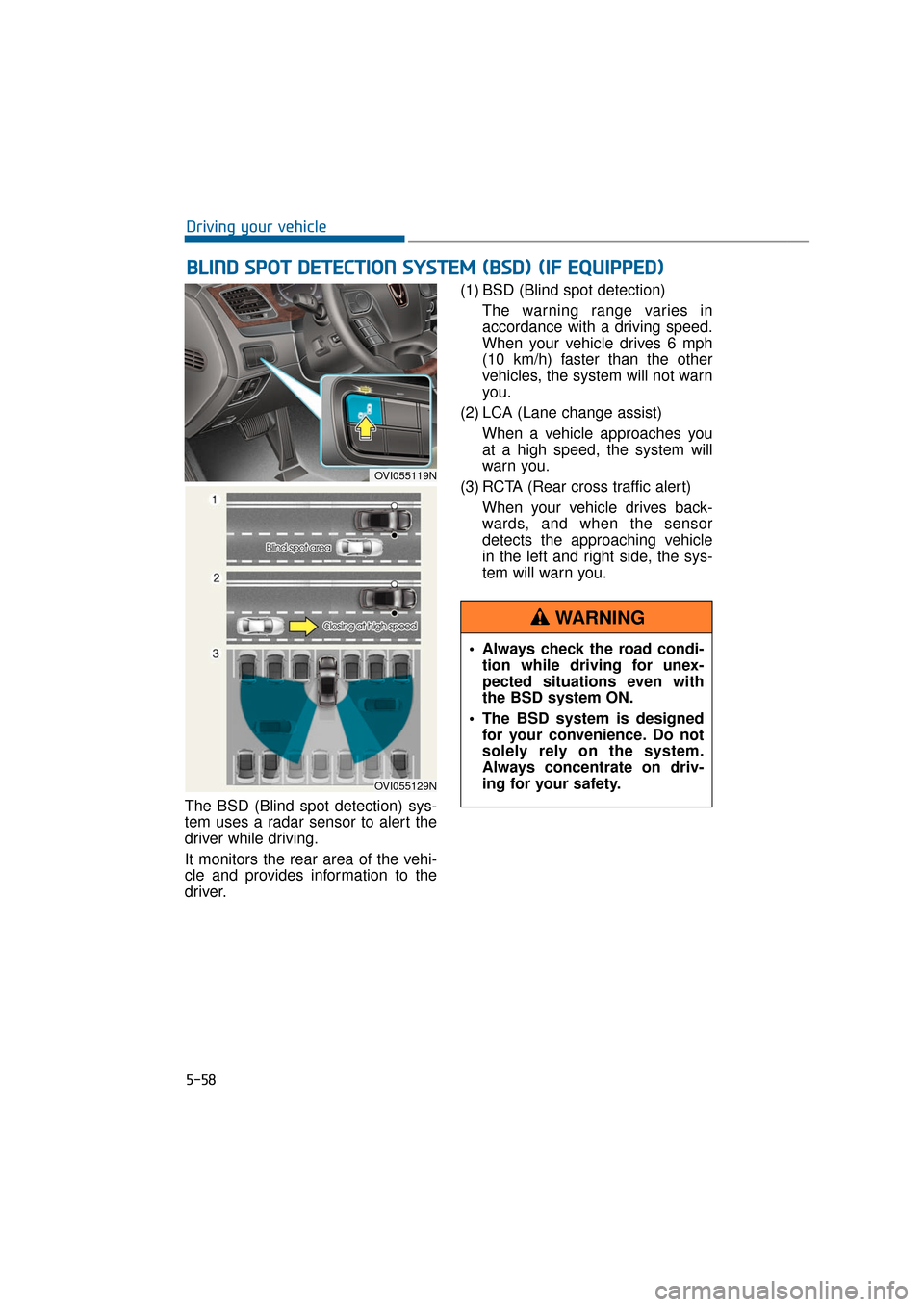
The BSD (Blind spot detection) sys-
tem uses a radar sensor to alert the
driver while driving.
It monitors the rear area of the vehi-
cle and provides information to the
driver.(1) BSD (Blind spot detection)
The warning range varies in
accordance with a driving speed.
When your vehicle drives 6 mph
(10 km/h) faster than the other
vehicles, the system will not warn
you.
(2) LCA (Lane change assist) When a vehicle approaches you
at a high speed, the system will
warn you.
(3) RCTA (Rear cross traffic alert) When your vehicle drives back-
wards, and when the sensor
detects the approaching vehicle
in the left and right side, the sys-
tem will warn you.
5-58
Driving your vehicle
B BL
LI
IN
N D
D
S
S P
P O
O T
T
D
D E
ET
T E
EC
CT
T I
IO
O N
N
S
S Y
Y S
ST
T E
EM
M
(
( B
B S
SD
D )
)
(
( I
IF
F
E
E Q
Q U
UI
IP
P P
PE
ED
D )
)
OVI055119N
OVI055129N
Always check the road condi-
tion while driving for unex-
pected situations even with
the BSD system ON.
The BSD system is designed for your convenience. Do not
solely rely on the system.
Always concentrate on driv-
ing for your safety.
WARNING
Page 310 of 477
Operating conditions
The BSD indicator will illuminate
when the BSD system switch is
pressed ON after turning the Engine
Start/Stop button ON.
When the vehicle speed exceeds 9.3
mph (15 km/h), the system will acti-
vate.
When you press the BSD switch
again, the indicator and the BSD sys-
tem will be turned OFF.
When the ignition switch is pressed
ON after engine turn-OFF, the BSD
system returns to the previous state.
When the BSD system is not used,
turn the BSD system OFF by press-
ing the switch.
When the BSD system is turned ON,
the warning light will illuminate for 3
seconds on the outside rearview mir-
ror.
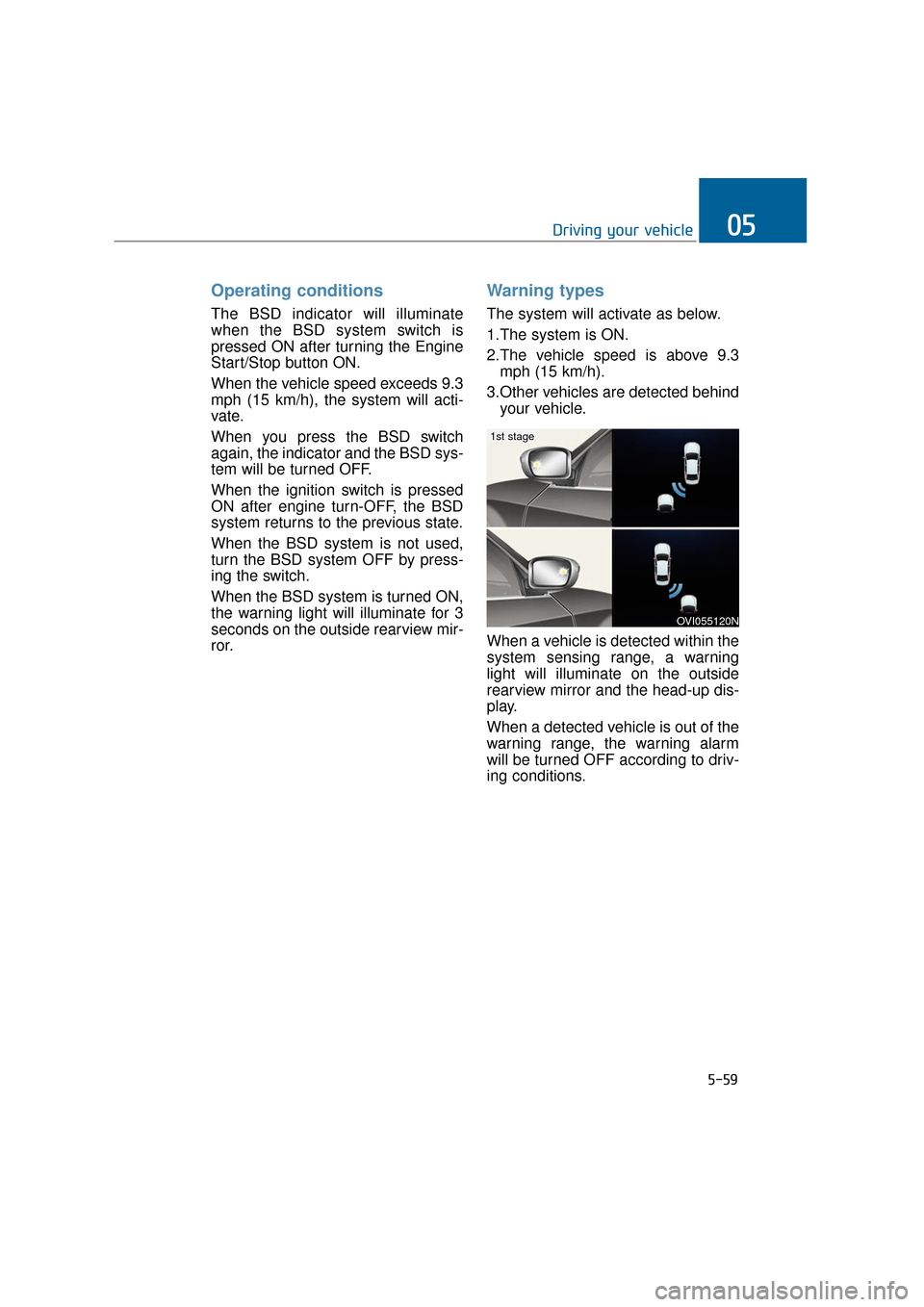
Warning types
The system will activate as below.
1.The system is ON.
2.The vehicle speed is above 9.3mph (15 km/h).
3.Other vehicles are detected behind your vehicle.
When a vehicle is detected within the
system sensing range, a warning
light will illuminate on the outside
rearview mirror and the head-up dis-
play.
When a detected vehicle is out of the
warning range, the warning alarm
will be turned OFF according to driv-
ing conditions.
5-59
Driving your vehicle05
OVI055120N
1st stage
Page 311 of 477
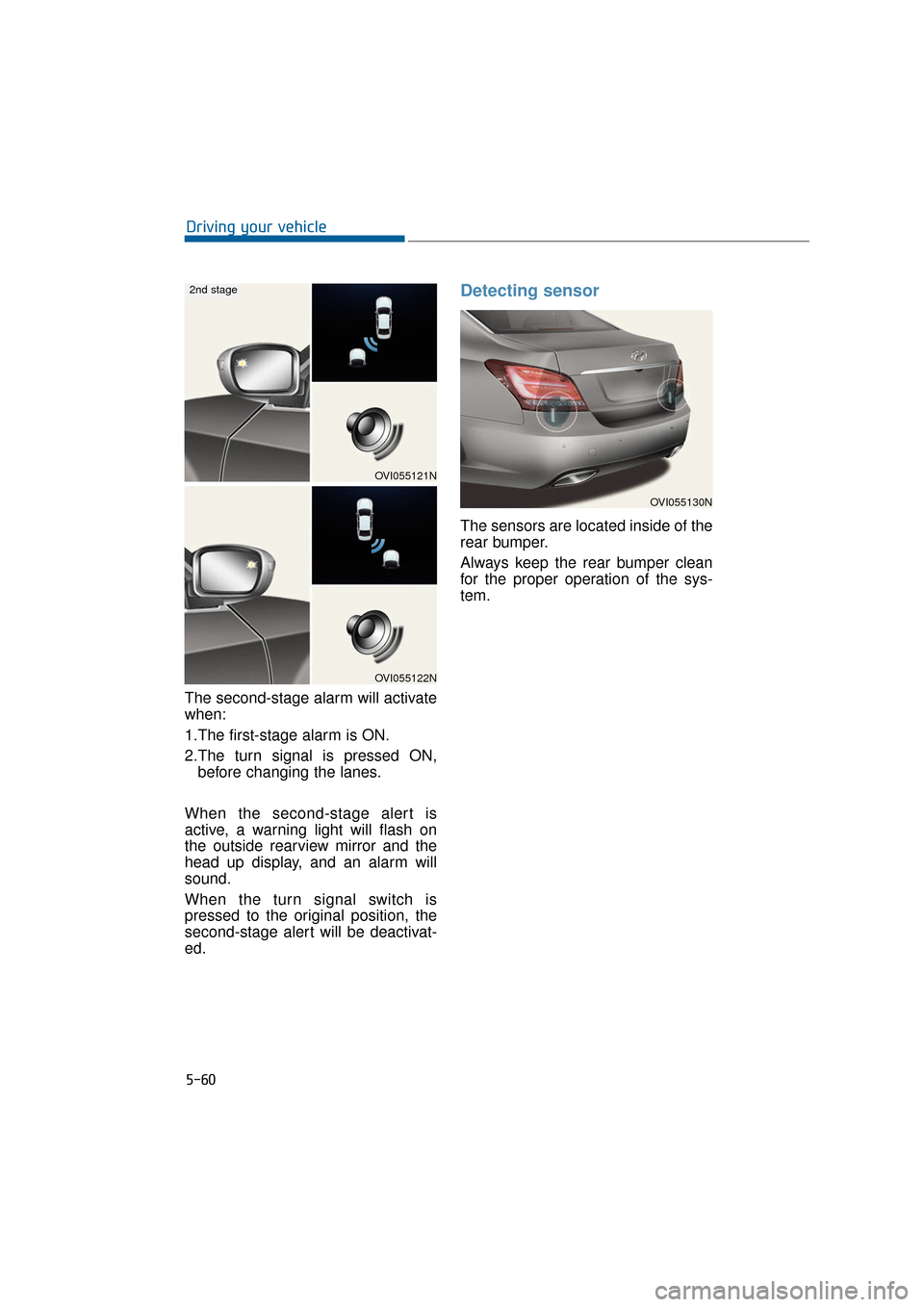
The second-stage alarm will activate
when:
1.The first-stage alarm is ON.
2.The turn signal is pressed ON,before changing the lanes.
When the second-stage alert is
active, a warning light will flash on
the outside rearview mirror and the
head up display, and an alarm will
sound.
When the turn signal switch is
pressed to the original position, the
second-stage alert will be deactivat-
ed.
Detecting sensor
The sensors are located inside of the
rear bumper.
Always keep the rear bumper clean
for the proper operation of the sys-
tem.
5-60
Driving your vehicle
OVI055130N
OVI055121N
OVI055122N
2nd stage
Page 312 of 477
Warning message
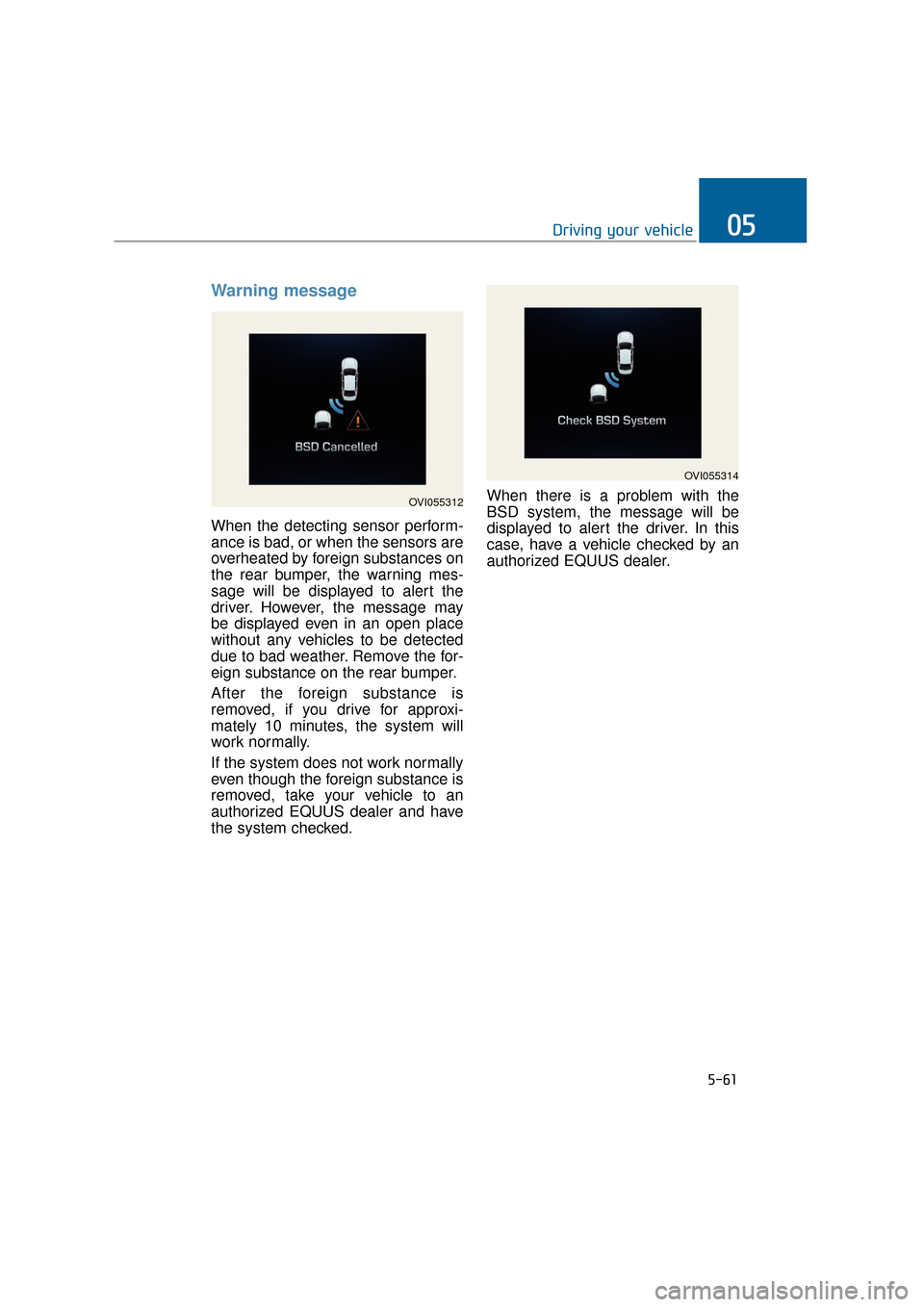
When the detecting sensor perform-
ance is bad, or when the sensors are
overheated by foreign substances on
the rear bumper, the warning mes-
sage will be displayed to alert the
driver. However, the message may
be displayed even in an open place
without any vehicles to be detected
due to bad weather. Remove the for-
eign substance on the rear bumper.
After the foreign substance is
removed, if you drive for approxi-
mately 10 minutes, the system will
work normally.
If the system does not work normally
even though the foreign substance is
removed, take your vehicle to an
authorized EQUUS dealer and have
the system checked.When there is a problem with the
BSD system, the message will be
displayed to alert the driver. In this
case, have a vehicle checked by an
authorized EQUUS dealer.
5-61
Driving your vehicle05
OVI055312
OVI055314
Page 313 of 477
RCTA (Rear cross traffic alert)
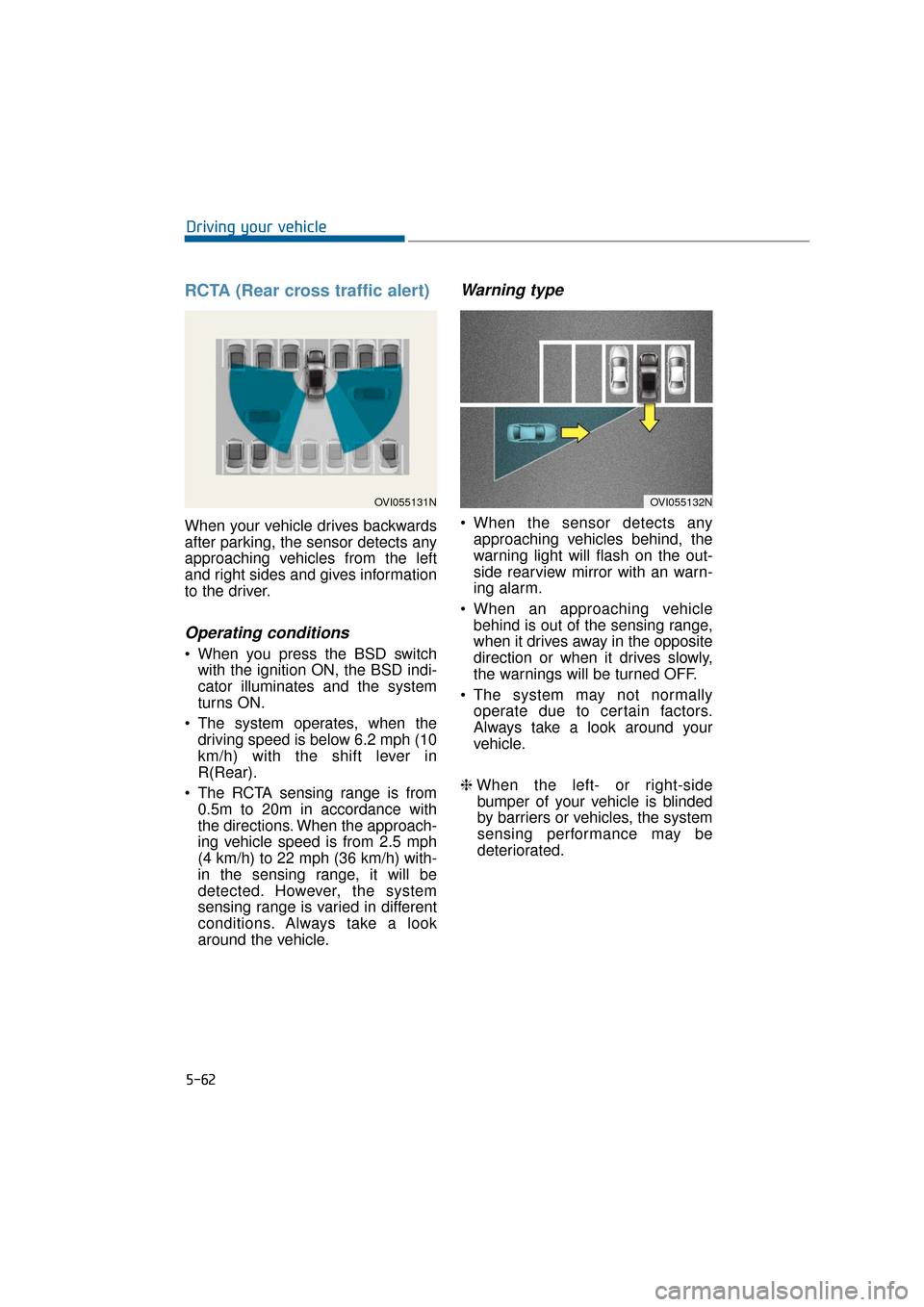
When your vehicle drives backwards
after parking, the sensor detects any
approaching vehicles from the left
and right sides and gives information
to the driver.
Operating conditions
When you press the BSD switchwith the ignition ON, the BSD indi-
cator illuminates and the system
turns ON.
The system operates, when the driving speed is below 6.2 mph (10
km/h) with the shift lever in
R(Rear).
The RCTA sensing range is from 0.5m to 20m in accordance with
the directions. When the approach-
ing vehicle speed is from 2.5 mph
(4 km/h) to 22 mph (36 km/h) with-
in the sensing range, it will be
detected. However, the system
sensing range is varied in different
conditions. Always take a look
around the vehicle.
Warning type
When the sensor detects anyapproaching vehicles behind, the
warning light will flash on the out-
side rearview mirror with an warn-
ing alarm.
When an approaching vehicle behind is out of the sensing range,
when it drives away in the opposite
direction or when it drives slowly,
the warnings will be turned OFF.
The system may not normally operate due to certain factors.
Always take a look around your
vehicle.
❈ When the left- or right-side
bumper of your vehicle is blinded
by barriers or vehicles, the system
sensing performance may be
deteriorated.
5-62
Driving your vehicle
OVI055132NOVI055131N
Page 314 of 477
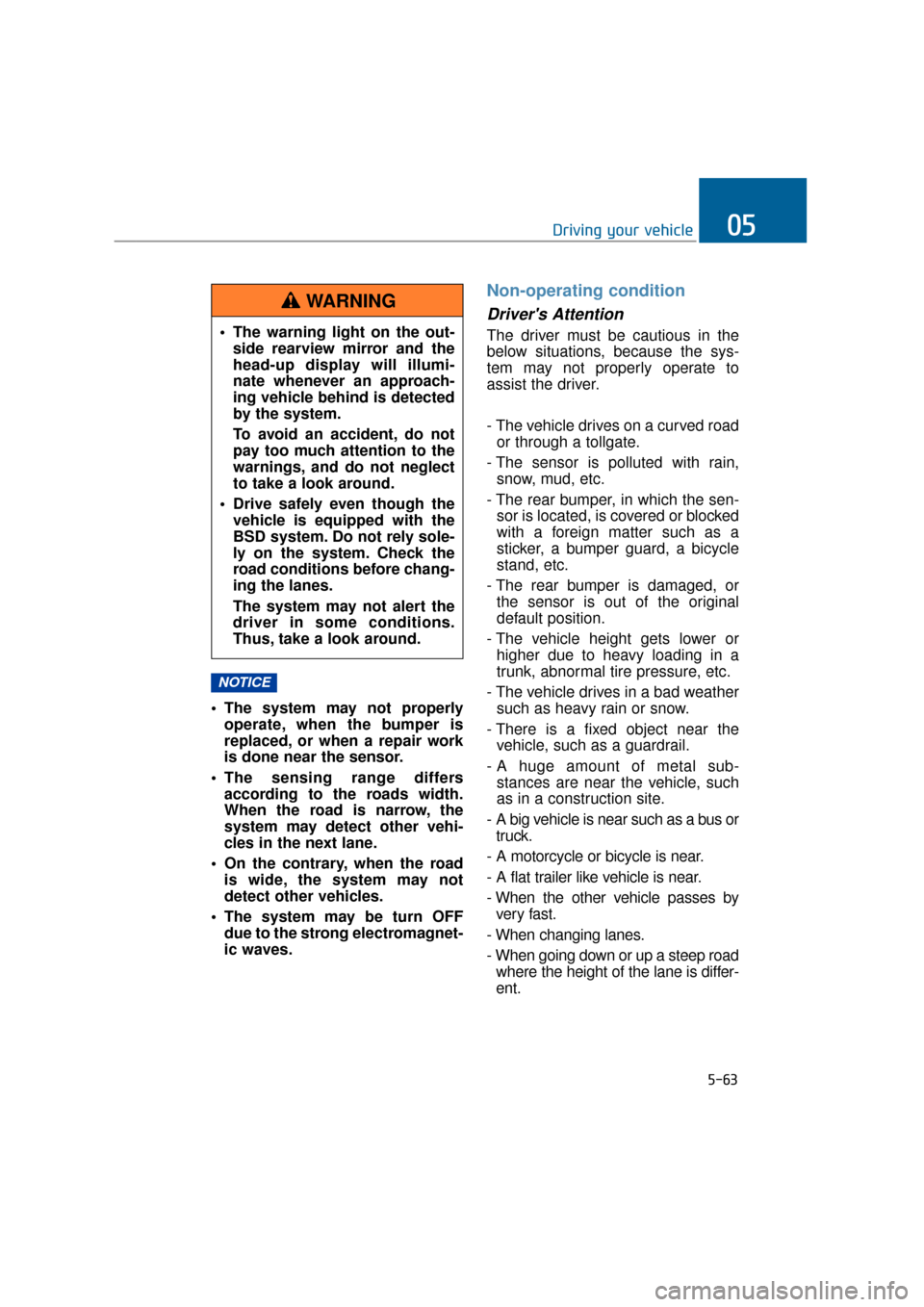
The system may not properlyoperate, when the bumper is
replaced, or when a repair work
is done near the sensor.
The sensing range differs according to the roads width.
When the road is narrow, the
system may detect other vehi-
cles in the next lane.
On the contrary, when the road is wide, the system may not
detect other vehicles.
The system may be turn OFF due to the strong electromagnet-
ic waves.
Non-operating condition
Driver's Attention
The driver must be cautious in the
below situations, because the sys-
tem may not properly operate to
assist the driver.
- The vehicle drives on a curved roador through a tollgate.
- The sensor is polluted with rain, snow, mud, etc.
- The rear bumper, in which the sen- sor is located, is covered or blocked
with a foreign matter such as a
sticker, a bumper guard, a bicycle
stand, etc.
- The rear bumper is damaged, or the sensor is out of the original
default position.
- The vehicle height gets lower or higher due to heavy loading in a
trunk, abnormal tire pressure, etc.
- The vehicle drives in a bad weather such as heavy rain or snow.
- There is a fixed object near the vehicle, such as a guardrail.
- A huge amount of metal sub- stances are near the vehicle, such
as in a construction site.
- A big vehicle is near such as a bus or truck.
- A motorcycle or bicycle is near.
- A flat trailer like vehicle is near.
- When the other vehicle passes by very fast.
- When changing lanes.
- When going down or up a steep road where the height of the lane is differ-
ent.
NOTICE
5-63
Driving your vehicle05
The warning light on the out- side rearview mirror and the
head-up display will illumi-
nate whenever an approach-
ing vehicle behind is detected
by the system.
To avoid an accident, do not
pay too much attention to the
warnings, and do not neglect
to take a look around.
Drive safely even though the vehicle is equipped with the
BSD system. Do not rely sole-
ly on the system. Check the
road conditions before chang-
ing the lanes.
The system may not alert the
driver in some conditions.
Thus, take a look around.
WARNING
Page 315 of 477
- When the other vehicle drives at therear very nearby or drives very close.
- When a trailer or carrier is installed.
- When the temperature of rear bumper is high.
- When the sensors are covered by the vehicle, wall and pillar of parking
lot.
- When your vehicle moves back, if the detected vehicle also moves back.
- If there is small things like shopping cart and baby carriage.
- If there is low height vehicle like sport vehicle.
- When the vehicle is close to your vehicle.
- When driving through a narrow road with many trees or bushes.
The warning light on the outsiderearview mirror may not alert thedriver, when:
- The outside rearview mirrors are
severely polluted
- The windows are severely polluted
- The windows are severely tinted.
This device complies with Part
15 of the FCC rules.
Operation is subject to the following
two conditions:
1. This device may not cause harmful interference, and
2. This device must accept any inter- ference received, including inter-
ference that may cause undesired
operation.
5-64
Driving your vehicle