change time Hyundai Equus 2016 User Guide
[x] Cancel search | Manufacturer: HYUNDAI, Model Year: 2016, Model line: Equus, Model: Hyundai Equus 2016Pages: 477, PDF Size: 16.25 MB
Page 174 of 477
At this time, the Engine Start/StopButton turns to the ACC position
(When you re-press the Engine
Start/Stop Button again, it will turn
to the ON position).
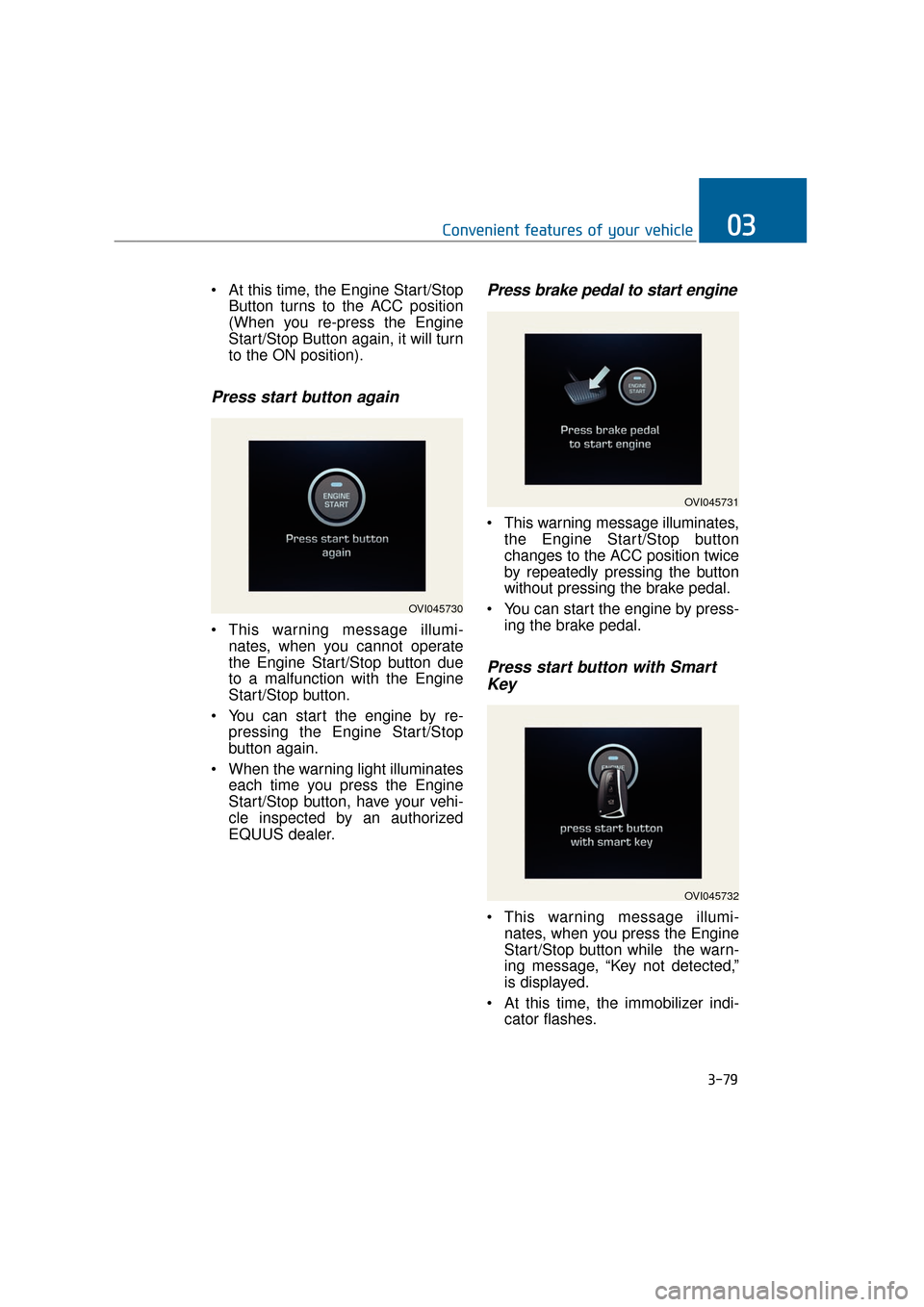
Press start button again
This warning message illumi-nates, when you cannot operate
the Engine Start/Stop button due
to a malfunction with the Engine
Start/Stop button.
You can start the engine by re- pressing the Engine Start/Stop
button again.
When the warning light illuminates each time you press the Engine
Start/Stop button, have your vehi-
cle inspected by an authorized
EQUUS dealer.
Press brake pedal to start engine
This warning message illuminates,the Engine Start/Stop button
changes to the ACC position twice
by repeatedly pressing the button
without pressing the brake pedal.
You can start the engine by press- ing the brake pedal.
Press start button with SmartKey
This warning message illumi-
nates, when you press the Engine
Start/Stop button while the warn-
ing message, “Key not detected,”
is displayed.
At this time, the immobilizer indi- cator flashes.
3-79
Convenient features of your vehicle03
OVI045730
OVI045731
OVI045732
Page 181 of 477
Overview
Description
The trip computer is a driving infor-
mation system, controlled by a
micro-computer. This displays driv-
ing-related information.
Information
Some driving information, stored in
the trip computer (i.e. average vehicle
speed), is reset, when the battery is
disconnected.
Trip Modes
Type A : To change the trip mode,press the or button.
Type B : To change the trip mode, rotate the haptic switch.
❈ For further information, refer to
"LCD Display control" in this chap-
ter.
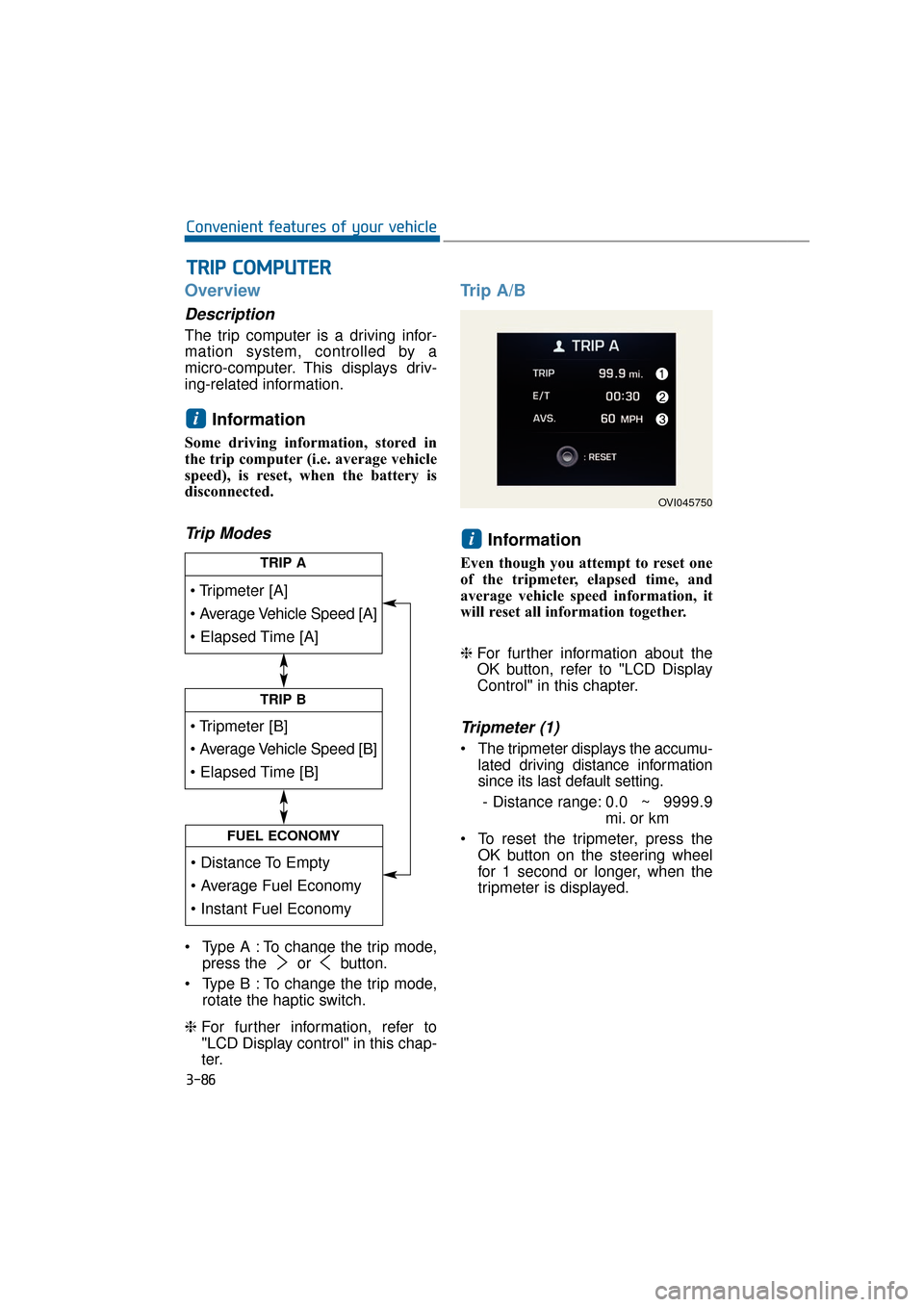
Trip A/B
Information
Even though you attempt to reset one
of the tripmeter, elapsed time, and
average vehicle speed information, it
will reset all information together.
❈For further information about the
OK button, refer to "LCD Display
Control" in this chapter.
Tripmeter (1)
The tripmeter displays the accumu-
lated driving distance information
since its last default setting.
- Distance range: 0.0 ~ 9999.9
mi. or km
To reset the tripmeter, press the OK button on the steering wheel
for 1 second or longer, when the
tripmeter is displayed.
i
i
T
TR
R I
IP
P
C
C O
O M
M P
PU
U T
TE
ER
R
3-86
Convenient features of your vehicle
TRIP A
TRIP B
FUEL ECONOMY
OVI045750
Page 207 of 477
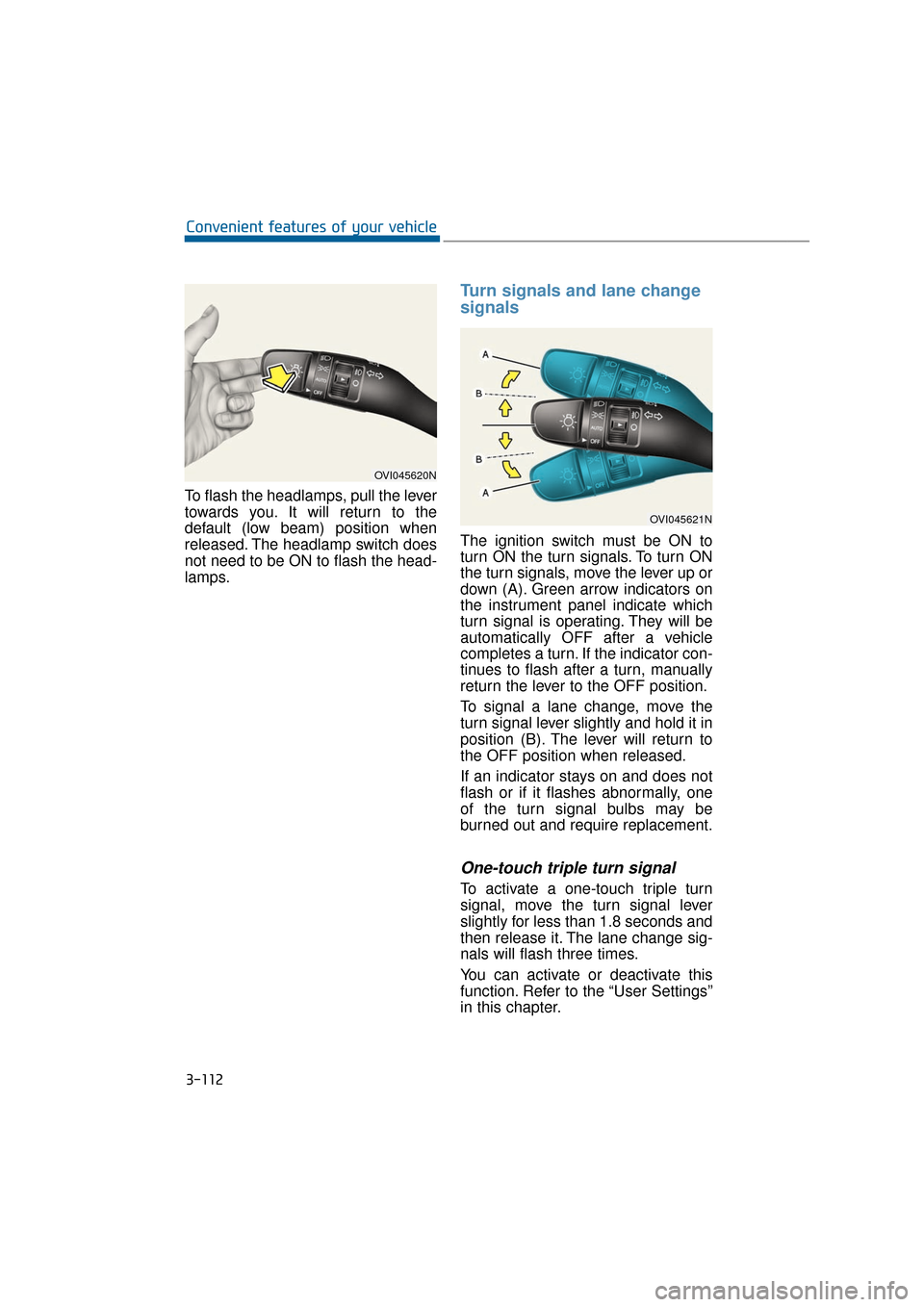
To flash the headlamps, pull the lever
towards you. It will return to the
default (low beam) position when
released. The headlamp switch does
not need to be ON to flash the head-
lamps.
Turn signals and lane change
signals
The ignition switch must be ON to
turn ON the turn signals. To turn ON
the turn signals, move the lever up or
down (A). Green arrow indicators on
the instrument panel indicate which
turn signal is operating. They will be
automatically OFF after a vehicle
completes a turn. If the indicator con-
tinues to flash after a turn, manually
return the lever to the OFF position.
To signal a lane change, move the
turn signal lever slightly and hold it in
position (B). The lever will return to
the OFF position when released.
If an indicator stays on and does not
flash or if it flashes abnormally, one
of the turn signal bulbs may be
burned out and require replacement.
One-touch triple turn signal
To activate a one-touch triple turn
signal, move the turn signal lever
slightly for less than 1.8 seconds and
then release it. The lane change sig-
nals will flash three times.
You can activate or deactivate this
function. Refer to the “User Settings”
in this chapter.
3-112
Convenient features of your vehicle
OVI045620N
OVI045621N
Page 231 of 477
3-136
Convenient features of your vehicle
Air conditioning system operation
tips
When the vehicle is parked underthe direct sunlight in hot weather,
open the windows for a short time
to expel the hot air inside from the
vehicle.
To reduce the dew condensation on the inside of the windows on
rainy or humid days, lower the
humidity inside the vehicle by
operating the A/C system.
During the A/C operation, you may occasionally notice a slight
change in the engine speed, as
the A/C compressor cycles. This is
a normal condition.
Test the A/C system every month only for a few minutes to maximize
the system performance.
After the inside temperature becomes sufficiently cool, change
the air intake control from the air
recirculation mode to the (fresh)
air intake mode.
When operating the A/C system, you may notice clear water drip-
ping (or even puddling) from the
passenger side of the vehicle. This
does not indicate a system failure.
The air recirculation mode of the A/C provides the maximum cool-
ing. However, a prolonged period
of the A/C operation in this mode
may make the air stale inside the
vehicle.
While operating the A/C system, you may occasionally notice the
dew condensation because of the
rapid cooling process and humid
air intake. This does not mean
there is not a system failure.
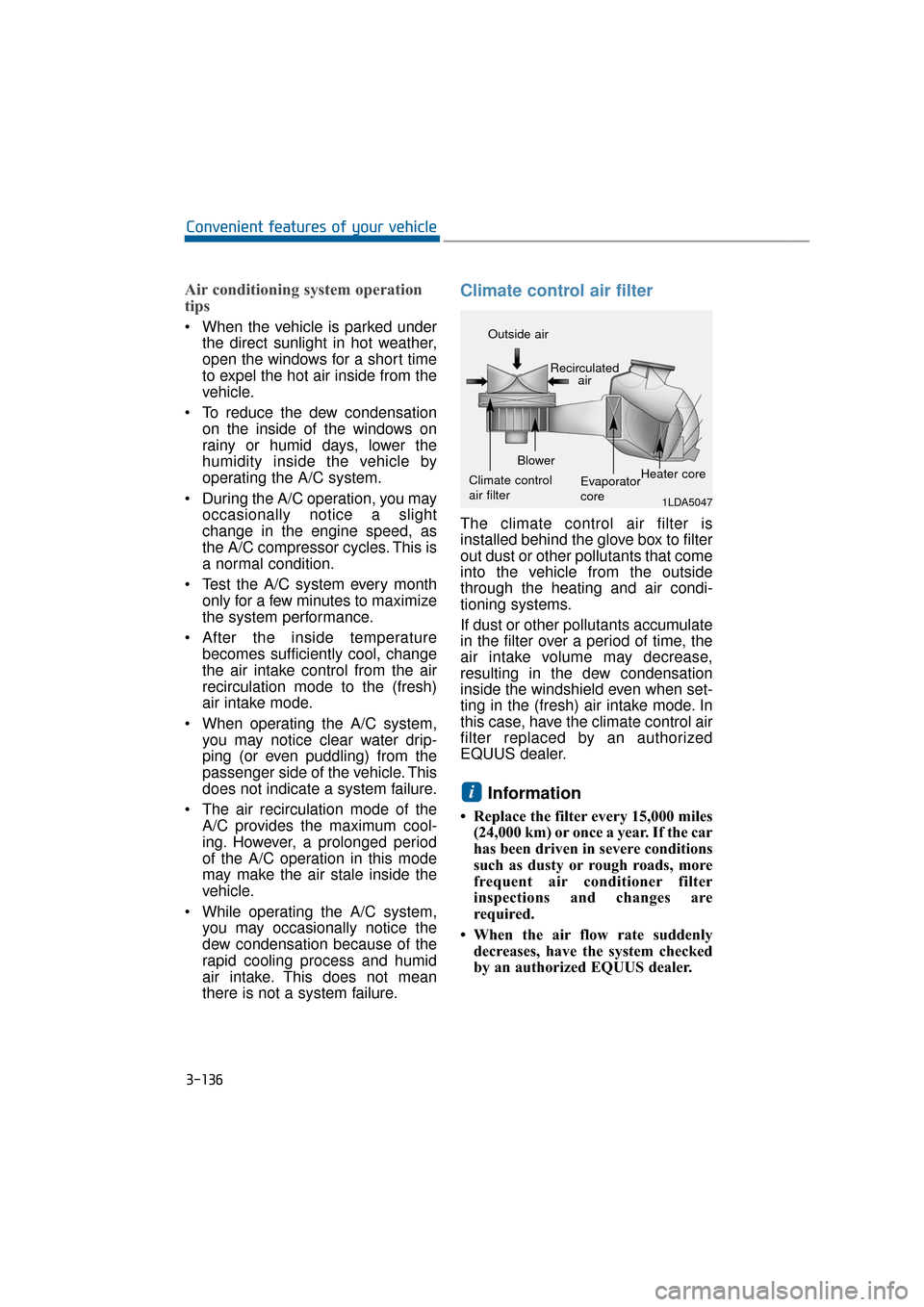
Climate control air filter
The climate control air filter is
installed behind the glove box to filter
out dust or other pollutants that come
into the vehicle from the outside
through the heating and air condi-
tioning systems.
If dust or other pollutants accumulate
in the filter over a period of time, the
air intake volume may decrease,
resulting in the dew condensation
inside the windshield even when set-
ting in the (fresh) air intake mode. In
this case, have the climate control air
filter replaced by an authorized
EQUUS dealer.
Information
• Replace the filter every 15,000 miles(24,000 km) or once a year. If the car
has been driven in severe conditions
such as dusty or rough roads, more
frequent air conditioner filter
inspections and changes are
required.
• When the air flow rate suddenly decreases, have the system checked
by an authorized EQUUS dealer.
i
1LDA5047
Outside air
Recirculatedair
Climate control
air filter Blower
Evaporator
coreHeater core
Page 238 of 477
3-143
Convenient features of your vehicle03
Cool and warm box
(if equipped)
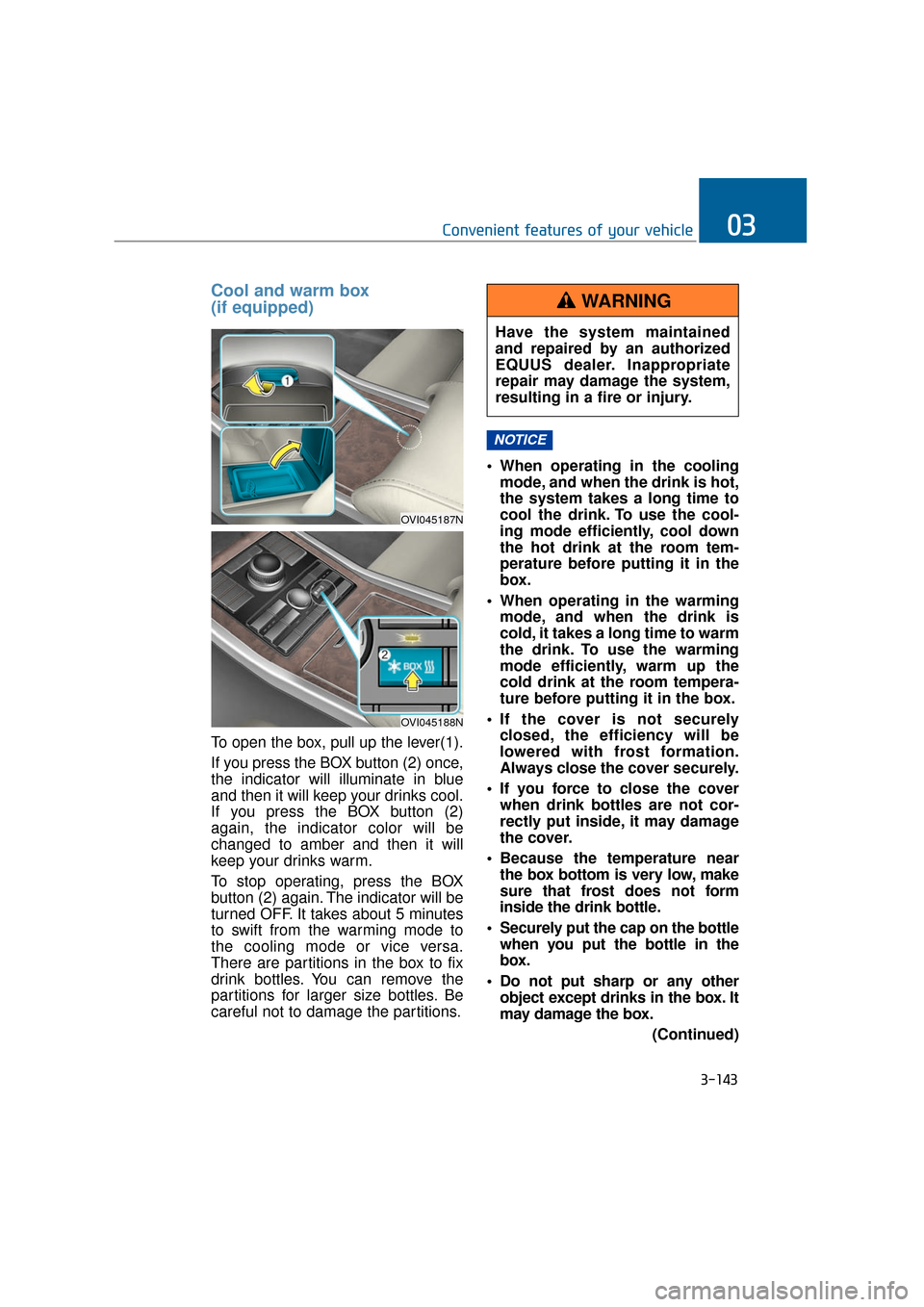
To open the box, pull up the lever(1).
If you press the BOX button (2) once,
the indicator will illuminate in blue
and then it will keep your drinks cool.
If you press the BOX button (2)
again, the indicator color will be
changed to amber and then it will
keep your drinks warm.
To stop operating, press the BOX
button (2) again. The indicator will be
turned OFF. It takes about 5 minutes
to swift from the warming mode to
the cooling mode or vice versa.
There are partitions in the box to fix
drink bottles. You can remove the
partitions for larger size bottles. Be
careful not to damage the partitions. When operating in the cooling
mode, and when the drink is hot,
the system takes a long time to
cool the drink. To use the cool-
ing mode efficiently, cool down
the hot drink at the room tem-
perature before putting it in the
box.
When operating in the warming mode, and when the drink is
cold, it takes a long time to warm
the drink. To use the warming
mode efficiently, warm up the
cold drink at the room tempera-
ture before putting it in the box.
If the cover is not securely closed, the efficiency will be
lowered with frost formation.
Always close the cover securely.
If you force to close the cover when drink bottles are not cor-
rectly put inside, it may damage
the cover.
Because the temperature near the box bottom is very low, make
sure that frost does not form
inside the drink bottle.
Securely put the cap on the bottle when you put the bottle in the
box.
Do not put sharp or any other object except drinks in the box. It
may damage the box.
(Continued)
NOTICE
OVI045187N
OVI045188N
Have the system maintained
and repaired by an authorized
EQUUS dealer. Inappropriate
repair may damage the system,
resulting in a fire or injury.
WARNING
Page 255 of 477
5-4
Driving your vehicle
- ENGINE EXHAUST CAN BE DANGEROUS!
Engine exhaust fumes may be extremely dangerous. When, at any time, you
smell exhaust fumes inside the vehicle, immediately open the windows.
• Do not inhale exhaust fumes.Exhaust fumes contain carbon monoxide, the colorless, odorless gas that
may cause unconsciousness and death by asphyxiation.
The exhaust system should be checked whenever the vehicle is raised to
change the oil or for any other purpose. If you notice a change in the sound
of the exhaust system or if you drive over something that strikes the vehicle
underneath, have the exhaust system checked as soon as possible by an
authorized EQUUS dealer.
Letting the engine idle in a garage, even with the garage door open, is haz-
ardous. Never run the engine in your garage any longer than it takes to start
the engine and move out the vehicle.
Avoid idling the engine for a prolonged period of time with people inside the vehicle.
If it is necessary to idle the engine for a prolonged period of time with people
inside the vehicle, idle the engine in an open area with the air control in the
(fresh) air intake mode and the fan operating at a high speed. Thus, fresh air
can be taken into the interior.
When you need to drive with the trunk lid open because of the object you carry,
make sure the followings:
1. Close all windows.
2. Open side vents.
3. Set the air intake control in (fresh) air intake mode, the air flow directed toward "Floor" or "Face," and the fan at a high speed.
To assure proper ventilation, clear snow, ice, leaves or other substances from
the air inlet just in front of the windshield.
WARNING
Engine exhaust and a wide variety of automobile components and
parts, including components found in the interior furnishings in a
vehicle, contain or emit chemicals known to the State of California to
cause cancer and birth defects and reproductive harm. In addition,
certain fluids contained in vehicles and certain products of compo-
nent wear contain or emit chemicals known to the State of California
to cause cancer and birth defects or other reproductive harm.
California PROPOSITION 65 WARNING
Page 259 of 477
START
To start the engine, depress the
brake pedal and press the Engine
Start/Stop Button with the shift gear
in P(Park) or N(Neutral).
For your safety, start the engine with
the shift gear in P(Park).
Information
• If you press the Engine Start/Stopbutton without depressing the brake
pedal, the engine does not start.
When the Engine Start/Stop button
is pressed, it changes as follows:
OFF → →
ACC →
→
ON →
→
OFF
• If you leave the Engine Start/Stop Button in the ACC or the ON posi-
tion for a long time, the battery will
be discharged.
i
5-8
Driving your vehicle
Never press the Engine Start/Stop button while the
vehicle is in motion except in
an emergency situation. This
would turn the engine OFF,
resulting in loss of power
assist for the steering wheel
and brake. This may lead to
loss of directional control and
braking function, which could
cause an accident.
(Continued)
(Continued)
Before leaving the driver’sseat, always make sure the
shift gear is engaged in P
(Park), fully set the parking
brake and turn the engine
OFF. Unexpected and sudden
vehicle movement may occur
if these precautions are not
taken.
Never touch the Engine Start/Stop button, or any other
controls on the steering wheel
while the vehicle is in motion.
Reaching out for those con-
trols with your hand or arm
may cause a loss of vehicle
control, an accident, serious
bodily injury or death.
Do not place any loose objects around the driver’s
seat, as they may toss about
while driving, interfering with
the driver's pedal operation
and leading to an accident.
WARNING
Page 275 of 477
Information
• The Auto Hold does not operate,when:
- The driver's seat belt is unfastenedand driver's door is opened
- The engine hood is opened
- The trunk is opened
- The shift lever is in P (Park)
- The EPB is set
• For your safety, the Auto Hold auto- matically switches to EPB, when:
- The driver's seat belt is unfastenedand driver's door is opened
- The engine hood is opened with the shift lever in D (Drive)
- The trunk is opened with the shift lever in R (Reverse)
- The vehicle stops for more than 10 minutes
- The vehicle stands on a steep slope
- The vehicle moves several times
In these cases, the brake warning
light illuminates, the AUTO HOLD
indicator color changes from green
to white, and a message will be dis-
played with warming sound to
inform you that EPB is automatical-
ly set. (Continued)(Continued)
Before driving off again, depress
brake pedal, take a look around
your vehicle, and manually release
the parking brake and the EPB
switch.
• When the AUTO HOLD indicator illuminates in yellow, the Auto Hold
does not properly work. Take your
vehicle to an authorized EQUUS
dealer and have the system checked.
When there is a malfunction with
the driver’s door, hood or trunk
open detection system, the AUTO
HOLD may not properly operate.
Take your vehicle to an authorized
EQUUS dealer and have the sys-
tem checked.
NOTICE
i
5-24
Driving your vehicle
Depress the accelerator slow-ly when you start the vehicle.
For your safety, cancel the AUTO HOLD operation, when:
- Drive a downhill
- Slowly drive, park or drivebackwards
- Wash the vehicle in an auto- matic car wash
WARNING
Page 285 of 477
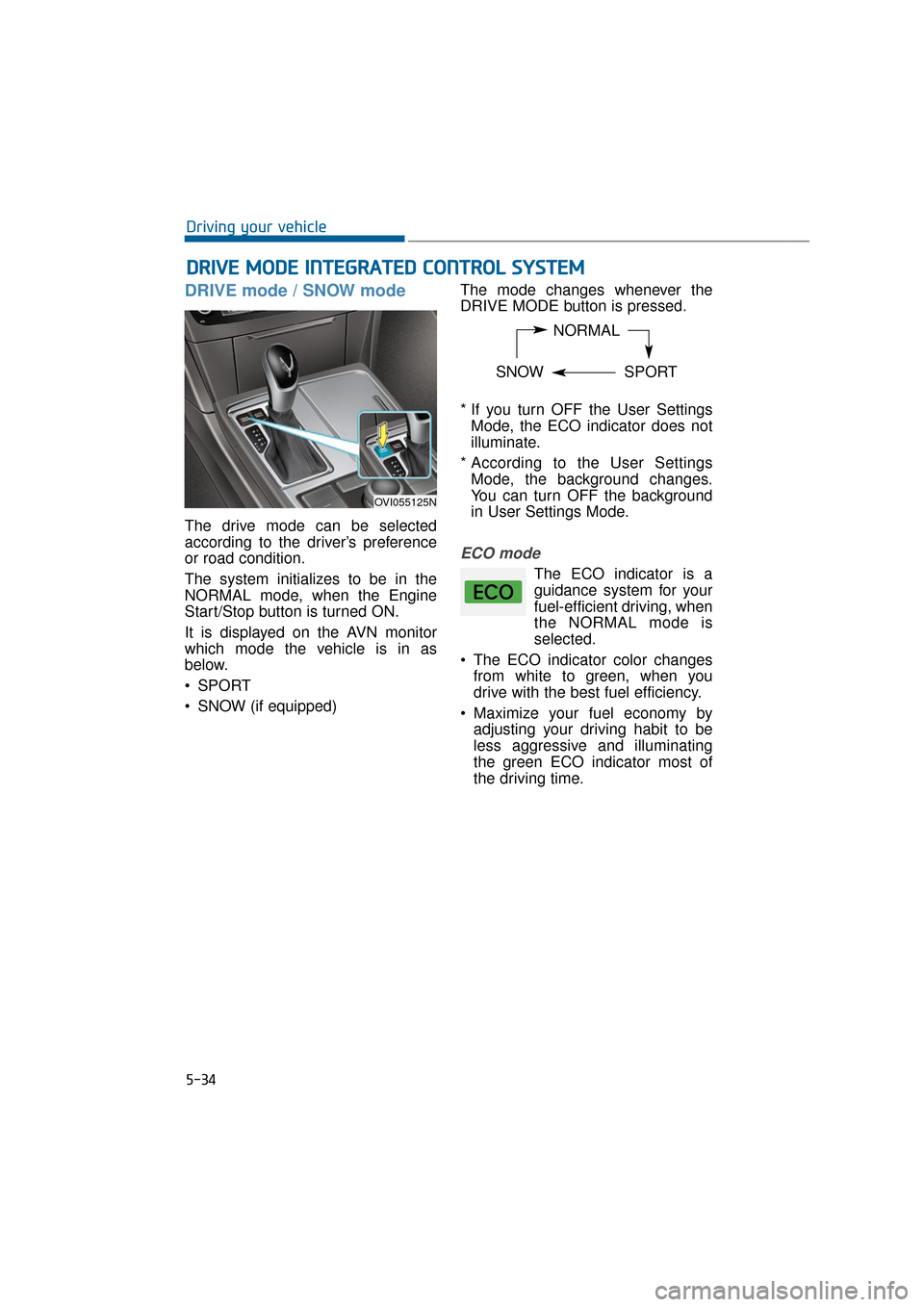
DRIVE mode / SNOW mode
The drive mode can be selected
according to the driver’s preference
or road condition.
The system initializes to be in the
NORMAL mode, when the Engine
Start/Stop button is turned ON.
It is displayed on the AVN monitor
which mode the vehicle is in as
below.
SPORT
SNOW (if equipped)The mode changes whenever the
DRIVE MODE button is pressed.
* If you turn OFF the User Settings
Mode, the ECO indicator does not
illuminate.
* According to the User Settings Mode, the background changes.
You can turn OFF the background
in User Settings Mode.
ECO mode
The ECO indicator is a
guidance system for your
fuel-efficient driving, when
the NORMAL mode is
selected.
The ECO indicator color changes from white to green, when you
drive with the best fuel efficiency.
Maximize your fuel economy by adjusting your driving habit to be
less aggressive and illuminating
the green ECO indicator most of
the driving time.
D DR
RI
IV
V E
E
M
M O
OD
DE
E
I
IN
N T
TE
EG
G R
RA
A T
TE
ED
D
C
C O
O N
NT
TR
R O
O L
L
S
S Y
Y S
ST
T E
EM
M
5-34
Driving your vehicle
NORMAL
SNOW SPORT
OVI055125N
Page 291 of 477
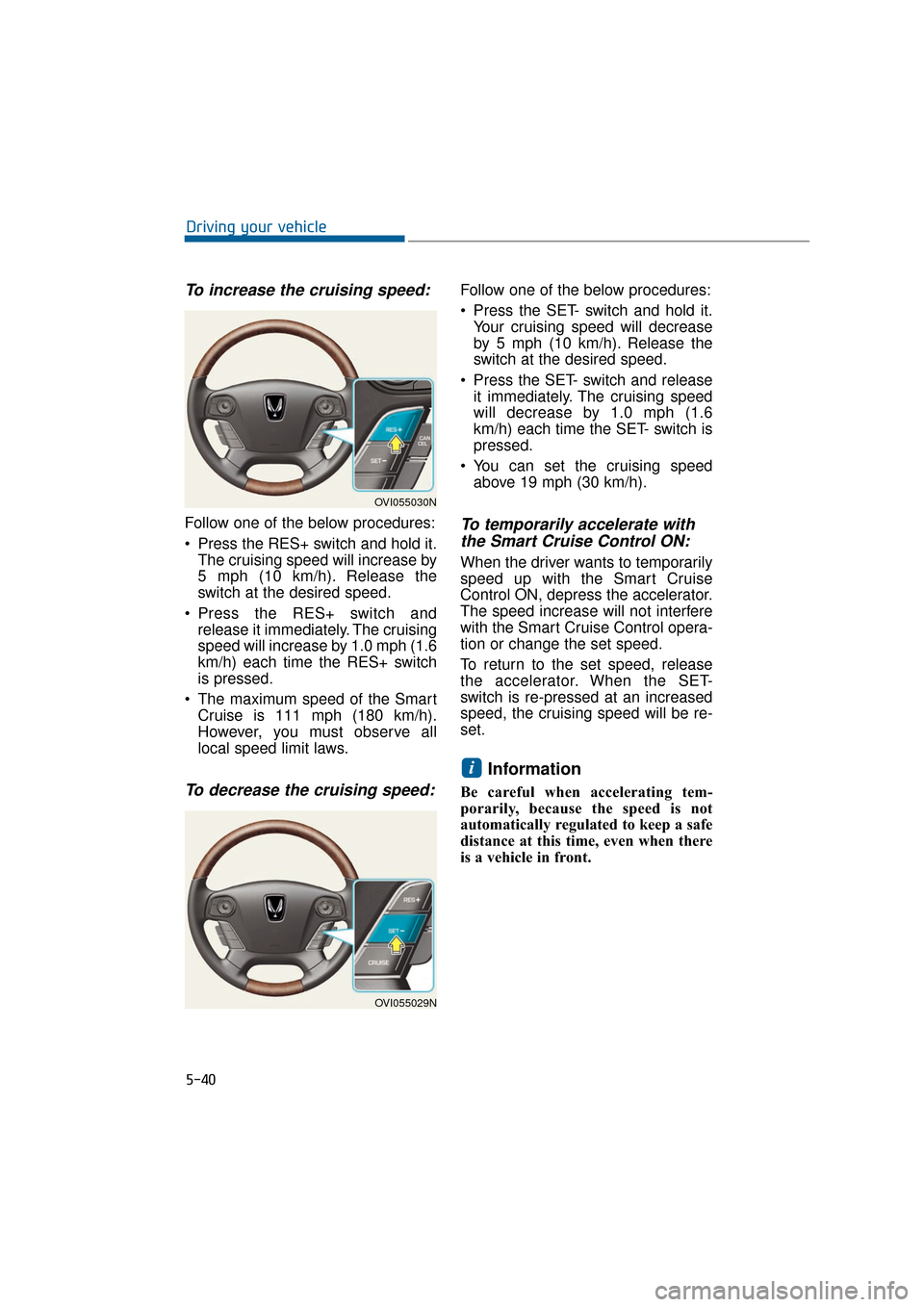
To increase the cruising speed:
Follow one of the below procedures:
Press the RES+ switch and hold it.The cruising speed will increase by
5 mph (10 km/h). Release the
switch at the desired speed.
Press the RES+ switch and release it immediately. The cruising
speed will increase by 1.0 mph (1.6
km/h) each time the RES+ switch
is pressed.
The maximum speed of the Smart Cruise is 111 mph (180 km/h).
However, you must observe all
local speed limit laws.
To decrease the cruising speed:
Follow one of the below procedures:
Press the SET- switch and hold it.Your cruising speed will decrease
by 5 mph (10 km/h). Release the
switch at the desired speed.
Press the SET- switch and release it immediately. The cruising speed
will decrease by 1.0 mph (1.6
km/h) each time the SET- switch is
pressed.
You can set the cruising speed above 19 mph (30 km/h).
To temporarily accelerate withthe Smart Cruise Control ON:
When the driver wants to temporarily
speed up with the Smart Cruise
Control ON, depress the accelerator.
The speed increase will not interfere
with the Smart Cruise Control opera-
tion or change the set speed.
To return to the set speed, release
the accelerator. When the SET-
switch is re-pressed at an increased
speed, the cruising speed will be re-
set.
Information
Be careful when accelerating tem-
porarily, because the speed is not
automatically regulated to keep a safe
distance at this time, even when there
is a vehicle in front.
i
5-40
Driving your vehicle
OVI055030N
OVI055029N