ignition Hyundai Equus 2016 User Guide
[x] Cancel search | Manufacturer: HYUNDAI, Model Year: 2016, Model line: Equus, Model: Hyundai Equus 2016Pages: 477, PDF Size: 16.25 MB
Page 186 of 477
Information
- Electronic Brake forceDistribution (EBD) System
Warning Light
When the ABS warning light illumi-
nates, or when both the ABS and the
Parking Brake & Brake Fluid warn-
ing lights illuminate, the speedometer,
the odometer, or the tripmeter may
not properly operate. Also, the EPS
warning light may illuminate, and the
efforts to operate the steering wheel
may require to increase or decrease.
In this case, have your vehicle inspect-
ed by an authorized EQUUS dealer.
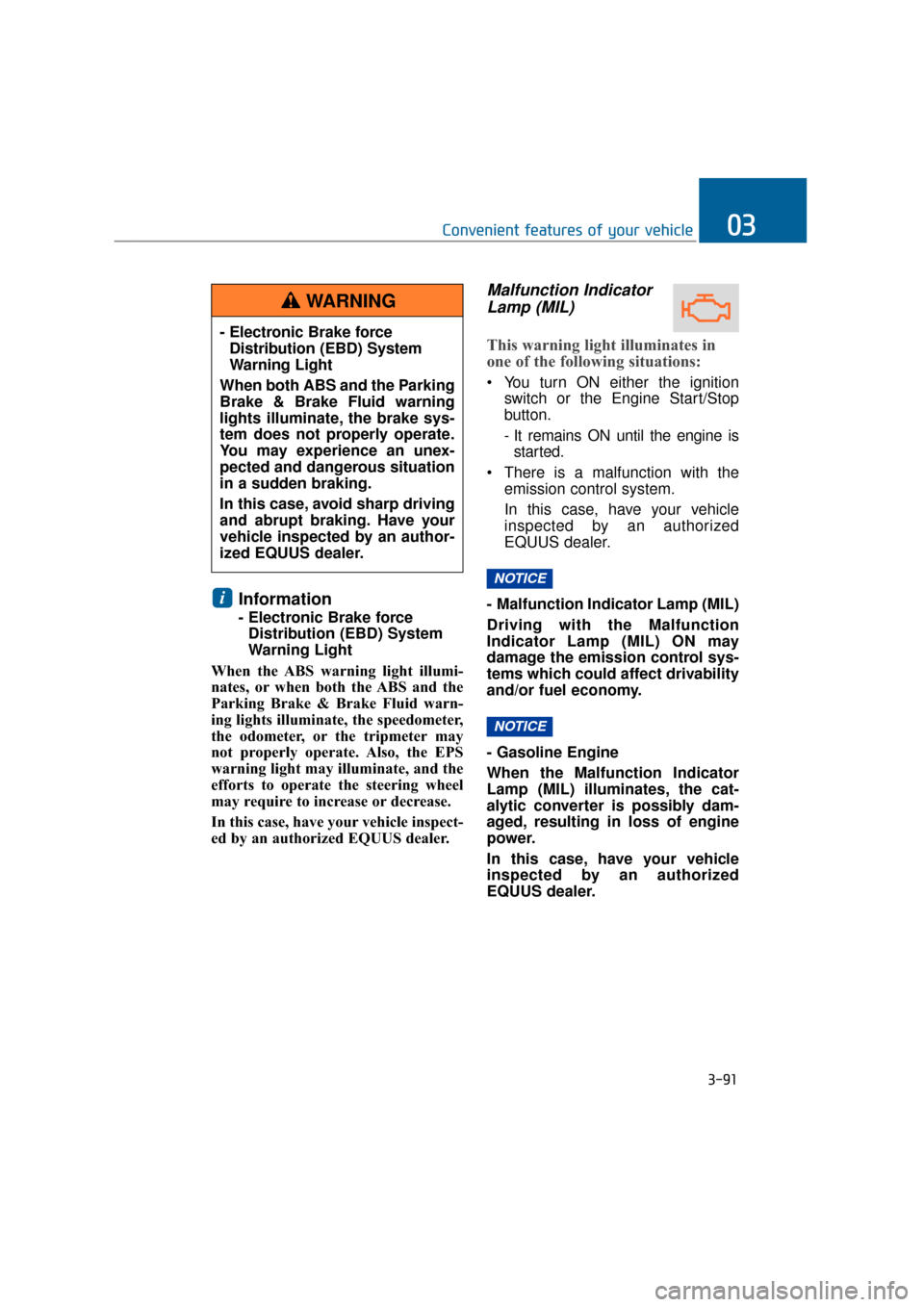
Malfunction Indicator Lamp (MIL)
This warning light illuminates in
one of the following situations:
You turn ON either the ignition
switch or the Engine Start/Stop
button.
- It remains ON until the engine isstarted.
There is a malfunction with the emission control system.
In this case, have your vehicle
inspected by an authorized
EQUUS dealer.
- Malfunction Indicator Lamp (MIL)
Driving with the Malfunction
Indicator Lamp (MIL) ON may
damage the emission control sys-
tems which could affect drivability
and/or fuel economy.
- Gasoline Engine
When the Malfunction Indicator
Lamp (MIL) illuminates, the cat-
alytic converter is possibly dam-
aged, resulting in loss of engine
power.
In this case, have your vehicle
inspected by an authorized
EQUUS dealer.
NOTICE
NOTICE
i
3-91
Convenient features of your vehicle03
- Electronic Brake force Distribution (EBD) System
Warning Light
When both ABS and the Parking
Brake & Brake Fluid warning
lights illuminate, the brake sys-
tem does not properly operate.
You may experience an unex-
pected and dangerous situation
in a sudden braking.
In this case, avoid sharp driving
and abrupt braking. Have your
vehicle inspected by an author-
ized EQUUS dealer.
WARNING
Page 187 of 477
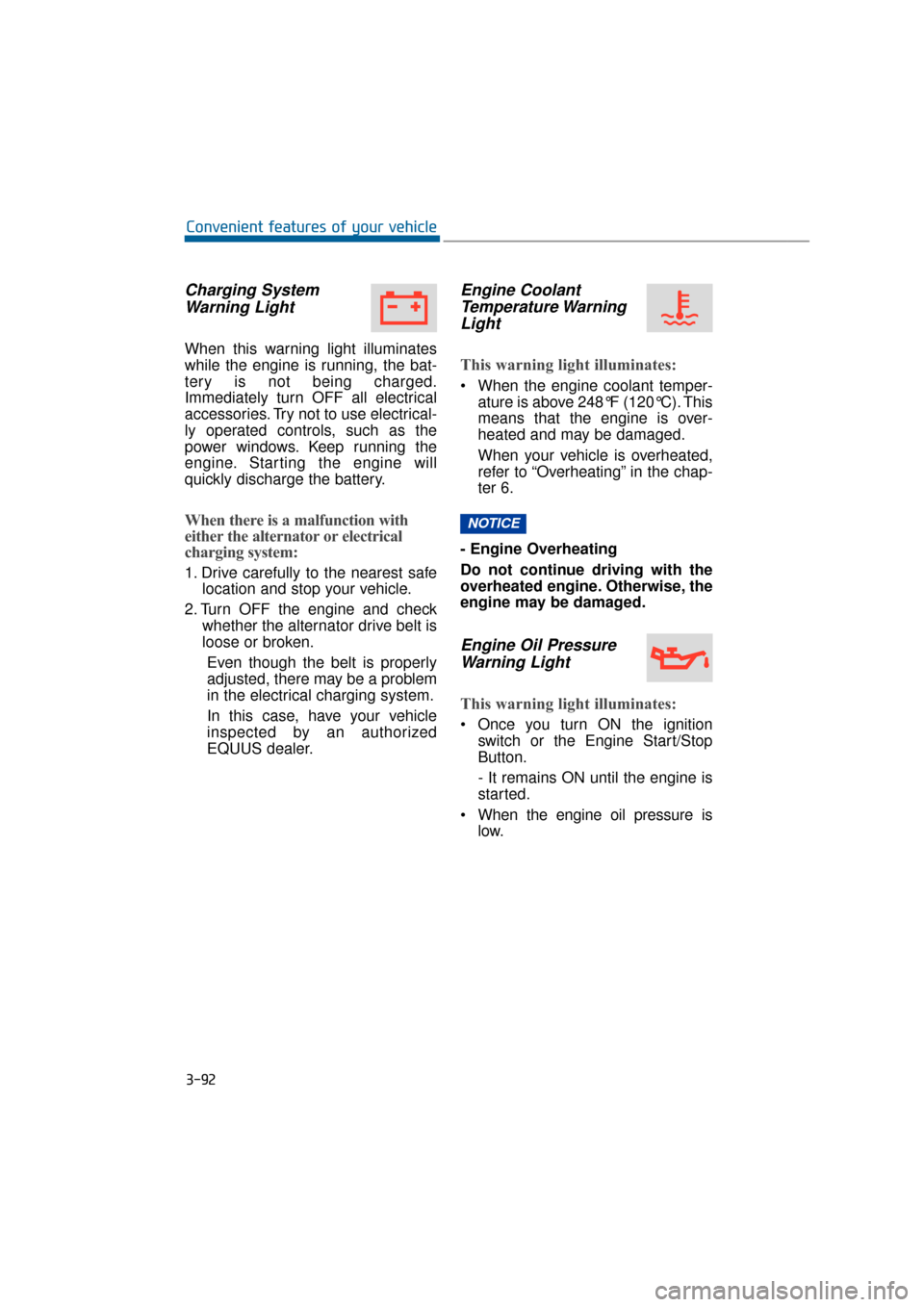
Charging SystemWarning Light
When this warning light illuminates
while the engine is running, the bat-
tery is not being charged.
Immediately turn OFF all electrical
accessories. Try not to use electrical-
ly operated controls, such as the
power windows. Keep running the
engine. Starting the engine will
quickly discharge the battery.
When there is a malfunction with
either the alternator or electrical
charging system:
1. Drive carefully to the nearest safe location and stop your vehicle.
2. Turn OFF the engine and check whether the alternator drive belt is
loose or broken.
Even though the belt is properly
adjusted, there may be a problem
in the electrical charging system.
In this case, have your vehicle
inspected by an authorized
EQUUS dealer.
Engine CoolantTemperature WarningLight
This warning light illuminates:
When the engine coolant temper-
ature is above 248°F (120°C). This
means that the engine is over-
heated and may be damaged.
When your vehicle is overheated,
refer to “Overheating” in the chap-
ter 6.
- Engine Overheating
Do not continue driving with the
overheated engine. Otherwise, the
engine may be damaged.
Engine Oil Pressure Warning Light
This warning light illuminates:
Once you turn ON the ignition
switch or the Engine Start/Stop
Button.
- It remains ON until the engine is
started.
When the engine oil pressure is low.
NOTICE
3-92
Convenient features of your vehicle
Page 189 of 477
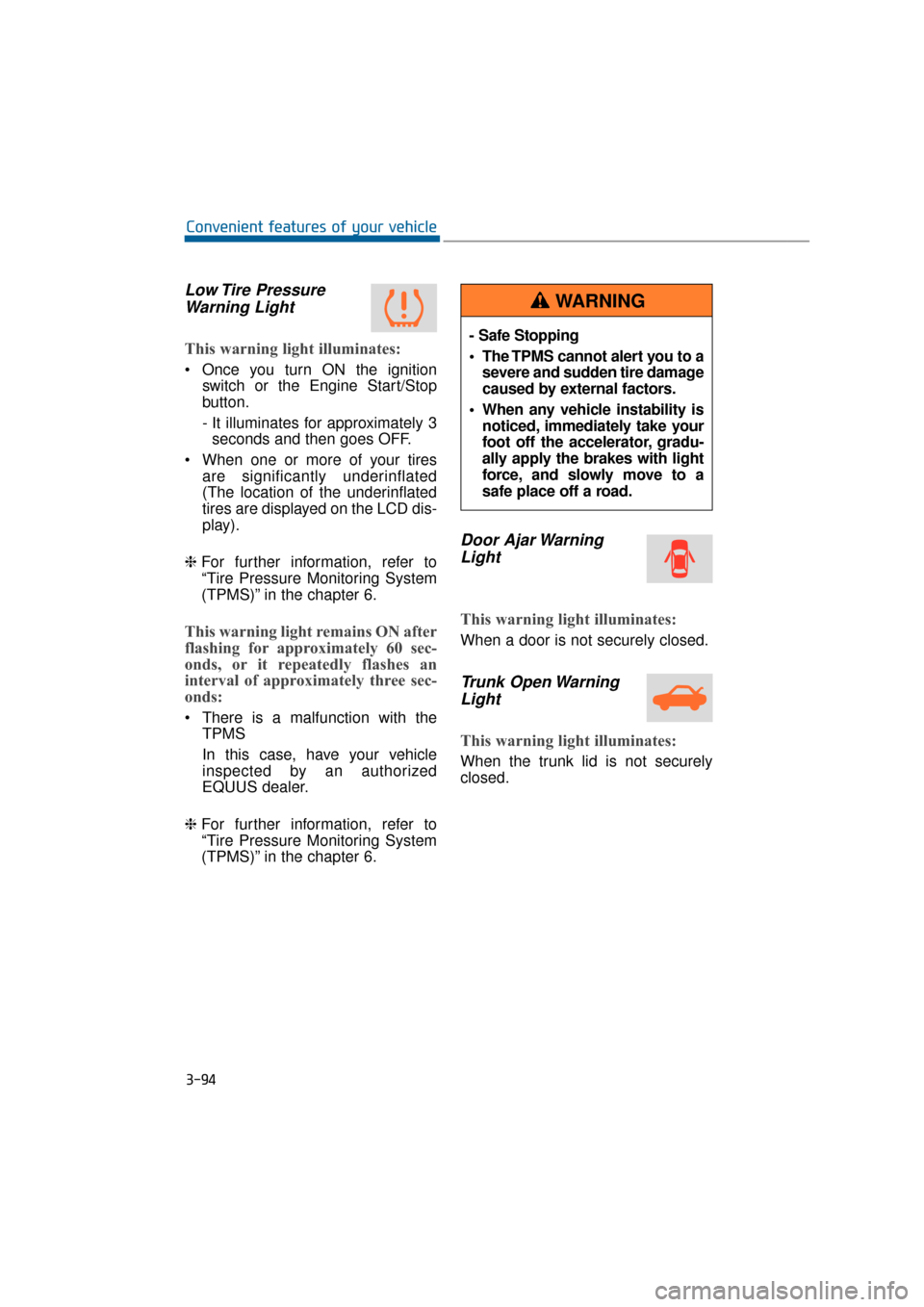
Low Tire PressureWarning Light
This warning light illuminates:
Once you turn ON the ignition
switch or the Engine Start/Stop
button.
- It illuminates for approximately 3seconds and then goes OFF.
When one or more of your tires are significantly underinflated
(The location of the underinflated
tires are displayed on the LCD dis-
play).
❈ For further information, refer to
“Tire Pressure Monitoring System
(TPMS)” in the chapter 6.
This warning light remains ON after
flashing for approximately 60 sec-
onds, or it repeatedly flashes an
interval of approximately three sec-
onds:
There is a malfunction with the
TPMS
In this case, have your vehicle
inspected by an authorized
EQUUS dealer.
❈ For further information, refer to
“Tire Pressure Monitoring System
(TPMS)” in the chapter 6.
Door Ajar Warning
Light
This warning light illuminates:
When a door is not securely closed.
Trunk Open WarningLight
This warning light illuminates:
When the trunk lid is not securely
closed.
3-94
Convenient features of your vehicle
- Safe Stopping
The TPMS cannot alert you to a
severe and sudden tire damage
caused by external factors.
When any vehicle instability is noticed, immediately take your
foot off the accelerator, gradu-
ally apply the brakes with light
force, and slowly move to a
safe place off a road.
WARNING
Page 190 of 477
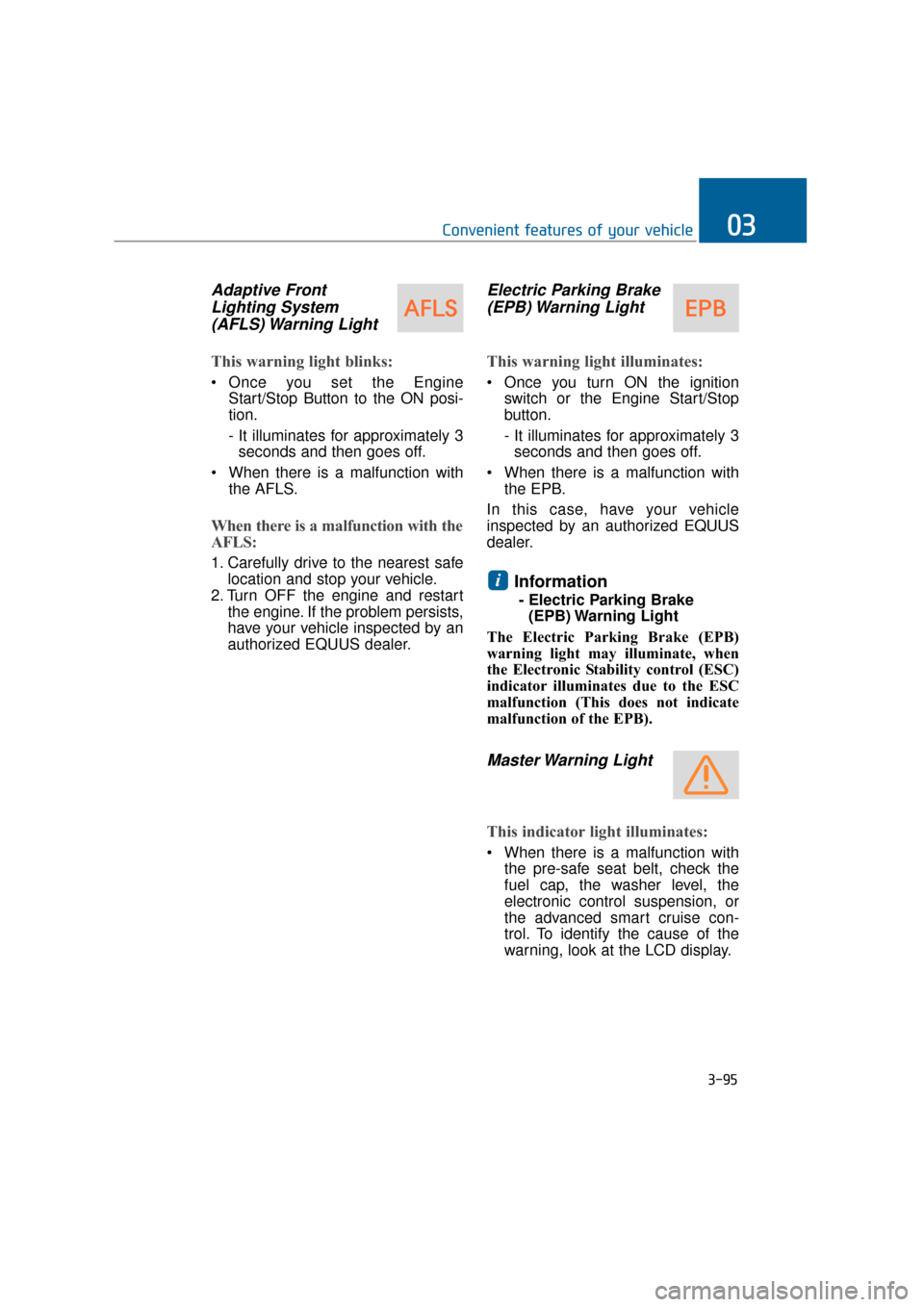
Adaptive FrontLighting System(AFLS) Warning Light
This warning light blinks:
Once you set the Engine
Start/Stop Button to the ON posi-
tion.
- It illuminates for approximately 3seconds and then goes off.
When there is a malfunction with the AFLS.
When there is a malfunction with the
AFLS:
1. Carefully drive to the nearest safelocation and stop your vehicle.
2. Turn OFF the engine and restart the engine. If the problem persists,
have your vehicle inspected by an
authorized EQUUS dealer.
Electric Parking Brake(EPB) Warning Light
This warning light illuminates:
Once you turn ON the ignition
switch or the Engine Start/Stop
button.
- It illuminates for approximately 3seconds and then goes off.
When there is a malfunction with the EPB.
In this case, have your vehicle
inspected by an authorized EQUUS
dealer.
Information
- Electric Parking Brake (EPB) Warning Light
The Electric Parking Brake (EPB)
warning light may illuminate, when
the Electronic Stability control (ESC)
indicator illuminates due to the ESC
malfunction (This does not indicate
malfunction of the EPB).
Master Warning Light
This indicator light illuminates:
When there is a malfunction with the pre-safe seat belt, check the
fuel cap, the washer level, the
electronic control suspension, or
the advanced smart cruise con-
trol. To identify the cause of the
warning, look at the LCD display.
i
3-95
Convenient features of your vehicle03
Page 191 of 477
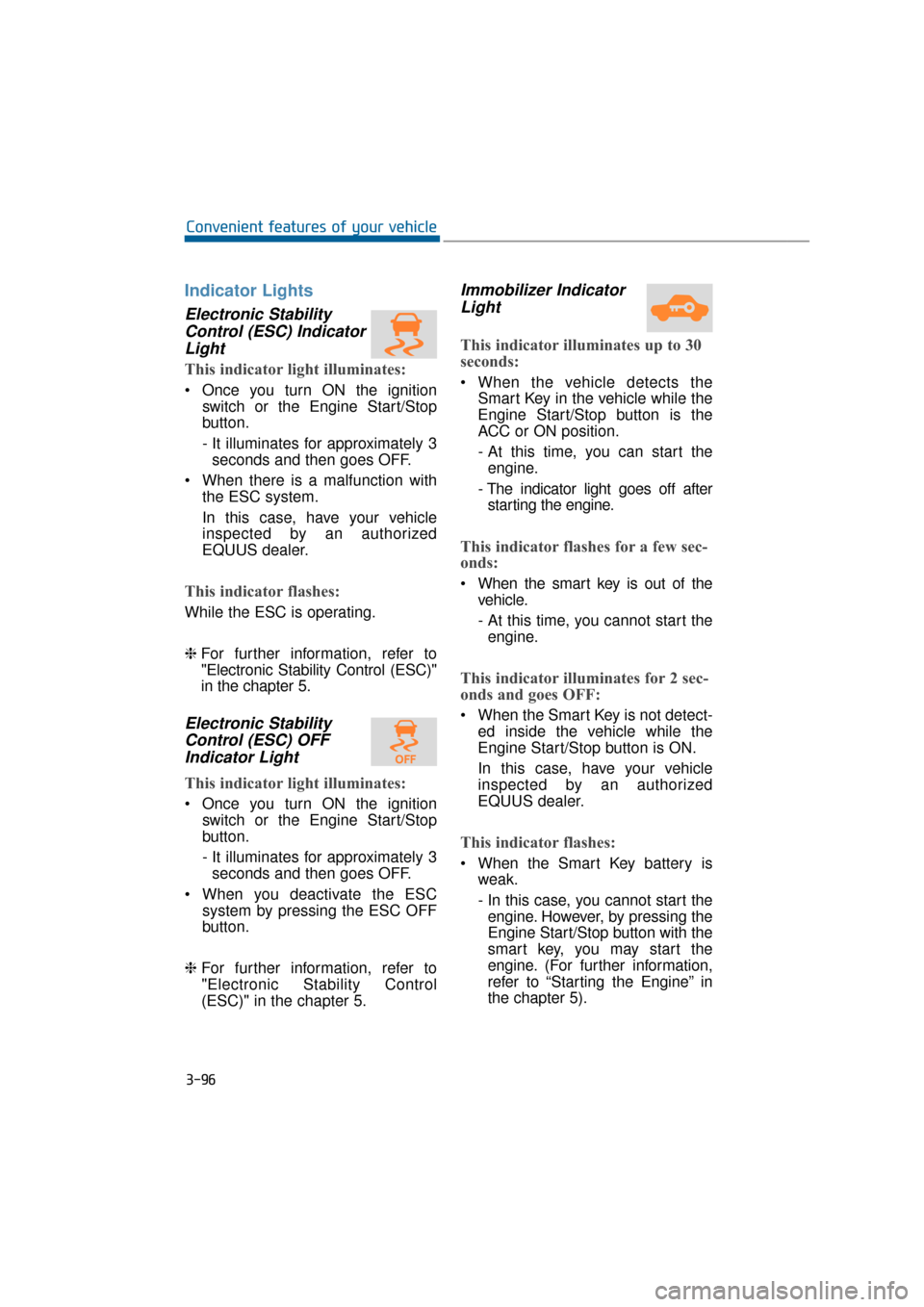
Indicator Lights
Electronic StabilityControl (ESC) IndicatorLight
This indicator light illuminates:
Once you turn ON the ignition
switch or the Engine Start/Stop
button.
- It illuminates for approximately 3seconds and then goes OFF.
When there is a malfunction with the ESC system.
In this case, have your vehicle
inspected by an authorized
EQUUS dealer.
This indicator flashes:
While the ESC is operating.
❈For further information, refer to
"Electronic Stability Control (ESC)"
in the chapter 5.
Electronic Stability
Control (ESC) OFFIndicator Light
This indicator light illuminates:
Once you turn ON the ignition
switch or the Engine Start/Stop
button.
- It illuminates for approximately 3seconds and then goes OFF.
When you deactivate the ESC system by pressing the ESC OFF
button.
❈ For further information, refer to
"Electronic Stability Control
(ESC)" in the chapter 5.
Immobilizer Indicator
Light
This indicator illuminates up to 30
seconds:
When the vehicle detects the
Smart Key in the vehicle while the
Engine Start/Stop button is the
ACC or ON position.
- At this time, you can start theengine.
- The indicator light goes off after starting the engine.
This indicator flashes for a few sec-
onds:
When the smart key is out of the vehicle.
- At this time, you cannot start theengine.
This indicator illuminates for 2 sec-
onds and goes OFF:
When the Smart Key is not detect- ed inside the vehicle while the
Engine Start/Stop button is ON.
In this case, have your vehicle
inspected by an authorized
EQUUS dealer.
This indicator flashes:
When the Smart Key battery isweak.
- In this case, you cannot start theengine. However, by pressing the
Engine Start/Stop button with the
smart key, you may start the
engine. (For further information,
refer to “Starting the Engine” in
the chapter 5).
3-96
Convenient features of your vehicle
Page 202 of 477
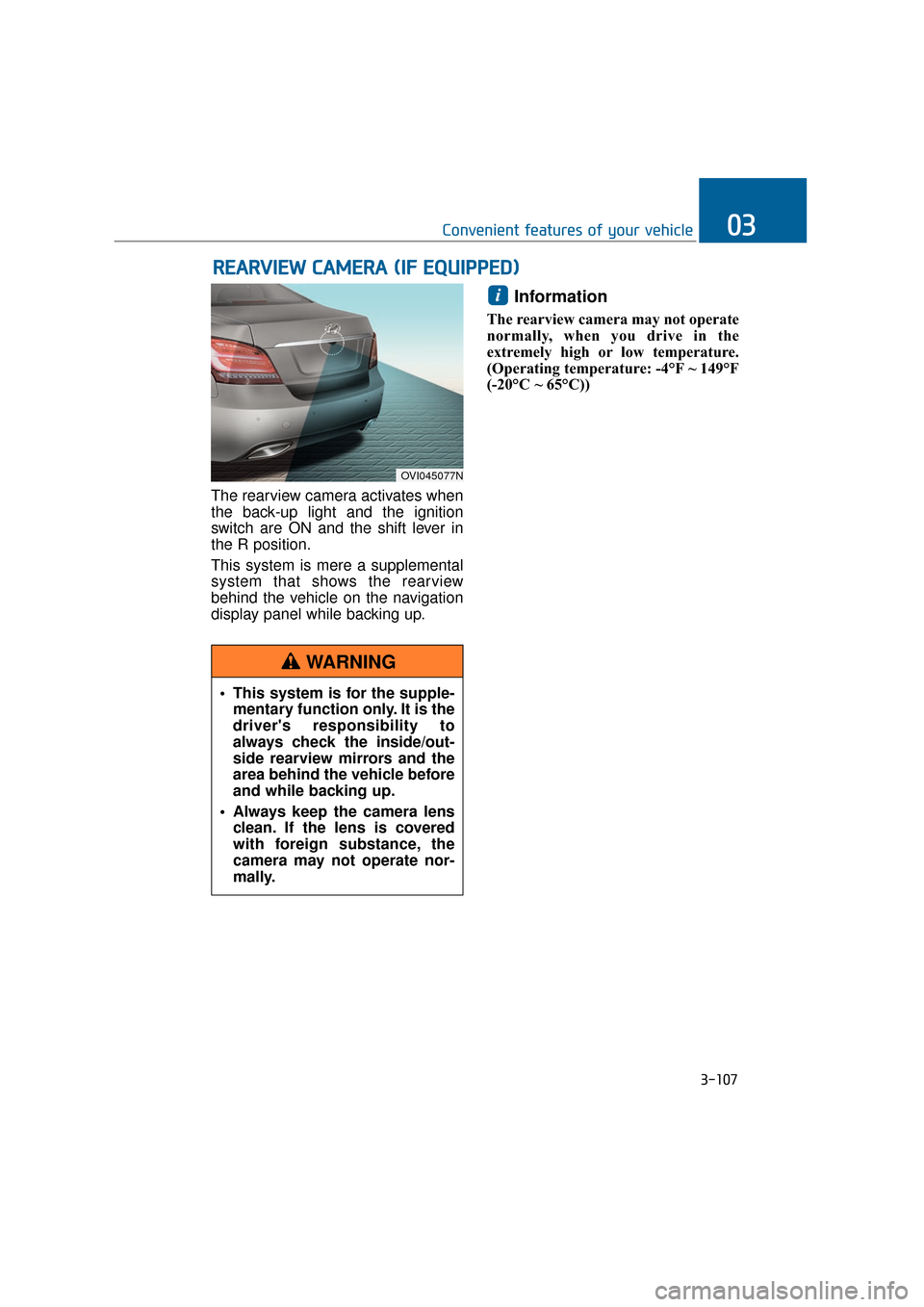
The rearview camera activates when
the back-up light and the ignition
switch are ON and the shift lever in
the R position.
This system is mere a supplemental
system that shows the rearview
behind the vehicle on the navigation
display panel while backing up.
Information
The rearview camera may not operate
normally, when you drive in the
extremely high or low temperature.
(Operating temperature: -4°F ~ 149°F
(-20°C ~ 65°C))
i
R RE
EA
A R
RV
V I
IE
E W
W
C
C A
A M
M E
ER
R A
A
(
( I
IF
F
E
E Q
Q U
UI
IP
P P
PE
ED
D )
)
3-107
Convenient features of your vehicle03
OVI045077N
This system is for the supple-
mentary function only. It is the
driver's responsibility to
always check the inside/out-
side rearview mirrors and the
area behind the vehicle before
and while backing up.
Always keep the camera lens clean. If the lens is covered
with foreign substance, the
camera may not operate nor-
mally.
WARNING
Page 207 of 477
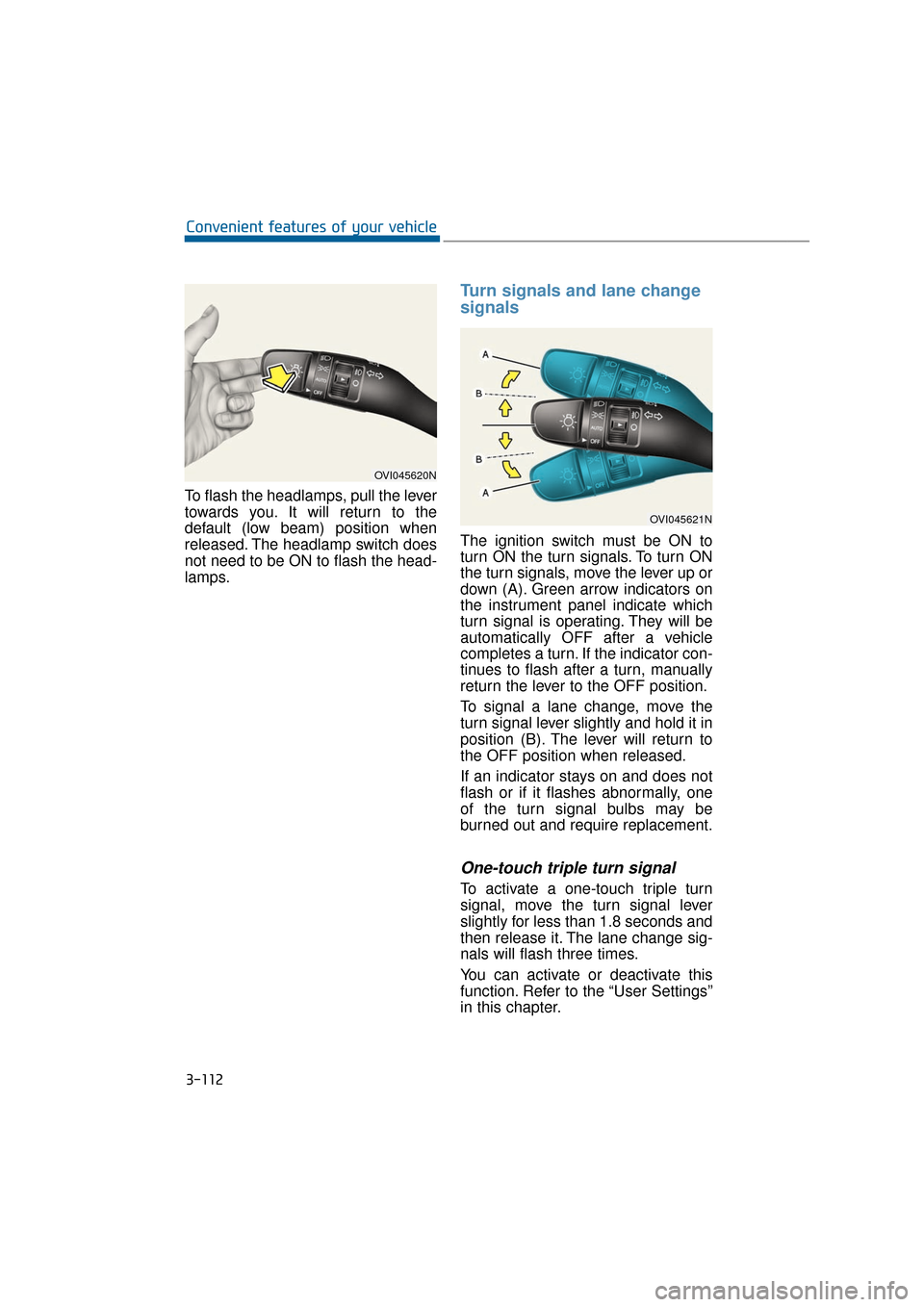
To flash the headlamps, pull the lever
towards you. It will return to the
default (low beam) position when
released. The headlamp switch does
not need to be ON to flash the head-
lamps.
Turn signals and lane change
signals
The ignition switch must be ON to
turn ON the turn signals. To turn ON
the turn signals, move the lever up or
down (A). Green arrow indicators on
the instrument panel indicate which
turn signal is operating. They will be
automatically OFF after a vehicle
completes a turn. If the indicator con-
tinues to flash after a turn, manually
return the lever to the OFF position.
To signal a lane change, move the
turn signal lever slightly and hold it in
position (B). The lever will return to
the OFF position when released.
If an indicator stays on and does not
flash or if it flashes abnormally, one
of the turn signal bulbs may be
burned out and require replacement.
One-touch triple turn signal
To activate a one-touch triple turn
signal, move the turn signal lever
slightly for less than 1.8 seconds and
then release it. The lane change sig-
nals will flash three times.
You can activate or deactivate this
function. Refer to the “User Settings”
in this chapter.
3-112
Convenient features of your vehicle
OVI045620N
OVI045621N
Page 210 of 477
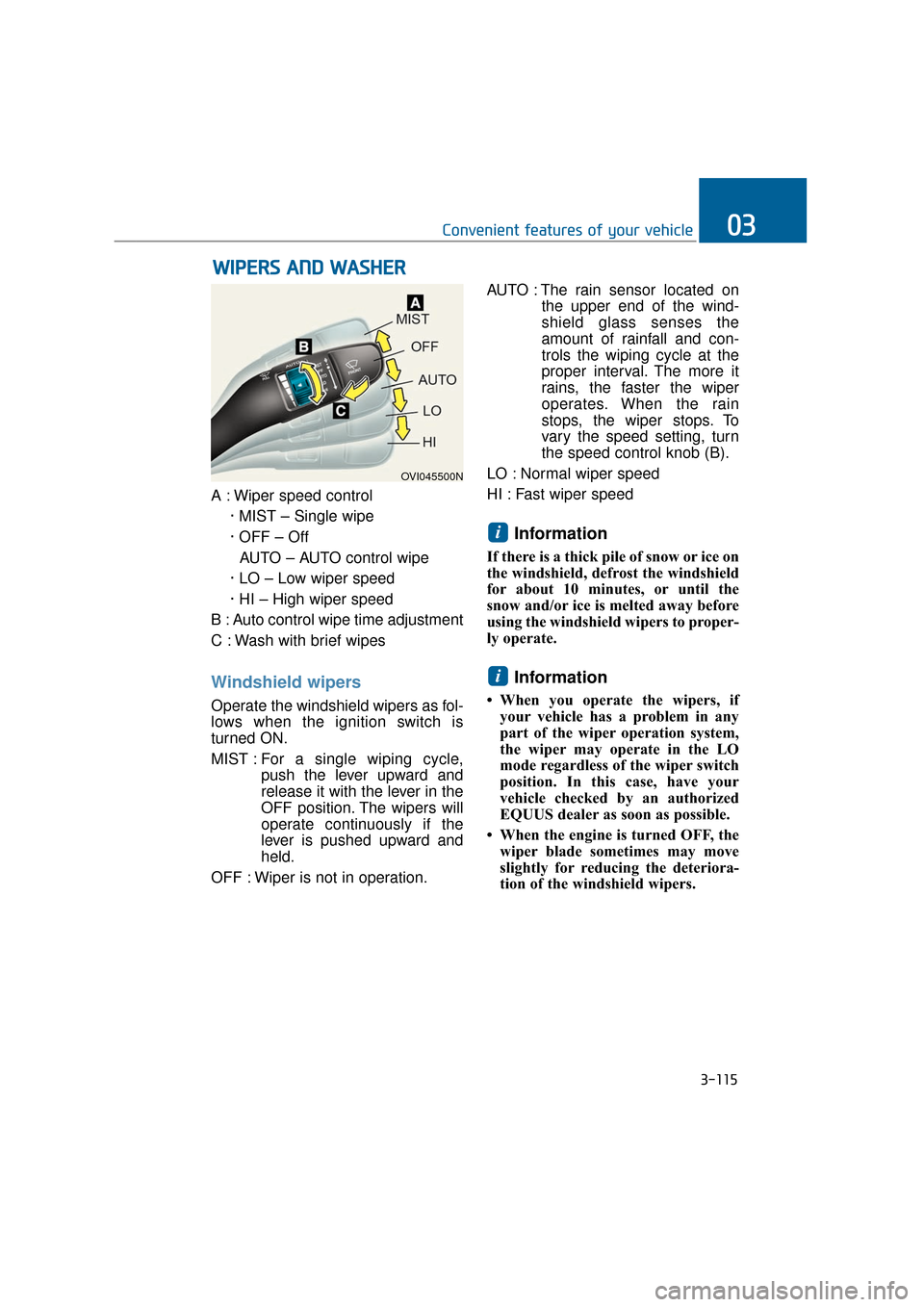
A : Wiper speed control· MIST – Single wipe
· OFF – OffAUTO – AUTO control wipe
· LO – Low wiper speed
· HI – High wiper speed
B : Auto control wipe time adjustment
C : Wash with brief wipes
Windshield wipers
Operate the windshield wipers as fol-
lows when the ignition switch is
turned ON.
MIST : For a single wiping cycle,
push the lever upward and
release it with the lever in the
OFF position. The wipers will
operate continuously if the
lever is pushed upward and
held.
OFF : Wiper is not in operation. AUTO : The rain sensor located on
the upper end of the wind-
shield glass senses the
amount of rainfall and con-
trols the wiping cycle at the
proper interval. The more it
rains, the faster the wiper
operates. When the rain
stops, the wiper stops. To
vary the speed setting, turn
the speed control knob (B).
LO : Normal wiper speed
HI : Fast wiper speed
Information
If there is a thick pile of snow or ice on
the windshield, defrost the windshield
for about 10 minutes, or until the
snow and/or ice is melted away before
using the windshield wipers to proper-
ly operate.
Information
• When you operate the wipers, if your vehicle has a problem in any
part of the wiper operation system,
the wiper may operate in the LO
mode regardless of the wiper switch
position. In this case, have your
vehicle checked by an authorized
EQUUS dealer as soon as possible.
• When the engine is turned OFF, the wiper blade sometimes may move
slightly for reducing the deteriora-
tion of the windshield wipers.
i
i
W W I
IP
P E
ER
R S
S
A
A N
N D
D
W
W A
AS
SH
H E
ER
R
3-115
Convenient features of your vehicle03
OVI045500N
Page 217 of 477
To prevent damage to the conduc-
tors located under the rear win-
dow surface, never use sharp
instruments or window cleaners
containing abrasives to clean the
window.
Information
If you want to defrost and defog the
front windshield, refer to “Windshield
defrosting and defogging” in this chap-
ter.
Rear window defroster
The defroster heats the window to
remove frost, fog and thin ice from
the rear window, while the engine is
running.
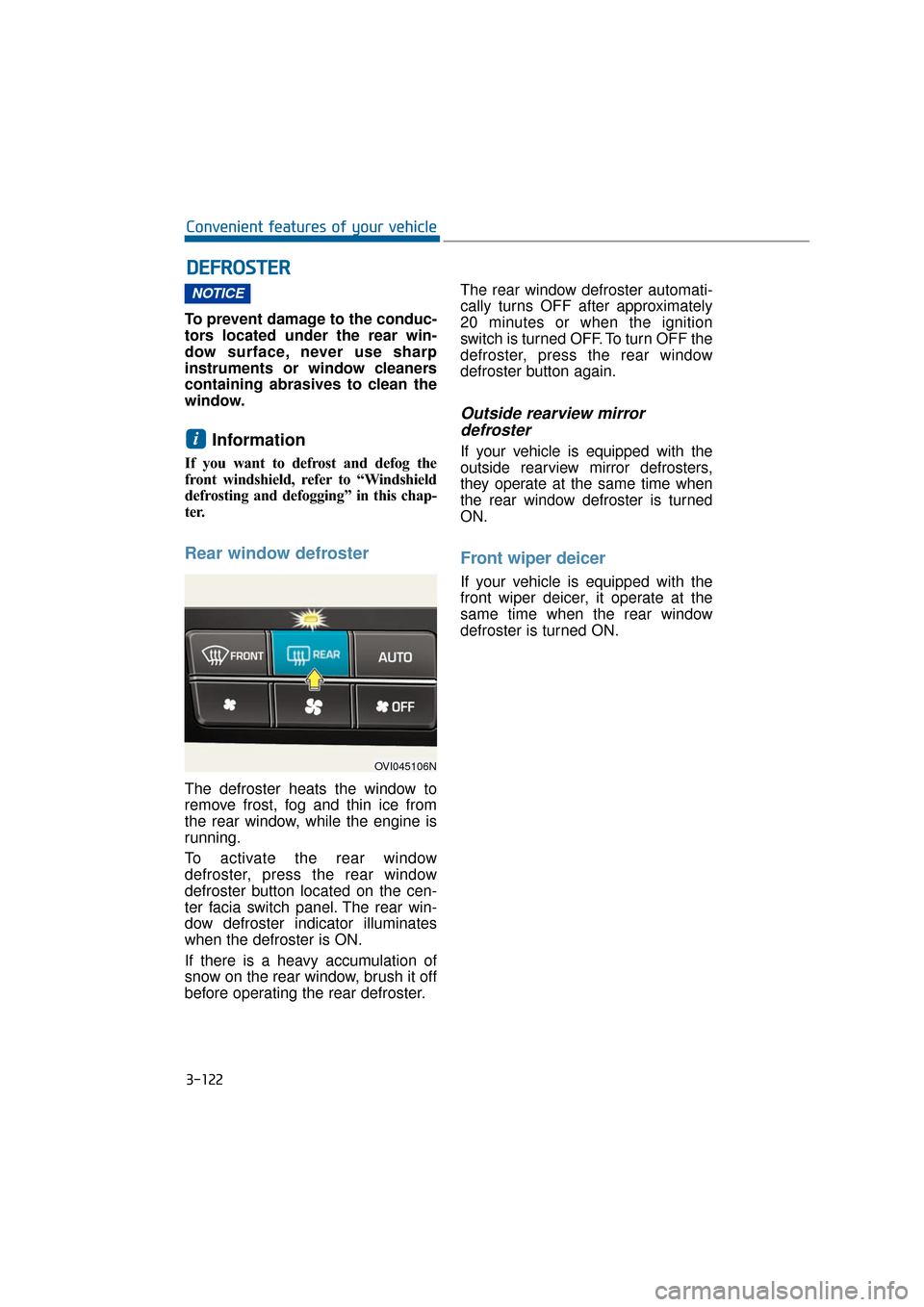
To activate the rear window
defroster, press the rear window
defroster button located on the cen-
ter facia switch panel. The rear win-
dow defroster indicator illuminates
when the defroster is ON.
If there is a heavy accumulation of
snow on the rear window, brush it off
before operating the rear defroster.The rear window defroster automati-
cally turns OFF after approximately
20 minutes or when the ignition
switch is turned OFF. To turn OFF the
defroster, press the rear window
defroster button again.
Outside rearview mirror
defroster
If your vehicle is equipped with the
outside rearview mirror defrosters,
they operate at the same time when
the rear window defroster is turned
ON.
Front wiper deicer
If your vehicle is equipped with the
front wiper deicer, it operate at the
same time when the rear window
defroster is turned ON.
i
NOTICE
D D E
EF
FR
R O
O S
ST
T E
ER
R
3-122
Convenient features of your vehicle
OVI045106N
Page 229 of 477
3-134
Convenient features of your vehicle
OFF mode
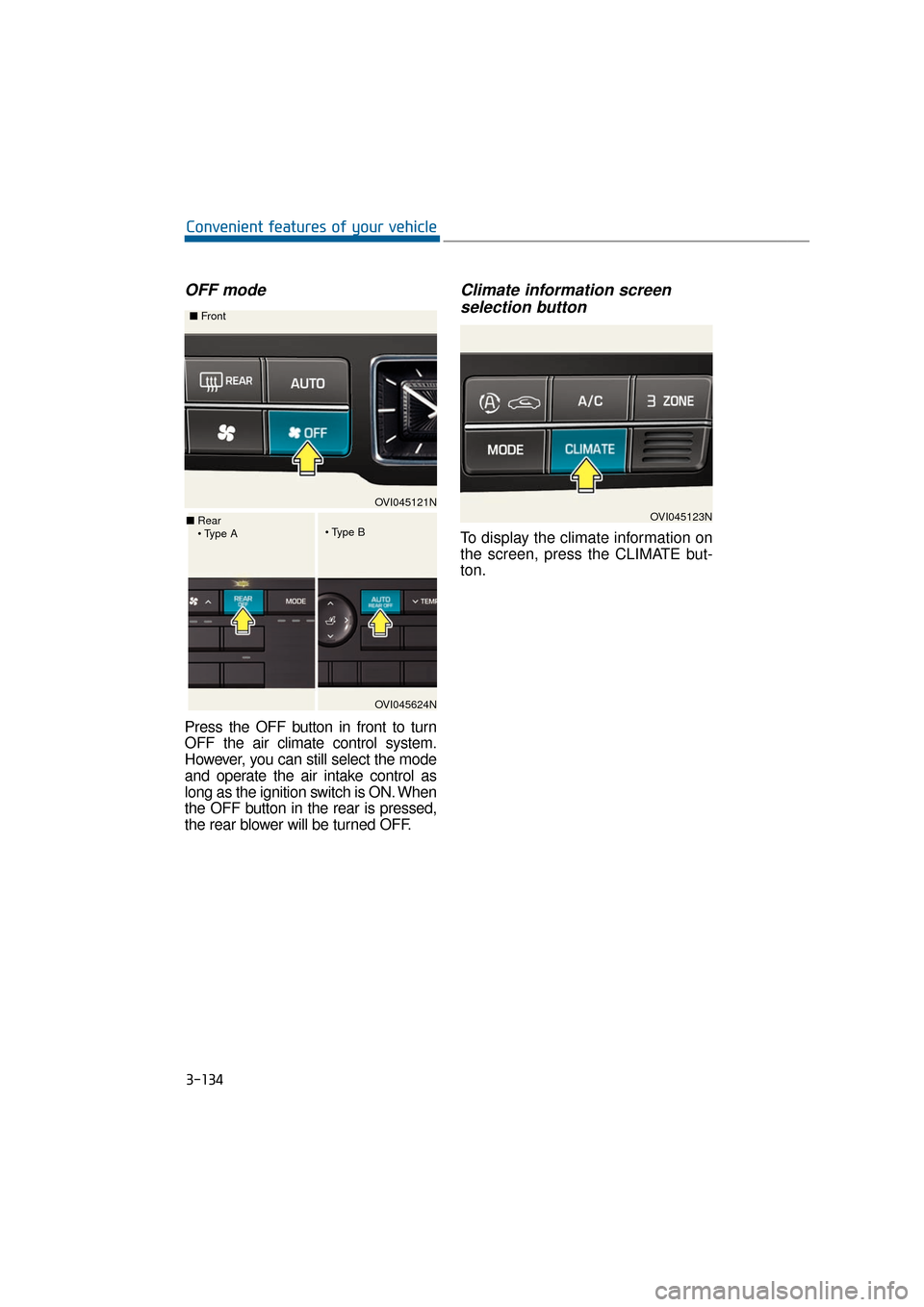
Press the OFF button in front to turn
OFF the air climate control system.
However, you can still select the mode
and operate the air intake control as
long as the ignition switch is ON. When
the OFF button in the rear is pressed,
the rear blower will be turned OFF.
Climate information screenselection button
To display the climate information on
the screen, press the CLIMATE but-
ton.
OVI045121N
■
Front
OVI045624N
■
Rear
OVI045123N