battery Hyundai Equus 2016 Owner's Guide
[x] Cancel search | Manufacturer: HYUNDAI, Model Year: 2016, Model line: Equus, Model: Hyundai Equus 2016Pages: 477, PDF Size: 16.25 MB
Page 167 of 477
Information
If any of the following conditions
occurs, the mileage and days may be
incorrect.
- The battery cable is disconnected.
- The fuse switch is turned off.
- The battery is discharged.
Warning Message
If one of followings occurs, warning
messages will be displayed in the
information mode for about 10 sec-
onds.
- Malfunction of the pre-safe seatbelt, electronic control suspen-
sion, or advanced smart cruise
control system
- Low washer fluid
- Check fuel cap
User Settings Mode
Head-Up Display (HUD) Settings (if equipped)
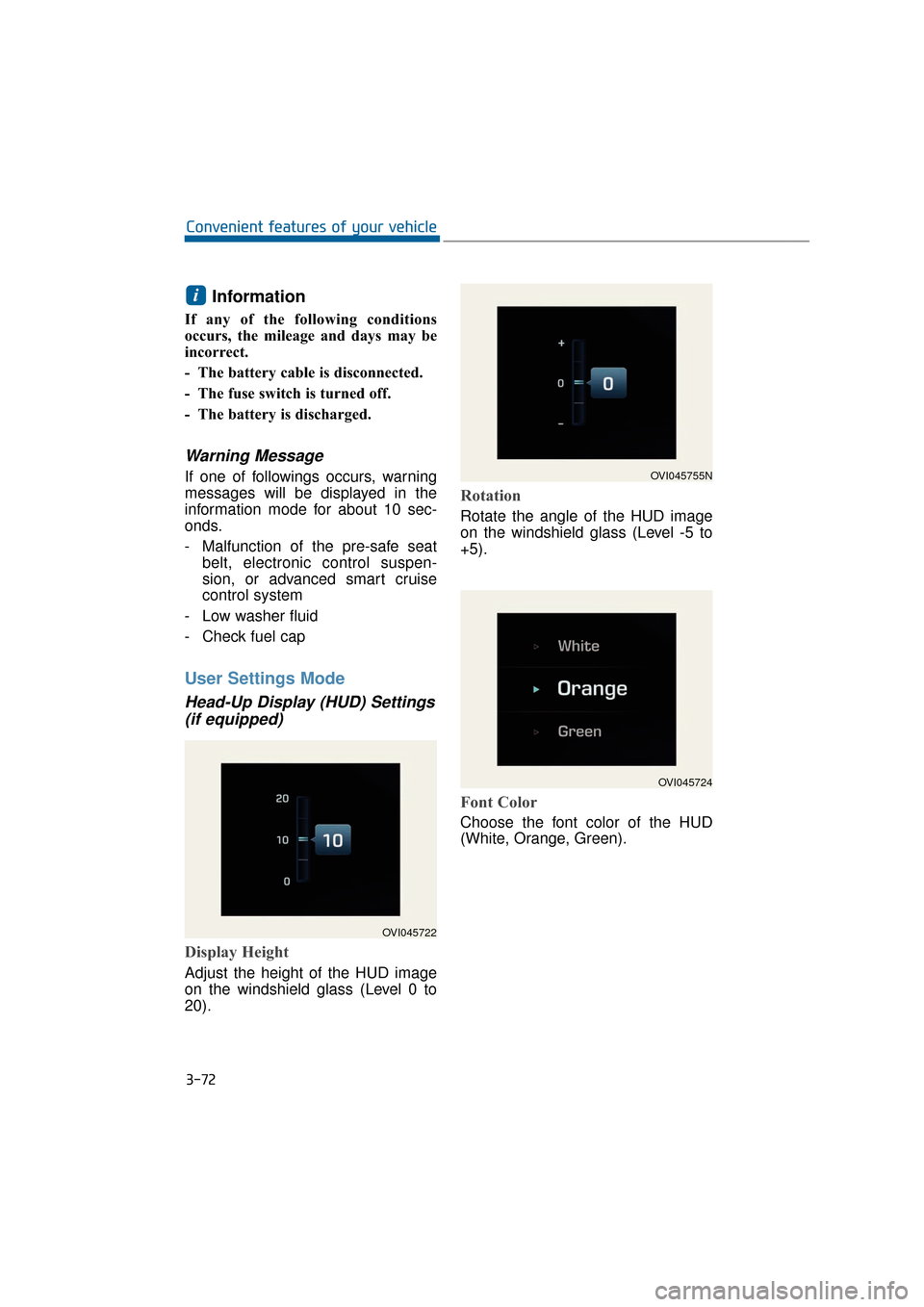
Display Height
Adjust the height of the HUD image
on the windshield glass (Level 0 to
20).
Rotation
Rotate the angle of the HUD image
on the windshield glass (Level -5 to
+5).
Font Color
Choose the font color of the HUD
(White, Orange, Green).
i
3-72
Convenient features of your vehicle
OVI045722
OVI045755N
OVI045724
Page 175 of 477
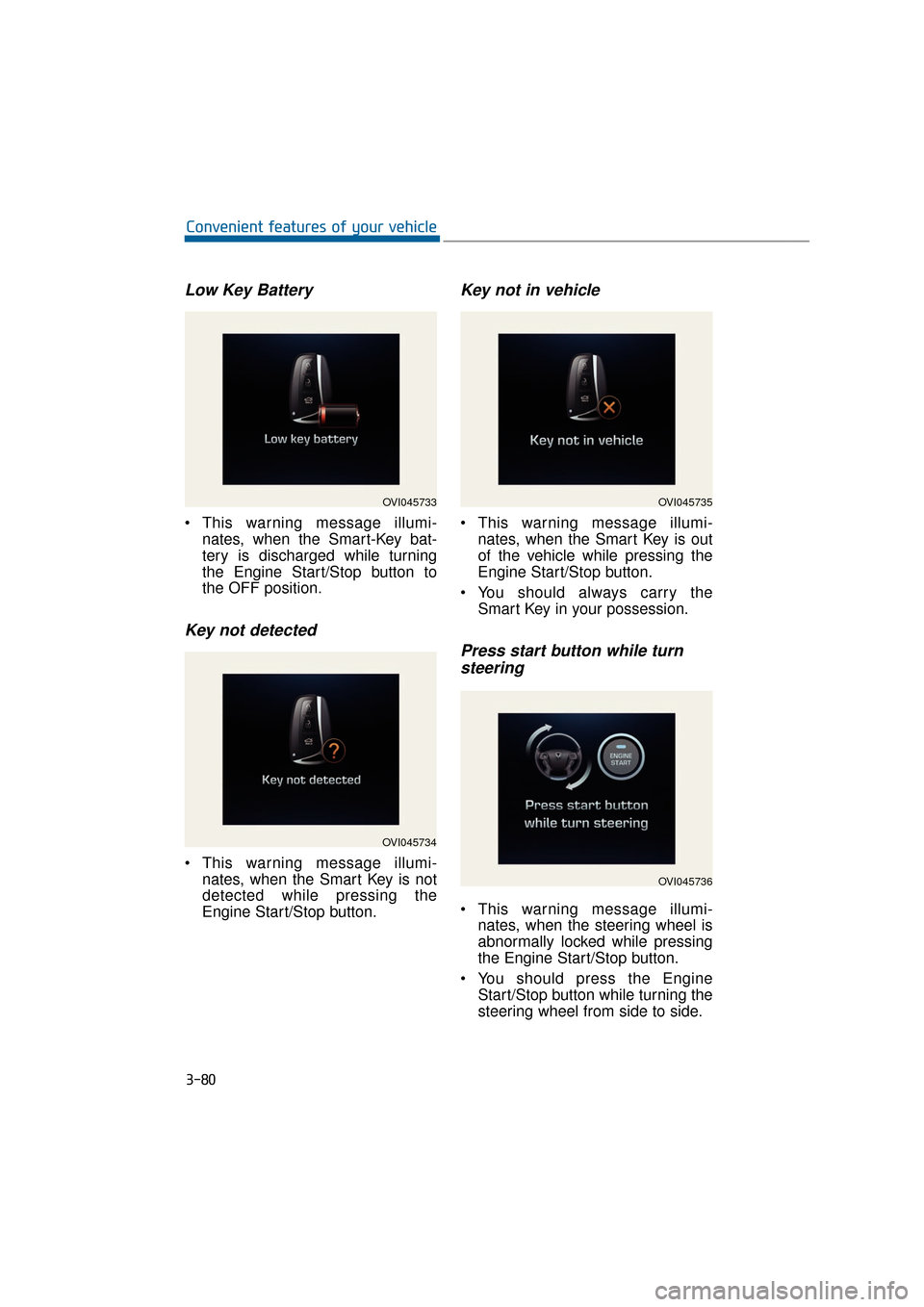
Low Key Battery
This warning message illumi-nates, when the Smart-Key bat-
tery is discharged while turning
the Engine Start/Stop button to
the OFF position.
Key not detected
This warning message illumi-nates, when the Smart Key is not
detected while pressing the
Engine Start/Stop button.
Key not in vehicle
This warning message illumi-nates, when the Smart Key is out
of the vehicle while pressing the
Engine Start/Stop button.
You should always carry the Smart Key in your possession.
Press start button while turnsteering
This warning message illumi-
nates, when the steering wheel is
abnormally locked while pressing
the Engine Start/Stop button.
You should press the Engine Start/Stop button while turning the
steering wheel from side to side.
3-80
Convenient features of your vehicle
OVI045733
OVI045734
OVI045735
OVI045736
Page 178 of 477
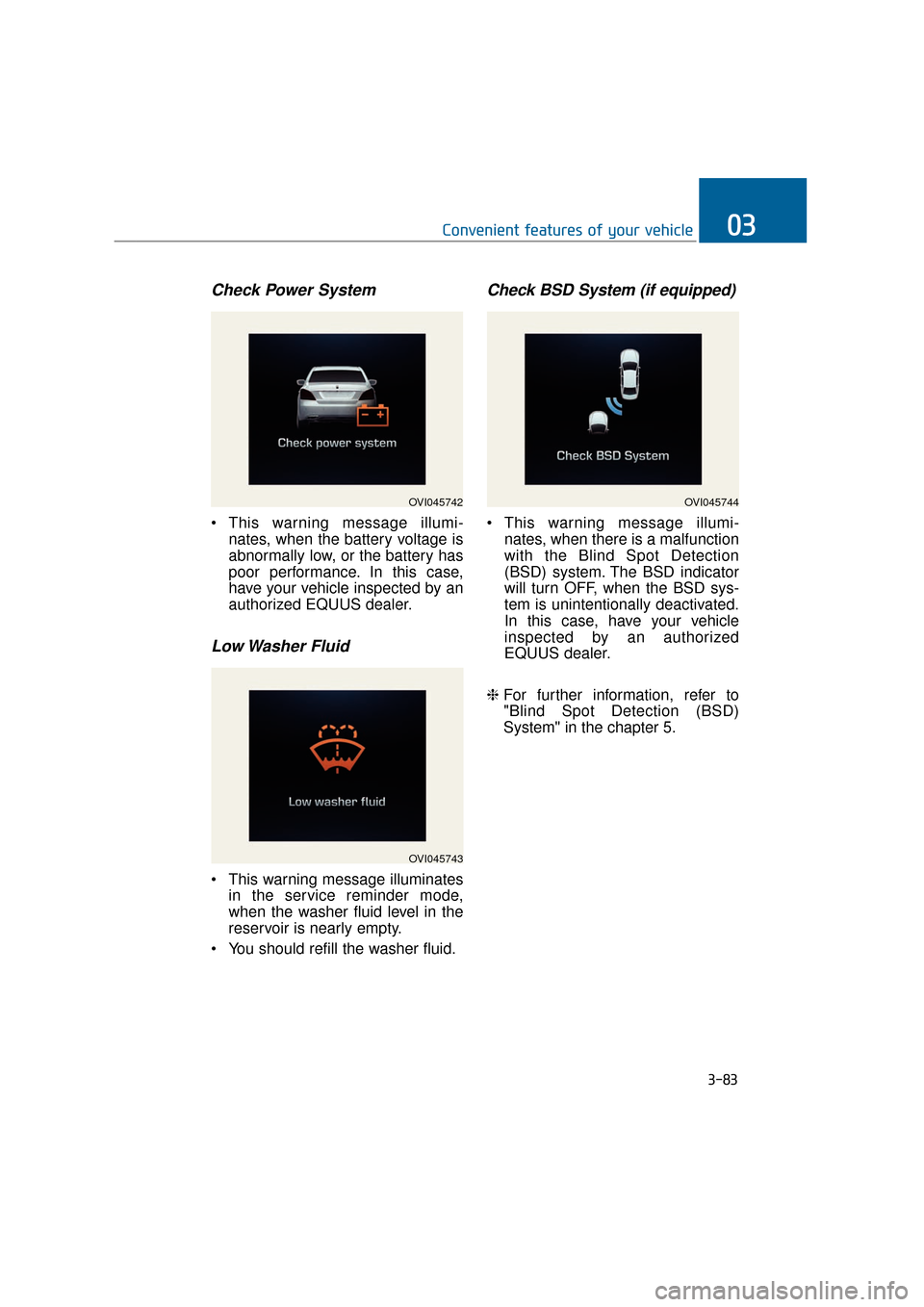
Check Power System
This warning message illumi-nates, when the battery voltage is
abnormally low, or the battery has
poor performance. In this case,
have your vehicle inspected by an
authorized EQUUS dealer.
Low Washer Fluid
This warning message illuminatesin the service reminder mode,
when the washer fluid level in the
reservoir is nearly empty.
You should refill the washer fluid.
Check BSD System (if equipped)
This warning message illumi- nates, when there is a malfunction
with the Blind Spot Detection
(BSD) system. The BSD indicator
will turn OFF, when the BSD sys-
tem is unintentionally deactivated.
In this case, have your vehicle
inspected by an authorized
EQUUS dealer.
❈ For further information, refer to
"Blind Spot Detection (BSD)
System" in the chapter 5.
3-83
Convenient features of your vehicle03
OVI045743
OVI045744OVI045742
Page 181 of 477
Overview
Description
The trip computer is a driving infor-
mation system, controlled by a
micro-computer. This displays driv-
ing-related information.
Information
Some driving information, stored in
the trip computer (i.e. average vehicle
speed), is reset, when the battery is
disconnected.
Trip Modes
Type A : To change the trip mode,press the or button.
Type B : To change the trip mode, rotate the haptic switch.
❈ For further information, refer to
"LCD Display control" in this chap-
ter.
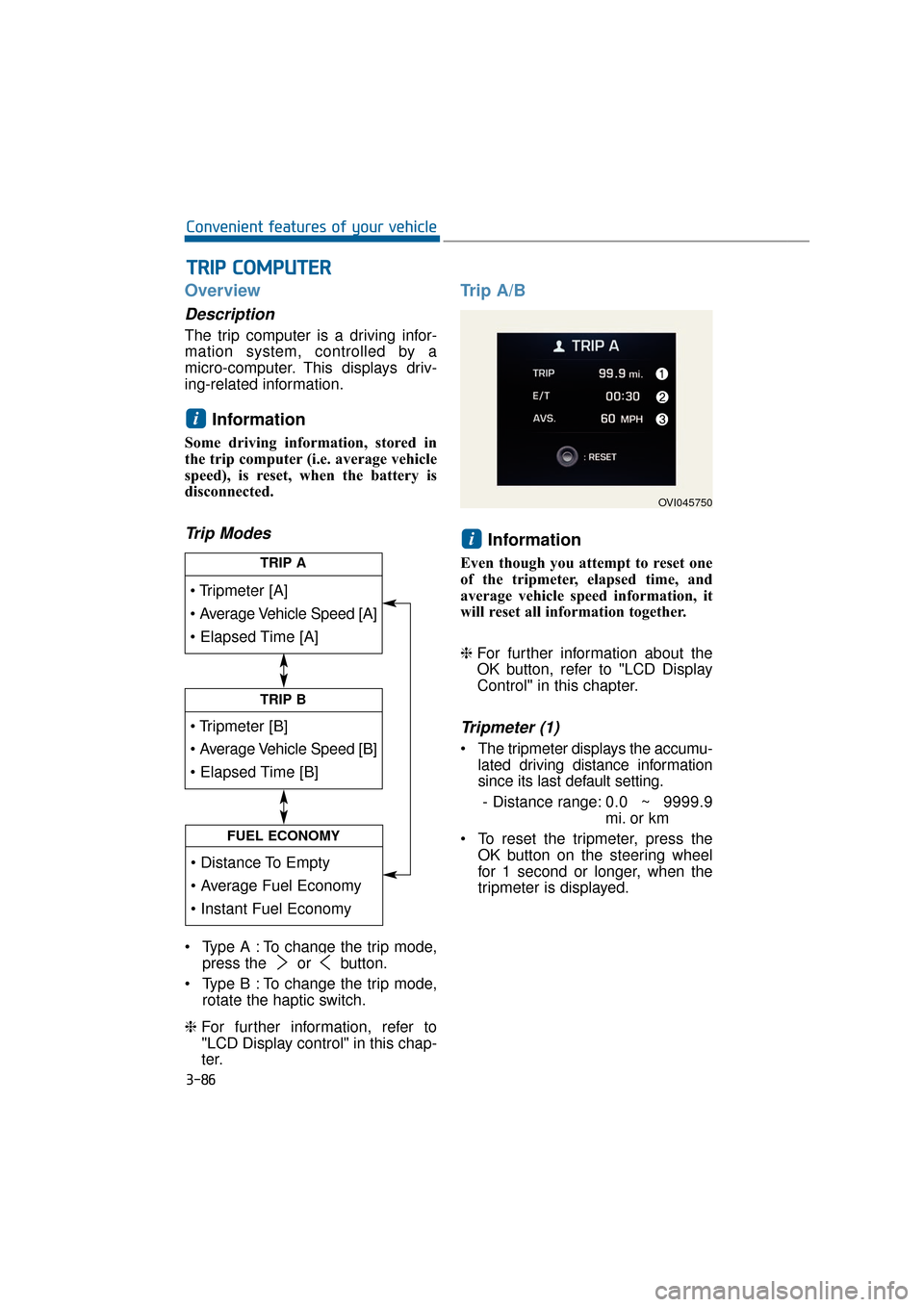
Trip A/B
Information
Even though you attempt to reset one
of the tripmeter, elapsed time, and
average vehicle speed information, it
will reset all information together.
❈For further information about the
OK button, refer to "LCD Display
Control" in this chapter.
Tripmeter (1)
The tripmeter displays the accumu-
lated driving distance information
since its last default setting.
- Distance range: 0.0 ~ 9999.9
mi. or km
To reset the tripmeter, press the OK button on the steering wheel
for 1 second or longer, when the
tripmeter is displayed.
i
i
T
TR
R I
IP
P
C
C O
O M
M P
PU
U T
TE
ER
R
3-86
Convenient features of your vehicle
TRIP A
TRIP B
FUEL ECONOMY
OVI045750
Page 182 of 477
Elapsed Time (2)
The elapsed time displays theaccumulated driving hour informa-
tion since its last default setting.
- Time range (hh:mm): 00:00 ~99:59
To reset the elapsed time, press the OK button on the steering
wheel for 1 second or longer, when
the elapsed time is displayed.
Information
Even though the vehicle is not in
motion, the elapsed time keeps being
recorded, while the engine is running.
Average Vehicle Speed (3)
The average vehicle speed is cal-culated by dividing the accumulat-
ed driving distance by the accu-
mulated driving hour since its last
default setting.
- Speed range: 0 ~ 999 MPH orkm/h
To reset the average vehicle speed, press the OK button on the
steering wheel for 1 second or
over, when the average vehicle
speed is displayed.
Information
• The average vehicle speed is not dis-played, when the vehicle drives
shorter than 0.19 miles (300 meters)
after turning ON the Engine
Start/Stop button.
• Even though the vehicle is not in motion, the average vehicle speed
keeps being recorded while the
engine is running.
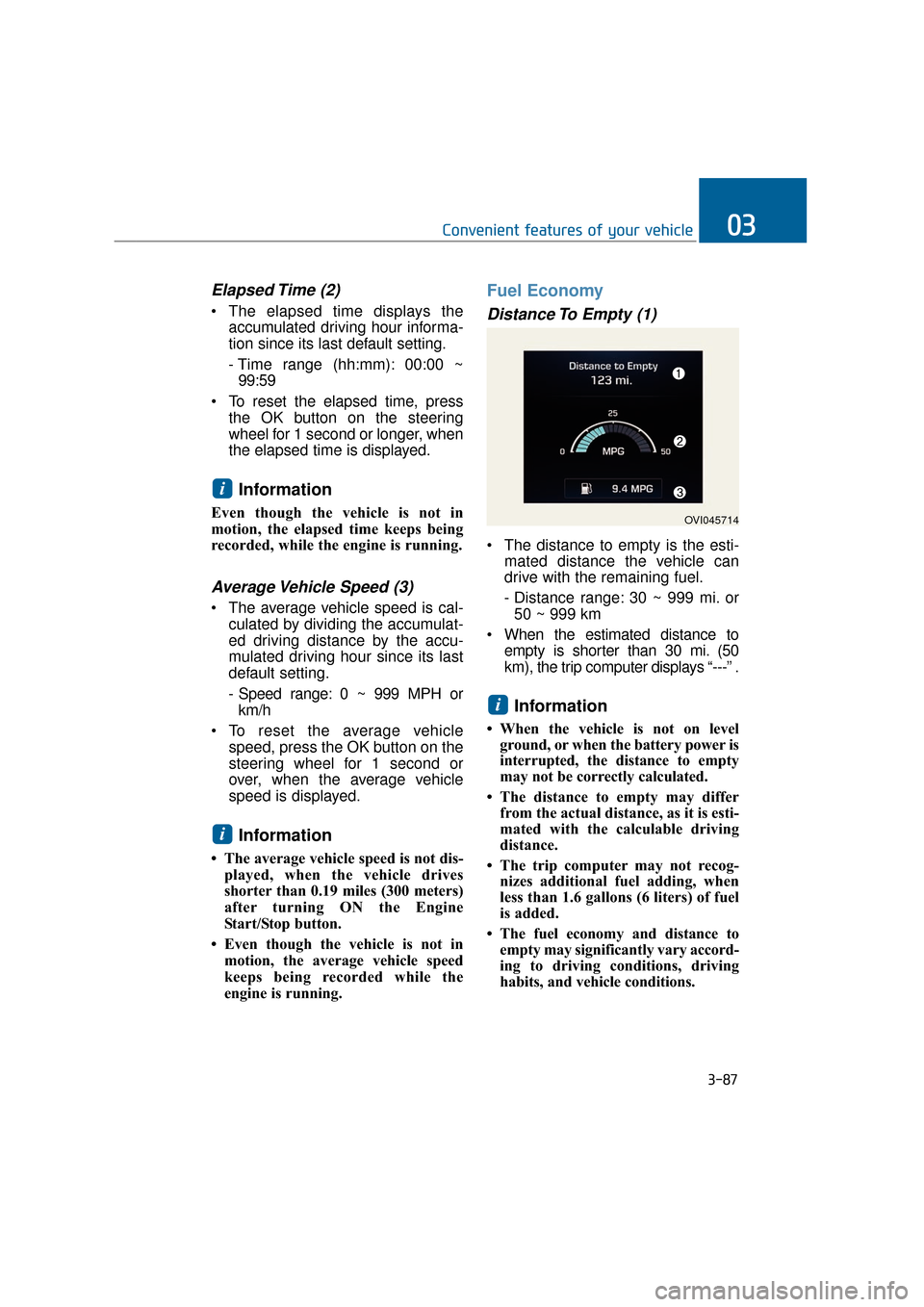
Fuel Economy
Distance To Empty (1)
The distance to empty is the esti- mated distance the vehicle can
drive with the remaining fuel.
- Distance range: 30 ~ 999 mi. or50 ~ 999 km
When the estimated distance to empty is shorter than 30 mi. (50
km), the trip computer displays “---” .
Information
• When the vehicle is not on levelground, or when the battery power is
interrupted, the distance to empty
may not be correctly calculated.
• The distance to empty may differ from the actual distance, as it is esti-
mated with the calculable driving
distance.
• The trip computer may not recog- nizes additional fuel adding, when
less than 1.6 gallons (6 liters) of fuel
is added.
• The fuel economy and distance to empty may significantly vary accord-
ing to driving conditions, driving
habits, and vehicle conditions.
i
i
i
3-87
Convenient features of your vehicle03
OVI045714
Page 187 of 477
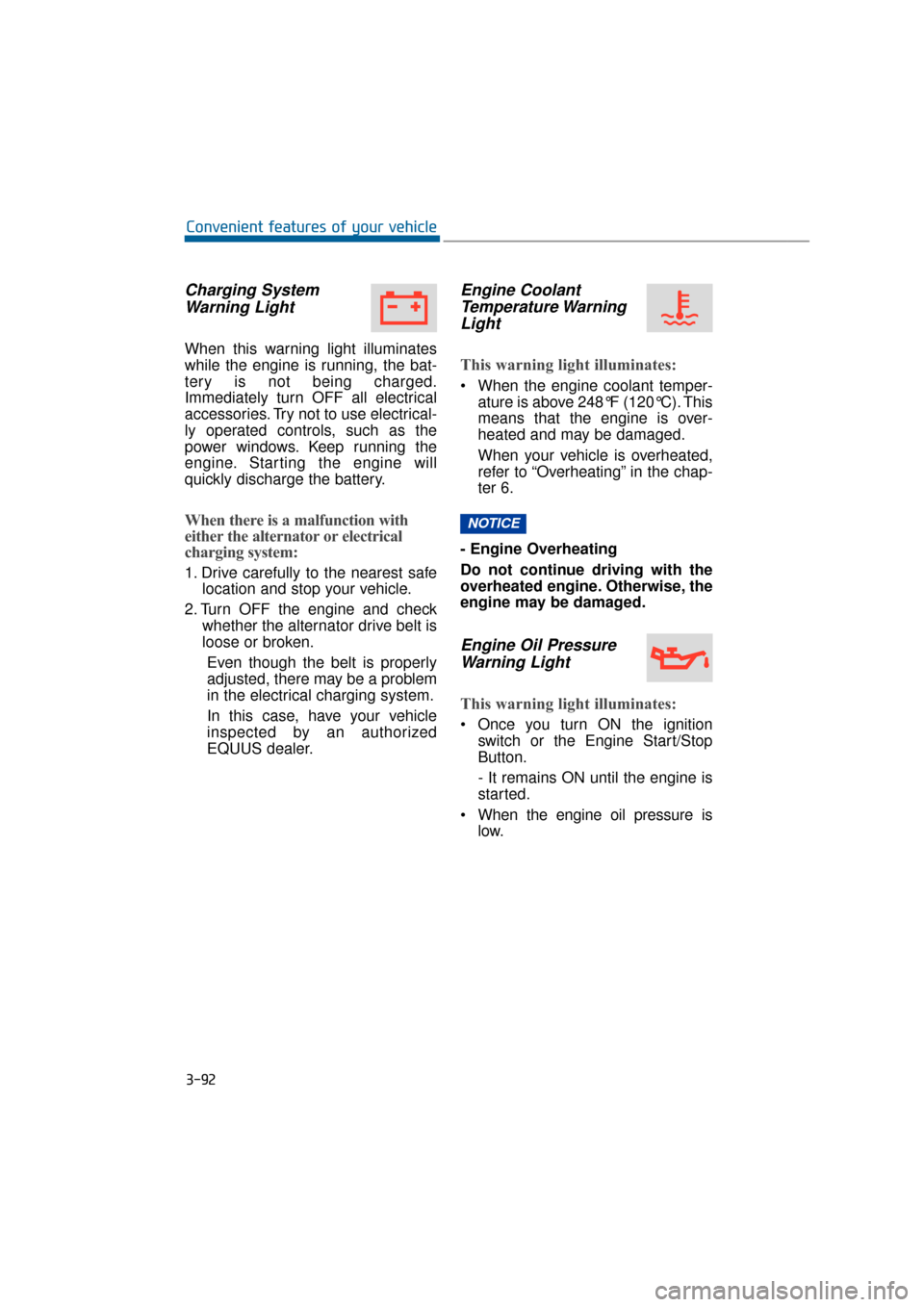
Charging SystemWarning Light
When this warning light illuminates
while the engine is running, the bat-
tery is not being charged.
Immediately turn OFF all electrical
accessories. Try not to use electrical-
ly operated controls, such as the
power windows. Keep running the
engine. Starting the engine will
quickly discharge the battery.
When there is a malfunction with
either the alternator or electrical
charging system:
1. Drive carefully to the nearest safe location and stop your vehicle.
2. Turn OFF the engine and check whether the alternator drive belt is
loose or broken.
Even though the belt is properly
adjusted, there may be a problem
in the electrical charging system.
In this case, have your vehicle
inspected by an authorized
EQUUS dealer.
Engine CoolantTemperature WarningLight
This warning light illuminates:
When the engine coolant temper-
ature is above 248°F (120°C). This
means that the engine is over-
heated and may be damaged.
When your vehicle is overheated,
refer to “Overheating” in the chap-
ter 6.
- Engine Overheating
Do not continue driving with the
overheated engine. Otherwise, the
engine may be damaged.
Engine Oil Pressure Warning Light
This warning light illuminates:
Once you turn ON the ignition
switch or the Engine Start/Stop
Button.
- It remains ON until the engine is
started.
When the engine oil pressure is low.
NOTICE
3-92
Convenient features of your vehicle
Page 191 of 477
Indicator Lights
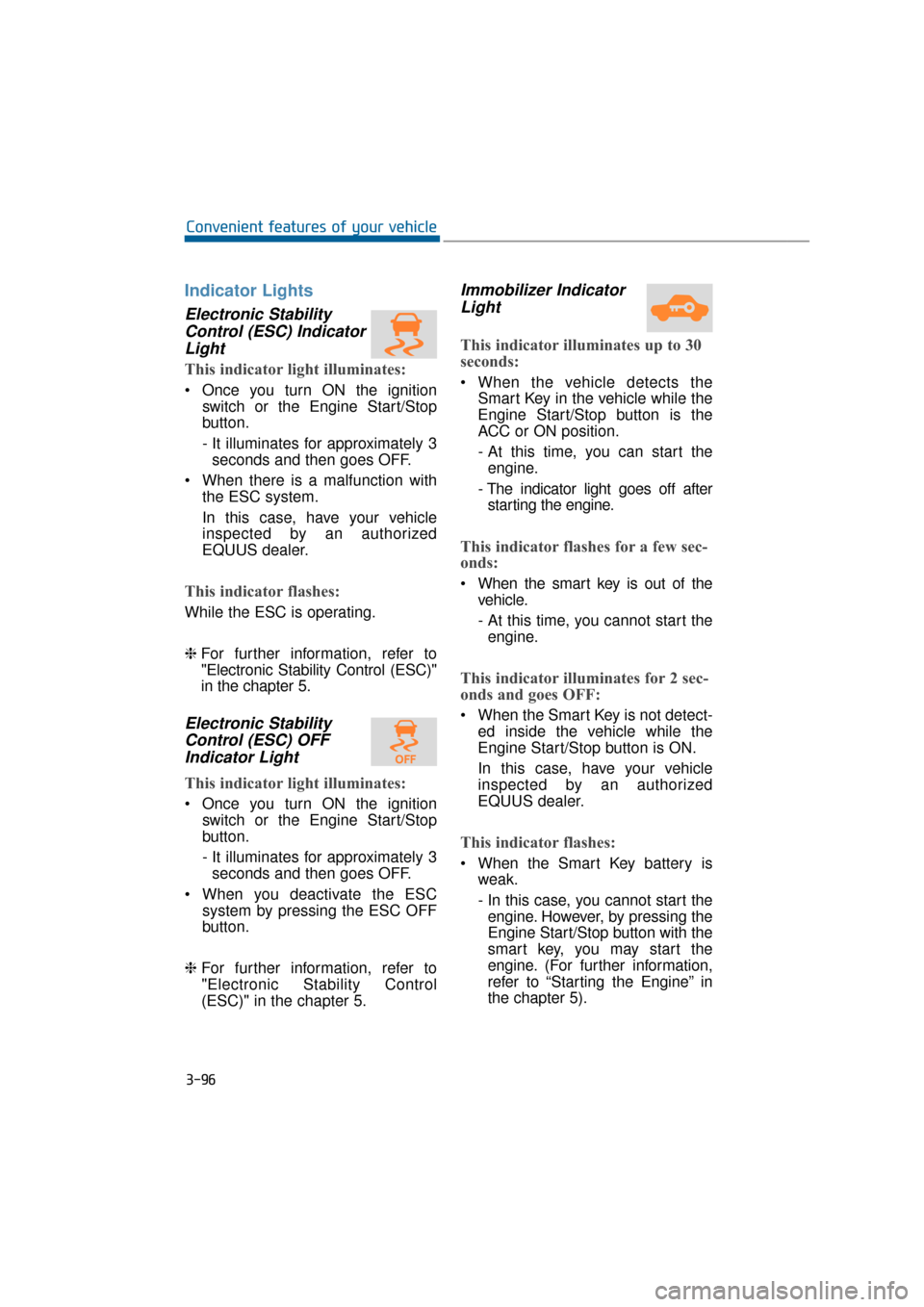
Electronic StabilityControl (ESC) IndicatorLight
This indicator light illuminates:
Once you turn ON the ignition
switch or the Engine Start/Stop
button.
- It illuminates for approximately 3seconds and then goes OFF.
When there is a malfunction with the ESC system.
In this case, have your vehicle
inspected by an authorized
EQUUS dealer.
This indicator flashes:
While the ESC is operating.
❈For further information, refer to
"Electronic Stability Control (ESC)"
in the chapter 5.
Electronic Stability
Control (ESC) OFFIndicator Light
This indicator light illuminates:
Once you turn ON the ignition
switch or the Engine Start/Stop
button.
- It illuminates for approximately 3seconds and then goes OFF.
When you deactivate the ESC system by pressing the ESC OFF
button.
❈ For further information, refer to
"Electronic Stability Control
(ESC)" in the chapter 5.
Immobilizer Indicator
Light
This indicator illuminates up to 30
seconds:
When the vehicle detects the
Smart Key in the vehicle while the
Engine Start/Stop button is the
ACC or ON position.
- At this time, you can start theengine.
- The indicator light goes off after starting the engine.
This indicator flashes for a few sec-
onds:
When the smart key is out of the vehicle.
- At this time, you cannot start theengine.
This indicator illuminates for 2 sec-
onds and goes OFF:
When the Smart Key is not detect- ed inside the vehicle while the
Engine Start/Stop button is ON.
In this case, have your vehicle
inspected by an authorized
EQUUS dealer.
This indicator flashes:
When the Smart Key battery isweak.
- In this case, you cannot start theengine. However, by pressing the
Engine Start/Stop button with the
smart key, you may start the
engine. (For further information,
refer to “Starting the Engine” in
the chapter 5).
3-96
Convenient features of your vehicle
Page 204 of 477
Battery saver function
The purpose of this function is toprevent the battery from being dis-
charged. The system automatical-
ly turns OFF the parking lights
when the driver turns OFF the
engine and opens the driver's
door.
With this function, the parking lights are turned OFF automatical-
ly if the driver parks the vehicle on
the side of the road at night.
If necessary, in order to keep the
lights ON when the engine is
turned OFF, perform the follow-
ings:
1) Open the driver-side door.
2) Turn the parking lights ON and OFF again using the light
switch on the steering column.
Headlamp escort function
When you press the Engine
Start/Stop button to the ACC or OFF
position with the headlamps ON, the
headlamps (and/or tail lights) remain
ON for approximately 5 minutes.
However, when the driver’s door is
open and then closed, the head-
lamps are turned OFF after 15 sec-
onds.
The headlamps can be turned OFF
by pressing the lock button on the
Smart Key twice or turning the light
switch to the OFF or Auto position.
However, when you turn the light
switch to the Auto position, and when
it is dark outside, the headlamps will
not be turned OFF.
If the driver exit the vehicle
through other doors (except dri-
ver’s door), the battery saver func-
tion does not operate and the
headlamp escort function does
not turn OFF automatically.
Therefore, it discharges the bat-
tery. In this case, make sure to
turn OFF the lamp before exiting
the vehicle.
NOTICE
L LI
IG
G H
H T
TI
IN
N G
G
3-109
Convenient features of your vehicle03
Page 206 of 477
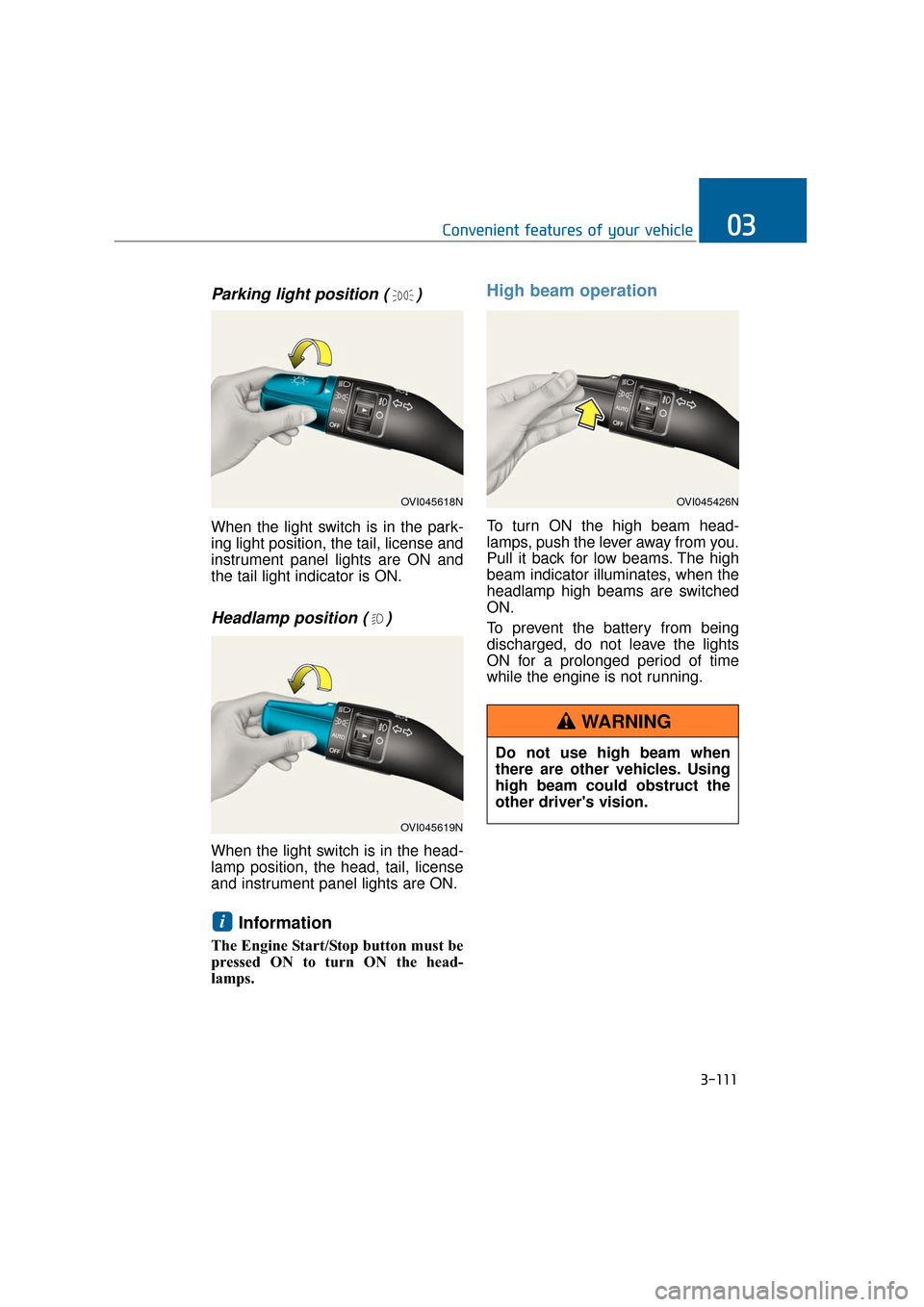
Parking light position ( )
When the light switch is in the park-
ing light position, the tail, license and
instrument panel lights are ON and
the tail light indicator is ON.
Headlamp position ( )
When the light switch is in the head-
lamp position, the head, tail, license
and instrument panel lights are ON.
Information
The Engine Start/Stop button must be
pressed ON to turn ON the head-
lamps.
High beam operation
To turn ON the high beam head-
lamps, push the lever away from you.
Pull it back for low beams. The high
beam indicator illuminates, when the
headlamp high beams are switched
ON.
To prevent the battery from being
discharged, do not leave the lights
ON for a prolonged period of time
while the engine is not running.
i
3-111
Convenient features of your vehicle03
OVI045618N
OVI045619N
OVI045426N
Do not use high beam when
there are other vehicles. Using
high beam could obstruct the
other driver's vision.
WARNING
Page 208 of 477
Information
If an indicator flash is abnormally
quick or slow, a bulb may be burned
out or have a poor electrical connec-
tion in the circuit.
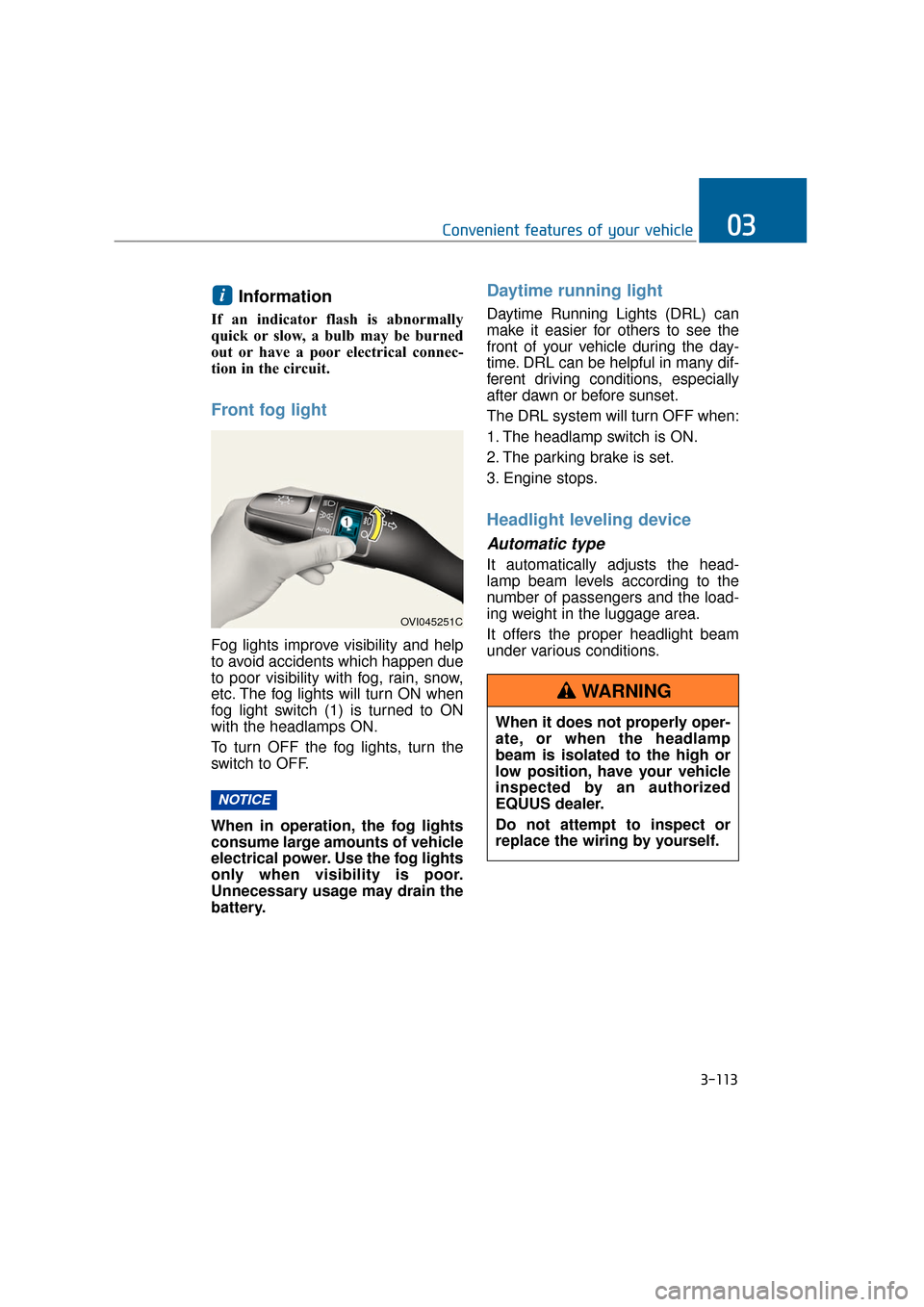
Front fog light
Fog lights improve visibility and help
to avoid accidents which happen due
to poor visibility with fog, rain, snow,
etc. The fog lights will turn ON when
fog light switch (1) is turned to ON
with the headlamps ON.
To turn OFF the fog lights, turn the
switch to OFF.
When in operation, the fog lights
consume large amounts of vehicle
electrical power. Use the fog lights
only when visibility is poor.
Unnecessary usage may drain the
battery.
Daytime running light
Daytime Running Lights (DRL) can
make it easier for others to see the
front of your vehicle during the day-
time. DRL can be helpful in many dif-
ferent driving conditions, especially
after dawn or before sunset.
The DRL system will turn OFF when:
1. The headlamp switch is ON.
2. The parking brake is set.
3. Engine stops.
Headlight leveling device
Automatic type
It automatically adjusts the head-
lamp beam levels according to the
number of passengers and the load-
ing weight in the luggage area.
It offers the proper headlight beam
under various conditions.
NOTICE
i
3-113
Convenient features of your vehicle03
OVI045251C
When it does not properly oper-
ate, or when the headlamp
beam is isolated to the high or
low position, have your vehicle
inspected by an authorized
EQUUS dealer.
Do not attempt to inspect or
replace the wiring by yourself.
WARNING