automatic Hyundai Grand i10 2015 Owner's Guide
[x] Cancel search | Manufacturer: HYUNDAI, Model Year: 2015, Model line: Grand i10, Model: Hyundai Grand i10 2015Pages: 343, PDF Size: 29.47 MB
Page 180 of 343
Features of your vehicle
124
4
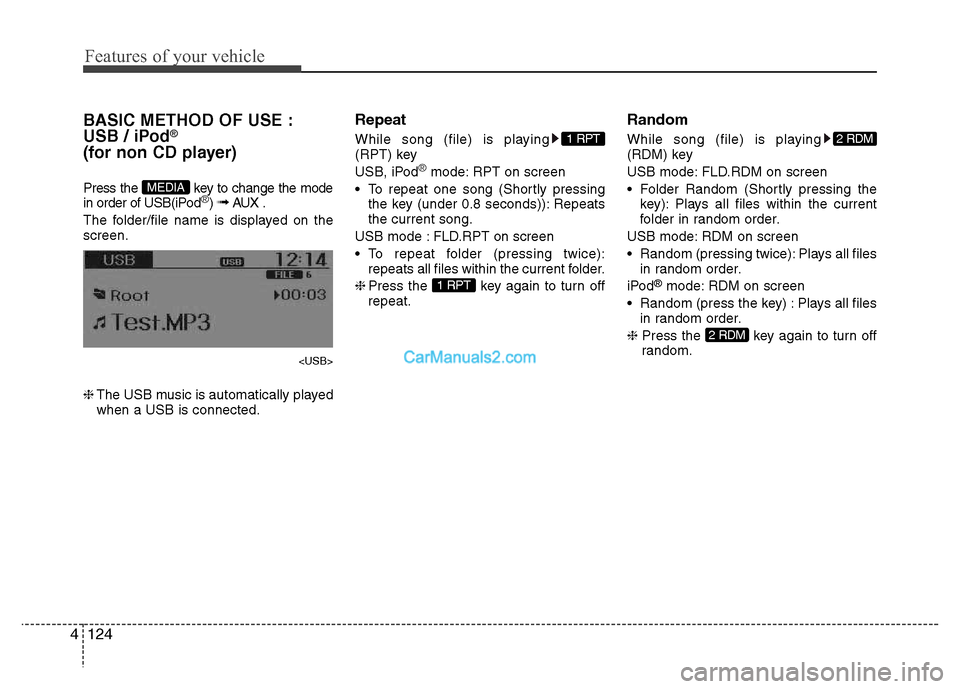
BASIC METHOD OF USE :
USB / iPod®
(for non CD player)
Press the key to change the mode
in order of USB(iPod
®) ➟ AUX .
The folder/file name is displayed on the screen.
❈ The USB music is automatically played
when a USB is connected. Repeat
While song (file) is playing
(RPT) key
USB, iPod
®mode: RPT on screen
To repeat one song (Shortly pressing the key (under 0.8 seconds)): Repeats the current song.
USB mode : FLD.RPT on screen
To repeat folder (pressing twice): repeats all files within the current folder.
❈ Press the key again to turn off
repeat. Random
While song (file) is playing
(RDM) key
USB mode: FLD.RDM on screen
Folder Random (Shortly pressing the
key): Plays all files within the current
folder in random order.
USB mode: RDM on screen
Random (pressing twice): Plays all files in random order.
iPod ®
mode: RDM on screen
Random (press the key) : Plays all files in random order.
❈ Press the key again to turn off
random.
2 RDM
2 RDM
1 RPT
1 RPT
MEDIA
Page 183 of 343
![Hyundai Grand i10 2015 Owners Guide 4127
Features of your vehicle
MENU : USB
Press the USB mode key to set
the Repeat, Folder Random, Folder
Repeat, All Random, Information, and
features. Repeat
Press the key Set [ RPT]
through th](/img/35/14790/w960_14790-182.png "Hyundai Grand i10 2015 Owners Guide 4127
Features of your vehicle
MENU : USB
Press the USB mode key to set
the Repeat, Folder Random, Folder
Repeat, All Random, Information, and
features. Repeat
Press the key Set [ RPT]
through th")
4127
Features of your vehicle
MENU : USB
Press the USB mode key to set
the Repeat, Folder Random, Folder
Repeat, All Random, Information, and
features. Repeat
Press the key Set [ RPT]
through the TUNE knob or
key to repeat the current song. ❈Press RPT again to turn off.
Folder Random
Press the key Set [ F.RDM]
through the TUNE knob or
key to randomly play songs within the
current folder. ❈ Press F.RDM again to turn off. Folder Repeat
Press the key Set [ F.RPT]
through the TUNE knob or key
to repeat songs within the current folder. ❈
Press F.RPT again to turn off.
All Random
Press the key Set [ A.RDM]
through the TUNE knob or key
to randomly play all songs within the
USB. ❈ Press A.RDM again to turn off.
Information
Press the key Set [ Info]
through the TUNE knob or key
to display information of the current song. ❈ Press the key to turn off info
display. AUX
AUX is used to play external MEDIA cur-
rently connected with the AUX terminal.
AUX mode will automatically start when
an external device is connected with the
AUX terminal.
If an external device is connected, you
can also press the key to change
to AUX mode. ❈
AUX mode cannot be started unless
there is an external device connected
to the AUX terminal.
✽✽ NOTICE - USING THE AUX
Fully insert the AUX cable into the AUX
terminal for use.
MEDIA
MENU
5
MENU
4
MENU
3
MENU
2 RDM
MENU
1 RPTMENU
MENU
Page 184 of 343
Bluetooth®Wireless
Technology AUDIO (if equipped)
What is
Bluetooth®Wireless
Technology?
Bluetooth®Wireless Technology allows
devices to be connected in a short dis-
tance, including hands-free devices,
stereo headsets, wireless remote con-
trollers, etc. For more information, visitthe
Bluetooth®Wireless Technology
website at www.Bluetooth.com
Before using Bluetooth®Wireless
Technology audio features
Bluetooth®Wireless Technology audio
may not be supported depending on
the compatibility of your
Bluetooth®
Wireless Technology mobile phone.
Bluetooth®Wireless
Technology audio, you must first pairand connect the
Bluetooth®Wireless
Technology mobile phone. The
Bluetooth®word mark and logos
are registered trademarks owned by
Bluetooth®SIG, Inc. and any use of
such marks is under license. Other
trademarks and trade names are those
of their respective owners. A
Bluetooth®
enabled cell phone is required to useBluetooth®Wireless Technology
Bluetooth®Wireless Technology audio
can be used only when the [Audio
Streaming] of Phone is turned On.
❈ Setting
Bluetooth®Wireless Technology
Audio Streaming : Press the
key Select [Phone] through the tune
knob Select [Audio Streaming] through
the TUNE knob Set / Starting
Bluetooth®Wireless
Technology Audio
key to change the
mode in order of CD ➟ USB ➟ AUX ➟
My Music ➟ BT Audio.
Bluetooth®
Wireless Technology audio will start
playing.
❈ Audio may not automatically start play-
ing in some mobile phones.
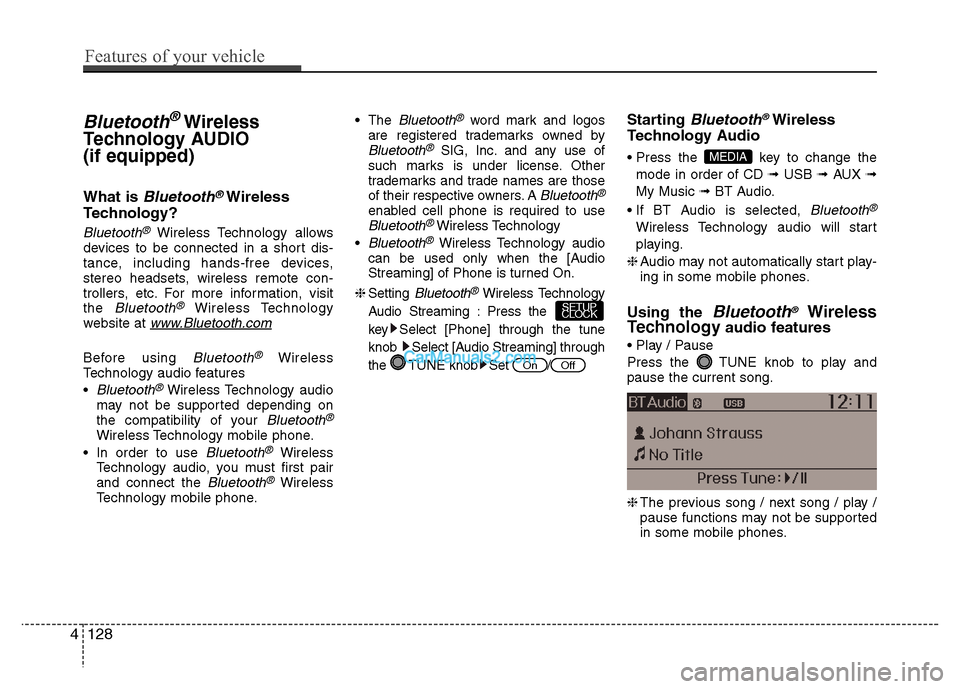
Using the
Bluetooth®Wireless
Technology audio features
Press the TUNE knob to play and pause the current song. ❈ The previous song / next song / play /
pause functions may not be supported
in some mobile phones.
MEDIA
OffOn
SETUP
CLOCK
4128
Features of your vehicle
Page 185 of 343
PHONE (if equipped)
Before using the
Bluetooth®Wireless
Technologyphone features
Bluetooth®Wireless
Technology
phone, you must first pair
and connect the
Bluetooth®Wireless
Technology
mobile phone.
If the mobile phone is not paired or con- nected, it is not possible to enter Phone
mode. Once a phone is paired or con-nected, the guidance screen will be dis-
played.
(IGN/ACC ON), the
Bluetooth®Wireless
Technology
phone will be automatically
connected. Even if you are outside, the
Bluetooth®Wireless Technologyphone will
be automatically connected once you are
in the vicinity of the vehicle. If you do not
want automatic
Bluetooth®Wireless
Technology
phone connection, set the
Bluetooth®Wireless Technologypower to
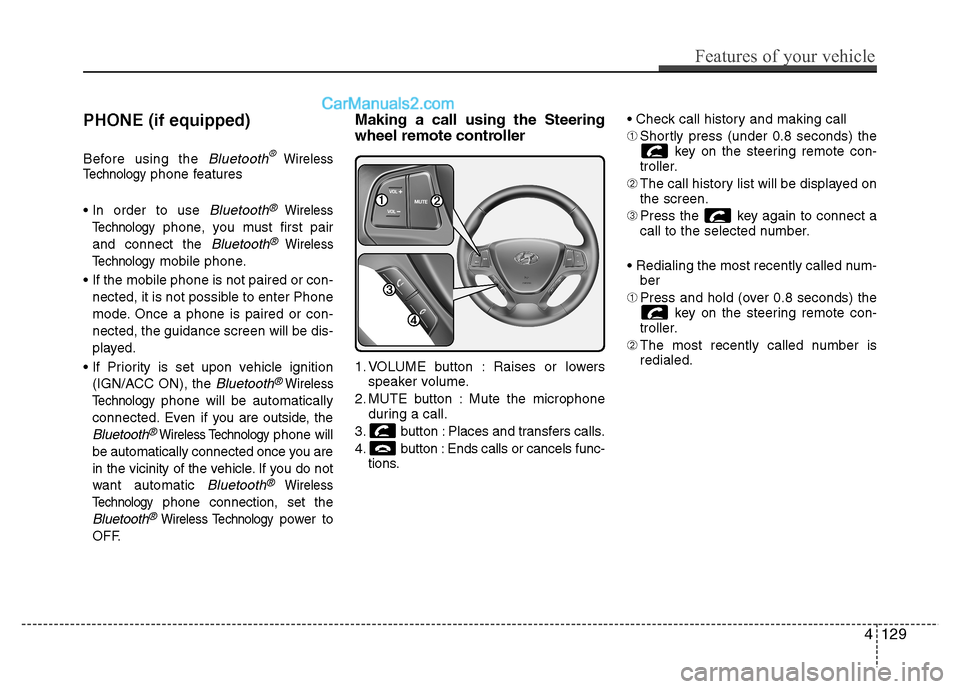
OFF. Making a call using the Steering
wheel remote controller
1. VOLUME button : Raises or lowers
speaker volume.
2. MUTE button : Mute the microphone during a call.
3. button : Places and transfers calls.
4. button : Ends calls or cancels func- tions. ➀
Shortly press (under 0.8 seconds) the
key on the steering remote con-
troller.
➁ The call history list will be displayed on
the screen.
➂ Press the key again to connect a
call to the selected number.
ber
➀ Press and hold (over 0.8 seconds) the
key on the steering remote con-
troller.
➁ The most recently called number is
redialed.
Features of your vehicle
129
4
Page 187 of 343
✽✽NOTICE - USING THE
Bluetooth®Wireless Technology
CELLULAR PHONE
Do not use a cellular phone or perform Bluetooth ®
Wireless Technology set-
tings (e.g. pairing a phone) while driv-
ing.
Some Bluetooth ®
Wireless Technology -
enabled phones may not be recognized
by the system or fully compatible with
the system.
Before using Bluetooth®
Wireless
Technology related features of the
audio system, refer your phone’s User’s
Manual for phone-side Bluetooth®
Wireless Technology operations.
The phone must be paired to the audio system to use Bluetooth®
Wireless
Technology related features.
You will not be able to use the hands-
free feature when your phone (in the
car) is outside of the cellular service
area (e.g. in a tunnel, in a underground,
in a mountainous area, etc.). (Continued)(Continued)
If the cellular phone signal is poor or
the vehicles interior noise is too loud, it
may be difficult to hear the other per-
son’s voice during a call.
Do not place the phone near or inside metallic objects, otherwise communica-
tions with Bluetooth®
Wireless
Technology system or cellular service
stations can be disturbed.
While a phone is connected through
Bluetooth ®
Wireless Technology your
phone may discharge quicker than
usual for additional Bluetooth®
Wireless Technology-related opera-
tions.
Some cellular phones or other devices may cause interference noise or mal-
function to audio system. In this case,
store the device in a different location
may resolve the condition.
Phone contact names should be saved
in English or they may not be displayed
correctly. (Continued)(Continued)
If Priority is set upon vehicle
ignition(IGN/ACC ON), the Bluetooth®
Wireless Technology phone will be
automatically connected.
Even if you are outside, the Bluetooth®
Wireless Technology phone will be
automatically connected once you are
in the vicinity of the vehicle.
If you do not want automatic
Bluetooth ®
Wireless Technology con-
nection, turn the Bluetooth®
Wireless
Technology feature off.
The hands-free call volume and quality may differ depending on the mobile
phone type.
Bluetooth ®
Wireless Technology fea-
tures can be used only when the mobile
phone has been paired and connected
with the device. For more information
on pairing and connecting Bluetooth®
Wireless Technology enabled mobile
phones, refer to the “Phone Setup” sec-
tion. (Continued)
Features of your vehicle
131
4
Page 189 of 343
Driving your vehicle
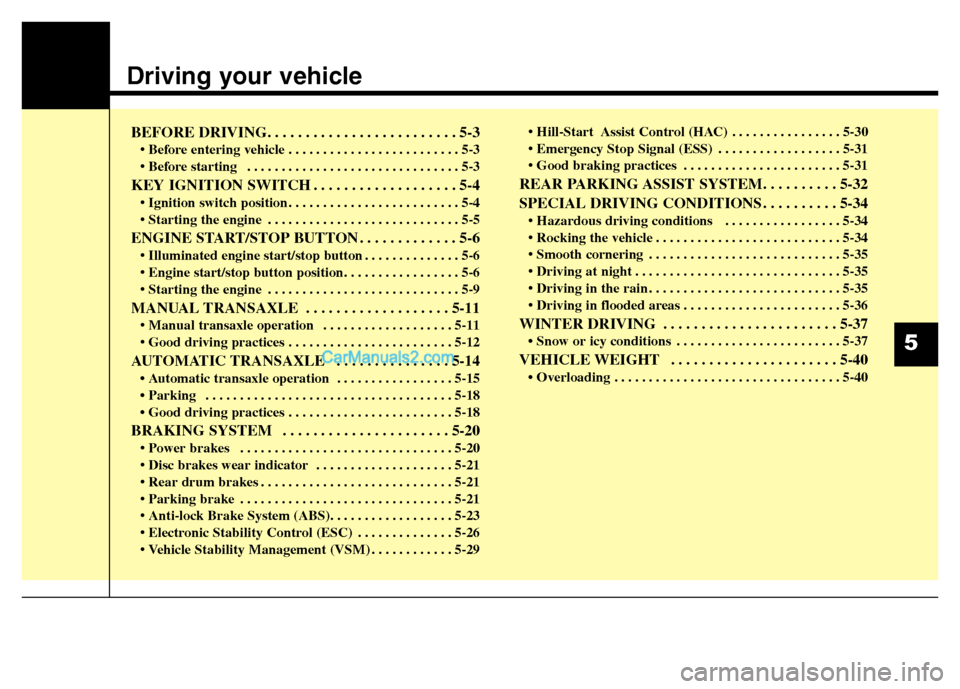
BEFORE DRIVING. . . . . . . . . . . . . . . . . . . . . . . . . 5-3• Before entering vehicle . . . . . . . . . . . . . . . . . . . . . . . . . 5-3
. . . . . . . . . . . . . . . . . . . . . . . . . . . . . . . 5-3
KEY IGNITION SWITCH . . . . . . . . . . . . . . . . . . . 5-4 . . . . . . . . . . . . . . . . . . . . . . . . . 5-4
. . . . . . . . . . . . . . . . . . . . . . . . . . . . 5-5
ENGINE START/STOP BUTTON . . . . . . . . . . . . . 5-6 . . . . . . . . . . . . . . 5-6
. . . . . . . . . . . . . . . . . . . . . . . . . . . . 5-9
MANUAL TRANSAXLE . . . . . . . . . . . . . . . . . . . 5-11 . . . . . . . . . . . . . . . . . . . 5-11
AUTOMATIC TRANSAXLE . . . . . . . . . . . . . . . 5-14 Automatic transaxle operation . . . . . . . . . . . . . . . . . 5-15
Parking . . . . . . . . . . . . . . . . . . . . . . . . . . . . . . . . . . . . 5-18
Good driving practices . . . . . . . . . . . . . . . . . . . . . . . . 5-18
BRAKING SYSTEM . . . . . . . . . . . . . . . . . . . . . . 5-20 . . . . . . . . . . . . . . . . . . . . . . . . . . . . . . . 5-20
. . . . . . . . . . . . . . . . . . . . 5-21
. . . . . . . . . . . . . . . . . . . . . . . . . . . . 5-21
. . . . . . . . . . . . . . . . . . . . . . . . . . . . . . . 5-21
. . . . . . . . . . . . . . 5-26
. . . . . . . . . . . . 5-29 . . . . . . . . . . . . . . . . 5-30
. . . . . . . . . . . . . . . . . . 5-31
. . . . . . . . . . . . . . . . . . . . . . . 5-31
REAR PARKING ASSIST SYSTEM. . . . . . . . . . 5-32
SPECIAL DRIVING CONDITIONS . . . . . . . . . . 5-34 . . . . . . . . . . . . . . . . . 5-34
. . . . . . . . . . . . . . . . . . . . . . . . . . . 5-34
. . . . . . . . . . . . . . . . . . . . . . . . . . . . 5-35
. . . . . . . . . . . . . . . . . . . . . . . . . . . . . . 5-35
. . . . . . . . . . . . . . . . . . . . . . . . . . . . 5-35
. . . . . . . . . . . . . . . . . . . . . . . 5-36
WINTER DRIVING . . . . . . . . . . . . . . . . . . . . . . . 5-37 Snow or icy conditions . . . . . . . . . . . . . . . . . . . . . . . . 5-37
VEHICLE WEIGHT . . . . . . . . . . . . . . . . . . . . . . 5-40 Overloading . . . . . . . . . . . . . . . . . . . . . . . . . . . . . . . . . 5-40
5
Page 192 of 343
Driving your vehicle
4
5
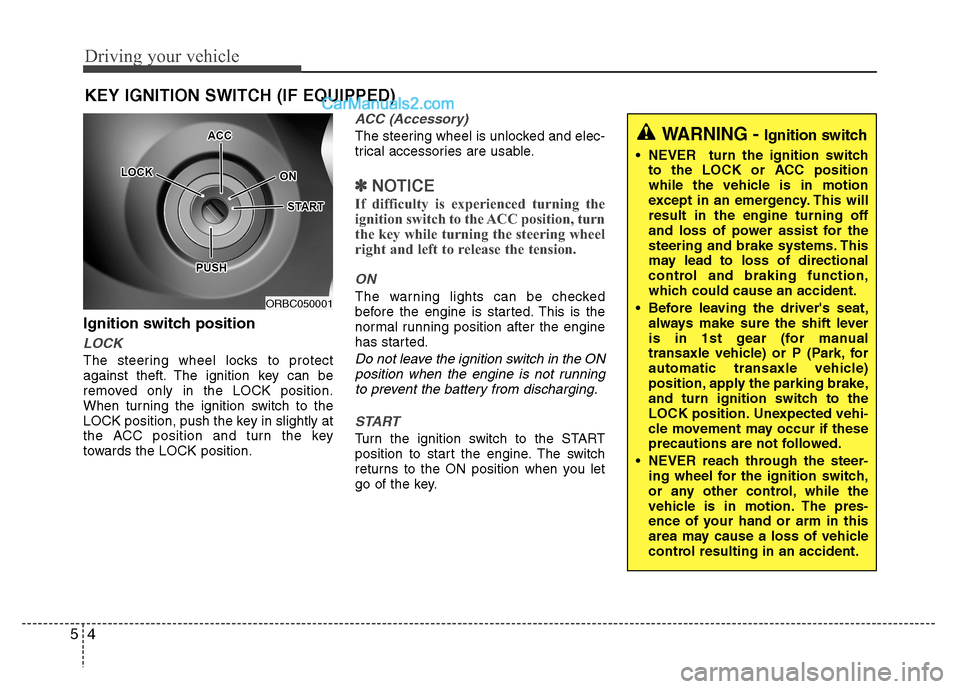
Ignition switch position
LOCK
The steering wheel locks to protect
against theft. The ignition key can be
removed only in the LOCK position.
When turning the ignition switch to the
LOCK position, push the key in slightly at
the ACC position and turn the key
towards the LOCK position.
ACC (Accessory)
The steering wheel is unlocked and elec-
trical accessories are usable.
✽✽
NOTICE
If difficulty is experienced turning the
ignition switch to the ACC position, turn
the key while turning the steering wheel
right and left to release the tension.
ON
The warning lights can be checked
before the engine is started. This is the
normal running position after the engine
has started.
Do not leave the ignition switch in the ON position when the engine is not runningto prevent the battery from discharging.
START
Turn the ignition switch to the START
position to start the engine. The switch
returns to the ON position when you let
go of the key.
KEY IGNITION SWITCH (IF EQUIPPED)
ORBC050001
WARNING -
Ignition switch
NEVER turn the ignition switch
to the LOCK or ACC position
while the vehicle is in motion
except in an emergency. This willresult in the engine turning off
and loss of power assist for the
steering and brake systems. This
may lead to loss of directional
control and braking function,
which could cause an accident.
Before leaving the driver's seat, always make sure the shift lever
is in 1st gear (for manual
transaxle vehicle) or P (Park, for
automatic transaxle vehicle)
position, apply the parking brake,
and turn ignition switch to the
LOCK position. Unexpected vehi-
cle movement may occur if these
precautions are not followed.
NEVER reach through the steer- ing wheel for the ignition switch,
or any other control, while the
vehicle is in motion. The pres-
ence of your hand or arm in this
area may cause a loss of vehicle
control resulting in an accident.
Page 193 of 343
55
Driving your vehicle
Starting the engine
1. Make sure the parking brake isapplied.
2. Manual Transaxle - Depress the
clutch pedal fully and shift the
transaxle into Neutral. Keep the clutch
pedal and brake pedal depressed
while turning the ignition switch to the
start position.
Automatic Transaxle - Place the
transaxle shift lever in P (Park).
Depress the brake pedal fully.
You can also start the engine when
the shift lever is in the N (Neutral)position.
3. Turn the ignition switch to the START position. Hold the key (maximum of 10
seconds) until the engine starts andrelease it.
✽✽ NOTICE
Whether the engine is cold or warm, always start the vehicle with your foot
on the brake pedal. Do not depress the
accelerator while starting the vehicle.
Do not race the engine while warming
it up.
In extremely cold weather (below
- 18°C / 0°F) or after the vehicle has
not been operated for several days, let
the engine warm up without depress-
ing the accelerator pedal.
WARNING
Always wear appropriate shoes
when operating your vehicle.
Unsuitable shoes (high heels, ski
boots,etc.) may interfere with your
ability to use the brake, accelerator,
and clutch (pedals).
CAUTION
To prevent damage to the vehicle: Do not hold the ignition key in the START position for more than 10
seconds. Wait 5 to 10 secondsbefore trying again.
If traffic and road conditions per- mit, you may put the shift lever in
the N (Neutral) position while the vehicle is still moving and turnthe ignition switch to the STARTposition in an attempt to restart
the engine.
Do not push or tow your vehicle to start the engine.
Page 194 of 343
Driving your vehicle
6
5
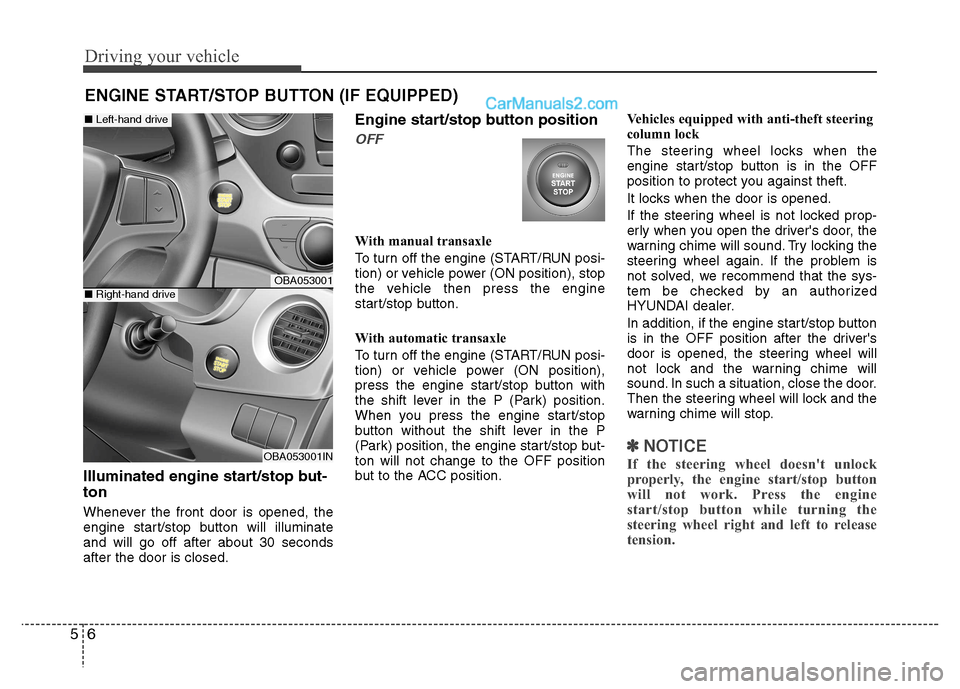
Illuminated engine start/stop but- ton
Whenever the front door is opened, the
engine start/stop button will illuminateand will go off after about 30 secondsafter the door is closed. Engine start/stop button position
OFF
With manual transaxle
To turn off the engine (START/RUN posi-
tion) or vehicle power (ON position), stop
the vehicle then press the engine
start/stop button.
With automatic transaxle
To turn off the engine (START/RUN posi-
tion) or vehicle power (ON position),
press the engine start/stop button with
the shift lever in the P (Park) position.
When you press the engine start/stop
button without the shift lever in the P
(Park) position, the engine start/stop but-ton will not change to the OFF position
but to the ACC position.
Vehicles equipped with anti-theft steering
column lock
The steering wheel locks when the
engine start/stop button is in the OFF
position to protect you against theft.
It locks when the door is opened.
If the steering wheel is not locked prop-
erly when you open the driver's door, the
warning chime will sound. Try locking the
steering wheel again. If the problem is
not solved, we recommend that the sys-
tem be checked by an authorized
HYUNDAI dealer.
In addition, if the engine start/stop button
is in the OFF position after the driver's
door is opened, the steering wheel will
not lock and the warning chime will
sound. In such a situation, close the door.
Then the steering wheel will lock and the
warning chime will stop.
✽✽
NOTICE
If the steering wheel doesn't unlock
properly, the engine start/stop button
will not work. Press the engine
start/stop button while turning the
steering wheel right and left to release
tension.
ENGINE START/STOP BUTTON (IF EQUIPPED)
OBA053001
OBA053001IN
■ Left-hand drive
■Right-hand drive
Page 195 of 343
57
Driving your vehicle
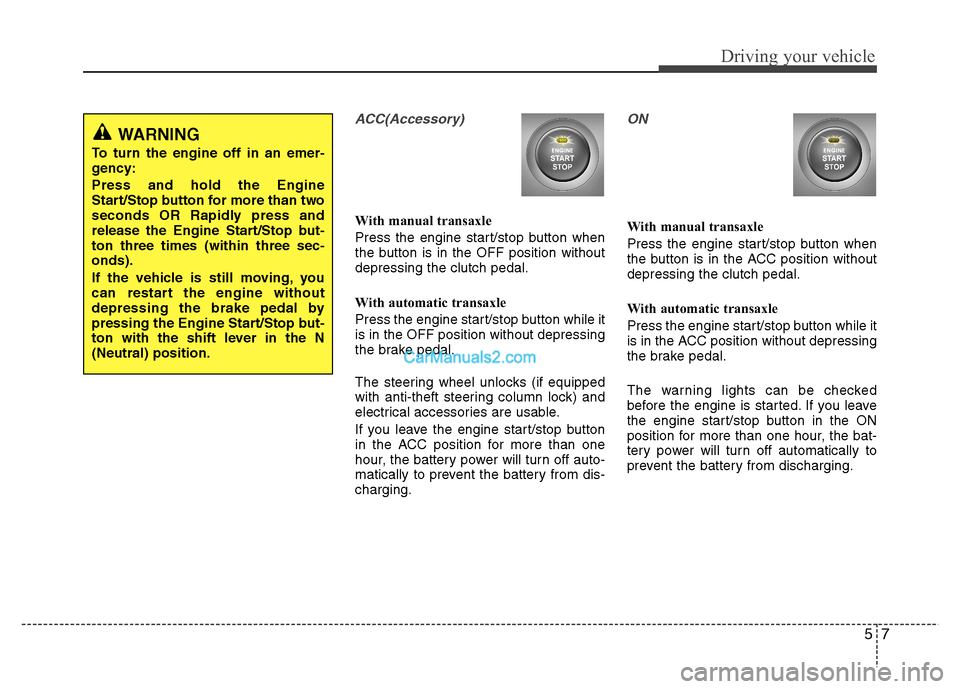
ACC(Accessory)
With manual transaxle
Press the engine start/stop button when
the button is in the OFF position withoutdepressing the clutch pedal.
With automatic transaxle
Press the engine start/stop button while it is in the OFF position without depressing
the brake pedal.
The steering wheel unlocks (if equipped
with anti-theft steering column lock) and
electrical accessories are usable.
If you leave the engine start/stop button
in the ACC position for more than one
hour, the battery power will turn off auto-
matically to prevent the battery from dis-charging.
ON
With manual transaxle
Press the engine start/stop button when
the button is in the ACC position withoutdepressing the clutch pedal.
With automatic transaxle
Press the engine start/stop button while it
is in the ACC position without depressing
the brake pedal.
The warning lights can be checked
before the engine is started. If you leave
the engine start/stop button in the ON
position for more than one hour, the bat-
tery power will turn off automatically to
prevent the battery from discharging.
WARNING
To turn the engine off in an emer-
gency: Press and hold the Engine
Start/Stop button for more than two
seconds OR Rapidly press and
release the Engine Start/Stop but-ton three times (within three sec-onds).
If the vehicle is still moving, you
can restart the engine without
depressing the brake pedal by
pressing the Engine Start/Stop but-
ton with the shift lever in the N(Neutral) position.