Time Hyundai H350 2016 Owner's Manual
[x] Cancel search | Manufacturer: HYUNDAI, Model Year: 2016, Model line: H350, Model: Hyundai H350 2016Pages: 473, PDF Size: 26.4 MB
Page 257 of 473
![Hyundai H350 2016 Owners Manual 4-65
Multimedia System
4
Audio Streaming
Songs (files) saved in your
Bluetooth®Wireless Technology
enabled mobile phone can be played through the audio system.
Select [Audio Streaming] Set / throug](/img/35/14880/w960_14880-256.png "Hyundai H350 2016 Owners Manual 4-65
Multimedia System
4
Audio Streaming
Songs (files) saved in your
Bluetooth®Wireless Technology
enabled mobile phone can be played through the audio system.
Select [Audio Streaming] Set / throug")
4-65
Multimedia System
4
Audio Streaming
Songs (files) saved in your
Bluetooth®Wireless Technology
enabled mobile phone can be played through the audio system.
Select [Audio Streaming] Set / through TUNE knob
Information
The Bluetooth ®
Wireless Technology
audio streaming feature may not be
supported in some mobile phones.
Outgoing Volume
This is used to set the volume of your
voice as heard by the other partywhile on a
Bluetooth ®Wireless
Technology enabled handsfree call.
Select [Outgoing Volume] Set vol-
ume through TUNE knob ❈ While on a call, the volume can be
changed by using the key.
Bluetooth®Wireless
Technology System Off
This feature is used when you do not wish to use the
Bluetooth ®Wireless
Technology system.
Select [Bluetooth System Off] Set
through TUNE knob ❈ If a phone is already connected, disconnect the currently connect-
ed phone and turn the
Bluetooth ®
Wireless Technology system off.
Using the Bluetooth®Wireless
Technology System
To use Bluetooth ®Wireless
Technology when the system is cur-
rently off, follow these next steps.
Turning On
Bluetooth ®Wireless
Technology through the
Key
Press the key ScreenGuidance ❈ Moves to the screen where
Bluetooth ®Wireless Technology
functions can be used and dis-
plays guidance. Turning On
Bluetooth
®Wireless
Technology through the
Key
Press the key Select[Phone] ➀ A screen asking whether to turn on
Bluetooth ®Wireless Technology will
be displayed.
➁ On the screen, select to turn on
Bluetooth ®Wireless Technology
and display guidance.
❈ If the
Bluetooth ®Wireless
Technology system is turned on,
the system will automatically try toconnect the most recently con-nected
Bluetooth ®Wireless
Technology mobile phone. YES
SETUP
CLOCK
SETUP
CLOCK
PHONE
PHONE
SEEK
TRACK
i
Off
On
Page 258 of 473
4-66
Multimedia System
Information
Bluetooth ®
Wireless Technology con-
nection may become intermittently
disconnected in some mobile phones.
Follow these next steps to try again.
1)Turn the Bluetooth®
Wireless
Technology function within the
mobile phone ON/OFF and try to
connect again.
2)Turn the mobile phone power ON/OFF and try to connect again.
3)Completely remove the mobile phone battery, reboot, and then try
to connect again.
4)Reboot the audio system and try to connect again
5)Delete all paired devices in your mobile phone and the audio system
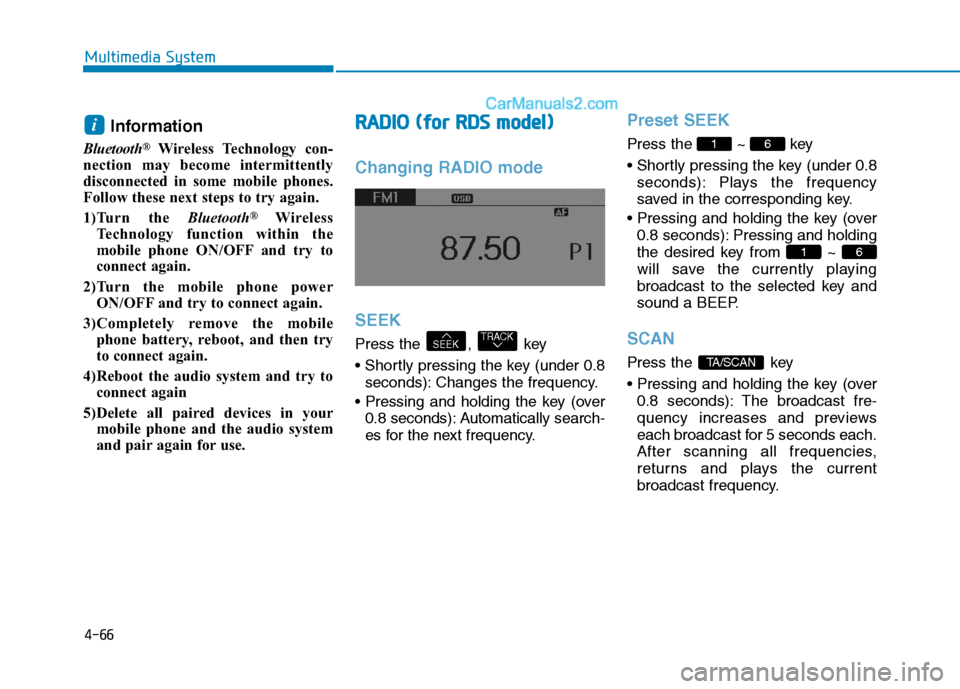
and pair again for use.RRAA DDIIOO (( ff oo rr RR DD SS mm ooddeell))
Changing RADIO mode SEEK
Press the , key
seconds): Changes the frequency.
0.8 seconds): Automatically search-
es for the next frequency.
Preset SEEK
Press the ~ key
seconds): Plays the frequency
saved in the corresponding key.
0.8 seconds): Pressing and holding
the desired key from ~
will save the currently playing
broadcast to the selected key and
sound a BEEP.
SCAN
Press the key
0.8 seconds): The broadcast fre-
quency increases and previews
each broadcast for 5 seconds each.
After scanning all frequencies,
returns and plays the current
broadcast frequency.TA/SCAN
61
61
TRACKSEEK
i
Page 259 of 473
4-67
Multimedia System
4
Selecting through manual
search
Turn the TUNE knob left/right to
adjust the frequency.
- FM : Changes by 50KHz
- AM : Changes by 9khz
Traffic Announcement (TA)
Shortly pressing the key
(under 0.8 seconds): Set /
TA Traffic Announcement) mode.
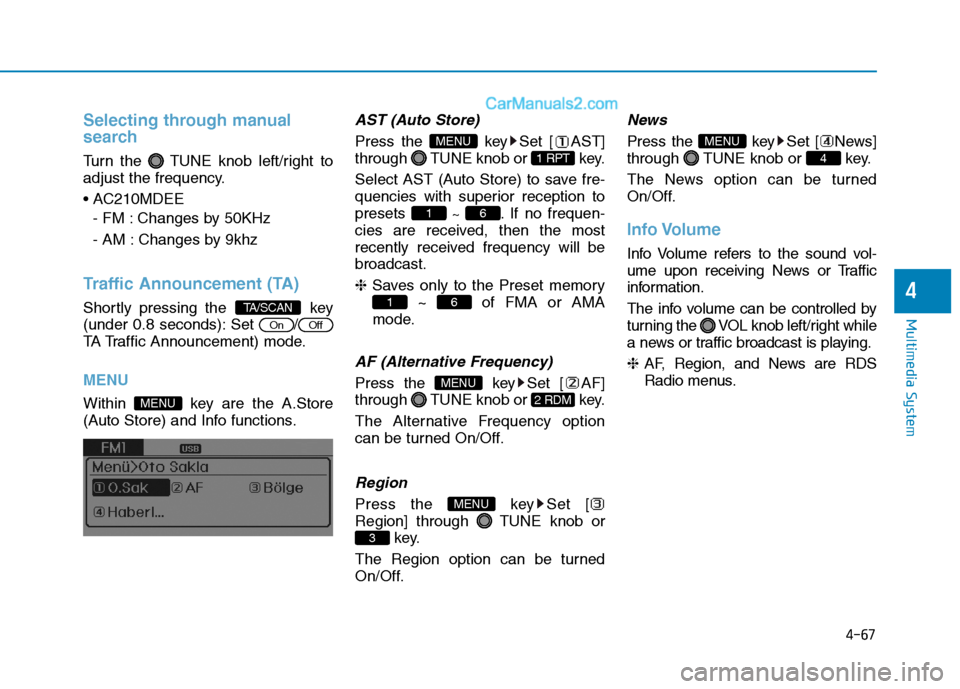
MENU
Within key are the A.Store
(Auto Store) and Info functions.
AST (Auto Store)
Press the key Set [ AST]
through TUNE knob or key.
Select AST (Auto Store) to save fre-
quencies with superior reception topresets ~ . If no frequen-
cies are received, then the most
recently received frequency will bebroadcast. ❈ Saves only to the Preset memory
~ of FMA or AMA
mode.
AF (Alternative Frequency)
Press the key Set [ AF]
through TUNE knob or key.
The Alternative Frequency option
can be turned On/Off.
Region
Press the key Set [
Region] through TUNE knob or key.
The Region option can be turned
On/Off.
News
Press the key Set [ News]
through TUNE knob or key.
The News option can be turned
On/Off.
Info Volume
Info Volume refers to the sound vol-
ume upon receiving News or Traffic
information.
The info volume can be controlled by
turning the VOL knob left/right while
a news or traffic broadcast is playing. ❈ AF, Region, and News are RDS
Radio menus.
4
MENU
3
MENU
2 RDM
MENU
61
61
1 RPT
MENU
MENU
OffOn
TA/SCAN
Page 260 of 473
4-68
Multimedia System
BBAA SSIICC MM EETT HH OO DD OO FF UU SSEE ::
A
A uuddiioo CC DD // MM PP33 CC DD // UU SSBB //
i
i PP oodd®®// MM yy MM uussiicc
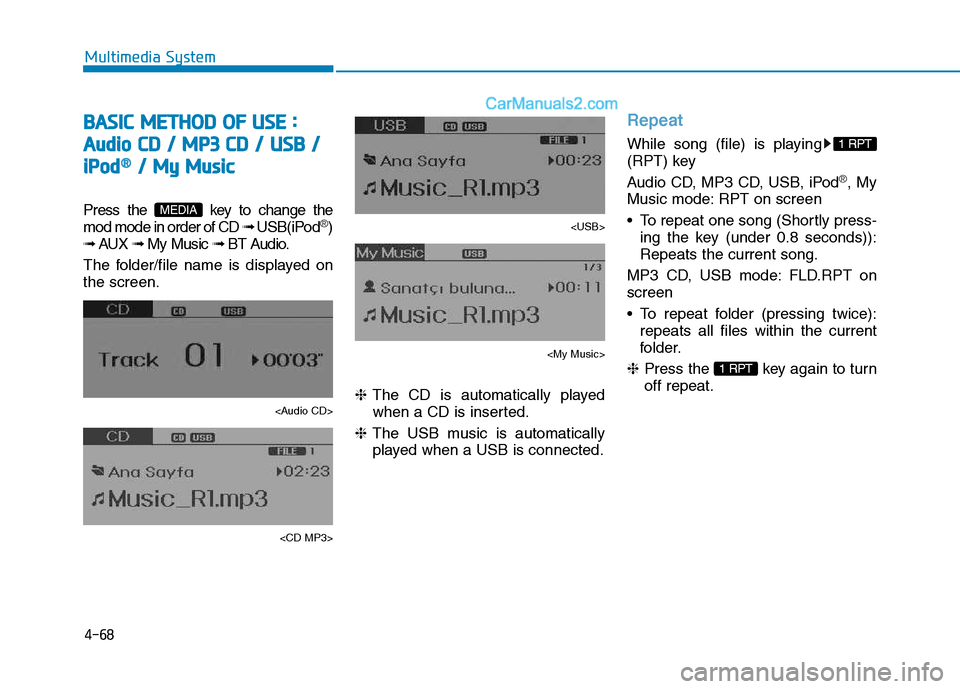
Press the key to change the mod mode in order of CD ➟ USB(iPod®)
➟ AUX ➟ My Music ➟ BT Audio.
The folder/file name is displayed on the screen.
Page 261 of 473
4-69
Multimedia System
4
Random
While song (file) is playing
(RDM) key
Audio CD, My Music mode: RDM on screen
Random (Shortly pressing the key ):Plays all songs in random order.
MP3 CD, USB mode: FLD.RDM on screen
Folder Random (Shortly pressing the key): Plays all files within the
current folder in random order.
MP3 CD, USB mode: RDM onscreen
Random (pressing twice): Plays all files in random order.
iPod
®mode: RDM on screen
Plays all files in random order.
❈ Press the key again to turn
off random.
Changing Song/File
While song (file) is playing key
Shortly pressing the key: Plays the
current song from the beginning.
❈ If the key is pressed again
within 1 second, the previous song
is played.
Pressing and holding the key (over 0.8 seconds): Rewinds the song.
While song (file) is playing
,key
Shortly pressing the key: Plays the next song.
Pressing and holding the key (over 0.8 seconds): Fast forwards the song.
Scan (for RDS model)
While song (file) is playing key
Pressing and holding the key (over 0.8 seconds) : Scans all songs for
10 seconds starting from the nextsong.
❈ Pressing and holding the
key again to turn off.
Scan
While song (file) is playing key
seconds) : Scans all songs from
the next song for 10 seconds each.
❈ Press the key again to turn
off.
❈ The SCAN function is not support-
ed in iPod
®mode.
SCAN
SCAN
TA/SCAN
TA/SCAN
SEEK
TRACK
TRACK
2 RDM
2 RDM
Page 262 of 473
4-70
Multimedia System
Folder Search : MP3 CD, USB Mode
While file is playing /(Folder Up) key
Searches the next folder.
While file is playing / (Folder Down) key
❈ If a folder is selected by pressing
the TUNE knob, the first file
within the selected folder will be
played.
Searching Songs (File)
Turning TUNE knob : Searches for songs (files)
Pressing TUNE knob : Plays selected song (file).
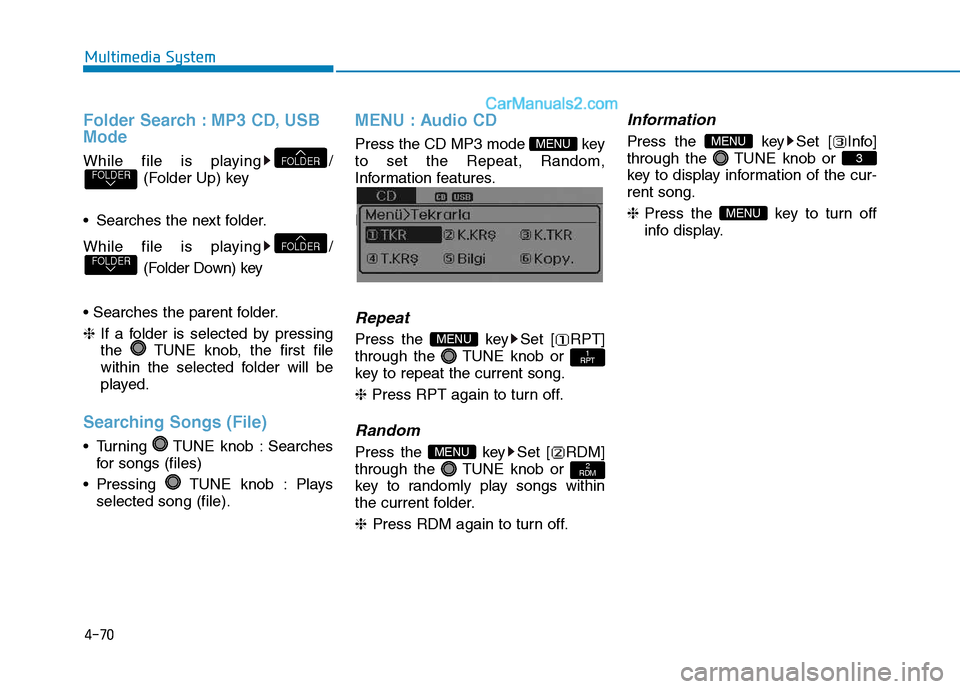
MENU : Audio CD
Press the CD MP3 mode key to set the Repeat, Random,
Information features.
Information features.
Repeat
Press the key Set [ RPT]
through the TUNE knob or
key to repeat the current song. ❈ Press RPT again to turn off.
Random
Press the key Set [ RDM]
through the TUNE knob or
key to randomly play songs within
the current folder. ❈ Press RDM again to turn off.
Information
Press the key Set [ Info]
through the TUNE knob or
key to display information of the cur-rent song. ❈Press the key to turn off
info display.
MENU
3
MENU
2
RDMMENU
1
RPTMENU
MENU
FOLDERFOLDER
FOLDERFOLDER
Page 263 of 473
4-71
Multimedia System
4
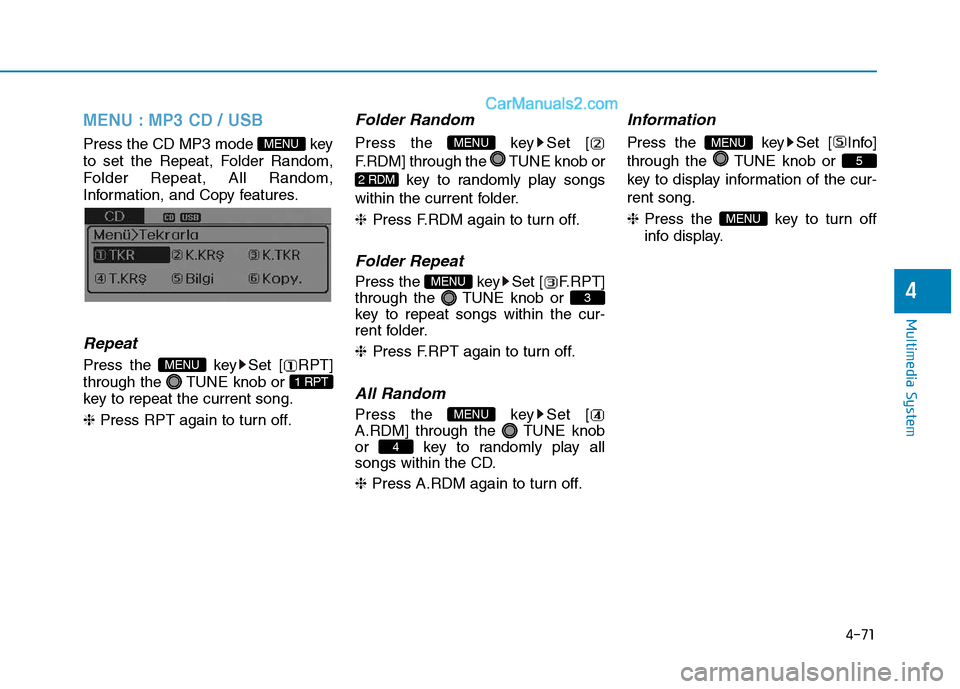
MENU : MP3 CD / USB
Press the CD MP3 mode key
to set the Repeat, Folder Random,
Folder Repeat, All Random,
Information, and Copy features.
Information, and Copy features.
Repeat
Press the key Set [ RPT]
through the TUNE knob or
key to repeat the current song. ❈ Press RPT again to turn off.
Folder Random
Press the key Set [
F.RDM] through the TUNE knob or
key to randomly play songs
within the current folder. ❈ Press F.RDM again to turn off.
Folder Repeat
Press the key Set [ F.RPT]
through the TUNE knob or
key to repeat songs within the cur-
rent folder. ❈Press F.RPT again to turn off.
All Random
Press the key Set [
A.RDM] through the TUNE knob
or key to randomly play all
songs within the CD. ❈ Press A.RDM again to turn off.
Information
Press the key Set [ Info]
through the TUNE knob or
key to display information of the cur-rent song. ❈ Press the key to turn off
info display.
MENU
5
MENU
4
MENU
3
MENU
2 RDM
MENU
1 RPT
MENU
MENU
Page 264 of 473
![Hyundai H350 2016 Owners Manual 4-72
Multimedia System
Copy
Press the key Set [ Copy]
through the TUNE knob or
key.This is used to copy the currentsong into My Music. You can playthe copied Music in My Music
mode.
❈ If another](/img/35/14880/w960_14880-263.png "Hyundai H350 2016 Owners Manual 4-72
Multimedia System
Copy
Press the key Set [ Copy]
through the TUNE knob or
key.This is used to copy the currentsong into My Music. You can playthe copied Music in My Music
mode.
❈ If another")
4-72
Multimedia System
Copy
Press the key Set [ Copy]
through the TUNE knob or
key.This is used to copy the currentsong into My Music. You can playthe copied Music in My Music
mode.
❈ If another key is pressed while
copying is in progress, a pop up
asking you whether to cancel
copying is displayed.
❈ If another media is connected or
inserted (USB, CD, iPod
®, AUX)
while copying is in progress, copy- ing is canceled.
❈ Music will not be played while
copying is in progress.
MENU : iPod®
In iPod®mode, press the key to
set the Repeat, Random, Information
and Search features.
Repeat
Press the key Set [ RPT]
through the TUNE knob or
key to repeat the current song. ❈ Press RPT again to turn repeat
off.
Random
Press the key Set [ RDM]
through the TUNE knob or
key.
Plays all songs within the currently
playing category in random order. ❈Press RDM again to turn off.
Information
Press the key Set [ Info]
through the TUNE knob or
key.
Displays information of the current song. ❈Press the key to turn off
info display.
Search
Press the key Set [
Search] through the TUNE knob
or key.
Displays iPod
®category list.
❈ Searching iPod
®category is
key pressed, move to par-
ent category.
MENU
4
MENU
MENU
3
MENU
2 RDM
MENU
1 RPT
MENU
MENU6
MENU
Page 265 of 473
4-73
Multimedia System
4
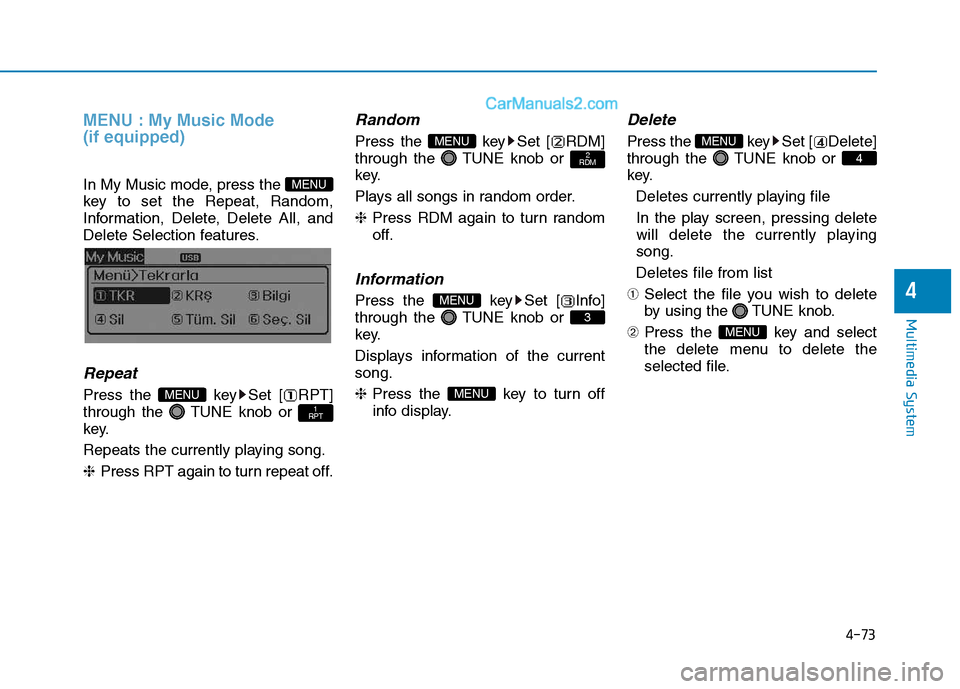
MENU : My Music Mode (if equipped)
In My Music mode, press the
key to set the Repeat, Random,
Information, Delete, Delete All, and
Delete Selection features.
Repeat
Press the key Set [ RPT]
through the TUNE knob or
key.
Repeats the currently playing song.❈Press RPT again to turn repeat off.
Random
Press the key Set [ RDM]
through the TUNE knob or
key.
Plays all songs in random order.❈Press RDM again to turn random
off.
Information
Press the key Set [ Info]
through the TUNE knob or
key.
Displays information of the current song. ❈ Press the key to turn off
info display.
Delete
Press the key Set [ Delete]
through the TUNE knob or
key.
Deletes currently playing file
In the play screen, pressing delete
will delete the currently playingsong.
Deletes file from list
➀ Select the file you wish to delete
by using the TUNE knob.
➁ Press the key and select
the delete menu to delete the
selected file.
MENU
4
MENU
MENU
3
MENU
2
RDMMENU
1
RPTMENU
MENU
Page 266 of 473
![Hyundai H350 2016 Owners Manual 4-74
Multimedia System
Delete All
Press the key Set [
Del.All] through the TUNE knob orkey.
Deletes all songs of My Music.
Delete Selection
Press the key Set [
Del.Sel] through the TUNE knob
or](/img/35/14880/w960_14880-265.png "Hyundai H350 2016 Owners Manual 4-74
Multimedia System
Delete All
Press the key Set [
Del.All] through the TUNE knob orkey.
Deletes all songs of My Music.
Delete Selection
Press the key Set [
Del.Sel] through the TUNE knob
or")
4-74
Multimedia System
Delete All
Press the key Set [
Del.All] through the TUNE knob orkey.
Deletes all songs of My Music.
Delete Selection
Press the key Set [
Del.Sel] through the TUNE knob
or key. Songs within My Music are selected and deleted. ➀ Select the songs you wish to
delete from the list. ➁
After selecting, press the
key and select the delete menu.
Information - Using the My Music
Even if memory is available, a max- imum of 6,000 songs can be stored.
The same song can be copied up to 1,000 times.
Memory info can be checked in the System menu of Setup.
AUX
AUX is used to play external MEDIA
currently connected with the AUX
terminal.
AUX mode will automatically start
when an external device is connect-
ed with the AUX terminal.
If an external device is connected,
you can also press the key to
change to AUX mode. ❈ AUX mode cannot be started
unless there is an external device
connected to the AUX terminal.
Information
- using THE AUX
Fully insert the AUX cable into the
AUX terminal for use.
i
MEDIAi
MENU
6
MENU
5
MENU