Time Hyundai H350 2016 Owner's Manual
[x] Cancel search | Manufacturer: HYUNDAI, Model Year: 2016, Model line: H350, Model: Hyundai H350 2016Pages: 473, PDF Size: 26.4 MB
Page 289 of 473
5-18
Driving your vehicle
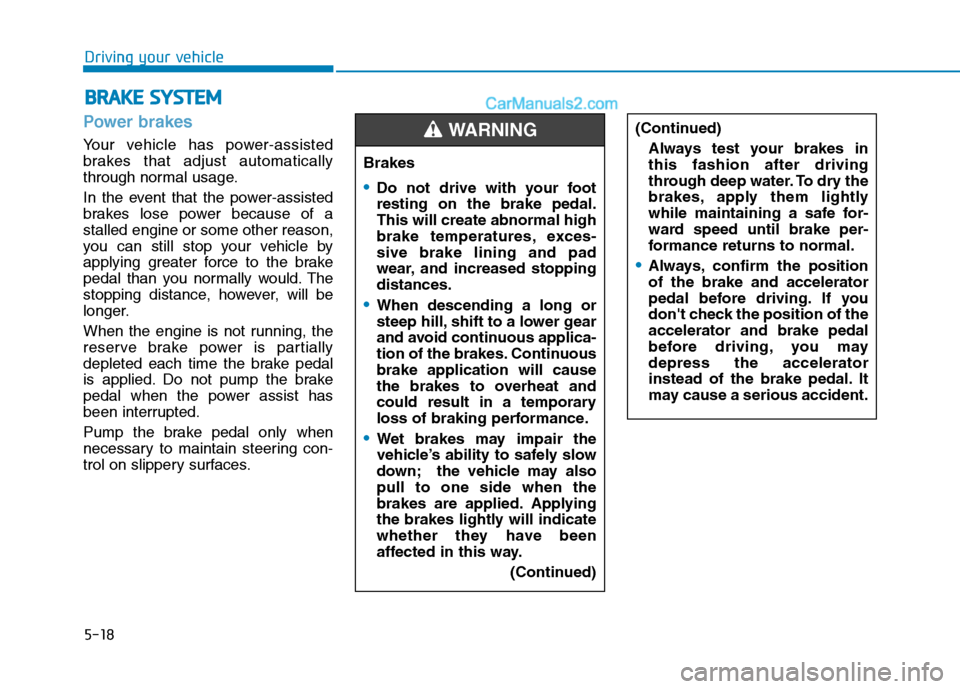
Power brakes
Your vehicle has power-assisted
brakes that adjust automatically
through normal usage.
In the event that the power-assisted
brakes lose power because of astalled engine or some other reason,
you can still stop your vehicle by
applying greater force to the brake
pedal than you normally would. The
stopping distance, however, will be
longer.
When the engine is not running, the
reserve brake power is partially
depleted each time the brake pedal
is applied. Do not pump the brake
pedal when the power assist has
been interrupted.
Pump the brake pedal only when
necessary to maintain steering con-
trol on slippery surfaces.
BBRRAA KKEE SS YY SSTT EEMM
Brakes
Do not drive with your foot resting on the brake pedal.This will create abnormal high
brake temperatures, exces-sive brake lining and pad
wear, and increased stoppingdistances.
When descending a long or
steep hill, shift to a lower gear
and avoid continuous applica-
tion of the brakes. Continuousbrake application will cause
the brakes to overheat and
could result in a temporary
loss of braking performance.
Wet brakes may impair the
vehicle’s ability to safely slow
down; the vehicle may alsopull to one side when the
brakes are applied. Applying
the brakes lightly will indicate
whether they have been
affected in this way.
(Continued)
WARNING (Continued)Always test your brakes in this fashion after driving
through deep water. To dry the
brakes, apply them lightly
while maintaining a safe for-
ward speed until brake per-
formance returns to normal.
Always, confirm the position of the brake and accelerator
pedal before driving. If you
don't check the position of theaccelerator and brake pedal
before driving, you maydepress the accelerator
instead of the brake pedal. It
may cause a serious accident.
Page 294 of 473
5-23
Driving your vehicle
5
When you jump start your vehicle
because of a drained battery, the
engine may not run as smoothly
and the ABS warning light may
turn on at the same time. This hap-
pens because of the low battery
voltage. It does not mean yourABS is malfunctioning.
Do not pump your brakes!
Have the battery rechargedbefore driving the vehicle.
NOTICE
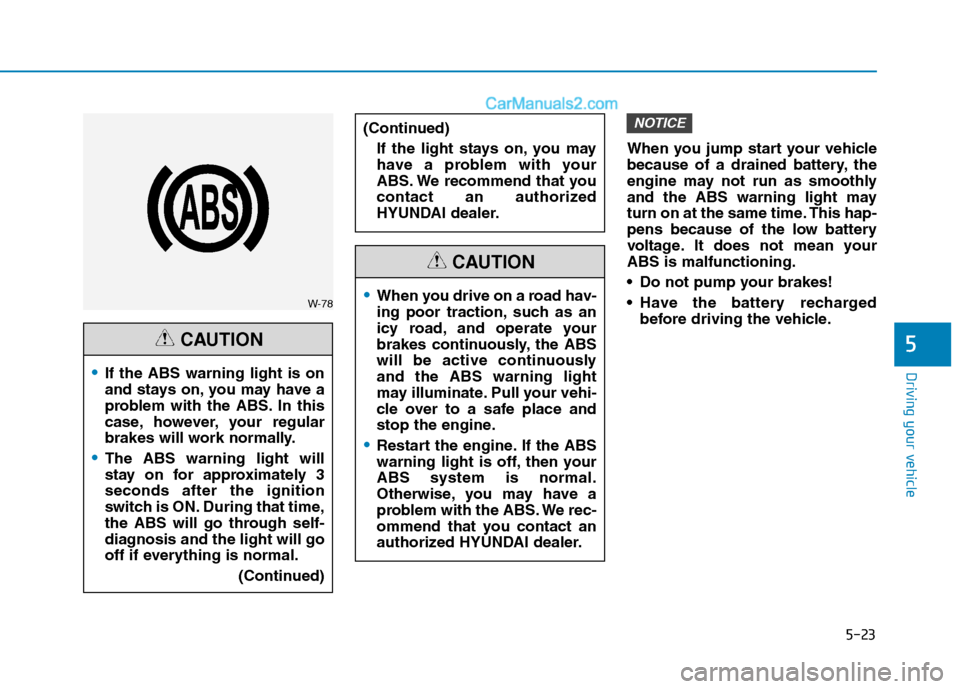
W-78
If the ABS warning light is on
and stays on, you may have a
problem with the ABS. In this
case, however, your regular
brakes will work normally.
The ABS warning light will
stay on for approximately 3seconds after the ignition
switch is ON. During that time,
the ABS will go through self-
diagnosis and the light will go
off if everything is normal.
(Continued)
CAUTION
When you drive on a road hav-
ing poor traction, such as an
icy road, and operate your
brakes continuously, the ABS
will be active continuouslyand the ABS warning light
may illuminate. Pull your vehi-
cle over to a safe place and
stop the engine.
Restart the engine. If the ABS
warning light is off, then yourABS system is normal.
Otherwise, you may have a
problem with the ABS. We rec-
ommend that you contact an
authorized HYUNDAI dealer.
CAUTION
(Continued)
If the light stays on, you may
have a problem with your
ABS. We recommend that you
contact an authorized
HYUNDAI dealer.
Page 299 of 473
5-28
Driving your vehicle
Information
The HAC does not operate when the shift lever is in P (Park) or N
(Neutral)
The HAC activates even though the VDC (Vehicle Dynamic Control) is
off but does not activate when the
VDC has malfunctioned but can not
activate when the VDC has mal-
functioned. Emergency Stop Signal (ESS) (if equipped)
The Emergency Stop Signal system
alerts the driver behind by blinking
the stop light when the vehicle is
braked rapidly and severely.
The system is activated when:
The vehicle suddenly stops (vehi-cle speed is over 55km/h and the
vehicle deceleration is greater than7 m/s 2
(Van/Truck) and 5 m/s 2
(BUS))
The ABS is activating
When vehicle speed is under 40
km/h and the ABS deactivates or the
sudden stop situation is over, the
stop light will stop blinking. Instead,
the hazard warning flasher will turn
on automatically.
The hazard warning flasher will turn
off when vehicle speed is over
10km/h after the vehicle has
stopped. Also, it will turn off when the
vehicle is driven at low speed for
some time. You can turn it off manu-
ally by pushing the hazard warning
flasher switch. Information
The Emergency Stop Signal (ESS) sys-
tem will not work if the hazard warn-
ing flasher is already on.
ii
Page 300 of 473
5-29
Driving your vehicle
5
Good braking practices Wet brakes can be dangerous! The
brakes may get wet if the vehicle is
driven through standing water or if it
is washed. Your vehicle will not stop
as quickly if the brakes are wet. Wet
brakes may cause the vehicle to pull
to one side.
To dry the brakes, apply the brakes
lightly until the braking action returns
to normal, taking care to keep the
vehicle under control at all times. If
the braking action does not return to
normal, stop as soon as it is safe to
do so and we recommend that you
call an authorized HYUNDAI dealer
for assistance.
DO NOT drive with your foot resting
on the brake pedal. Even light, butconstant pedal pressure can result in
the brakes overheating, brake wear,
and possibly even brake failure.If a tire goes flat while you are driv-
ing, apply the brakes gently and
keep the vehicle pointed straight
ahead while you slow down. When
you are moving slowly enough for it
to be safe to do so, pull off the road
and stop in a safe location.
Keep your foot firmly on the brake
pedal when the vehicle is stopped to
prevent the vehicle from rolling for-
ward.
Whenever leaving the vehicle or
parking, always come to a com-
plete stop and continue to
depress the brake pedal. Move
the shift lever into the P (Park)
position, then apply the parking
brake, and place the Engine
Start/Stop button in the OFFposition.
Vehicles with the parking brake
not fully engaged are at risk for
moving inadvertently and caus-
ing injury to yourself or others.
WARNING
Page 303 of 473
5-32
Driving your vehicle
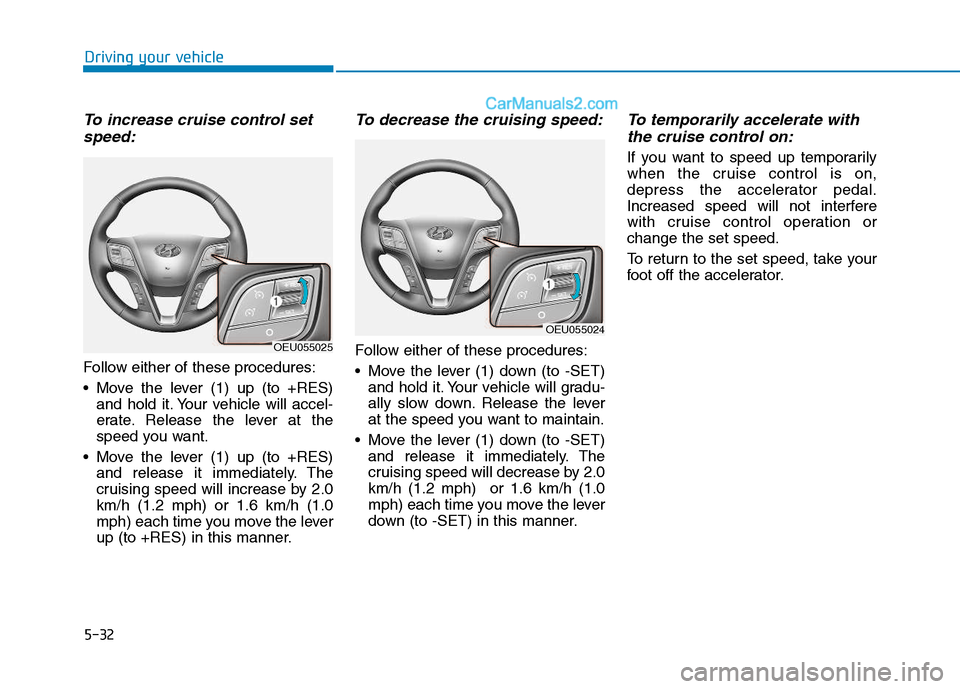
To increase cruise control setspeed:
Follow either of these procedures:
Move the lever (1) up (to +RES) and hold it. Your vehicle will accel-
erate. Release the lever at the
speed you want.
Move the lever (1) up (to +RES) and release it immediately. The
cruising speed will increase by 2.0km/h (1.2 mph) or 1.6 km/h (1.0
mph) each time you move the lever
up (to +RES) in this manner.
To decrease the cruising speed:
Follow either of these procedures:
Move the lever (1) down (to -SET)and hold it. Your vehicle will gradu-
ally slow down. Release the lever
at the speed you want to maintain.
Move the lever (1) down (to -SET) and release it immediately. The
cruising speed will decrease by 2.0km/h (1.2 mph) or 1.6 km/h (1.0
mph) each time you move the lever
down (to -SET) in this manner.
To temporarily accelerate with
the cruise control on:
If you want to speed up temporarily
when the cruise control is on,
depress the accelerator pedal.
Increased speed will not interfere
with cruise control operation orchange the set speed.
To return to the set speed, take your
foot off the accelerator.
OEU055025
OEU055024
Page 308 of 473
5-37
Driving your vehicle
5
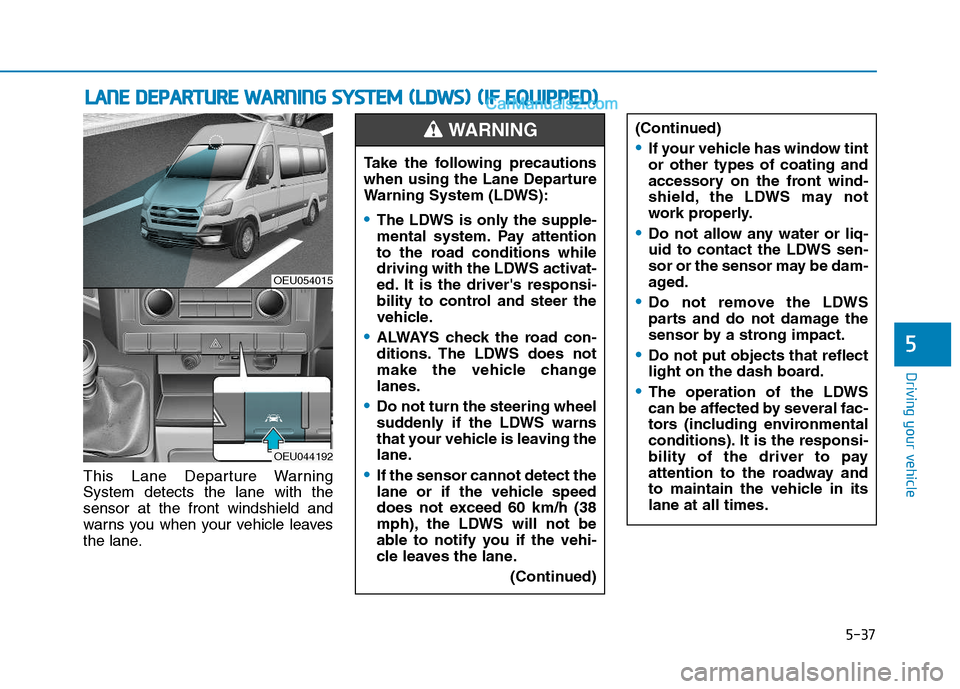
This Lane Departure Warning System detects the lane with thesensor at the front windshield and
warns you when your vehicle leaves
the lane.
LLAA NN EE DD EEPP AA RRTTUU RREE WW AARRNN IINN GG SS YY SSTT EEMM (( LL DD WW SS)) (( IIFF EE QQ UUIIPP PPEEDD ))
OEU054015
OEU044192
Take the following precautions
when using the Lane Departure
Warning System (LDWS):
The LDWS is only the supple-
mental system. Pay attention
to the road conditions while
driving with the LDWS activat-
ed. It is the driver's responsi-
bility to control and steer the
vehicle.
ALWAYS check the road con-
ditions. The LDWS does not
make the vehicle changelanes.
Do not turn the steering wheel
suddenly if the LDWS warns
that your vehicle is leaving the
lane.
If the sensor cannot detect the
lane or if the vehicle speed
does not exceed 60 km/h (38
mph), the LDWS will not be
able to notify you if the vehi-
cle leaves the lane.
(Continued)
WARNING (Continued)
If your vehicle has window tint or other types of coating and
accessory on the front wind-
shield, the LDWS may not
work properly.
Do not allow any water or liq-
uid to contact the LDWS sen-
sor or the sensor may be dam-
aged.
Do not remove the LDWS
parts and do not damage the
sensor by a strong impact.
Do not put objects that reflect
light on the dash board.
The operation of the LDWS
can be affected by several fac-
tors (including environmental
conditions). It is the responsi-
bility of the driver to pay
attention to the roadway and
to maintain the vehicle in itslane at all times.
Page 314 of 473
5-43
Driving your vehicle
5
Keep your vehicle in good condi-tion. For better fuel economy and
reduced maintenance costs, main-
tain your vehicle in accordancewith the maintenance schedule in
Section 7. If you drive your vehicle
in severe conditions, more frequentmaintenance is required (see
Section 7 for details).
Keep your vehicle clean. For maxi- mum service, your vehicle should
be kept clean and free of corrosive
materials. It is especially important
that mud, dirt, ice, etc. not be
allowed to accumulate on the
underside of the vehicle. This extra
weight can result in increased fuel
consumption and also contribute tocorrosion.
Travel lightly. Don't carry unneces- sary weight in your vehicle. Weight
reduces fuel economy.
Don't let the engine idle longer than necessary. If you are waiting
(and not in traffic), turn off your
engine and restart only when
you're ready to go. Remember, your vehicle does not
require extended warm-up. After
the engine has started, allow the
engine to run for 10 to 20 seconds
prior to placing the vehicle in gear.
In very cold weather, however, give
your engine a slightly longer warm-
up period.
Don't "lug" or "over-rev" the engine. Lugging is driving too slowly in too
high a gear resulting engine buck-
ing. If this happens, shift to a lower
gear. Over-revving is racing the
engine beyond its safe limit. This
can be avoided by shifting at the
recommended speeds.
Use your air conditioning sparingly. The air conditioning system is
operated by engine power so your
fuel economy is reduced when youuse it.
Open windows at high speeds can reduce fuel economy.
Fuel economy is less in crosswinds and headwinds. To help offset
some of this loss, slow down when
driving in these conditions. Keeping a vehicle in good operating
condition is important both for econ-
omy and safety. Therefore, we rec-
ommend that you contact an author-
ized HYUNDAI dealer to performscheduled inspections and mainte-
nance.
Engine off during motion
Never turn the engine off to
coast down hills or anytime the
vehicle is in motion. The power
steering and power brakes will
not function properly without
the engine running. Instead,
keep the engine on and down-
shift to an appropriate gear for
engine braking effect. In addi-
tion, turning off the ignition
while driving could engage the
steering wheel lock resulting in
loss of vehicle steering which
could cause serious injury ordeath.
WARNING
Page 317 of 473
5-46
Driving your vehicle
Driving in the rain
Rain and wet roads can make driving
dangerous, especially if you’re not
prepared for the slick pavement.
Here are a few things to consider
when driving in the rain:
A heavy rainfall will make it harderto see and will increase the dis-
tance needed to stop your vehicle,
so slow down.
Keep your windshield wiping equipment in good shape. Replace
your windshield wiper blades when
they show signs of streaking ormissing areas on the windshield.
If your tires are not in good condi- tion, making a quick stop on wet
pavement can cause a skid and
possibly lead to an accident. Be
sure your tires are in good shape.
Turn on your headlights to make it easier for others to see you.
Driving too fast through large pud- dles can affect your brakes. If you
must go through puddles, try to
drive through them slowly. If you believe you may have gotten
your brakes wet, apply them lightly
while driving until normal braking
operation returns.
Driving in flooded areas
Avoid driving through flooded areas
unless you are sure the water is nohigher than the bottom of the wheel
hub. Drive through any water slowly.
Allow adequate stopping distance
because brake performance may be
affected.
After driving through water, dry the
brakes by gently applying them sev-
eral times while the vehicle is moving
slowly.
Driving off-road
Drive carefully off-road because your
vehicle may be damaged by rocks of
roots of trees. Become familiar with
the off-road conditions where you
are going to drive before you begin
driving.
Page 321 of 473
5-50
Driving your vehicle
Chains that are the wrong sizeor improperly installed can dam-
age your vehicle's brake lines,
suspension, body and wheels.
Stop driving and retighten the chains any time you hear them
hitting the vehicle.
Winter precautions
Use high quality ethylene glycol
coolant
Your vehicle is delivered with high
quality ethylene glycol coolant in the
cooling system. It is the only type ofcoolant that should be used because
it helps prevent corrosion in the cool-
ing system, lubricates the water
pump and prevents freezing. Be sure
to replace or replenish your coolantin accordance with the maintenance
schedule in section 7. Before winter,
have your coolant tested to assure
that its freezing point is sufficient for
the temperatures anticipated during
the winter.
Check battery and cables
Winter puts additional burdens on
the battery system. Visually inspect
the battery and cables as described
in section 7. We recommend that the
system be checked by an authorized
HYUNDAI dealer.
Change to "winter weight" oil ifnecessary
In some climates it is recommended
that a lower viscosity "winter weight"
oil be used during cold weather. See
section 8 for recommendations. If
you aren't sure what weight oil you
should use, we recommend that you
consult an authorized HYUNDAI
dealer.
Check spark plugs and ignitionsystem
Inspect your spark plugs as
described in section 7 and replace
them if necessary. Also check all
ignition wiring and components to be
sure they are not cracked, worn or
damaged in any way.
NOTICE
Tire chains
The use of chains may
adversely affect vehicle han-dling.
Do not exceed 30 km/h (20
mph) or the chain manufactur-
er’s recommended speed
limit, whichever is lower.
Drive carefully and avoid
bumps, holes, sharp turns,
and other road hazards, which
may cause the vehicle to
bounce.
Avoid sharp turns or locked- wheel braking.
WARNING
Page 323 of 473
5-52
Driving your vehicle
If you are considering to tow with
your vehicle, you should first check
with your country's Department of
Motor Vehicles to determine legal
requirements. Since laws vary the
requirements for towing trailers, vehi-
cles, or other types of vehicles or
apparatus may differ. Ask an author-
ized HYUNDAI dealer for further
details before towing.
Remember that trailering is different
than just driving your vehicle by itself.
Trailering means changes in han-
dling, durability, and fuel economy.
Successful, safe trailering requirescorrect equipment, and it has to be
used properly. Damage to your vehi-
cle caused by improper trailer towing
is not covered by your vehicle manu-
facturer’s warranty.
This section contains many time-
tested, important trailering tips and
safety rules. Many of these are
important for your safety and that of
your passengers. Please read this
section carefully before you pull a
trailer.Take the following precautions:
If you don't use the correct equipment and/or drive
improperly, you can lose con-
trol of the vehicle when you
are pulling a trailer. For exam-
ple, if the trailer is too heavy,
the braking performance may
be reduced. You and your pas-
sengers could be seriously or
fatally injured. Pull a trailer
only if you have followed allthe steps in this section.
Before towing, make sure the
total trailer weight, GCW
(Gross Combination Weight),
GVW (Gross Vehicle Weight),
GAW (Gross Axle Weight ) andtrailer tongue load are all with-in the limits.
WARNING
TT
RR AA IILL EE RR TT OO WW IINN GG
Pulling a trailer improperly
can damage your vehicle and
result in costly repairs not
covered by your warranty. To
pull a trailer correctly, follow
the advice in this section.
The driver should check the
rearview, which is blocked by
the load compartment, while
driving backward. If you are
not sure about the safety, you
should ask another person to
check the rearview and guide
your driving.
CAUTION