ignition Hyundai H350 2016 Owner's Guide
[x] Cancel search | Manufacturer: HYUNDAI, Model Year: 2016, Model line: H350, Model: Hyundai H350 2016Pages: 473, PDF Size: 26.4 MB
Page 90 of 473
3-28
Convenient features of your vehicle
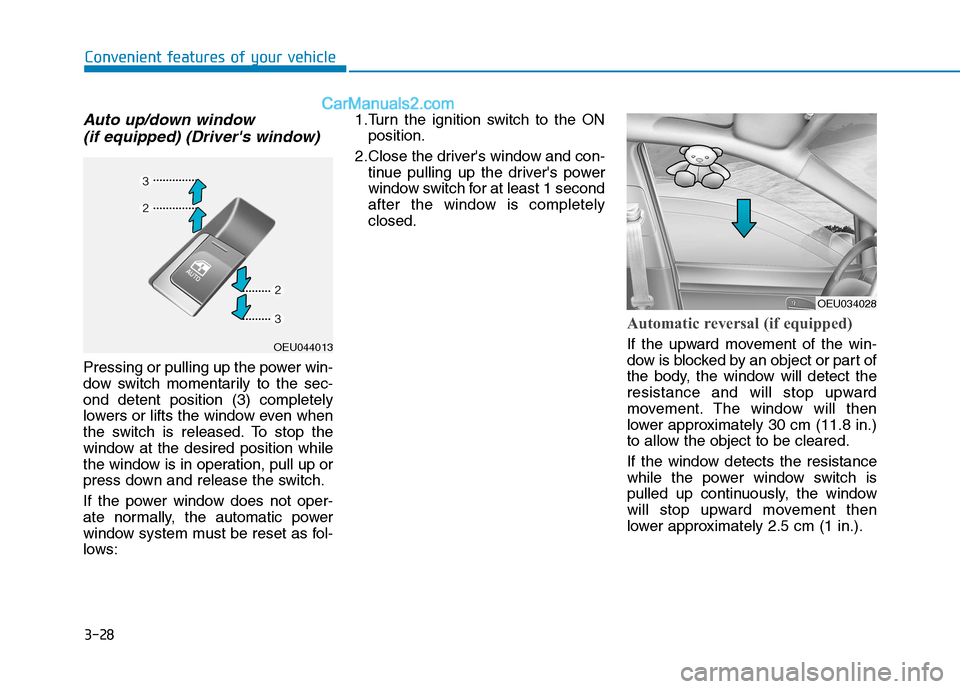
Auto up/down window (if equipped) (Driver's window)
Pressing or pulling up the power win-
dow switch momentarily to the sec-ond detent position (3) completely
lowers or lifts the window even when
the switch is released. To stop the
window at the desired position while
the window is in operation, pull up or
press down and release the switch.
If the power window does not oper-
ate normally, the automatic power
window system must be reset as fol-
lows: 1.Turn the ignition switch to the ON
position.
2.Close the driver's window and con- tinue pulling up the driver's power
window switch for at least 1 second
after the window is completelyclosed.
Automatic reversal (if equipped)
If the upward movement of the win-
dow is blocked by an object or part of
the body, the window will detect the
resistance and will stop upward
movement. The window will then
lower approximately 30 cm (11.8 in.)
to allow the object to be cleared.
If the window detects the resistance
while the power window switch is
pulled up continuously, the window
will stop upward movement then
lower approximately 2.5 cm (1 in.).OEU044013
OEU034028
Page 102 of 473
3-40
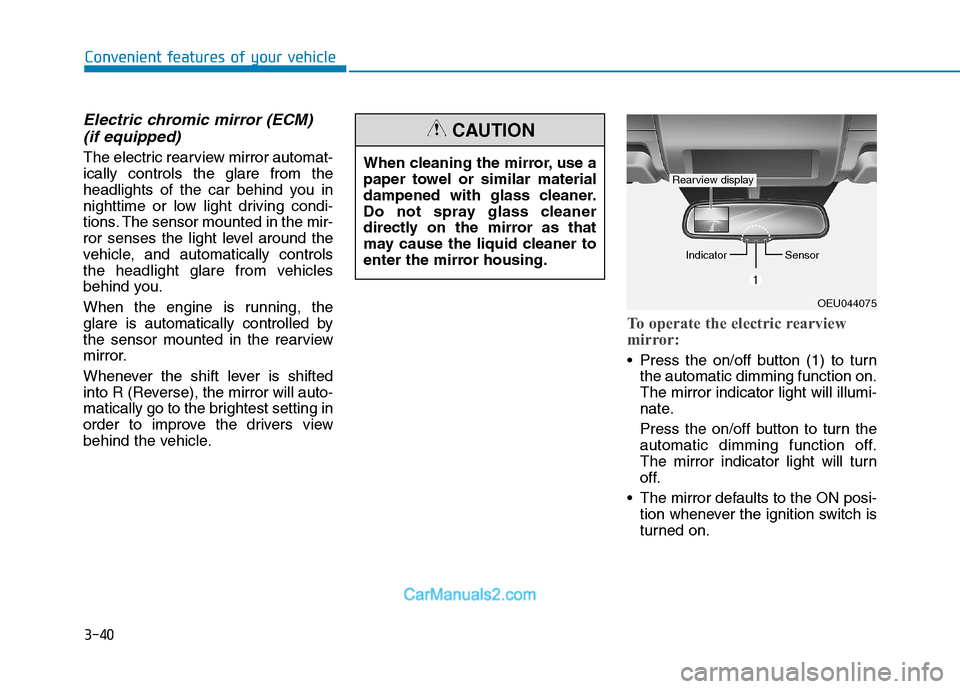
Electric chromic mirror (ECM) (if equipped)
The electric rearview mirror automat- ically controls the glare from the
headlights of the car behind you in
nighttime or low light driving condi-
tions. The sensor mounted in the mir-
ror senses the light level around the
vehicle, and automatically controls
the headlight glare from vehicles
behind you.
When the engine is running, the
glare is automatically controlled by
the sensor mounted in the rearview
mirror.
Whenever the shift lever is shifted
into R (Reverse), the mirror will auto-
matically go to the brightest setting in
order to improve the drivers view
behind the vehicle.
To operate the electric rearview
mirror:
Press the on/off button (1) to turn the automatic dimming function on. The mirror indicator light will illumi-
nate.
Press the on/off button to turn the
automatic dimming function off.
The mirror indicator light will turn
off.
The mirror defaults to the ON posi- tion whenever the ignition switch is
turned on.
Convenient features of your vehicle
OEU044075
Indicator
Sensor
Rearview display
When cleaning the mirror, use a
paper towel or similar material
dampened with glass cleaner.
Do not spray glass cleaner
directly on the mirror as that
may cause the liquid cleaner to
enter the mirror housing.
CAUTION
Page 106 of 473
3-44
Convenient features of your vehicle
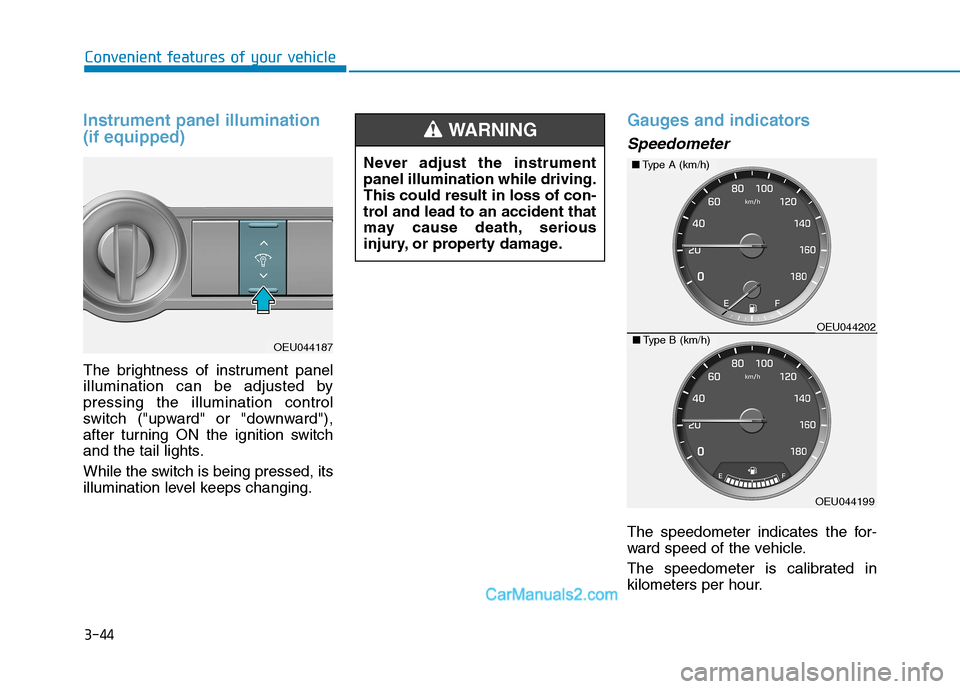
Instrument panel illumination (if equipped)
The brightness of instrument panel
illumination can be adjusted bypressing the illumination control
switch ("upward" or "downward"),
after turning ON the ignition switch
and the tail lights.
While the switch is being pressed, its
illumination level keeps changing.
Gauges and indicators
Speedometer
The speedometer indicates the for-
ward speed of the vehicle.
The speedometer is calibrated in
kilometers per hour.
Never adjust the instrumentpanel illumination while driving.This could result in loss of con-
trol and lead to an accident that
may cause death, serious
injury, or property damage.
WARNING
OEU044187
■
Type A (km/h)
OEU044199
■Type B (km/h)OEU044202
Page 107 of 473
3-45
Convenient features of your vehicle
3
Information
The law regulates a speedometer
to display the information in a
smaller font than the navigation (ifequipped) does.
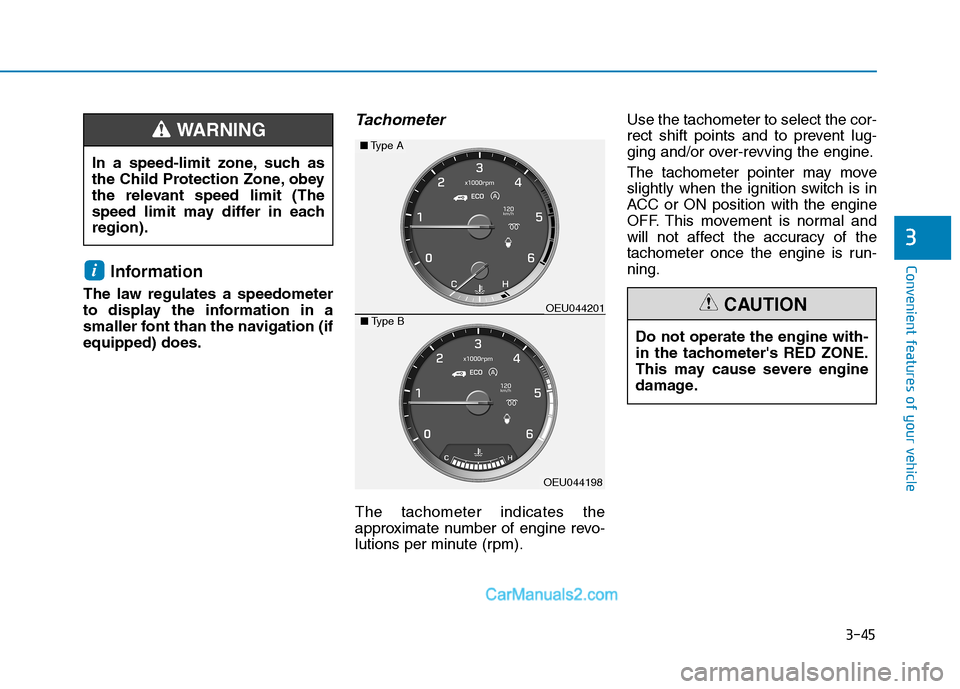
Tachometer
The tachometer indicates the
approximate number of engine revo-
lutions per minute (rpm). Use the tachometer to select the cor-
rect shift points and to prevent lug-
ging and/or over-revving the engine.
The tachometer pointer may move
slightly when the ignition switch is in
ACC or ON position with the engine
OFF. This movement is normal and
will not affect the accuracy of the
tachometer once the engine is run-ning.
i
In a speed-limit zone, such as
the Child Protection Zone, obey
the relevant speed limit (The
speed limit may differ in eachregion).
WARNING
Do not operate the engine with-
in the tachometer's RED ZONE.
This may cause severe engine
damage.
CAUTION
■
Type A
OEU044198
■Type BOEU044201
Page 116 of 473
3-54
Convenient features of your vehicle
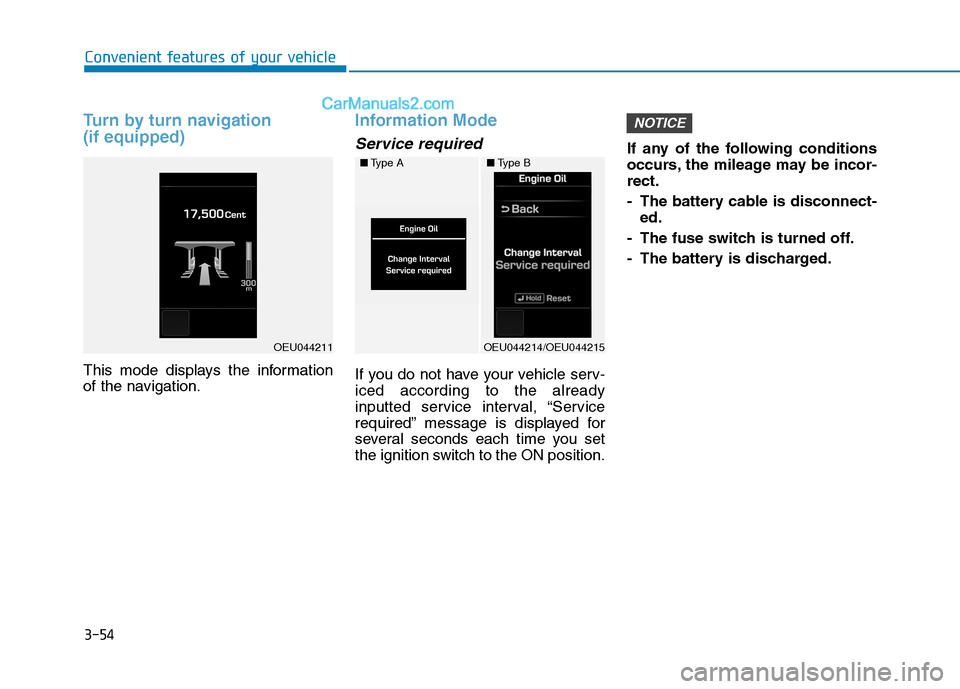
Turn by turn navigation (if equipped)
This mode displays the information
of the navigation.
Information Mode
Service required
If you do not have your vehicle serv- iced according to the already
inputted service interval, “Service
required” message is displayed for
several seconds each time you set
the ignition switch to the ON position.If any of the following conditions
occurs, the mileage may be incor-rect.
- The battery cable is disconnect-
ed.
- The fuse switch is turned off.
- The battery is discharged.
NOTICE
■ Type A
OEU044214/OEU044215
■Type B
OEU044211
Page 118 of 473
3-56
Convenient features of your vehicle
Door
Auto Door Lock (if equipped)
Off:The auto door lock operation willbe deactivated.
Enable on speed: All doors will be automaticallylocked when the vehicle speed
exceeds 15km/h (9.3mph).
Auto Door Unlock (if equipped)
Key Out or Power Off:
All doors will be automaticallyunlocked when the ignition key is
removed from ignition switch to theOFF position.
Driver Door Unlock:
All doors will be automatically
unlocked if the driver's door is
unlocked.
Light
Head Lamp Delay (if equipped)
If this item is checked, the headlamp
delay will be activated.
Welcome Light (if equipped)
When it is selected, the headlamp
welcome function automatically acti-
vates.
Auto Triple Turn (if equipped)
When it is selected, the auto triple
turn function activates.
External Lamp Check (if equipped)
When it is selected, the external
lamps automatically activate.
* It monitors all external lamps,except the back-up lights.
Sound
The sound volume can be adjusted
from level 0 (OFF) to 3.
Cluster
Shift gear
It is turned ON or OFF.
Unit Settings
Time unit
The time unit can be converted from
12 hours to 24 hours, and vice versa.
Temperature unit
The temperature unit can be convert-
ed from °C to °F, and vice versa.
Page 126 of 473
3-64
Convenient features of your vehicle
Average Fuel Economy (2)
The average fuel economy is cal-culated by the total driving dis- tance and fuel consumption since
the last average fuel economyreset.
- Fuel economy range: 0.0 ~ 99.9km/L (L/100km)
The average fuel economy can be reset both manually and automati-
cally.
Manual reset
To clear the average fuel economy
manually, press the SET button for
more than 1 second when the aver-
age fuel economy is displayed.
Automatic reset
The average fuel economy will be
cleared to zero (---) when the vehicle
speed exceeds 1 km/h after refuelingmore than 6 liters (1.6 gallons).
The average fuel economy is not
displayed for more accurate cal-
culation if the vehicle does not
drive more than 300 meters since
the ignition switch is turned toON. Information
When the average fuel efficiency
is set to be automatically reset in
the user-setting mode, the aver-
age fuel efficiency and the fuel
gauge may automatically reset to
the default, while driving on a
slope or going down/up on a flat
road from a slope. Such situations
make the fuels in a tank abruptlyfluctuate and cause the system to
misrecognize it as the refueling.
Thus, it is automatically reset to
the default. This is not a system
failure. When the automatic reset function
is cancelled in the user-setting
mode, the average fuel efficiency
will not be automatically reset, any
longer.i
NOTICE
Page 129 of 473
3-67
Convenient features of your vehicle
3
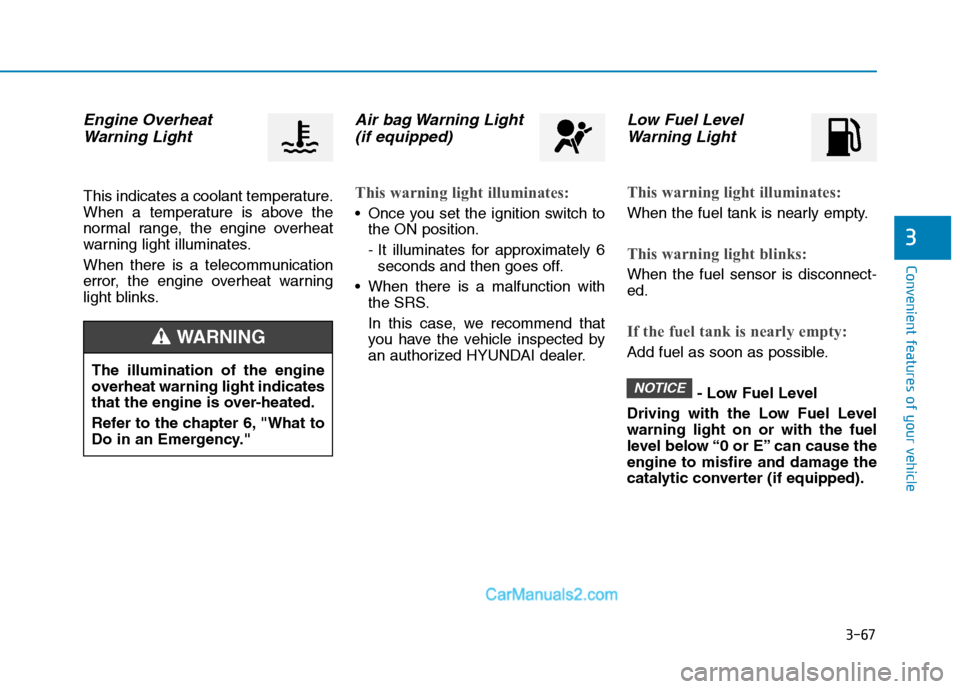
Engine OverheatWarning Light
This indicates a coolant temperature.
When a temperature is above the
normal range, the engine overheat
warning light illuminates.
When there is a telecommunication
error, the engine overheat warning
light blinks.
Air bag Warning Light(if equipped)
This warning light illuminates:
Once you set the ignition switch to the ON position.
- It illuminates for approximately 6seconds and then goes off.
When there is a malfunction with the SRS.
In this case, we recommend that
you have the vehicle inspected by
an authorized HYUNDAI dealer.
Low Fuel Level
Warning Light
This warning light illuminates:
When the fuel tank is nearly empty.
This warning light blinks:
When the fuel sensor is disconnect- ed.
If the fuel tank is nearly empty:
Add fuel as soon as possible.
- Low Fuel Level
Driving with the Low Fuel Level warning light on or with the fuel
level below “0 or E” can cause the
engine to misfire and damage the
catalytic converter (if equipped).
NOTICE
The illumination of the engine
overheat warning light indicates
that the engine is over-heated.
Refer to the chapter 6, "What to
Do in an Emergency."
WARNING
Page 130 of 473
3-68
Convenient features of your vehicle
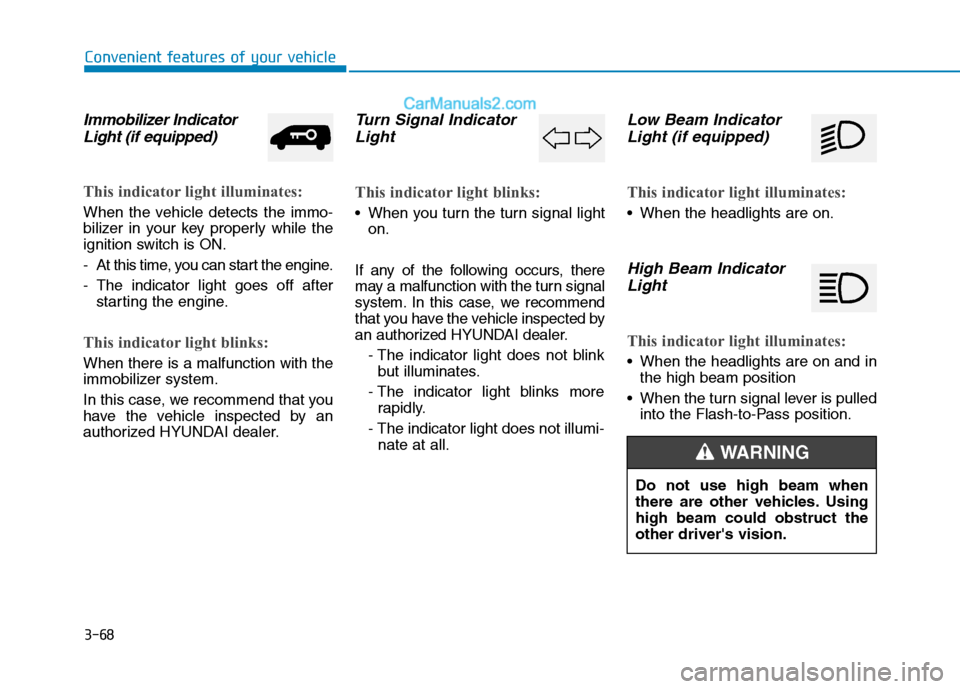
Immobilizer IndicatorLight (if equipped)
This indicator light illuminates:
When the vehicle detects the immo-
bilizer in your key properly while the
ignition switch is ON.
- At this time, you can start the engine.
- The indicator light goes off after starting the engine.
This indicator light blinks:
When there is a malfunction with the
immobilizer system.
In this case, we recommend that you
have the vehicle inspected by an
authorized HYUNDAI dealer.
Turn Signal Indicator
Light
This indicator light blinks:
When you turn the turn signal light on.
If any of the following occurs, there
may a malfunction with the turn signal
system. In this case, we recommend
that you have the vehicle inspected by
an authorized HYUNDAI dealer. - The indicator light does not blinkbut illuminates.
- The indicator light blinks more rapidly.
- The indicator light does not illumi- nate at all.
Low Beam Indicator
Light (if equipped)
This indicator light illuminates:
When the headlights are on.
High Beam Indicator
Light
This indicator light illuminates:
When the headlights are on and in the high beam position
When the turn signal lever is pulled into the Flash-to-Pass position.
Do not use high beam when
there are other vehicles. Usinghigh beam could obstruct theother driver's vision.
WARNING
Page 131 of 473
3-69
Convenient features of your vehicle
3
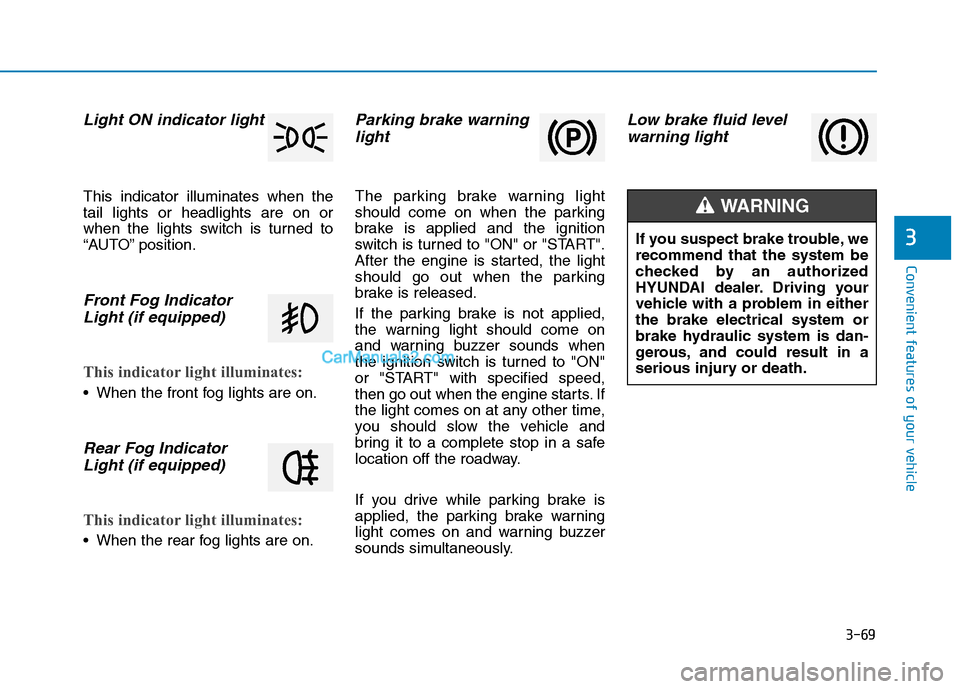
Light ON indicator light
This indicator illuminates when the tail lights or headlights are on or
when the lights switch is turned to
“AUTO” position.
Front Fog IndicatorLight (if equipped)
This indicator light illuminates:
When the front fog lights are on.
Rear Fog IndicatorLight (if equipped)
This indicator light illuminates:
When the rear fog lights are on.
Parking brake warninglight
The parking brake warning light
should come on when the parking
brake is applied and the ignition
switch is turned to "ON" or "START".
After the engine is started, the light
should go out when the parking
brake is released.
If the parking brake is not applied,
the warning light should come on
and warning buzzer sounds when
the ignition switch is turned to "ON"
or "START" with specified speed,
then go out when the engine starts. If
the light comes on at any other time,
you should slow the vehicle and
bring it to a complete stop in a safe
location off the roadway.
If you drive while parking brake is
applied, the parking brake warning
light comes on and warning buzzer
sounds simultaneously.
Low brake fluid levelwarning light
If you suspect brake trouble, we recommend that the system be
checked by an authorized
HYUNDAI dealer. Driving your
vehicle with a problem in eitherthe brake electrical system or
brake hydraulic system is dan-
gerous, and could result in a
serious injury or death.
WARNING