ignition HYUNDAI I800 2016 Owner's Manual
[x] Cancel search | Manufacturer: HYUNDAI, Model Year: 2016, Model line: I800, Model: HYUNDAI I800 2016Pages: 419, PDF Size: 9.23 MB
Page 94 of 419
Features of your vehicle
20 4
If the power window is not operated cor-
rectly, the automatic power window sys-
tem must be reset as follows:
1. Turn the ignition switch to the ON posi-
tion.
2. Close driver’s window and continue
pulling up on driver’s power window
switch for at least 1 second after the
window is completely closed.
Automatic reversal
If the upward movement of the window is
blocked by an object or part of the body,
the window will detect the resistance and
will stop upward movement. The window
will then lower approximately 11.8 in. (30
cm) to allow the object to be cleared.
If the window detects the resistance
whilst the power window switch is pulled
up continuously, the window will stop
upward movement then lower approxi-
mately 1 in. (2.5 cm). And if the power
window switch is pulled up continuously
again within 5 seconds after the window
is lowered by the automatic window
reversal feature, the automatic window
reversal will not operate.✽NOTICE
The automatic reverse feature for the
driver’s window is only active when the
“auto up” feature is used by fully
pulling up the switch. The automatic
reverse feature will not operate if the
window is raised using the halfway posi-
tion on the power window switch.
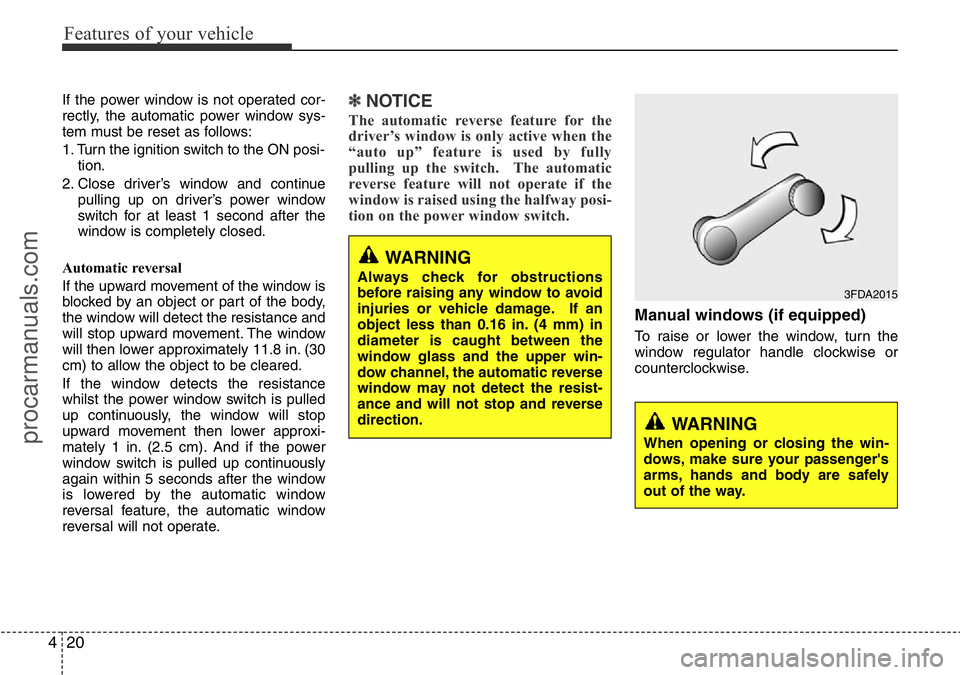
Manual windows (if equipped)
To raise or lower the window, turn the
window regulator handle clockwise or
counterclockwise.
WARNING
When opening or closing the win-
dows, make sure your passenger's
arms, hands and body are safely
out of the way.
3FDA2015
WARNING
Always check for obstructions
before raising any window to avoid
injuries or vehicle damage. If an
object less than 0.16 in. (4 mm) in
diameter is caught between the
window glass and the upper win-
dow channel, the automatic reverse
window may not detect the resist-
ance and will not stop and reverse
direction.
procarmanuals.com
Page 101 of 419
427
Features of your vehicle
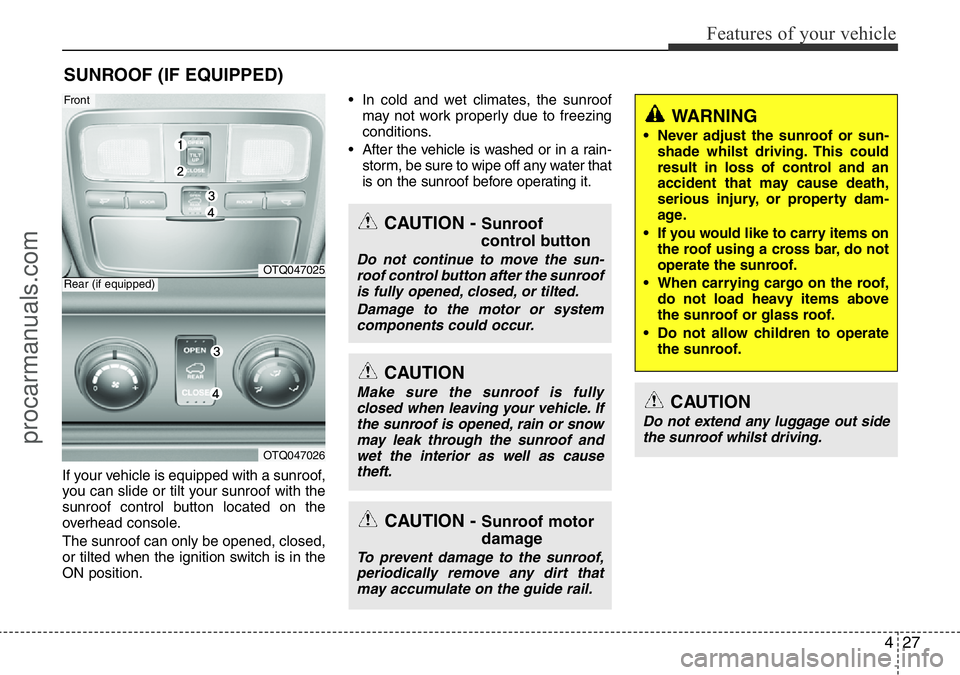
If your vehicle is equipped with a sunroof,
you can slide or tilt your sunroof with the
sunroof control button located on the
overhead console.
The sunroof can only be opened, closed,
or tilted when the ignition switch is in the
ON position.• In cold and wet climates, the sunroof
may not work properly due to freezing
conditions.
• After the vehicle is washed or in a rain-
storm, be sure to wipe off any water that
is on the sunroof before operating it.
SUNROOF (IF EQUIPPED)
OTQ047025
OTQ047026
Rear (if equipped)
Front
CAUTION - Sunroof
control button
Do not continue to move the sun-
roof control button after the sunroof
is fully opened, closed, or tilted.
Damage to the motor or system
components could occur.
CAUTION
Make sure the sunroof is fully
closed when leaving your vehicle. If
the sunroof is opened, rain or snow
may leak through the sunroof and
wet the interior as well as cause
theft.
CAUTION - Sunroof motor
damage
To prevent damage to the sunroof,
periodically remove any dirt that
may accumulate on the guide rail.
WARNING
• Never adjust the sunroof or sun-
shade whilst driving. This could
result in loss of control and an
accident that may cause death,
serious injury, or property dam-
age.
• If you would like to carry items on
the roof using a cross bar, do not
operate the sunroof.
• When carrying cargo on the roof,
do not load heavy items above
the sunroof or glass roof.
• Do not allow children to operate
the sunroof.
CAUTION
Do not extend any luggage out side
the sunroof whilst driving.
procarmanuals.com
Page 105 of 419
431
Features of your vehicle
Resetting the sunroof
Sunroof needs to be reset if (in the fol-
lowings)
- Battery is discharged or disconnected
or the related fuse has been replaced
or disconnected.
- The one-touch sliding function of the
sunroof does not normally operate.
1. Turn the ignition switch to the ON posi-
tion.
2. Close the sunshade and sunroof com-
pletely if opened.
3. Release the sunroof CLOSE button.
4. Press the sunroof CLOSE button
(about 10 seconds) until the sunroof
moves a little. Then, release the sun-
roof CLOSE button.
5. Press the sunroof CLOSE button
again within 5 seconds. The sunroof is
automatically initialized with the open-
ing and closing operation. Then,
release the sunroof CLOSE button.
* The front and the rear sunroof should
be reset separately.
✽NOTICE
If you do not reset the sunroof, it may
not work properly.
procarmanuals.com
Page 107 of 419
433
Features of your vehicle
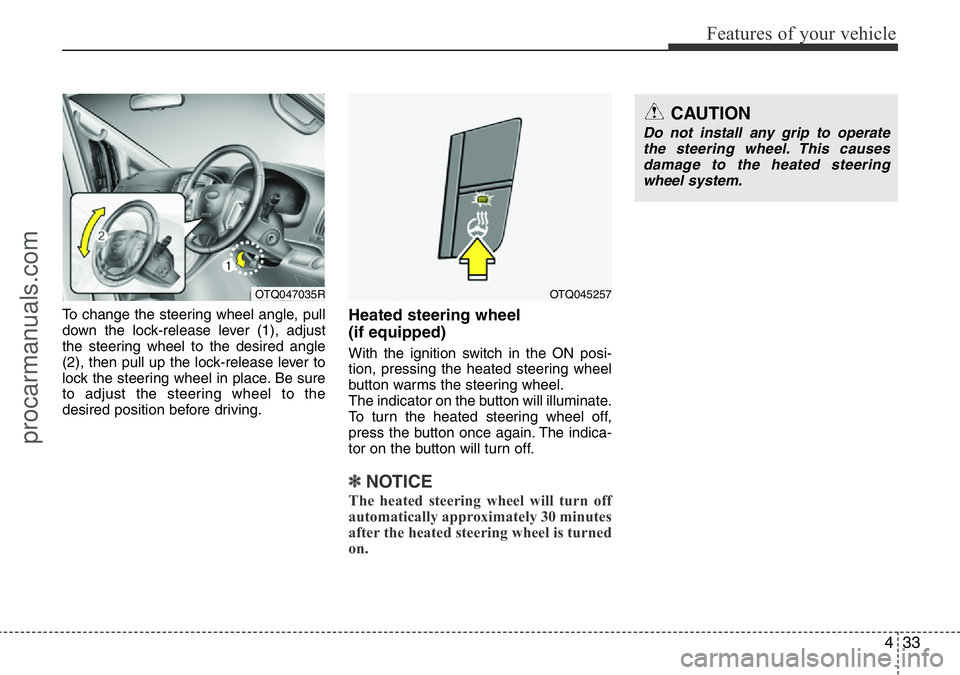
To change the steering wheel angle, pull
down the lock-release lever (1), adjust
the steering wheel to the desired angle
(2), then pull up the lock-release lever to
lock the steering wheel in place. Be sure
to adjust the steering wheel to the
desired position before driving.Heated steering wheel
(if equipped)
With the ignition switch in the ON posi-
tion, pressing the heated steering wheel
button warms the steering wheel.
The indicator on the button will illuminate.
To turn the heated steering wheel off,
press the button once again. The indica-
tor on the button will turn off.
✽NOTICE
The heated steering wheel will turn off
automatically approximately 30 minutes
after the heated steering wheel is turned
on.
OTQ047035ROTQ045257
CAUTION
Do not install any grip to operate
the steering wheel. This causes
damage to the heated steering
wheel system.
procarmanuals.com
Page 110 of 419
Features of your vehicle
36 4
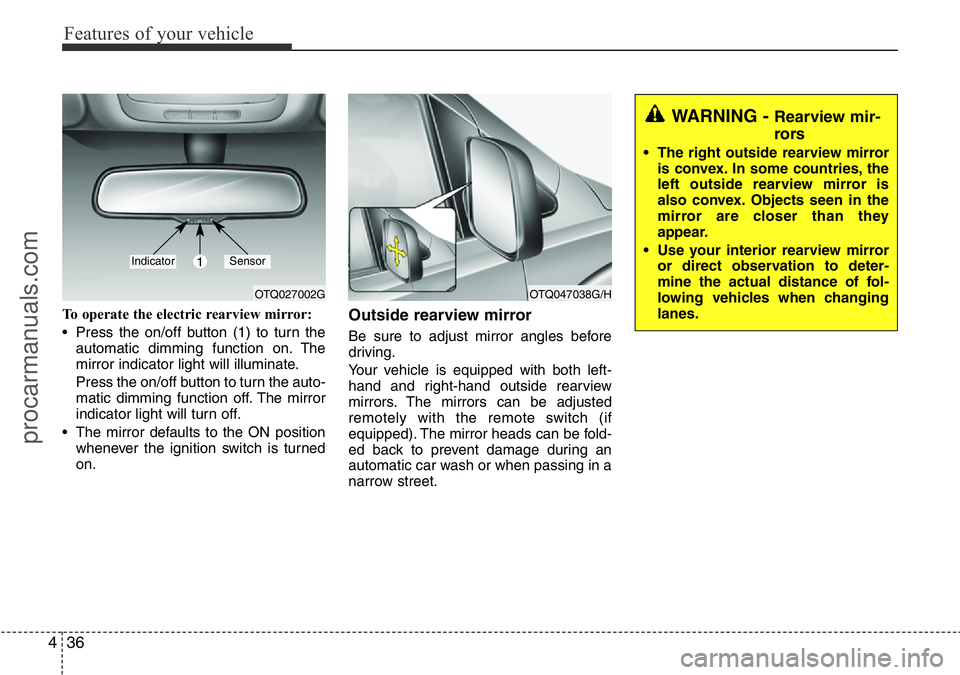
To operate the electric rearview mirror:
• Press the on/off button (1) to turn the
automatic dimming function on. The
mirror indicator light will illuminate.
Press the on/off button to turn the auto-
matic dimming function off. The mirror
indicator light will turn off.
• The mirror defaults to the ON position
whenever the ignition switch is turned
on.Outside rearview mirror
Be sure to adjust mirror angles before
driving.
Your vehicle is equipped with both left-
hand and right-hand outside rearview
mirrors. The mirrors can be adjusted
remotely with the remote switch (if
equipped). The mirror heads can be fold-
ed back to prevent damage during an
automatic car wash or when passing in a
narrow street.
OTQ027002GOTQ047038G/H
1IndicatorSensor
WARNING - Rearview mir-
rors
• The right outside rearview mirror
is convex. In some countries, the
left outside rearview mirror is
also convex. Objects seen in the
mirror are closer than they
appear.
• Use your interior rearview mirror
or direct observation to deter-
mine the actual distance of fol-
lowing vehicles when changing
lanes.
procarmanuals.com
Page 112 of 419
Features of your vehicle
38 4
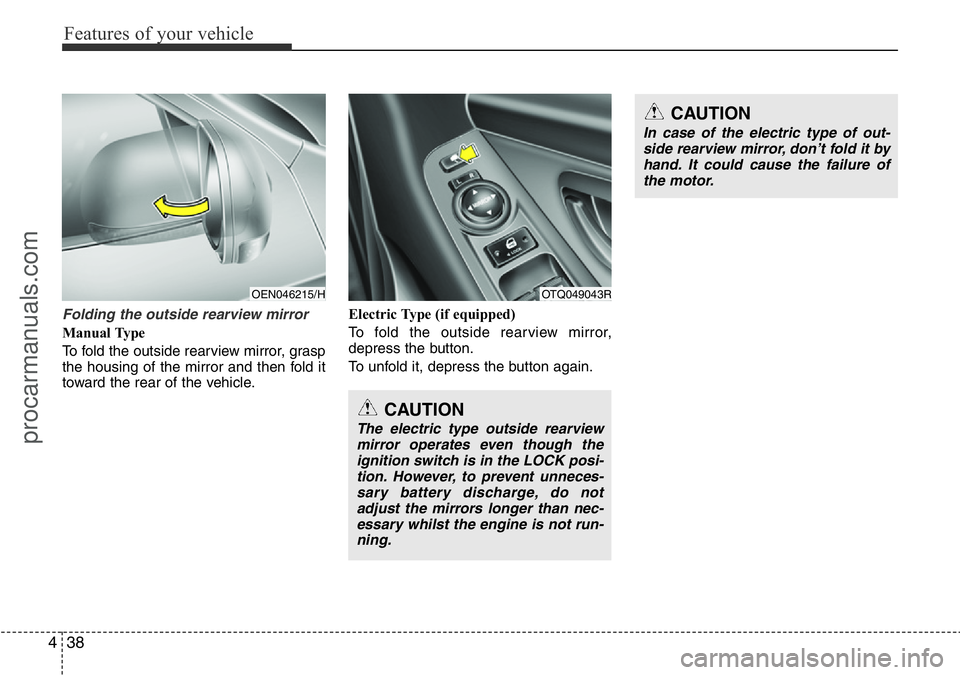
Folding the outside rearview mirror
Manual Type
To fold the outside rearview mirror, grasp
the housing of the mirror and then fold it
toward the rear of the vehicle.Electric Type (if equipped)
To fold the outside rearview mirror,
depress the button.
To unfold it, depress the button again.
OEN046215/HOTQ049043R
CAUTION
In case of the electric type of out-
side rearview mirror, don’t fold it by
hand. It could cause the failure of
the motor.
CAUTION
The electric type outside rearview
mirror operates even though the
ignition switch is in the LOCK posi-
tion. However, to prevent unneces-
sary battery discharge, do not
adjust the mirrors longer than nec-
essary whilst the engine is not run-
ning.
procarmanuals.com
Page 116 of 419
Features of your vehicle
42 4
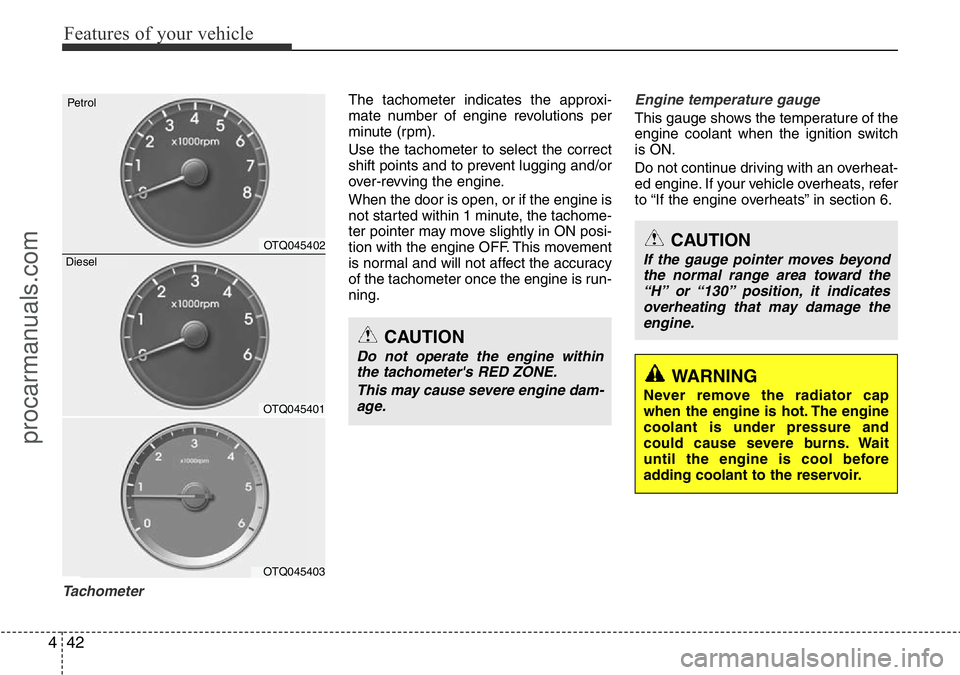
Tachometer
The tachometer indicates the approxi-
mate number of engine revolutions per
minute (rpm).
Use the tachometer to select the correct
shift points and to prevent lugging and/or
over-revving the engine.
When the door is open, or if the engine is
not started within 1 minute, the tachome-
ter pointer may move slightly in ON posi-
tion with the engine OFF. This movement
is normal and will not affect the accuracy
of the tachometer once the engine is run-
ning.Engine temperature gauge
This gauge shows the temperature of the
engine coolant when the ignition switch
is ON.
Do not continue driving with an overheat-
ed engine. If your vehicle overheats, refer
to “If the engine overheats” in section 6.
CAUTION
Do not operate the engine within
the tachometer's RED ZONE.
This may cause severe engine dam-
age.
CAUTION
If the gauge pointer moves beyond
the normal range area toward the
“H” or “130” position, it indicates
overheating that may damage the
engine.
WARNING
Never remove the radiator cap
when the engine is hot. The engine
coolant is under pressure and
could cause severe burns. Wait
until the engine is cool before
adding coolant to the reservoir.OTQ045401
OTQ045403
Petrol
OTQ045402
Diesel
procarmanuals.com
Page 119 of 419
445
Features of your vehicle
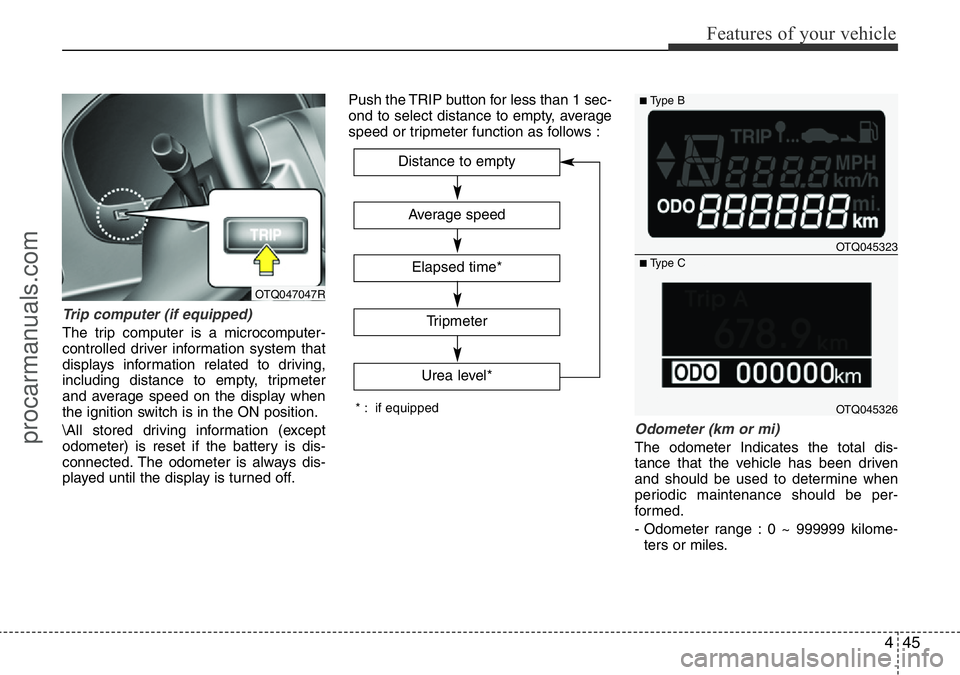
Trip computer (if equipped)
The trip computer is a microcomputer-
controlled driver information system that
displays information related to driving,
including distance to empty, tripmeter
and average speed on the display when
the ignition switch is in the ON position.
\All stored driving information (except
odometer) is reset if the battery is dis-
connected. The odometer is always dis-
played until the display is turned off.Push the TRIP button for less than 1 sec-
ond to select distance to empty, average
speed or tripmeter function as follows :
Odometer (km or mi)
The odometer Indicates the total dis-
tance that the vehicle has been driven
and should be used to determine when
periodic maintenance should be per-
formed.
- Odometer range : 0 ~ 999999 kilome-
ters or miles.
Average speed
Tripmeter
Distance to empty
Elapsed time*
Urea level*
* : if equipped
OTQ045323
OTQ045326
■Type B
■Type C
OTQ047047R
procarmanuals.com
Page 122 of 419
Features of your vehicle
48 4
Warnings and indicators
All warning lights are checked by turning
the ignition switch ON (do not start the
engine). If any light that does not illumi-
nate, we recommend that the system be
checked by a HYUNDAI authorised
repairer.
After starting the engine, check to make
sure that all warning lights are off. If any
are still on, this indicates a situation that
needs attention. When releasing the
parking brake, the brake system warning
light should go off. The fuel warning light
will stay on if the fuel level is low.
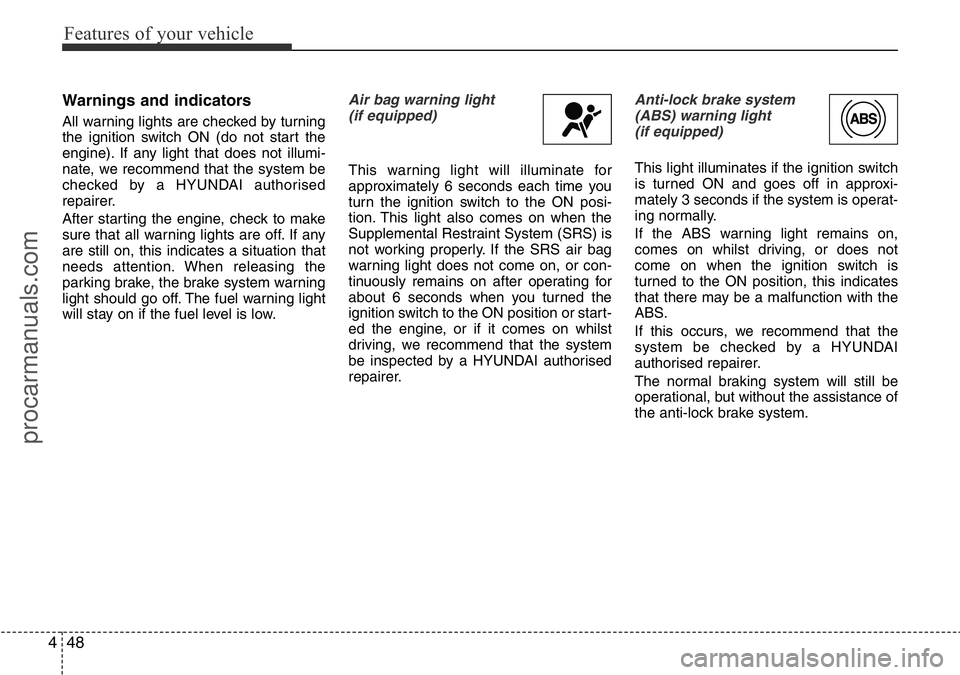
Air bag warning light
(if equipped)
This warning light will illuminate for
approximately 6 seconds each time you
turn the ignition switch to the ON posi-
tion. This light also comes on when the
Supplemental Restraint System (SRS) is
not working properly. If the SRS air bag
warning light does not come on, or con-
tinuously remains on after operating for
about 6 seconds when you turned the
ignition switch to the ON position or start-
ed the engine, or if it comes on whilst
driving, we recommend that the system
be inspected by a HYUNDAI authorised
repairer.
Anti-lock brake system
(ABS) warning light
(if equipped)
This light illuminates if the ignition switch
is turned ON and goes off in approxi-
mately 3 seconds if the system is operat-
ing normally.
If the ABS warning light remains on,
comes on whilst driving, or does not
come on when the ignition switch is
turned to the ON position, this indicates
that there may be a malfunction with the
ABS.
If this occurs, we recommend that the
system be checked by a HYUNDAI
authorised repairer.
The normal braking system will still be
operational, but without the assistance of
the anti-lock brake system.
procarmanuals.com
Page 123 of 419
449
Features of your vehicle
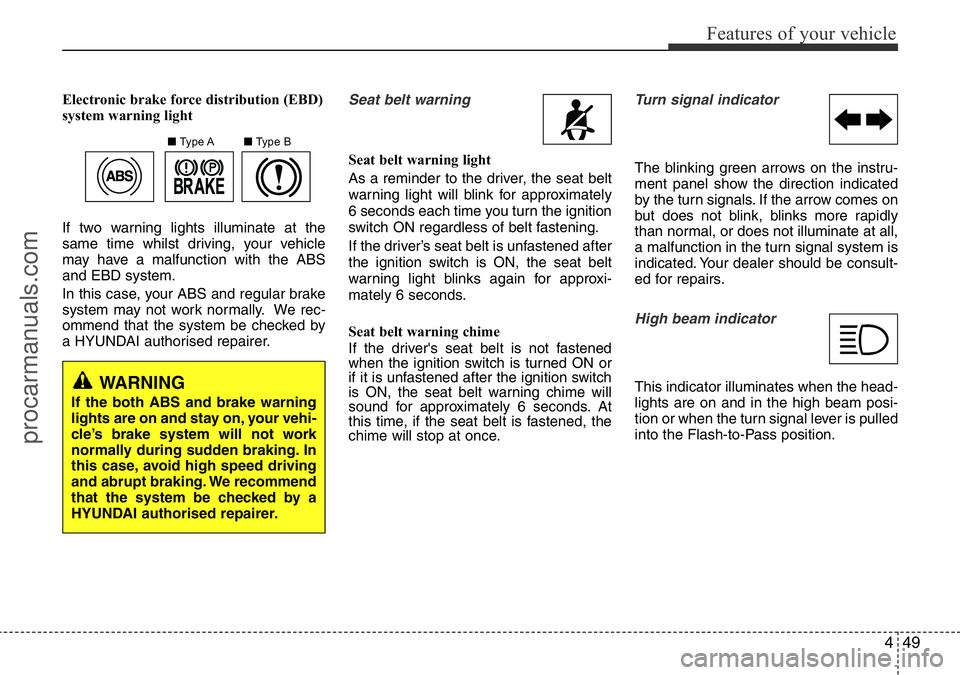
Electronic brake force distribution (EBD)
system warning light
If two warning lights illuminate at the
same time whilst driving, your vehicle
may have a malfunction with the ABS
and EBD system.
In this case, your ABS and regular brake
system may not work normally. We rec-
ommend that the system be checked by
a HYUNDAI authorised repairer.Seat belt warning
Seat belt warning light
As a reminder to the driver, the seat belt
warning light will blink for approximately
6 seconds each time you turn the ignition
switch ON regardless of belt fastening.
If the driver’s seat belt is unfastened after
the ignition switch is ON, the seat belt
warning light blinks again for approxi-
mately 6 seconds.
Seat belt warning chime
If the driver's seat belt is not fastened
when the ignition switch is turned ON or
if it is unfastened after the ignition switch
is ON, the seat belt warning chime will
sound for approximately 6 seconds. At
this time, if the seat belt is fastened, the
chime will stop at once.
Turn signal indicator
The blinking green arrows on the instru-
ment panel show the direction indicated
by the turn signals. If the arrow comes on
but does not blink, blinks more rapidly
than normal, or does not illuminate at all,
a malfunction in the turn signal system is
indicated. Your dealer should be consult-
ed for repairs.
High beam indicator
This indicator illuminates when the head-
lights are on and in the high beam posi-
tion or when the turn signal lever is pulled
into the Flash-to-Pass position.
■Type A■Type B
WARNING
If the both ABS and brake warning
lights are on and stay on, your vehi-
cle’s brake system will not work
normally during sudden braking. In
this case, avoid high speed driving
and abrupt braking. We recommend
that the system be checked by a
HYUNDAI authorised repairer.
procarmanuals.com